FoxProfile
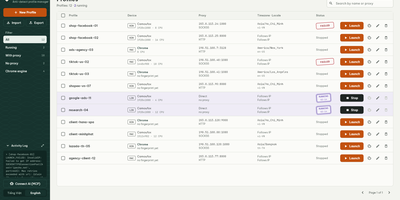
Every account you run deserves its own browser identity, and FoxProfile keeps those identities permanently separate instead of letting them bleed into one another. Create a profile once and it remembers its device: screen, GPU, CPU cores, fonts, and canvas noise are generated on first launch and reused on every later one, so the fingerprint a site saw yesterday is the fingerprint it sees tomorrow. Sessions stick too: history, cookies, and logins live in the profile directory, and the tabs you left open reopen where you left them. Each profile carries its own proxy (HTTP, HTTPS, SOCKS4, or SOCKS5, with a built-in checker) while timezone and locale follow the exit IP automatically or stay pinned to your choice, and the Check IP button compares the exit address across three services and flags mismatches or datacenter addresses. Cookies move in and out as standard editor JSON or Netscape files, whole profiles travel as ZIP archives, and bulk actions launch, stop, or delete fleets at once. On a server, the web panel runs profiles headlessly so you can manage them and view their screens from anywhere, the REST API scripts everything, and the MCP server lets AI agents drive the browsers directly. Running on a dedicated VPS on RepoCloud with guaranteed CPU, RAM, and SSD, full root SSH access, and a browser serial console. MIT licensed.
Memos
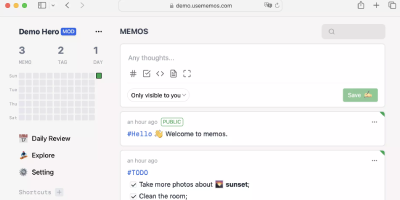
Open the page, write a Markdown note, move on - Memos is a lightweight, self-hosted service built for quick capture. Instead of folders, notebooks, and titles, it presents a timeline: open the page, write a Markdown note, and move on. Notes support headings, code blocks with syntax highlighting, task lists, tables, and file attachments, with tags auto-extracted from #hashtags in the text. Each memo carries a visibility level, private, protected (logged-in users), or public, so one instance works as a personal log, a small team wiki, or a lightweight microblog. The backend is a single Go binary with a React frontend, around 50 MB of memory at runtime and a ~20 MB Docker image, so it fits comfortably on the smallest instance size with near-zero maintenance. SQLite is the default store, with MySQL and PostgreSQL supported for multi-user deployments needing more concurrency, and full REST and gRPC APIs - Connect RPC for browsers, gRPC-Gateway for external tools - make capture scriptable from CLIs, bots, and automation platforms. Fast full-text search spans all memos, pinned notes keep references handy, and a masonry view suits visual browsing. MIT-licensed with zero telemetry; content is stored as plain Markdown in a database you control, so notes remain readable, exportable, and free of proprietary formats.
AliasVault
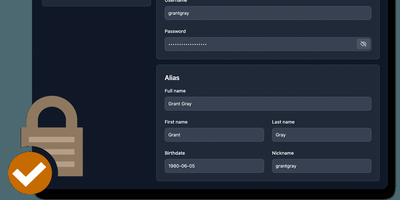
Sign up for a new service and you face a familiar choice: hand over your real email and get spam-listed forever, or generate a throwaway alias that dies when you close the tab. AliasVault eliminates that trade-off by combining a password manager with a built-in email server, so every website gets a unique identity (random email, generated name, strong password) and incoming emails land directly in your encrypted vault rather than your primary inbox. Creating a new alias takes one click: the system generates a random address on your configured domain, a fake identity with name and birthdate, and a cryptographically strong password, all stored in a zero-knowledge encrypted vault that even the server administrator cannot read. Browser extensions for Chrome, Firefox, Edge, Safari, and Brave detect login forms and autofill credentials or prompt you to create a new alias on the spot. Native iOS and Android apps with biometric unlock provide mobile access to your vault and integrate with the operating system's autofill framework. The built-in TOTP authenticator generates time-based one-time codes without needing a separate app. Import existing credentials from other password managers through standard export formats, and export your vault data at any time for full portability. Self-hosting via Docker with your own email domain gives you complete control over where alias mail is received and stored, with no third-party dependencies. Running on a dedicated VPS on RepoCloud with guaranteed CPU, RAM, and SSD, full root SSH access, and a browser serial console. AGPL-3.0 licensed.
Immich
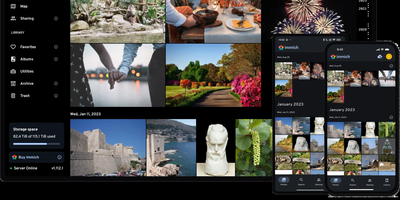
With over 110,000 GitHub stars and one of the fastest-growing open-source communities in the self-hosted space, Immich delivers a Google Photos-grade experience entirely on your own hardware. The platform handles automatic background backup from Android and iOS devices, deduplication, and support for RAW formats, LivePhotos, and MotionPhotos. Its machine learning pipeline runs facial recognition and clustering locally on your server, enabling you to group photos by person without sending a single image to the cloud. CLIP-based semantic search lets you find images by describing their content in natural language, while metadata-driven search covers EXIF data, dates, and locations. The web interface built with SvelteKit provides a responsive timeline view, albums, shared albums with configurable permissions, public sharing links with optional passwords and expiry dates, partner sharing for family libraries, and a global map plotting photos by GPS coordinates. Administrative features include multi-user support with per-user storage quotas, OAuth integration, API key management, and a user-defined storage structure for organizing files on disk. The architecture uses PostgreSQL for metadata, Redis with BullMQ for background job queues handling thumbnail generation, video transcoding, and smart search indexing, and exposes over 400 REST API endpoints documented via OpenAPI with auto-generated SDKs for web, mobile, and CLI clients. Running on a dedicated VPS on RepoCloud with guaranteed CPU, RAM, and SSD, full root SSH access, and a browser serial console. AGPL-3.0 licensed.
OpenPanel
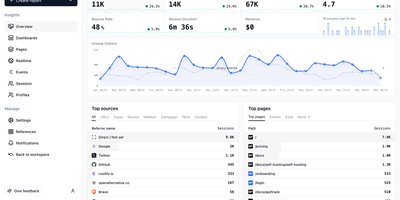
Known as the open-source Mixpanel alternative that respects user privacy, OpenPanel delivers a unified web and product analytics platform combining Mixpanel's behavioral analysis with the simplicity of Plausible and full data ownership through self-hosting. Cookieless tracking eliminates consent banners entirely while still capturing events, page views, sessions, user journeys, funnels, retention cohorts, and custom properties with full GDPR compliance by design. The 2.3 KB async script loads without blocking page rendering, and 16 official SDKs cover Next.js, React, Vue, Astro, Remix, Nuxt, Angular, Svelte, React Native, Swift, Kotlin, Python, PHP, Laravel, Express, and REST API for custom integrations. Real-time dashboards display live visitor counts, active sessions, and event streams as they happen. Custom chart builders create tailored visualizations from any tracked event with breakdowns by property, time period, and user segment. Session replay reconstructs individual user journeys showing every page visited, event triggered, and interaction recorded. Funnel analysis identifies conversion drop-offs with step-by-step breakdown and property filtering. Retention analysis measures how often users return with customizable time windows and cohort comparisons. A/B testing and variant tracking enable experiment measurement directly within the platform. Event notifications alert when specific events occur or thresholds are crossed. The self-hosted deployment uses Docker Compose with ClickHouse for high-speed analytical queries, PostgreSQL for metadata, and Redis for real-time processing — deployable on any VPS or Kubernetes cluster. Running on a dedicated VPS on RepoCloud with guaranteed CPU, RAM, and SSD, full root SSH access, and a browser serial console. AGPL-3.0 licensed.
Telegram Archive
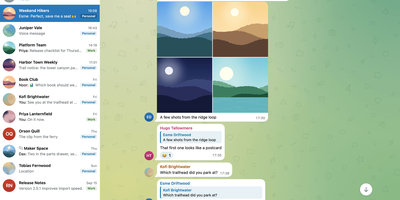
Telegram Desktop's export is a file you make once by hand; Telegram Archive is a self-hosted backup that keeps saving your chats on a schedule and in real time, then lets you read them in a viewer that looks like Telegram. After one login with the code Telegram sends you, it stores messages, photos, videos, voice notes, stickers, documents, and link previews, saving each file once even when several chats share it. A live listener captures new messages, edits, and reactions as they happen, and a daily full pass fills any gaps. Every edit keeps its earlier text as a version, and with deletion tracking switched on, deleted messages stay in the archive marked as deleted. The viewer offers folders, forum topics, archived chats, pinned messages, polls, shared media, and search across every chat, plus a What changed feed of deletions, edits, and transcripts. Voice notes can be transcribed into searchable text by a server you run or rent. Family or colleagues get logins limited to chosen chats, or a share link that opens a single chat. One archive holds several accounts, a Telegram Desktop export can be imported for older history, and twelve themes suit phones and desktops. Running on a dedicated VPS on RepoCloud with guaranteed CPU, RAM, and SSD, full root SSH access, and a browser serial console. GPL-3.0-or-later licensed.
hy2scale
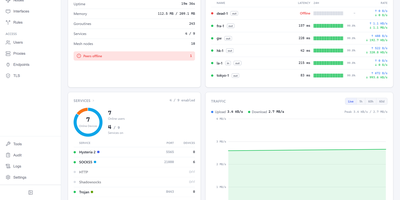
A handful of cheap servers in different countries become one routed network with a browser dashboard on top. Nodes link directly through Hysteria 2 QUIC tunnels with no coordination server, and traffic can leave through any node, several hops deep. The overview dashboard, topology graph, node list, and world map show latency, uptime, and live rates for every peer. Each node can also serve SOCKS5, HTTP, Shadowsocks, Trojan, L2TP/IPsec, IKEv2, OpenVPN, and WireGuard clients, and the VPN servers run in userspace without extra privileges. Policy sets route traffic by user, source, destination, domain, country, or ASN, and each user can get a fixed exit, quality failover, or aggregated paths. Traffic limits with periodic resets, upload and download rate caps, and expiry dates control how much each account can use. Hole punching connects nodes behind NAT, and peers can carry several addresses. A built-in certificate authority manages TLS certificates. An audit log records every connection, and ping, traceroute, throughput tests, and a terminal sit on the Tools page. Backup and restore, signed in-app upgrades, and an interface in English, Chinese, and Korean round out the admin side. Running on a dedicated VPS on RepoCloud with guaranteed CPU, RAM, and SSD, full root SSH access, and a browser serial console. GPL-3.0 licensed.
WriteFreely
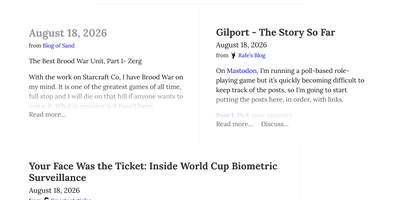
With over 5,100 GitHub stars and a proven track record powering more than 550,000 blogs on the Write.as hosted platform since 2018, WriteFreely strips blogging down to its essential purpose — writing — by removing news feeds, notifications, likes, and engagement metrics that distract from the creative process. The Go binary deploys on any platform as a single executable with SQLite for zero-dependency setups or MySQL and MariaDB for larger installations, consuming minimal system resources and running comfortably on hardware as small as a Raspberry Pi. The auto-saving Markdown editor provides a clean writing environment with instant draft preservation, while published posts render with typography-focused CSS that puts content front and center for readers. ActivityPub federation connects every blog to the fediverse, allowing Mastodon, Pleroma, and other ActivityPub platform users to follow blogs directly, receive new posts in their timelines, and boost or favorite content to their followers. Multi-blog support lets writers maintain separate blogs with distinct pen names from a single account without revealing their association, while OAuth 2.0 integration enables single sign-on onboarding from existing identity providers. Hashtag categorization organizes posts by topic, pinned posts create static pages for permanent content, and draft mode lets writers compose privately before publishing. Blog elements are localized in over 20 languages with first-class right-to-left script support for Arabic, Hebrew, and other RTL languages. Running on a dedicated VPS on RepoCloud with guaranteed CPU, RAM, and SSD, full root SSH access, and a browser serial console. AGPL-3.0 licensed.
It Tools
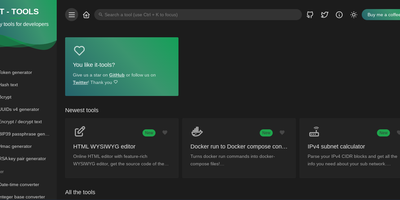
The utilities engineers otherwise scatter across a dozen ad-laden websites - 80+ of them - live together in IT-Tools, one fast, polished web app. Crypto covers JWT decoding, MD5 through SHA-512 hashing, HMAC and bcrypt generation, RSA key pairs, and password strength analysis. Converters handle JSON to CSV, YAML, and TOML, Base64 files, URL encoding, HTML entities, color formats, and Docker run commands to Compose files. Generators produce UUIDv4, ULID, BIP39 mnemonics, QR codes (including Wi-Fi QR), and tokens; text tools include a regex tester, diff viewer, slug and case converters; web utilities parse URLs and user agents, look up HTTP status codes and MIME types, and inspect Open Graph metadata; plus a cron parser, chmod calculator, and more. The privacy argument is the point: JWTs contain user IDs, hashes derive from passwords, JSON dumps hold PII - exactly the inputs you least want a third-party utility site to log. IT-Tools is a frontend-only static bundle (Vue/TypeScript, GPL-3.0, 39k+ GitHub stars) served by Nginx in one container, so everything runs client-side on your infrastructure with nothing transmitted anywhere. New tools ship roughly monthly, and a scaffolding script makes adding custom ones straightforward.
TapMap
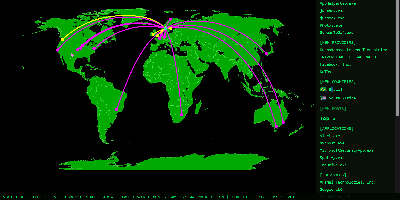
TapMap draws a computer's live network connections on an interactive world map, so you can watch which applications are talking to which services, where those services sit, and what normal looks like for that machine. A local pipeline scans active sockets, extracts the remote addresses, and enriches them with geolocation from databases stored on the machine itself. Every connection carries the owning application or process, its network operator, and the operating system's verification status for that app, and places that share a location are highlighted when connections overlap. The same view lists local open ports, both TCP listeners and bound UDP sockets, established services on your LAN, and public services whose location could not be mapped. A rolling 30-day history turns raw connections into awareness: an Insights panel surfaces new applications, providers, countries, and ports, plus the most frequent activity, while a Significant Connections log records first sightings and failed verifications. A Daily Activity Report goes further, sorting applications into seen-once, occasional, recurring, and stable patterns, analyzing provider concentration, and charting country activity with detailed timelines. New significant connections can raise a desktop notification or publish to an MQTT broker you configure. Nothing is sent anywhere by default: processing happens locally, with no telemetry. Running on a dedicated VPS on RepoCloud with guaranteed CPU, RAM, and SSD, full root SSH access, and a browser serial console. MIT licensed.
KeeWeb
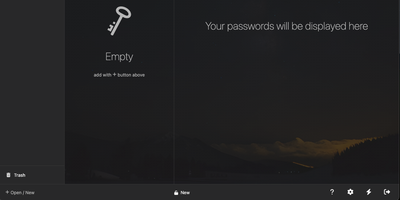
Your KeePass vaults, opened from any browser: KeeWeb reads, edits, and creates standard KDBX files, so it works with the same databases as KeePass and KeePassXC without conversion or lock-in. Self-hosting the web app gives you a password manager reachable from any modern browser, including mobile, with no client installation and no third-party cloud in the loop. All KDBX cryptography runs client-side; the server just serves the static app. Open multiple vault files simultaneously and search them all from one box, with advanced options covering specific fields, password history, and regular expressions. Vaults load from local files, your own server (WebDAV), or Dropbox, Google Drive, and OneDrive, with automatic sync - and files are cached for offline use, so a dropped connection never locks you out; changes resync once you're back online. Day-to-day niceties include a configurable password generator, protected fields that stay masked and are held in memory more defensively, entry history, tags with easy input, drag-and-drop attachments, and per-entry icons with favicon fetching. The optional KeeWeb Connect extension (Chrome, Firefox, Edge, Safari) autofills credentials using the keepassxc-protocol. MIT-licensed with matching desktop apps for macOS, Windows, and Linux.

Whoogle
Google's search results without Google's surveillance: Whoogle is a self-hosted proxy that strips the tracking and keeps the results. Your query goes from browser to your Whoogle instance, which fetches results from Google with a randomly generated User Agent and strips everything hostile before returning them: no ads or sponsored content, no third-party JavaScript or cookies, no AMP links, no URL tracking tags like utm_source, no referrer header - and Google sees your server's IP, never yours. Unlike metasearch engines that blend sources, Whoogle proxies Google exclusively, so result quality is exactly what you'd get logged out and incognito, minus the noise. A lightweight Flask app configured entirely through environment variables, it supports DuckDuckGo-style bang shortcuts, autocomplete suggestions, safe search, per-country and per-language filtering, site blocklists, and automatic rewriting of social links to privacy front-ends like Nitter and Invidious. Privacy hardening goes further: built-in Tor routing makes Google see an exit node instead of your server, HTTP/SOCKS proxy support covers other setups, and POST-based queries keep search terms out of logs. Light, dark, and fully custom CSS themes plus browser search-engine registration make it a drop-in default on desktop and mobile. Stateless, tiny, and trivial to run.

Peergos
Peergos is a peer-to-peer encrypted drive, messenger, email client, and private social network where your files and friendships stay unreadable to the server that stores them. You browse, upload, and organize files in a familiar web drive, then share a folder with a friend or send anyone a secret link whose key never travels to the server, so the link itself cannot leak what it opens. The built-in messenger handles private conversations, an encrypted email client with a bridge reaches the outside mail world, and the social feed shows posts only to the people you chose, with even the friend graph hidden from the operator. Web apps run from Peergos inside a sandbox and see only the data you grant them, which turns the drive into a private place to run tools rather than a folder other services reach into. Because encryption happens on your machine before anything is stored, a compromised server yields ciphertext and no file names, sizes, or sharing relationships. Host it at home and the same account gives your household storage plus its own communication platform; log in from any browser without carrying keys, because your password rebuilds them. Running on a dedicated VPS on RepoCloud with guaranteed CPU, RAM, and SSD, full root SSH access, and a browser serial console. AGPL-3.0 licensed.
Roundcube
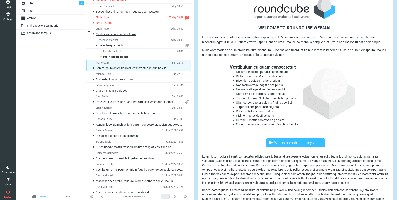
Two decades of continuous development made Roundcube the standard-bearer of open-source webmail - a PHP IMAP client that gives any mail server a polished, application-like interface in the browser. It connects to whatever IMAP/SMTP stack you run - Dovecot, Postfix, a hosted mailbox - and delivers the full desktop-client experience: drag-and-drop message management, threaded conversation views, full MIME and HTML mail handling, find-as-you-type address book with groups and LDAP connectors, multiple sender identities, full-text search, and spell checking in dozens of languages. The default Elastic skin is genuinely responsive, working as well on a phone as a desktop, and the entire UI is skinnable. The plugin API is where deployments get shaped: managesieve exposes server-side filter management in the UI, enigma brings PGP encryption and signing via GnuPG, markasjunk trains spam filters, zipdownload batches attachments, password lets users change credentials, and attachment_reminder catches the classic forgotten-attachment email - among hundreds of community plugins. Built-in caching keeps large mailboxes fast, IMAP ACLs and shared folders support team setups, and XSS protection is engineered into the rendering pipeline. It scales from a single personal mailbox to unlimited users, backed by MySQL, MariaDB, PostgreSQL, or SQLite. GPL-licensed with regular security releases.
Gotify
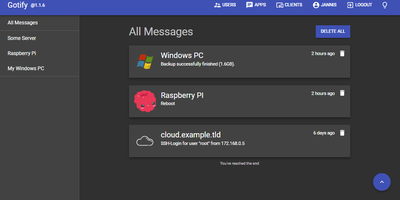
Real-time alerts from your own infrastructure to your phone, with no Firebase, Pushover, or third-party push service in the path: Gotify is a simple, self-hosted notification server written in Go. The model is deliberately minimal: senders push messages with a single HTTP POST to the REST API, receivers subscribe over a WebSocket stream, and a clean React web UI manages the pieces. Senders are namespaced as "applications," each with its own token, so your backup script, Uptime Kuma, CI pipeline, and cron jobs each get an identity, an icon, and independently revocable credentials - centralized alerting from many services with per-source management. Messages carry a title, body, and priority level that maps to notification importance on the client. The official Android app (on both F-Droid and Google Play, notable for working entirely without Google Play Services) shows push notifications for new messages; the web UI itself supports Web Push in the browser; and gotify/cli pushes messages from shell scripts with one command. A server-side plugin system adds custom behavior, and the whole thing runs as a single small binary with SQLite by default - near-zero resource footprint. Because dozens of tools (and Apprise) speak Gotify natively, it slots in as the notification hub for an entire homelab or ops stack.
AnywhereLAN
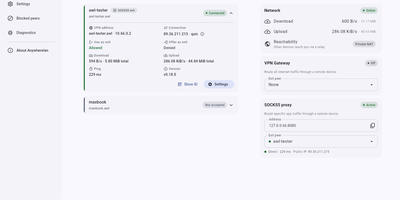
Open your laptop in a Lisbon cafe and your files at home answer as if the laptop never left the desk: AnywhereLAN stitches your own machines into one private mesh network with stable names like work-laptop.awl, no port forwarding and nothing exposed to internet scanners. There is no coordination server to trust. Peers announce themselves in the libp2p DHT, identify with ed25519 keys and connect directly over QUIC or TCP with TLS 1.3, hole-punching through NAT and borrowing a community relay only when both ends sit behind hostile firewalls. Send a browser out through the house connection with the built-in SOCKS5 proxy on 127.0.0.1:1066, handy on regional blocks and hostile hotel Wi-Fi. Prefer the full tunnel: the VPN gateway routes every IPv4 byte through a chosen peer, so the whole machine presents the exit node's address to the world. Devices join through invite links or QR codes. Every peer approves its friends and grants exit rights individually, and identity is a keypair you hold, so no account recovery email can betray the network. Manage it from the bundled web UI at admin.awl, script it from the awl CLI, watch it through Prometheus metrics on port 8639, and run it on Windows, macOS, Linux servers and Android phones. Running on a dedicated VPS on RepoCloud with guaranteed CPU, RAM, and SSD, full root SSH access, and a browser serial console. MPL-2.0 licensed.
MediKeep
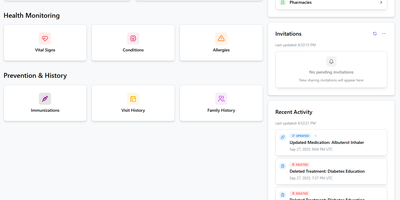
Your medical history, fragmented across a dozen patient portals, in one place on your server: MediKeep (formerly Personal Medical Records Keeper) is a self-hosted health record system. Built with a React frontend and FastAPI backend over PostgreSQL, it organizes 14 categories of medical data - medications with dosages and schedules, conditions, procedures, allergies, immunizations, symptoms, injuries, doctor visits and encounters, treatments, lab results, and even medical equipment with service dates and supplier info. Treatment management is genuinely sophisticated: an advanced mode links treatments to their medications with per-medication overrides for prescriber, pharmacy, and effective dates, and reverse lookup shows which treatments use a given medication. A dashboard summarizes records and recent activity, file uploads attach documents to records, and tagging works across categories. When a new specialist asks for your history, the report builder assembles custom reports by category and exports to PDF, JSON, or CSV - a curated, portable summary instead of a folder of photocopies. Authentication supports Google and GitHub SSO with OIDC providers like Keycloak and Authelia expected to work, and the built-in backup system protects the archive. Health data is exactly what should never live in someone else's cloud.
Zero Email
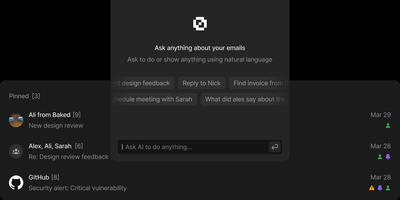
Zero unifies Gmail, Outlook, and IMAP accounts into a single AI-enhanced inbox with keyboard-driven navigation that matches premium email clients in speed. Backed by 10,000+ stars and positioned as the alternative to Superhuman, it keeps your email data in your own PostgreSQL database while LLM agents handle categorization, priority sorting, draft composition, and natural language mailbox queries. You choose whether models run locally or through cloud providers you control. The Next.js and React interface delivers customizable keyboard shortcuts for every action: reading, archiving, labeling, composing. A WorkflowEngine defines automated multi-step rules including label application, bulk archiving, and conditional routing based on sender, subject, or content analysis. Built on Drizzle ORM with Better Auth handling Google OAuth, styled with TailwindCSS and Shadcn UI components, the interface is polished without being bloated. MCP integration exposes email management tools to external AI assistants for programmatic inbox control through standardized protocols. The Nizzy CLI handles environment configuration, database synchronization, and development server orchestration. Deploys via Docker Compose with a single database initialization command. Running on a dedicated VPS on RepoCloud with guaranteed CPU, RAM, and SSD, full root SSH access, and a browser serial console. MIT licensed.