Open Source App Cloud Marketplace
Deploy, host, and scale with one click, at half the cost. Then customize with AI agents.
n8n
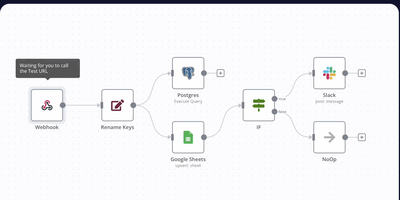
Webhooks, cron schedules, and app events trigger chains of nodes that fetch, transform, and route data: n8n is a workflow automation platform built around a visual, node-based editor. It ships with 400+ built-in integrations covering databases like Postgres, SaaS tools like Slack and HubSpot, and every major AI provider. When a pre-built node does not exist, the HTTP Request node calls any REST API, and the Code node runs JavaScript or Python inline, so you are never blocked by a missing connector. Workflows execute as directed graphs with branching, loops, error handling, and sub-workflows, and every run is logged for inspection and replay during debugging. It also includes LangChain-based nodes for building AI agents with tool calling and memory. Self-hosting on RepoCloud gives you unlimited workflow executions with no per-task pricing, and all data stays on your instance. Runs on Node.js with SQLite by default; add Postgres and Redis queue mode when you need to scale workers horizontally.
AnythingLLM
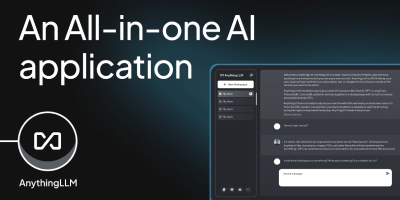
Chat with your own documents: AnythingLLM, from Mintplex Labs, wraps retrieval-augmented generation (RAG) in an open-source application anyone can run. You organize content into workspaces, each an isolated namespace with its own documents, vector embeddings, chat history, and settings, so one instance can hold several separate knowledge bases. Upload PDFs, DOCX, TXT, and other formats, or scrape web pages; the built-in collector parses and chunks them into a vector database (LanceDB by default, with Pinecone, Chroma, Qdrant, and others supported). Answers cite their source documents. It works with both cloud LLMs (OpenAI, Anthropic, Gemini) and local ones via Ollama or LM Studio, and the embedding model is separately configurable. Beyond RAG chat, it includes AI agents that can browse the web and run tools, an embeddable chat widget for your website, a developer API, and multi-user mode with admin, manager, and default roles plus per-workspace access control. Context assembly is smarter than naive RAG: pinned documents, attached files, vector search hits, and recent chat history are combined under a token budget so the model's context window is filled efficiently, and each workspace supports multiple independent conversation threads against the same knowledge base. Because the embedding model, vector store, and chat LLM are all independently swappable, you can move between providers without re-ingesting a single document. The stack is Node.js with a React frontend, MIT-licensed.
NanoClaw
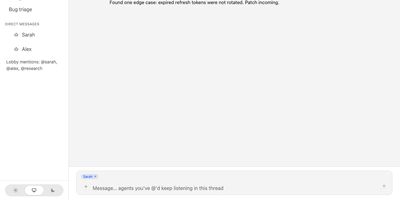
NanoClaw delivers a radically simple alternative to OpenClaw — a single Node.js process and a handful of files that provide the same core functionality with true container-level security isolation. Agents execute inside Docker containers on Linux or Apple Containers on macOS, where even root access inside the sandbox cannot reach the host filesystem. The platform natively runs Claude Code via Anthropic's official Claude Agent SDK, with drop-in alternatives including OpenAI Codex, OpenRouter via OpenCode, Google, DeepSeek, and local open-weight models via Ollama — configurable per agent group. Multi-channel messaging connects WhatsApp, Telegram, Discord, Slack, Microsoft Teams, iMessage, Matrix, Google Chat, Webex, Linear, GitHub, WeChat, and email via Resend, installed on demand through skill commands. Each agent group receives its own CLAUDE.md memory file, isolated filesystem, container sandbox, and session state — a prompt injection in one group cannot exfiltrate data from another. The OneCLI Agent Vault handles credentials so agents never hold raw API keys, while approval-gated self-modification allows agents to request new packages or MCP servers that administrators must authorize. Scheduled tasks run recurring jobs inside containers with message delivery back to users. The setup script handles dependencies, authentication, and container configuration through Claude Code conversation. Deploy on any Docker-capable Linux server. Running on a dedicated VPS on RepoCloud with guaranteed CPU, RAM, and SSD, full root SSH access, and a browser serial console. MIT licensed.
Open Design
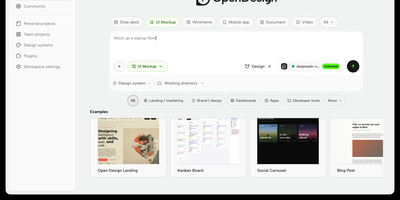
With over 84,000 GitHub stars since its April 2026 launch, Open Design has emerged as the definitive open-source alternative to Anthropic's Claude Design. Rather than shipping its own language model, Open Design acts as an agent-agnostic design orchestration layer that auto-detects 25+ coding CLI executables on your PATH — including Claude Code, Codex, Cursor, Gemini CLI, OpenCode, Qwen, GitHub Copilot CLI, Hermes, and Kimi — or connects to any OpenAI-compatible endpoint via its built-in BYOK proxy at /api/proxy/stream. The platform introduces a file-based protocol where SKILL.md files define composable design workflows and DESIGN.md files establish version-controlled brand systems, currently shipping 31 first-party skills and 72 brand-grade design systems. Output spans web and mobile prototypes, live dashboards, presentation decks, raster images, video, and HyperFrames motion graphics, with export pipelines for HTML, PDF, PPTX, MP4, and ZIP. The daemon architecture uses SQLite for project state and serves a sandboxed iframe preview renderer with vendored React and Babel for JSX artifacts. Deployment options include the native desktop app for macOS, Windows, and Linux, local daemon mode via pnpm tools-dev, a single-container Docker Compose path serving both API and Next.js frontend on port 7456, and Vercel deployment for the web layer. On RepoCloud, deploy Open Design on a dedicated VPS with full root SSH access, persistent storage for your design systems and generated artifacts, and complete control over which AI providers and agent CLIs your instance connects to, all under the Apache-2.0 license.
Coolify VPS
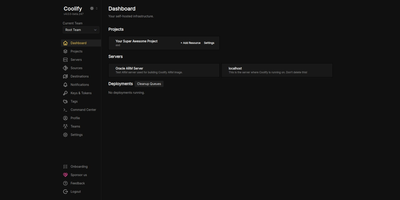
The open-source PaaS with 55,000+ GitHub stars and the largest one-click service catalog in its class — Coolify gives you the Vercel push-to-deploy workflow on a dedicated server you control. Connect a GitHub, GitLab, Bitbucket, or Gitea repository and every push builds and deploys automatically via Nixpacks, a Dockerfile, or Docker Compose, with Traefik or Caddy reverse proxying, automatic Let's Encrypt certificates, and per-branch preview deployments with their own URLs. Databases — PostgreSQL, MySQL, MariaDB, MongoDB, Redis — provision in a few clicks, and a catalog of 280+ one-click service templates covers WordPress, n8n, Grafana, MinIO, Plausible, Ollama, and more. One dashboard manages the entire server, with Docker Swarm available for clustering multiple nodes. Backups go to any S3-compatible storage with one-click restore, and a full API supports CI/CD integration. All configuration lives on your own server, so resources keep running even if you stop using Coolify — no vendor lock-in by design. Running on a dedicated VPS with guaranteed CPU, RAM, and SSD, full root access via SSH and browser console. Apache 2.0 licensed.
Supabase
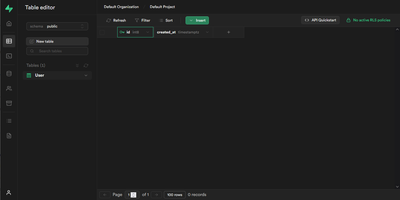
With over 107,000 GitHub stars and adoption by teams at Mozilla, 1Password, Peerlist, and thousands of startups, Supabase has become the most widely deployed open-source Firebase alternative — built entirely on PostgreSQL rather than a proprietary NoSQL store. Every project provisions a dedicated Postgres database with 40+ preinstalled extensions, auto-generating REST APIs via PostgREST, GraphQL via pg_graphql, and real-time change streams via an Elixir-based WebSocket engine that supports database change listeners, user presence tracking, and arbitrary broadcast messaging. Authentication covers email and password, phone OTP, magic links, and 20+ social providers including Google, GitHub, Apple, Azure, and SAML SSO, all enforced through Postgres Row Level Security policies that run inside the database itself. S3-compatible object storage delivers files through a CDN spanning 285+ cities with on-the-fly image transformations powered by imgproxy. Edge Functions run globally distributed TypeScript on the Deno runtime with Node.js compatibility and access to over two million NPM packages. The pgvector extension stores, indexes, and queries vector embeddings for AI-powered semantic search and retrieval-augmented generation workflows. Supabase Studio provides a browser-based dashboard with a table editor, SQL editor, schema visualizer, and log explorer. Official client SDKs ship for JavaScript, Python, Flutter, Swift, Kotlin, C#, Go, and Ruby. The self-hosted Docker Compose stack runs fourteen coordinated services including Kong API gateway, Supavisor connection pooler, and Logflare analytics. Running on a dedicated VPS on RepoCloud with guaranteed CPU, RAM, and SSD, full root SSH access, and a browser serial console. Apache 2.0 licensed.
OpenHands
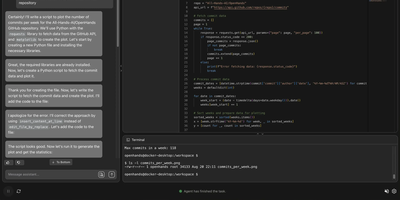
With 83,000+ GitHub stars and $18.8M in Series A funding, OpenHands delivers the leading open-source platform for AI coding agents that scored 68.4% on SWE-bench Verified with Claude Opus 4.6, outperforming Devin 2.0's publicly reported 45.8%. The Agent Canvas web UI organizes work into persistent conversations where agents edit files, run shell commands, browse the web, and execute multi-step development tasks inside isolated Docker sandbox containers. The observe-plan-act loop drives agent behavior: the Python controller manages LLM abstraction via LiteLLM routing to 100+ providers including OpenAI, Anthropic, Google, DeepSeek, Qwen, Llama, and local Ollama models. Built-in skills for code review, Docker management, PRD generation, repo-rules enforcement, release notes, and test running attach to conversations automatically via auto-discovery or trigger-based activation. The Automations system schedules recurring agent tasks with configurable templates for CI workflows, dependency updates, and documentation generation. MCP server integration enables agents to access external tools and data sources. The REST API powers an OpenAI-compatible endpoint for connecting agents to chat UIs, IDEs, and voice platforms. GitHub, GitLab, Slack, and Jira integrations enable pull request reviews, issue resolution, and team notifications. The SDK provides Python and REST APIs for embedding agents in custom tools with local or cloud execution, custom agent behaviors, and Kubernetes deployment. On RepoCloud, deploy OpenHands on a dedicated VPS with Docker socket access, persistent project storage, root SSH access, and complete control over your AI development infrastructure, all under the MIT license.
Postiz
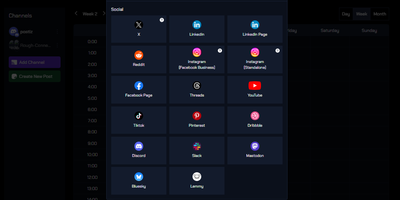
Powering over $145K monthly recurring revenue as a one-person company and holding 34,000+ GitHub stars, Postiz has emerged as the most widely adopted open-source alternative to Buffer, Hootsuite, and Hypefury — combining social media scheduling with AI-driven content creation and agentic automation in a single self-hosted platform. The Next.js 14 frontend with React 18 and Tailwind CSS delivers a visual calendar and Canva-like design editor, while the NestJS backend orchestrates publishing across 30+ social networks including X, LinkedIn, Instagram, TikTok, YouTube, Reddit, Pinterest, Threads, Dribbble, Discord, Bluesky, Mastodon, and Facebook. Temporal handles durable workflow execution for reliable scheduled posting, retry logic, and background job processing. The built-in AI assistant generates post ideas, captions, hashtags, images, and short videos from natural language prompts — all within a single chat interface. An agentic layer exposes a CLI and MCP server that allow AI agents like OpenClaw, Claude, and ChatGPT to autonomously plan, draft, and schedule posts programmatically. Team collaboration includes role-based permissions, approval workflows, multi-workspace management for agencies, and commenting on scheduled content. A full REST API with a NodeJS SDK, N8N custom nodes, and Make.com integration enables automation pipelines. Analytics track engagement, reach, and growth across all connected accounts from a unified dashboard. The self-hosted stack deploys via Docker Compose with PostgreSQL, Redis, and Temporal pre-wired — no feature limitations compared to the cloud version. Running on a dedicated VPS on RepoCloud with guaranteed CPU, RAM, and SSD, full root SSH access, and a browser serial console. AGPL-3.0 licensed.
Twenty
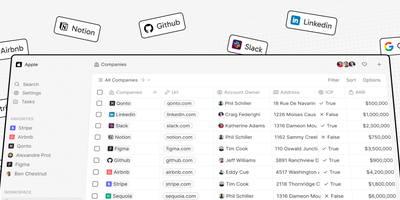
Salesforce's core workflow, open-source and on your own server: Twenty is a modern CRM built as exactly that alternative. It ships the standard CRM objects out of the box: people, companies, opportunities, notes, and tasks, displayed in table and kanban views with drag-and-drop and real-time updates. Its defining technical feature is a metadata-driven data model: you define custom objects and fields in the UI, and the backend regenerates its GraphQL schema at runtime, so a new object gets working queries, mutations, filters, and sorting within seconds, with no migrations to run - adapting the CRM to your sales process never requires code changes. A REST API is auto-generated from the same schema, GraphQL subscriptions push real-time updates, and webhooks fire on record changes for external integration. A visual workflow builder automates actions like notifications and field updates, TypeScript-based apps extend the platform with custom logic and frontend components, and email and calendar sync pulls Gmail messages and meetings onto contact timelines so communication history sits next to the record. The stack is NestJS with TypeORM, PostgreSQL, Redis, and BullMQ on the backend, React with Jotai on the frontend. Self-hosting on RepoCloud means unlimited users with no per-seat licensing - the pricing model that penalizes growing teams on commercial CRMs - and your pipeline, contacts, and deal history live in your own PostgreSQL database rather than a vendor's.
Relaticle
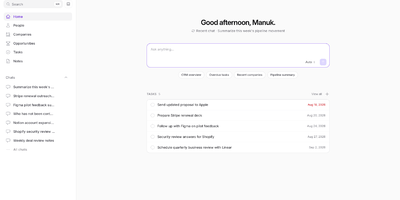
Relaticle delivers the first CRM built from the ground up for both human operators and AI agents — a self-hosted platform where Claude, GPT, Gemini, or any custom model connects through a production-grade MCP server exposing 30 tools for full CRUD operations across companies, people, opportunities, tasks, and notes without a single line of integration code. The 22 custom field types include text, email, phone, currency, date, select, multiselect, entity relationships, conditional visibility rules, and per-field encryption — all configurable through the UI without database migrations or code changes. Multi-team isolation enforces data boundaries through a 5-layer authorization system with team-scoped workspaces, API tokens, and granular permissions. The JSON:API REST surface provides Spatie QueryBuilder filtering, sorting, and pagination with schema discovery endpoints that let agents introspect your data model at runtime. A built-in AI chat connects directly to CRM data for natural language queries, while the external MCP server gives any compatible agent the same 30-tool access. Docker Compose deployment runs five containers — app (nginx + PHP-FPM), Horizon queue worker, scheduler, PostgreSQL 17, and Redis 7 — with automatic migrations on startup and demo data seeding for new teams. Running on a dedicated VPS on RepoCloud with guaranteed CPU, RAM, and SSD, full root SSH access, and a browser serial console. AGPL-3.0 licensed.
Langflow
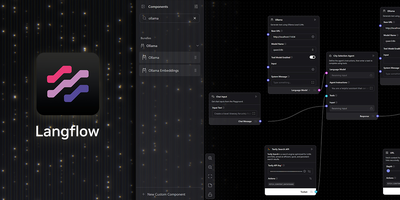
Langflow turns LLM application development into a visual canvas where every node maps to a real LangChain primitive (chains, agents, retrievers, memory, vector stores, and tools) that teams wire together without writing integration boilerplate. The platform supports 15+ LLM provider components including OpenAI, Anthropic, Google Gemini, Mistral, Groq, Cohere, Azure OpenAI, HuggingFace, and Ollama for fully local inference, with LiteLLM proxying to over 100 additional providers through a single OpenAI-compatible endpoint. Vector database integrations cover Pinecone, Weaviate, Chroma, Qdrant, Astra DB, OpenSearch, FAISS, and Milvus, while built-in Knowledge Bases introduced in version 1.8 allow RAG pipelines without any external vector service. Multi-agent orchestration enables agent-to-agent communication with conversation management, persistent Memory Bases for cross-session context retrieval, and step-by-step reasoning visibility in the interactive Playground. Every flow automatically becomes a callable REST API endpoint via the /run route and an MCP server exposable to Claude Desktop, Cursor, or any MCP-compatible client. Every component is a real Python class that developers can customize, extend, or replace, while Extension Bundles package third-party integrations as independent pip packages for modular installation. Tool integrations include web search, Slack, Gmail, Google Drive, GitHub, and custom REST API calls. Docker deployment with PostgreSQL persistence runs on port 7860. Backed by 153,000+ stars and DataStax. Running on a dedicated VPS on RepoCloud with guaranteed CPU, RAM, and SSD, full root SSH access, and a browser serial console. MIT licensed.
Bolt.diy
Prompt, run, edit, and deploy full-stack Node.js applications from a browser tab: Bolt.diy is the official open-source version of Bolt.new's AI coding agent. Its foundation is StackBlitz's WebContainer technology - a sandboxed in-browser Node.js environment where the AI controls the whole stack: filesystem, npm, dev servers, terminal, and browser console. That means the agent does not just generate code; it installs dependencies, runs Vite or Next.js, reads errors, and fixes them. The defining difference from Bolt.new is model choice per prompt: 19+ providers including OpenAI, Anthropic, Gemini, DeepSeek, Groq, Mistral, Amazon Bedrock, and local models via Ollama or LMStudio, extensible through the Vercel AI SDK. Development ergonomics include live preview, a diff view of AI changes, codebase search, file locking to prevent generation conflicts, 15+ starter templates (React, Vue, Next.js, Astro, Svelte, Expo), and MCP support for external tools. Projects integrate with Git and Supabase, and deploy in one click to Vercel, Netlify, or GitHub Pages.
Archestra
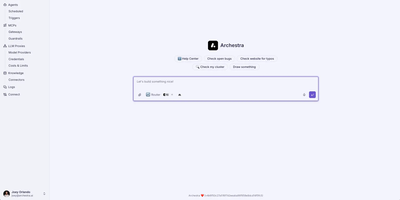
Archestra delivers the enterprise AI infrastructure layer that organizations need when managing multiple LLM providers, MCP servers, and AI agents across teams becomes unmanageable. The LLM gateway routes requests across Anthropic, OpenAI, Azure, Bedrock, and DeepSeek with virtual API keys, per-team cost limits, and dynamic model routing — giving every developer one token for Claude Code, Cursor, or Codex while finance tracks spend per department. The MCP gateway authenticates tool calls with OAuth 2.1 and On-Behalf-Of tokens so each tool executes as the calling user, not a shared service account, eliminating credential sprawl. The private MCP registry lets teams publish custom tool servers with approval flows promoting servers from dev through staging to production, each environment maintaining its own credentials and network egress policies. The Kubernetes operator manages MCP server lifecycle — deploying containers, scaling, health-checking, and routing gateway traffic to local servers automatically. The agent runtime supports scheduled triggers, email and webhook invocations, sub-agent delegation, reusable skills, and sandboxed code execution with a K8s-native filesystem. Deterministic guardrails including Dual-LLM verification and Lethal Trifecta protections prevent dangerous tool calls before execution. Built-in OpenTelemetry traces and Prometheus metrics provide full observability without additional tooling. Docker deployment exposes the Admin UI on port 3000 and API on port 9000 with a single command. Running on a dedicated VPS on RepoCloud with guaranteed CPU, RAM, and SSD, full root SSH access, and a browser serial console. AGPL-3.0 licensed.
QM
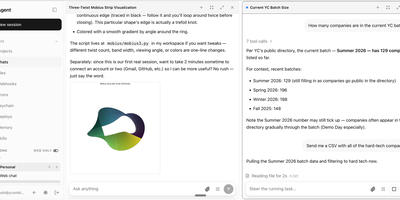
QM is Y Combinator's internal multiplayer agent infrastructure that shifts AI agents from personal assistants to shared company operating layer. The headless TypeScript core runs on Node.js with Fastify handling HTTP, Slack integration via Bolt, and a web UI built with Vite and Lit. PostgreSQL stores sessions, memory, queue state, and audit logs. Every person and every Slack channel gets an isolated sandbox with its own durable file system, installed tools that persist across runs, private memory, keychain view, permissions, and background crons. The harness-agnostic architecture routes agent tasks through Pi, OpenCode, Codex, or Claude Code without vendor lock-in, with production implementations swapping via a single wiring file. Three org-level security postures gate execution: Strict requires human approval for every tool call, Auto applies automated content screening, and Dangerous removes all pauses. Skills are scope-owned and shareable by grant, with admin-gated promotion to the entire organization and skill packs importable from Git repositories. The web apps feature lets agents spin up custom internal applications published to specific users. The qm CLI bootstraps operator-owned deployment directories with digest-pinned release images, infrastructure rendering, secret management, and live verification checks for Docker, Fly.io, or AWS ECS Fargate targets. On RepoCloud, deploy QM on a dedicated VPS with PostgreSQL persistence, Docker socket access, root SSH access, and complete control over your multiplayer agent infrastructure, all under the MIT license.
Odysseus
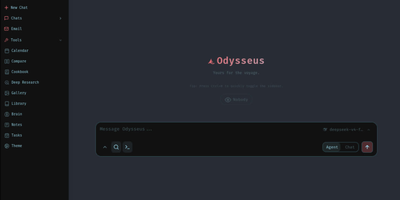
Agents with tool use, deep research, a document editor, an IMAP/SMTP email client with AI triage, notes, tasks, and a CalDAV-synced calendar - Odysseus bundles all of it into one open-source, self-hosted AI workspace. It runs local models through Ollama, vLLM, or llama.cpp and cloud APIs like OpenAI and OpenRouter, with a hardware-aware Cookbook that scans your machine and recommends quantized models that fit. Persistent memory uses ChromaDB with hybrid vector-plus-keyword retrieval, web search runs through a bundled SearXNG instance, and agents can use MCP servers, files, and shell access with safety controls, plus custom skills and scheduled agent tasks. A blind Compare mode runs side-by-side model duels with identities hidden and accumulates Elo-style ratings from your votes, so model selection is based on your actual workloads rather than leaderboard claims. Deep research mode - adapted from the Tongyi DeepResearch approach - reads sources through SearXNG and produces cited reports, while the email client tags, summarizes, sets reminders, and drafts replies locally rather than through a third-party mail AI. The writing-first document editor adds AI edits, Markdown and HTML support, and version history. The stack is Python 3.11 with FastAPI, SQLite for state, and a vanilla JS frontend, licensed AGPL-3.0 with zero telemetry. Because agents can read email and execute commands, keep authentication enabled and never expose it as a public unauthenticated service.
Teable
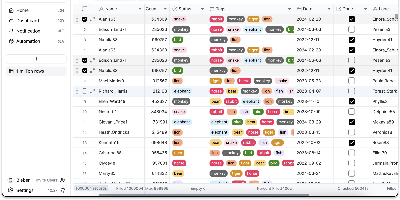
An Airtable-style spreadsheet interface directly on PostgreSQL: Teable is an open-source no-code database where every table is a real Postgres table. Unlike tools that store records in a metadata abstraction layer, every Teable table is a real Postgres table with standard column types, so filtering, sorting, and grouping run at database speed, million-row tables answer complex filters in roughly 200 milliseconds without index tuning, and any PostgreSQL-compatible tool - psql, BI dashboards, ETL pipelines - can query the same data directly. The interface offers Grid, Kanban, Gallery, Calendar, and Form views as non-destructive overlays with their own filters and hidden fields, plus 20+ field types, formulas, comments, attachments, batch editing, undo/redo, and edit history. Collaboration is real-time with live cursors and instant sync across views, backed by Redis, and a REST API is auto-generated per table, largely compatible with Airtable API clients - alongside native SQL access for BI tools, analytics pipelines, and your own applications to JOIN and query directly, with no exports, API rate limits, or sync jobs. Global search spans all records, chart plugins handle quick visualization, and CSV and Excel import/export cover migrations. Where Airtable caps paid plans at 100K-500K rows and charges roughly $20 per user per month, a self-hosted Teable instance has neither limit: the Postgres database itself is the export if you ever leave. Built in TypeScript with NestJS, deployed via Docker with PostgreSQL and Redis, and licensed AGPL-3.0.
OpnForm
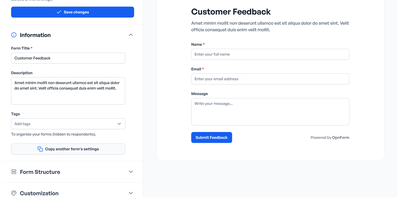
With 3,500+ GitHub stars and 100+ pre-built templates, OpnForm delivers a drag-and-drop form builder that handles everything from simple contact forms to multi-page surveys with conditional branching, calculations, and payment collection. The Laravel 11 API paired with a Nuxt 3 Vue frontend provides a responsive no-code editor supporting 20+ field types including text, date, file upload, signature capture, star ratings, phone numbers with country codes, and rich text. Conditional logic enables dynamic show/hide rules, required-field toggling, and calculated values that react to user input in real time. Submissions flow through configurable integrations — Slack notifications, Discord webhooks, Zapier connections to 5,000+ apps, Google Sheets sync, and custom webhook endpoints with full payload control. AI-powered form generation lets users describe a form in plain language and receive a ready-to-publish result. OIDC single sign-on with configurable state enforcement secures multi-user workspaces, while form-level passwords and CAPTCHA protection guard public-facing pages. Analytics dashboards track submission rates, completion times, and drop-off points. Forms embed via iframe on any website, Notion page, or custom domain with removable branding and custom CSS/JavaScript injection. The Docker Compose stack bundles the API, queue worker, scheduler, Nuxt client, PostgreSQL 16, Redis 7, and Nginx ingress proxy for a single-command deployment. Running on a dedicated VPS on RepoCloud with guaranteed CPU, RAM, and SSD, full root SSH access, and a browser serial console. AGPLv3 licensed.
Hermes Studio
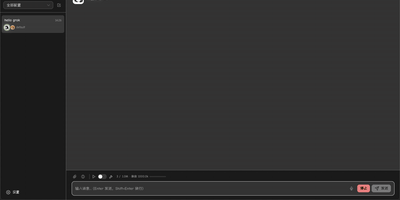
The most comprehensive open-source control plane for Hermes Agent — a full workspace combining AI chat, visual workflows, multi-agent orchestration, coding agent management, and platform channel integration in one self-hosted dashboard. Real-time chat streaming over Socket.IO connects to any OpenAI-compatible backend including Ollama, OpenAI, Anthropic, and custom endpoints with multi-session management, tool call expansion, inline file previews for HTML, PDF, DOCX, images, and source code, plus profile-scoped uploads and workspace attachments. The visual workflow builder provides a Vue Flow canvas for constructing DAG-structured pipelines with directed edges, conditional routes, approval gates, loops, and live execution with per-node status updates. Platform channel integration configures Telegram, Discord, Slack, WhatsApp, Matrix, Feishu, DingTalk, QQBot, WeChat, and WeCom bots from one page with credential management and per-platform behavior settings. Multi-agent group chat rooms enable real-time messaging with @mention routing, automatic context compression, and SQLite message persistence. The coding agent panel installs, launches, and monitors Claude Code and Codex with built-in terminal, session history, and file diffs. Usage analytics track token consumption, estimated costs, cache hit rates, and 30-day daily trends with model distribution charts. Kanban boards plan and track agent work alongside cron job scheduling for recurring tasks. Deploy via Docker, npm CLI, or desktop installer for Windows, macOS, and Linux. Running on a dedicated VPS on RepoCloud with guaranteed CPU, RAM, and SSD, full root SSH access, and a browser serial console. MIT licensed.