Open Canvas
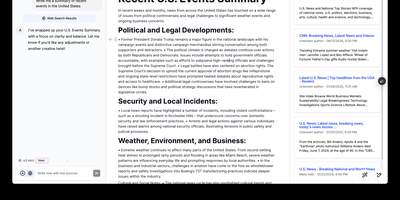
Open-source alternative to OpenAI's Canvas — a collaborative writing and coding environment where AI agents help you draft, edit, and refine documents through an agentic architecture built on LangGraph. The dual-mode editor combines a BlockNote rich text editor for live-rendered markdown with a CodeMirror-based code editor supporting syntax highlighting across multiple programming languages, letting you switch between prose and code artifacts within the same session. The built-in reflection agent automatically generates style rules and user insights from your chat history, storing them in a shared LangGraph memory store that persists across sessions for increasingly personalized assistance. Pre-built quick actions provide one-click access to common writing transformations including summarize, expand, simplify, and translate, while coding actions offer explain, refactor, add comments, and convert between languages. The monorepo architecture separates the Next.js 14 frontend from the LangGraph agent backend, connecting via HTTP and WebSocket protocols through the @langchain/langgraph-sdk client. Seven LLM providers are supported out of the box — OpenAI, Anthropic Claude, Google Gemini, Fireworks AI, Groq, Azure OpenAI, and local Ollama models — with Supabase handling authentication and data persistence. Deploy via Docker or build from source. Running on a dedicated VPS on RepoCloud with guaranteed CPU, RAM, and SSD, full root SSH access, and a browser serial console. MIT licensed.
Teable
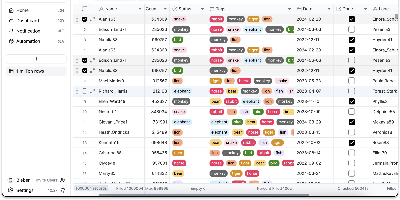
An Airtable-style spreadsheet interface directly on PostgreSQL: Teable is an open-source no-code database where every table is a real Postgres table. Unlike tools that store records in a metadata abstraction layer, every Teable table is a real Postgres table with standard column types, so filtering, sorting, and grouping run at database speed, million-row tables answer complex filters in roughly 200 milliseconds without index tuning, and any PostgreSQL-compatible tool - psql, BI dashboards, ETL pipelines - can query the same data directly. The interface offers Grid, Kanban, Gallery, Calendar, and Form views as non-destructive overlays with their own filters and hidden fields, plus 20+ field types, formulas, comments, attachments, batch editing, undo/redo, and edit history. Collaboration is real-time with live cursors and instant sync across views, backed by Redis, and a REST API is auto-generated per table, largely compatible with Airtable API clients - alongside native SQL access for BI tools, analytics pipelines, and your own applications to JOIN and query directly, with no exports, API rate limits, or sync jobs. Global search spans all records, chart plugins handle quick visualization, and CSV and Excel import/export cover migrations. Where Airtable caps paid plans at 100K-500K rows and charges roughly $20 per user per month, a self-hosted Teable instance has neither limit: the Postgres database itself is the export if you ever leave. Built in TypeScript with NestJS, deployed via Docker with PostgreSQL and Redis, and licensed AGPL-3.0.
AnythingLLM
Chat with your own documents: AnythingLLM, from Mintplex Labs, wraps retrieval-augmented generation (RAG) in an open-source application anyone can run. You organize content into workspaces, each an isolated namespace with its own documents, vector embeddings, chat history, and settings, so one instance can hold several separate knowledge bases. Upload PDFs, DOCX, TXT, and other formats, or scrape web pages; the built-in collector parses and chunks them into a vector database (LanceDB by default, with Pinecone, Chroma, Qdrant, and others supported). Answers cite their source documents. It works with both cloud LLMs (OpenAI, Anthropic, Gemini) and local ones via Ollama or LM Studio, and the embedding model is separately configurable. Beyond RAG chat, it includes AI agents that can browse the web and run tools, an embeddable chat widget for your website, a developer API, and multi-user mode with admin, manager, and default roles plus per-workspace access control. Context assembly is smarter than naive RAG: pinned documents, attached files, vector search hits, and recent chat history are combined under a token budget so the model's context window is filled efficiently, and each workspace supports multiple independent conversation threads against the same knowledge base. Because the embedding model, vector store, and chat LLM are all independently swappable, you can move between providers without re-ingesting a single document. The stack is Node.js with a React frontend, MIT-licensed.
Usermemos
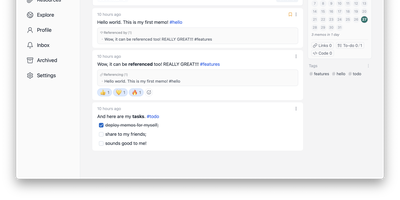
Memos, the lightweight open-source note service from the usememos project, packaged as a containerized deployment for multi-architecture Docker hosts (x86-64 and arm64): that is Usermemos. The model is frictionless capture: no folders or titles, just a chronological stream of Markdown notes with code blocks, task lists, tables, and file attachments, organized by #hashtags pulled automatically from the text. Per-memo visibility - private, protected for logged-in users, or public - lets a single instance serve as a personal journal, a shared team log, or a public microblog simultaneously. Multi-user support with authentication makes it workable for small teams, and full REST and gRPC APIs open capture and retrieval to CLIs, bots, and automation tools. The runtime is a single Go binary with a React frontend that idles around 50 MB of memory and stores content as plain Markdown in SQLite by default, with MySQL and PostgreSQL available for heavier deployments. Configuration happens through environment variables, access works over HTTP or HTTPS behind a reverse proxy, and there is no telemetry - notes stay on your server in a portable format.
OpenWiki
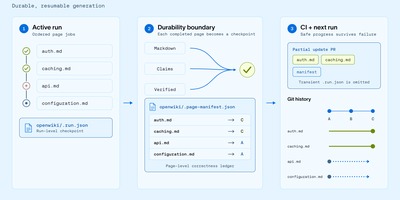
With over 15,900 GitHub stars and 40,000 weekly npm downloads in its first two months, OpenWiki from LangChain has rapidly become the standard for AI-generated codebase documentation. Built on the Deep Agents framework, it deploys a documentation agent that reads your repository's source code, tests, and configuration, then synthesizes a complete linked Markdown wiki with architecture overviews, integration guides, data-flow diagrams, and validated Mermaid visualizations. Two operating modes cover distinct workflows: code mode generates repository documentation in an openwiki/ folder with automatic AGENTS.md and CLAUDE.md integration for Codex, Claude Code, OpenCode, and Cursor, while personal mode builds a local knowledge base from nine connectors including Notion, Slack, Gmail, X/Twitter, Hacker News, LangSmith, Custom MCP, Web Search, and local git repositories. Thirteen model providers are supported out of the box — OpenAI, Anthropic, Gemini, AWS Bedrock, GitHub Copilot, OpenRouter, Nebius, Fireworks, Baseten, NVIDIA NIM, and any OpenAI-compatible endpoint like Ollama or LM Studio. Grounded Claims track every material assertion back to versioned source evidence, flagging stale propositions before they propagate. The interactive visualizer renders wiki pages as an explorable node graph with a side-by-side Markdown reader, exportable as a static site for GitHub Pages or MkDocs. Self-updating CI workflows via GitHub Actions, GitLab CI, or Bitbucket Pipelines open documentation PRs automatically when code changes. Running on a dedicated VPS on RepoCloud with guaranteed CPU, RAM, and SSD, full root SSH access, and a browser serial console. MIT licensed.
Alexandrie
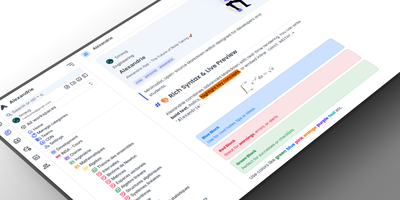
Alexandrie provides a structured knowledge base with an extended Markdown editor, granular per-document permissions, and offline editing through its progressive web app. The CodeMirror 6 editor goes well beyond standard Markdown with colored containers, academic callout blocks, KaTeX math expressions, syntax-highlighted code blocks, footnotes, interactive checkboxes, cards, panels, and a custom snippet system with import and export. Full-text search via the Ctrl+K command center returns instant results with content snippets and relevance ranking across all workspaces. Five permission levels covering None, Read, Write, Admin, and Owner apply per document and per user, while OIDC single sign-on integrates with Google, GitHub, Microsoft, Discord, and any OpenID Connect provider. Documents organize into a hierarchical tree of workspaces, categories, and nested entries with tags, bookmarks, pinned notes, and custom icons. Integrated Kanban boards handle task management within each workspace without switching applications. The PWA installs on any device for full offline editing with seamless sync when connectivity returns. Voice-to-text dictation captures notes hands-free, and one-click ZIP backup exports all documents, files, and settings as a portable archive. Over 2,000 GitHub stars and 41 releases back the project. The Docker Compose stack orchestrates the Nuxt 4 frontend, Go Gin backend, MySQL 8 database, and S3-compatible RustFS object storage. Running on a VPS on RepoCloud with guaranteed CPU, RAM, and SSD, full root SSH access, and a browser serial console. MIT licensed.
Baserow
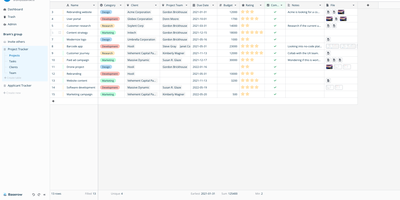
Airtable's spreadsheet-database model, self-hostable and open-source: that is Baserow. It presents data in a spreadsheet-style grid, but underneath each table is a real relational structure with typed fields, links between tables, filters, sorts, and multiple views (grid, gallery, form, kanban, calendar). Beyond the database core, it includes an application builder for composing pages and portals on your data, workflow automations, and dashboards. Everything is API-first: each table exposes a REST endpoint with token auth and webhooks, so it plugs directly into n8n, Zapier, or custom scripts. The stack is Django (Python) on the backend, Vue.js on the frontend, PostgreSQL for storage, with Redis for async tasks. Core features are MIT-licensed; premium features are a paid add-on. The self-hosted version has no row, storage, or API request limits - Airtable's per-base record caps and monthly API quotas simply don't exist here, and capacity is bounded only by your PostgreSQL database and disk. Existing Airtable bases, CSVs, and Excel files import directly with structure preserved, so migration doesn't start from a blank slate, and both the backend and frontend support plugins for custom field types and integrations without forking the core. For non-technical teammates the interface behaves like a spreadsheet; for engineers, the data model is the API.
TriliumNext
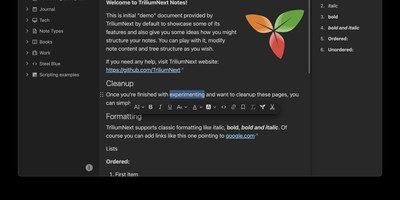
TriliumNext organizes notes in an infinitely deep tree where any single note can be cloned into multiple branches without duplication, building personal knowledge bases that mirror how ideas actually connect rather than forcing a single rigid folder hierarchy. Carrying forward the original Trilium project under active community stewardship with nearly 37,000 GitHub stars, the application is built on TypeScript with a CKEditor 5 WYSIWYG editor supporting rich text, tables, images, KaTeX math expressions, Mermaid diagrams, Excalidraw canvases, mind maps, spreadsheets with XLSX and CSV import/export, and code blocks with full syntax highlighting. A built-in JavaScript scripting engine runs on both frontend and backend, enabling custom widgets, automated workflows, scheduled tasks, and direct interaction with external REST services through a typed Script API. Full-text and fuzzy search with attribute-based queries locates any note instantly across databases tested at over 100,000 notes without performance degradation. The v0.104 release introduced importers for OneNote, Notion, Google Keep, Anytype, and Obsidian alongside 16 dedicated security fixes. Per-note AES encryption, OpenID Connect authentication, and TOTP two-factor protection safeguard sensitive content. The sync server keeps desktop clients, the progressive web app, and mobile devices in lockstep with zero third-party cloud dependency. Web Clipper captures content directly from browsers. Running on a dedicated VPS on RepoCloud with guaranteed CPU, RAM, and SSD, full root SSH access, and a browser serial console. AGPL-3.0 licensed.
Leantime
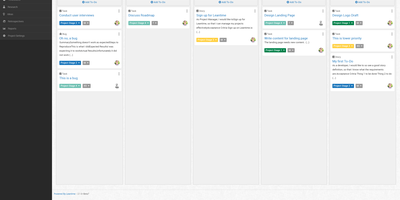
"As simple as Trello but as feature-rich as Jira" is how the Leantime team frames its goals-focused project management system for non-project managers - built from the ground up with ADHD, autism, and dyslexia in mind, with behavioral science shaping customizable dashboards, time blocking, low-cognitive-load prioritization, and Kanban, list, table, Gantt, and calendar views so each person works the way their brain does. The PHP application (AGPL, Laravel Blade frontend) connects strategy to execution: tasks with unlimited subtasks and dependencies roll up into milestones on a timeline, sprints and retrospectives handle iteration, and strategy-level blueprint boards - Lean Canvas, SWOT, risk analysis, goal and metric tracking - keep the "why" attached to the work. Knowledge lives alongside: wikis and docs, idea boards, comments on everything, file storage on S3 or local disk, even screen and webcam recording. Time tracking with timesheets supports estimation and client billing. Admin features are serious for an OSS tool: per-project permissions, two-factor auth, LDAP and OIDC single sign-on, Slack, Mattermost, and Discord integrations, a plugin system, and an expanding API that now powers a mobile app. Recent releases added multi-collaborator task assignment and low-vision accessibility improvements. Available in 20+ languages.
SiYuan
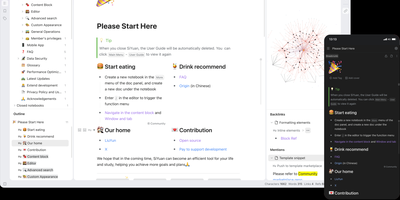
Backed by over 45,000 GitHub stars and described as the tool that replaces Notion, Evernote, and Anki in a single Docker container, SiYuan is the privacy-first knowledge management system where every paragraph, heading, and list item is a uniquely addressable content block. The block-level architecture enables bidirectional links, transclusion embeds, and SQL query blocks that dynamically aggregate content across your entire workspace, while the knowledge graph visualization maps relationship networks between documents and blocks. Built-in databases support table views with relation and rollup columns, filter composition, sorting, and template-based calculations for structured data management alongside freeform notes. The FSRS spaced repetition engine turns any content block into a flashcard with scientifically calibrated review scheduling, eliminating the need for separate memorization tools. AI integration connects to OpenAI-compatible APIs for writing assistance, translation, summarization, and Q&A chat, with semantic search using embeddings and reranking for intelligent content retrieval. The Bazaar community marketplace delivers plugins, themes, templates, and widgets through a managed extension system with TypeScript plugin APIs. End-to-end encrypted synchronization works across S3-compatible storage, WebDAV servers, or SiYuan's own cloud service, while Tesseract OCR extracts searchable text from images and the web clipper captures pages from Chrome, Edge, and Firefox. Export targets include Markdown with assets, PDF, Word, and HTML. Running on a dedicated VPS on RepoCloud with guaranteed CPU, RAM, and SSD, full root SSH access, and a browser serial console. AGPL-3.0 licensed.
Atomic
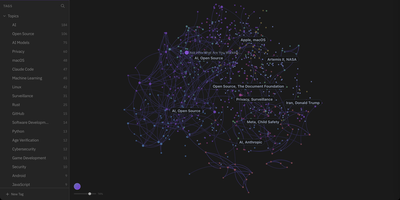
Atomic transforms collections of personal Markdown notes into an AI-augmented knowledge graph by breaking documents down into semantically linked conceptual units. Users capture thoughts, research excerpts, and web clippings as modular notes that the system automatically chunks, embeds, and categorizes with hierarchical tags. An interactive force-directed canvas maps out the entire knowledge base, positioning related ideas closer together based on embedding cosine similarity rather than manual folder hierarchies. Built-in vector search queries across text embeddings directly within SQLite, retrieving precise contextual snippets in response to natural language prompts. The automated wiki engine synthesizes disparate notes into comprehensive reference articles equipped with verifiable inline citations back to original source materials. Integrated conversational agents leverage retrieved knowledge context to answer research questions, surface contradictions across past entries, and draft structured daily briefings. External AI tools can read, search, and update stored knowledge through an embedded Model Context Protocol server endpoint. Running on a dedicated VPS on RepoCloud with guaranteed CPU, RAM, and SSD, full root SSH access, and a browser serial console. MIT licensed.
Utopia
The first open-source substrate for enterprise knowledge engineering that learns passively and governs itself. The Rust-built backend paired with PostgreSQL and pgvector delivers a bitemporal knowledge graph where every fact carries two timelines: when it held in the real world and when the system came to believe it — enabling full audit trail replay of how understanding evolved. Document ingestion handles PDF, DOCX, PPTX, XLSX, CSV, Markdown, HTML, and plain text with legacy encoding detection, while scheduled syncing pulls from web pages, RSS feeds, GitHub, Jira, Notion, WebDAV, and S3-compatible buckets. Search fuses Tantivy full-text indexing with pgvector semantic vectors using Reciprocal Rank Fusion, streaming answers with inline citations that link directly to source passages. The built-in agent harness drives agentic RAG through conversation — searching documents, walking the knowledge graph at any historical date, and querying mounted databases via Ontology2SQL which achieves state-of-the-art results on BIRD Mini-Dev benchmarks. Five ontology packs ship inside the binary (schema.org, W3C Org, PROV-O, FOAF, IOF Core) with forward-chaining reasoning for transitivity, symmetry, inverses, and relation hierarchy. Entity resolution operates in three stages: exact name matching, embedding similarity, then model-based judgment with every merge reversible. Any OpenAI-compatible endpoint works including DeepSeek, Qwen, Ollama, and vLLM for fully air-gapped deployment. Running on a dedicated VPS on RepoCloud with guaranteed CPU, RAM, and SSD, full root SSH access, and a browser serial console. Apache-2.0 licensed.
Operately
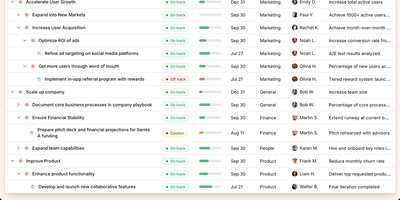
Operately is an opinionated operating system for growing companies that connects strategic goals directly to execution without the overhead of assembling separate tools. The OKR module tracks company-wide, team-level, and individual goals with measurable success conditions showing progress bars against numeric targets, timeframe deadlines, and automated progress aggregation from linked projects. Project management includes champion ownership, milestone tracking, Kanban task boards with TODO, In Progress, and Done columns, and scheduled check-ins that generate async progress updates on a configurable cadence. Team Spaces give departments organized homes for their goals, projects, documents, and discussions with configurable access controls at the space, goal, and project level. Message boards replace scattered email threads with focused project conversations, while the document and file system provides centralized content management. The Review screen aggregates everything requiring attention or approval into a single actionable view. The Elixir Phoenix backend uses Absinthe for GraphQL queries and mutations, Oban for background job processing, and Swoosh for email notifications. The React TypeScript frontend leverages Apollo Client for GraphQL state management. Full CLI and API access enables programmatic interaction, and MCP tools added in version 1.7 allow AI agents to create goals, update projects, manage tasks, and post check-ins. On RepoCloud, deploy Operately on a dedicated VPS with PostgreSQL persistence, root SSH access, and complete control over your organizational data, all under the Apache 2.0 license.
XWiki
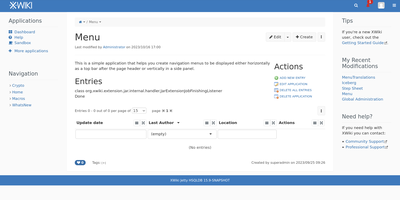
With over 140,000 code commits, 1,200+ GitHub stars, and continuous development since 2004 spanning more than two decades of active maintenance through version 18.6.0 released in July 2026, XWiki operates as a second-generation wiki platform that goes beyond static pages by enabling teams to build custom collaborative applications directly inside wiki pages using structured data forms and in-page scripting. The Java backend runs on Apache Tomcat with PostgreSQL, MySQL, or Oracle database storage, serving a responsive web interface with a WYSIWYG editor featuring real-time collaborative editing, link and macro editors, user mentions, inline comments, annotations, and complete version history with diff comparison. The App Within Minutes extension lets non-developers create custom data-driven applications using drag-and-drop form builders that generate filterable live tables for structured data browsing without writing code. Over 900 extensions from the built-in Extension Manager add functionality including blogs, task trackers, forums, diagram editors, and Confluence migration tools. Enterprise integration features include LDAP and Active Directory authentication, SAML and OIDC single sign-on, fine-grained per-page and per-space permissions with nested page hierarchies, and multi-wiki support for hosting multiple independent wikis from a single installation. The RESTful API provides programmatic access to pages, spaces, objects, attachments, and properties with XML and JSON representations. Office document import converts Word and Excel files directly into wiki pages while PDF export generates formatted documents from wiki content. Running on a dedicated VPS on RepoCloud with guaranteed CPU, RAM, and SSD, full root SSH access, and a browser serial console. LGPL-2.1 licensed.
Poznote
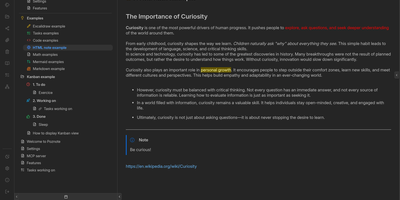
Poznote serves as an all-in-one personal knowledge base and digital workspace designed to bridge unstructured thinking and structured documentation. The platform pairs a responsive Markdown editor with live side-by-side rendering, KaTeX mathematical notation, and interactive Mermaid diagram compilation. Creative thinkers can switch instantly to an embedded Excalidraw infinite canvas to sketch system architectures, design mind maps, and create interface wireframes alongside their written notes. Every directory within the workspace can be toggled into an agile Kanban board where nested folders become customizable workflow columns and notes transform into draggable task cards. Task management views aggregate checklists across documents into unified priority queues with due date reminders and completion filters. An integrated bi-directional Git synchronization engine connects user workspaces directly to personal GitHub or Forgejo repositories, versioning edits automatically on save. The software also provides an integrated Model Context Protocol server that enables AI coding assistants to search notes, create documents, and query knowledge repositories securely. Running on a dedicated VPS on RepoCloud with guaranteed CPU, RAM, and SSD, full root SSH access, and a browser serial console. MIT licensed.
Khoj
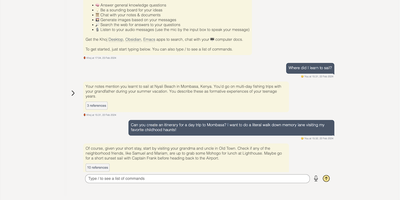
A self-hosted "second brain": Khoj indexes your own files and answers questions from them, parsing Markdown (whole Obsidian vaults included), org-mode, PDF, Word, plain text, Notion pages, GitHub repositories, and images described by a vision model, then embedding everything with sentence-transformers into a vector index for semantic search and RAG with cited sources. Any LLM backend works: local models like Llama, Qwen, or Mistral via Ollama, or cloud models like GPT, Claude, and Gemini. You can build custom agents, each with its own persona, scoped knowledge base, chat model, and tools such as web search and code execution. Scheduled automations run recurring research and deliver newsletters or notifications to your inbox, and research mode performs multi-hop web searches with inline citations. Access it from a browser, the Obsidian plugin, Emacs, desktop, or WhatsApp - all clients connect to the same self-hosted instance, making Khoj one of the few AI assistants Emacs users can point at decades of org files. Semantic search means recall works without exact keywords: "that paper about forecasting with transformers" surfaces the right PDF even when you cannot remember its title. Switching LLM backends never requires re-indexing your documents, and with a local model via Ollama, even inference stays on hardware you control - journals, research, and private notes are never sent anywhere. Python/FastAPI stack, AGPL-licensed, with PostgreSQL storage.
Huly
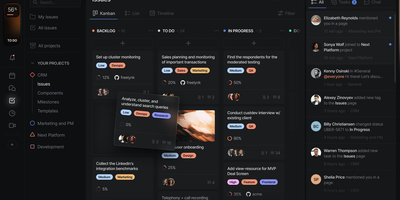
With 27,000 GitHub stars and 349 releases shipping multiple times per week, Huly replaces four separate SaaS subscriptions — Linear for issue tracking, Notion for documents, Slack for team chat, and Motion for time-blocking — with a single self-hosted platform that charges nothing per seat. The issue tracker provides projects, sprints, roadmaps, custom workflows, and Kanban views with bi-directional GitHub and GitLab synchronization that keeps issues and pull requests in lockstep across both systems. Collaborative documents use CRDT-based real-time editing for wikis, meeting notes, and technical specs with nested page hierarchies and rich embedding. Team messaging delivers channels, direct messages, threaded conversations, reactions, and pinned messages in a Slack-equivalent interface that lives alongside your project context. The time-blocking planner schedules tasks into calendar slots with drag-and-drop, integrating directly with your issue backlog so nothing falls through cracks. A virtual office module provides audio and video rooms for standups and pair programming with external guest access. HR features handle team management, office hours, and PTO tracking. The architecture runs 30+ microservices on CockroachDB for ACID-compliant storage, Elasticsearch for full-text search, MinIO for file attachments, and Redpanda for event streaming. Desktop apps ship for macOS, Windows, and Linux alongside mobile apps for iOS and Android. Running on a dedicated VPS on RepoCloud with guaranteed CPU, RAM, and SSD, full root SSH access, and a browser serial console. EPL-2.0 licensed.
Docmost
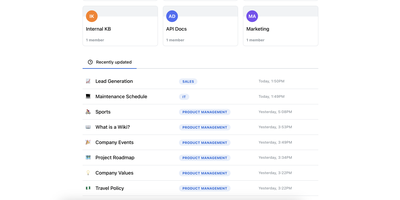
Confluence and Notion both want your team's documentation in their cloud; Docmost, an open-source collaborative wiki platform, keeps it on your server. The centerpiece is a Notion-style block editor with CRDT-based real-time collaboration: multiple people edit the same page simultaneously and changes merge without conflicts or overwrites. Content lives in spaces - per team, project, or department - with nested page trees, role-based permissions, groups, inline comments, page history with restore, and full-text search across everything. The editor covers tables, code blocks, callouts, KaTeX math, and file attachments, and diagramming is built in rather than bolted on: Mermaid, Draw.io, and Excalidraw all render inside pages, alongside embeds for Airtable, Loom, Miro, and more. Migration paths include Notion, Markdown, HTML, and ZIP archive imports (Confluence, PDF, and DOCX importers ship in the Enterprise edition, along with SSO via SAML/OIDC/LDAP and MFA). The stack is TypeScript with PostgreSQL and Redis, deploys via Docker Compose, runs in air-gapped environments with no external dependencies, and is translated into 10+ languages. The AGPL-3.0 community edition carries no per-seat fees; the project has passed 20,000 GitHub stars since its 2024 launch.