SiYuan
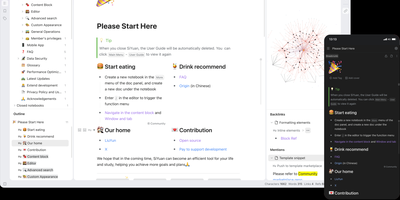
Backed by over 45,000 GitHub stars and described as the tool that replaces Notion, Evernote, and Anki in a single Docker container, SiYuan is the privacy-first knowledge management system where every paragraph, heading, and list item is a uniquely addressable content block. The block-level architecture enables bidirectional links, transclusion embeds, and SQL query blocks that dynamically aggregate content across your entire workspace, while the knowledge graph visualization maps relationship networks between documents and blocks. Built-in databases support table views with relation and rollup columns, filter composition, sorting, and template-based calculations for structured data management alongside freeform notes. The FSRS spaced repetition engine turns any content block into a flashcard with scientifically calibrated review scheduling, eliminating the need for separate memorization tools. AI integration connects to OpenAI-compatible APIs for writing assistance, translation, summarization, and Q&A chat, with semantic search using embeddings and reranking for intelligent content retrieval. The Bazaar community marketplace delivers plugins, themes, templates, and widgets through a managed extension system with TypeScript plugin APIs. End-to-end encrypted synchronization works across S3-compatible storage, WebDAV servers, or SiYuan's own cloud service, while Tesseract OCR extracts searchable text from images and the web clipper captures pages from Chrome, Edge, and Firefox. Export targets include Markdown with assets, PDF, Word, and HTML. Running on a dedicated VPS on RepoCloud with guaranteed CPU, RAM, and SSD, full root SSH access, and a browser serial console. AGPL-3.0 licensed.
Alexandrie
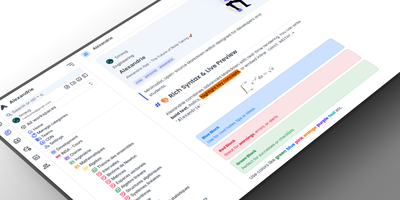
Alexandrie provides a structured knowledge base with an extended Markdown editor, granular per-document permissions, and offline editing through its progressive web app. The CodeMirror 6 editor goes well beyond standard Markdown with colored containers, academic callout blocks, KaTeX math expressions, syntax-highlighted code blocks, footnotes, interactive checkboxes, cards, panels, and a custom snippet system with import and export. Full-text search via the Ctrl+K command center returns instant results with content snippets and relevance ranking across all workspaces. Five permission levels covering None, Read, Write, Admin, and Owner apply per document and per user, while OIDC single sign-on integrates with Google, GitHub, Microsoft, Discord, and any OpenID Connect provider. Documents organize into a hierarchical tree of workspaces, categories, and nested entries with tags, bookmarks, pinned notes, and custom icons. Integrated Kanban boards handle task management within each workspace without switching applications. The PWA installs on any device for full offline editing with seamless sync when connectivity returns. Voice-to-text dictation captures notes hands-free, and one-click ZIP backup exports all documents, files, and settings as a portable archive. Over 2,000 GitHub stars and 41 releases back the project. The Docker Compose stack orchestrates the Nuxt 4 frontend, Go Gin backend, MySQL 8 database, and S3-compatible RustFS object storage. Running on a VPS on RepoCloud with guaranteed CPU, RAM, and SSD, full root SSH access, and a browser serial console. MIT licensed.
Usermemos
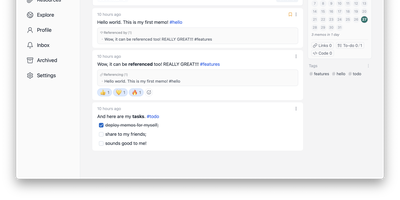
Memos, the lightweight open-source note service from the usememos project, packaged as a containerized deployment for multi-architecture Docker hosts (x86-64 and arm64): that is Usermemos. The model is frictionless capture: no folders or titles, just a chronological stream of Markdown notes with code blocks, task lists, tables, and file attachments, organized by #hashtags pulled automatically from the text. Per-memo visibility - private, protected for logged-in users, or public - lets a single instance serve as a personal journal, a shared team log, or a public microblog simultaneously. Multi-user support with authentication makes it workable for small teams, and full REST and gRPC APIs open capture and retrieval to CLIs, bots, and automation tools. The runtime is a single Go binary with a React frontend that idles around 50 MB of memory and stores content as plain Markdown in SQLite by default, with MySQL and PostgreSQL available for heavier deployments. Configuration happens through environment variables, access works over HTTP or HTTPS behind a reverse proxy, and there is no telemetry - notes stay on your server in a portable format.
Blinko
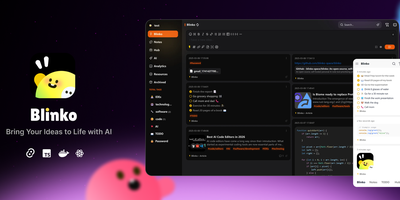
Capture fleeting thoughts as interactive flash cards and transform unorganized notes into an AI-searchable personal brain with Blinko. Users can jot down rapid notes, format rich markdown documents with code snippets and task lists, and attach multimedia files through a responsive web interface. An integrated retrieval-augmented generation engine indexes every note into vector embeddings, allowing users to query their entire personal archive using conversational natural language. You can connect local Ollama models or remote providers such as OpenAI, DeepSeek, Anthropic, and Grok to summarize lengthy entries and suggest hierarchical classification tags automatically. The interactive daily review interface presents random cards to help review, organize, or archive older insights before they are forgotten. Built-in tools include an integrated global music player for focused writing sessions, custom RSS feed ingestion, and password-protected note sharing with configurable expiration dates. Running on a dedicated VPS on RepoCloud with guaranteed CPU, RAM, and SSD, full root SSH access, and a browser serial console. GPL-3.0 licensed.
Memos
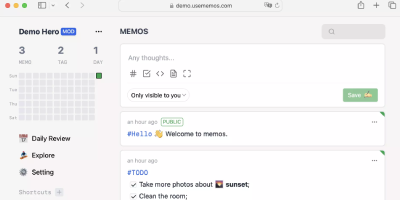
Open the page, write a Markdown note, move on - Memos is a lightweight, self-hosted service built for quick capture. Instead of folders, notebooks, and titles, it presents a timeline: open the page, write a Markdown note, and move on. Notes support headings, code blocks with syntax highlighting, task lists, tables, and file attachments, with tags auto-extracted from #hashtags in the text. Each memo carries a visibility level, private, protected (logged-in users), or public, so one instance works as a personal log, a small team wiki, or a lightweight microblog. The backend is a single Go binary with a React frontend, around 50 MB of memory at runtime and a ~20 MB Docker image, so it fits comfortably on the smallest instance size with near-zero maintenance. SQLite is the default store, with MySQL and PostgreSQL supported for multi-user deployments needing more concurrency, and full REST and gRPC APIs - Connect RPC for browsers, gRPC-Gateway for external tools - make capture scriptable from CLIs, bots, and automation platforms. Fast full-text search spans all memos, pinned notes keep references handy, and a masonry view suits visual browsing. MIT-licensed with zero telemetry; content is stored as plain Markdown in a database you control, so notes remain readable, exportable, and free of proprietary formats.
Standard Notes
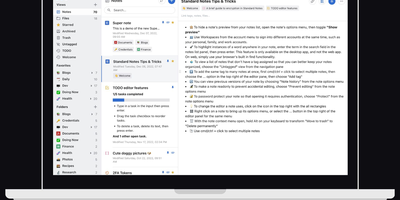
Standard Notes keeps your notes, files, and tags encrypted on your device before anything touches the network, meaning the server stores only ciphertext it cannot read. Cross-platform sync across desktop, mobile, and web delivers fast, conflict-free updates on unlimited devices with the same zero-knowledge guarantee that only your password can decrypt your content. The V2 server architecture condenses everything into four Docker containers consuming roughly 570MB RAM total (down from 13 containers and 1.7GB in the legacy setup), with startup under one minute. Revision history automatically preserves every version of every note, so recovering deleted text or reverting to a previous state never depends on manual backups. A nested tag system organizes thousands of notes with hierarchical categorization that goes well beyond flat folder structures, while search operates entirely on client-side decrypted content. File attachments of any type encrypt and sync alongside notes with identical end-to-end protection. Multiple editor options span plain text, Markdown with preview, and rich formatting to fit different writing workflows. Two-factor authentication via TOTP with email backup codes adds a second barrier beyond your password. An optional separate container serves the web frontend, providing browser access to your encrypted vault without depending on standardnotes.com infrastructure. With 5,500+ GitHub stars and active development, the project continues expanding editor plugins and sync improvements.
Glass Keep
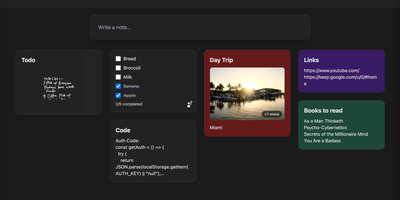
With nearly 600 GitHub stars and a feature set that rivals commercial note apps, Glass Keep is the self-hosted Google Keep alternative that wraps a full-featured notes system in a glassmorphism UI with blurred backdrops, translucent modals, and smooth transitions. The React and Vite frontend renders notes in a masonry card grid with pinning, color themes, tag chips, and drag-and-drop reordering. Text notes support Markdown with headings, bold, italic, strikethrough, blockquotes, and fenced code blocks, while checklists offer inline editing, drag-to-reorder items, and direct toggle from the grid without opening the note. A freehand drawing mode provides customizable brush sizes and colors for handwritten notes. The private AI assistant runs an optimized Llama 3.2 (1B) model entirely inside the Docker container using RAG over your own notes, answering queries like "what are my AWS commands?" without any data leaving your server. Deep search spans titles, Markdown text, tags, checklist items, and image names. Import notes from Google Keep via Takeout JSON files or export your entire vault as JSON with per-note Markdown downloads. The Express backend with better-sqlite3 requires no external database. Real-time collaboration enables shared checklists with live item toggling. Dark and light themes persist across sessions, and the PWA manifest supports installation on any device. Running on a dedicated VPS on RepoCloud with guaranteed CPU, RAM, and SSD, full root SSH access, and a browser serial console. MIT licensed.
LeafWiki
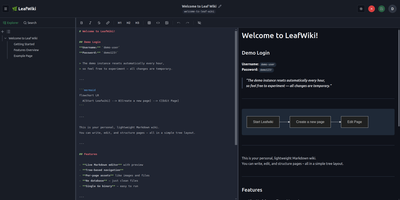
Engineering teams and technical writers maintain operational runbooks, system documentation, and knowledge bases using LeafWiki, an open-source self-hosted wiki that stores page contents directly as human-readable Markdown files on the local filesystem. Authors can compose documentation through a dual-pane editor equipped with live HTML preview, keyboard navigation, autocomplete for internal links, and native rendering for Mermaid diagrams, KaTeX mathematical formulas, and collapsible callout containers. The navigational tree organizes complex documentation into explicit directory hierarchies and custom drag-and-drop page sequences tracked in lightweight configuration files rather than arbitrary alphabetical lists. An integrated SQLite engine indexes page content and custom taxonomy tags for fast full-text searches, automatic incoming backlink tracking, and automated broken link detection. System operators can deploy the single-binary application without external database servers or runtime dependencies, backing up the entire repository by copying the data directory. Administrators can provision granular user roles, configure reverse proxy header authentication for single sign-on gateways, and manage read-only API access keys for automated documentation scripts and continuous integration pipelines. Public viewers can browse technical notes without authentication or switch between dark and light high-contrast themes. Running on a dedicated VPS on RepoCloud with guaranteed CPU, RAM, and SSD, full root SSH access, and a browser serial console. MIT licensed.
NoteDiscovery
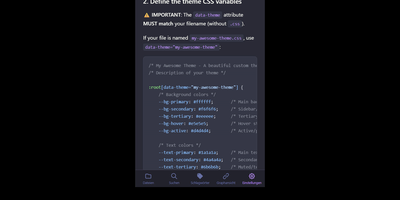
Transforming fragmented research notes, daily technical logs, and project documentation into an interconnected knowledge base is what NoteDiscovery delivers for privacy-conscious teams and researchers. Writers compose rich documents using a dual-pane editor that renders MathJax equations, interactive task lists, and dynamic Mermaid sequence diagrams side by side with raw text. The interactive knowledge graph maps semantic relationships across notebooks, allowing researchers to explore backlinks, uncover hidden topical connections, and navigate complex idea webs visually. Team members sketch architecture diagrams and wireframes directly inside note canvases using the integrated drawing tool, saving revisions as embedded image layers without external editors. The platform organizes thoughts through flexible tag hierarchies, nested folder trees, and reusable document templates equipped with automatic date and variable substitutions. Autonomous coding assistants and language models query documentation, create structured meeting summaries, and update project indexes directly through the native Model Context Protocol server. Built-in export tools convert notebook collections into standalone HTML packages, printable documents, or portable Markdown archives for offline archiving. Running on a dedicated VPS on RepoCloud with guaranteed CPU, RAM, and SSD, full root SSH access, and a browser serial console. MIT licensed.
ZenNotes
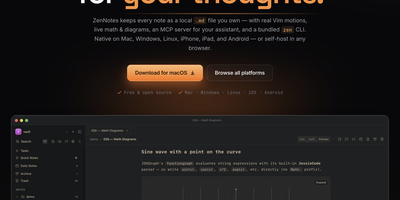
With over 2,200 GitHub stars and a philosophy that your notes should be files you own rather than rows in a database, ZenNotes is the keyboard-first Markdown editor that runs as a self-hosted web app backed by a Go server accessible from any browser on your network. Every note is a plain .md file in a vault directory you mount, with zero proprietary lock-in. Modal editing with real Vim motions, leader-key flows, and a command palette keeps your hands on the keyboard through edit, split, and preview modes. The rendering engine handles KaTeX math, Mermaid diagrams, TikZ graphics, and JSXGraph plots directly from Markdown syntax alongside wiki links and callout blocks. A first-party MCP server ships in the box with one-click integration for Claude Desktop and Cursor, letting AI assistants read and write the same Markdown files on disk without sync layers or duplicate copies. The bundled zen CLI provides note creation, search, tagging, task toggling, and piped capture with JSON output for shell scripting. Board views render plain CSV files as Kanban columns. Daily notes, quick capture, archive, and trash round out the vault workflow. The Go backend serves the browser frontend on port 7878 with token-based authentication, configurable browse roots, TLS proxy support, and file permission hardening at 0600/0700 defaults. Deploy via the multi-arch Docker image for linux/amd64 and linux/arm64. Running on a dedicated VPS on RepoCloud with guaranteed CPU, RAM, and SSD, full root SSH access, and a browser serial console. MIT licensed.
Poznote
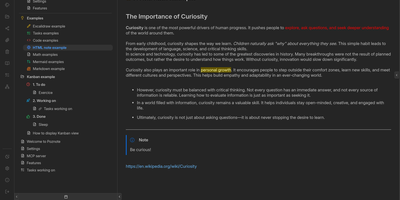
Poznote serves as an all-in-one personal knowledge base and digital workspace designed to bridge unstructured thinking and structured documentation. The platform pairs a responsive Markdown editor with live side-by-side rendering, KaTeX mathematical notation, and interactive Mermaid diagram compilation. Creative thinkers can switch instantly to an embedded Excalidraw infinite canvas to sketch system architectures, design mind maps, and create interface wireframes alongside their written notes. Every directory within the workspace can be toggled into an agile Kanban board where nested folders become customizable workflow columns and notes transform into draggable task cards. Task management views aggregate checklists across documents into unified priority queues with due date reminders and completion filters. An integrated bi-directional Git synchronization engine connects user workspaces directly to personal GitHub or Forgejo repositories, versioning edits automatically on save. The software also provides an integrated Model Context Protocol server that enables AI coding assistants to search notes, create documents, and query knowledge repositories securely. Running on a dedicated VPS on RepoCloud with guaranteed CPU, RAM, and SSD, full root SSH access, and a browser serial console. MIT licensed.
Joplin
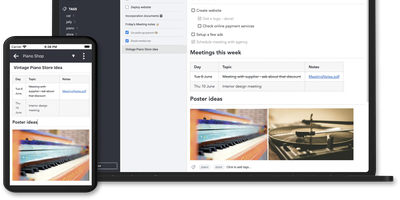
Notes on Windows, macOS, Linux, Android, iOS, and the terminal, synced through your own server: Joplin pairs its open-source clients with Joplin Server, the official self-hosted backend that replaces Dropbox, OneDrive, or Nextcloud as the synchronization target. Notes are Markdown with inline attachments (images, PDFs, audio), organized into hierarchical notebooks and sub-notebooks with cross-cutting tags, alongside to-do lists with reminders and alarms. End-to-end encryption is the headline feature: enabled in the clients, it encrypts sync payloads on-device before upload, so the server stores blobs it cannot read - genuine protection even if the host is compromised. The desktop app offers both Rich Text and Markdown editors, extended by a plugin ecosystem, custom themes, and an Extension API for writing your own scripts; a Web Clipper for Chrome and Firefox captures full pages or screenshots straight into notebooks. Joplin Server ships as a Docker image with SQLite for evaluation and PostgreSQL for production, offers a filesystem storage driver for large content, and includes multi-user support and note sharing - all free under AGPL-3.0 when self-hosted. Notes stay in an open format, so the exit path always exists.
Nanote
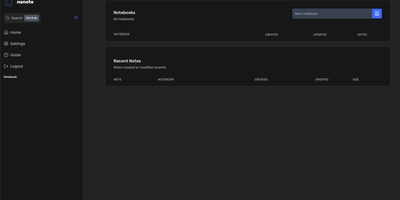
100% portability is Nanote's one non-negotiable principle as a self-hosted note-taking app. There is no database - notebooks are plain folders and notes are plain Markdown files on your filesystem, so the same notes remain fully manageable from a terminal, Notepad, or any other editor, and walking away from Nanote costs nothing because your data was never in a proprietary format to begin with. Built with Nuxt and TypeScript around the Milkdown editor, it layers modern conveniences on that plain-file foundation: fast content search across all notes using OS-optimized tooling (ugrep), native Markdown rendering, image and file attachments, and a mobile-friendly layout for reading and editing on a phone. Clever remark directives make plain text interactive - typing ::file inserts an inline upload picker, while ::today, ::now, and ::tomorrow expand to live dates and times. A fully typed REST API with validation covers automation, and access is protected by a configurable secret key. Deployment is one container with three env vars: paths for notes, uploads, and config, all bind-mountable so your Markdown lives wherever you want it - including inside an existing sync setup. AGPL-licensed and actively daily-driven by its author.
Gollum
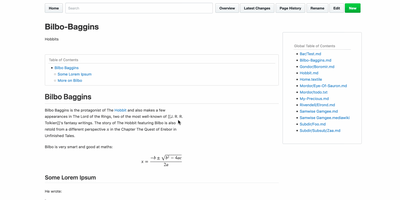
Every wiki page lives as a plain-text file in a standard Git repository, giving you full version history, branching, merging, and the freedom to edit with any text editor or IDE alongside the web interface. Originally built by GitHub's founders as the engine behind GitHub's own wiki feature, Gollum supports Markdown, AsciiDoc, reStructuredText, Org-mode, Textile, MediaWiki, Creole, and Pod markup formats with live preview rendering as you type. PlantUML and Mermaid diagrams render inline for architecture documentation, MathJax handles mathematical notation, and BibTeX integration via Pandoc provides academic citation management. YAML frontmatter controls per-page sidebars, headers, footers, and table of contents generation. CriticMarkup annotations enable editorial review workflows with tracked insertions, deletions, substitutions, and comments. Macros extend pages with dynamic content injection, file includes, and navigation helpers. The wiki maintains compatibility with GitHub and GitLab wiki repositories, so teams can clone existing platform wikis for local editing and offline access. The official Docker image at gollumwiki/gollum exposes port 4567 with volume-mounted repositories, requiring roughly 170 MB of container storage and minimal RAM. Authentication integrates via OmniAuth supporting GitHub, GitLab, Google, and other OAuth providers. Over 14,300 stars on GitHub since 2009. MIT licensed.
Flatnotes
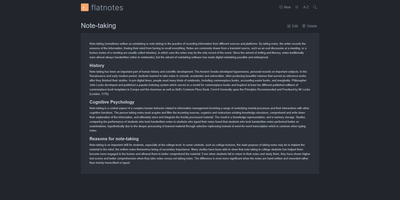
A web interface for a folder of Markdown files - Flatnotes is exactly that, and the discipline of that design is why people love it. Every note is a plain .md file in a single flat directory: no database, no proprietary format, no hierarchy to maintain, no export step if you ever leave. Edit notes in the browser or open the same files in VS Code or Obsidian, sync them with Syncthing or rsync while the app is running - the Whoosh-powered search index synchronizes incrementally, so external edits just show up. The interface is a clean Vue.js app with both WYSIWYG and raw Markdown editing modes (TOAST UI Editor), instant full-text search behind the "/" shortcut with partial-match support, wikilinks for cross-note references, and automatic tag extraction from #hashtags in note bodies. Light and dark themes and a mobile-responsive layout make it pleasant everywhere. Authentication is flexible for a personal tool: none, read-only, username/password, or TOTP two-factor. A documented REST API covers create/read/update/delete for automation. The operational story is the quiet selling point - the only state is the notes folder and a rebuildable index, so backup is copying a directory. For a personal notepad that respects your data, Flatnotes nails minimal.
WriteFreely
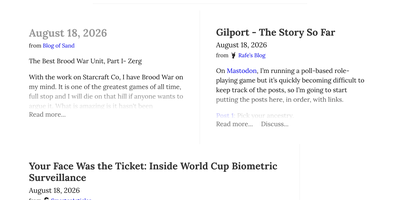
With over 5,100 GitHub stars and a proven track record powering more than 550,000 blogs on the Write.as hosted platform since 2018, WriteFreely strips blogging down to its essential purpose — writing — by removing news feeds, notifications, likes, and engagement metrics that distract from the creative process. The Go binary deploys on any platform as a single executable with SQLite for zero-dependency setups or MySQL and MariaDB for larger installations, consuming minimal system resources and running comfortably on hardware as small as a Raspberry Pi. The auto-saving Markdown editor provides a clean writing environment with instant draft preservation, while published posts render with typography-focused CSS that puts content front and center for readers. ActivityPub federation connects every blog to the fediverse, allowing Mastodon, Pleroma, and other ActivityPub platform users to follow blogs directly, receive new posts in their timelines, and boost or favorite content to their followers. Multi-blog support lets writers maintain separate blogs with distinct pen names from a single account without revealing their association, while OAuth 2.0 integration enables single sign-on onboarding from existing identity providers. Hashtag categorization organizes posts by topic, pinned posts create static pages for permanent content, and draft mode lets writers compose privately before publishing. Blog elements are localized in over 20 languages with first-class right-to-left script support for Arabic, Hebrew, and other RTL languages. Running on a dedicated VPS on RepoCloud with guaranteed CPU, RAM, and SSD, full root SSH access, and a browser serial console. AGPL-3.0 licensed.
Atlantis Diagrams
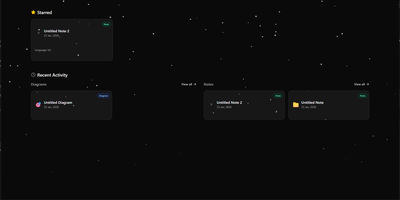
Technical teams frequently struggle to keep software architecture diagrams synchronized with evolving codebases and documentation repositories. Atlantis Diagrams delivers a unified self-hosted workspace that couples code-driven Mermaid.js diagramming with structured Markdown knowledge bases in a responsive web interface. Engineers can compose flowcharts, sequence diagrams, state machines, entity-relationship models, and Gantt schedules using split-view CodeMirror editors with real-time SVG rendering. An integrated version history tracker automatically captures revision checkpoints across the last 15 document states, letting authors compare modifications and restore previous iterations without data loss. The linked notes environment supports rich Markdown editing, LaTeX mathematical formulas, interactive task checklists, tag indexing, and full-text keyword searches across personal documentation libraries. Canvas controls allow users to pan, zoom, inspect individual nodes, and export finalized graphics directly into vector SVG, high-resolution PNG, or printable PDF documents. Storage engines adapt to deployment scale, running on zero-configuration SQLite databases out of the box with optional PostgreSQL, MySQL, and Redis caching layers for high-concurrency environments. Running on a dedicated VPS on RepoCloud with guaranteed CPU, RAM, and SSD, full root SSH access, and a browser serial console. MIT licensed.

DumbPad
With a deliberately minimalist design philosophy and zero database dependencies, DumbPad delivers a self-hosted notepad that stores notes as plain text files with real-time auto-saving every 10 seconds and keyboard-shortcut manual saves. The Node.js Express backend serves a vanilla JavaScript frontend that supports multiple named notepads with direct URL linking and shareable links for instant access to specific notes. The split-view editor displays markdown source on the left and rendered preview on the right with a draggable resize handle, while the full preview mode renders complete markdown with GitHub-style alert blocks for Note, Tip, Important, Warning, and Caution callouts, extended table formatting, fenced code blocks with syntax highlighting via highlight.js covering approximately 180 programming languages, collapsible details sections, and checklist support. Fuzzy search matches across both filenames and file contents for fast navigation across large collections. Optional PIN protection secures access with configurable 4 to 10 digit codes, constant-time comparison to prevent timing attacks, brute force lockout after 5 failed attempts with 15-minute cooldown, and IP-based tracking. The Docker container runs as non-root UID 1000 by default with multi-architecture support, CORS origin restrictions for reverse proxy deployments, and persistent data volumes. Notes can be downloaded as text or markdown files, printed with auto-expanded collapsible sections, and imported by placing text files directly into the data directory. On RepoCloud, deploy DumbPad on a dedicated VPS with Docker, root SSH access, and complete control over your note-taking infrastructure, all under the GPL-3.0 license.