Onyx
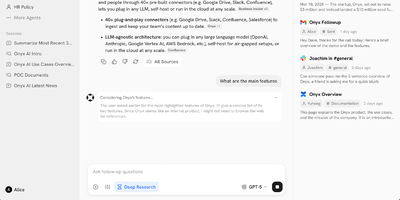
Formerly known as Danswer and now backed by over 31,000 GitHub stars with 253 releases, Onyx delivers a production-ready AI platform that turns any LLM into a context-aware enterprise assistant connected to your organization's actual knowledge. The agentic RAG pipeline combines BM-25 keyword search with prefix-aware embedding models in a hybrid index, then deploys AI agents to retrieve, verify, and synthesize answers with source citations from over 40 connected workplace tools including Google Drive, Confluence, Slack, Notion, Jira, SharePoint, GitHub, and Linear. Custom AI assistants with configurable prompts, backing knowledge sets, and document-level access control enable specialized agents for engineering, sales, support, and research workflows. The platform supports every major LLM provider — Anthropic Claude, OpenAI, Google Gemini, plus self-hosted options via Ollama, LiteLLM, and vLLM for fully air-gapped deployments. Beyond chat, Onyx provides web search with Serper, Google PSE, Brave, and SearXNG integration, an in-house web crawler, code execution, file creation, and multi-step deep research with report generation. Enterprise features include SSO via Google OAuth, OIDC, or SAML with SCIM provisioning, role-based access control, usage analytics by team and agent, query history auditing, PII removal through custom code hooks, and full whitelabeling. Deploy via Docker Compose on any infrastructure. Running on a dedicated VPS on RepoCloud with guaranteed CPU, RAM, and SSD, full root SSH access, and a browser serial console. MIT licensed (Community Edition).
Wallabag
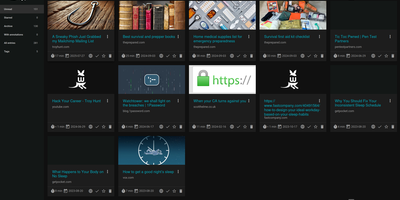
With 12,800+ GitHub stars and over a decade of active development since 2013, wallabag is the most established open-source read-it-later application — built for readers who want complete ownership of their article archive without depending on services that shut down (RIP Pocket). The Symfony-based PHP application extracts clean article content using Graby and php-readability, stripping advertisements, pop-ups, and tracking scripts to deliver a distraction-free reading experience optimized for both desktop and mobile screens. Save articles via Chrome, Firefox, or Safari browser extensions, Android and iOS native apps, REST API, or the built-in bookmarklet — all syncing to your self-hosted instance. Organize your library with tags, automated tagging rules that classify articles by content patterns, starred favorites, and archived collections. The annotation system enables highlighting extracts and attaching notes directly within articles for research and reference workflows. Import your existing reading lists from Pocket, Omnivore, Instapaper, Pinboard, Readability, and browser bookmarks. Export articles in PDF, ePUB, MOBI, JSON, CSV, TXT, or HTML for offline reading on Kindle, Kobo, and other e-readers. Full-text search with filters by reading time, domain, language, and creation date makes retrieval instant across thousands of saved articles. RSS feed output integrates with feed readers and automation services. Docker deployment with SQLite, MySQL, or PostgreSQL persistence backends takes under five minutes. Running on a dedicated VPS on RepoCloud with guaranteed CPU, RAM, and SSD, full root SSH access, and a browser serial console. MIT licensed.
Usermemos
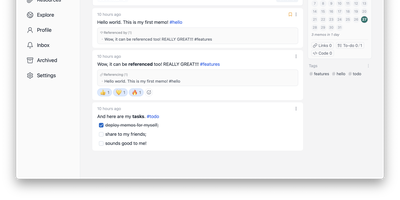
Memos, the lightweight open-source note service from the usememos project, packaged as a containerized deployment for multi-architecture Docker hosts (x86-64 and arm64): that is Usermemos. The model is frictionless capture: no folders or titles, just a chronological stream of Markdown notes with code blocks, task lists, tables, and file attachments, organized by #hashtags pulled automatically from the text. Per-memo visibility - private, protected for logged-in users, or public - lets a single instance serve as a personal journal, a shared team log, or a public microblog simultaneously. Multi-user support with authentication makes it workable for small teams, and full REST and gRPC APIs open capture and retrieval to CLIs, bots, and automation tools. The runtime is a single Go binary with a React frontend that idles around 50 MB of memory and stores content as plain Markdown in SQLite by default, with MySQL and PostgreSQL available for heavier deployments. Configuration happens through environment variables, access works over HTTP or HTTPS behind a reverse proxy, and there is no telemetry - notes stay on your server in a portable format.
Hister
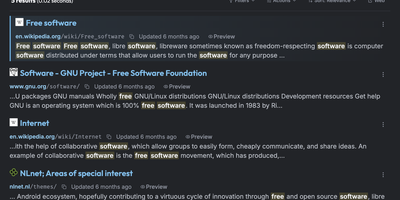
Hister is a private search engine for everything you have read or saved, indexing the full text of visited pages, local files, and imported browser history so one query finds the page you only half remember. Firefox and Chrome extensions capture each page as you browse, while a crawler and importers for browser history and bookmarks backfill earlier reading. Watched directories add local files to the same collection. Queries accept field filters, quoted phrases, wildcards, negation, date ranges, and aliases, with a readable stored preview beside each result. Opt-in semantic search matches documents by meaning through an Ollama, llama.cpp, or OpenAI-compatible embeddings endpoint. The same index answers in the browser, a terminal interface, the command line, an HTTP API, and an MCP server for AI assistants. Multi-user mode gives each person separate documents, rules, and access tokens, with password or OAuth sign-in, and public mode lets anonymous visitors search a curated index. Rebuild a research trail, recover a half-remembered article, or share one searchable knowledge base, with no telemetry. Running on a dedicated VPS on RepoCloud with guaranteed CPU, RAM, and SSD, full root SSH access, and a browser serial console. AGPL-3.0 licensed.
AppFlowy
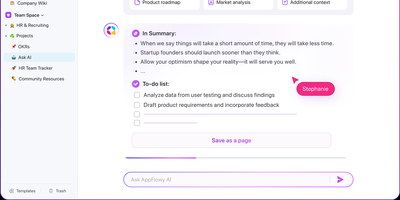
With over 75,000 GitHub stars and native apps across macOS, Windows, Linux, iOS, and Android, AppFlowy is the most widely adopted open-source alternative to Notion — delivering the same block-based workspace model with full data sovereignty. The Flutter frontend renders natively on every platform while a Rust backend powered by Actix-web and Tokio handles CRDT-based real-time collaboration, ensuring sub-second sync across devices with conflict-free concurrent editing. Relational databases support grid, board, kanban, calendar, and gallery views over the same dataset, with two-way relations, rollups, advanced filters, sorts, and formula calculations that cover the majority of Notion's database workflows. The block editor supports 40+ content types including nested pages, toggles, callouts, code blocks with syntax highlighting, embeds, and slash-command insertion. AI integration connects to OpenAI, Anthropic, or local models via Ollama for writing assistance, summarization, and translation — all without sending data off-premises when using on-prem LLMs. Team spaces with workspace-level and per-page permissions, OAuth and SSO authentication through GoTrue, and S3-compatible object storage via MinIO provide enterprise-grade access control and file management. The self-hosted stack deploys through Docker Compose with PostgreSQL for metadata, Redis for caching and pub/sub, and a dedicated background worker for imports and email notifications. Offline-first architecture ensures the desktop app functions without connectivity, syncing changes when the connection resumes. Running on a dedicated VPS on RepoCloud with guaranteed CPU, RAM, and SSD, full root SSH access, and a browser serial console. AGPL-3.0 licensed.
Suite Docs
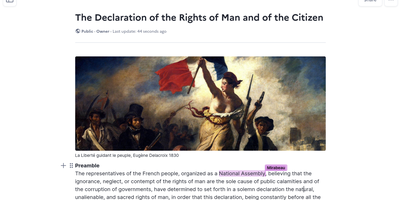
An open-source alternative to Notion and Google Docs developed jointly by France's DINUM and Germany's ZenDiS that prioritizes data sovereignty, real-time collaboration, and structured knowledge management. The Yjs-powered CRDT engine provides live cursors, presence indicators, and inline comments enabling teams to edit simultaneously without conflicts, while BlockNote.js renders a clean block-based editing experience with rich text formatting, Markdown shortcuts, and drag-and-drop content organization. Hierarchical sub-documents create wiki-style knowledge bases where documentation nests naturally into navigable structures, and a dedicated slide mode transforms any document into a presentation without separate tooling. The document API separates content from metadata with distinct endpoints for formatted content, raw content streams, and document properties. Optional AI integration connects to configurable language models for writing assistance, summarization, and content generation directly within the editor. Access control supports granular permissions per document with team sharing, public links, and invitation flows. DOCX import brings existing documents into the platform while maintaining formatting fidelity. The Django backend serves a REST API with PostgreSQL storage, Redis caching, and S3-compatible media handling. Deploy via Docker Compose, Kubernetes with the official Helm chart, Nix, or YunoHost on your own infrastructure. Running on a dedicated VPS on RepoCloud with guaranteed CPU, RAM, and SSD, full root SSH access, and a browser serial console. MIT licensed.
XWiki
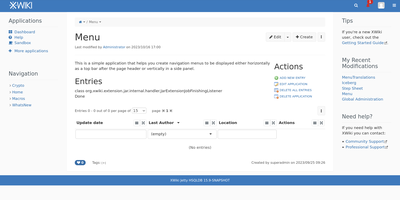
With over 140,000 code commits, 1,200+ GitHub stars, and continuous development since 2004 spanning more than two decades of active maintenance through version 18.6.0 released in July 2026, XWiki operates as a second-generation wiki platform that goes beyond static pages by enabling teams to build custom collaborative applications directly inside wiki pages using structured data forms and in-page scripting. The Java backend runs on Apache Tomcat with PostgreSQL, MySQL, or Oracle database storage, serving a responsive web interface with a WYSIWYG editor featuring real-time collaborative editing, link and macro editors, user mentions, inline comments, annotations, and complete version history with diff comparison. The App Within Minutes extension lets non-developers create custom data-driven applications using drag-and-drop form builders that generate filterable live tables for structured data browsing without writing code. Over 900 extensions from the built-in Extension Manager add functionality including blogs, task trackers, forums, diagram editors, and Confluence migration tools. Enterprise integration features include LDAP and Active Directory authentication, SAML and OIDC single sign-on, fine-grained per-page and per-space permissions with nested page hierarchies, and multi-wiki support for hosting multiple independent wikis from a single installation. The RESTful API provides programmatic access to pages, spaces, objects, attachments, and properties with XML and JSON representations. Office document import converts Word and Excel files directly into wiki pages while PDF export generates formatted documents from wiki content. Running on a dedicated VPS on RepoCloud with guaranteed CPU, RAM, and SSD, full root SSH access, and a browser serial console. LGPL-2.1 licensed.
WeKnora
WeKnora turns scattered corporate documents into a searchable, reasoning-capable knowledge asset that your team can query in plain language and receive cited, sourced answers. Upload PDFs, Word files, web pages, Feishu wikis, Notion databases, Yuque docs, GitLab repositories, or RSS feeds into structured knowledge bases, and three distinct modes make the content actionable: RAG Quick Q&A retrieves relevant chunks and generates answers with source citations; the ReAct Agent autonomously orchestrates multi-step reasoning across knowledge retrieval, MCP tool calls, web search, and sandboxed code execution to produce comprehensive research reports; and Wiki Mode deploys LLM agents to distill raw documents into an interlinked markdown knowledge base with an interactive knowledge graph, revision history, and one-click rollback. Connect 20+ LLM providers including OpenAI, DeepSeek, Qwen, Claude, and local Ollama models without vendor lock-in, and choose from seven vector database backends (Qdrant, Milvus, Weaviate, and more) for embedding storage. Enterprise features include four-tier RBAC with per-resource ownership and per-workspace audit logs, AES-256-GCM credential encryption, scoped API keys, Langfuse observability tracing for every agent loop and tool call, and a runtime task-queue dashboard for worker-pool governance. Cross-session long-term memory preserves conversational context across interactions. The Agent Skills catalog lets teams install and share sandboxed scripts executed in Docker or E2B containers. A Chrome Extension captures web content directly into knowledge bases. Running on a dedicated VPS on RepoCloud with guaranteed CPU, RAM, and SSD, full root SSH access, and a browser serial console. MIT licensed.
AtomicServer
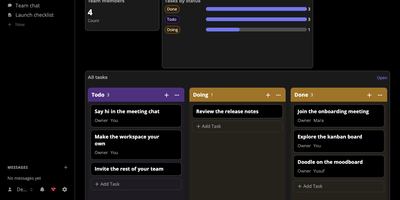
Documents, tables, files, chat, and video meetings share one workspace in atomic.place, and AtomicServer is the part you host yourself so a team can edit together while the data stays on a machine it controls. Documents are collaborative rich text with comments, icons, and cover images, tables enforce a strict schema with keyboard navigation and copy and paste, and any table can switch to a kanban, calendar, dashboard, or timer view. Templates start an issue tracker, a CRM, a project task list, or a time tracker. Live cursors, typing indicators, and presence avatars show who is working where, group channels carry attachments, replies, and search, and an infinite canvas can be drawn on together. Every write is a signed commit, so a full history is kept. Read and write rights follow the resource hierarchy, and invite links bring people in. Websites are designed in the browser, published in one click, and rolled back to any earlier version. Custom classes and properties come from the Ontology Editor, small apps are plain JavaScript screens over the same data, and AI features work with any model through OpenRouter or a local Ollama and support MCP. Typeahead search suggests results as you type. A REST API answers in JSON-AD, Turtle, or JSON-LD for automation, and export and import commands write and read JSON-AD backups. Running on a dedicated VPS on RepoCloud with guaranteed CPU, RAM, and SSD, full root SSH access, and a browser serial console. MIT licensed.
Shaarli
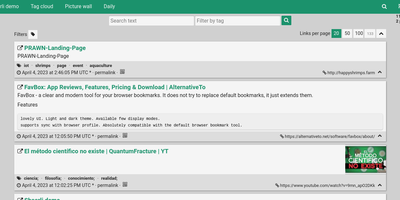
Personal, minimalist, database-free bookmarking - Shaarli is a philosophy as much as an app. Everything lives in a single compressed datastore file inside data/: no MySQL, no PostgreSQL, backup by copying one directory. That write-once/read-many file is usually served straight from OS disk caches, which is why a decade-old Shaarli instance with tens of thousands of links still responds instantly. Designed deliberately single-user, it saves URL, title, unlimited-length description, and tags (with autocomplete, renaming, and merging), marks entries public or private, and automatically strips utm_source and fb tracking parameters from saved URLs. That description field is why the community uses Shaarli as far more than bookmarks: a microblog, read-it-later queue, code-snippet base, pastebin, and shared clipboard between machines. Sharing is one click via bookmarklet or Android apps; consumption is per-tag RSS/Atom feeds plus a daily digest feed; search is full-text with tag filtering. A REST API opens it to any client, a plugin and theme system extends the PHP core (Markdown rendering, thumbnails), and import/export uses browser-standard Netscape HTML - your data enters and leaves freely. LDAP login is supported, no telemetry is sent anywhere, and the UI degrades gracefully without JavaScript. The anti-cloud Delicious.
Blinko
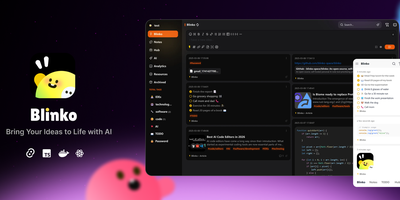
Capture fleeting thoughts as interactive flash cards and transform unorganized notes into an AI-searchable personal brain with Blinko. Users can jot down rapid notes, format rich markdown documents with code snippets and task lists, and attach multimedia files through a responsive web interface. An integrated retrieval-augmented generation engine indexes every note into vector embeddings, allowing users to query their entire personal archive using conversational natural language. You can connect local Ollama models or remote providers such as OpenAI, DeepSeek, Anthropic, and Grok to summarize lengthy entries and suggest hierarchical classification tags automatically. The interactive daily review interface presents random cards to help review, organize, or archive older insights before they are forgotten. Built-in tools include an integrated global music player for focused writing sessions, custom RSS feed ingestion, and password-protected note sharing with configurable expiration dates. Running on a dedicated VPS on RepoCloud with guaranteed CPU, RAM, and SSD, full root SSH access, and a browser serial console. GPL-3.0 licensed.
Hoarder
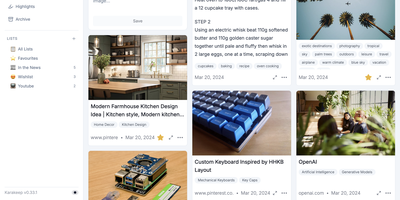
Hoarder (now Karakeep) is a bookmark manager that actually fights link rot: every page you save gets archived at capture time using Monolith, so the content survives even when the original URL dies. Beyond archival, an AI layer powered by OpenAI or local Ollama models auto-tags everything by analyzing page content. Prefer full privacy? Ollama keeps all inference on your server with zero external API calls. Full-text search through Meilisearch indexes the actual scraped content of every bookmark, not just titles and tags, so you find articles by what they say rather than labels you half-remember. Save links with automatic metadata extraction, plain text notes, uploaded images, and PDF documents, all organized into shareable lists with collaborative access. Browser extensions for Chrome and Firefox make saving a one-click operation from any page. Migrating is painless with importers for Chrome, Pocket, Linkwarden, Omnivore, and Tab Session Manager. LLM summarization condenses saved pages into brief overviews for quick scanning. The AI layer is entirely optional: Hoarder works perfectly as a manual bookmark manager, with intelligence adding convenience rather than imposing a requirement. SSO integration and responsive dark mode round out the package.
Memos
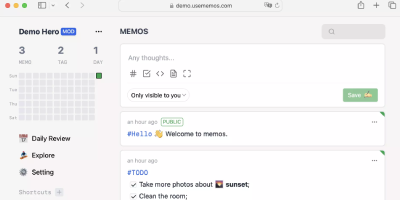
Open the page, write a Markdown note, move on - Memos is a lightweight, self-hosted service built for quick capture. Instead of folders, notebooks, and titles, it presents a timeline: open the page, write a Markdown note, and move on. Notes support headings, code blocks with syntax highlighting, task lists, tables, and file attachments, with tags auto-extracted from #hashtags in the text. Each memo carries a visibility level, private, protected (logged-in users), or public, so one instance works as a personal log, a small team wiki, or a lightweight microblog. The backend is a single Go binary with a React frontend, around 50 MB of memory at runtime and a ~20 MB Docker image, so it fits comfortably on the smallest instance size with near-zero maintenance. SQLite is the default store, with MySQL and PostgreSQL supported for multi-user deployments needing more concurrency, and full REST and gRPC APIs - Connect RPC for browsers, gRPC-Gateway for external tools - make capture scriptable from CLIs, bots, and automation platforms. Fast full-text search spans all memos, pinned notes keep references handy, and a masonry view suits visual browsing. MIT-licensed with zero telemetry; content is stored as plain Markdown in a database you control, so notes remain readable, exportable, and free of proprietary formats.
Glean
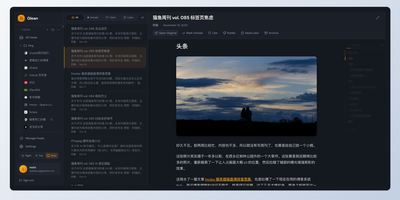
Information overload is the default state of the modern internet, and Glean exists to tame it by pulling every blog, newsletter, and news source you follow into a single, organized reading experience with an interface that prioritizes clarity over clutter. Subscribe to RSS and Atom feeds, import your existing subscriptions via OPML, and organize everything into multi-level folders with a flexible tagging system that lets you slice your reading list by topic, priority, or mood. A three-pane layout presents your feed list, article summaries, and full content side by side, with one-click actions for marking articles as read, saving them for later, bookmarking favorites, or archiving what you have already processed. Background workers fetch new articles every 15 minutes so your feeds stay current without manual refreshes. The preference learning engine (backed by Milvus vector embeddings) scores incoming articles against your reading history and surfaces a personalized Smart Feed of content you are most likely to care about, reducing the time spent scrolling past irrelevant posts. A built-in MCP server lets AI assistants like Claude Desktop search and interact with your feed library directly. The admin dashboard on a separate port provides user management, system monitoring, and configuration controls for multi-user deployments. Bookmark external URLs from any browser with the Chrome extension, or access your feeds on mobile through the Progressive Web App. Running on a dedicated VPS on RepoCloud with guaranteed CPU, RAM, and SSD, full root SSH access, and a browser serial console. AGPL-3.0 licensed.
OpenWiki
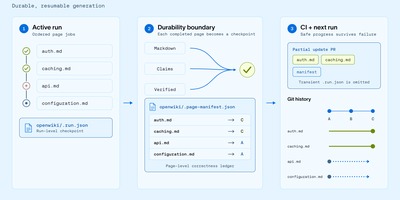
With over 15,900 GitHub stars and 40,000 weekly npm downloads in its first two months, OpenWiki from LangChain has rapidly become the standard for AI-generated codebase documentation. Built on the Deep Agents framework, it deploys a documentation agent that reads your repository's source code, tests, and configuration, then synthesizes a complete linked Markdown wiki with architecture overviews, integration guides, data-flow diagrams, and validated Mermaid visualizations. Two operating modes cover distinct workflows: code mode generates repository documentation in an openwiki/ folder with automatic AGENTS.md and CLAUDE.md integration for Codex, Claude Code, OpenCode, and Cursor, while personal mode builds a local knowledge base from nine connectors including Notion, Slack, Gmail, X/Twitter, Hacker News, LangSmith, Custom MCP, Web Search, and local git repositories. Thirteen model providers are supported out of the box — OpenAI, Anthropic, Gemini, AWS Bedrock, GitHub Copilot, OpenRouter, Nebius, Fireworks, Baseten, NVIDIA NIM, and any OpenAI-compatible endpoint like Ollama or LM Studio. Grounded Claims track every material assertion back to versioned source evidence, flagging stale propositions before they propagate. The interactive visualizer renders wiki pages as an explorable node graph with a side-by-side Markdown reader, exportable as a static site for GitHub Pages or MkDocs. Self-updating CI workflows via GitHub Actions, GitLab CI, or Bitbucket Pipelines open documentation PRs automatically when code changes. Running on a dedicated VPS on RepoCloud with guaranteed CPU, RAM, and SSD, full root SSH access, and a browser serial console. MIT licensed.
RAGFlow
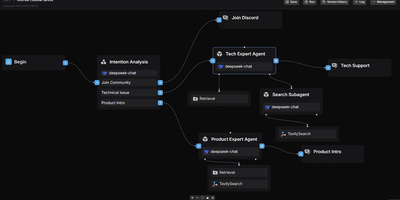
RAGFlow has established itself as one of the most widely adopted open-source RAG engines available, powering production AI systems that demand traceable, hallucination-free answers from complex enterprise data. The platform processes PDF, DOCX, Excel, and PPT files through vision-based deep document understanding with layout analysis and OCR, extracting structured knowledge from tables, charts, and images that simpler parsers miss entirely. RAGFlow's hybrid retrieval pipeline combines vector search with BM25 keyword matching and multi-stage reranking across configurable document stores including Elasticsearch, InfiniFlow's Infinity engine, OpenSearch, and OceanBase. Developers connect any combination of LLM providers — OpenAI, DeepSeek, Anthropic Claude, Google Gemini, and locally-hosted models via Ollama — through a unified configuration layer. The visual agent workflow system enables multi-step reasoning chains with persistent memory, tool calling, and pre-built templates for common enterprise scenarios. RAGFlow synchronizes data from Confluence, S3, Notion, and Google Drive, and delivers answers through chat integrations with Feishu, Discord, Telegram, and Line. The Python SDK and RESTful API on port 9380 provide programmatic access to knowledge base management, document parsing, and conversational retrieval. The full stack deploys via Docker Compose with MySQL for metadata, Redis for task orchestration, and MinIO for object storage. Running on a dedicated VPS on RepoCloud with guaranteed CPU, RAM, and SSD, full root SSH access, and a browser serial console. Apache 2.0 licensed.
Open Notebook
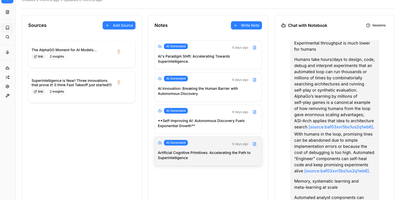
The most feature-complete open-source alternative to Google's NotebookLM — a self-hosted research platform where you upload PDFs, videos, audio files, and web pages into organized notebooks, then chat with your content, generate multi-speaker podcasts, and run semantic search across everything without sending a single byte to Google's servers. The podcast engine supports 1-4 fully customizable speakers with backstories, personalities, and expertise profiles, generating professional audio dialogue through OpenAI, ElevenLabs, Google TTS, or completely local text-to-speech via Kokoro for maximum privacy. Content processing uses token-based chunking with RAG-powered retrieval grounded in your uploaded sources, while both full-text keyword search and semantic vector search via SurrealDB enable conceptual discovery across all notebooks. The 18+ supported AI providers include OpenAI, Anthropic, Google Gemini, Groq, Ollama, LM Studio, and more — configurable per task so you can route cheap models to summarization and powerful models to analysis. Content transformations extract insights, generate summaries, create study guides, and produce structured outputs from any source material. The MCP integration connects Open Notebook to Claude Desktop, VS Code, and other MCP clients for seamless workflow integration. A full REST API on port 5055 enables complete automation of notebook management, source upload, and podcast generation. Deploy via Docker Compose with the application container, SurrealDB v2 on RocksDB, and optional TTS containers. Running on a dedicated VPS on RepoCloud with guaranteed CPU, RAM, and SSD, full root SSH access, and a browser serial console. MIT licensed.
Arkon
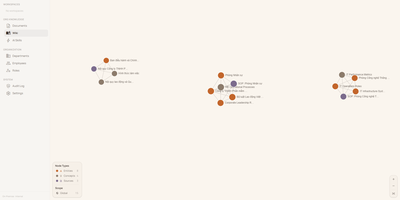
With 1,200+ GitHub stars since its April 2026 launch, Arkon provides an enterprise-grade knowledge management layer that turns scattered organizational documentation into AI-accessible structured context. The platform runs as a centralized MCP server, compiling your SOPs, policies, technical docs, and institutional knowledge into a versioned wiki with draft-approval workflows, then serving that wiki to Claude Desktop, Claude.ai, Cursor, and any MCP-compatible client through a single permission-scoped endpoint. OAuth 2.1 with PKCE authentication eliminates manual token management — employees authenticate through a browser login while the system discovers endpoints automatically via RFC 8414. The RBAC v2 system supports custom roles with granular permissions, department-scoped AI Skills, workspace isolation, and comprehensive audit logging so every query and access event is traceable. RAG retrieval powered by pgvector embeddings enables AI clients to search across all organizational documents with source attribution, while the AI Skills system lets teams define reusable instruction sets scoped to specific departments or roles. The architecture runs seven Docker containers coordinated by Compose: PostgreSQL with pgvector for embeddings and metadata, Redis for caching, MinIO for document storage, a FastAPI backend, two ARQ async workers for embedding generation and document processing, and a Next.js frontend portal accessible on port 3119. API keys are encrypted at rest with Fernet, and no telemetry leaves the deployment. Running on a dedicated VPS on RepoCloud with guaranteed CPU, RAM, and SSD, full root SSH access, and a browser serial console. PolyForm Internal Use licensed.