TriliumNext
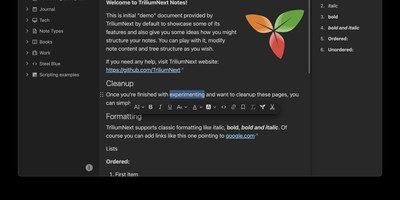
TriliumNext organizes notes in an infinitely deep tree where any single note can be cloned into multiple branches without duplication, building personal knowledge bases that mirror how ideas actually connect rather than forcing a single rigid folder hierarchy. Carrying forward the original Trilium project under active community stewardship with nearly 37,000 GitHub stars, the application is built on TypeScript with a CKEditor 5 WYSIWYG editor supporting rich text, tables, images, KaTeX math expressions, Mermaid diagrams, Excalidraw canvases, mind maps, spreadsheets with XLSX and CSV import/export, and code blocks with full syntax highlighting. A built-in JavaScript scripting engine runs on both frontend and backend, enabling custom widgets, automated workflows, scheduled tasks, and direct interaction with external REST services through a typed Script API. Full-text and fuzzy search with attribute-based queries locates any note instantly across databases tested at over 100,000 notes without performance degradation. The v0.104 release introduced importers for OneNote, Notion, Google Keep, Anytype, and Obsidian alongside 16 dedicated security fixes. Per-note AES encryption, OpenID Connect authentication, and TOTP two-factor protection safeguard sensitive content. The sync server keeps desktop clients, the progressive web app, and mobile devices in lockstep with zero third-party cloud dependency. Web Clipper captures content directly from browsers. Running on a dedicated VPS on RepoCloud with guaranteed CPU, RAM, and SSD, full root SSH access, and a browser serial console. AGPL-3.0 licensed.
Wiki.js
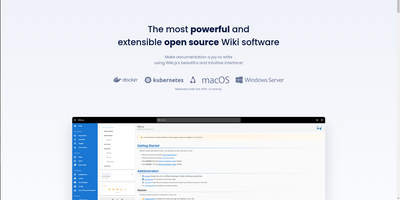
Team and product documentation on a fast Vue frontend with PostgreSQL storage: Wiki.js is a Node.js wiki engine. Its distinguishing trait is per-page editor choice: authors pick Markdown with live preview, a WYSIWYG visual builder for non-technical writers, or raw HTML, page by page. Native Git synchronization commits every page change to GitHub, GitLab, Bitbucket, Azure DevOps, or any Git remote - bi-directionally, so edits made in the repository flow back into the wiki - giving documentation version-controlled backup for free. Authentication coverage is among the broadest of any self-hosted wiki: local accounts with self-registration, social login via Google, GitHub, Discord, and Slack, and enterprise SSO through LDAP/Active Directory, SAML, CAS, Auth0, Okta, Azure AD, Keycloak, and generic OAuth2/OIDC, with optional MFA. Built-in full-text search runs on PostgreSQL with zero setup, and external engines like Algolia or Solr can substitute. Page history with visual version comparison, granular group-based permissions per path, nested navigation menus, 50+ integration modules, and full localization round it out. AGPLv3-licensed with a 28k-star community.
Sage Wiki
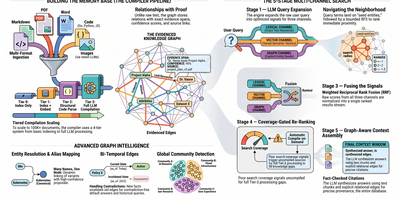
Sage Wiki turns a pile of unstructured documents into a fully interlinked, searchable wiki by running them through a five-pass LLM compiler pipeline. Inspired by Andrej Karpathy's vision of LLM-compiled knowledge bases, the pipeline processes source files through diff detection, summarization, concept extraction, image captioning, and cross-reference discovery, with parallel LLM calls and checkpoint/resume for vaults scaling to 100,000+ documents. The typed ontology graph stores entities and relations with BFS traversal, configurable relation types, multilingual synonyms, and a promotion/demotion lifecycle backed by grounding verification and consensus scoring. Multi-format ingestion handles Markdown, PDF, Word, Excel, PowerPoint, EPUB, email, CSV, images, and code files without manual tagging. LLM provider support spans Anthropic, OpenAI, Gemini, Ollama, and any OpenAI-compatible API, with per-pass model routing enabling cost optimization by assigning cheaper models to simpler tasks. The built-in MCP server exposes 17 tools over SSE transport for integration with Claude, Cursor, and any MCP-compatible agent, while native Obsidian vault overlay ensures existing note workflows remain undisrupted. Team deployment supports Git-synced shared wikis, centralized server access, and hub federation across multiple projects. Ships as a single Go binary with Docker Compose multi-arch images serving the web UI on port 3333. Running on a dedicated VPS on RepoCloud with guaranteed CPU, RAM, and SSD, full root SSH access, and a browser serial console. MIT licensed.
Arkon
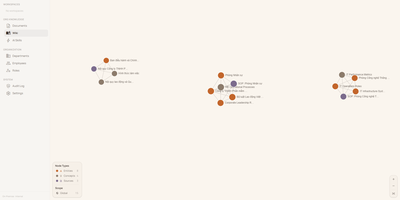
With 1,200+ GitHub stars since its April 2026 launch, Arkon provides an enterprise-grade knowledge management layer that turns scattered organizational documentation into AI-accessible structured context. The platform runs as a centralized MCP server, compiling your SOPs, policies, technical docs, and institutional knowledge into a versioned wiki with draft-approval workflows, then serving that wiki to Claude Desktop, Claude.ai, Cursor, and any MCP-compatible client through a single permission-scoped endpoint. OAuth 2.1 with PKCE authentication eliminates manual token management — employees authenticate through a browser login while the system discovers endpoints automatically via RFC 8414. The RBAC v2 system supports custom roles with granular permissions, department-scoped AI Skills, workspace isolation, and comprehensive audit logging so every query and access event is traceable. RAG retrieval powered by pgvector embeddings enables AI clients to search across all organizational documents with source attribution, while the AI Skills system lets teams define reusable instruction sets scoped to specific departments or roles. The architecture runs seven Docker containers coordinated by Compose: PostgreSQL with pgvector for embeddings and metadata, Redis for caching, MinIO for document storage, a FastAPI backend, two ARQ async workers for embedding generation and document processing, and a Next.js frontend portal accessible on port 3119. API keys are encrypted at rest with Fernet, and no telemetry leaves the deployment. Running on a dedicated VPS on RepoCloud with guaranteed CPU, RAM, and SSD, full root SSH access, and a browser serial console. PolyForm Internal Use licensed.
OpenWiki
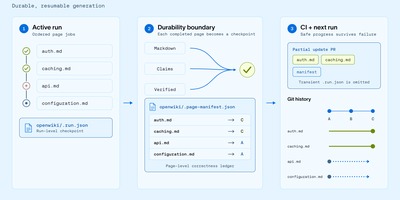
With over 15,900 GitHub stars and 40,000 weekly npm downloads in its first two months, OpenWiki from LangChain has rapidly become the standard for AI-generated codebase documentation. Built on the Deep Agents framework, it deploys a documentation agent that reads your repository's source code, tests, and configuration, then synthesizes a complete linked Markdown wiki with architecture overviews, integration guides, data-flow diagrams, and validated Mermaid visualizations. Two operating modes cover distinct workflows: code mode generates repository documentation in an openwiki/ folder with automatic AGENTS.md and CLAUDE.md integration for Codex, Claude Code, OpenCode, and Cursor, while personal mode builds a local knowledge base from nine connectors including Notion, Slack, Gmail, X/Twitter, Hacker News, LangSmith, Custom MCP, Web Search, and local git repositories. Thirteen model providers are supported out of the box — OpenAI, Anthropic, Gemini, AWS Bedrock, GitHub Copilot, OpenRouter, Nebius, Fireworks, Baseten, NVIDIA NIM, and any OpenAI-compatible endpoint like Ollama or LM Studio. Grounded Claims track every material assertion back to versioned source evidence, flagging stale propositions before they propagate. The interactive visualizer renders wiki pages as an explorable node graph with a side-by-side Markdown reader, exportable as a static site for GitHub Pages or MkDocs. Self-updating CI workflows via GitHub Actions, GitLab CI, or Bitbucket Pipelines open documentation PRs automatically when code changes. Running on a dedicated VPS on RepoCloud with guaranteed CPU, RAM, and SSD, full root SSH access, and a browser serial console. MIT licensed.
Docmost
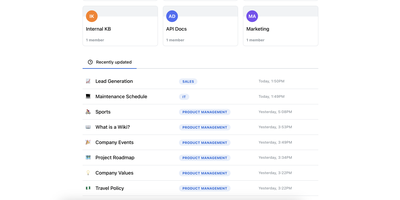
Confluence and Notion both want your team's documentation in their cloud; Docmost, an open-source collaborative wiki platform, keeps it on your server. The centerpiece is a Notion-style block editor with CRDT-based real-time collaboration: multiple people edit the same page simultaneously and changes merge without conflicts or overwrites. Content lives in spaces - per team, project, or department - with nested page trees, role-based permissions, groups, inline comments, page history with restore, and full-text search across everything. The editor covers tables, code blocks, callouts, KaTeX math, and file attachments, and diagramming is built in rather than bolted on: Mermaid, Draw.io, and Excalidraw all render inside pages, alongside embeds for Airtable, Loom, Miro, and more. Migration paths include Notion, Markdown, HTML, and ZIP archive imports (Confluence, PDF, and DOCX importers ship in the Enterprise edition, along with SSO via SAML/OIDC/LDAP and MFA). The stack is TypeScript with PostgreSQL and Redis, deploys via Docker Compose, runs in air-gapped environments with no external dependencies, and is translated into 10+ languages. The AGPL-3.0 community edition carries no per-seat fees; the project has passed 20,000 GitHub stars since its 2024 launch.
Bookstack
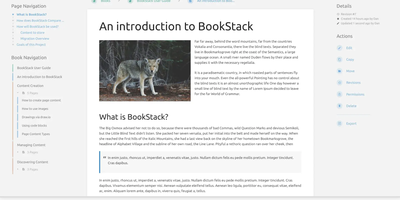
Most wikis die of flat page-and-tag sprawl; BookStack's defining decision is enforced structure - an MIT-licensed PHP/Laravel platform (over MySQL) where content lives in a hierarchy of shelves, books, chapters, and pages, the way a physical library works. A shelf maps to a department, a book to "Engineering Runbooks," a chapter to "Database Procedures," a page to the actual document. That opinionation removes the "where does this go?" friction and keeps knowledge bases tidy as they grow. Editing works both ways: a clean WYSIWYG editor for most users, a Markdown editor with live preview for those who prefer it - switchable per page. Full-text search spans all books or scopes to one, with direct links to individual paragraphs, and include tags let you embed one page's content inside another so shared blocks update everywhere at once. Every edit creates a diffable, revertible revision. Page templates standardize recurring formats, tags add cross-cutting categorization, and built-in diagrams.net integration draws architecture diagrams in place. Authentication covers email/password plus OIDC, SAML2, LDAP, and social login; a full role and permission system locks content down per shelf, book, or page. Pages and books export to PDF, HTML, plain text, and Markdown, a REST API automates content, and the whole thing runs happily on the cheapest VPS you can find.
Backstage
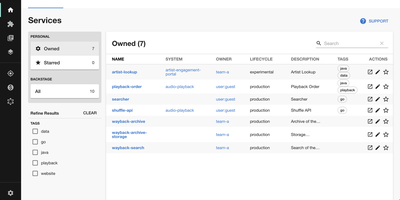
Adopted by over 3,400 companies and backed by 34,000 GitHub stars, Backstage is the open-source developer portal framework created by Spotify and now hosted by the Cloud Native Computing Foundation. The centralized Software Catalog registers every service, library, data pipeline, website, and ML model in your organization using YAML metadata files stored alongside code in GitHub, GitHub Enterprise, or GitLab, tracking ownership, lifecycle status, and dependency relationships across your entire ecosystem. Software Templates provide self-service infrastructure provisioning where developers fill out a form and Backstage automatically scaffolds new repositories, CI/CD pipelines, and cloud resources following your organization's standardized best practices. TechDocs renders Markdown documentation directly alongside the services it describes using a docs-like-code approach powered by MkDocs, with the TechDocs Addon Framework for extending the reading experience. The Search Platform indexes content across the catalog, TechDocs, Confluence, and Stack Overflow through configurable search backends. Kubernetes monitoring built specifically for service owners rather than cluster admins displays pod health, logs, and deployment status across any cloud provider or managed Kubernetes service. The plugin ecosystem includes over 230 open-source integrations covering CI/CD systems like GitHub Actions and GitLab Pipelines, monitoring platforms like Datadog and Grafana, cloud providers including AWS and Azure, plus specialized plugins for security scanning, cost management, API documentation, PagerDuty incident management, and Lighthouse website auditing. Running on a dedicated VPS on RepoCloud with guaranteed CPU, RAM, and SSD, full root SSH access, and a browser serial console. Apache-2.0 licensed.
Initiative
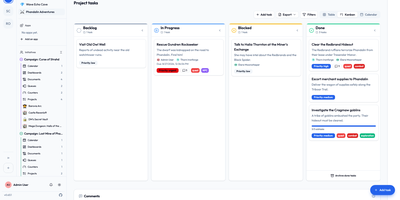
Initiative is a self-hosted, multi-tenant project management platform that organizes projects, tasks, collaborative documents, and schedules into strictly isolated community workspaces without enterprise complexity. Users create distinct communities where data remains strictly partitioned across separate database schemas, allowing agencies, volunteer groups, and gaming guilds to manage multiple client environments from a single deployment. Within each community, initiatives group related projects and documents while interactive drag-and-drop Kanban boards track task progression across custom columns, priorities, and deadlines. Integrated collaborative documents enable team members to co-author notes, project briefs, and meeting minutes in real time with threaded inline discussions and user mentions. Granular role-based permissions let administrators specify exact view and edit privileges down to individual items, while a recoverable trash system prevents accidental deletions from interrupting live operations. Curated marketplace apps supply customizable analytics dashboards, and optional bring-your-own-key artificial intelligence integrations generate task suggestions and summarize lengthy discussion threads. Running on a dedicated VPS on RepoCloud with guaranteed CPU, RAM, and SSD, full root SSH access, and a browser serial console. GNU AGPLv3 licensed.
Trilium Notes
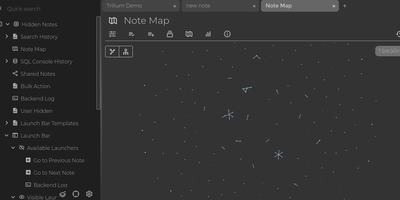
For people whose notes number in the tens of thousands, Trilium Notes is the hierarchical note-taking application built specifically for large personal knowledge bases - actively maintained as TriliumNext. Notes arrange into arbitrarily deep trees where every note is both content and container, and cloning lets a single note live in multiple places at once - bash notes belong under both Linux and Scripting, and Trilium refuses to make you choose. A WYSIWYG editor handles rich text, tables, math, and syntax-highlighted code blocks with Markdown-style shortcuts, while dedicated note types cover Excalidraw sketches, mind maps, geo maps with GPX tracks, relation maps that visualize connections between notes, and tables with typed columns. The attribute system is the power layer: labels attach queryable metadata (#year=1999, #author), relations create named links between notes, and both inherit down the tree - feeding full-text search, saved queries, and scripting. Scripting is Trilium's deepest differentiator: JavaScript code notes run on events like note changes or hourly schedules, build custom widgets, and add server-side logic, turning the knowledge base into a programmable platform. Protected notes encrypt sensitive content, note hoisting focuses on subtrees, and the self-hosted server syncs desktop clients across devices.
PandaWiki
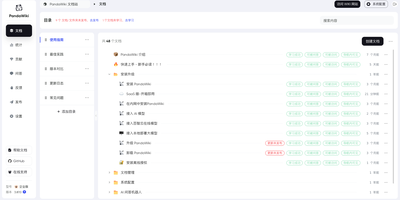
In seven wizard steps, PandaWiki sets up a product docs, manual, FAQ, or blog site whose built-in AI answers visitors using only your own content. Those visitors can chat with an assistant that cites its sources and accepts image questions, or switch to a docs-only search that lists ranked pages with summaries. Publishing stays under control: each document has three switches, visible in navigation, reachable by URL, and answerable by AI, and nothing appears or gets learned until it is published. Authors write in a Markdown and HTML editor, or import from URLs, RSS and Atom feeds, sitemaps, offline .txt, .md, .xlsx, .docx, and .pdf files, Notion, Yuque, SiYuan, Wiki.js, Feishu, Confluence, and DingTalk. Pages export to Word, PDF, or Markdown. The wizard covers models, domain, HTTP or HTTPS ports, import, publishing, answer testing, and page decoration. One knowledge base can also feed a web widget and DingTalk, Feishu, WeCom, and Discord bots. Administrators get a dashboard of visits, questions, visitor regions, hot documents, and referring domains. Chat models come from Baizhi Cloud, DeepSeek, OpenAI, or Ollama, while vector and reranking models are built in. The open-source edition covers one wiki site, 300 documents, and one admin, and its console and documentation are in Chinese. Running on a dedicated VPS on RepoCloud with guaranteed CPU, RAM, and SSD, full root SSH access, and a browser serial console. AGPL-3.0 licensed.
Suite Docs
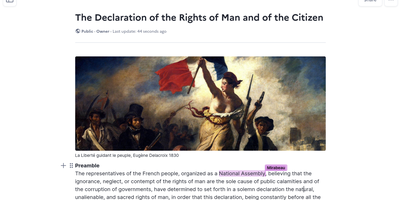
An open-source alternative to Notion and Google Docs developed jointly by France's DINUM and Germany's ZenDiS that prioritizes data sovereignty, real-time collaboration, and structured knowledge management. The Yjs-powered CRDT engine provides live cursors, presence indicators, and inline comments enabling teams to edit simultaneously without conflicts, while BlockNote.js renders a clean block-based editing experience with rich text formatting, Markdown shortcuts, and drag-and-drop content organization. Hierarchical sub-documents create wiki-style knowledge bases where documentation nests naturally into navigable structures, and a dedicated slide mode transforms any document into a presentation without separate tooling. The document API separates content from metadata with distinct endpoints for formatted content, raw content streams, and document properties. Optional AI integration connects to configurable language models for writing assistance, summarization, and content generation directly within the editor. Access control supports granular permissions per document with team sharing, public links, and invitation flows. DOCX import brings existing documents into the platform while maintaining formatting fidelity. The Django backend serves a REST API with PostgreSQL storage, Redis caching, and S3-compatible media handling. Deploy via Docker Compose, Kubernetes with the official Helm chart, Nix, or YunoHost on your own infrastructure. Running on a dedicated VPS on RepoCloud with guaranteed CPU, RAM, and SSD, full root SSH access, and a browser serial console. MIT licensed.
ITFlow
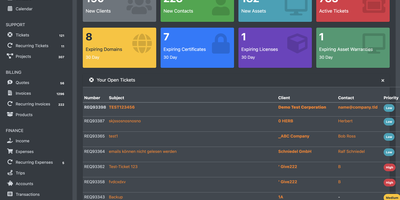
Small MSPs waste thousands of dollars annually on overlapping subscriptions for documentation, ticketing, and billing tools that don't talk to each other. ITFlow replaces that fragmented stack with a unified platform where client contacts, locations, vendors, computer assets, software licenses, domains, SSL certificates, passwords, and documents all live under one roof. The AES-encrypted password vault stores credentials with organized access controls, and domain plus SSL certificate tracking generates automated renewal alerts before expiration disrupts client services. Ticketing supports creation, prioritization, assignment, and SLA tracking, with a client portal where customers submit tickets, view invoices, approve quotes, and access their own documentation independently. The accounting module covers the full lifecycle: quotes, recurring billing, expense tracking, Stripe payment processing, and financial dashboards showing revenue and outstanding balances at a glance. AI integration through Ollama, LocalAI, or ChatGPT accelerates documentation writing and ticket responses directly within the interface. The modular architecture lets you enable only what you need, sidestepping the bloat of enterprise PSA platforms designed for organizations ten times your size. With stable releases since 2025 and zero per-user licensing, ITFlow removes the escalating costs that make commercial PSA tools unsustainable for growing teams. The PHP application deploys with MariaDB and Nginx, ready for production in minutes.
Rackpad
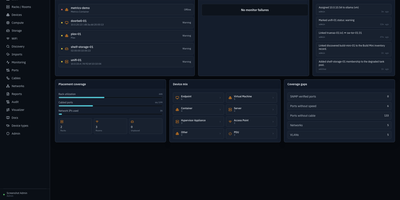
Every cable, switch port, VLAN, and rack unit in a homelab or small server room gets a documented place in Rackpad, a self-hosted inventory and operations workspace. Rack elevations show mounted gear, including paired half-width appliances. Switch-panel port maps and aggregate ports show what is patched where. Cables carry type, length, and color, editable in bulk. VLANs, subnets, DHCP scopes, reservations, and zones sit in one Networks workspace, with gateway and DNS protection and a mismatch review for IP assignments. Storage topology follows drives, bays, and pools that span several devices. Wi-Fi controllers, access points, hypervisor hosts, and virtual machines have pages of their own, and Proxmox and Hyper-V hosts can be imported after review. Discovery scans a subnet or any CIDR and stages every finding in an inbox. Per-device checks over ICMP, TCP, HTTP, HTTPS, and SNMP raise alerts by email, Discord, or Telegram. Everything feeds a movable topology map. Markdown runbooks attach to devices, and an audit log records every change. Admin, editor, and viewer roles control access, and OpenID Connect login is optional. Running on a dedicated VPS on RepoCloud with guaranteed CPU, RAM, and SSD, full root SSH access, and a browser serial console. MIT licensed.
LeafWiki
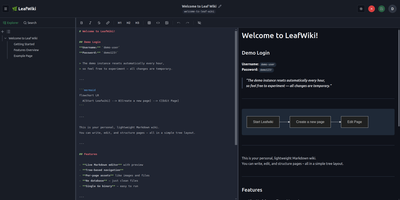
Engineering teams and technical writers maintain operational runbooks, system documentation, and knowledge bases using LeafWiki, an open-source self-hosted wiki that stores page contents directly as human-readable Markdown files on the local filesystem. Authors can compose documentation through a dual-pane editor equipped with live HTML preview, keyboard navigation, autocomplete for internal links, and native rendering for Mermaid diagrams, KaTeX mathematical formulas, and collapsible callout containers. The navigational tree organizes complex documentation into explicit directory hierarchies and custom drag-and-drop page sequences tracked in lightweight configuration files rather than arbitrary alphabetical lists. An integrated SQLite engine indexes page content and custom taxonomy tags for fast full-text searches, automatic incoming backlink tracking, and automated broken link detection. System operators can deploy the single-binary application without external database servers or runtime dependencies, backing up the entire repository by copying the data directory. Administrators can provision granular user roles, configure reverse proxy header authentication for single sign-on gateways, and manage read-only API access keys for automated documentation scripts and continuous integration pipelines. Public viewers can browse technical notes without authentication or switch between dark and light high-contrast themes. Running on a dedicated VPS on RepoCloud with guaranteed CPU, RAM, and SSD, full root SSH access, and a browser serial console. MIT licensed.
Plane
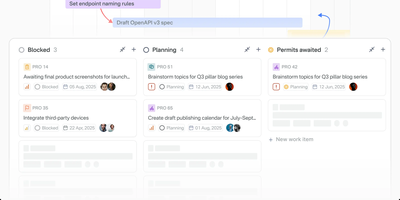
The most-starred open-source project management platform on GitHub with over 55,000 stars, Plane delivers what Jira, Linear, Monday, and ClickUp charge thousands per year for — issue tracking, sprint planning, documentation, and AI-powered workflows in one unified workspace that you own and control entirely. Work items feature a rich text editor with file uploads, sub-properties, custom states, priorities, labels, assignees, and cross-referencing, organized across five customizable layout views (list, board, table, spreadsheet, Gantt) with Command-K navigation for instant access to anything. Time-boxed Cycles provide sprint planning with automatic burn-down charts, velocity tracking, and scope change detection, while Modules break complex projects into manageable deliverables with progress aggregation. Built-in Pages combine AI-powered documentation with rich formatting, image embedding, and one-click conversion of notes into actionable work items. The AI layer reads across every project, cycle, document, and thread in the workspace — agents take real assignments, triage incoming requests, assign owners, track blockers, and ship status updates automatically. Native integrations connect GitHub, GitLab, Slack, Sentry, Figma, and 50+ tools with bidirectional issue sync and PR tracking, while import pipelines migrate entire workspaces from Jira, Linear, Asana, ClickUp, or Monday in minutes. The REST API with OAuth 2.0, HMAC-signed webhooks, typed SDKs in Node.js and Python, and a native MCP server enable custom automations. Running on a dedicated VPS on RepoCloud with guaranteed CPU, RAM, and SSD, full root SSH access, and a browser serial console. AGPL-3.0 licensed.
Answer
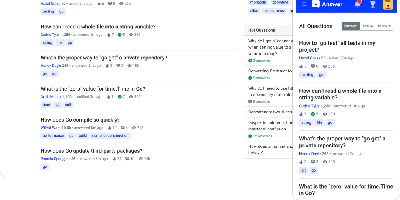
Run a Stack Overflow of your own: Apache Answer brings the question-and-answer format in-house, maintained under the Apache Software Foundation with an Apache-2.0 license. You use it to run a community forum, product help center, or internal knowledge base where content lives as questions and answers rather than wiki pages. It ships the mechanics that make that format work: voting, accepted answers, a reputation system with privilege levels, tagging, full-text search with filters, revision history on every edit, and admin/moderator/user roles. Content is written in Markdown with real-time preview and code syntax highlighting. A plugin system covers OAuth login (Google, GitHub), S3 storage, external search backends like Algolia, and Akismet anti-spam, and a REST API exposes platform data for integration. The backend is Go, the frontend React, and it runs against SQLite, MySQL, or PostgreSQL. Self-hosting replaces per-seat tools like Stack Overflow for Teams with a flat-cost instance where you own all the content.
Alexandrie
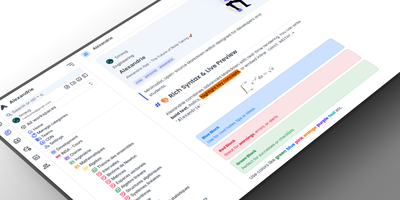
Alexandrie provides a structured knowledge base with an extended Markdown editor, granular per-document permissions, and offline editing through its progressive web app. The CodeMirror 6 editor goes well beyond standard Markdown with colored containers, academic callout blocks, KaTeX math expressions, syntax-highlighted code blocks, footnotes, interactive checkboxes, cards, panels, and a custom snippet system with import and export. Full-text search via the Ctrl+K command center returns instant results with content snippets and relevance ranking across all workspaces. Five permission levels covering None, Read, Write, Admin, and Owner apply per document and per user, while OIDC single sign-on integrates with Google, GitHub, Microsoft, Discord, and any OpenID Connect provider. Documents organize into a hierarchical tree of workspaces, categories, and nested entries with tags, bookmarks, pinned notes, and custom icons. Integrated Kanban boards handle task management within each workspace without switching applications. The PWA installs on any device for full offline editing with seamless sync when connectivity returns. Voice-to-text dictation captures notes hands-free, and one-click ZIP backup exports all documents, files, and settings as a portable archive. Over 2,000 GitHub stars and 41 releases back the project. The Docker Compose stack orchestrates the Nuxt 4 frontend, Go Gin backend, MySQL 8 database, and S3-compatible RustFS object storage. Running on a VPS on RepoCloud with guaranteed CPU, RAM, and SSD, full root SSH access, and a browser serial console. MIT licensed.