Excalidraw screenshot thumbnail

Excalidraw

Half the architecture sketches on the internet trace back to Excalidraw - the MIT-licensed virtual whiteboard whose hand-drawn aesthetic made technical diagramming feel approachable, at roughly 85,000 GitHub stars. The infinite canvas offers rectangles, ellipses, diamonds, arrows with smart binding and labels, free-draw, text, images, and an eraser, with full undo/redo, zoom, dark mode, and keyboard-first ergonomics. Community shape libraries add thousands of pre-built elements - AWS architecture icons, flowchart stencils, UI wireframe kits - and everything exports to PNG, SVG, the clipboard, or the open .excalidraw JSON format that keeps drawings diffable and portable. Live collaboration works on a share-a-link model with live cursors and a laser pointer for presenting, and it is end-to-end encrypted by design: the room key travels in the URL hash, which never reaches the server, so the WebSocket relay only ever sees ciphertext. The architecture is remarkably light - the app is a static bundle served by Nginx, drawings persist locally in the browser, and the stateless excalidraw-room relay handles multiplayer - so a self-hosted deployment gives unlimited boards and collaborators with near-zero resource cost, replacing per-editor whiteboard subscriptions.

Deploy
Inbox Zero screenshot thumbnail

Inbox Zero

Your Gmail, Google Workspace, or Outlook inbox, worked by an AI assistant: Inbox Zero sits on top of the account you already have. Its core idea is rules written in plain English - tell the assistant "label invoices and file the PDF to Drive" or "archive cold outreach unless they mention my company" - and it executes against every incoming message. Emails that need a response arrive with a pre-drafted reply written in your tone, learned from your email history and calendar context. Reply Zero tracks what you owe responses to and what you're waiting on; the Bulk Unsubscriber surfaces newsletters you never read (with read-rate analytics) for one-click unsubscribe-and-archive; the Cold Email Blocker auto-archives unsolicited pitches based on your own definition of "cold." Smart Filing routes attachments - receipts, contracts, PDFs - into the right Google Drive or OneDrive folder, and Slack/Telegram integration lets you read, draft, and triage without opening a mail client. Email analytics show top senders and volume trends. It is not a new email client: everything happens in your real mailbox using native filters. Self-hosting means your mail content and the LLM calls that process it run on infrastructure you control.

Deploy
It Tools screenshot thumbnail

It Tools

The utilities engineers otherwise scatter across a dozen ad-laden websites - 80+ of them - live together in IT-Tools, one fast, polished web app. Crypto covers JWT decoding, MD5 through SHA-512 hashing, HMAC and bcrypt generation, RSA key pairs, and password strength analysis. Converters handle JSON to CSV, YAML, and TOML, Base64 files, URL encoding, HTML entities, color formats, and Docker run commands to Compose files. Generators produce UUIDv4, ULID, BIP39 mnemonics, QR codes (including Wi-Fi QR), and tokens; text tools include a regex tester, diff viewer, slug and case converters; web utilities parse URLs and user agents, look up HTTP status codes and MIME types, and inspect Open Graph metadata; plus a cron parser, chmod calculator, and more. The privacy argument is the point: JWTs contain user IDs, hashes derive from passwords, JSON dumps hold PII - exactly the inputs you least want a third-party utility site to log. IT-Tools is a frontend-only static bundle (Vue/TypeScript, GPL-3.0, 39k+ GitHub stars) served by Nginx in one container, so everything runs client-side on your infrastructure with nothing transmitted anywhere. New tools ship roughly monthly, and a scaffolding script makes adding custom ones straightforward.

Deploy
Focalboard screenshot thumbnail

Focalboard

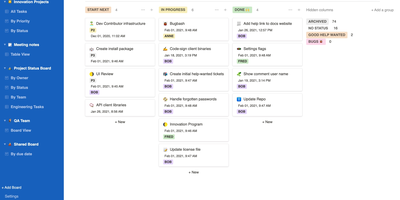
From the Mattermost team comes Focalboard, an open-source, MIT-licensed project board tool - a self-hosted alternative to Trello, Asana, and Notion databases, written in Go with a React frontend. Every board renders the same card data four ways: Kanban with drag-and-drop columns, a spreadsheet-style table, an image-forward gallery, and a calendar. Cards carry unlimited custom properties - dates, dropdowns, checkboxes, people, URLs - and boards can be grouped, filtered, and sorted by any property combination, with unlimited saved filtered views for quick access. Built-in templates cover the common workflows (meeting agendas, content calendars, project tasks, roadmaps, sprint planning), or you can build fully custom boards from scratch. Collaboration is real: card comments with @mentions, per-board permissions for teams or individuals, file attachments stored on your own infrastructure, and archiving with backup snapshots. Migration tooling imports existing boards from Trello (JSON export), Asana, and Notion, so switching does not mean starting over. It ships in 20+ languages and runs as a lightweight multi-user personal server. Worth knowing before deploying: Mattermost has shifted primary development to the integrated Mattermost Boards plugin, so the standalone edition is community-maintained - stable and functional, but evolving slowly. For teams wanting a free, private Trello without per-user fees, it remains a solid pick.

Deploy
Monetr screenshot thumbnail

Monetr

After the bills are covered, how much is actually safe to spend? monetr organizes an entire budgeting application around that one question. Inspired by the defunct Simple bank, it budgets paycheck by paycheck rather than month by month. Funding schedules encode when you get paid - including multiple schedules per account and a weekend-exclusion option for deposits that land early - and every expense or savings goal is tied to one. monetr then calculates how much of each recurring obligation (rent, car payment, subscriptions, on any repeat interval) to set aside from each paycheck, so a large bill never has to come out of a single check. What remains after allocations is surfaced as Free-To-Use, and a forecasting timeline projects contributions, due dates, and leftover funds forward so low-balance periods are visible before they happen. Transactions arrive either as OFX uploads from your bank or automatically through a Plaid connection using your own API credentials, keeping balances and transactions synced without manual entry. The app is mobile-friendly and installable as a PWA on desktop or phone. Self-hosting via Docker Compose is completely free, with all source code public and your financial data on your own hardware.

Deploy
Kan screenshot thumbnail

Kan

What Trello fans wanted Trello to stay: Kan (kan.bn) is a minimalist, frills-free kanban board capturing the original vision before the enterprise pivots - and then adds the things 2025 actually demands. The core is exactly right: drag-and-drop cards across lists, labels and filters to find work fast, comments for discussion on cards, checklists, a detailed activity log tracking every change, and reusable board templates. Workspaces gather your team with member invites and role management, and board visibility controls decide who can view or edit each board. Migration is first-class: a built-in Trello importer brings existing boards over, so switching costs an afternoon, not a quarter. The standout differentiator is the bundled Model Context Protocol server exposing 46 tools across workspaces, boards, lists, cards, comments, checklists, labels, and members - meaning Claude Desktop, Cursor, Copilot, or any MCP client can read and manage your boards in natural language: "move everything assigned to me into Done" becomes a sentence, not a click marathon. The stack is modern TypeScript - Next.js, tRPC, Drizzle ORM over PostgreSQL, Better Auth (credentials or OAuth), Tailwind - with optional SMTP email and S3 file storage. Unlimited boards, lists, and cards; AGPL-licensed.

Deploy
HedgeDoc screenshot thumbnail

HedgeDoc

Real-time collaborative Markdown behind your own firewall: HedgeDoc (formerly CodiMD, descended from HackMD's open-source edition) keeps team notes on team infrastructure. Share a note's URL and collaborators are editing together instantly - live cursors, changes appearing keystroke by keystroke - in a three-mode interface that toggles between raw Markdown, rendered preview, and side-by-side split. The Markdown dialect is extended where engineers need it: Mermaid, Graphviz, and Vega-Lite diagrams, MathJax for equations, syntax-highlighted code blocks, embedded content, and a presentation mode that turns a note into reveal.js slides with a single YAML header. A dropdown permission system controls each note - freely editable, limited to signed-in users, or locked read-only - and published notes become clean read-only pages for wider distribution. Revisions track every change with the ability to revert to any earlier version. The AGPL-3.0 codebase is light enough to run on a Raspberry Pi and deploys via Docker with PostgreSQL, MySQL, or SQLite. Authentication covers LDAP, SAML, OAuth2, and email. It deliberately stays a focused document editor - no page trees or kanban - and does that one job with excellent keyboard-first ergonomics for meeting notes, RFCs, runbooks, and shared scratchpads.

Deploy
Hastebin screenshot thumbnail

Hastebin

"Throw it on a haste and send the link" entered developer vocabulary because of Hastebin (haste-server), the minimalist open-source pastebin. Written in Node.js with three stated design goals - be really pretty, be really simple, be easy to set up - it does one job precisely: paste code, logs, stack traces, or config snippets, press save (or Ctrl+N for a new one), and get a short random-key URL to share. Syntax highlighting renders pastes readably across common languages, a raw view serves plain text for curl and scripts, and duplicate-and-edit makes iterating on a shared snippet trivial. The killer workflow is the terminal: with the haste-client utility or a one-line shell function, `cat error.log | haste` prints a shareable URL straight from stdout - the fastest route from a broken build to a colleague's eyeballs. Storage is pluggable through a simple adapter interface: filesystem by default, Redis with optional key expiration for pastes that should age out, and configurable key length, maximum paste size, and static documents. Self-hosting matters here because pastes often contain internal logs and stack traces that should never sit on a public pastebin - your instance keeps them inside your network, under your retention rules.

Deploy
Kanboard screenshot thumbnail

Kanboard

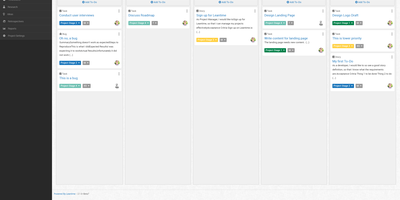
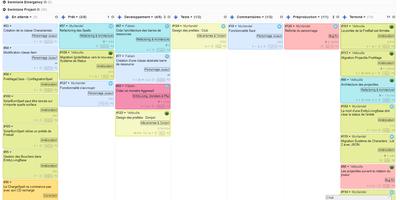
"Less is more" is Kanboard's stated philosophy, and the free, MIT-licensed PHP application lives it: drag tasks between customizable columns, enforce work-in-progress limits per column, and slice boards horizontally with swimlanes for releases, teams, or priorities. Tasks carry what matters - colors, categories, subtasks with time estimates, Markdown descriptions, comments, attachments, internal links, and due dates - and move or duplicate across projects in one click. A concise query language filters any board dynamically (assignee, category, due date, description), and saved filters become custom views. The automatic-actions engine kills repetitive triage: on events like column moves or task creation, Kanboard reassigns, recolors, recategorizes, or closes tasks by rule. Around the board sit a calendar, per-project analytics (cumulative flow, lead and cycle time), Gantt view, and time tracking. Authentication spans LDAP/Active Directory, Google, GitHub, GitLab, and reverse-proxy headers; a JSON-RPC API, webhooks for creating tasks from external systems, and a CLI cover integration. A large community plugin catalog adds what core deliberately omits. With no external dependencies, it runs happily on anything from a Raspberry Pi up - translated into 30+ languages.

Deploy
Mealie screenshot thumbnail

Mealie

A recipe manager that feels like a consumer product rather than a homelab experiment: Mealie pairs a FastAPI backend with a reactive Vue frontend for the most polished self-hosted meal planning around. The killer feature is the recipe scraper: paste a URL from hundreds of supported cooking sites and Mealie imports the ingredients, steps, times, and photos automatically. Structured HTML/JSON paste, a Markdown-capable manual editor, and imports from other recipe apps (like Tandoor) cover everything else. Meal planning uses a drag-and-drop calendar with breakfast, lunch, dinner, and snack slots, plus rule-based random recipe insertion - constrain the pool by tags or categories per meal type or weekday. Shopping lists link recipes so all ingredients land in one place, organized into supermarket sections, and update in real time for everyone in the household. The multi-tenancy model is genuinely thought through: isolated Groups can host multiple tenants, and Households within a group share recipes and organizers while keeping meal plans and shopping lists private. Cookbooks group recipes by your own criteria, a cooking mode stays readable on a phone propped against the backsplash, and 35+ language translations ship built-in. A fully documented REST API and scheduled webhooks (e.g., today's meal plan to Home Assistant) make it automatable, with SQLite or PostgreSQL storage and automatic backups.

Deploy
Radicale screenshot thumbnail

Radicale

Calendars, to-do lists, journal entries, and contacts, synced over the open CalDAV and CardDAV standards nearly every client already speaks: Radicale is a small pure-Python server that works with Thunderbird, DAVx5 on Android, Apple Calendar and Contacts, GNOME, and many more. Its defining design choice is radical simplicity: there is no database. Events live as plain .ics files and contacts as .vcf files in an ordinary folder structure, which makes backup a copy command, migration a move, and disaster recovery a matter of reading text files. The server works out of the box with no complicated setup, then grows as needed: flexible authentication (htpasswd files among other methods), per-collection authorization rules, TLS-secured connections, and a plugin system for extending storage, auth, and rights handling. Built-in limits on parallel connections, file sizes, and failed authentication attempts harden it for network exposure behind a reverse proxy. A bundled web interface handles creating and managing calendars and address books - useful since many clients cannot create collections themselves. Maintained since 2011 with 140+ contributors, GPLv3-licensed, and light enough to run on the smallest VPS or a Raspberry Pi.

Deploy
BentoPDF screenshot thumbnail

BentoPDF

Merge, split, compress, convert, edit, annotate, redact, OCR, and sign PDFs - BentoPDF packs over 130 tools into a privacy-first toolkit that runs entirely in the browser through WebAssembly. Files are never uploaded - processing happens in browser memory on the user's machine and disappears when the tab closes, which makes the tool GDPR-clean by architecture and safe for financial, legal, and internal documents. The engine combines WASM builds of PyMuPDF, Ghostscript, and CoherentPDF; Tesseract handles OCR with searchable text-layer output; Office conversions cover Word, Excel, and PowerPoint; and digital signatures use X.509 certificates (PFX/PEM) with the private key staying on the client. Because there is no server-side processing, deployment is a static-file exercise: a single Docker container, or any static host. A dedicated self-hosted build strips the marketing pages while keeping every tool, and air-gapped deployments are first-class - an automated script bundles the WASM modules, OCR language data, and fonts for fully offline networks. No accounts, no limits, no watermarks; TypeScript and Vite under the hood.

Deploy
Tolgee screenshot thumbnail

Tolgee

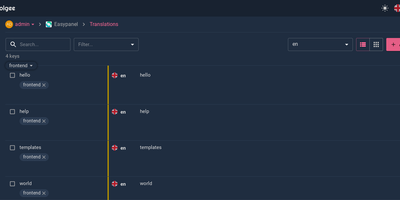
Hold Alt/Option, click any string in your running app, and edit the translation in place: Tolgee is an open-source localization platform built the way developers wish translation worked - changes save straight to the platform with no hunting through JSON or PO files. In-context editing works even in production via the Tolgee Tools browser extension, which injects credentials without touching source code, so a client or colleague with zero coding skills can translate the product inside the product. The SDKs (React, Angular, Vue, Svelte, plus iOS and Android) extract context from each UI element and capture one-click screenshots, giving both human translators and machines the surrounding meaning that raw string files lose. Autonomous translation uses that context: new keys are instantly filled from translation memory or machine translation (DeepL, Google Translate, AWS Translate), with optional human review afterward - shipping no longer waits on a translation agency. A CLI handles import/export, a REST API covers automation, a Figma plugin bridges design, and an MCP server lets AI coding assistants search keys, create translations, and trigger machine translation without leaving the editor. Self-hosting this Crowdin/Phrase/Lokalise alternative keeps every string, screenshot, and API key on your infrastructure.

Deploy
Leantime screenshot thumbnail

Leantime

"As simple as Trello but as feature-rich as Jira" is how the Leantime team frames its goals-focused project management system for non-project managers - built from the ground up with ADHD, autism, and dyslexia in mind, with behavioral science shaping customizable dashboards, time blocking, low-cognitive-load prioritization, and Kanban, list, table, Gantt, and calendar views so each person works the way their brain does. The PHP application (AGPL, Laravel Blade frontend) connects strategy to execution: tasks with unlimited subtasks and dependencies roll up into milestones on a timeline, sprints and retrospectives handle iteration, and strategy-level blueprint boards - Lean Canvas, SWOT, risk analysis, goal and metric tracking - keep the "why" attached to the work. Knowledge lives alongside: wikis and docs, idea boards, comments on everything, file storage on S3 or local disk, even screen and webcam recording. Time tracking with timesheets supports estimation and client billing. Admin features are serious for an OSS tool: per-project permissions, two-factor auth, LDAP and OIDC single sign-on, Slack, Mattermost, and Discord integrations, a plugin system, and an expanding API that now powers a mobile app. Recent releases added multi-collaborator task assignment and low-vision accessibility improvements. Available in 20+ languages.

Deploy
Shiori screenshot thumbnail

Shiori

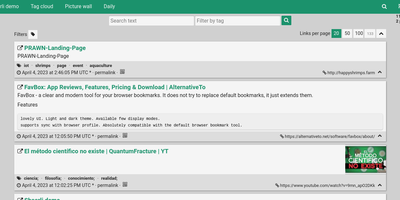
Most web links eventually break - the sobering statistic Shiori, a bookmark manager with archiving by default, is built on. Its answer is archiving by default - where possible, every bookmark you save gets a clean, readable offline copy parsed from the page, ads and navigation stripped, so the article survives even after the original URL dies. Conceived as a simple Pocket clone and written in Go, the entire server is a single binary using roughly 25-30 MB of RAM with SQLite out of the box (Postgres and MySQL supported) - genuinely the lightest archiving bookmark manager you can run. Saving is one click through the Firefox and Chrome extensions, and finding things again is where Shiori quietly outperforms its size: full-text search covers the archived page content, not just titles and tags, so you can find that article by a phrase you remember from paragraph six. Reader mode presents the cleaned text; archive mode shows the preserved page. It's dual-interface by design - a pretty web UI (installable as a PWA on mobile) and a complete CLI for terminal devotees - plus a REST API for scripting. Pocket imports work natively, and Netscape HTML handles browser imports and exports. Multi-user support included. MIT-licensed.

Deploy
linkding screenshot thumbnail

linkding

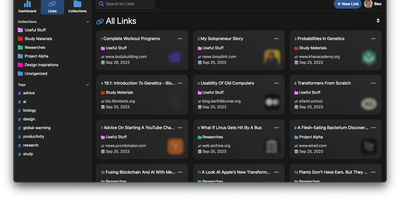
For people who found del.icio.us perfect and everything since bloated, linkding is the bookmark manager - a Django application whose entire design goal is saving and finding links with zero friction. Paste a URL and it fetches the title, description, favicon, and preview image automatically; organize with tags, search full-text across everything, mark bookmarks unread for read-it-later, attach Markdown notes, and bulk-edit whole selections at once. Its answer to link rot is archiving: bookmarked pages can be snapshotted automatically, either submitted to the Internet Archive or saved as local HTML files, and a documented SingleFile browser-extension integration uploads full self-contained page captures straight to your instance. Official Firefox and Chrome extensions (plus a bookmarklet) make saving a one-click habit, the UI installs as a Progressive Web App on mobile, and multi-user support with bookmark sharing - to users or logged-out guests - covers families and teams, with SSO via OIDC when needed. The REST API (create, search, filter by tag) has spawned a genuine ecosystem of community mobile apps and libraries. Operationally it is famously boring in the best way: one small container, SQLite by default, automated migrations, and a zero-breaking-changes policy. Import and export use standard Netscape HTML. MIT-licensed.

Deploy
Kutt screenshot thumbnail

Kutt

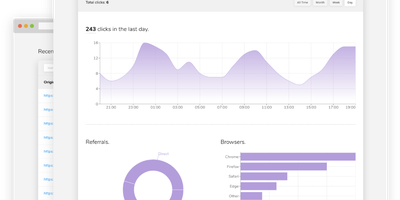
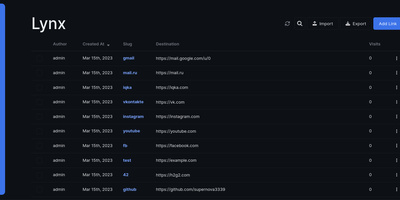
Built for self-hosting from the ground up, Kutt is a modern, MIT-licensed URL shortener: zero-configuration setup, no build step, and SQLite, PostgreSQL, or MySQL with optional Redis caching. Links carry real management features - custom slugs from a configurable alphabet (confusable characters like 0/O and l/1 omitted by default), password protection, descriptions, expiration times, and the ability to edit a destination URL without changing the short link already in circulation. Custom domains make branded short links first-class: add as many as you like and serve each under your own name instead of a third-party's. Private, per-link statistics track clicks, browsers, operating systems, and countries without logging visitor IPs or sensitive data. An admin page manages users and links instance-wide, and two environment flags (DISALLOW_REGISTRATION, DISALLOW_ANONYMOUS_LINKS) lock the instance down for private use; OpenID Connect login integrates with an existing identity provider. Automation runs through a documented REST API - create, list, delete, and pull stats - plus Chrome and Firefox extensions and ShareX compatibility for shortening from anywhere. Built with Node.js and React, deployed in one Docker container, it replaces Bitly with something you own: your domain, your analytics, and links that never die with a vendor.

Deploy
Homer screenshot thumbnail

Homer

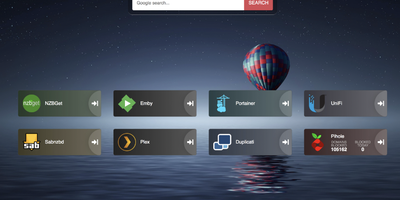
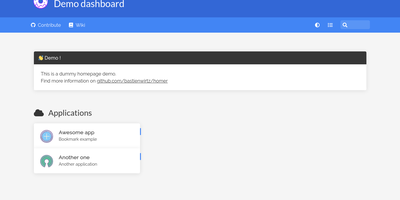
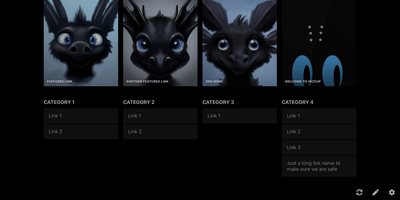
"Dead simple static HOMepage for your servER" - Homer's name is the spec. It is a fully static HTML/JS dashboard driven by one YAML file (assets/config.yml): list your services in groups with names, icons, tags, and URLs, and Homer renders a clean, fast landing page for everything you self-host. Because there is no backend, no database, and nothing to maintain, the container is tiny and effectively zero-maintenance - the entire operational surface is a text file you can version-control alongside your infrastructure. Despite the minimalism, the feature set is genuinely useful: smart cards add live data to service tiles via a type key - Pi-hole block statistics, AdGuard Home status, Jellyfin activity, Gatus and Home Assistant states, and dozens more integrations, with configurable periodic refresh. Fuzzy search jumps to any service as you type, keyboard shortcuts drive navigation, and multi-page support with item grouping keeps large homelabs organized. Theming covers built-in light and dark modes plus full custom CSS, tags get color-coded styles, and the whole dashboard installs as a PWA on phones and tablets. Icons come from Font Awesome or your own images. If Dashy is the maximalist dashboard and Homarr the drag-and-drop one, Homer is the minimalist: one YAML file, instant loads, and nothing that can break at 2 a.m.

Deploy