Omnivore
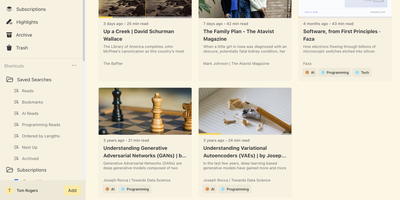
Self-hosted and built around long reading, Omnivore saves articles, newsletters, and PDFs, renders web pages as clean text, remembers your place, and keeps every highlight searchable. Pages arrive from the web app's Add button or from Chrome and Firefox extensions that authenticate with an API key. Newsletters arrive through generated email addresses once an IMAP watcher or another mail bridge is set up. PDFs open in the same reader and accept highlights and notes just like articles. Labels, saved searches, and filters such as subscription:"Name" make a big library easy to slice. The RSS section follows your feeds, lets you add a story to the library or hide it, and can sort stories into topics when an OpenAI key is configured. Custom extractors scroll lazy-loaded pages, follow paginated articles, and strip pop-ups before saving. Rules trigger webhooks when pages are created or updated, which suits automatic labelling and other custom workflows. E-ink reading settings add double-tap page turns and volume-button scrolling, and Android and iOS apps sync the same library. Running on a dedicated VPS on RepoCloud with guaranteed CPU, RAM, and SSD, full root SSH access, and a browser serial console. AGPL-3.0 licensed.
JupyterLab
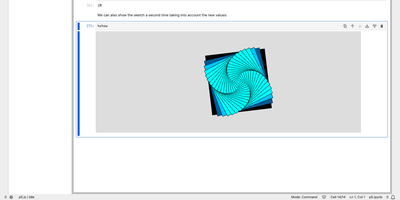
Exploratory data work, teaching material, and research code all live in the same browser tab with JupyterLab, the web workspace of Project Jupyter. Notebooks combine runnable code cells, Markdown, and rich output such as images, JSON, and Vega charts, and they use the same notebook format as the classic Jupyter Notebook. Any Jupyter kernel can execute the code, so Python, R, and other languages share one interface, and code inside plain text files such as Markdown or LaTeX can be run interactively as well. Tabs and splitters arrange documents side by side, and a notebook's cell outputs can be mirrored into their own tab to build a simple dashboard with interactive controls. Code consoles serve as scratchpads linked to a notebook kernel, while full terminals run system shells such as bash on the server. A visual debugger offers breakpoints, a call stack, and a variable explorer for kernels that support the Jupyter debug protocol. Markdown, CSV, and Vega documents show a live preview as they are edited, and built-in viewers handle images, JSON, and PDF files. The Extension Manager installs themes, editors, and renderers from PyPI, and real-time collaboration becomes available by adding the jupyter-collaboration extension. Access is protected by a generated token unless a password is set. Running on a dedicated VPS on RepoCloud with guaranteed CPU, RAM, and SSD, full root SSH access, and a browser serial console. BSD-3-Clause licensed.
asciinema Server
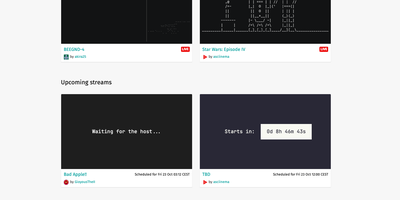
asciinema server gives terminal recordings and live streams a home on your own domain, stored as lightweight, searchable text instead of heavy video files. Demos, tutorials, and incident replays recorded with the asciinema CLI upload in the asciicast format and play back in an integrated web player with configurable terminal themes and font families. Live streams broadcast a running session to viewers in their browsers, which suits workshops, pair debugging, and open office hours. Search spans titles, descriptions, and the terminal output itself, so a command typed months ago is easy to find. Every recording or stream is private, unlisted, or public, secret links make sharing simple, and titles and Markdown descriptions stay editable after upload. Players embed in documentation pages, an SVG preview image links back to the recording, and transcripts download as plain .txt files. No tracking, no advertising. Sign-in uses emailed login links, which a single-user instance can read straight from the server log. An HTTP API creates, updates, and deletes recordings and streams, and an optional audio track can accompany either one. Running on a dedicated VPS on RepoCloud with guaranteed CPU, RAM, and SSD, full root SSH access, and a browser serial console. Apache-2.0 licensed.
OpenCart
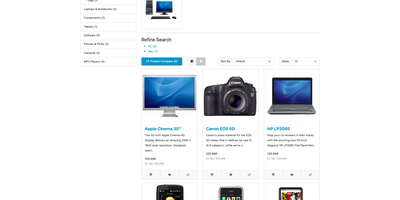
An online store you own end to end: OpenCart bundles the storefront, product catalog, checkout, and admin panel into one self-hosted install with no monthly software fee. Products take options and attributes, and master products can spawn variants that override price, SKU, and stock level. Unlimited categories, filters, reviews and ratings, coupons, specials, and reward points help shoppers find items and return for more. Guests and registered customers can check out by bank transfer, cheque or money order, or cash on delivery; subscription plans with trial periods handle recurring orders, and more gateways and carriers install from the extension marketplace. Shipping rules include flat-rate, free, per-item, pickup, and weight-based options. Tax classes, geo zones, and multiple currencies with automatic rate updates support selling abroad. One admin interface manages several stores, each with its own theme, layout, and language settings, and user groups control who may edit what. A built-in blog adds topics, articles, and comments with anti-spam rules, and language packs cover more than 40 languages, right-to-left scripts included. Sales, tax, shipping, product, and customer reports, campaign tracking, an affiliate program, bulk customer mail, GDPR export and removal tools, and downloadable digital goods round out the business side. Running on a dedicated VPS on RepoCloud with guaranteed CPU, RAM, and SSD, full root SSH access, and a browser serial console. GPL-3.0 licensed.
draw.io
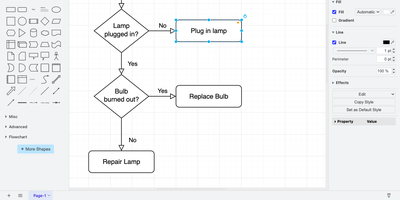
draw.io is a free, browser-based diagramming editor for flowcharts, network maps, UML models, and org charts, with nothing to install. An infinite canvas takes shapes from extensive libraries, connectors reroute automatically as shapes move, and ready-made templates replace the blank page. Tables, swimlanes, layers, and tags keep large diagrams tidy, and shape metadata and placeholders attach tooltips, links, and translations. Auto-layout straightens flowcharts and trees. Math typesetting, a simple whiteboard layout, and adaptive dark mode are built in, and custom shape libraries carry your own in-house icon sets. Export to PNG, JPEG, WebP, SVG, HTML, or PDF, embed the diagram data inside PNG and SVG files so they stay editable, or save the full diagram as a .drawio file. Your server stores no diagrams: files go to the user's device, the browser, or Google Drive, OneDrive, and GitLab once you register your own OAuth app. Optional AI diagram generation uses your own provider key, and environment variables set the interface language, fonts, and security policy. Running on a dedicated VPS on RepoCloud with guaranteed CPU, RAM, and SSD, full root SSH access, and a browser serial console. Apache-2.0 licensed.
Datasette
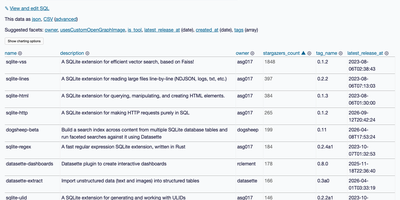
Datasette turns a database into an interactive website and JSON API, so anyone can browse, filter, and query the data without a custom backend. Point it at SQLite files and each table gets a page with sortable columns, per-column filters, full-text search where it is enabled, and facets that tally the values in a column, including array and date columns, with suggested facets surfaced automatically. Rows have their own URLs, foreign keys become links, and a row that other tables reference links to a filtered list of those records. A "View and edit SQL" link turns whatever filters you applied into an editable query, and visitors with permission can run read-only SQL with named parameters. Useful queries save as canned queries with their own URLs, and writable canned queries add forms that insert or update rows. Every page comes as JSON and as streaming CSV. A metadata file adds titles, licenses, sources, column descriptions, units, default sort orders, and hidden tables. Access rules can apply to the whole instance or a single database, table, or query. Plugins add charts, maps for latitude and longitude columns, Atom feeds, GitHub sign-in, and custom output formats. Custom templates, CSS, and static files carry your branding. SpatiaLite support adds geospatial queries, and datasette publish deploys to Google Cloud Run, Heroku, Vercel, or Fly. Running on a dedicated VPS on RepoCloud with guaranteed CPU, RAM, and SSD, full root SSH access, and a browser serial console. Apache-2.0 licensed.
Otter Wiki
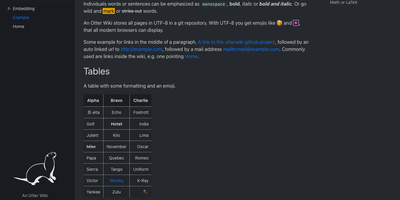
Every page in Otter Wiki is a plain Markdown file and every save is a git commit, so a small team gets a simple wiki whose history never goes missing. The editor highlights Markdown as you type, offers a toolbar for headings, lists, tables, code, alerts, and images, and can show a live preview beside the source. Paste or drop an image into the editor and it is stored as a page attachment. History, blame, and changelog views, with RSS and Atom feeds, show who changed what and when. Beyond standard Markdown you get footnotes, task lists, math formulas, Mermaid diagrams, alert boxes, and spoiler or folded blocks, plus experimental embeddings such as sortable data tables, info boxes, image frames, videos, and included pages. A customizable sidebar shows a menu, a page index, or both. Search offers case-sensitive and regular expression options. Dark mode is built in. Admins decide whether anonymous visitors, registered users, or approved users may read, write, or upload, grant rights per user, close registration, or require email confirmation. An optional, experimental git web server lets people clone, pull, and push the wiki, and changes can be pushed to or pulled from a remote repository over SSH. Running on a dedicated VPS on RepoCloud with guaranteed CPU, RAM, and SSD, full root SSH access, and a browser serial console. MIT licensed.
Windshift
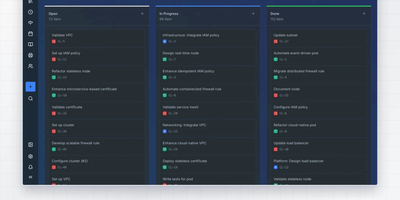
Windshift packs boards, sprints, roadmaps, test runs, time tracking, and a customer portal into one open-source tracker that replaces Jira on a server you control. Epics, stories, and sub-tasks form a hierarchy you can view as a board, list, tree, or map, and backlog items drag into dated sprints. The roadmap stretches across weeks, months, or quarters, and milestone pages show completion percentage with a status breakdown. Each workspace defines its own item types, custom fields, screens, statuses, priorities, workflows with conditions and approvals, and permissions, while JQL-style queries save as shared views. Event-driven rules update fields, notify people, and create work. Customers file requests through a public portal, and your team works them through queues with SLAs and approvals. Reusable test cases roll into test runs with success rates, and timers log billable and internal hours against projects and customers. GitHub, GitLab, Gitea, and Forgejo connections put branches and pull requests on the work item, and the importer brings over Jira projects, comments, attachments, and worklogs. A knowledge base and an asset register keep documentation and inventory next to the work. The interface speaks nine languages, including right-to-left Arabic, and sign-in supports OIDC single sign-on and passkeys. Running on a dedicated VPS on RepoCloud with guaranteed CPU, RAM, and SSD, full root SSH access, and a browser serial console. AGPL-3.0 licensed.
Betterlytics
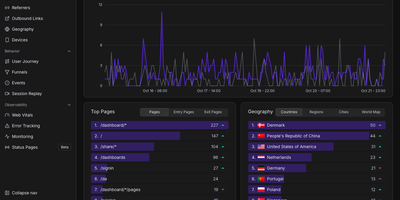
Page views, funnels, session replays, error reports, Core Web Vitals, and uptime checks share one cookieless dashboard in Betterlytics, so teams stop stitching several tools together. The overview charts visitors, page views, bounce rate, and visit duration against the previous period, and annotations mark launches or campaigns right on the timeline. Breakdowns cover referrers, channels, UTM campaigns, browsers, devices, and operating systems, with visitor locations on a world map once an optional MaxMind key is added. Custom events, global properties such as plan or app version, and outbound link tracking show what visitors actually do, while user journey diagrams and funnels reveal where they drift away. Session replay is opt-in per tracking script, masks text and form inputs by default, and can keep recordings in your own S3-compatible bucket. Error tracking groups JavaScript errors with stack traces, a session trail, and a link to the matching replay. Uptime and SSL monitors alert through Slack, Discord, Teams, or webhooks and feed public status pages on your own domain. Teammates join by invitation, two-factor login is available, and a built-in MCP server lets Claude, Cursor, or Codex answer traffic questions. A script of about 3.5 KB or a WordPress plugin handles installation. Running on a dedicated VPS on RepoCloud with guaranteed CPU, RAM, and SSD, full root SSH access, and a browser serial console. AGPL-3.0 licensed.
mailez
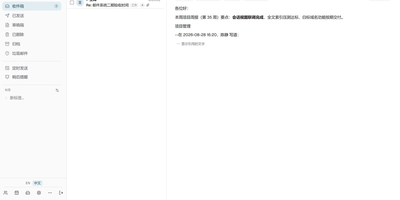
Mail for your own domain stays on your own server with mailez, a self-hosted stack that delivers over SMTP, IMAP, and POP3 and adds a webmail, calendar, contacts, file storage, and an admin console, all started with a single command. Readers get a draggable three-pane webmail that updates itself over a push channel, merges replies into conversations, folds quoted history, and searches with from:, to:, has:attachment, and date terms. Keyboard shortcuts, a command palette, snooze, scheduled send, undo for bulk moves, and quick reply keep daily mail fast, and the interface installs as an offline-capable app with light and dark themes. Privacy-minded users add PGP signing and encryption, two-factor login, and remote-image blocking, and write server-side rules in a Sieve editor. Calendar, contacts, and Drive sit beside mail, with ICS subscriptions, vCard import, CardDAV and CalDAV sync, and share links. Phones and desktop clients configure themselves through autoconfig. Administrators manage domains, mailboxes, aliases, relays, and external mailbox fetching in one console, generate DKIM keys with a click, and follow a DNS wizard and a health page that verify MX, SPF, DMARC, DKIM, blocklists, and MTA-STS. Audit logs and role-based access keep shared servers accountable. The free community edition runs on a single node, while archiving, DLP, LDAP, ActiveSync, and AI features belong to the paid enterprise edition. Running on a dedicated VPS on RepoCloud with guaranteed CPU, RAM, and SSD, full root SSH access, and a browser serial console. AGPL-3.0 licensed.
Trade Journal
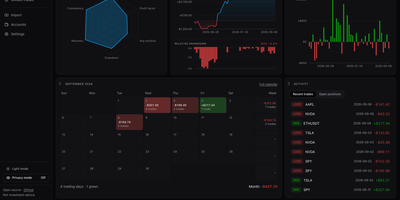
A trading journal you host yourself, Trade Journal rebuilds broker fills and statement exports into round-trip trades, a profit and loss calendar, and daily notes that show what actually works. Read-only sync covers more than twenty brokers and exchanges, including Alpaca, Binance, Coinbase, Kraken, and IBKR Flex. Statement import auto-detects TradingView, MetaTrader, NinjaTrader, Tradovate, and thinkorswim files, handles TradeZella and Tradervue CSV migrations, and maps columns for anything else. Trades can be matched first-in-first-out, last-in-first-out, or by weighted average, with partial fills, scale-ins, and futures multipliers handled. The dashboard offers gauges, cumulative and daily P&L, an Edge Score radar, and cards you can rearrange into named layouts, while Reports break results down by symbol, tag, mistake, playbook, weekday, and time of day. Each trade page charts entries and exits and can replay candles you load, with estimated MAE and MFE. Daily journal pages hold Markdown notes, templates, attachments, and voice dictation, and optional AI recaps use your own Anthropic or OpenAI key or a local Ollama model. Playbook checklists score rule adherence, a prop firm ledger tracks costs and payouts, and privacy mode masks every amount. Running on a dedicated VPS on RepoCloud with guaranteed CPU, RAM, and SSD, full root SSH access, and a browser serial console. MIT licensed.

Photofield
Instead of paging through albums, Photofield lays a whole photo library out on one zoomable canvas, where thousands of thumbnails sharpen into full-resolution pictures as you zoom. Collections come straight from directories named in a configuration file. One setting turns every subfolder into its own collection. Pick a layout per collection: album grouped by date, timeline with month markers, wall, map, highlights with dates and place names, or flex. Sort oldest first, newest first, or shuffled hourly, daily, weekly, or monthly. Tiles load progressively, and an info drawer shows the date, file name, and dimensions. A right-click menu opens or copies an image, copies its link, or finds similar images. Originals are never modified, so a read-only mount is safe. Indexing runs at up to 10,000 files per second on a fast SSD with a warm cache. JPEG, PNG, AVIF, HEIC, DNG, GIF, MP4, and MOV files are recognized. Place names resolve from an embedded database, with no external lookups. The optional photofield-ai companion adds search by words like beach sunset or cat eyes, plus a Faces layout of detected faces. Alpha tagging lets you label photos. Running on a dedicated VPS on RepoCloud with guaranteed CPU, RAM, and SSD, full root SSH access, and a browser serial console. MIT licensed.
Pyrra
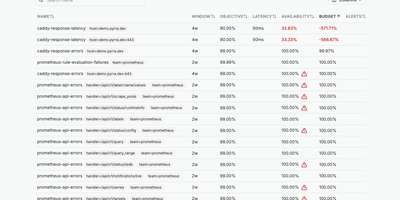
Define a service level objective in a few lines of YAML and Pyrra writes the Prometheus recording rules and multi-window burn rate alerts for it, then tracks the remaining error budget in a web interface. An objective can be an error ratio or a latency target, declared as a Kubernetes custom resource or as a plain file read from disk when running under Docker or as binaries. Grouping labels fan one definition out into an objective per route or handler. The objectives page lists each SLO with its window, target, availability, and remaining budget, sorted so the worst offenders sit on top; columns can be sorted or hidden, and a search box or a click on any label filters the list. Opening an objective highlights availability and error budget, plots the budget over time, and charts requests, errors, and duration with a time range picker and absolute or relative scales. Below the charts, a table shows the four generated alerts with their severities. Generated alerts carry a link back to the objective's page, and severities can be overridden in the spec. Queries go to Prometheus, Thanos, or Mimir, with basic auth, bearer tokens, or tenant IDs, and ready-made Grafana dashboards chart the same objectives. Running on a dedicated VPS on RepoCloud with guaranteed CPU, RAM, and SSD, full root SSH access, and a browser serial console. Apache-2.0 licensed.
Edict
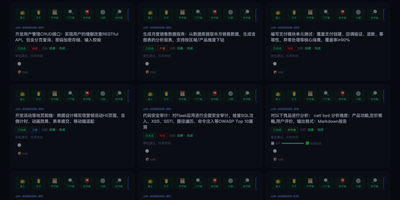
Edict is a multi-agent orchestrator that runs every AI request through a court-style chain: a crown prince agent triages it, a planning department drafts the work, a review department can veto the plan, and specialist ministries execute what survives. Casual chat gets a direct reply, while real commands become kanban tickets whose titles are scrubbed of file paths and metadata. A vetoed plan returns for rework; an approved one is dispatched in parallel to ministries for finance, documentation, engineering, compliance, infrastructure, and HR. Commands arrive through Feishu, Telegram, or Signal channels configured in OpenClaw. The dashboard shows cards by state with heartbeat badges and stop, cancel, and resume controls, plus a department monitor and a memorial archive that turns finished work into five-phase timelines you can copy as Markdown. Nine edict templates add parameter forms and cost estimates, an officials panel ranks agents by merit score while tracking token spend, and per-agent model switching restarts the gateway in about five seconds. Agent thinking, tool calls, and results stream live. A permission matrix limits who may message whom, illegal state jumps are rejected, and every transition lands in an audit log. Worked examples cover competitive analysis, code review, and weekly reports. Dashboard login protects the console, and a systemd unit keeps it running across reboots. Running on a dedicated VPS on RepoCloud with guaranteed CPU, RAM, and SSD, full root SSH access, and a browser serial console. MIT licensed.
opendesk
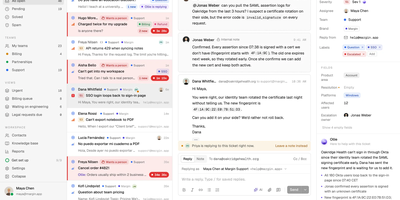
When a customer emails your support address, starts a live chat, or asks a question from your help center, opendesk lands it in one shared ticket inbox where every change appears live for the whole team. Agents work a single queue where tickets carry status, priority, assignee, team, tags, and an SLA clock, with internal notes, merging, snoozing, and bulk edits for busy days. Customers chat through a widget that offers identity verification, typing indicators, and 14 languages, and each widget can route to its own team and topics. Support leads publish collections and articles to a public help center, set SLA targets per priority, run automation rules on ticket events, and read reports on volume, response and resolution times, breaches, and CSAT. Ollie, the built-in AI, uses that help center to answer chats, draft replies, summarize threads, triage tickets, and translate both ways, through any Anthropic or OpenAI-compatible provider including local models. Admins can switch it off. Replies leave from your own address through Google, Microsoft, or any SMTP server. Developers connect Linear, GitHub, Jira, Sentry, Slack, Stripe, and any MCP server, or build on the REST API, signed webhooks, and a realtime socket. Desktop apps for macOS, Windows, and Linux and a native iPhone app keep agents reachable. Running on a dedicated VPS on RepoCloud with guaranteed CPU, RAM, and SSD, full root SSH access, and a browser serial console. Apache-2.0 licensed.
CliRelay
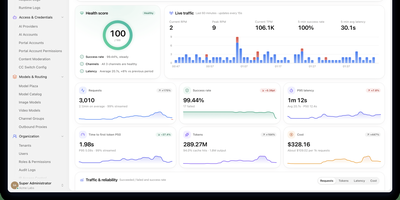
Anyone who pays for Claude Code, Codex, and Gemini CLI separately ends up juggling three endpoints, three sets of keys, and three kinds of rate-limit surprise, and CliRelay collapses all of that into one self-hosted gateway with a control panel. Clients speak the OpenAI Chat or Responses, Anthropic Messages, or Gemini protocol, and CliRelay translates each request for whichever upstream account is healthy. Channel groups limit where each key may send traffic, round-robin, fill-first, and session-sticky scheduling spread it, and cooldowns with automatic failover move requests off accounts that have run out of quota. Add upstreams from the /manage console through browser sign-in, device codes, or bulk credential import, covering Claude, Codex, Gemini, Antigravity, Vertex AI, AWS Bedrock, Grok, Qwen, Kimi, and any OpenAI-compatible service. Portal accounts own client keys with daily, period, and lifetime quotas, RPM and TPM limits, and per-model pricing. A monitor center scores health and charts live traffic, P50 to P99 latency, and time to first token, while every request lands in a searchable log with tokens, latency, and cost. Tenants, roles with resource.action permissions, content moderation profiles, an outbound proxy pool, and an audit trail make shared deployments workable, and the console speaks English, Simplified Chinese, and Russian. Running on a dedicated VPS on RepoCloud with guaranteed CPU, RAM, and SSD, full root SSH access, and a browser serial console. MIT licensed.
Toonflow
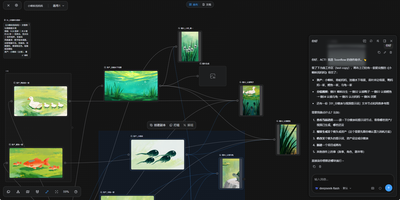
Toonflow, an open-source AI studio for short dramas, animated comics, and short videos, lets you plan, generate, and direct every shot as nodes on a canvas that runs on your own server. Text nodes hold the story, characters, and shot descriptions. Image generation nodes create character sheets with close-up, front, side, and back views. Video generation nodes take numbered reference images. Aspect ratio, resolution, and duration options depend on the selected model. Connectors link the nodes, so a character sheet made once is reusable in every shot. The 3D director's studio blocks a scene with camera framing, lighting, and keyframes. Export the scene as a video node. An assistant panel reads the project and reports which assets and videos have been generated. It offers next steps: generate a shot, revise a prompt, or start a new canvas. Finished images and clips preview on the canvas and download for further production work. Models come from third-party APIs, local ComfyUI workflows, or local language models. Plugins for nodes, skills, tools, and agents install from the marketplace. MCP links external tools and services. Projects, settings, and plugins live in one data directory. The interface offers 21 languages. There is no built-in login, so a firewall or an authenticating reverse proxy decides who can reach it. Running on a dedicated VPS on RepoCloud with guaranteed CPU, RAM, and SSD, full root SSH access, and a browser serial console. MIT licensed.

Telegram Archive
Telegram Desktop's export is a file you make once by hand; Telegram Archive is a self-hosted backup that keeps saving your chats on a schedule and in real time, then lets you read them in a viewer that looks like Telegram. After one login with the code Telegram sends you, it stores messages, photos, videos, voice notes, stickers, documents, and link previews, saving each file once even when several chats share it. A live listener captures new messages, edits, and reactions as they happen, and a daily full pass fills any gaps. Every edit keeps its earlier text as a version, and with deletion tracking switched on, deleted messages stay in the archive marked as deleted. The viewer offers folders, forum topics, archived chats, pinned messages, polls, shared media, and search across every chat, plus a What changed feed of deletions, edits, and transcripts. Voice notes can be transcribed into searchable text by a server you run or rent. Family or colleagues get logins limited to chosen chats, or a share link that opens a single chat. One archive holds several accounts, a Telegram Desktop export can be imported for older history, and twelve themes suit phones and desktops. Running on a dedicated VPS on RepoCloud with guaranteed CPU, RAM, and SSD, full root SSH access, and a browser serial console. GPL-3.0-or-later licensed.