Open WebUI
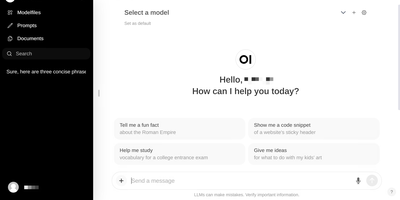
Large language models get a polished front end that can run fully offline: Open WebUI is the self-hosted front end of choice. It talks to local model runners, primarily Ollama, and to any OpenAI-compatible API, so LM Studio, vLLM, Groq, Mistral, OpenRouter, and cloud providers all plug into the same chat interface and can be mixed per conversation. RAG is built in: upload files to knowledge bases or reference them in chat with the # command, backed by a choice of nine vector databases (ChromaDB and PGVector officially maintained) and multiple extraction engines including Tika and Docling, with hybrid BM25-plus-vector search and cross-encoder reranking. Web search results from providers like SearXNG, Brave, and Tavily inject directly into conversations. Extensibility comes from Python tools and functions that run inside the chat, a Pipelines plugin framework, and native MCP support. Multi-user features include RBAC, SSO, and group permissions, and the instance itself exposes an OpenAI-compatible API your own apps can call.
AnythingLLM
Chat with your own documents: AnythingLLM, from Mintplex Labs, wraps retrieval-augmented generation (RAG) in an open-source application anyone can run. You organize content into workspaces, each an isolated namespace with its own documents, vector embeddings, chat history, and settings, so one instance can hold several separate knowledge bases. Upload PDFs, DOCX, TXT, and other formats, or scrape web pages; the built-in collector parses and chunks them into a vector database (LanceDB by default, with Pinecone, Chroma, Qdrant, and others supported). Answers cite their source documents. It works with both cloud LLMs (OpenAI, Anthropic, Gemini) and local ones via Ollama or LM Studio, and the embedding model is separately configurable. Beyond RAG chat, it includes AI agents that can browse the web and run tools, an embeddable chat widget for your website, a developer API, and multi-user mode with admin, manager, and default roles plus per-workspace access control. Context assembly is smarter than naive RAG: pinned documents, attached files, vector search hits, and recent chat history are combined under a token budget so the model's context window is filled efficiently, and each workspace supports multiple independent conversation threads against the same knowledge base. Because the embedding model, vector store, and chat LLM are all independently swappable, you can move between providers without re-ingesting a single document. The stack is Node.js with a React frontend, MIT-licensed.
Alexandrie
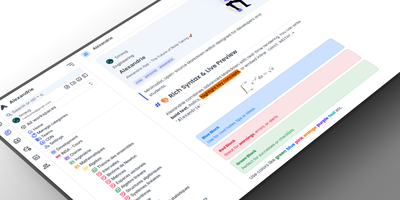
Alexandrie provides a structured knowledge base with an extended Markdown editor, granular per-document permissions, and offline editing through its progressive web app. The CodeMirror 6 editor goes well beyond standard Markdown with colored containers, academic callout blocks, KaTeX math expressions, syntax-highlighted code blocks, footnotes, interactive checkboxes, cards, panels, and a custom snippet system with import and export. Full-text search via the Ctrl+K command center returns instant results with content snippets and relevance ranking across all workspaces. Five permission levels covering None, Read, Write, Admin, and Owner apply per document and per user, while OIDC single sign-on integrates with Google, GitHub, Microsoft, Discord, and any OpenID Connect provider. Documents organize into a hierarchical tree of workspaces, categories, and nested entries with tags, bookmarks, pinned notes, and custom icons. Integrated Kanban boards handle task management within each workspace without switching applications. The PWA installs on any device for full offline editing with seamless sync when connectivity returns. Voice-to-text dictation captures notes hands-free, and one-click ZIP backup exports all documents, files, and settings as a portable archive. Over 2,000 GitHub stars and 41 releases back the project. The Docker Compose stack orchestrates the Nuxt 4 frontend, Go Gin backend, MySQL 8 database, and S3-compatible RustFS object storage. Running on a VPS on RepoCloud with guaranteed CPU, RAM, and SSD, full root SSH access, and a browser serial console. MIT licensed.
Lobe Chat
A private ChatGPT built with Next.js: Lobe Chat is the open-source AI chat interface teams self-host instead. Its main advantage is provider breadth: one interface connects to 40+ model providers, including OpenAI, Anthropic Claude, Google Gemini, Mistral, Groq, AWS Bedrock, Azure, and local models served through Ollama, so you can switch models per conversation and compare outputs. It handles multi-modal work: image recognition, image generation, text-to-speech, and speech-to-text. A plugin system based on function calling and the Model Context Protocol (MCP) adds external tools like web search and code execution. Run it in standalone mode as a single container with settings in browser storage, or in database mode with PostgreSQL and S3-compatible storage for persistent history, multi-user auth, and RAG knowledge bases built from uploaded documents with pgvector retrieval. Because tools arrive through function calling and MCP rather than a proprietary plugin format, custom internal tools can be exposed to the assistant with a standard server over STDIO or HTTP. Hundreds of pre-configured assistant roles import from the community marketplace. For teams the cost model matters: provider API keys billed per token typically undercut a ChatGPT Plus seat per person, and self-hosting keeps API keys, uploaded files, embeddings, and conversation history entirely on your own server.
Kiwix Serve
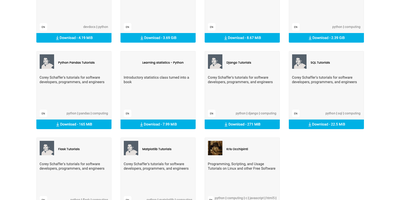
Websites such as Wikipedia, Project Gutenberg, and Stack Overflow pack into single ZIM files, and Kiwix Serve publishes a folder of them as a searchable library that opens in any browser, with no connection to the originals. Point it at individual files, a directory, or a library file, and visitors get a welcome page where they filter books by language, category, or words in the title and description. Each book opens in a built-in viewer without downloading the archive, with toolbar buttons for the library, a random article, and in-book search. Title suggestions appear as you type, and full-text search returns highlighted snippets from indexed books, across several at once when they share a language. OPDS catalogs let reader apps browse and fetch the collection, and the library reloads automatically when its file changes. Admins can swap in a custom welcome page, publish under a URL prefix, hide the library button or search box, block links that leave the archive, and cap connections per visitor. Interface translations cover dozens of languages. Universities, community networks, and home labs get a reference shelf that stays available when the original sites are slow, blocked, or gone, with developer documentation and Q&A always within reach. Running on a dedicated VPS on RepoCloud with guaranteed CPU, RAM, and SSD, full root SSH access, and a browser serial console. GPL-3.0 licensed.
FastGPT
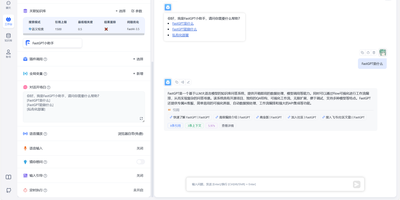
FastGPT lets you build production AI agents and knowledge base chatbots through a visual drag-and-drop workflow editor, connecting any LLM provider to your documents with retrieval-augmented generation that cites sources and reduces hallucination. The workflow canvas chains LLM calls, conditional branching, HTTP requests, code sandbox execution, and plugin nodes into complex conversation flows and agent skill pipelines without writing backend code. The knowledge base engine ingests documents in ten formats (TXT, Markdown, HTML, PDF, DOCX, PPTX, CSV, XLSX, URL scraping, and CSV batch import) then applies automatic chunking, hybrid vector retrieval with semantic reranking, and QA-pair splitting to deliver accurate, citation-backed answers. FastGPT connects to virtually any LLM provider through its AI Proxy aggregation layer: OpenAI GPT-4o, Anthropic Claude, Google Gemini, DeepSeek, Qwen, ERNIE Bot, and models hosted via Ollama all work through a unified OpenAI-compatible API. Bidirectional MCP support enables agents to call external tools and expose their own capabilities to other systems. Completed applications can be shared via login-free links, embedded as iframe widgets, or integrated with WeCom, Lark, DingTalk, and WeChat Official Accounts through the published REST API. Application operation logs, conversation annotation, and per-model usage analytics provide full lifecycle governance for compliance-sensitive deployments. Running on a dedicated VPS on RepoCloud with guaranteed CPU, RAM, and SSD, full root SSH access, and a browser serial console. FastGPT Open Source License (Apache 2.0 based) licensed.
Frappe Helpdesk
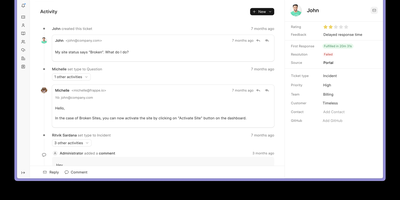
With over 3,200 GitHub stars, 900 forks, and backing from the team behind ERPNext, Frappe Helpdesk delivers a modern, streamlined alternative to Zendesk and Freshdesk with unlimited agents, no per-seat pricing, and full source code access under the AGPL-3.0 license. Built on the Frappe Framework with a Python backend and Vue 3 frontend using Frappe UI, the application collects customer inquiries from email, web forms, and the customer portal into a centralized ticketing queue with complete conversation history and threaded replies. Customizable SLA rules define response and resolution timelines by ticket type or team, triggering automatic alerts and escalations when deadlines approach or are missed. Assignment rules route incoming tickets to the appropriate agents based on priority, issue type, or workload balancing, while manual reassignment and transfer between teams remains available at any time. The customer self-service portal lets users submit tickets, track status, and search a knowledge base of published help articles that reduce repetitive support requests. Agents access saved reply templates for consistent, rapid responses to common queries. Custom fields, configurable workflows, and saved views adapt the interface to match each organization's support process. Real-time updates via WebSocket push ticket changes instantly to all connected agents. The PWA-compatible interface provides mobile access without a native app. Frappe Framework compatibility spans versions 15 and 16. Running on a dedicated VPS on RepoCloud with guaranteed CPU, RAM, and SSD, full root SSH access, and a browser serial console. AGPL-3.0 licensed.
Oxynote
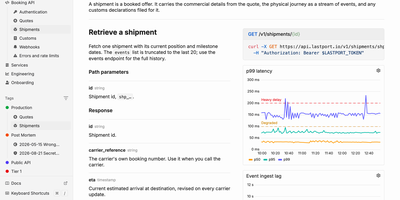
When an alert fires at 3 a.m., the live chart, the runbook, and the fix are already on one page of Oxynote, a self-hosted technical wiki. The chart is a Live Metrics block that runs its own Prometheus or SQL query and draws a time series, bar chart, or gauge. Several such blocks side by side make a dashboard inside the page. Around it, the editor works like Notion, with checklists, callouts, titled code blocks, Mermaid diagrams, Figma embeds, images, and files. Internal APIs get Stripe-style reference pages with the endpoint, a curl example, and a sample response beside the explanation. Mark a page reviewable and every edit lands in a draft. A block-aware diff shows renamed endpoints, fields, and reworded sentences in one red and green view until a reviewer approves. Freshness hooks watch GitHub files, container images, web pages, or dates, and remind maintainers when something a page depends on changes. Teammates edit together live and see who holds which block. Comments attach to a word, a diagram line, or a whole chart, with replies and an inbox for mentions. The Rubber Duck assistant edits pages and runs block queries with Anthropic, OpenAI, Google, OpenRouter, or a local Ollama model, and MCP lets Claude Code and Codex read and write the docs. Running on a dedicated VPS on RepoCloud with guaranteed CPU, RAM, and SSD, full root SSH access, and a browser serial console. Apache-2.0 licensed.
Request Tracker
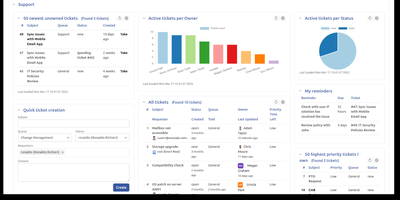
Email-driven ticketing for IT, support, and operations teams: Request Tracker turns every message sent to support@, helpdesk@, or security@ into a tracked ticket with an owner, a priority, a due date, and a complete audit trail. Staff reply to customers and comment privately to colleagues from the web interface or straight from their inbox, while requestors follow their own tickets in a self-service portal. Lifecycles built in a visual editor define custom statuses, transitions, and rights per queue, and scrips fire notifications or automated actions whenever a ticket changes. Service level agreements honor business hours, escalations trigger as deadlines approach, and scheduled tickets recreate recurring chores such as monthly patch windows. A transaction query builder, saved searches, charts, and drag-and-drop dashboards turn ticket history into reports that export to CSV or arrive by email on a schedule. Asset catalogs track laptops, licenses, and servers beside the tickets that mention them, and an Articles knowledge base feeds canned answers into replies. Time worked is logged per ticket with a My Week timesheet, approvals route sensitive requests to the right people, and PGP or S/MIME protects email in both directions. A REST2 API, a command-line client, and more than 400 extensions connect RT to the rest of your tooling. Running on a dedicated VPS on RepoCloud with guaranteed CPU, RAM, and SSD, full root SSH access, and a browser serial console. GPL-2.0 licensed.
Huly
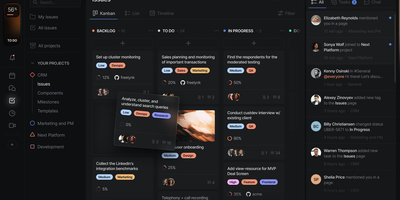
With 27,000 GitHub stars and 349 releases shipping multiple times per week, Huly replaces four separate SaaS subscriptions — Linear for issue tracking, Notion for documents, Slack for team chat, and Motion for time-blocking — with a single self-hosted platform that charges nothing per seat. The issue tracker provides projects, sprints, roadmaps, custom workflows, and Kanban views with bi-directional GitHub and GitLab synchronization that keeps issues and pull requests in lockstep across both systems. Collaborative documents use CRDT-based real-time editing for wikis, meeting notes, and technical specs with nested page hierarchies and rich embedding. Team messaging delivers channels, direct messages, threaded conversations, reactions, and pinned messages in a Slack-equivalent interface that lives alongside your project context. The time-blocking planner schedules tasks into calendar slots with drag-and-drop, integrating directly with your issue backlog so nothing falls through cracks. A virtual office module provides audio and video rooms for standups and pair programming with external guest access. HR features handle team management, office hours, and PTO tracking. The architecture runs 30+ microservices on CockroachDB for ACID-compliant storage, Elasticsearch for full-text search, MinIO for file attachments, and Redpanda for event streaming. Desktop apps ship for macOS, Windows, and Linux alongside mobile apps for iOS and Android. Running on a dedicated VPS on RepoCloud with guaranteed CPU, RAM, and SSD, full root SSH access, and a browser serial console. EPL-2.0 licensed.
Apache Answer
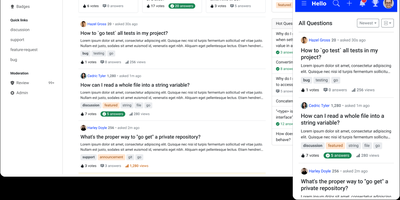
Graduated as an Apache Software Foundation Top-Level Project with over 15,500 GitHub stars and 100,000+ Docker Hub downloads, Apache Answer delivers the structured Q&A platform that Stack Overflow and Discourse popularized — fully self-hosted under Apache 2.0 with zero vendor lock-in. The Go backend with React frontend serves questions, answers, and knowledge articles with real-time Markdown preview using CommonMark syntax, inline @mentions to ping domain experts, and transparent revision history tracking every edit. Version 2.0 introduced AI workflows including an integrated AI assistant that helps draft and improve answers, a Model Context Protocol server for connecting AI agents to your knowledge base, API key management, and editor plugin support for extending the writing experience. Advanced search filters by tags, usernames, scores, and date ranges, while real-time suggestions surface relevant existing questions as users type to reduce duplicates. The reputation system rewards quality contributions with configurable privilege thresholds, and admin/moderator/user roles control access across the platform. A plugin architecture enables community-built extensions for third-party OAuth login, caching backends, search engines, and storage providers. Theming supports custom layouts, dark mode, and responsive design across devices, with content available in 15+ languages translated by the community. Bulk user import, email domain restrictions, and content access controls secure the platform for enterprise deployment. Running on a dedicated VPS on RepoCloud with guaranteed CPU, RAM, and SSD, full root SSH access, and a browser serial console. Apache 2.0 licensed.
Synaplan
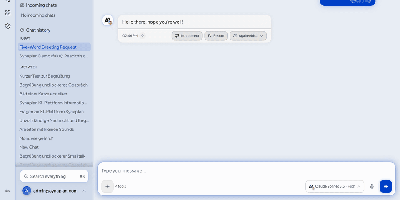
Instead of a separate chatbot for each channel, Synaplan runs one self-hosted AI assistant for your team, website visitors, WhatsApp line, and inbox, and shows what every reply cost. In the web app, connect OpenAI, Anthropic, Gemini, Groq, Mistral, xAI, Hugging Face, or local Ollama. Each kind of work gets its own model, from chat and image to video and audio, and every answer carries a Free, Low, Mid, or High cost badge. A planner splits a big request into a task graph and sends each step to the model that fits. On your website, one script tag adds a chat widget, and a human operator can take over any conversation live. On WhatsApp Business and email, the assistant replies on the channel where the question arrived. Behind every channel sits one knowledge base: upload PDFs, Word and Excel files, or images with OCR, and semantic search feeds them into answers. Saved tasks run on demand or on a schedule, approvals pause any action that writes, and watched pages mail you a diff when a URL changes. Connections reach Microsoft 365, Dropbox, Nextcloud, ownCloud, WebDAV, CalDAV, Jira, and Confluence. An MCP server and an Anthropic-compatible endpoint let Claude, Cursor, and Claude Code use your instance. Users and groups share folders and assistants, and admins see usage and health. Running on a dedicated VPS on RepoCloud with guaranteed CPU, RAM, and SSD, full root SSH access, and a browser serial console. Apache-2.0 licensed.
MediaWiki
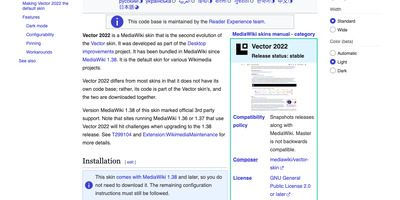
With MediaWiki, the wiki software behind Wikipedia, a team writes one shared knowledge base in plain wikitext or a visual editor while every revision stays saved for comparison and rollback. Page history names the author and edit summary of each change, and a side-by-side diff shows exactly what moved before anyone reverts. Talk pages hold threaded discussions with inline replies, notifications announce mentions and thanks, and watchlists flag the pages you follow. Namespaces, categories, redirects, and reusable templates give a large wiki its structure, and Lua modules written for Scribunto power infoboxes. Uploaded images get automatic thumbnails and a full-screen lightbox. Bundled extensions add PDF handling and math rendering for documentation that needs more than text. Group-based permissions decide who may read, edit, protect, or delete. A wiki can stay open to everyone or sit behind a login. AbuseFilter, CAPTCHAs, blocklists, and two-factor sign-in help fend off spam and account takeovers. Vector 2022 brings a sticky table of contents and an optional dark mode. The interface is localized in over 350 languages. Bots and scripts log in, read, search, and edit with the Action API. Use it for company handbooks, engineering runbooks, course notes, fandom encyclopedias, and public reference sites. Running on a dedicated VPS on RepoCloud with guaranteed CPU, RAM, and SSD, full root SSH access, and a browser serial console. GPL-2.0-or-later licensed.
Wiki.js
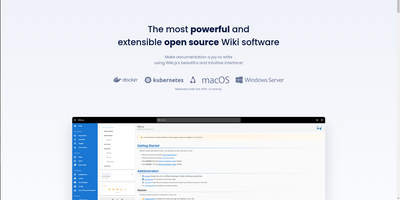
Team and product documentation on a fast Vue frontend with PostgreSQL storage: Wiki.js is a Node.js wiki engine. Its distinguishing trait is per-page editor choice: authors pick Markdown with live preview, a WYSIWYG visual builder for non-technical writers, or raw HTML, page by page. Native Git synchronization commits every page change to GitHub, GitLab, Bitbucket, Azure DevOps, or any Git remote - bi-directionally, so edits made in the repository flow back into the wiki - giving documentation version-controlled backup for free. Authentication coverage is among the broadest of any self-hosted wiki: local accounts with self-registration, social login via Google, GitHub, Discord, and Slack, and enterprise SSO through LDAP/Active Directory, SAML, CAS, Auth0, Okta, Azure AD, Keycloak, and generic OAuth2/OIDC, with optional MFA. Built-in full-text search runs on PostgreSQL with zero setup, and external engines like Algolia or Solr can substitute. Page history with visual version comparison, granular group-based permissions per path, nested navigation menus, 50+ integration modules, and full localization round it out. AGPLv3-licensed with a 28k-star community.
OpenDeepWiki
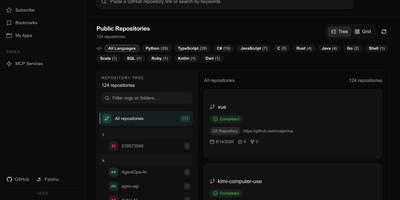
OpenDeepWiki transforms code repositories from GitHub, GitLab, Gitee, Gitea, and AtomGit into structured, searchable knowledge bases by leveraging Microsoft's Semantic Kernel for AI orchestration across OpenAI, Azure OpenAI, Anthropic, and DeepSeek providers. The three-phase Gather-Think-Write pipeline analyzes repository tree structures, generates README summaries, project overviews, wiki catalogs, and document content while producing Mermaid mind maps and optional Graphify visualization artifacts. Repository-scoped MCP endpoints at /api/mcp/{owner}/{repo} expose indexed knowledge to external AI tools, while the built-in chat assistant, embedded chat APIs, and share links provide conversational access to repository understanding. The Next.js 16 frontend serves public documentation on SEO-friendly routes with multi-language translation support, and the admin console manages repositories, users, roles, API keys, AI provider and model configuration, skills, and GitHub App imports. Background workers handle incremental updates using LibGit2Sharp to keep documentation synchronized with evolving codebases, while Polly integration provides transient failure retry handling for LLM requests. The platform supports SQLite, PostgreSQL, and MySQL database backends with Entity Framework Core providers. Running on a dedicated VPS on RepoCloud with guaranteed CPU, RAM, and SSD, full root SSH access, and a browser serial console. MIT licensed.
BISHENG
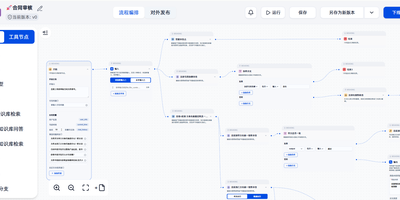
Document review, fixed-layout report generation, and multi-step research that ends in a PPT, Excel, or Word file all run inside BISHENG, a self-hosted workspace for enterprise AI applications. Review and report flows are drawn on a visual canvas where a circle becomes a loop, side-by-side nodes run in parallel, and a multi-item selection runs as a batch. A running flow can stop for a person to give input, confirm, or make changes, and chat and automation share one flow type. Research goes to Task Mode: give it a goal plus any files, knowledge bases, tools, and skills, and it writes a checklist, hands research to parallel sub-agents, and returns a report with clickable citation markers. Teams sharing documents use Knowledge Spaces, with folders, tags, keyword search, AI Q&A that shows its sources, and permissions down to a single file for people, departments, or user groups. For a daily news briefing, Channels turn WeChat official accounts and websites into topic feeds and save articles as knowledge in one click. Admins connect OpenAI-compatible APIs, Azure OpenAI, Anthropic, Qwen, DeepSeek, and local Ollama models, then govern access with approvals, audit logs, SSO, and LDAP. Private document parsing reads printed text, handwriting, tables, layouts, and seals, and a service-account Open API lets other systems call applications and knowledge bases. Running on a dedicated VPS on RepoCloud with guaranteed CPU, RAM, and SSD, full root SSH access, and a browser serial console. Apache 2.0 licensed.
LightRAG
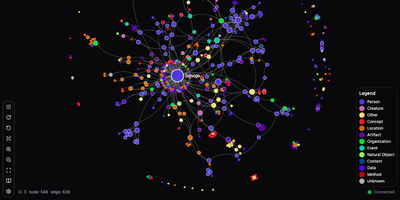
Plain chunk retrieval hands an LLM disconnected excerpts; LightRAG builds a knowledge graph from your documents so answers can join facts spread across many files. Ask about one named person, product, or clause and local mode pulls its details. Ask for themes across the whole library and global mode follows the links between entities. Hybrid blends the two, naive falls back to plain chunk search, and mix combines all three. Mix is the default. Upload text, Markdown, PDF, Word, PowerPoint, and Excel files; MinerU, Docling, or the native parser can extract images, tables, and formulas. The admin console manages documents, explores the graph visually, and debugs queries, while a query-only workspace page gives everyday colleagues a clean chat screen that works on phones. A REST API covers indexing and queries, and an Ollama-compatible endpoint lets chat front ends such as Open WebUI use the knowledge base as a model. New files merge into the existing graph without a full reindex, and deleting a document rebuilds only the entities and relationships it touched from cached results. Separate model roles let an inexpensive model extract entities while a stronger one writes answers. An API key or accounts protect the server, and named workspaces keep several knowledge bases apart. Pair it with local Ollama models and no document text leaves the server. Running on a dedicated VPS on RepoCloud with guaranteed CPU, RAM, and SSD, full root SSH access, and a browser serial console. MIT licensed.
Casibase
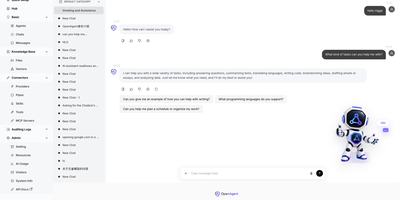
Casibase lets organizations build AI-powered knowledge bases that answer questions from their own documents, connecting to 30+ model providers through a unified admin interface with RAG retrieval and multi-agent orchestration via MCP and A2A protocols. The platform plugs into OpenAI GPT-4o, Anthropic Claude, Meta Llama, Google Gemini, DeepSeek, Ollama local models, HuggingFace, Azure OpenAI, and additional providers, while embedding APIs from OpenAI Ada and Baidu handle vector representation of ingested documents. Document ingestion parses TXT, Markdown, DOCX, PDF, CSV, XLSX, and PPTX files with intelligent chunking strategies for optimal retrieval accuracy. The built-in chat interface provides real-time AI conversations with manual session handover for human agent escalation, and comprehensive chat session logging enables audit trails for compliance. Enterprise identity management integrates Casdoor for Single Sign-On supporting GitHub, Google, WeChat, and OIDC providers with fine-grained access control via the Casbin permission engine. The multi-tenant architecture supports isolated knowledge bases per organization with role-based user management and configurable storage, model, and embedding providers per tenant. The React frontend with Ant Design v5 provides a polished admin dashboard for managing providers, knowledge stores, chat sessions, and user access, while the Go backend with Beego framework handles API logic with MySQL or MariaDB persistence. Running on a dedicated VPS on RepoCloud with guaranteed CPU, RAM, and SSD, full root SSH access, and a browser serial console. Apache 2.0 licensed.