Answer
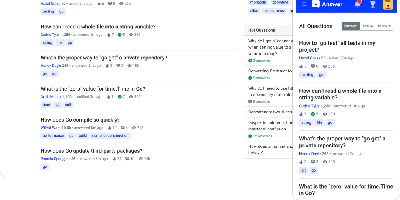
Run a Stack Overflow of your own: Apache Answer brings the question-and-answer format in-house, maintained under the Apache Software Foundation with an Apache-2.0 license. You use it to run a community forum, product help center, or internal knowledge base where content lives as questions and answers rather than wiki pages. It ships the mechanics that make that format work: voting, accepted answers, a reputation system with privilege levels, tagging, full-text search with filters, revision history on every edit, and admin/moderator/user roles. Content is written in Markdown with real-time preview and code syntax highlighting. A plugin system covers OAuth login (Google, GitHub), S3 storage, external search backends like Algolia, and Akismet anti-spam, and a REST API exposes platform data for integration. The backend is Go, the frontend React, and it runs against SQLite, MySQL, or PostgreSQL. Self-hosting replaces per-seat tools like Stack Overflow for Teams with a flat-cost instance where you own all the content.
NoteDiscovery
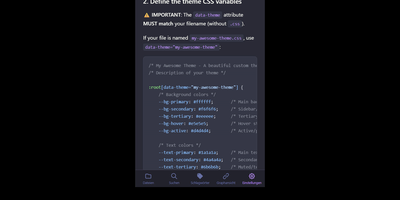
Transforming fragmented research notes, daily technical logs, and project documentation into an interconnected knowledge base is what NoteDiscovery delivers for privacy-conscious teams and researchers. Writers compose rich documents using a dual-pane editor that renders MathJax equations, interactive task lists, and dynamic Mermaid sequence diagrams side by side with raw text. The interactive knowledge graph maps semantic relationships across notebooks, allowing researchers to explore backlinks, uncover hidden topical connections, and navigate complex idea webs visually. Team members sketch architecture diagrams and wireframes directly inside note canvases using the integrated drawing tool, saving revisions as embedded image layers without external editors. The platform organizes thoughts through flexible tag hierarchies, nested folder trees, and reusable document templates equipped with automatic date and variable substitutions. Autonomous coding assistants and language models query documentation, create structured meeting summaries, and update project indexes directly through the native Model Context Protocol server. Built-in export tools convert notebook collections into standalone HTML packages, printable documents, or portable Markdown archives for offline archiving. Running on a dedicated VPS on RepoCloud with guaranteed CPU, RAM, and SSD, full root SSH access, and a browser serial console. MIT licensed.
opendesk
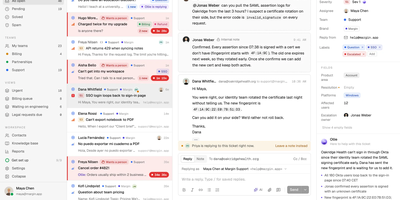
When a customer emails your support address, starts a live chat, or asks a question from your help center, opendesk lands it in one shared ticket inbox where every change appears live for the whole team. Agents work a single queue where tickets carry status, priority, assignee, team, tags, and an SLA clock, with internal notes, merging, snoozing, and bulk edits for busy days. Customers chat through a widget that offers identity verification, typing indicators, and 14 languages, and each widget can route to its own team and topics. Support leads publish collections and articles to a public help center, set SLA targets per priority, run automation rules on ticket events, and read reports on volume, response and resolution times, breaches, and CSAT. Ollie, the built-in AI, uses that help center to answer chats, draft replies, summarize threads, triage tickets, and translate both ways, through any Anthropic or OpenAI-compatible provider including local models. Admins can switch it off. Replies leave from your own address through Google, Microsoft, or any SMTP server. Developers connect Linear, GitHub, Jira, Sentry, Slack, Stripe, and any MCP server, or build on the REST API, signed webhooks, and a realtime socket. Desktop apps for macOS, Windows, and Linux and a native iPhone app keep agents reachable. Running on a dedicated VPS on RepoCloud with guaranteed CPU, RAM, and SSD, full root SSH access, and a browser serial console. Apache-2.0 licensed.
MaxKB
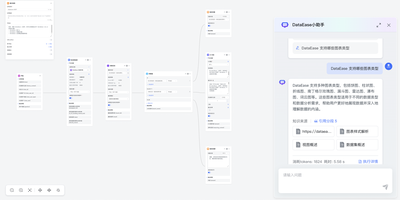
Support teams, IT departments, and researchers can put their own documents behind chatbots and AI agents built with MaxKB, an open-source platform that grounds answers in private knowledge. A support lead starts by uploading Markdown, DOCX, PDF, TXT, HTML, XLSX, XLS, or CSV files, or by syncing a web site, and MaxKB splits, vectorizes, and indexes the content on its own. An IT department can place the finished agent in any third-party site or internal tool with no coding, as a full-screen page, a mobile view, or a floating chat window. Researchers get replies that show, and let them download, the knowledge sources behind each answer. Simple agents pick tools, skills, and MCP connections from the question itself, while advanced agents are drawn as workflows with branching, multi-path recall, loops, and variables. Custom scripts, which AI can help write, plus schedules and event triggers extend what an agent can do. The model manager registers local models such as DeepSeek, Llama, and Qwen beside providers such as OpenAI, Claude, and Gemini, across language, embedding, reranking, vision, speech, and image generation. Conversation logs feed analysis for operations. Dozens of ready-made agent templates, knowledge base templates, tools, and skills in the template center and tool store shorten the first build. Running on a dedicated VPS on RepoCloud with guaranteed CPU, RAM, and SSD, full root SSH access, and a browser serial console. GPL-3.0 licensed.
PandaWiki
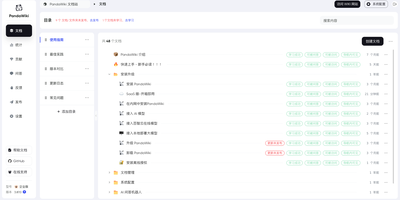
In seven wizard steps, PandaWiki sets up a product docs, manual, FAQ, or blog site whose built-in AI answers visitors using only your own content. Those visitors can chat with an assistant that cites its sources and accepts image questions, or switch to a docs-only search that lists ranked pages with summaries. Publishing stays under control: each document has three switches, visible in navigation, reachable by URL, and answerable by AI, and nothing appears or gets learned until it is published. Authors write in a Markdown and HTML editor, or import from URLs, RSS and Atom feeds, sitemaps, offline .txt, .md, .xlsx, .docx, and .pdf files, Notion, Yuque, SiYuan, Wiki.js, Feishu, Confluence, and DingTalk. Pages export to Word, PDF, or Markdown. The wizard covers models, domain, HTTP or HTTPS ports, import, publishing, answer testing, and page decoration. One knowledge base can also feed a web widget and DingTalk, Feishu, WeCom, and Discord bots. Administrators get a dashboard of visits, questions, visitor regions, hot documents, and referring domains. Chat models come from Baizhi Cloud, DeepSeek, OpenAI, or Ollama, while vector and reranking models are built in. The open-source edition covers one wiki site, 300 documents, and one admin, and its console and documentation are in Chinese. Running on a dedicated VPS on RepoCloud with guaranteed CPU, RAM, and SSD, full root SSH access, and a browser serial console. AGPL-3.0 licensed.
ByteStash
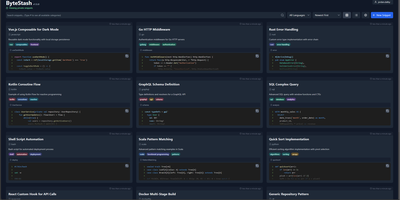
The functions, config files, and one-liners you keep re-deriving finally get a searchable home: ByteStash is a self-hosted code snippet manager - a private Gist. Each snippet holds multiple code fragments, so a Docker Compose file, its .env template, and a plaintext usage note live together under one titled, categorized entry. Monaco-based syntax highlighting covers dozens of languages, from Python, TypeScript, Go, and Rust to YAML, Dockerfiles, Terraform, and Markdown. Retrieval is the point: filter by language or category, search titles and descriptions, and optionally include snippet contents in full-text search. Snippets can be pinned for quick access and shared via public links that recipients open without an account. Multi-user support runs on JWT authentication with optional OIDC single sign-on for teams on centralized identity, and a full CRUD REST API with Swagger documentation wires snippet retrieval into editors, scripts, and CI pipelines. Storage is a single SQLite database with optional encryption, and collections export as JSON or Markdown. A React frontend on a Node.js backend, deployed as one lightweight container.
Colanode
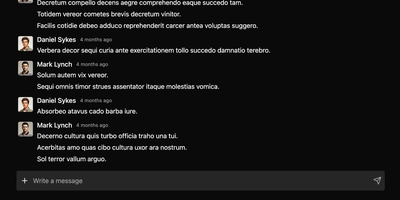
With nearly 5,000 GitHub stars and a Hacker News launch that garnered 147 points, Colanode delivers the first genuinely local-first alternative to both Slack and Notion in a single self-hosted workspace — writing every operation to a client-side SQLite database before syncing to your server, so teams work at full speed offline, on planes, or through intermittent connections without ever losing a draft. The real-time chat system provides channels and direct messages with instant delivery via WebSocket, while the rich text editor offers Notion-style block-based pages for documents, wikis, meeting notes, and knowledge bases with headings, code blocks, embeds, and nested hierarchies. Customizable databases organize structured data with custom fields and three dynamic views — table for spreadsheet-style browsing, kanban for visual workflow boards, and calendar for time-based planning. Conflict-free Replicated Data Types powered by Yjs handle concurrent editing across pages and database records: multiple users modify the same document simultaneously and the system merges changes automatically without manual conflict resolution. File management supports upload, sharing, and organization within workspaces using pluggable storage backends including local filesystem, S3-compatible services, Google Cloud Storage, and Azure Blob Storage with TUS resumable uploads for large files. The server runs Fastify with Zod validation on Node.js 20+, persists to PostgreSQL with pgvector extension, uses Redis for event broadcasting, and deploys via a single Docker image. Running on a dedicated VPS on RepoCloud with guaranteed CPU, RAM, and SSD, full root SSH access, and a browser serial console. Apache-2.0 licensed.
Sage Wiki
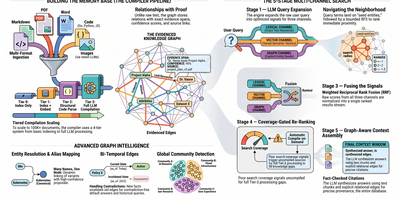
Sage Wiki turns a pile of unstructured documents into a fully interlinked, searchable wiki by running them through a five-pass LLM compiler pipeline. Inspired by Andrej Karpathy's vision of LLM-compiled knowledge bases, the pipeline processes source files through diff detection, summarization, concept extraction, image captioning, and cross-reference discovery, with parallel LLM calls and checkpoint/resume for vaults scaling to 100,000+ documents. The typed ontology graph stores entities and relations with BFS traversal, configurable relation types, multilingual synonyms, and a promotion/demotion lifecycle backed by grounding verification and consensus scoring. Multi-format ingestion handles Markdown, PDF, Word, Excel, PowerPoint, EPUB, email, CSV, images, and code files without manual tagging. LLM provider support spans Anthropic, OpenAI, Gemini, Ollama, and any OpenAI-compatible API, with per-pass model routing enabling cost optimization by assigning cheaper models to simpler tasks. The built-in MCP server exposes 17 tools over SSE transport for integration with Claude, Cursor, and any MCP-compatible agent, while native Obsidian vault overlay ensures existing note workflows remain undisrupted. Team deployment supports Git-synced shared wikis, centralized server access, and hub federation across multiple projects. Ships as a single Go binary with Docker Compose multi-arch images serving the web UI on port 3333. Running on a dedicated VPS on RepoCloud with guaranteed CPU, RAM, and SSD, full root SSH access, and a browser serial console. MIT licensed.
Atomic
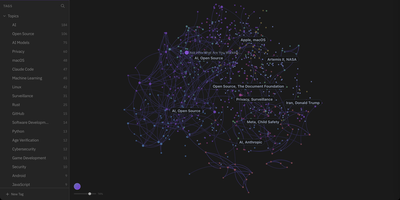
Atomic transforms collections of personal Markdown notes into an AI-augmented knowledge graph by breaking documents down into semantically linked conceptual units. Users capture thoughts, research excerpts, and web clippings as modular notes that the system automatically chunks, embeds, and categorizes with hierarchical tags. An interactive force-directed canvas maps out the entire knowledge base, positioning related ideas closer together based on embedding cosine similarity rather than manual folder hierarchies. Built-in vector search queries across text embeddings directly within SQLite, retrieving precise contextual snippets in response to natural language prompts. The automated wiki engine synthesizes disparate notes into comprehensive reference articles equipped with verifiable inline citations back to original source materials. Integrated conversational agents leverage retrieved knowledge context to answer research questions, surface contradictions across past entries, and draft structured daily briefings. External AI tools can read, search, and update stored knowledge through an embedded Model Context Protocol server endpoint. Running on a dedicated VPS on RepoCloud with guaranteed CPU, RAM, and SSD, full root SSH access, and a browser serial console. MIT licensed.
Otter Wiki
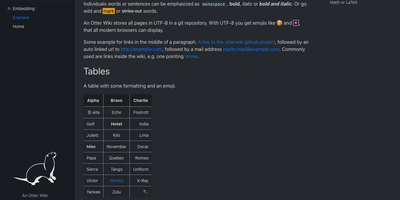
Every page in Otter Wiki is a plain Markdown file and every save is a git commit, so a small team gets a simple wiki whose history never goes missing. The editor highlights Markdown as you type, offers a toolbar for headings, lists, tables, code, alerts, and images, and can show a live preview beside the source. Paste or drop an image into the editor and it is stored as a page attachment. History, blame, and changelog views, with RSS and Atom feeds, show who changed what and when. Beyond standard Markdown you get footnotes, task lists, math formulas, Mermaid diagrams, alert boxes, and spoiler or folded blocks, plus experimental embeddings such as sortable data tables, info boxes, image frames, videos, and included pages. A customizable sidebar shows a menu, a page index, or both. Search offers case-sensitive and regular expression options. Dark mode is built in. Admins decide whether anonymous visitors, registered users, or approved users may read, write, or upload, grant rights per user, close registration, or require email confirmation. An optional, experimental git web server lets people clone, pull, and push the wiki, and changes can be pushed to or pulled from a remote repository over SSH. Running on a dedicated VPS on RepoCloud with guaranteed CPU, RAM, and SSD, full root SSH access, and a browser serial console. MIT licensed.
Wiki-Go
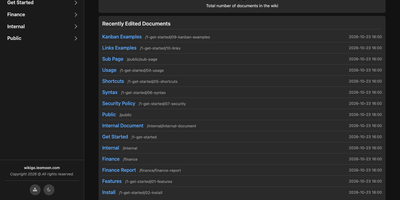
Wiki-Go turns a folder of Markdown files into a searchable team wiki with page history, comments, and access rules, and never asks you to run a database. Pages live in a nested tree with a sidebar and breadcrumbs, and an editor with a preview toggle handles emoji shortcodes, highlighted code, LaTeX math, Mermaid diagrams, collapsible sections, GitHub-style alerts, and embedded YouTube, Vimeo, or MP4 video. Full-text search supports exact phrases in quotes and term inclusion or exclusion, and highlights each match. Each save keeps a revision, up to a configurable limit, and any stored version can be restored later. Attachments such as PDFs, spreadsheets, images, and archives sit beside the page they belong to. Drop a Kanban board into any document for drag-and-drop task tracking with nested tasks, or build a categorized link library that fills in page metadata automatically. Signed-in users comment in Markdown, and admins can remove comments. Admin, editor, and viewer roles, user groups, path-based public or private rules, and an optional private-wiki mode decide who sees what. Branding comes from a custom logo, banner, and favicon, shortcodes such as stats insert live site statistics, and readers can switch between dark and light themes or print any page. A REST API opens content to scripts, and a community tool imports Notion exports. Running on a dedicated VPS on RepoCloud with guaranteed CPU, RAM, and SSD, full root SSH access, and a browser serial console. GPL-3.0 licensed.
PenX
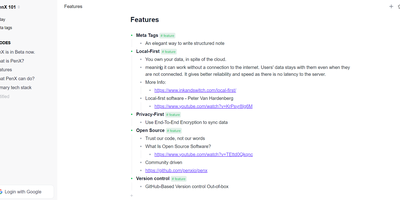
PenX delivers an open-source structured note-taking application that functions as a personal database disguised as an elegant editor — combining the outline workflow of Workflowy and Roam Research with the structured data capabilities of Tana through MetaTags that transform every note into a queryable database record. The local-first architecture stores all data on-device using PGLite, an in-process PostgreSQL-compatible engine, ensuring data ownership regardless of cloud connectivity. End-to-end encryption protects all synchronized data so that even the sync server cannot read your notes, tasks, ideas, or documents. GitHub-based version control provides out-of-the-box backup and history with full commit-level recovery. MetaTags are the core innovation — attaching structured tags to any note converts it into a database entry with typed fields, enabling table views, filters, and queries across your knowledge base without imposing rigid folder hierarchies. The daily notes workflow encourages free-form capture while MetaTags handle organization automatically, letting you record thoughts without deciding physical location upfront. AI-driven features assist with content generation, summarization, and intelligent search across your personal data hub. Real-time sync keeps web, desktop, and mobile in perfect alignment. Cross-platform availability includes web, desktop for Windows, macOS, and Linux, iOS, and Chrome extension. Deploy the web service via Next.js with pnpm using tRPC and Prisma. Running on a dedicated VPS on RepoCloud with guaranteed CPU, RAM, and SSD, full root SSH access, and a browser serial console. AGPL-3.0 licensed.
WikiDocs
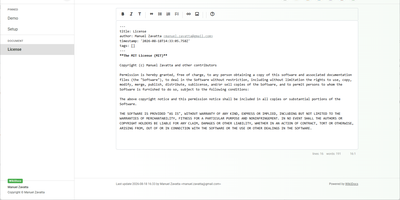
Write your knowledge as plain Markdown files, and WikiDocs turns the folder into a searchable, versioned wiki with no database to set up or back up. Pages carry YAML front matter, so the whole wiki can be copied, archived, or opened in any text editor. An editor with a formatting toolbar handles headings, lists, task lists, links, and images, and pictures can be pasted straight from the clipboard. Math is typeset with KaTeX, Mermaid renders diagrams such as ER models and mind maps, and code blocks get syntax highlighting. Every save keeps a revision, a versions dialog lists them, and deleted pages wait in a trash where they can be restored or erased. Attachments upload and download from any page, namespaces build a page tree in the sidebar with pinned pages on top, and full-text search highlights every match. Public mode publishes a read-only knowledge base, private mode requires sign-in, and administrator and user accounts are managed in the app. Settings cover the wiki title, owner notice, privacy banner, language, timezone, light or dark template, and accent color, and every page has a print button. A desktop app keeps files on your computer and syncs with your self-hosted instance, while a REST API with Swagger documentation lets other tools read and write pages. Running on a dedicated VPS on RepoCloud with guaranteed CPU, RAM, and SSD, full root SSH access, and a browser serial console. MIT licensed.
Dialoqbase
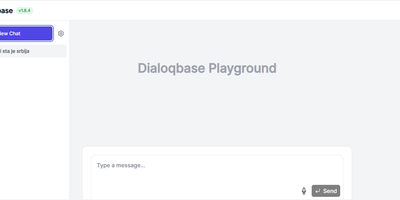
Retrieval-augmented chatbots on your own knowledge base - that is the whole mission of Dialoqbase, an open-source bot-building platform. Feed it content through a broad set of data loaders - web pages and full crawls, sitemaps, PDFs, DOCX, CSV, plain text, GitHub repositories, YouTube videos, and MP3/MP4 audio - and it handles the whole RAG pipeline in one self-contained app: chunking, embedding, vector storage, and LLM querying. The distinguishing architecture choice is PostgreSQL with pgvector for embedding storage and similarity search, which removes the separate vector-database dependency, and Redis-backed Bull queues for ingesting large documents without blocking the API. Model choice is wide open: OpenAI, Anthropic Claude, Google Gemini, Cohere, Fireworks, Hugging Face, local models via Ollama, and any OpenAI-compatible endpoint, with an equally broad list of embedding providers. Finished bots embed on any website with customizable styling or deploy to Telegram, Discord, and WhatsApp, and an API creates and manages bots programmatically. Multi-user support adds registration limits and per-user bot quotas. MIT-licensed and free for commercial use.
Nanote
100% portability is Nanote's one non-negotiable principle as a self-hosted note-taking app. There is no database - notebooks are plain folders and notes are plain Markdown files on your filesystem, so the same notes remain fully manageable from a terminal, Notepad, or any other editor, and walking away from Nanote costs nothing because your data was never in a proprietary format to begin with. Built with Nuxt and TypeScript around the Milkdown editor, it layers modern conveniences on that plain-file foundation: fast content search across all notes using OS-optimized tooling (ugrep), native Markdown rendering, image and file attachments, and a mobile-friendly layout for reading and editing on a phone. Clever remark directives make plain text interactive - typing ::file inserts an inline upload picker, while ::today, ::now, and ::tomorrow expand to live dates and times. A fully typed REST API with validation covers automation, and access is protected by a configurable secret key. Deployment is one container with three env vars: paths for notes, uploads, and config, all bind-mountable so your Markdown lives wherever you want it - including inside an existing sync setup. AGPL-licensed and actively daily-driven by its author.
Silicon Notes
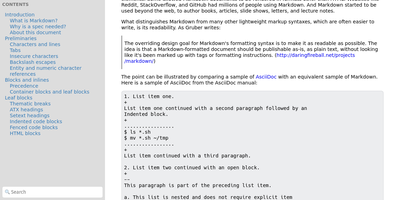
"Somewhat lightweight, low-friction" is how Silicon Notes' author describes the personal knowledge base - written after DokuWiki's editor "drove me mad" and no existing wiki quite fit. The philosophy is that small frequent annoyances compound into cognitive load with no return, so everything here is optimized for frictionless daily use. Notes are written in plaintext Markdown and rendered as clean HTML with Pygments syntax highlighting for code blocks; pages get bi-directional relationships (backlinks), so the knowledge base becomes a connected web rather than a folder tree; and full-text plus title search retrieves anything fast. A table of contents lives in the left sidebar - "where it belongs" - editable while you read without scrolling away. Page history tracks revisions for auditing and rollback, JSON export/import keeps everything portable, and the mobile layout is genuinely usable. The stack is deliberately minimal: Python and Flask with Mistune for Markdown and SQLite for storage - no big frameworks, just a few small dependencies. One honest caveat: there is no built-in authentication, so deploy it behind a VPN, private network, or reverse-proxy auth layer. For a solo engineer's brain, it is exactly enough.
CodeX Docs
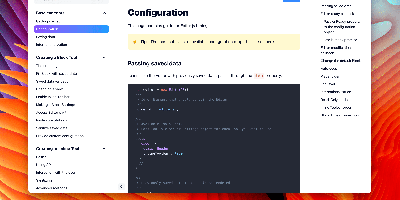
Writing docs should feel like editing a modern document, not wrangling Markdown files - CodeX Docs delivers that on Editor.js, the block-styled editor its CodeX team builds and thousands of products use. Content is composed from clean blocks (headings, lists, code, images, embeds) with a UI that reads well on both desktop and mobile, and pages render statically with human-readable, SEO-friendly URLs. Structure is free-form: pages nest to any depth, so a flat FAQ and a deep product manual coexist in one instance, and the UI tunes to fit - collapse sections, hide the sidebar. The operational footprint is deliberately tiny. No database is required: the default driver persists to a local folder, with MongoDB available when you want it, and the whole app configures through one YAML file (overridable with APP_CONFIG_ environment variables) covering title, start page, auth password, and JWT secret. Editing mode sits behind password authentication. Thoughtful extras are wired in: readers can report misprints straight to your Telegram or Slack, Hawk error tracking catches frontend and backend exceptions, and Yandex Metrica analytics is a one-line config. A ready-made Helm chart covers Kubernetes. Written in TypeScript.
Scoold
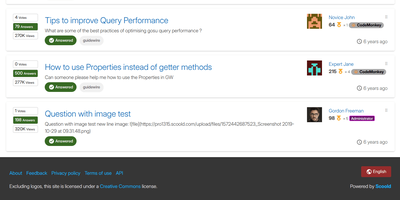
Scoold brings Stack Overflow-style Q&A to a server you control, so answers get voted, accepted, and found again instead of scrolling away in chat. Askers get a Markdown editor with live preview, tags, and emojis, and the form suggests similar questions and flags likely duplicates before anything is posted. Answerers collect upvotes, accepted answers, reputation points, and badges, including custom ones with your own text, icon, and color. Authors and moderators can restore any earlier revision, because every edit is kept. Searchers can use Lucene syntax such as exact phrases, wildcards, and boolean operators. Admins split one site into private spaces, up to ten in the free edition, and choose how people sign in: email and password, LDAP, or social providers such as Google and GitHub. They can also back up and restore data, import a Stack Overflow for Teams export, and follow a dashboard of questions, answers, traffic, and active members. Builders get a REST API with OpenAPI docs, signed webhooks, Zapier and n8n connectors, and an optional MCP server for AI assistants. Color themes include a dark mode, Mermaid diagrams and KaTeX formulas can be switched on, and right-to-left languages are supported. SAML, SCIM, file uploads, and chat integrations are Pro-edition features. Running on a dedicated VPS on RepoCloud with guaranteed CPU, RAM, and SSD, full root SSH access, and a browser serial console. Apache-2.0 licensed.