Categories
Self-Hosted Developer Tools Productivity Open Source Knowledge Base Documentation WritingStars
Forks
Watchers
Developer links
CodeX Docs
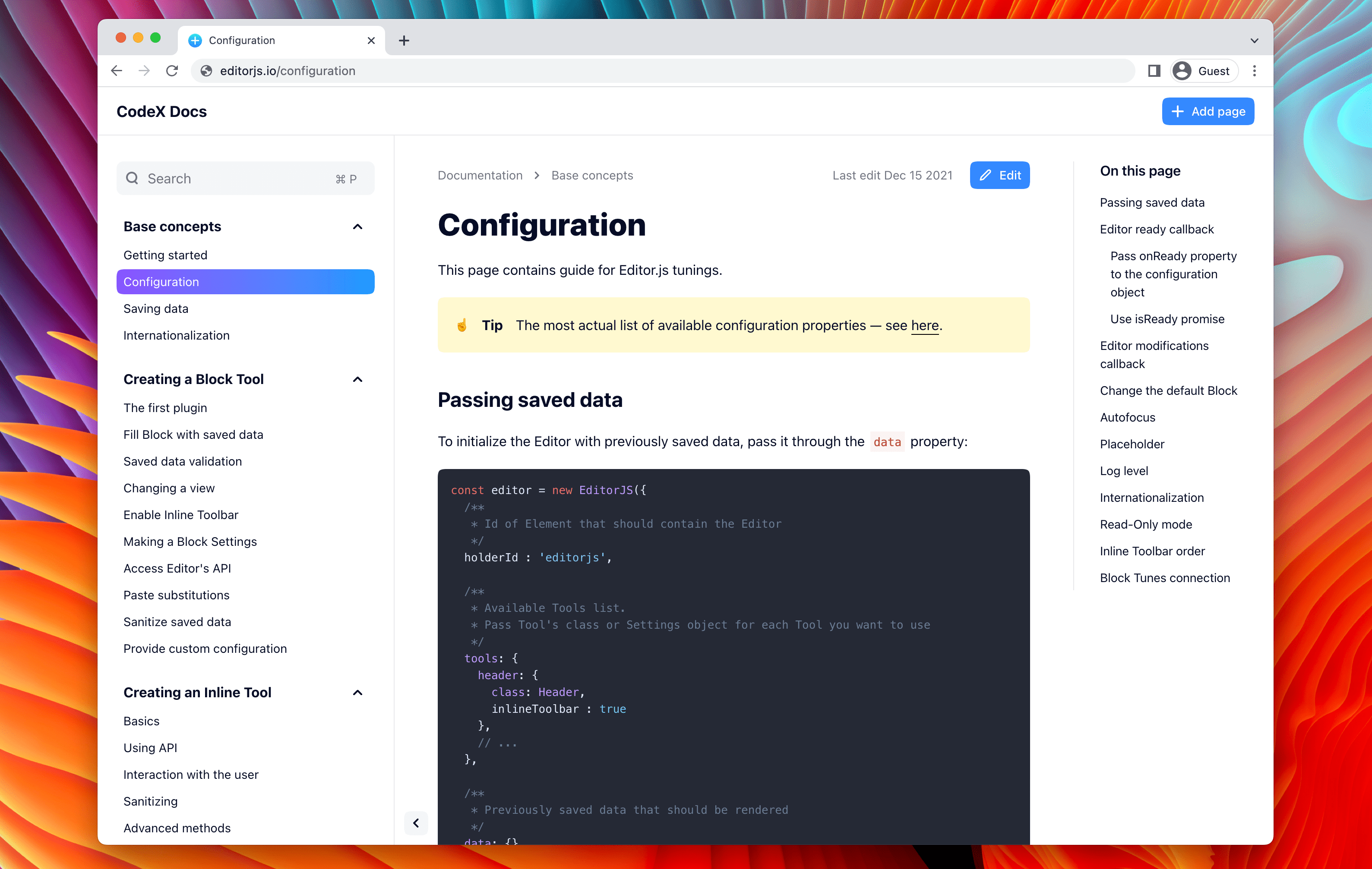
Writing docs should feel like editing a modern document, not wrangling Markdown files - CodeX Docs delivers that on Editor.js, the block-styled editor its CodeX team builds and thousands of products use. Content is composed from clean blocks (headings, lists, code, images, embeds) with a UI that reads well on both desktop and mobile, and pages render statically with human-readable, SEO-friendly URLs. Structure is free-form: pages nest to any depth, so a flat FAQ and a deep product manual coexist in one instance, and the UI tunes to fit - collapse sections, hide the sidebar. The operational footprint is deliberately tiny. No database is required: the default driver persists to a local folder, with MongoDB available when you want it, and the whole app configures through one YAML file (overridable with APP_CONFIG_ environment variables) covering title, start page, auth password, and JWT secret. Editing mode sits behind password authentication. Thoughtful extras are wired in: readers can report misprints straight to your Telegram or Slack, Hawk error tracking catches frontend and backend exceptions, and Yandex Metrica analytics is a one-line config. A ready-made Helm chart covers Kubernetes. Written in TypeScript.
Benefits
- Writing Feels Modern
- Editor.js block editing replaces raw Markdown with a clean visual flow.
- Nothing Extra to Run
- Local-folder storage by default - no database or external dependencies.
- Readers Fix Your Typos
- Built-in misprint reporting sends corrections to Telegram or Slack.
- Structure Without Limits
- Pages nest to any depth, from flat FAQs to deep manuals.
Features
- Editor.js Block Editor
- Headings, lists, code, images, and embeds as composable blocks.
- Static Rendering
- Fast pages with human-readable, SEO-friendly URLs.
- Single YAML Config
- One file for title, auth, start page - overridable via env vars.
- Password-Gated Editing
- JWT-signed editor sessions behind a configured password.
- Hawk Error Tracking
- Frontend and backend exception capture wired in.
- Kubernetes Helm Chart
- Ready-to-use chart for cluster deployment.