Open Source App Cloud Marketplace
Deploy, host, and scale with one click, at half the cost. Then customize with AI agents.
Omnibus
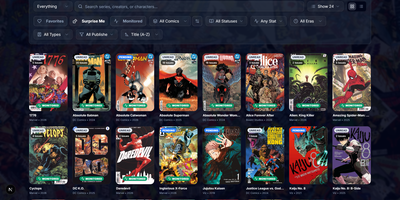
Omnibus runs your whole comic habit from one shelf: discover a series, request the missing issues, and read them in the browser when they land. Discovery starts with ComicVine or Metron metadata (high-resolution covers, synopses, and creator credits) and a release calendar that flags what you own and what is still missing across your monitored series. Requests are one click for a single issue or a whole run; Omnibus searches your indexers, hands the release to qBittorrent or SABnzbd, then imports, renames, and shelves the file with metadata embedded into the archive itself. Loose files that match nothing meet the Smart Matcher, which proposes the right series and applies every confident match in one pass. The built-in reader opens CBZ, natively read CBR and EPUB files in left-to-right, right-to-left manga, or continuous webtoon modes, with double-page spreads, brightness and contrast controls, page preloading, and preferences remembered per series; an offline button caches a full issue for the road. Reading lists assemble themselves from a pasted event ID or arrive by import from CBL files, League of Comic Geeks CSVs, AniList, or MyAnimeList, always showing how far through them you are. Everyone gets their own account, reading progress, follows, and an Updates feed, while OPDS, KOReader sync, and a Komga-compatible endpoint feed Panels, Mihon, and Paperback on the side. Running on a dedicated VPS on RepoCloud with guaranteed CPU, RAM, and SSD, full root SSH access, and a browser serial console. GPL-3.0 licensed.
Thesys
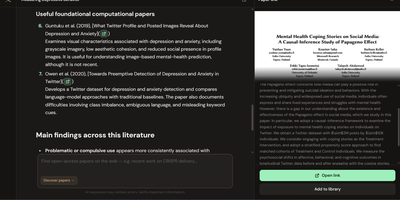
Thesys is a research workspace where you search academic papers, build your own library, and ask questions that answer with citations you can click straight onto the highlighted passage of the PDF. Discovery searches OpenAlex and arXiv in one pool, so a paper you find can be previewed and added to your library without leaving the workspace. Uploaded PDFs are ingested locally, and when you ask a question the answer cites its sources in the document, jumping the preview to the retrieved passage with either a full-passage or a tighter focused highlight. Reader mode opens a paper full-width so you can select any span of text and ask about that exact passage. Document summaries follow a consistent structure of problem statement, methodology, key findings, limitations, and metrics, with citations that still land on the source text. Figures and flowcharts are described during ingest, so questions and summaries can reference them too. When two papers disagree, Compare mode takes one claim and classifies each retrieved pair as corroboratory, contradictory, or neutral, with confidence shown in a side panel. Your bibliography exports as BibTeX, RIS, EndNote, or CSV for whatever reference manager you already use. Papers, embeddings, and chat history stay on your own disk the whole time. Running on a dedicated VPS on RepoCloud with guaranteed CPU, RAM, and SSD, full root SSH access, and a browser serial console. AGPL-3.0 licensed.
Hasty Paste
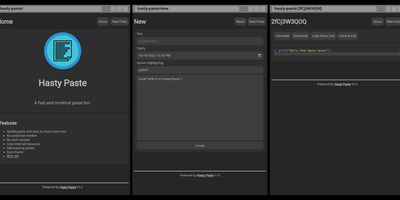
Paste some text, hit save, share the link - Hasty Paste is a fast, minimal pastebin written in Python on the async Quart framework, named, by its author's own admission, "because you use it so fast without a care in the world." No accounts, no authentication, no friction - built for the everyday case of handing a debug log, config snippet, or stack trace to someone in tech support or a chat channel. Pastes get randomly generated IDs, with an optional "long" ID mode that makes brute-force URL guessing impractical, and expiry times ensure throwaway content actually gets thrown away. Optional Pygments syntax highlighting makes code readable, a dark theme spares your eyes, and the whole interface works without JavaScript - it renders in terminal browsers and under the strictest script blockers. Storage is a custom flat-file system (no database), caching runs internally or through Redis for busier instances, and a REST API plus the companion "Hastily Paste It" CLI script enable piping command output straight into a paste from the terminal. The Alpine-based Docker image is tiny, resource usage is minimal, and the license is AGPL.
Docling Studio
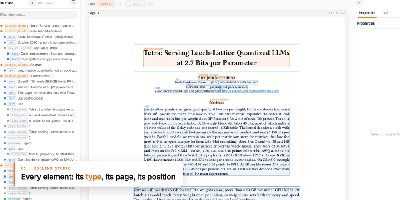
Docling Studio shows you exactly what a document parser sees, drawing a colored box around every title, paragraph, table, and picture it extracts from your PDFs. Import a PDF, run an analysis, and the result opens with three linked panels: the document tree on the left, the paged preview in the center, and the selected element on the right with its type, page, position, and text or table. Click any box on the page and the same element lights up in the tree and properties panel as other boxes fade away. The layers bar counts each element type and toggles boxes per type, or hides them all to reveal the bare page. You can analyze several documents at once from the list, watch progress percentages on long files, and queue work three analyses at a time. Ask a question and a local model answers from the document, with a reasoning timeline that links each step back to the passage it read. Finished results download as the original PDF, clean Markdown, or Docling JSON for downstream pipelines. AI agents connect over MCP to read and cite your documents, and an optional connection to your own Docling Serve server handles heavier parsing loads. Running on a dedicated VPS on RepoCloud with guaranteed CPU, RAM, and SSD, full root SSH access, and a browser serial console. MIT licensed.

Narralume
NarraLume is a writing studio for long novels where the AI proposes and you dispose, so a book stays yours across tens of thousands of words. Everything lives around the story bible: your stated intent, outline, entities, confirmed facts, relationships, chronology, and foreshadowing, kept as the single source of truth that planning, drafting, and review all read from. You can write chapters by hand in the studio, save versions and comments, ask for a selection edit, or delegate a chapter, a run of chapters, or a whole quick-creation plan to a model; whatever comes back arrives as a candidate with diffs, never as silent edits to your manuscript or canon. Review findings come with evidence you can accept, reject, or mark as false positives, and when generated prose collides with a locked fact the task stops and waits for your ruling instead of improvising around it. The run center keeps every AI job's steps, model calls, and checkpoints recoverable, the long-form lab searches story memory and previews plot impact without touching the book, and delivery ends with quality checks, exports, snapshots, and full-library backups. Running on a dedicated VPS on RepoCloud with guaranteed CPU, RAM, and SSD, full root SSH access, and a browser serial console. Apache-2.0 licensed.
Ackee
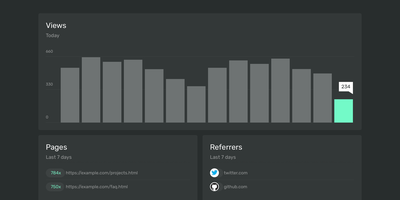
Page views, referrers, browsers, and screen sizes - Ackee delivers the analytics developers actually check, from a deliberately minimal Node.js and MongoDB stack that skips both Matomo's weight and Google Analytics' cloud dependency. Its defining constraint is anonymization: no cookies, no unique user tracking, and a multi-step anonymization process that keeps visitors unidentifiable while the aggregate numbers stay useful. In its default anonymous mode Ackee collects no personally identifiable information at all, which means GDPR and CCPA compliance out of the box and no cookie consent banner on your sites. A detailed mode adds screen size, language, and per-visit referrers - still without cookies or fingerprinting. Integration mirrors the Google Analytics pattern: create a domain in settings, drop the generated ackee-tracker snippet into your pages, and data appears in a clean single-page dashboard. One instance tracks multiple domains, and custom events capture button clicks, signups, and conversions. The distinctive engineering choice is the fully documented GraphQL API: everything the dashboard shows comes from that API, so you can query active visitors, average duration, and view statistics programmatically, feed data in from apps and services beyond websites, or build an entirely custom interface on top. If you want bare-minimum analytics with a real API and zero privacy anxiety, this is the tool.
Checkcle
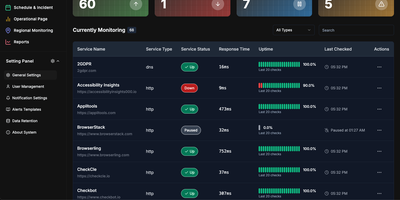
CheckCle provides a complete uptime monitoring and infrastructure observability platform that deploys with a single Docker container and stores all data in embedded SQLite via PocketBase. The Go backend runs three microservices — a service operation engine handling HTTP, HTTPS, DNS, Ping, and TCP checks at configurable intervals, a distributed regional check agent for multi-location network testing, and a server monitoring agent collecting CPU, RAM, disk usage, and network metrics via gRPC. The React frontend built with Vite, TypeScript, Tailwind CSS, and shadcn-ui subscribes to PocketBase WebSocket endpoints for real-time dashboard updates without polling. SSL and domain monitoring tracks certificate issuers, expiration dates, days remaining, and validation status. The incident management system records UP, DOWN, WARNING, and PAUSE states with full history, while scheduled maintenance windows prevent false alerts during planned downtime. Public status pages provide external stakeholders with live service health information. Health heatmaps visualize uptime performance and outage patterns over time. Notification channels include email, Telegram, Discord, and Slack, with multiple alert targets per monitored service. The one-click agent installation script supports Debian, Ubuntu, CentOS, Red Hat, Alpine, and Windows in beta. Docker deployment runs on port 8090 with a single persistent volume at /mnt/pb_data, requiring minimum 1 vCPU and 500MB RAM. On RepoCloud, deploy CheckCle on a dedicated VPS with root SSH access, persistent storage for your monitoring database, and complete control over agent endpoints and notification configurations, all under the MIT license.
Routerly
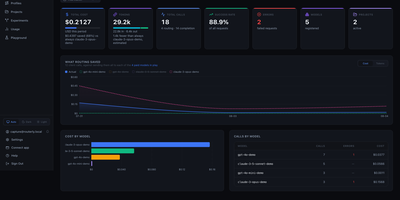
Routerly is the one front door for every AI model your apps use: point your OpenAI or Anthropic client at it, and it chooses the right model for each request, enforces your budget, and keeps the receipts. Nothing in your code changes except the base URL, and from that moment streaming chat completions and messages flow to OpenAI, Anthropic, Gemini, Mistral, Cohere, xAI or your own Ollama models behind a single token. Nine routing policies score every candidate in parallel: cheapest, fastest, healthiest, most capable, biggest context, least rate-limited, fairest, most budget left, and one that asks a small model to judge which model fits the task. When the winner errors or times out, the next candidate takes over automatically, and the recorded routing trace shows exactly why each model won or lost. Guardrails can block or log content that breaks your rules, and phone numbers, card numbers, SSNs, IBANs and emails can be scrubbed out before anything reaches a provider. Every call is logged with tokens, USD cost and latency, and hard limits per model, project and token reject overspending requests before a provider can charge for them. Projects keep separate tokens, model lists and budgets for each team or tool, role-based permissions decide who may change what, and alerts land in Slack, email, webhooks or PagerDuty when budgets or providers misbehave. Running on a dedicated VPS on RepoCloud with guaranteed CPU, RAM, and SSD, full root SSH access, and a browser serial console. AGPL-3.0 licensed.
Kula
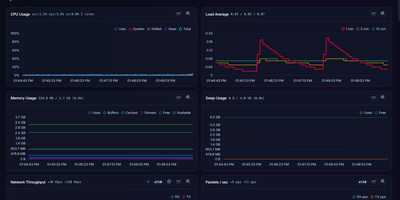
Kula watches a Linux server every second and turns CPU, memory, disks, network, containers, and applications into a live dashboard you can open before trouble becomes downtime. Follow total and per-core CPU, load averages, memory and swap pressure, disk I/O, filesystem space, temperatures, GPU load, and network throughput as charts update live in the browser. Drag to zoom into history, switch to focus or TV mode for a wall display, and check the System Info page when you need the hardware story behind a spike. Watch Docker, Podman, and cgroup containers beside host metrics, then add PostgreSQL, MySQL or MariaDB, nginx, and Apache monitoring or define custom metrics for the odd service only your team understands. Scrape the Prometheus endpoint into an existing observability stack, open the terminal UI over SSH for a quick live read, or ask the optional local Ollama assistant to discuss charts without sending data to a cloud service. Protect the dashboard with optional Argon2id logins and multiple users, schedule storage snapshots, and keep the whole tool working on closed networks with no external calls. Running on a dedicated VPS on RepoCloud with guaranteed CPU, RAM, and SSD, full root SSH access, and a browser serial console. AGPL-3.0 licensed.
Compass
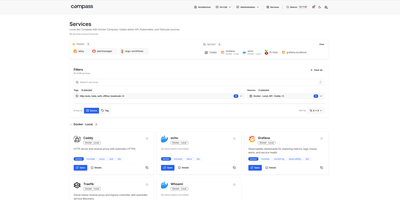
Every homelab outgrows the browser bookmark folder, and Compass answers by building the front page for you, discovering your services automatically instead of asking you to maintain cards by hand. Point it at Docker, Kubernetes, Tailscale, Headscale, NetBird, DNS records, a JSON API, or a plain static list, and it renders everything it finds as a searchable directory with icons, descriptions, and tags filled in from a catalog when a source leaves them blank. Each card shows whether the service is actually up, using the Prometheus or Gatus monitor you already run, and pinned and recent services keep daily tools one click away. Opening a service reveals its connection details, source metadata, extra links such as runbooks and health endpoints, and panels you embed from Grafana. Markdown pages live beside the directory, so architecture notes and on-call runbooks sit in the same navigation, with live service cards and charts embedded directly inside the prose. A debug view shows per-source health, what each source returned, and why a service you expected is missing, while group-based access decides which sources each person can see. Running on a dedicated VPS on RepoCloud with guaranteed CPU, RAM, and SSD, full root SSH access, and a browser serial console. Apache License 2.0 licensed.
ShipShipShip
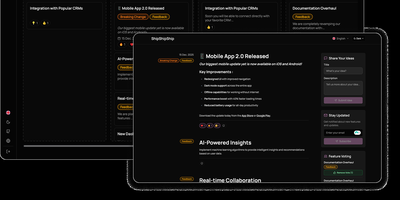
Keeping users informed about software releases while gathering community feedback on upcoming roadmap items becomes effortless with ShipShipShip, a self-hosted changelog, release notes, and feature voting platform. Product managers can draft rich release announcements using a formatting editor that supports Markdown, embedded media uploads, color-coded category tags, and exact publication timestamps. Instead of juggling disconnected feedback spreadsheets, teams organize backlog proposals, active development tasks, and shipped updates across a drag-and-drop Kanban board or a filterable list view. Visitors browsing the public roadmap can upvote proposed features to help prioritize the next sprint and react to announcements using eight expressive emoji reactions. When an item moves into a shipped status, the built-in newsletter engine automatically dispatches formatted release emails over SMTP to subscribers using customizable per-event templates and one-click unsubscribe links. Design-conscious organizations can install manifest-driven public themes, map internal workflow statuses to public roadmap columns, and tailor brand colors and logos. International audiences can navigate the interface in seven languages, including full right-to-left layout support, while engineering teams automate event creation through the REST API. Running on a dedicated VPS on RepoCloud with guaranteed CPU, RAM, and SSD, full root SSH access, and a browser serial console. Apache-2.0 licensed.
WebThings Gateway
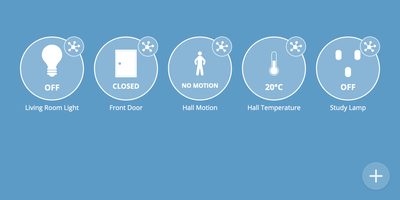
WebThings Gateway is a self-hosted smart home hub that puts monitoring and control of your whole house in one private web interface, with no vendor cloud in the middle. Lights, plugs, locks, thermostats, and sensors appear as live Things you can watch and operate from any browser, at home or remotely through your own server. Devices from different ecosystems meet here: adapter add-ons bridge a wide range of protocols into a standardized Web of Things API, so gear that never spoke the same language shares one dashboard. A drag and drop rules editor automates the house with if-this-then-that logic, turning motion into light, schedules into climate, and events into actions without code. Sensor history is logged and visualized over time, which makes energy use, temperature drift, and occupancy patterns visible instead of guessed. An interactive floorplan lays devices out on a plan of your home for at-a-glance status and control room by room. Add-ons extend compatibility with more devices and protocols as your setup grows, and everything runs locally, so the house keeps working on your terms and your data stays in the building. It installs from a Docker image and serves its interface over the web from your own hardware. Running on a dedicated VPS on RepoCloud with guaranteed CPU, RAM, and SSD, full root SSH access, and a browser serial console. Mozilla Public License 2.0 licensed.

SyncTube
SyncTube turns any browser into a shared movie room where one link opens a synchronized player and live chat for the whole group. Paste a YouTube, Twitch, Vimeo, or PeerTube URL, or a direct mp4 or m3u8 link, and the room watches the same frame at the same moment. A leader takes global control of play, pause, seeking, and playback rate, and smaller groups can open pausing or resuming to everyone. Local files start playing for the room while they upload, and external subtitle files plus separate audio tracks cover voiceovers and fan translations. Chat doubles as a remote control: timed commands jump the whole room forward or back, skip a sponsored segment, boost quiet audio, or return to the moment before an accidental rewind. Playlists accept ranged link patterns for episode batches, viewers vote to skip, and keyboard shortcuts drive fullscreen, refresh, and sync toggles without leaving the player. Operators can cache supported site videos on the server, restyle every front-end file, and extend subtitle rendering or quality switching through plugins. Admins moderate with bans and kicks from chat, and the whole service runs from one small server that fits a private friends-only room or a public community channel. Running on a dedicated VPS on RepoCloud with guaranteed CPU, RAM, and SSD, full root SSH access, and a browser serial console. MIT licensed.
LlamaForge
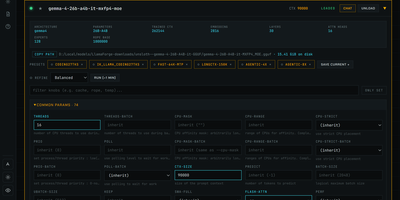
Running local models usually means choosing between a polished app that hides the engine and a terminal full of flags you half remember. LlamaForge refuses the trade: it installs and drives the official llama.cpp release itself, then puts a browser panel over all of it, every one of the 200-plus llama-server flags your build supports, grouped, searchable and editable per model. Before you load anything, each model is drawn into your GPUs at its real footprint, so the out-of-memory surprise happens on screen instead of in a crashed server; before you download anything, every quant on Hugging Face gets a fit rating for your VRAM, FITS, TIGHT or CPU OFFLOAD. Auto-Forge then measures placements, KV cache types and speculative drafters on your own hardware and keeps the fastest configuration, checking that a drafter still produces identical tokens before applying it with one click, and undoing it with one click. Keep several models loaded at once and a planner places each on the GPUs that fit it; when a game launches, Game Mode unloads your models and brings them back when you quit. Chat in llama.cpp's own interface, join from your phone by QR code, duel two models blind in the Arena under an Elo board, and let Embers, small local agents, keep a wiki and write scheduled briefs counting only facts they can quote verbatim. Running on a dedicated VPS on RepoCloud with guaranteed CPU, RAM, and SSD, full root SSH access, and a browser serial console. MIT licensed.
The0
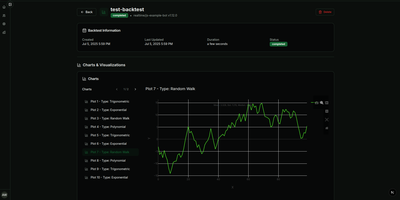
A trading strategy that works on your laptop still has to survive restarts, remember its positions, and tell you what it is doing at 3 a.m.; the0 is the self-hosted runtime that handles that last mile for algorithmic trading bots. Write your bot in Python, TypeScript, Rust, C++, C#, Scala, or Haskell with the matching SDK, package it as a reusable custom bot, and instantiate it as many times as you like with different symbols and parameters. Every instance runs in its own isolated container, either continuously for realtime strategies or on a cron schedule for periodic ones, with key-value state that survives between runs and restarts. Structured logs and metrics stream into the dashboard in real time, and you can ship a custom React frontend with your bot so its prices, signals, and positions render exactly the way you want. Deploy from the CLI in one command, drive everything from the REST API, or let an AI assistant list, deploy, and debug bots through the built-in MCP server. Scale from a single Docker Compose host to Kubernetes with the Helm chart, where bots become pods and CronJobs, and keep backtesting and market data in your own research stack, because the0 deliberately runs production strategies rather than simulating them. Running on a dedicated VPS on RepoCloud with guaranteed CPU, RAM, and SSD, full root SSH access, and a browser serial console. Apache-2.0 licensed.
NextExplorer
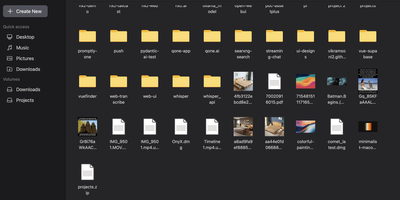
To give Docker administrators and home lab operators a fast, modern workspace for server-side storage, NextExplorer delivers a browser-based file manager with instant ripgrep search, inline editing, and multi-volume navigation. Any directory mounted under your container volume root appears immediately in the sidebar with capacity usage indicators, favorite pins, and switchable grid, list, and column browsing layouts. You can preview images, stream videos and audio with FFmpeg-generated thumbnails, read PDFs, edit source code and configuration files in the syntax-highlighted editor, or collaborate on office documents through an integrated ONLYOFFICE Document Server. Deep content search powered by ripgrep scans filenames and file contents across terabytes of storage in seconds, while bundled 7-Zip support inspects and extracts password-protected ZIP, 7z, RAR, TAR, and ISO archives with built-in zip-bomb protection. Teams can share folders via read-only or read-write links, isolate personal user directories, enforce path-level read-only or hidden access rules, and authenticate through local accounts or OpenID Connect identity providers such as Authentik and Authelia. Running on a dedicated VPS on RepoCloud with guaranteed CPU, RAM, and SSD, full root SSH access, and a browser serial console. GPL-3.0 licensed.
Depictio
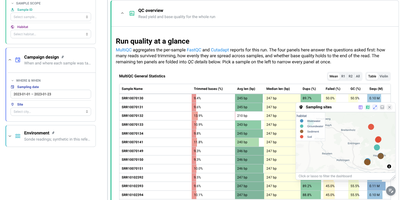
For teams drowning in pipeline output nobody reads, Depictio turns workflow results into dashboards you can hand to a collaborator. A MultiQC tab answers the first questions about a sequencing run: how many reads survived trimming, how evenly they spread across samples, and whether base quality holds to the end of the read, all in one glanceable table. Filter by sample, habitat, site, or sampling date on the left and every panel on the page follows, from community composition cards counting distinct taxa and phyla to differential abundance views that show what was tested, what survives correction, and how large the effects are. Alpha diversity tabs summarise richness and evenness per sample with rarefaction curves, and a sampling sites map lets you click or lasso points to filter the whole dashboard by geography. Forty two ready-made templates cover nf-core pipelines such as ampliseq, atacseq, and airrflow, while outputs from Nextflow, Snakemake, Galaxy, or plain shell scripts feed the same builder. Even a classic tabular dataset becomes an overview of distributions, box plots, and threshold counts, so the same tool serves a wet lab and a data science team. Running on a dedicated VPS on RepoCloud with guaranteed CPU, RAM, and SSD, full root SSH access, and a browser serial console. MIT licensed.
Domain Watchdog
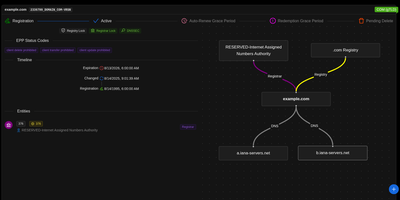
When the domain you want is already taken, Domain Watchdog tracks its history, warns you as it changes, and can try to register it as soon as it becomes available. Searching any domain returns its registrar, status, nameservers, and registration events from RDAP, the structured JSON successor to WHOIS. A timeline lays out the full lifecycle, from creation through renewals and transfers to final deletion, while deletion forecasting orders tracked domains by their expected drop window. Watchlists group domains with the events that matter, send alerts by email or as webhooks to Slack, Mattermost, or Discord, and publish an iCal feed plus RSS feeds for events and EPP status. Attach a connector for OVH, Gandi, Namecheap, AutoDNS, or Name.com, and an expired domain on the watchlist triggers an order attempt through that provider's API. The app also lists ICANN-accredited registrars and TLDs, and rate limiting with caching minimizes RDAP requests. Administrators can cap watchlists, domains per watchlist, and webhooks per watchlist, toggle public RDAP lookups, and add custom static content to the instance. Scripts can manage watchlists and connectors, search domains, and request user tokens through the documented REST API. Running on a dedicated VPS on RepoCloud with guaranteed CPU, RAM, and SSD, full root SSH access, and a browser serial console. AGPL-3.0 licensed.