HAProxy Manager
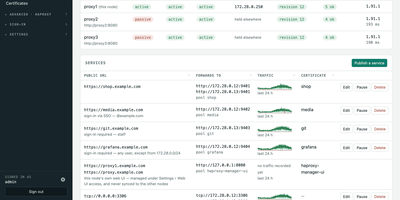
HAProxy Cluster Manager puts a web console on top of HAProxy, so you publish services, issue certificates, and cluster nodes from forms instead of hand-editing haproxy.cfg. Publishing a service takes two inputs, the public URL and the backend address, and the wizard builds the frontend, backend pool, host condition, routing rule, HTTPS listener, certificate, and HTTP redirect, with a preview of the exact configuration before anything applies. Every change is rendered and checked with haproxy -c before it is written, and a failed reload rolls back to the previous file automatically. Certificates come from Let's Encrypt through acme.sh, using HTTP-01 or DNS-01 with about 190 DNS providers, and renewals reload HAProxy and push the new certificate to every node on their own. Any number of nodes share one virtual IP through Keepalived: configuration and certificates sync between them, only the node holding the address is editable, and the dashboard flags split brain, an unclaimed virtual IP, or a node running stale configuration. You can gate services behind basic sign-in or OIDC single sign-on enforced by HAProxy itself, watch traffic statistics and logs, take transition alerts by email, Pushover, or webhook, and expose Prometheus metrics and Home Assistant entities. Running on a dedicated VPS on RepoCloud with guaranteed CPU, RAM, and SSD, full root SSH access, and a browser serial console. GPL-3.0 licensed.

Kumiho
Drop a hard drive's worth of comics, e-books, and audiobooks into folders, point Kumiho at them, and the whole collection becomes a library you can browse and read from any browser. The scanner walks nested folders recursively and treats the folders that actually hold pages or files as series, so an existing collection works as it is, with no metadata matching ritual before the first read. Comics and manga open in a responsive viewer built for the format: page turning on a desktop, continuous webtoon scrolling on a phone or tablet. E-books in EPUB, PDF, and TXT open in the same library, while archives in ZIP and CBZ are read directly without unpacking. Audiobooks get a real player, with a chapter list, resume playback that remembers where you stopped, progress tracking, bookmarks, and a sleep timer for listening at night. A series folder can even carry its own soundtrack: an MP3 whose filename matches starts playing as background music while you read. Everything runs from one lightweight Go server in a single Docker container, storing its database and configuration in mounted volumes, so the library sits comfortably on a small VPS next to the files it serves. Running on a dedicated VPS on RepoCloud with guaranteed CPU, RAM, and SSD, full root SSH access, and a browser serial console. Apache 2.0 licensed.
JellyGlance
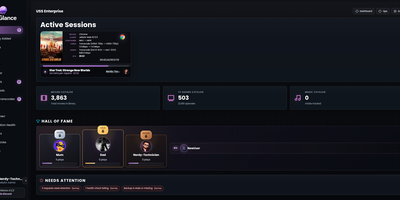
Running a Jellyfin or Emby server usually means a dozen open tabs; JellyGlance folds your whole media server into one screen you can leave open on a wall. Live sessions show who is watching what, from where, on which client, with direct play or transcode state, codec, bitrate, subtitles, and progress for every stream. Playback history accumulates in its own database, so statistics survive even when the media server forgets: top movies, series, libraries, clients, and users, watch-time trends, activity heatmaps, and weekly, monthly, and yearly recaps rendered as shareable cards. The home dashboard arranges by drag and drop, with presets, density controls, themes, kiosk mode for a wall display, and alert rules. Recently added shelves group by library, while library views surface totals and metadata gaps. Jellyseerr and Overseerr requests appear with poster cards, requester context, and admin actions, and the release calendar pulls upcoming titles from your *arr apps beside the queues of your torrent and Usenet clients, stalled items included. Wizarr invites, Tdarr transcodes, and Maintainerr cleanup connect from the same integrations area. Notifications travel by webhook, Discord, Gotify, and email newsletters, backups export to a plain folder, and sign-in spans local accounts, Jellyfin Quick Connect, and OIDC. Running on a dedicated VPS on RepoCloud with guaranteed CPU, RAM, and SSD, full root SSH access, and a browser serial console. MIT licensed.
Statlite
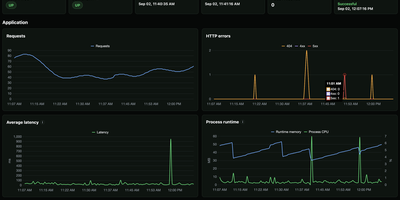
Small server, small monitoring. Statlite watches your applications and their host with a single binary that idles at about 15 MiB, so the observer never becomes the heaviest thing on the box. Point it at a Spring Boot Actuator endpoint and it polls health plus a fixed, curated set of Micrometer metrics: request traffic, latency, CPU, and runtime memory, all drawn as clean charts. Quarkus, Micronaut, and anything else that can answer a fixed JSON metrics profile can join the same dashboard. History lives in one local SQLite file, raw samples only, kept for 90 days by default, so yesterday's latency spike is still there when you go looking. The dashboard also watches the host itself: processor load, memory pressure, and filesystem capacity, including a warning before the metrics database fills its own disk. Restart detection tells you when an application bounced, and per-target Basic Auth support lets you poll protected Actuator endpoints safely. Configuration is one YAML file listing your targets and polling interval, friendly to systemd and Docker alike. Everything is deliberately scoped: no alert manager, no external service, no observability platform to operate. Just open the page and see whether your apps are healthy. Running on a dedicated VPS on RepoCloud with guaranteed CPU, RAM, and SSD, full root SSH access, and a browser serial console. MIT licensed.
Astrum Repository
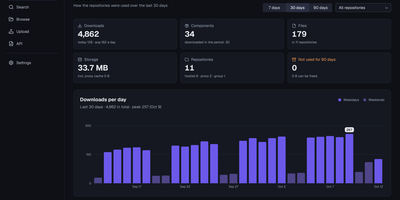
One server can hold every package your builds pull, publish, and cache, so the team stops juggling a different registry for every language. Astrum Repository hosts your own artifacts, proxies public registries so builds keep working when an upstream is down, and groups both behind a single address your tools already understand. Thirty-nine formats share that address: Docker and OCI images, Maven, npm, PyPI, Cargo, Go modules, Helm charts, NuGet, Terraform modules, APT and Yum packages, Hugging Face models, browser extensions, Git LFS, and even remote caches for Nx and Turborepo. Blob storage grows with you, moving between disk, S3, and agent-connected stores that combine into groups without relocating data. Access stays deliberate through users, roles, privileges, and content selectors, with LDAP and OpenID Connect sign-in and access tokens minted for CI pipelines. Day-to-day operations are visible rather than guessed: health endpoints, Prometheus metrics, scheduled tasks, cleanup policies, audit trails, and backups are built in, and several servers can share one database when a single node is no longer enough. The web interface speaks twelve languages, so a platform team spread across regions still works in one console. Running on a dedicated VPS on RepoCloud with guaranteed CPU, RAM, and SSD, full root SSH access, and a browser serial console. MIT licensed.
Flowplan
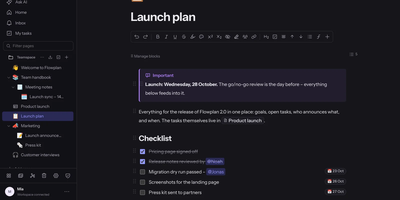
Flowplan puts your team's documents, databases, whiteboards, handwriting notebooks, and daily journal into one self-hosted page tree, so the work lives in a single place you control instead of five subscriptions. Write in a block editor that stays out of the way, and when a number appears mid-sentence, type the calculation and press Tab to drop in the result, or graph functions and vectors in 2D and 3D without leaving the page. The same records can be viewed as a table, board, calendar, timeline, gallery, list, feed, chart, form, or sprint board, with relations, rollups, and formulas tying them together, and projects get ticket numbers, sprints with burndown, and automations on top. Brainstorm on whiteboards with sticky notes, mind maps, and voting; keep a journal page per day with templates and an optional PIN lock; and write by hand in notebooks with lined, grid, or Cornell paper, annotate PDFs, and sketch inside documents with a pressure-sensitive pen. Teammates edit together with live cursors, comment in inline threads, and share single pages with guests through password-protected, expiring links, while permissions reach down to a single record. AI is off until an admin enables it, per feature and per person, and it can run entirely on your own hardware or answer questions about the workspace with links to its sources. Running on a dedicated VPS on RepoCloud with guaranteed CPU, RAM, and SSD, full root SSH access, and a browser serial console. AGPL-3.0 licensed.
Runwisp
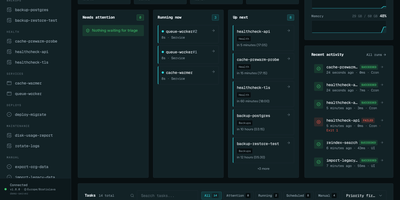
Cron ran the job, or maybe it did not; Runwisp makes the answer impossible to miss. One small binary replaces both crond and your process supervisor: list scheduled jobs and long-running services in a single runwisp.toml, and it runs the jobs on time, restarts services when they crash, and keeps every line they print. Every run leaves evidence: exit code, duration, timestamps and full stdout and stderr, searchable across a task's whole history, with CPU and memory shown next to what that task usually uses. When a run fails, the dashboard shows why, with stderr and the end reason beside the retry button, and alerts head to Slack, Discord, Telegram, ntfy, Gotify, Pushover, email or a webhook before you find out the hard way. Missed runs catch up after downtime, overlapping runs queue, skip or kill by policy, and services get restart backoff and graceful shutdown. Manual runs take typed parameters, so the dashboard generates a form with choices and defaults from your config. Long output streams live with progress bars redrawing in place, and the same history opens in a terminal UI over SSH. The config file stays the source of truth: interfaces trigger and inspect, they never edit your TOML. No database to run, no runtime to install, just the binary and its embedded storage. Running on a dedicated VPS on RepoCloud with guaranteed CPU, RAM, and SSD, full root SSH access, and a browser serial console. GPL-3.0 licensed.
Alarik
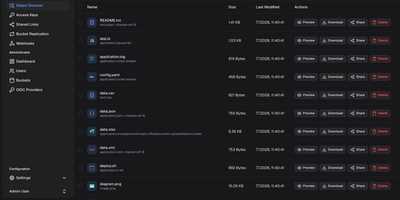
Alarik is a self-hosted S3-compatible object storage server that lets you store files, backups, media, and application data on your own hardware while keeping the S3 APIs your tools already expect. Create buckets, upload objects with multipart support for large files, and retrieve them again through core operations, range reads, presigned URLs, and bucket or object tagging. Versioning keeps earlier copies, delete markers, and listings under your control, while lifecycle rules expire old versions and clean up incomplete uploads automatically. The web console lets you drag and drop files or whole folders, search recursively across nested folders, edit metadata in place, preview individual versions, and share time limited public links. Administrators manage users, access keys, bucket policies, and public access blocks from the same console, with live charts for CPU, memory, traffic, and storage. Bucket webhooks send event notifications when objects change, and replication rules continuously copy data to remote S3 compatible targets, synchronously or asynchronously per rule. Clusters add erasure coded storage across nodes, read repair, bit rot scrubbing, and automatic rebalancing when nodes join, drain, or return. Running on a dedicated VPS on RepoCloud with guaranteed CPU, RAM, and SSD, full root SSH access, and a browser serial console. Apache 2.0 licensed.
Nanote
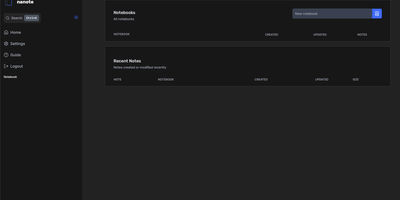
100% portability is Nanote's one non-negotiable principle as a self-hosted note-taking app. There is no database - notebooks are plain folders and notes are plain Markdown files on your filesystem, so the same notes remain fully manageable from a terminal, Notepad, or any other editor, and walking away from Nanote costs nothing because your data was never in a proprietary format to begin with. Built with Nuxt and TypeScript around the Milkdown editor, it layers modern conveniences on that plain-file foundation: fast content search across all notes using OS-optimized tooling (ugrep), native Markdown rendering, image and file attachments, and a mobile-friendly layout for reading and editing on a phone. Clever remark directives make plain text interactive - typing ::file inserts an inline upload picker, while ::today, ::now, and ::tomorrow expand to live dates and times. A fully typed REST API with validation covers automation, and access is protected by a configurable secret key. Deployment is one container with three env vars: paths for notes, uploads, and config, all bind-mountable so your Markdown lives wherever you want it - including inside an existing sync setup. AGPL-licensed and actively daily-driven by its author.

OpenMail
Your entire mail system can live in one self-hosted suite with OpenMail, from SMTP, IMAP, and POP3 delivery to three-pane webmail and the admin console that runs it. Standard clients such as Thunderbird, Apple Mail, and phone apps connect over SMTP ports 25, 587, and 465, IMAP ports 143 and 993, and POP3 ports 110 and 995, while people use the three-pane webmail with folder tree, conversation list, and reading pane at port 3000. You read, write, reply, forward, batch-organize, drag messages between folders, filter stars, search sender, subject, and body text, and follow conversations threaded automatically by their References headers. The rich-text composer autocompletes recipients, accepts dragged attachments and pasted screenshots, saves drafts every 12 seconds, sends on a schedule, and inserts reusable templates imported from HTML or generated with AI. Any OpenAI-compatible endpoint can draft replies, translate mail into twelve languages, and summarize messages, with provider keys encrypted on your server. Administrators get real-time mail statistics with 14-day send and receive trends, user quotas and bans, multi-domain aliases and catch-all addresses, outgoing queue visibility, and audit logs. Adding a domain generates DKIM keys and copy-ready SPF, DKIM, and DMARC DNS records with one-click checks, while rule-based spam scoring, TOTP two-factor authentication, and role-based permissions protect accounts in ten interface languages including right-to-left Arabic and Urdu. Running on a dedicated VPS on RepoCloud with guaranteed CPU, RAM, and SSD, full root SSH access, and a browser serial console. MIT licensed.
Silicon Notes
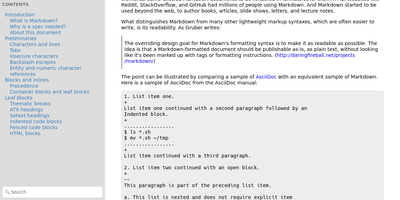
"Somewhat lightweight, low-friction" is how Silicon Notes' author describes the personal knowledge base - written after DokuWiki's editor "drove me mad" and no existing wiki quite fit. The philosophy is that small frequent annoyances compound into cognitive load with no return, so everything here is optimized for frictionless daily use. Notes are written in plaintext Markdown and rendered as clean HTML with Pygments syntax highlighting for code blocks; pages get bi-directional relationships (backlinks), so the knowledge base becomes a connected web rather than a folder tree; and full-text plus title search retrieves anything fast. A table of contents lives in the left sidebar - "where it belongs" - editable while you read without scrolling away. Page history tracks revisions for auditing and rollback, JSON export/import keeps everything portable, and the mobile layout is genuinely usable. The stack is deliberately minimal: Python and Flask with Mistune for Markdown and SQLite for storage - no big frameworks, just a few small dependencies. One honest caveat: there is no built-in authentication, so deploy it behind a VPN, private network, or reverse-proxy auth layer. For a solo engineer's brain, it is exactly enough.

Cited
Buyers now ask an AI assistant before they ever visit your website, and Cited tells you whether your brand made it into the answer. Verify your domain with a DNS record, choose the buyer-like prompts worth watching, and Cited checks them on schedule across ChatGPT, Claude, Gemini, Perplexity, Google AI Mode, and Google AI Overviews. Every meaningful appearance becomes a durable evidence note in your citation inbox: open one to see the exact prompt, the response snapshot, where your domain appeared, and the first-seen history. It distinguishes a true source citation from a brand mention without a link, an explicit recommendation, and the uncomfortable one, a missed opportunity where a competitor got cited and you did not. Competitor tracking runs continuously, so you see rivals earning answers in your category while there is still time to respond. Notes can be annotated, organized through new, seen, saved, and resolved states, and exported for reporting. Email alerts flag meaningful new events and a weekly digest summarizes what changed, so checking becomes a habit instead of another dashboard to babysit. Workspace roles and local credentials keep a small marketing team organized on your own PostgreSQL database. Running on a dedicated VPS on RepoCloud with guaranteed CPU, RAM, and SSD, full root SSH access, and a browser serial console. AGPL-3.0 licensed.

Dewarr
Your want-to-read shelf and your audiobook library finally talk to each other, so the next book you finish can trigger the hunt for the one after it. Dewarr syncs Goodreads shelves, CSV exports, custom public lists, and Hardcover lists, then watches them for new additions worth listening to. Connect Audiobookshelf or Grimmory and it knows what you already own, importing finished downloads into verified library folders instead of leaving files stranded in a downloads directory. Follow authors and series to catch future releases, with back-catalog review, filters, and exclusions before anything is grabbed, including release-day acquisition for titles you are waiting on. When you approve auto-download, it searches MyAnonamouse, Prowlarr, and AudiobookBay, ranks sources by your format, size, and seed preferences, and hands transfers to qBittorrent. Multi-file MP3 releases come back as one chapterized M4B, a chapter per file, ready for your player. The discovery page personalizes shelves with followed lists, award collections, trending books, and new releases. Household members get individual accounts, reading lists, and permissions, with sign-in through OpenID Connect providers or Plex. Notifications for grabs, imports, and digests go out over Discord, ntfy, Apprise, or plain webhooks. Running on a dedicated VPS on RepoCloud with guaranteed CPU, RAM, and SSD, full root SSH access, and a browser serial console. MIT licensed.
Flus
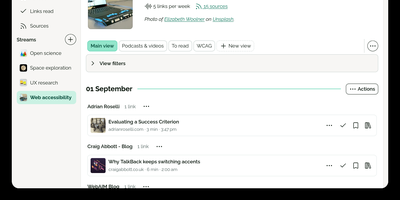
Flus is a calm feed reader, read-later app, and bookmarking space combined into one self-hosted reading home for the blogs, podcasts, video channels, and articles you follow. You follow sources through RSS, Atom, or JSON feeds and organize them into thematic streams, then let the Journal suggest what to read next from everything you follow at a pace you control. Links you want to keep move into collections where annotations and tags record why they mattered, and the to-read and already-read lists keep unfinished reading from silently disappearing. Collections, streams, and individual links can be shared publicly on your profile so others can follow them, or privately with specific collaborators, and everything interoperates through Atom feeds, Mastodon sharing, OPML import, full data export, and a developer API. A powerful search engine finds saved material later, tracking parameters are detected and stripped from URLs, and the installable web app plus browser extensions for Firefox and Chrome make saving a link a one-click habit from anywhere. Running on a dedicated VPS on RepoCloud with guaranteed CPU, RAM, and SSD, full root SSH access, and a browser serial console. AGPL-3.0 licensed.
TLSPROXY
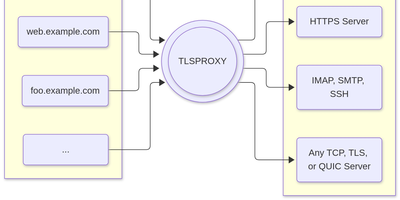
TLSPROXY puts automatic Let's Encrypt TLS in front of every service on your server, so many names can share one port while each backend gets exactly the encryption treatment it needs. Terminate TLS and hand plain text to a local service. Pass raw TLS straight through when the proxy should see nothing. Or terminate and re-encrypt towards a TLS backend, with client certificates checked on the way in. QUIC and HTTP/3 connections terminate here too, and Encrypted Client Hello keeps even the handshake private. Certificates arrive and renew by themselves through http-01 and tls-alpn-01 challenges, PROXY protocol headers preserve real client addresses, and SNI routing with round-robin balancing spreads names across backends. People get in with OpenID Connect, SAML, or passkeys; the same sign-in can mint short-lived SSH user certificates, and built-in certificate authorities manage client and backend credentials for you. Static sites can be served straight from disk, TPM-backed keys keep private material in hardware, and a built-in console shows what the proxy is doing. Running on a dedicated VPS on RepoCloud with guaranteed CPU, RAM, and SSD, full root SSH access, and a browser serial console. MIT licensed.
AutoXpose
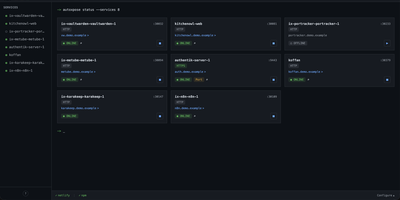
Tag a Docker container with two labels, and AutoXpose turns it into a published service with a DNS record, a reverse proxy route, and HTTPS, without you opening a single provider dashboard. From the web dashboard you connect one of six DNS providers, Cloudflare, Netlify, DigitalOcean, Porkbun, Aliyun, or Tencent DNSPod, and point it at the Nginx Proxy Manager or Caddy instance you already run. It watches your containers continuously after that: a new label creates the record, propagation is verified before the service shows as live, and removing the container removes its public entries too. Auto-expose mode publishes containers the moment they appear, while manual mode stages them in the dashboard for approval first. Color-coded service tags sort what you run into web, database, and media groups at a glance, and dashboard warnings flag misconfigurations before they become broken links. Nginx Proxy Manager access lists attach by label, so an admin panel stays reachable only from the networks you trust. When containers vanish, orphaned cleanup hunts down the stale DNS records and proxy hosts they left behind. Settings and state live inside the same single container, so the publishing pipeline for a homelab or a small fleet stays one compose service you can back up as a unit. Running on a dedicated VPS on RepoCloud with guaranteed CPU, RAM, and SSD, full root SSH access, and a browser serial console. MIT licensed.
SubLane
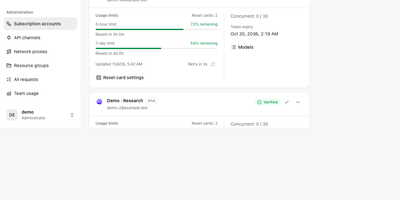
Five teammates sharing three AI subscriptions usually means a password in a group chat; SubLane replaces that with a gateway you host, where accounts are pooled and every person gets a managed key. Connect Codex, Claude, Antigravity, and Grok Build subscriptions once, by browser OAuth or credential import, and the gateway snapshots each account's quota windows and allowances so routing knows who still has room. Add API channels for OpenAI-compatible services alongside the subscriptions, then group everything into resource pools with model allowlists, conversation affinity, concurrency controls, and cooldown recovery for accounts that hit a limit. Each member receives a personal key scoped to one group, with its own expiry, rate and concurrency limits, and an allowance measured in tokens, internal dollars, or estimated quota share; keys can be paused or revoked without touching anyone else. Whatever the client speaks, the gateway answers: OpenAI Responses and Chat Completions, Claude Messages, and Gemini formats flow over HTTP, SSE, or WebSocket, independent of which subscription actually serves the request. Administrators watch per-member and per-model usage charts, activity heatmaps, and request diagnostics, bind a fixed outbound proxy to any account, and apply workspace content rules before dispatch. It all runs as one Go process with SQLite and an embedded dashboard, backed up and restored from the interface. Running on a dedicated VPS on RepoCloud with guaranteed CPU, RAM, and SSD, full root SSH access, and a browser serial console. AGPL-3.0 licensed.
EveryOS
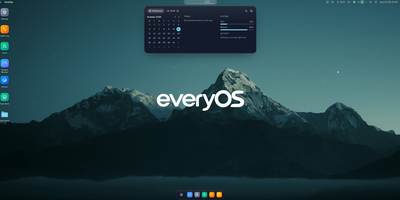
EveryOS gives the Linux server you already own a desktop it never had: open a browser and your machine greets you with windows you can move, snap, and stack, a dock, virtual desktops, widgets, and a launcher, all remembering exactly how you left them. Your files live in a private home with the usual folders, previews, a text editor, and a trash you can restore from, and plugging in a USB disk makes it appear on the desktop ready to mount. An app store installs self-hosted applications from catalogs and follows each deployment, later offering updates that keep your settings, rollbacks when one goes wrong, and backups of app data. The same workspace watches the machine itself: CPU, memory, disk, and network at a glance, systemd services and logs, available package updates, and a Docker view for containers and Compose projects. A real terminal opens in the browser under your own Linux account, Home Assistant arrives as a panel and desktop widgets with its tokens kept on the server, and an AI assistants app can find or install a local model server such as Ollama and chat with it privately. Running on a dedicated VPS on RepoCloud with guaranteed CPU, RAM, and SSD, full root SSH access, and a browser serial console. MIT licensed.