Hatchdoor
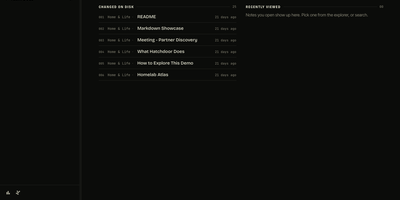
Hatchdoor gives your Markdown notes two front doors at once: a fast web interface for you, and an MCP endpoint where AI agents read and edit the very same vault. Point it at any folder of Markdown files, an existing Obsidian vault included, and it indexes everything into a disposable SQLite read model that rebuilds itself from your files if deleted. In the browser you browse folders, follow wikilinks that survive renames, explore backlinks and graph views, and search by keyword or meaning across every vault you mount. The live editor shows Markdown syntax only on the line you are editing and saves automatically, while concurrency checks refuse a save when the note changed underneath you. Agents connect with their own token and start read-only; turn writes on and Claude Code, Codex, Cursor, or Hermes can create, edit, move, and link notes through the same checked operations the interface uses. Saved queries in Obsidian's Bases syntax render as live tables, attachments preview inline, and optional git integration commits and pushes every change back to your vault's repository. Running on a dedicated VPS on RepoCloud with guaranteed CPU, RAM, and SSD, full root SSH access, and a browser serial console. AGPL-3.0 licensed.
Statlite
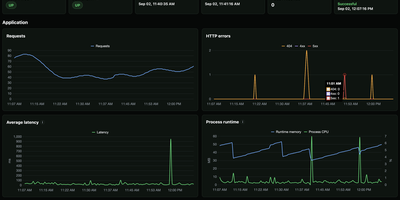
Small server, small monitoring. Statlite watches your applications and their host with a single binary that idles at about 15 MiB, so the observer never becomes the heaviest thing on the box. Point it at a Spring Boot Actuator endpoint and it polls health plus a fixed, curated set of Micrometer metrics: request traffic, latency, CPU, and runtime memory, all drawn as clean charts. Quarkus, Micronaut, and anything else that can answer a fixed JSON metrics profile can join the same dashboard. History lives in one local SQLite file, raw samples only, kept for 90 days by default, so yesterday's latency spike is still there when you go looking. The dashboard also watches the host itself: processor load, memory pressure, and filesystem capacity, including a warning before the metrics database fills its own disk. Restart detection tells you when an application bounced, and per-target Basic Auth support lets you poll protected Actuator endpoints safely. Configuration is one YAML file listing your targets and polling interval, friendly to systemd and Docker alike. Everything is deliberately scoped: no alert manager, no external service, no observability platform to operate. Just open the page and see whether your apps are healthy. Running on a dedicated VPS on RepoCloud with guaranteed CPU, RAM, and SSD, full root SSH access, and a browser serial console. MIT licensed.
Linux Update Dashboard
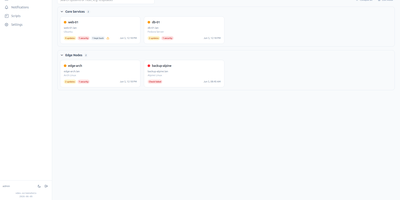
Linux Update Dashboard is a self-hosted web app that lets you check and apply package updates across a whole fleet of Linux servers from one browser dashboard, over SSH, with no agent installed on any managed machine. It discovers each server's package managers, operating system, installed packages, reboot state, and distribution lifecycle, then lets you refresh, upgrade selected packages, run full upgrades, autoremove leftovers, cancel running work, or reboot remotely while watching real-time command output stream into the page. Groups with health badges and explicit priorities organize fleets for clear overviews and ordered Upgrade All batches that run as waves across eligible systems. An encrypted SSH credential vault stores reusable passwords, private keys, and OpenSSH certificates with AES-256-GCM, and you can view or edit repository source files through sudoedit with diff review and activity history. Cron-based schedules automate refreshes, updates, autoremove, reboots, and notifications for chosen systems, while alerts go out by email, Gotify, MQTT, ntfy.sh, Telegram, or webhooks, with Home Assistant MQTT discovery entities for every server. Sign-in supports passwords with optional TOTP, passkeys and WebAuthn, OpenID Connect SSO, and API tokens, and the interface speaks ten languages with dark and light themes and custom branding. Because this tool can run commands on your servers, keep it on trusted networks behind TLS, a reverse proxy, or a VPN. Running on a dedicated VPS on RepoCloud with guaranteed CPU, RAM, and SSD, full root SSH access, and a browser serial console. AGPL-3.0 licensed.
Mistgate
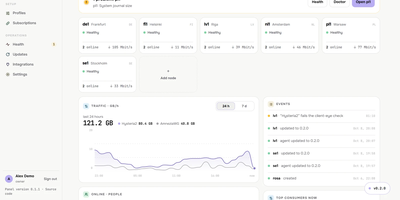
Running a VPN for family, friends, or a small team usually means babysitting servers one SSH session at a time, and Mistgate replaces that with one panel that keeps the whole fleet configured. Add a server from the browser by typing its address and root password: the panel pins the host key, checks the host, opens the ports, and installs the signed node agent for you. Each person gets one subscription link that their app turns into the server list, or a personal AmneziaVPN key per device, so a lost phone can be revoked without touching anyone else. Groups decide which protocol profiles a person receives, while per-user traffic quotas, expiry dates, device limits, and per-device speed limits keep sharing fair. Hysteria2 brings QUIC-based speed with port hopping, obfuscation, and certificate options; VLESS REALITY and AmneziaWG 2.0 and 3.1 cover networks where one protocol gets blocked, and Cloudflare WARP can serve as the exit for all three. Every five minutes the panel connects to each server the way a real client app would, a doctor on every node runs host checks with safe fixes, and alerts reach you on Telegram before your users notice. The public address shows strangers a decoy site while the admin hides behind a secret path, and encrypted backups go to your Cloudflare R2 bucket on a schedule. Running on a dedicated VPS on RepoCloud with guaranteed CPU, RAM, and SSD, full root SSH access, and a browser serial console. AGPL-3.0 licensed.
Imp
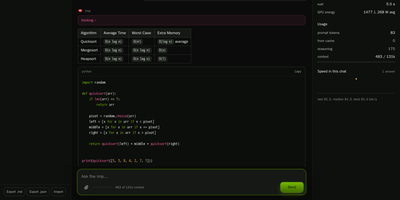
Imp runs large AI chat models privately on one NVIDIA RTX 50 or RTX PRO graphics card, exposing them through OpenAI and Anthropic compatible APIs plus a built-in browser chat. Start it with a single Docker command, point it at a model, and the chat opens in your browser with saved conversations and a live readout of generation speed. Coding agents such as Claude Code and Codex connect by changing one base URL, so your editor talks to the model on your own hardware instead of a rented cloud endpoint. Tool calls, structured JSON output, streaming responses, and reasoning models all work over the wire, and requests can be protected with an API key, per-IP rate limits, and concurrency caps. Load GGUF files you already have or NVFP4 and FP8 SafeTensors checkpoints straight from Hugging Face with no conversion step before the first answer. When a model is bigger than the card, mixture-of-experts weights stay in system RAM while the busiest experts are cached on the GPU, so a 123.6 GiB model still answers from a 32 GB card. Supported models can also read images alongside text, and tokenize, health, and model listing endpoints make the server easy to wire into scripts and monitors. Running on a dedicated VPS on RepoCloud with guaranteed CPU, RAM, and SSD, full root SSH access, and a browser serial console. MIT licensed.
OCI Core
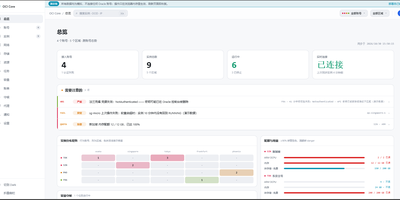
Anyone juggling several Oracle Cloud accounts knows the tab-switching ritual; OCI Core ends it by pulling every tenancy's instances into one self-hosted panel. The cross-account list shows state, shape, volumes, and public IPs for each machine, and you can start, stop, resize, rename, or terminate instances without opening Oracle's console. A creation wizard offers every shape in an availability domain, not just the free presets, while long operations such as IP swaps, resizes, and terminations run as background jobs with visible progress. Capacity hunting watches Oracle's read-only capacity reports and retries creation until a scarce shape appears, notifying you when it lands. Networking tools edit VCNs, subnets, and security rules visually, swap public IPs, enable IPv6, and manage extra network cards. Storage views resize boot and block volumes, and a rescue mode moves a broken system disk to a healthy machine for repair. Billing breaks spend down by service and region, tracks the monthly free egress allowance, and shows real usage for free-tier accounts. Accounts are checked for connectivity, quotas, and credential health, with emails, IPs, and OCIDs masked by default and revealed only on demand. Alerts reach Telegram, WeCom, DingTalk, email, or webhooks, and access is guarded by argon2id passwords, TOTP two-factor sign-in, session controls, and an audit log. Running on a dedicated VPS on RepoCloud with guaranteed CPU, RAM, and SSD, full root SSH access, and a browser serial console. MIT licensed.
Gofer
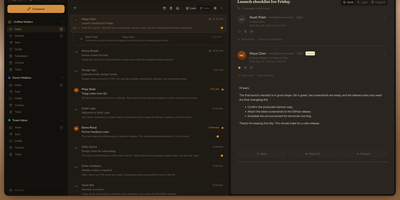
Five mailboxes, five tabs, five passwords: Gofer folds Gmail, Outlook, iCloud, and plain IMAP accounts into one browser tab where every inbox reads as a single, searchable whole. Threads, labels, and drag and drop keep triage fast, and search still finds the receipt from three years ago. Signatures and custom senders shape outgoing mail, scheduled sends wait for Monday morning, and a thread in another language translates in place. The calendar keeps pace with your mail: Google, Outlook, and CalDAV events sync both ways, invitations land in the inbox, and an RSVP or a Meet or Teams link attaches without leaving the message. Contacts follow the same rule through Google, Outlook, and CardDAV sync, so the address book you fix once is right everywhere. One install can serve a household or a small office, with separate users, encrypted credentials, blocked remote images, and passkey or authenticator sign-in for anyone who wants it. Classic, Minimal, and retro Express themes, flexible layouts, and push notifications make the daily inbox feel personal rather than administered. Leaving stays easy too: mailboxes export as mbox, mail moves between accounts, and a whole setup imports into another Gofer. Running on a dedicated VPS on RepoCloud with guaranteed CPU, RAM, and SSD, full root SSH access, and a browser serial console. MIT licensed.
Nimbus
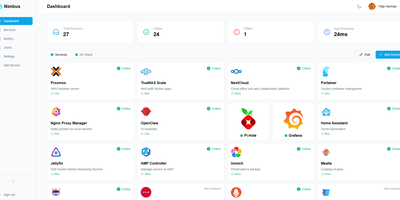
Nimbus is a self-hosted homelab dashboard that turns your scattered pile of services into a polished, organized command center with real-time health monitoring for every endpoint you care about. The dashboard displays live status cards for each registered service, tracking response times down to the millisecond and graphing uptime history so you can spot degradation before it becomes an outage. Health checks run on configurable intervals with smart self-signed certificate handling, meaning your internal services with self-issued TLS do not trigger false alarms. Multi-user support comes standard: local accounts authenticate via JWT, while OAuth2 integration with Google, GitHub, and Discord lets team members sign in with existing credentials. Role-based access control and a built-in admin panel give you granular authority over who sees what. Each user personalizes their view with custom backgrounds, light or dark mode, accent color themes, and drag-and-drop service tile arrangement. Services group into named categories and cards resize to fit your preferred layout, with both grid and list view modes available. Prometheus metrics export feeds your existing Grafana stack, and webhook notifications alert you instantly when a service goes offline. Custom service icons upload directly or auto-fetch from the Dashboard Icons collection. Zero-config Docker deployment gets you running in under 30 seconds with a single docker-compose command. Running on a dedicated VPS on RepoCloud with guaranteed CPU, RAM, and SSD, full root SSH access, and a browser serial console. AGPL-3.0 licensed.
Houndarr
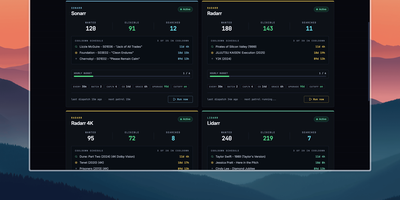
Radarr, Sonarr, and their sibling apps watch RSS feeds for new releases but never go back for what your library is still missing, and Houndarr fills that gap by asking them to search in small, polite batches. It reads the wanted lists of every connected Radarr, Sonarr, Lidarr, Readarr, and Whisparr instance and sends a few search commands per cycle, so a big backlog drains over days instead of arriving as one Search All Missing burst. Each instance has its own batch size, sleep interval, hourly cap, per-item cooldown, and post-release grace period, plus an optional download-queue limit, allowed search windows such as 09:00-23:00, and tag filters that include or exclude items. Three independent passes run per instance: missing items, cutoff-unmet items below your quality profile, and upgrades for files that already meet cutoff, with the last two off until you enable them. Sonarr, Lidarr, and Readarr can search by season, artist, or author, and search order is random or oldest-first. The dashboard shows library health, recent hunts, hourly budgets, and a cooldown schedule per instance, with Run Now buttons for on-demand cycles. The Logs page records every search and skip with its reason in a filterable audit trail that copies as TSV. A key-gated widget endpoint feeds Homepage dashboards, and built-in login or reverse-proxy authentication protects the interface. Running on a dedicated VPS on RepoCloud with guaranteed CPU, RAM, and SSD, full root SSH access, and a browser serial console. AGPL-3.0 licensed.
Doca
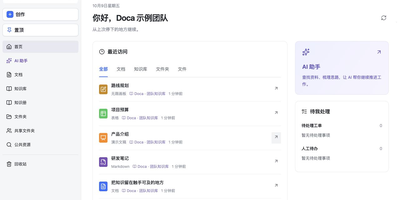
Doca puts rich text, Markdown, spreadsheets, slides, and an infinite canvas under one login and one permission model, giving individuals and small teams a self-hosted workspace for writing together. Every format supports real-time co-editing with presence, comments, saved history, and manual snapshots, and rich text and Markdown documents can be restored to an earlier version. Documents live in knowledge libraries with tree navigation, invitations, inherited permissions, share links, and trash, while personal files and shared folders sit on local disk or S3-compatible storage. Knowledge books go further: they subscribe to sources, run an editable workflow, keep source evidence, and route results through human review. A personal AI assistant, powered by whichever model you configure, searches authorized documents, reads PDF and Office attachments, edits images, and prepares browser drafts. MCP services let external AI clients such as Codex use those tools under your permissions. Sign in with a password, OIDC, Google, GitHub, WeChat, or QQ, review registrations before they go live, and send webhooks to other systems. A plugin SDK and marketplace add business modules, and a browser extension clips pages into documents. The interface ships in Chinese and English. Running on a dedicated VPS on RepoCloud with guaranteed CPU, RAM, and SSD, full root SSH access, and a browser serial console. MIT licensed.
Statainer
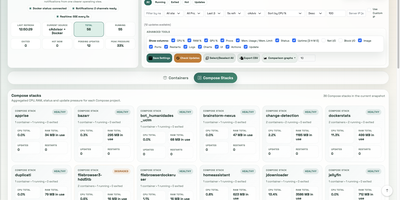
Monitoring and safeguarding Docker infrastructure without heavy enterprise software overhead is the primary mission of Statainer, an open-source management control center for container hosts. System operators inspect live CPU loads, memory consumption, network throughput, and disk I/O metrics across individual containers or comparative top-ranking charts. The interface groups containers by Compose projects, enabling administrators to start, stop, or restart entire application stacks and inspect real-time log streams without opening SSH sessions. The built-in Update Manager detects available image tags, executes single-click container updates, and maintains persistent deployment history with automated rollback capabilities for failed recreations. Custom alert configurations trigger instant notifications to Telegram, Discord, Slack, Pushover, or generic webhook endpoints whenever resource thresholds are breached or container health states change. Developers can provision scoped API keys with token authentication to automate container state transitions and export performance telemetry into custom monitoring workflows. Running on a dedicated VPS on RepoCloud with guaranteed CPU, RAM, and SSD, full root SSH access, and a browser serial console. MIT licensed.
Pictaria Server
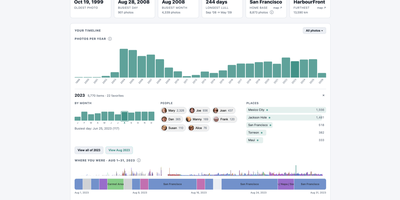
Pictaria Server sits beside your Immich instance and makes a photo library of thirty thousand images legible again, surfacing the trips, people, and best shots buried under duplicate bursts and forgotten folders. It starts with Insights: a clickable timeline of your years, detected trips, a people constellation linked by who appears together, place and camera rankings, and records like your busiest day. Click any number and you land on the actual photos, ready to open in Immich, turn into an album, or send onward. Enrich puts an AI to work describing what it sees, writing captions, menu-driven tags, and quality scores for every photo using a local model through Ollama or LM Studio, or a cloud provider with your own key, on a scheduled daily budget. Those tags can sync back into Immich, so searching improves everywhere, not just here. Curate then collapses bursts and near-duplicates into stacks with a suggested keeper, and one keystroke keeps the best and skips the rest. Smart Albums compose rules from people, places, dates, cameras, and tags, preview the result count, and maintain real Immich albums on a schedule. Frame owners get remote control, display metrics, and voice photo questions, while the Activity feed and runtime-editable Settings keep the whole box manageable from the browser. It connects with a limited-permissions API key and cannot delete a single photo. Running on a dedicated VPS on RepoCloud with guaranteed CPU, RAM, and SSD, full root SSH access, and a browser serial console. AGPL-3.0 licensed.
Jellydash
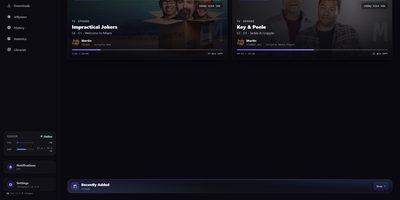
Jellydash answers the questions every Jellyfin admin asks, starting with who is watching right now and whether that stream is transcoding. Live cards show each session's artwork, user, quality, progress, and playback method, including the reason a transcode was needed, and live TV channels appear with real program progress. Behind the scenes, a background poller records every play even when nobody has the dashboard open, building a history you can search, filter by user or library, and export to CSV with poster art intact. Older Jellyfin or Emby Playback Reporting backups import in seconds, so years of viewing are not lost when you switch. Statistics turn that history into watch-time trends, top users, device and client activity, codec breakdowns, and transcode reasons, and clicking a chart opens the exact plays behind it. A monthly recap looks back at a finished month with rankings and daily activity, while trending and all-time most-watched strips show what your household actually loves. Optional pages follow Jellyseerr requests as they arrive and read the status of SABnzbd, qBittorrent, Transmission, Deluge, and NZBGet clients without ever touching their queues. Server activity, maintenance tasks, and system status stay one click away, and selected users can be excluded from monitoring entirely. When someone presses play, a notification can reach your phone through Telegram, Pushover, Discord, ntfy, Gotify, or Web Push. Running on a dedicated VPS on RepoCloud with guaranteed CPU, RAM, and SSD, full root SSH access, and a browser serial console. MIT licensed.
Immich Insights
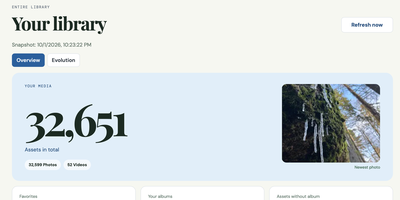
Immich Insights turns the photo library you already keep in Immich into a year-in-review style dashboard of how you actually shoot. Connect it with your own Immich API key and it reads your asset metadata into a local snapshot, without copying your original photos, then builds the overview Immich itself never shows: total photos and videos, storage used, favorites, albums, and your newest additions. Pick any year or a custom date range and see that period's shooting volume, favorites, albums, and devices. Camera statistics break your library down by device and manufacturer, with leaderboards you can correct when the same camera appears under different names. Exposure analysis shows your ISO, focal length, and shutter speed distributions, the focal lengths you reach for most, and how your settings shift by hour of day. Rhythm charts map your shooting by month, weekday, and hour, with a calendar heatmap of your most active days. A zoomable timeline marks the moments that matter: first photo, a new device joining the library, your longest gap, your busiest day ever. People and location views count faces and mapped places by country and continent, and a photography profile scores your habits. Clicking any chart value opens the matching photo thumbnails, and reports export as PDF, CSV, or JPG. Running on a dedicated VPS on RepoCloud with guaranteed CPU, RAM, and SSD, full root SSH access, and a browser serial console. MIT licensed.
MeetDo
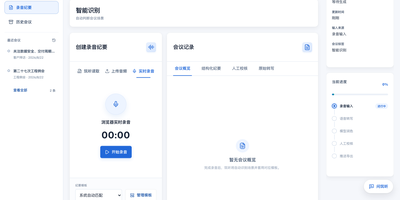
The meeting ends and, instead of a raw transcript, you get minutes you can file: MeetDo is an open-source meeting-to-action system that hosts the meeting, captions it locally, and finishes the record for you. Start a browser meeting with video, screen sharing, and chat, and watch captions stream from a speech model running on the same infrastructure, so no audio is sent to a cloud note-taker. When the call ends, the transcript becomes structured minutes: summary, agenda flow, conclusions, and action items with owners, instead of a wall of raw text. Five meeting types, from management reviews and project weeklies to interviews and customer calls, shape the record, and custom templates export to DOCX or PDF with your original layout preserved. Domain vocabulary is corrected after recognition, so names, units, and industry terms survive transcription instead of turning into near-miss words. Past meetings stay searchable in a local history, and questions can be asked across them without anything leaving the machine. Editable transcripts let a human fix the record before it is filed, and the whole pipeline works offline after the first model download. Running on a dedicated VPS on RepoCloud with guaranteed CPU, RAM, and SSD, full root SSH access, and a browser serial console. MIT licensed.
Tessera
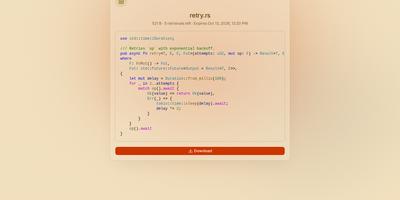
Most file sharing leaves copies lying around forever; Tessera shares things with a built-in goodbye. Drop in a file, a whole folder, a code snippet, or a link and you get back a short code and a URL that anyone can open until it expires or hits the download count you set, at which point it is deleted. Expiry is checked on every request and each retrieval is counted atomically, so a one-time share cannot be raced by two people at once. Passwords can be required before anything is shown, code arrives syntax-highlighted, and images, SVGs, and diagrams preview in the page, with link cards when you paste the URL into chat. Uploads resume after interruptions and stream through the server without ballooning memory at any size. Behind the scenes you choose where bytes live: local disk, S3-compatible storage, Azure Blob, Google Cloud Storage, or WebDAV, several at once, added or retired from the admin panel without a restart. Accounts are optional for a home server, sign-in through OpenID Connect suits a team, and roles with per-account quotas decide who may upload, view everyone's shares, or change settings. Optional malware scanning, anonymous-upload caps, and rate-limited code lookups keep a public instance honest. A CLI and API tokens drive the same endpoints as the web app, so scripts can share and clean up exactly like people. Running on a dedicated VPS on RepoCloud with guaranteed CPU, RAM, and SSD, full root SSH access, and a browser serial console. AGPL-3.0 licensed.
Polaris Control Plane
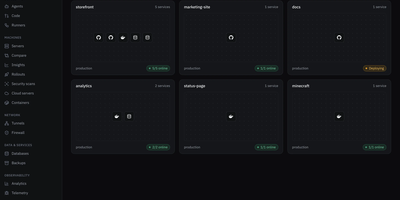
Polaris puts app deploys, file storage, team chat, tasks, and a password vault behind one login on a server you control. Deploy from a Git repository or an image with databases, volumes, environment variables, logs, a terminal, and a domain, published through your own domain, a Cloudflare tunnel, or DuckDNS. Enroll more machines over SSH with one generated command, then watch their containers and metrics and schedule backups with restore. Drive spans local disks, SFTP, S3-compatible storage, SMB, NFS, Google Drive, OneDrive, and Dropbox, with password-protected public links, expiry, and drop points for people without an account. Vault works with the Bitwarden apps and extensions and encrypts in the browser, so the server never sees your master password. Chat brings channels, threads, direct messages, voice and video calls, screen sharing, and a soundboard, while Tasks adds lists, boards, sprints, goals, and time tracking, and can hand work to coding agents over MCP. Calendar syncs both ways with Google, Microsoft 365, and CalDAV and offers booking pages. Game servers run Minecraft, ARK, and FiveM, a firewall blocks countries, networks, and bots, and one-click Marketplace installs add more apps. The interface comes in English and Spanish. Running on a dedicated VPS on RepoCloud with guaranteed CPU, RAM, and SSD, full root SSH access, and a browser serial console. AGPL-3.0 licensed.

Gray Duck Mail
Email discussion lists - the venerable listserv pattern where one address relays to a whole group - without the notorious setup pain of Mailman or Sympa: that is Gray Duck Mail. Its architectural trick is requiring no mail server of your own: the C#/ASP.NET Core app monitors a POP3 inbox at any external email host supporting POP3/SMTP and aliasing, relays each incoming message to all list members via SMTP, and archives it for browsing in the web interface. Replies route back to the entire group automatically. The tedious parts of list management are handled by convention: dedicated aliases process join requests, subscription confirmations, and unsubscribes, while a bounce alias in the return-path catches delivery failures so dead addresses get handled instead of silently rotting. The web administration interface creates and removes lists, manages contacts, browses message archives, and imports or exports the local database for backup. GPLv3-licensed, Docker-distributed, and fully code-documented, it targets exactly the groups email still serves best - neighborhoods, schools, congregations, workplaces, and families - where one message keeping everyone in the loop beats yet another app nobody wants to install.