Categories
Self-Hosted DevOps Infrastructure Server Monitoring Admin Panel Cloud Management Oracle CloudStars
Forks
Watchers
Developer links
OCI Core
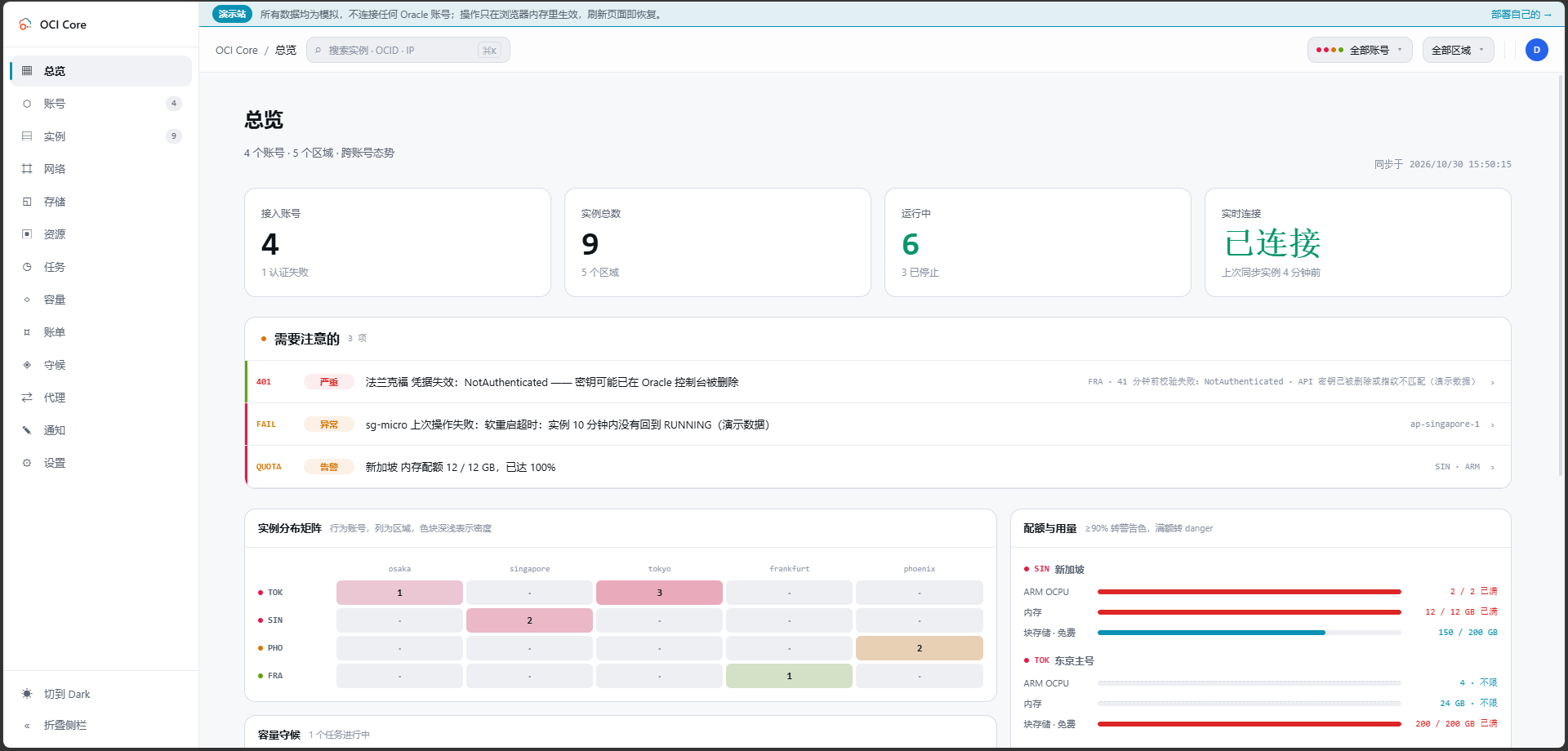
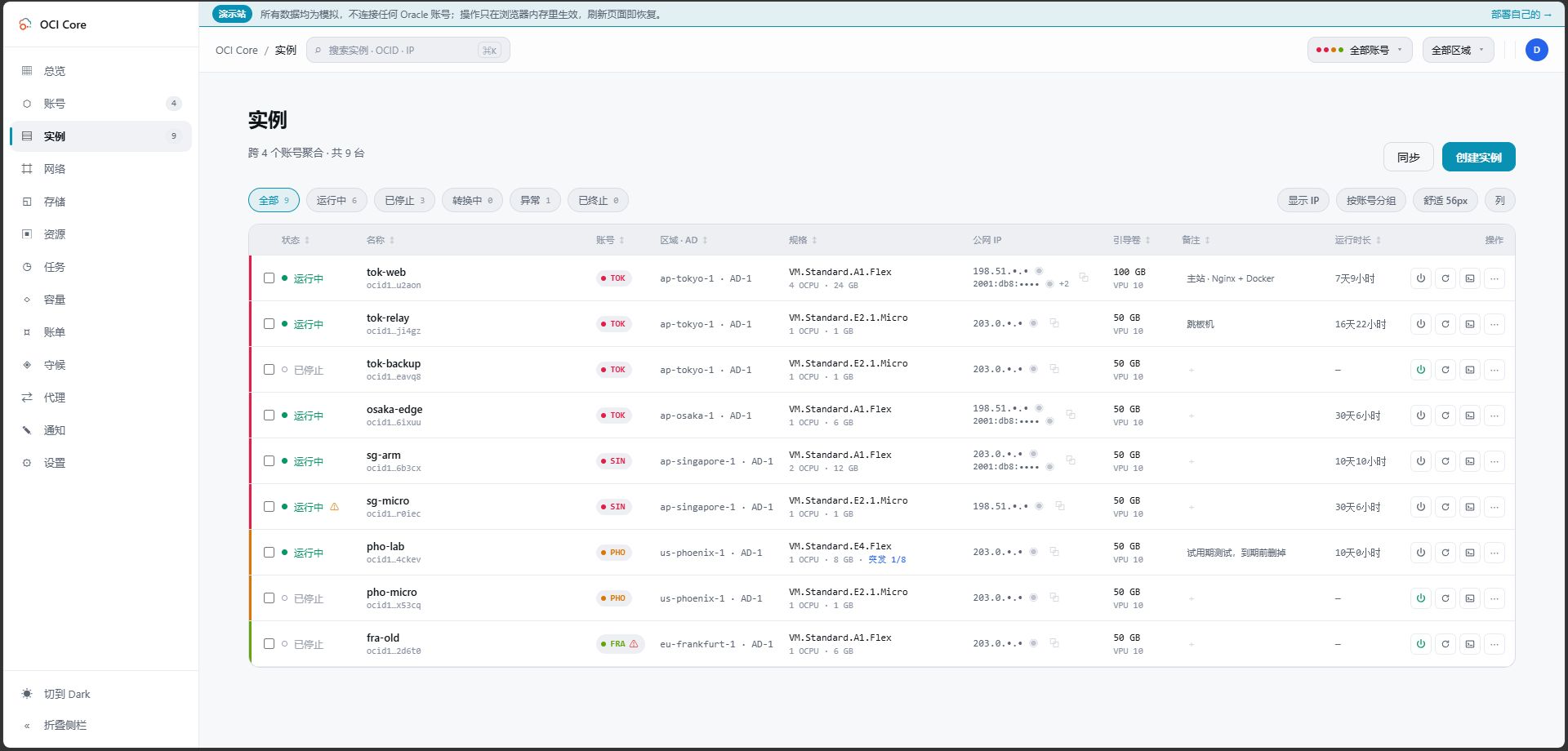
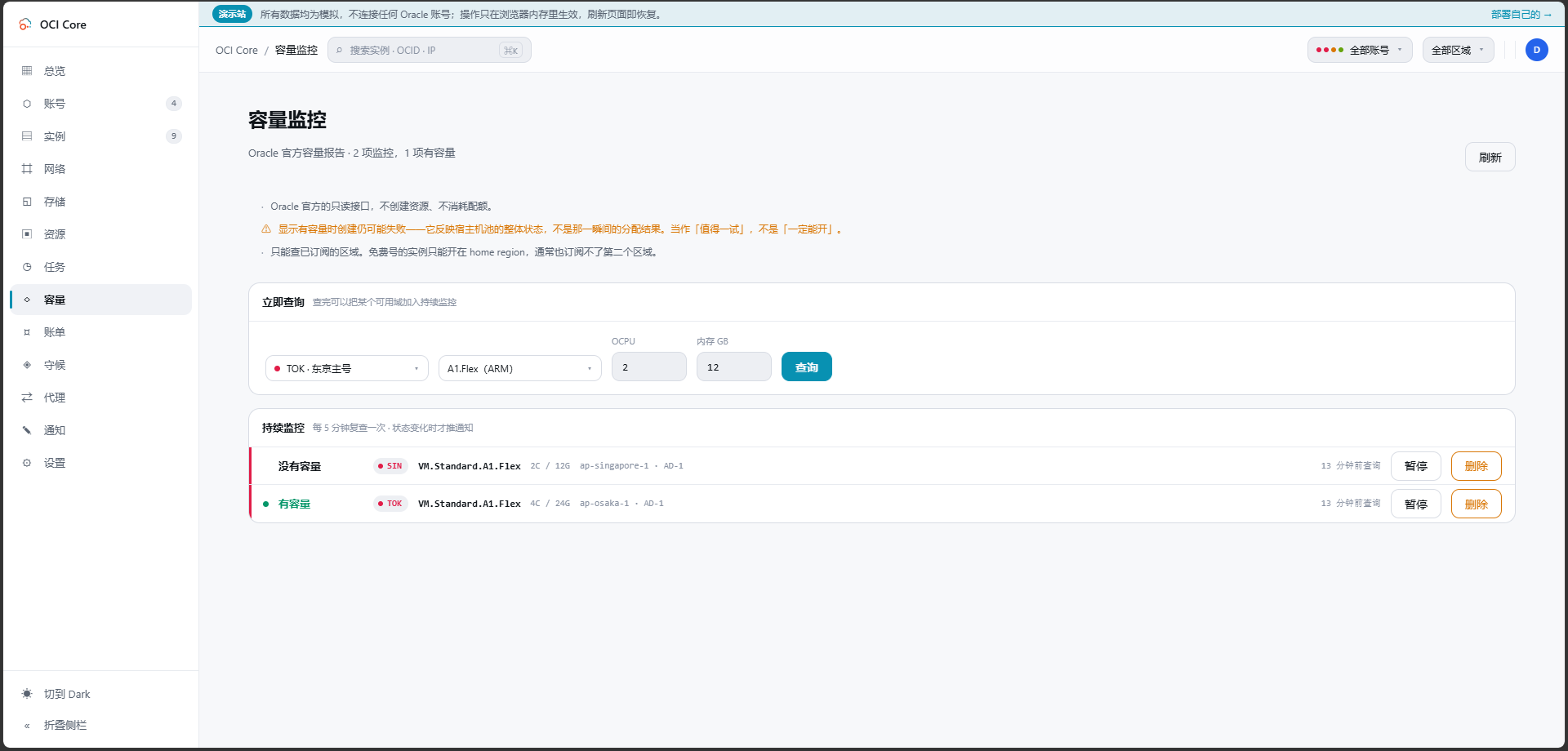
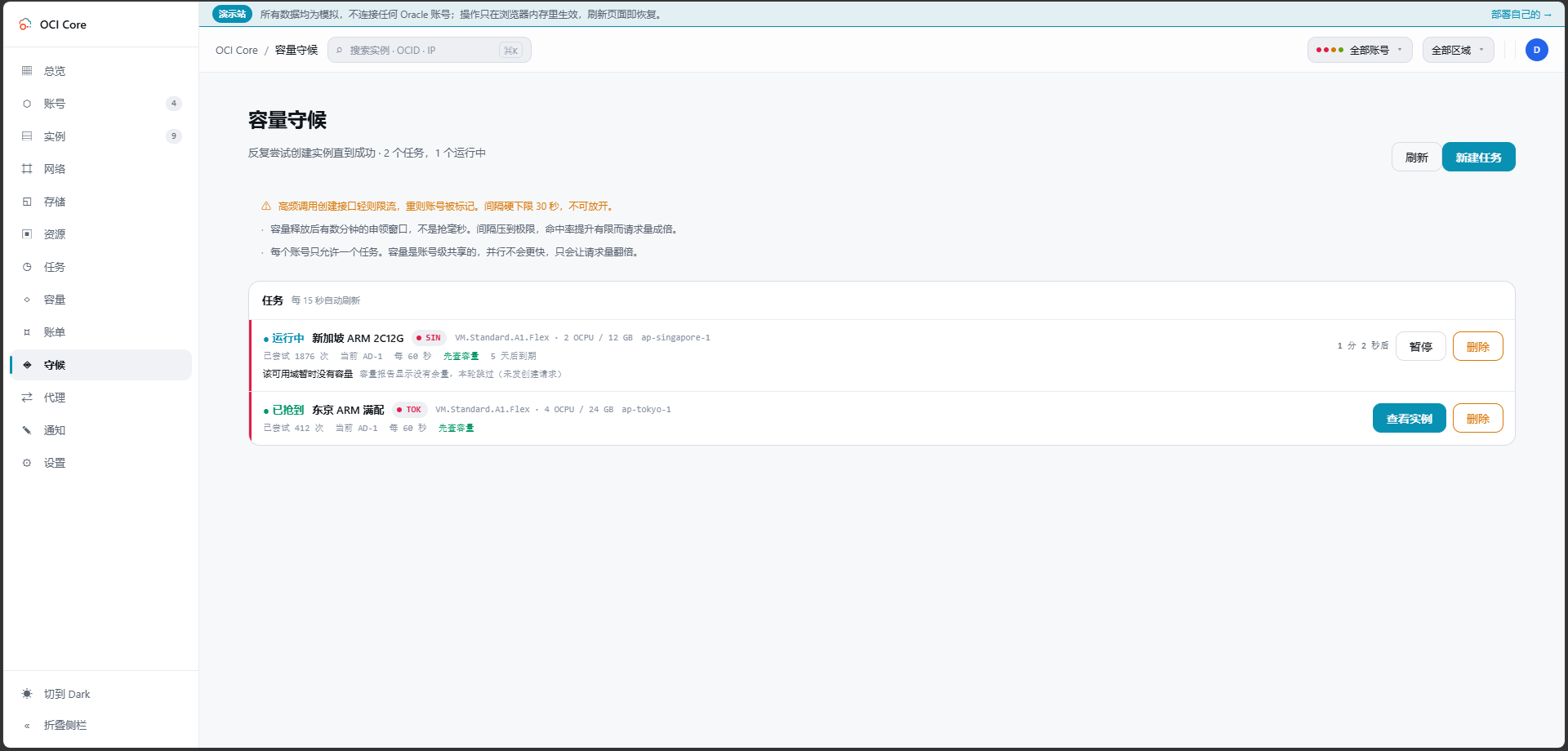
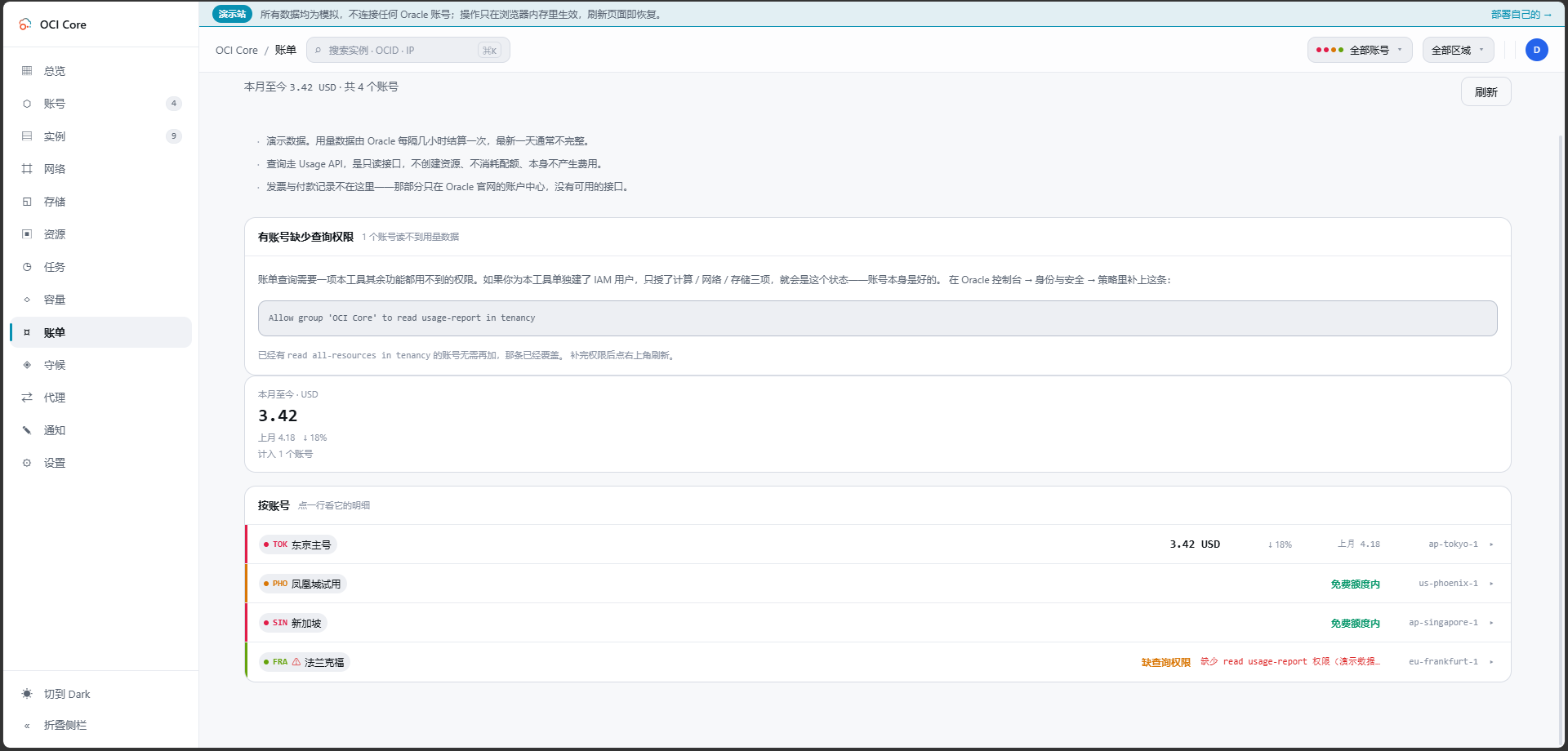
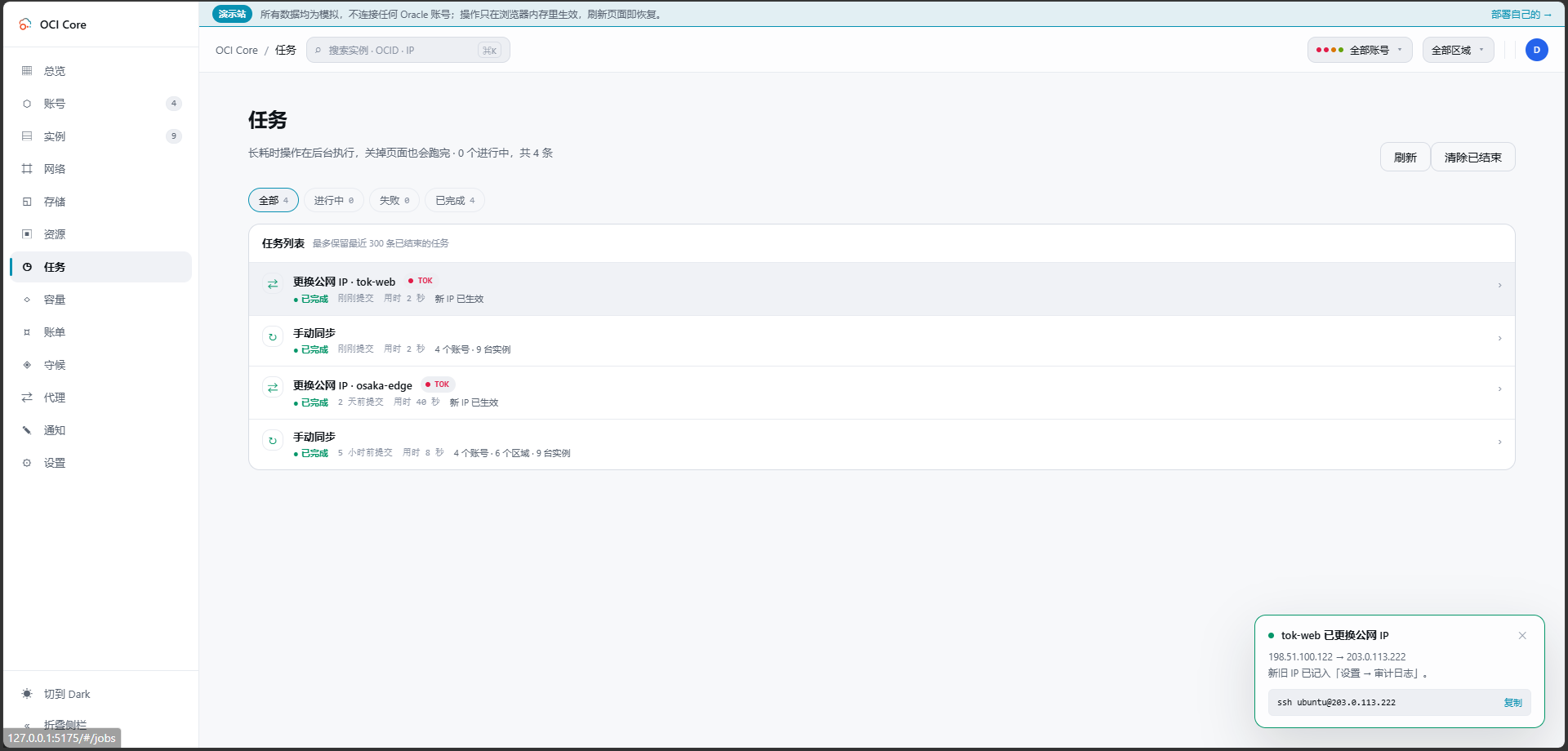
Anyone juggling several Oracle Cloud accounts knows the tab-switching ritual; OCI Core ends it by pulling every tenancy's instances into one self-hosted panel. The cross-account list shows state, shape, volumes, and public IPs for each machine, and you can start, stop, resize, rename, or terminate instances without opening Oracle's console. A creation wizard offers every shape in an availability domain, not just the free presets, while long operations such as IP swaps, resizes, and terminations run as background jobs with visible progress. Capacity hunting watches Oracle's read-only capacity reports and retries creation until a scarce shape appears, notifying you when it lands. Networking tools edit VCNs, subnets, and security rules visually, swap public IPs, enable IPv6, and manage extra network cards. Storage views resize boot and block volumes, and a rescue mode moves a broken system disk to a healthy machine for repair. Billing breaks spend down by service and region, tracks the monthly free egress allowance, and shows real usage for free-tier accounts. Accounts are checked for connectivity, quotas, and credential health, with emails, IPs, and OCIDs masked by default and revealed only on demand. Alerts reach Telegram, WeCom, DingTalk, email, or webhooks, and access is guarded by argon2id passwords, TOTP two-factor sign-in, session controls, and an audit log. Running on a dedicated VPS on RepoCloud with guaranteed CPU, RAM, and SSD, full root SSH access, and a browser serial console. MIT licensed.
Benefits
- Every Tenancy, One Screen
- Instances from all your Oracle accounts appear in a single sortable list with account color codes, IPv4 and IPv6 addresses, shapes, volumes, and runtime, ending console-hopping between tenants and regions for routine checks.
- Free Shapes, Caught Automatically
- Capacity monitoring reads Oracle's official capacity reports for the shapes you care about, and capacity hunting retries instance creation only when stock exists, then notifies you through Telegram, email, or webhook.
- Credentials Stay On Your Server
- API keys are held in local SQLite under AES-256-GCM envelope encryption, masked in the interface by default, and never sent to any third party, so account data remains under your control.
- One File, Nothing To Install
- The whole panel is a single roughly 11 MB static binary with the web interface embedded, running on amd64 or ARM64 with no runtime dependencies, equally at home on a free ARM instance.
Features
- Cross-Account Instance Control
- Start, stop, reboot, resize with burst CPU settings, rename, and terminate instances across accounts, with customizable columns, batch actions, and live state pushed over server-sent events.
- Background Job Engine
- Creations, IP changes, resizes, IPv6 enablement, and volume edits run as background jobs with step-by-step progress and preserved failure reasons, serialized per instance to avoid conflicting operations.
- Visual Network Editing
- Edit VCNs, subnets, and security rules in the panel, create networks automatically, replace public IPs with history kept, and attach or detach secondary network cards with their own addresses.
- Rescue Mode Repairs
- Detach an unbootable system volume, attach it to a healthy instance to fix files or SSH keys, then reattach it, with serial console and VNC connection strings for network-independent troubleshooting.
- Billing And Usage Views
- Compare this month against last by service, region, and billing item, watch outbound traffic against the monthly 10 TB free allowance, and see OCPU-hour and GB-month usage on free accounts.
- Layered Access Security
- argon2id password hashing, TOTP two-factor enrollment, session listing with forced sign-out, CSRF protection, login rate limiting, three-step confirmation for dangerous actions, and a fully exportable audit log.