Senlo
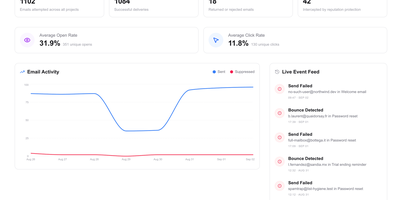
Product teams get a visual home for the transactional and lifecycle emails their application sends with Senlo, which sits on top of the delivery provider they already use instead of replacing it. A drag-and-drop editor builds responsive templates without hand-written HTML, exports to MJML or plain HTML when needed, and keeps templates versioned so edits can be reviewed and rolled back safely. Event-triggered automations turn product activity into onboarding sequences, trial reminders, and win-back flows: your app feeds contact events through the API, and Senlo decides which message goes out next. The transactional API sends a rendered template in one call, so receipts, password resets, and alerts stop living as scattered strings in your codebase. Delivery stops being a black box, with sends, deliveries, bounces, and engagement tracked per workspace, a live feed of failures, and suppressions that block bad addresses before they damage sender reputation. Because sending stays with Resend, Postmark, SES, Mailgun, or your own SMTP server, switching providers never means rebuilding a template. Running on a dedicated VPS on RepoCloud with guaranteed CPU, RAM, and SSD, full root SSH access, and a browser serial console. AGPL-3.0 licensed.
Notesd
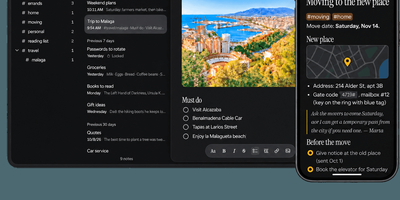
A notes app that is deliberately not a second brain: notesd keeps your grocery lists, journals, and work notes on a server you run, and syncs them to your phone for fully offline use. The web app and the native Android and iPhone apps each keep a complete local copy, so you can write on a subway and watch everything merge when a connection returns; conflicting edits are combined, or preserved as a linked conflicted copy instead of silently overwriting. Notes are stored as Markdown, so exporting your data or mirroring it to a folder of .md files is always one command away. Tags typed anywhere in a note, including nested ones like #home/garden, collect automatically in the sidebar, and Spaces keep work, personal, journal, and recipes in separate contexts. Full-text search runs across titles and bodies, indexed and ranked both on the server and on your phone. Individual notes can be locked with AES-256-GCM encryption performed on your device, unlocked by password, passkey, or biometrics, while the server only ever stores ciphertext. A few accounts per server, each with its own database, make it easy to host notes for family or friends. Running on a dedicated VPS on RepoCloud with guaranteed CPU, RAM, and SSD, full root SSH access, and a browser serial console. MIT licensed.
Depictio
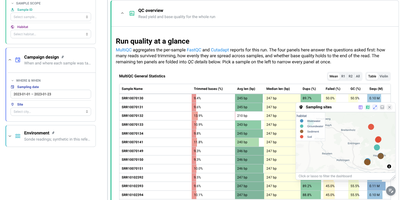
For teams drowning in pipeline output nobody reads, Depictio turns workflow results into dashboards you can hand to a collaborator. A MultiQC tab answers the first questions about a sequencing run: how many reads survived trimming, how evenly they spread across samples, and whether base quality holds to the end of the read, all in one glanceable table. Filter by sample, habitat, site, or sampling date on the left and every panel on the page follows, from community composition cards counting distinct taxa and phyla to differential abundance views that show what was tested, what survives correction, and how large the effects are. Alpha diversity tabs summarise richness and evenness per sample with rarefaction curves, and a sampling sites map lets you click or lasso points to filter the whole dashboard by geography. Forty two ready-made templates cover nf-core pipelines such as ampliseq, atacseq, and airrflow, while outputs from Nextflow, Snakemake, Galaxy, or plain shell scripts feed the same builder. Even a classic tabular dataset becomes an overview of distributions, box plots, and threshold counts, so the same tool serves a wet lab and a data science team. Running on a dedicated VPS on RepoCloud with guaranteed CPU, RAM, and SSD, full root SSH access, and a browser serial console. MIT licensed.
Cliparr
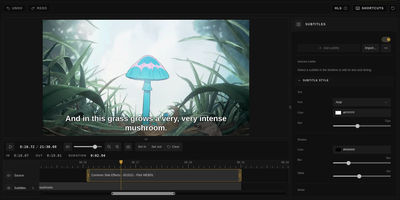
You are halfway through a film when a scene begs to be shared, and Cliparr is the self-hosted clip maker that turns moments from your Plex, Jellyfin, or local video library into shareable clips without opening a full video editor. Connect a media server and Cliparr follows live playback sessions automatically, so the scene you are watching is already loaded when you decide to keep it. Local video files open directly in the browser without being uploaded anywhere first. Mark the range, fine tune the start and end, then crop the frame freely or to a fixed aspect ratio with mouse or touch controls, which makes vertical clips for phones as easy as widescreen ones. Exports run entirely in your browser as video, audio only files, or GIFs, so the server never turns into a render box and the clip lands on the device you are using. Source details, artwork, and clip timing travel inside supported containers, keeping the exported file labelled with where it came from. Captions are a first class step: write your own subtitles, import an existing file, style the text, and burn it into the picture before export. Editor keyboard shortcuts, access control, and reverse proxy support round out a tool that fits into an existing media setup instead of replacing it. Running on a dedicated VPS on RepoCloud with guaranteed CPU, RAM, and SSD, full root SSH access, and a browser serial console. MIT licensed.
Homelab Atlas
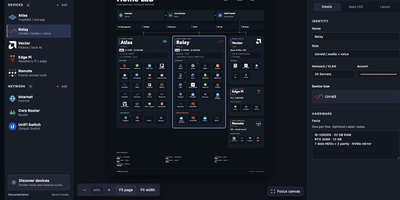
Every homelab eventually earns the question "so what is actually running on all those boxes," and Homelab Atlas turns the answer into a diagram worth posting. Add your servers, the services grouped on each one, and the network gear between them, and the canvas lays everything out automatically with real application logos instead of gray rectangles. Searchable logo pickers work offline, uploads accept your own PNG, JPG, WebP, or SVG marks, and Arrange mode lets you drag and resize cards when the automatic composition is not the story you want to tell. Discovery spares you the typing: point it at Docker or import a saved scan, then review every found device and app, all starting unchecked, before anything joins the diagram as one undoable change. Connections express logical relationships and VLANs, hardware details ride on each card, and your project autosaves in the browser with a downloadable JSON file as the durable copy. When it is time to share, export previews render PNG or SVG with addresses, URLs, and emails hidden by default, plus literal terms you name yourself. Running on a dedicated VPS on RepoCloud with guaranteed CPU, RAM, and SSD, full root SSH access, and a browser serial console. MIT licensed.
Imp
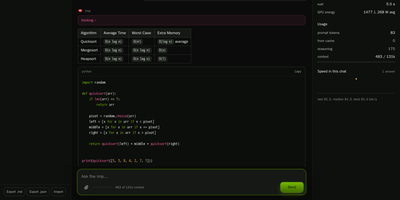
Imp runs large AI chat models privately on one NVIDIA RTX 50 or RTX PRO graphics card, exposing them through OpenAI and Anthropic compatible APIs plus a built-in browser chat. Start it with a single Docker command, point it at a model, and the chat opens in your browser with saved conversations and a live readout of generation speed. Coding agents such as Claude Code and Codex connect by changing one base URL, so your editor talks to the model on your own hardware instead of a rented cloud endpoint. Tool calls, structured JSON output, streaming responses, and reasoning models all work over the wire, and requests can be protected with an API key, per-IP rate limits, and concurrency caps. Load GGUF files you already have or NVFP4 and FP8 SafeTensors checkpoints straight from Hugging Face with no conversion step before the first answer. When a model is bigger than the card, mixture-of-experts weights stay in system RAM while the busiest experts are cached on the GPU, so a 123.6 GiB model still answers from a 32 GB card. Supported models can also read images alongside text, and tokenize, health, and model listing endpoints make the server easy to wire into scripts and monitors. Running on a dedicated VPS on RepoCloud with guaranteed CPU, RAM, and SSD, full root SSH access, and a browser serial console. MIT licensed.
Ties
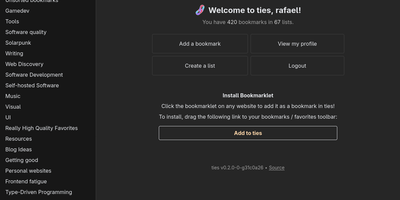
A federated bookmark manager written in Rust: Ties (formerly linkblocks) is your own small corner of the web for saving, organizing, and sharing good pages, connected to the fediverse over ActivityPub. Instead of rigid folders, bookmarks live in arbitrarily nested lists that link together into a knowledge graph. Saved pages are fetched, converted to a readable archived version, and stored in the database, so full-text search covers titles, URLs, and the actual page text - and the content survives if the original disappears. The federation model is deliberately anti-viral: there is no global timeline and no algorithmic feed. You publish public lists for anyone, follow users whose taste you trust, and mark trusted users whose bookmarks become part of your search range - extendable to trusted-users-of-trusted-users for a wider net. Public bookmarks post to Mastodon timelines, and WebFinger lookup makes your handle discoverable across fediverse platforms. Operationally it is about as light as web software gets: a single binary with all assets baked in, integrated TLS so it can run without a reverse proxy, PostgreSQL as the only dependency, OIDC single sign-on, and a bookmarklet for one-click saves. Note the project is alpha: single-user instances only, and all data should be considered public. AGPL-3.0 licensed, built with Rust and htmx.
SoftJL
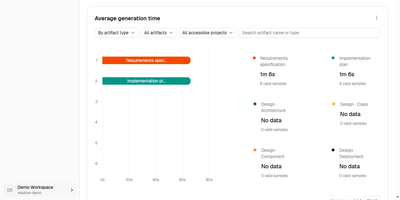
SoftJL turns a system description into the UML diagrams, test cases, and Word specifications a software project is supposed to produce, and keeps every artifact traceable back to the requirement it came from. Describe your system in chat and confirm the extracted requirement rules, then work through feasibility analysis with system context, business and system flows, and implementation options weighed by cost, benefit, and risk. From the confirmed rules it builds requirement and design models: functional structure, use cases, domain concepts, architecture, design classes, database and deployment diagrams, all editable as PlantUML with SVG export. Tests follow the same thread, with normal, exceptional, and boundary cases mapped to requirement rules in coverage and traceability matrices that show exactly which requirements lack design or test support before you submit. When a requirement changes, dependencies and update status point at the models, tests, and documents that need review, instead of leaving you to rediscover them by hand. Specifications generate from the saved models as versioned, editable DOCX files, a feasibility report, a requirements specification, and a design description, ready to compare against the diagrams and revise. An optional read-only MCP endpoint lets a coding agent read your designs and acceptance criteria, and the whole workspace runs on your own OpenAI-compatible model service. Running on a dedicated VPS on RepoCloud with guaranteed CPU, RAM, and SSD, full root SSH access, and a browser serial console. Apache-2.0 licensed.

PH Intercept
A blocklist working silently in the background is hard to appreciate, so PH Intercept turns your DNS traffic into a live arcade battle: every allowed query flies by as a friendly ship, and every blocked query spawns as an invader your interceptor shoots down. It streams query events live from the API of your existing Pi-hole v6, AdGuard Home, or Technitium server, so the battle on screen is your network's real traffic the moment it happens. Repeat domains level up on screen: friendly shuttles grow into heavy transports and gold capital ships, while blocked domains mutate from crab invaders into orange drones and purple bosses. The interceptor hunts by itself, launching a support drone at five on-screen threats and a second at ten, and it swaps among seven selectable ships, from the Falcon and the Enterprise to the Normandy. The bottom HUD doubles as a control panel: pause blocking for ten seconds, thirty seconds, or five minutes with a synced countdown, watch totals climb, and trigger a gravity list update in place. Client and domain labels can ride beneath each entity, noisy domains disappear through regex ignore patterns, a second DNS server can join in split-screen two-player mode, and viewer settings persist per browser. The backdrop ranges from a starfield plotted from about 12,200 real stars to nebula, synthwave, and custom image modes. Running on a dedicated VPS on RepoCloud with guaranteed CPU, RAM, and SSD, full root SSH access, and a browser serial console. MIT licensed.
Cited
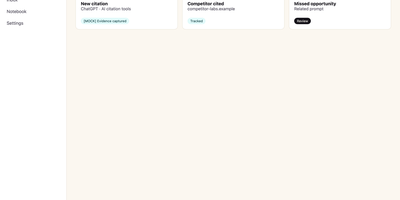
Buyers now ask an AI assistant before they ever visit your website, and Cited tells you whether your brand made it into the answer. Verify your domain with a DNS record, choose the buyer-like prompts worth watching, and Cited checks them on schedule across ChatGPT, Claude, Gemini, Perplexity, Google AI Mode, and Google AI Overviews. Every meaningful appearance becomes a durable evidence note in your citation inbox: open one to see the exact prompt, the response snapshot, where your domain appeared, and the first-seen history. It distinguishes a true source citation from a brand mention without a link, an explicit recommendation, and the uncomfortable one, a missed opportunity where a competitor got cited and you did not. Competitor tracking runs continuously, so you see rivals earning answers in your category while there is still time to respond. Notes can be annotated, organized through new, seen, saved, and resolved states, and exported for reporting. Email alerts flag meaningful new events and a weekly digest summarizes what changed, so checking becomes a habit instead of another dashboard to babysit. Workspace roles and local credentials keep a small marketing team organized on your own PostgreSQL database. Running on a dedicated VPS on RepoCloud with guaranteed CPU, RAM, and SSD, full root SSH access, and a browser serial console. AGPL-3.0 licensed.
DocsMint
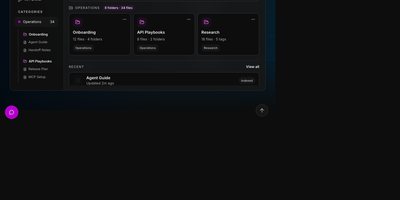
DocsMint is a self-hosted knowledge workspace where your team writes documentation once and both people and AI agents retrieve it through hybrid search and a built-in MCP server. Documents live in a rich visual editor with Markdown import and export, organized by folders, categories, and tags, with sharing and version history. Search blends exact title matches, multilingual keyword search, typo-tolerant fuzzy matching, and semantic vectors, then widens results through graph relationships between documents, so a query in one language or phrasing still finds the right page. Every edit quietly refreshes the index in the background; nothing needs manual re-embedding. Agents connect through 22 MCP tools covering search, reading, creation, updates, folders, snapshots, and export, over a local stdio bridge or the HTTP endpoint on your own installation. Category-scoped API keys hand each integration only the slice of the library it may read, edit, or write, while a global key serves trusted automation. The same operations are available through the REST API, a typed TypeScript SDK, and a terminal CLI for scripts. The web application installs as a PWA with offline reading, and AI features run on your choice of an OpenRouter key or a fully local Ollama setup. Running on a dedicated VPS on RepoCloud with guaranteed CPU, RAM, and SSD, full root SSH access, and a browser serial console. Apache-2.0 licensed.
Jellydash
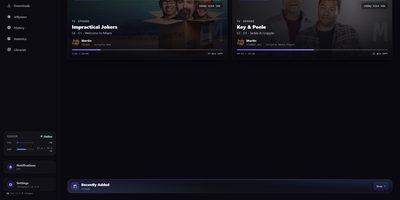
Jellydash answers the questions every Jellyfin admin asks, starting with who is watching right now and whether that stream is transcoding. Live cards show each session's artwork, user, quality, progress, and playback method, including the reason a transcode was needed, and live TV channels appear with real program progress. Behind the scenes, a background poller records every play even when nobody has the dashboard open, building a history you can search, filter by user or library, and export to CSV with poster art intact. Older Jellyfin or Emby Playback Reporting backups import in seconds, so years of viewing are not lost when you switch. Statistics turn that history into watch-time trends, top users, device and client activity, codec breakdowns, and transcode reasons, and clicking a chart opens the exact plays behind it. A monthly recap looks back at a finished month with rankings and daily activity, while trending and all-time most-watched strips show what your household actually loves. Optional pages follow Jellyseerr requests as they arrive and read the status of SABnzbd, qBittorrent, Transmission, Deluge, and NZBGet clients without ever touching their queues. Server activity, maintenance tasks, and system status stay one click away, and selected users can be excluded from monitoring entirely. When someone presses play, a notification can reach your phone through Telegram, Pushover, Discord, ntfy, Gotify, or Web Push. Running on a dedicated VPS on RepoCloud with guaranteed CPU, RAM, and SSD, full root SSH access, and a browser serial console. MIT licensed.
Umpteenth
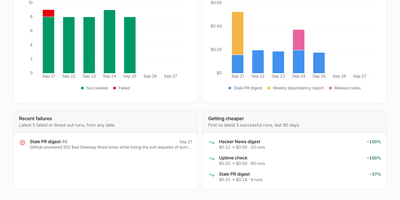
Recurring chores should get cheaper every time you run them, and Umpteenth is a self-hosted agent service built on that idea: describe a job once in plain language, and each run teaches it to need less help. A job starts on a schedule, a webhook call, the API, or the Run now button, and each run gets a fresh disposable container destroyed afterwards. The first run is an Explore run where the agent works out the steps; afterwards a reflection step reads the transcript and writes short learnings plus reusable toolkit scripts into a numbered playbook version. Later runs are Assisted, starting from those learnings, and after three successful assisted runs that take the same steps, the job graduates: reflection writes a main script, and scripted runs execute it alone, spending no model tokens unless a check asks for a judgment call. If a scripted check fails, the agent takes over in the same sandbox, finishes the job, and repairs the script. The job page charts cost per run dropping toward zero. Connect HTTP MCP servers such as GitHub or Slack; model keys and MCP credentials stay on the host and never enter the sandbox. Each job sets its own schedule, model, reach, and per run spending limit. Deploy with Docker Compose, or on Kubernetes with the Helm chart, where every sandbox is a pod. Running on a dedicated VPS on RepoCloud with guaranteed CPU, RAM, and SSD, full root SSH access, and a browser serial console. AGPL-3.0 licensed.
Flopwire
Flopwire lets your AI coding agents message each other and search each other's history, so a Claude Code session on your laptop can ask the Codex session on your server what it already tried before duplicating the work. Agents see who is online and what they started on with peers, then reach each other mid-turn with send; a message arrives inside the recipient's running turn, or with its human's next prompt, and only your own live session can be woken deliberately. A device agent indexes transcripts from Claude Code, Codex, Devin CLI, and opencode within about a second; grep runs regex over every session, and search returns ranked matches naming the user, device, harness, session, and byte range each hit came from. From any full commit ID, trace finds the session that produced it and lets an agent read the conversation behind the change. The same capabilities ship as MCP tools and a messaging skill, so agents recover earlier decisions without you relaying context by hand. Secrets are redacted on the device before upload and again on the server, and path rules keep chosen repositories out of the index. One machine needs no server at all; add the team server with Docker Compose, Postgres, and any S3 compatible object store when a whole team's devices should share one searchable archive over TLS. Running on a dedicated VPS on RepoCloud with guaranteed CPU, RAM, and SSD, full root SSH access, and a browser serial console. Apache-2.0 licensed.
LMRing
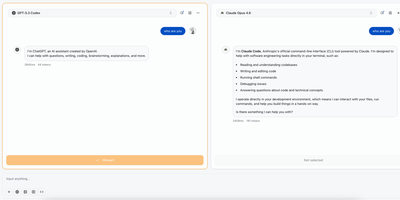
Stop guessing which model writes better and watch them compete on your own prompts: LMRing runs two to five language models side by side on the same input, streams every answer in real time, and lets you vote for the winner. Each comparison feeds a leaderboard you can read as a ranked table, a bar chart, or a scatter plot, so patterns in cost, speed, and quality stop hiding inside individual chats. The arena goes beyond text, with dedicated modes for comparing generated images, generated video across providers such as Sora and Veo, and live-rendered web development output where model code runs in front of you. More than fifty providers connect through their APIs, including OpenAI, Anthropic, Google, DeepSeek, Mistral, Groq, OpenRouter, and any OpenAI-compatible endpoint you point it at. Your comparison history is saved, shareable, and revisitable, which turns one-off impressions into an evaluation record your team can argue from. Sign-in flexes to your setup with GitHub, Google, or Linux.do OAuth, or email one-time codes, and the interface speaks English, French, and Chinese. Because the arena is yours, the prompts, votes, and provider keys stay on infrastructure you control instead of feeding someone else's public ranking. Running on a dedicated VPS on RepoCloud with guaranteed CPU, RAM, and SSD, full root SSH access, and a browser serial console. Apache-2.0 licensed.
Vedetta
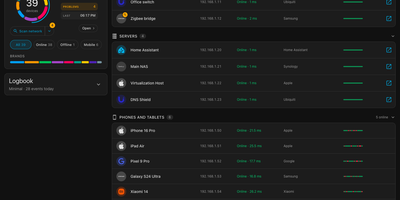
Your router calls it "Unknown device" at 192.168.1.23; Vedetta calls it the kitchen light and shows its work. Vedetta is a Home Assistant app that scans your local network, identifies what each device actually is, and explains every identification. One scan lists every device it can find with presence and latency history, in tile or list view, light or dark, on a computer or a phone. Behind each name sits the recognition engine: it weighs many weak clues together, counts a repeated fact once, groups devices by family, and shows certainty honestly, keeping anything doubtful in Other rather than inventing a label. Tap the info marker beside a name, brand, or type and a pop-up lists every clue, its weight, and the hypotheses that were rejected. Names or rooms you set by hand are never overwritten by later scans, and sleeping phones are remembered instead of flickering in and out. Choose from three search levels depending on how hard you want it to probe, let the nightly deep search refresh the picture, and use the network doctor to spot duplicate addresses, repeated restarts, devices that drop together, or a slowing gateway. It can also publish what you choose to Home Assistant and MQTT, display devices from other networks your Home Assistant already sees, and mask exports before they leave the machine. Running on a dedicated VPS on RepoCloud with guaranteed CPU, RAM, and SSD, full root SSH access, and a browser serial console. MIT licensed.
Marfa
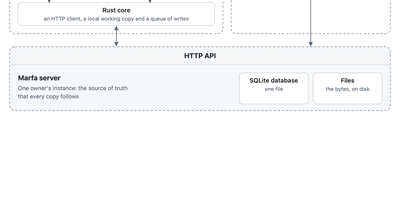
Marfa is a data layer you run yourself, where your notes, tasks, reading, and records live in one typed store that any app, script, or AI agent you allow can read and write. You decide what kinds of things you keep and how they connect, and the server checks every write against that structure, so a task, a book, and a person stay linked instead of scattered across five apps. Connectors pull in what already lives elsewhere, from GitHub repositories and issues, Todoist tasks, Readwise highlights, and RSS feeds, each writing under its own type with its own key. Keys are scoped, so the script that imports your reading list can never touch your tasks, and every change flows back out through a live event stream and full-text search. The marfa command line writes and reads from scripts and agents, the TypeScript SDK builds web apps on the same API, and the Swift SDK keeps an offline working copy on your devices that syncs its writes when your instance is reachable again. A folders command mirrors your notes as plain Markdown files on disk. Everything sits in one SQLite database and a folder of files on your server, with container deployment that streams backups to your own bucket. Running on a dedicated VPS on RepoCloud with guaranteed CPU, RAM, and SSD, full root SSH access, and a browser serial console. Apache-2.0 licensed.
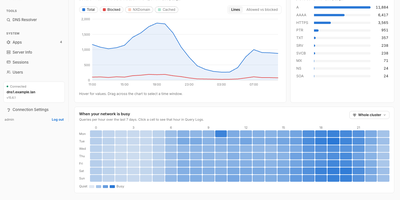
Resolvr DNS Dashboard
Resolvr gives your Technitium DNS server the clean, readable dashboard it deserves, turning raw query traffic into an overview you can understand at a glance. Four tabs divide the picture: Traffic charts queries over time with allowed and blocked stacked together and a seven-day heatmap of when your network is busy; Resolution shows where answers come from, cache, upstream, blocked, or authoritative, with response times and a flow diagram of each lookup; Top lists rank your chattiest clients and most-requested domains; and Infrastructure tracks DHCP scope usage, zones, and cache growth. Every chart is a doorway: click one and you land in Query Logs already filtered to what you clicked. Pick any device on the Clients page to see its queries, block rate, DHCP lease, and favourite domains. Query Logs themselves filter by client, name, protocol, response code, and time window, export to CSV, and can live-tail as new lookups arrive. Blocked Zones manages your feeds, your own blocked domains, and a checker that tells you whether a name is blocked and which feed caught it. Run a Technitium cluster and each panel gains a scope chip, comparing nodes side by side or merging their logs into one timeline. Running on a dedicated VPS on RepoCloud with guaranteed CPU, RAM, and SSD, full root SSH access, and a browser serial console. MIT licensed.