Stars
Forks
Watchers
Developer links
Resolvr DNS Dashboard
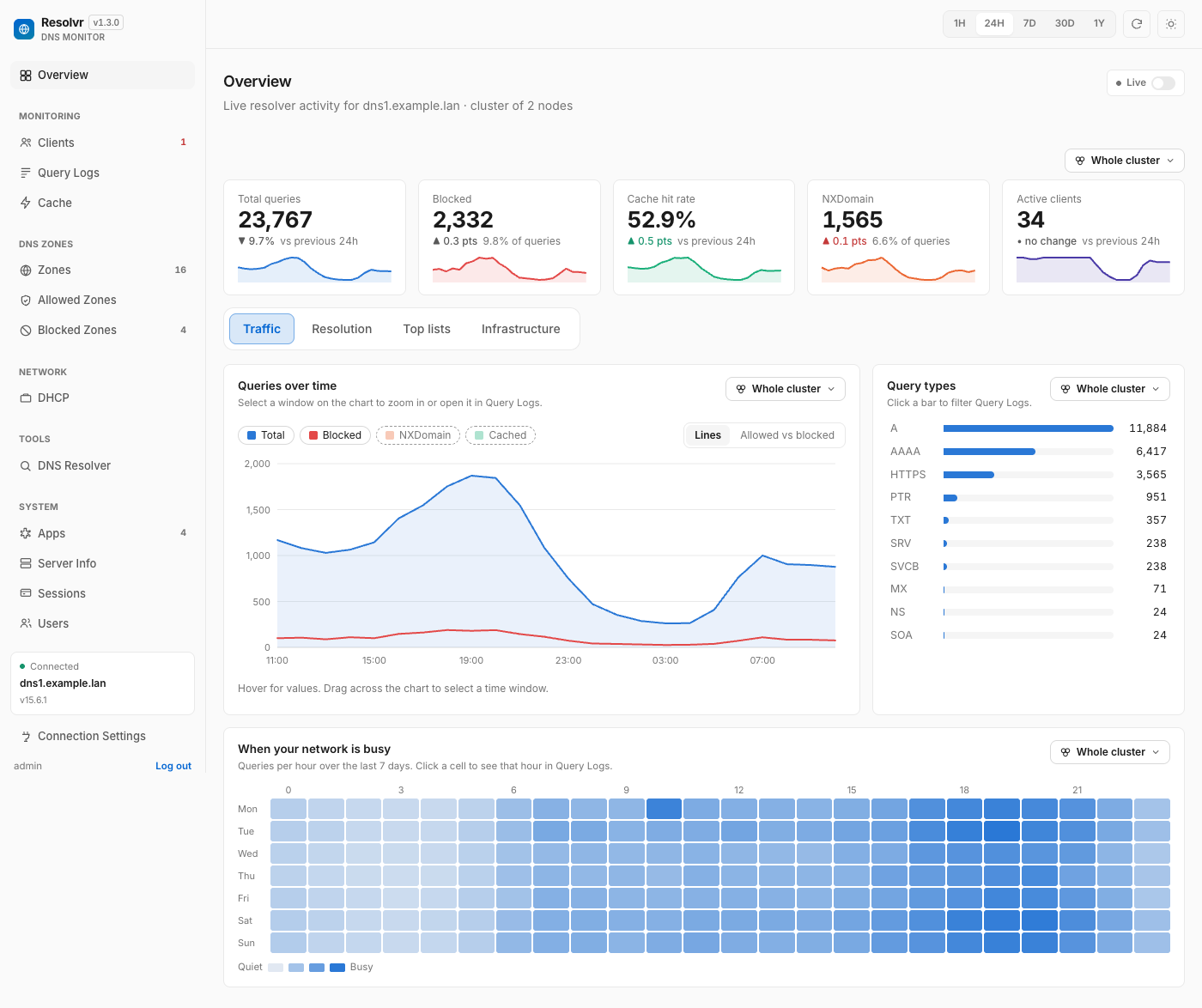
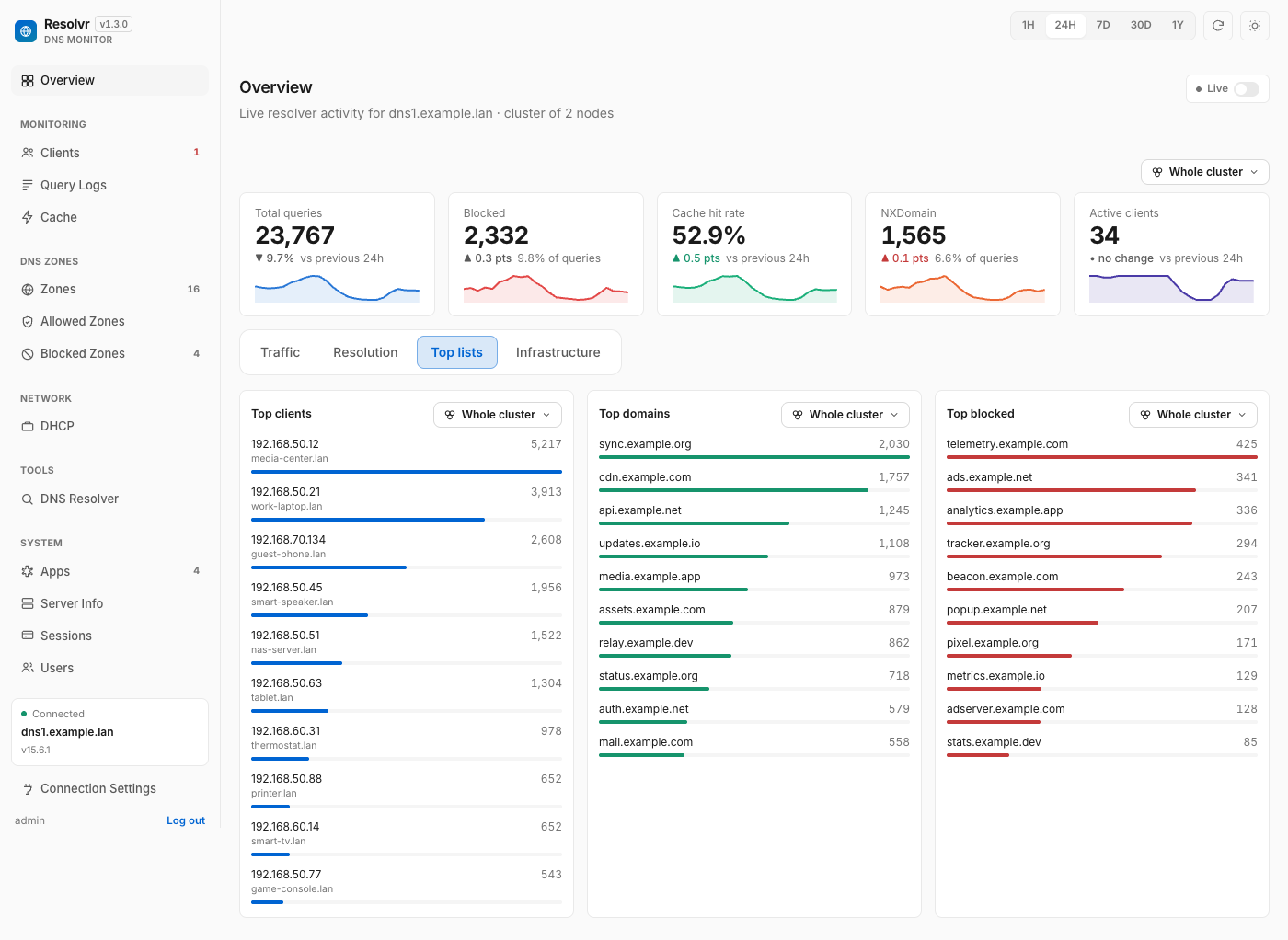
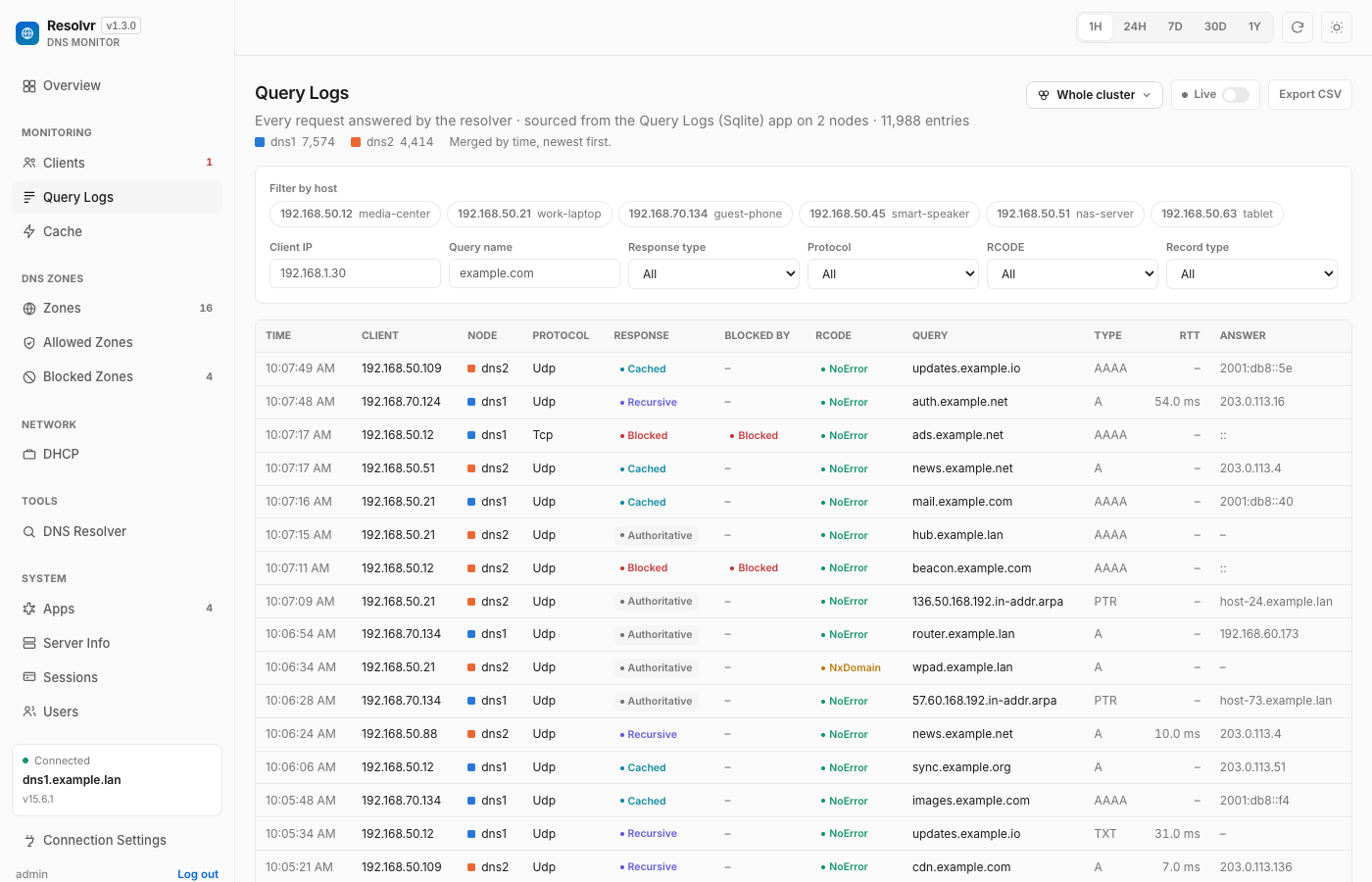
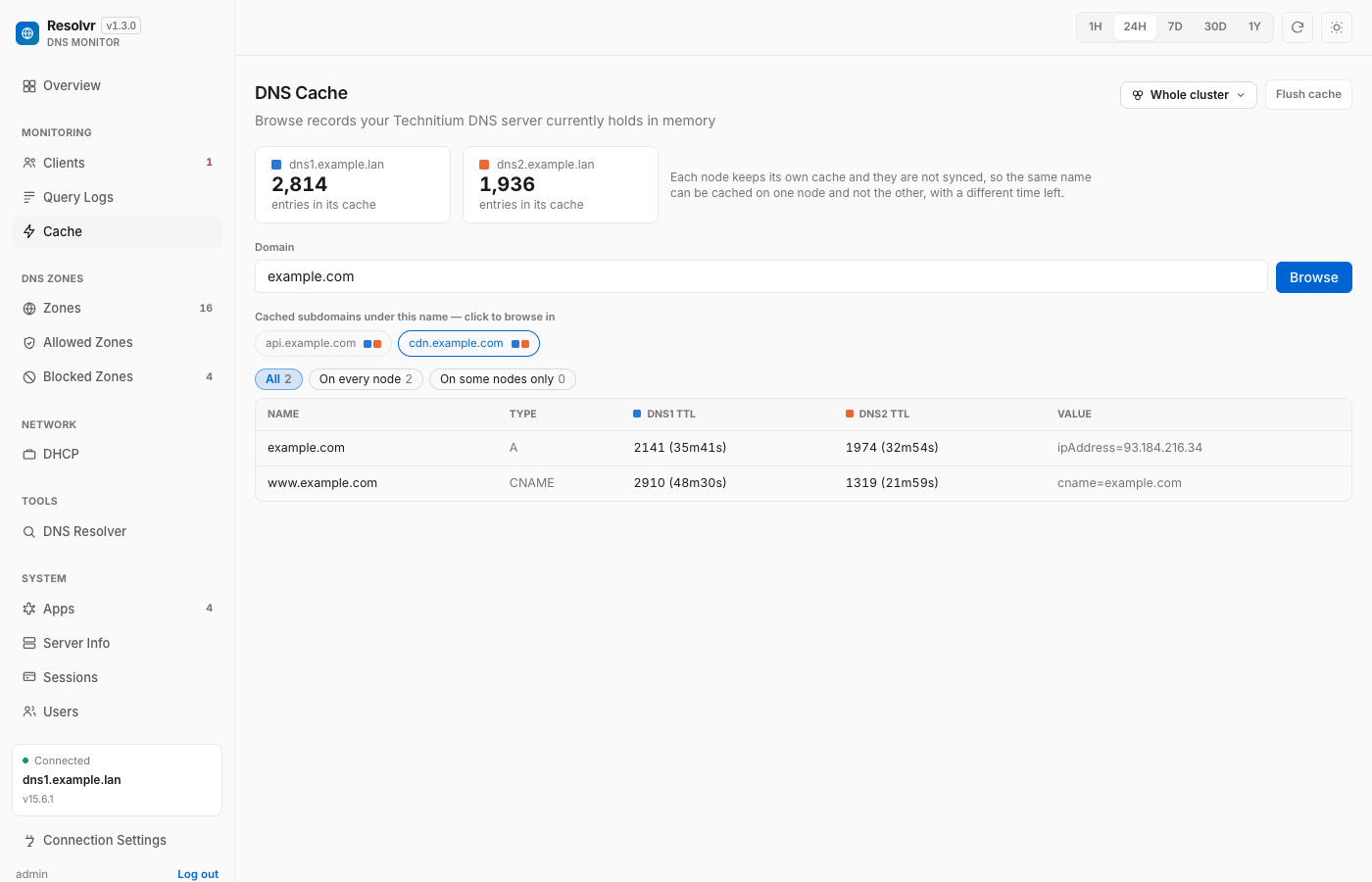
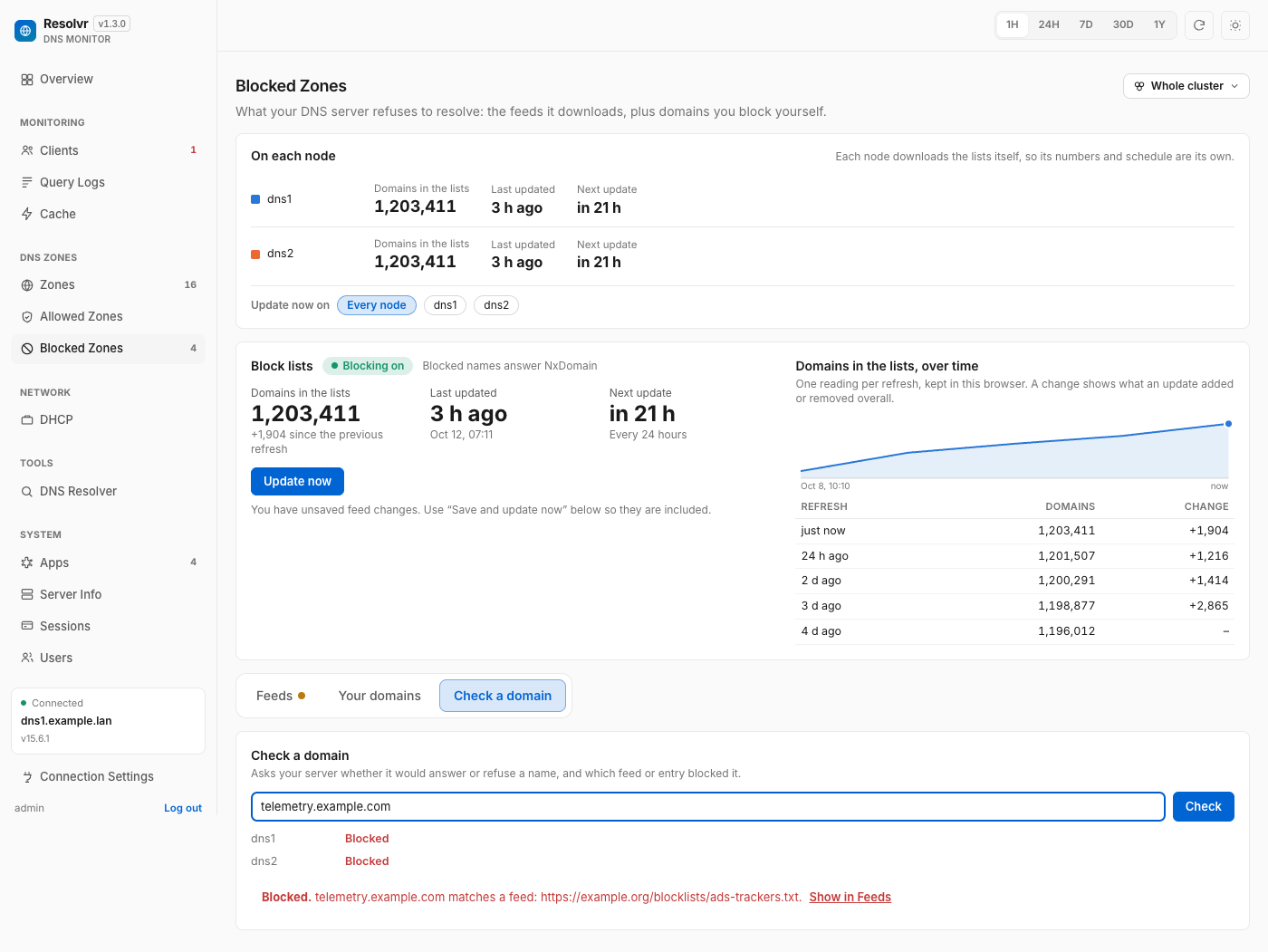
Resolvr gives your Technitium DNS server the clean, readable dashboard it deserves, turning raw query traffic into an overview you can understand at a glance. Four tabs divide the picture: Traffic charts queries over time with allowed and blocked stacked together and a seven-day heatmap of when your network is busy; Resolution shows where answers come from, cache, upstream, blocked, or authoritative, with response times and a flow diagram of each lookup; Top lists rank your chattiest clients and most-requested domains; and Infrastructure tracks DHCP scope usage, zones, and cache growth. Every chart is a doorway: click one and you land in Query Logs already filtered to what you clicked. Pick any device on the Clients page to see its queries, block rate, DHCP lease, and favourite domains. Query Logs themselves filter by client, name, protocol, response code, and time window, export to CSV, and can live-tail as new lookups arrive. Blocked Zones manages your feeds, your own blocked domains, and a checker that tells you whether a name is blocked and which feed caught it. Run a Technitium cluster and each panel gains a scope chip, comparing nodes side by side or merging their logs into one timeline. Running on a dedicated VPS on RepoCloud with guaranteed CPU, RAM, and SSD, full root SSH access, and a browser serial console. MIT licensed.
Benefits
- Your DNS, Finally Legible
- Traffic, Resolution, Top lists, and Infrastructure tabs turn Technitium statistics into charts with change-versus-previous-period tiles, replacing admin console spelunking with a glanceable overview.
- Click Through To Evidence
- Every chart jumps straight into Query Logs filtered to the bar, client, or domain you clicked, so a suspicious spike becomes the exact underlying queries immediately.
- Cluster Aware Throughout
- Technitium clusters get per-panel scope chips, merged multi-node query logs, side-by-side caches and zones, and node comparisons, all from one connection to any node.
- Read-Only By Design
- Viewer accounts read every monitoring page and nothing more, while a short, explicit list of confirmed admin actions is the only way Resolvr ever changes your server.
Features
- Live Query Log Tail
- Filterable query logs with client, name, protocol, RCODE, and time-window filters, a per-host allowed versus blocked breakdown, CSV export, and an optional live tail.
- Per-Client Deep Dives
- Each device page shows queries, block rate, DHCP lease, activity grid, top and blocked domains, and latest queries, searchable and sortable across the whole network.
- Blocked Zone Management
- Track feed update schedules and history, reorder and group blocklist feeds, paste your own blocked domains with undo, and check any domain against your server.
- Roles And Own Accounts
- Resolvr keeps its own users and sessions: Admins manage accounts, connections, and the narrow admin actions, while Viewers receive full read access only.
- DHCP And Zone Views
- Scope usage, leases, zone types, and cache size over time are charted per node, with warnings when cluster nodes disagree or hold conflicting scope ranges.