SiYuan
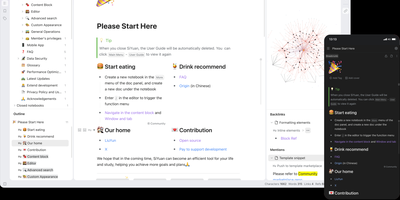
Backed by over 45,000 GitHub stars and described as the tool that replaces Notion, Evernote, and Anki in a single Docker container, SiYuan is the privacy-first knowledge management system where every paragraph, heading, and list item is a uniquely addressable content block. The block-level architecture enables bidirectional links, transclusion embeds, and SQL query blocks that dynamically aggregate content across your entire workspace, while the knowledge graph visualization maps relationship networks between documents and blocks. Built-in databases support table views with relation and rollup columns, filter composition, sorting, and template-based calculations for structured data management alongside freeform notes. The FSRS spaced repetition engine turns any content block into a flashcard with scientifically calibrated review scheduling, eliminating the need for separate memorization tools. AI integration connects to OpenAI-compatible APIs for writing assistance, translation, summarization, and Q&A chat, with semantic search using embeddings and reranking for intelligent content retrieval. The Bazaar community marketplace delivers plugins, themes, templates, and widgets through a managed extension system with TypeScript plugin APIs. End-to-end encrypted synchronization works across S3-compatible storage, WebDAV servers, or SiYuan's own cloud service, while Tesseract OCR extracts searchable text from images and the web clipper captures pages from Chrome, Edge, and Firefox. Export targets include Markdown with assets, PDF, Word, and HTML. Running on a dedicated VPS on RepoCloud with guaranteed CPU, RAM, and SSD, full root SSH access, and a browser serial console. AGPL-3.0 licensed.
NoteDiscovery
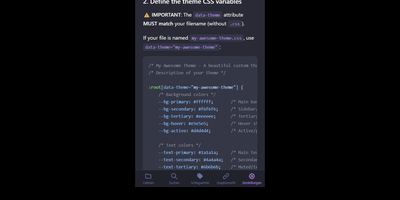
Transforming fragmented research notes, daily technical logs, and project documentation into an interconnected knowledge base is what NoteDiscovery delivers for privacy-conscious teams and researchers. Writers compose rich documents using a dual-pane editor that renders MathJax equations, interactive task lists, and dynamic Mermaid sequence diagrams side by side with raw text. The interactive knowledge graph maps semantic relationships across notebooks, allowing researchers to explore backlinks, uncover hidden topical connections, and navigate complex idea webs visually. Team members sketch architecture diagrams and wireframes directly inside note canvases using the integrated drawing tool, saving revisions as embedded image layers without external editors. The platform organizes thoughts through flexible tag hierarchies, nested folder trees, and reusable document templates equipped with automatic date and variable substitutions. Autonomous coding assistants and language models query documentation, create structured meeting summaries, and update project indexes directly through the native Model Context Protocol server. Built-in export tools convert notebook collections into standalone HTML packages, printable documents, or portable Markdown archives for offline archiving. Running on a dedicated VPS on RepoCloud with guaranteed CPU, RAM, and SSD, full root SSH access, and a browser serial console. MIT licensed.
DeepWiki
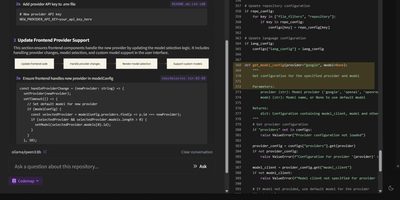
Transform complex code repositories into searchable, interactive wikis with DeepWiki, an automated documentation platform that maps architectural relationships and provides instant answers to technical questions about any codebase. Software engineers can submit public or private repositories from GitHub, GitLab, or Bitbucket to generate comprehensive project overviews, component breakdowns, and interactive Mermaid diagrams illustrating data pipelines and class hierarchies. The built-in Ask interface allows developers to query system logic using retrieval-augmented answers grounded directly in repository source files. Teams can trigger iterative deep research sessions that perform multi-step codebase investigations to explain intricate execution paths, uncover hidden dependencies, and summarize complex algorithms across hundreds of files. Interactive Codemap tours provide guided walkthroughs of critical entry points, letting reviewers inspect synchronized code viewer panels with exact line references while onboarding to unfamiliar services. Developers can export complete wiki structures for offline sharing, customize documentation depth from high-level summaries to granular module analyses, and connect local or cloud model endpoints to process sensitive internal code securely. Running on a dedicated VPS on RepoCloud with guaranteed CPU, RAM, and SSD, full root SSH access, and a browser serial console. MIT licensed.
Alexandrie
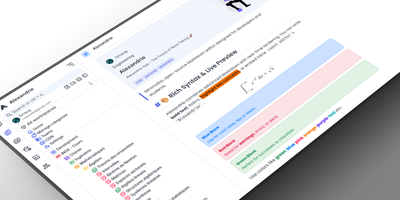
Alexandrie provides a structured knowledge base with an extended Markdown editor, granular per-document permissions, and offline editing through its progressive web app. The CodeMirror 6 editor goes well beyond standard Markdown with colored containers, academic callout blocks, KaTeX math expressions, syntax-highlighted code blocks, footnotes, interactive checkboxes, cards, panels, and a custom snippet system with import and export. Full-text search via the Ctrl+K command center returns instant results with content snippets and relevance ranking across all workspaces. Five permission levels covering None, Read, Write, Admin, and Owner apply per document and per user, while OIDC single sign-on integrates with Google, GitHub, Microsoft, Discord, and any OpenID Connect provider. Documents organize into a hierarchical tree of workspaces, categories, and nested entries with tags, bookmarks, pinned notes, and custom icons. Integrated Kanban boards handle task management within each workspace without switching applications. The PWA installs on any device for full offline editing with seamless sync when connectivity returns. Voice-to-text dictation captures notes hands-free, and one-click ZIP backup exports all documents, files, and settings as a portable archive. Over 2,000 GitHub stars and 41 releases back the project. The Docker Compose stack orchestrates the Nuxt 4 frontend, Go Gin backend, MySQL 8 database, and S3-compatible RustFS object storage. Running on a VPS on RepoCloud with guaranteed CPU, RAM, and SSD, full root SSH access, and a browser serial console. MIT licensed.
Suite Docs
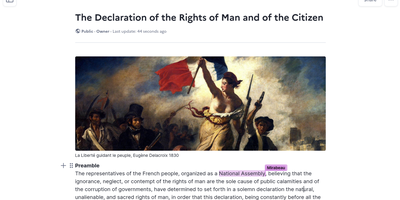
An open-source alternative to Notion and Google Docs developed jointly by France's DINUM and Germany's ZenDiS that prioritizes data sovereignty, real-time collaboration, and structured knowledge management. The Yjs-powered CRDT engine provides live cursors, presence indicators, and inline comments enabling teams to edit simultaneously without conflicts, while BlockNote.js renders a clean block-based editing experience with rich text formatting, Markdown shortcuts, and drag-and-drop content organization. Hierarchical sub-documents create wiki-style knowledge bases where documentation nests naturally into navigable structures, and a dedicated slide mode transforms any document into a presentation without separate tooling. The document API separates content from metadata with distinct endpoints for formatted content, raw content streams, and document properties. Optional AI integration connects to configurable language models for writing assistance, summarization, and content generation directly within the editor. Access control supports granular permissions per document with team sharing, public links, and invitation flows. DOCX import brings existing documents into the platform while maintaining formatting fidelity. The Django backend serves a REST API with PostgreSQL storage, Redis caching, and S3-compatible media handling. Deploy via Docker Compose, Kubernetes with the official Helm chart, Nix, or YunoHost on your own infrastructure. Running on a dedicated VPS on RepoCloud with guaranteed CPU, RAM, and SSD, full root SSH access, and a browser serial console. MIT licensed.
LLM Wiki v2
Instead of burying your documents in a vector index you cannot inspect, LLM Wiki v2 files them into a Markdown wiki you can read, browse, and question. Drop text, Markdown, or PDF files anywhere on the page and each one is catalogued automatically, filed into a folder that says what it holds, and linked to the notes it relates to. Ask a question and the answer cites the exact notes it used, with clickable sources you can open, verify, and correct. New documents update the note on their subject instead of piling up as disconnected chunks, so what you teach it stays taught. A small classifier routes filing and questions through the folder tree, keeping the wiki quick and cheap as it grows, and you can browse the tree, follow see-also links, move or delete notes, and watch the tokens spent by both the model and the classifier. Connect OpenRouter, OpenAI, Gemini, a local Ollama, or any compatible endpoint, and expose the same wiki to Claude Code or Codex as long-term memory they can recall from and write to. Because every note is plain Markdown in a folder you own, the whole knowledge base can live in git beside your other files. Running on a dedicated VPS on RepoCloud with guaranteed CPU, RAM, and SSD, full root SSH access, and a browser serial console. AGPL-3.0 licensed.
Bookstack
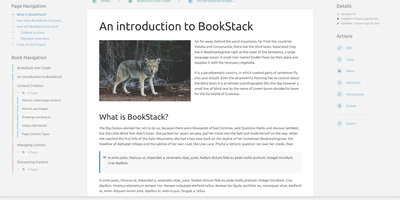
Most wikis die of flat page-and-tag sprawl; BookStack's defining decision is enforced structure - an MIT-licensed PHP/Laravel platform (over MySQL) where content lives in a hierarchy of shelves, books, chapters, and pages, the way a physical library works. A shelf maps to a department, a book to "Engineering Runbooks," a chapter to "Database Procedures," a page to the actual document. That opinionation removes the "where does this go?" friction and keeps knowledge bases tidy as they grow. Editing works both ways: a clean WYSIWYG editor for most users, a Markdown editor with live preview for those who prefer it - switchable per page. Full-text search spans all books or scopes to one, with direct links to individual paragraphs, and include tags let you embed one page's content inside another so shared blocks update everywhere at once. Every edit creates a diffable, revertible revision. Page templates standardize recurring formats, tags add cross-cutting categorization, and built-in diagrams.net integration draws architecture diagrams in place. Authentication covers email/password plus OIDC, SAML2, LDAP, and social login; a full role and permission system locks content down per shelf, book, or page. Pages and books export to PDF, HTML, plain text, and Markdown, a REST API automates content, and the whole thing runs happily on the cheapest VPS you can find.
PandaWiki
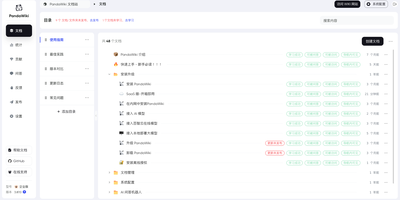
In seven wizard steps, PandaWiki sets up a product docs, manual, FAQ, or blog site whose built-in AI answers visitors using only your own content. Those visitors can chat with an assistant that cites its sources and accepts image questions, or switch to a docs-only search that lists ranked pages with summaries. Publishing stays under control: each document has three switches, visible in navigation, reachable by URL, and answerable by AI, and nothing appears or gets learned until it is published. Authors write in a Markdown and HTML editor, or import from URLs, RSS and Atom feeds, sitemaps, offline .txt, .md, .xlsx, .docx, and .pdf files, Notion, Yuque, SiYuan, Wiki.js, Feishu, Confluence, and DingTalk. Pages export to Word, PDF, or Markdown. The wizard covers models, domain, HTTP or HTTPS ports, import, publishing, answer testing, and page decoration. One knowledge base can also feed a web widget and DingTalk, Feishu, WeCom, and Discord bots. Administrators get a dashboard of visits, questions, visitor regions, hot documents, and referring domains. Chat models come from Baizhi Cloud, DeepSeek, OpenAI, or Ollama, while vector and reranking models are built in. The open-source edition covers one wiki site, 300 documents, and one admin, and its console and documentation are in Chinese. Running on a dedicated VPS on RepoCloud with guaranteed CPU, RAM, and SSD, full root SSH access, and a browser serial console. AGPL-3.0 licensed.
Arkon
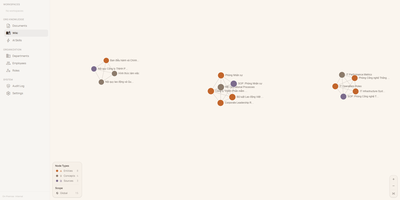
With 1,200+ GitHub stars since its April 2026 launch, Arkon provides an enterprise-grade knowledge management layer that turns scattered organizational documentation into AI-accessible structured context. The platform runs as a centralized MCP server, compiling your SOPs, policies, technical docs, and institutional knowledge into a versioned wiki with draft-approval workflows, then serving that wiki to Claude Desktop, Claude.ai, Cursor, and any MCP-compatible client through a single permission-scoped endpoint. OAuth 2.1 with PKCE authentication eliminates manual token management — employees authenticate through a browser login while the system discovers endpoints automatically via RFC 8414. The RBAC v2 system supports custom roles with granular permissions, department-scoped AI Skills, workspace isolation, and comprehensive audit logging so every query and access event is traceable. RAG retrieval powered by pgvector embeddings enables AI clients to search across all organizational documents with source attribution, while the AI Skills system lets teams define reusable instruction sets scoped to specific departments or roles. The architecture runs seven Docker containers coordinated by Compose: PostgreSQL with pgvector for embeddings and metadata, Redis for caching, MinIO for document storage, a FastAPI backend, two ARQ async workers for embedding generation and document processing, and a Next.js frontend portal accessible on port 3119. API keys are encrypted at rest with Fernet, and no telemetry leaves the deployment. Running on a dedicated VPS on RepoCloud with guaranteed CPU, RAM, and SSD, full root SSH access, and a browser serial console. PolyForm Internal Use licensed.
Tela
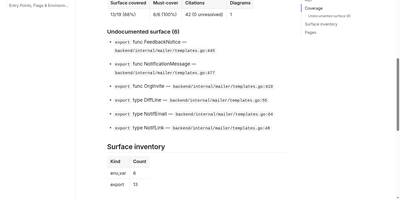
Tela keeps a team's documentation as canonical markdown in a self-hosted wiki that AI agents read, search, and write alongside humans through a built-in MCP server. People edit together with live multi-cursor collaboration, threaded comments, backlinks, and full revision history, so every page shows who changed what and why. PostgreSQL full-text search works immediately, and adding an embedder unlocks semantic retrieval and grounded ask-your-docs answers that cite their sources. Connect Claude, Cursor, or another MCP client with a personal access token and the agent can search the wiki, draft and patch pages, answer comment threads, build spreadsheets with real formulas, and assemble presentation decks exportable to PDF and PPTX. Atlas, the built-in documentation engine, points at a git repository or Jira project and drafts cited wiki pages, then keeps them fresh as the sources change. Teams organize work into spaces, invite members by email, and flip any space public to publish a login-free blog with per-author home pages. Content syncs over WebDAV and exports to zip or PDF, and optional AI features run against your own endpoint or a bundled local Ollama profile, so nothing leaves your server unless you wire it up. Running on a dedicated VPS on RepoCloud with guaranteed CPU, RAM, and SSD, full root SSH access, and a browser serial console. AGPL-3.0 licensed.
XWiki
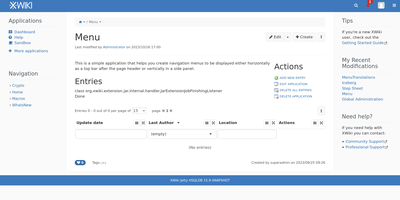
With over 140,000 code commits, 1,200+ GitHub stars, and continuous development since 2004 spanning more than two decades of active maintenance through version 18.6.0 released in July 2026, XWiki operates as a second-generation wiki platform that goes beyond static pages by enabling teams to build custom collaborative applications directly inside wiki pages using structured data forms and in-page scripting. The Java backend runs on Apache Tomcat with PostgreSQL, MySQL, or Oracle database storage, serving a responsive web interface with a WYSIWYG editor featuring real-time collaborative editing, link and macro editors, user mentions, inline comments, annotations, and complete version history with diff comparison. The App Within Minutes extension lets non-developers create custom data-driven applications using drag-and-drop form builders that generate filterable live tables for structured data browsing without writing code. Over 900 extensions from the built-in Extension Manager add functionality including blogs, task trackers, forums, diagram editors, and Confluence migration tools. Enterprise integration features include LDAP and Active Directory authentication, SAML and OIDC single sign-on, fine-grained per-page and per-space permissions with nested page hierarchies, and multi-wiki support for hosting multiple independent wikis from a single installation. The RESTful API provides programmatic access to pages, spaces, objects, attachments, and properties with XML and JSON representations. Office document import converts Word and Excel files directly into wiki pages while PDF export generates formatted documents from wiki content. Running on a dedicated VPS on RepoCloud with guaranteed CPU, RAM, and SSD, full root SSH access, and a browser serial console. LGPL-2.1 licensed.
Sage Wiki
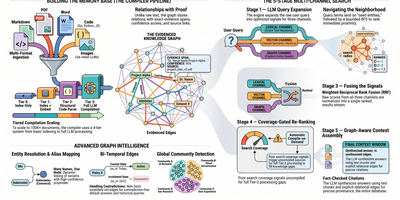
Sage Wiki turns a pile of unstructured documents into a fully interlinked, searchable wiki by running them through a five-pass LLM compiler pipeline. Inspired by Andrej Karpathy's vision of LLM-compiled knowledge bases, the pipeline processes source files through diff detection, summarization, concept extraction, image captioning, and cross-reference discovery, with parallel LLM calls and checkpoint/resume for vaults scaling to 100,000+ documents. The typed ontology graph stores entities and relations with BFS traversal, configurable relation types, multilingual synonyms, and a promotion/demotion lifecycle backed by grounding verification and consensus scoring. Multi-format ingestion handles Markdown, PDF, Word, Excel, PowerPoint, EPUB, email, CSV, images, and code files without manual tagging. LLM provider support spans Anthropic, OpenAI, Gemini, Ollama, and any OpenAI-compatible API, with per-pass model routing enabling cost optimization by assigning cheaper models to simpler tasks. The built-in MCP server exposes 17 tools over SSE transport for integration with Claude, Cursor, and any MCP-compatible agent, while native Obsidian vault overlay ensures existing note workflows remain undisrupted. Team deployment supports Git-synced shared wikis, centralized server access, and hub federation across multiple projects. Ships as a single Go binary with Docker Compose multi-arch images serving the web UI on port 3333. Running on a dedicated VPS on RepoCloud with guaranteed CPU, RAM, and SSD, full root SSH access, and a browser serial console. MIT licensed.
Documize
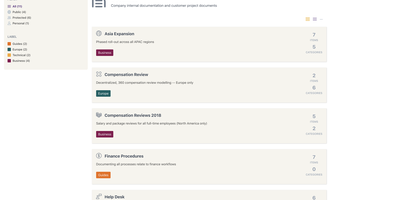
Enterprise documentation discipline without enterprise infrastructure: Documize Community is the Confluence alternative built on exactly that trade. The entire platform - Go backend, Ember.js frontend - compiles to a single executable binary for Linux, Windows, and macOS with zero runtime dependencies: no Elasticsearch, no Redis, no JVM. Point it at PostgreSQL, MySQL, MariaDB, Percona, or Microsoft SQL Server (rare in open source, decisive in Microsoft shops), and schema migrations run on launch with native full-text search on whichever engine you chose. Content organization rejects nested-folder sprawl for Spaces, categories, and labels, and the section-based composable editor mixes rich text, Markdown, code blocks, PDFs, diagrams, and embedded Jira or Trello content in one document, with reusable blocks and templates so teams start from standards rather than blank pages. It deliberately unifies internal team docs and customer-facing documentation in one system with granular space-, document-, and action-level permissions deciding who sees what. Where wikis stop, Documize continues: content approval workflows (draft, review, approve, publish), version management, lifecycle control, feedback capture, PDF export, analytics showing what gets read and ignored, activity streams, and audit logs. Keycloak, LDAP, and SSO integrate for enterprise auth. AGPL-licensed.
Dokuwiki
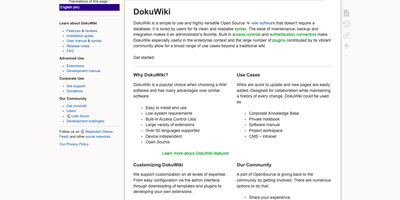
Every page in a DokuWiki knowledge base is just a plain text file on disk, so a team wiki can run for years on modest hardware with no database to feed, ever. Writers edit pages in a clean, readable syntax, fix just one section of a long document at a time, and lean on the toolbar, breadcrumbs, automatic tables of contents, and conflict locking to keep collaboration painless. Every change is kept as a revision with colored side-by-side diffs, recent-changes feeds go out over RSS, and an index-based full-text search finds content across thousands of pages in milliseconds. Namespaces organize content into a browsable tree, while built-in access control lists decide per page or per branch who may read, edit, upload, or administer, with logins checked against LDAP and other backends. Media uploads embed straight into pages, configuration happens in the browser, and the whole installation backs up by copying a folder, which makes migrations and disaster recovery almost boringly simple. When the basics stop being enough, more than twelve hundred community plugins and a hundred templates add galleries, multilingual structures, diagrams, and data tables without changing how the wiki itself works. Running on a dedicated VPS on RepoCloud with guaranteed CPU, RAM, and SSD, full root SSH access, and a browser serial console. GPL-2.0 licensed.
Otter Wiki
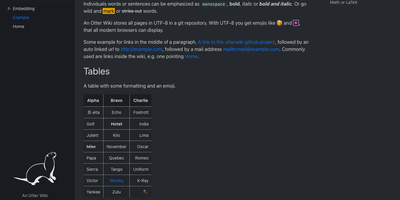
Every page in Otter Wiki is a plain Markdown file and every save is a git commit, so a small team gets a simple wiki whose history never goes missing. The editor highlights Markdown as you type, offers a toolbar for headings, lists, tables, code, alerts, and images, and can show a live preview beside the source. Paste or drop an image into the editor and it is stored as a page attachment. History, blame, and changelog views, with RSS and Atom feeds, show who changed what and when. Beyond standard Markdown you get footnotes, task lists, math formulas, Mermaid diagrams, alert boxes, and spoiler or folded blocks, plus experimental embeddings such as sortable data tables, info boxes, image frames, videos, and included pages. A customizable sidebar shows a menu, a page index, or both. Search offers case-sensitive and regular expression options. Dark mode is built in. Admins decide whether anonymous visitors, registered users, or approved users may read, write, or upload, grant rights per user, close registration, or require email confirmation. An optional, experimental git web server lets people clone, pull, and push the wiki, and changes can be pushed to or pulled from a remote repository over SSH. Running on a dedicated VPS on RepoCloud with guaranteed CPU, RAM, and SSD, full root SSH access, and a browser serial console. MIT licensed.
Storyden
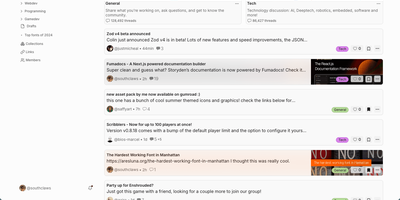
Think of Storyden as running your own small Reddit, except the knowledge your community produces does not scroll away and die in the feed. Discussion happens in threaded forums organized by categories and tags, where posts collect replies, likes, emoji reactions, and saves into personal collections. Beside the chatter sits the Library, a tree of rich pages your members build together into wikis, directories, catalogs, and guides that stay findable. Library pages carry typed properties, attached files, and table views, so a car club can track vehicles as data instead of arguing over a spreadsheet. Threads can reference Library pages and pages can link back to threads, letting a great answer graduate into permanent knowledge. Optional AI assistance helps organize titles, tags, and summaries, while the recommendation engine surfaces posts each member is likely to care about. The first account registered becomes admin, roles and permissions govern who can post or moderate, and community settings live in the admin panel rather than config files. One container starts everything with an embedded database and local file storage, and OpenAPI documentation is served from the same address. Running on a dedicated VPS on RepoCloud with guaranteed CPU, RAM, and SSD, full root SSH access, and a browser serial console. MPL-2.0 licensed.
WikiDocs
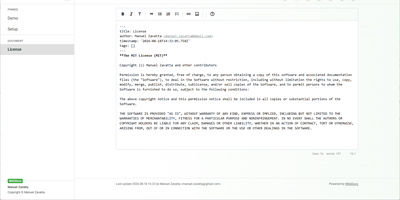
Write your knowledge as plain Markdown files, and WikiDocs turns the folder into a searchable, versioned wiki with no database to set up or back up. Pages carry YAML front matter, so the whole wiki can be copied, archived, or opened in any text editor. An editor with a formatting toolbar handles headings, lists, task lists, links, and images, and pictures can be pasted straight from the clipboard. Math is typeset with KaTeX, Mermaid renders diagrams such as ER models and mind maps, and code blocks get syntax highlighting. Every save keeps a revision, a versions dialog lists them, and deleted pages wait in a trash where they can be restored or erased. Attachments upload and download from any page, namespaces build a page tree in the sidebar with pinned pages on top, and full-text search highlights every match. Public mode publishes a read-only knowledge base, private mode requires sign-in, and administrator and user accounts are managed in the app. Settings cover the wiki title, owner notice, privacy banner, language, timezone, light or dark template, and accent color, and every page has a print button. A desktop app keeps files on your computer and syncs with your self-hosted instance, while a REST API with Swagger documentation lets other tools read and write pages. Running on a dedicated VPS on RepoCloud with guaranteed CPU, RAM, and SSD, full root SSH access, and a browser serial console. MIT licensed.
Silicon Notes
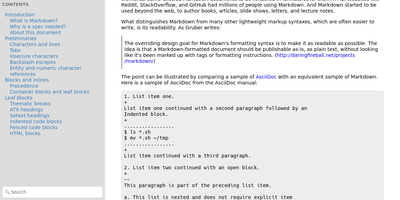
"Somewhat lightweight, low-friction" is how Silicon Notes' author describes the personal knowledge base - written after DokuWiki's editor "drove me mad" and no existing wiki quite fit. The philosophy is that small frequent annoyances compound into cognitive load with no return, so everything here is optimized for frictionless daily use. Notes are written in plaintext Markdown and rendered as clean HTML with Pygments syntax highlighting for code blocks; pages get bi-directional relationships (backlinks), so the knowledge base becomes a connected web rather than a folder tree; and full-text plus title search retrieves anything fast. A table of contents lives in the left sidebar - "where it belongs" - editable while you read without scrolling away. Page history tracks revisions for auditing and rollback, JSON export/import keeps everything portable, and the mobile layout is genuinely usable. The stack is deliberately minimal: Python and Flask with Mistune for Markdown and SQLite for storage - no big frameworks, just a few small dependencies. One honest caveat: there is no built-in authentication, so deploy it behind a VPN, private network, or reverse-proxy auth layer. For a solo engineer's brain, it is exactly enough.