Workspace by hungga1711
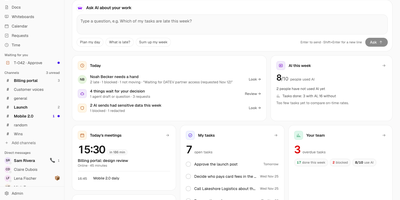
One installation runs a whole company's tasks, chat, docs, and AI assistant, with nothing phoning home. Projects live on Kanban boards, lists, and Gantt timelines, with subtasks, blockers, recurring work, and goals that roll up per person and department. Channels, threads, polls, and calls run alongside the work, and task references in messages become live chips. Docs get real-time co-editing, whiteboards turn sticky notes into tasks, and meetings keep agenda, minutes, and action items. Leave, purchases, and trips go through approval; clock-in follows each country's holidays. Then add AI on purpose. Hand any task to a workflow of model steps, commands, checks, and human approvals; the run stops wherever a person has to decide. Twenty-two templates cover engineering, sales, support, finance, and legal. Runs execute on the company model, inside a sandbox, or on the assignee's own computer with Claude Code, Codex, or Gemini CLI. A built-in assistant fields questions about tasks and leave, drafts Word, Excel, and PowerPoint files, and holds every change for your confirmation. AI Insights stays off until an admin enables it and each person opts in; it flags secrets and ID numbers before a prompt leaves and compares tasks finished with and without AI. Imports from Jira, Trello, Asana, ClickUp, Notion, Slack, and CSV bring existing work along. Running on a dedicated VPS on RepoCloud with guaranteed CPU, RAM, and SSD, full root SSH access, and a browser serial console. MIT licensed.
Peering Manager
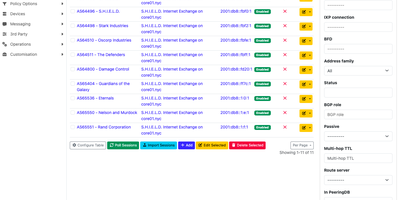
A source of truth for BGP peering, Peering Manager records every autonomous system, exchange, and session, then renders and deploys the router configuration that goes with them. Autonomous systems, BGP groups, exchange points, and connections live side by side, with separate session types for IXP peering and for direct links such as transit, customers, and private interconnects. Routing policies and BGP communities describe what to accept or advertise, and IRR data can be turned into prefix lists and AS lists for filtering. A local PeeringDB cache powers discovery of shared exchanges, potential peers, and network contacts, and importing an exchange creates its connections automatically. Configuration templates render complete or partial router configurations, show a comparison before committing, and deploy to platforms including Junos and IOS-XR. Polling reports the state of each BGP session. Other networks can submit and track peering requests through the portal API, contact records and e-mail templates handle the correspondence, and webhooks announce changes to tools such as Slack. Config contexts and export templates feed custom JSON and text to other systems, and the tool connects to automation pipelines and monitoring through a REST API and optional Prometheus metrics. Data sources keep templates in sync from a Git repository, a change log records every edit, and sign-in can use LDAP, OIDC, or RADIUS. Running on a dedicated VPS on RepoCloud with guaranteed CPU, RAM, and SSD, full root SSH access, and a browser serial console. Apache-2.0 licensed.
OpenMRS
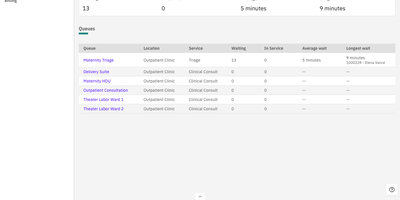
Clinics and hospitals can register patients, run visits, order tests and medications, and keep a complete chart for every person with OpenMRS, a free and configurable electronic medical record system built for places where budgets are tight and needs vary. After login, a home dashboard lists active visits and the day's appointments, while patient search, registration, service queues, and ward and bed management sit one click away. Each chart gathers vitals with trend charts, conditions, allergies, immunizations, visit notes, medications, test results, program enrollments, and attachments such as photos and PDFs. Clinicians place drug and test orders from an order basket, and a growth chart plots a child's weight against World Health Organization standards from birth to five years. Staff without programming skills design clinical forms in a visual Form Builder, then publish them to the chart. Optional apps add laboratory queues, medication dispensing, billing with invoices and payments, and stock management. A cohort builder finds patients by clinical and demographic criteria, privileges can be limited by location or data type, and audit logging shows who did what. The interface can show several languages at once, including right-to-left scripts. REST and FHIR APIs connect to lab systems, DHIS2, ERP tools, and national health exchanges, and add-on modules extend the platform further. Running on a dedicated VPS on RepoCloud with guaranteed CPU, RAM, and SSD, full root SSH access, and a browser serial console. MPL-2.0 with Healthcare Disclaimer licensed.
PandaDOS
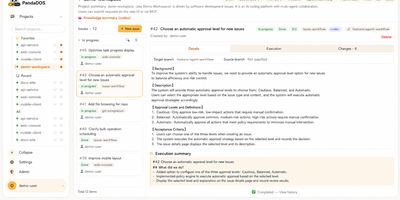
PandaDOS is a self-hosted control plane that turns Claude Code and Codex into long-running coding agents you direct through an issue queue from any browser, instead of babysitting a terminal. You file an issue with the outcome and acceptance criteria, and PandaDOS clarifies missing requirements, plans the work, picks the agent, and drives implementation, verification, and delivery in stages. Three approval levels, cautious, balanced, and automatic, decide which actions proceed alone; safe reversible steps continue automatically while destructive, irreversible, production, or secret-related decisions always come back to you. The browser workspace shows the real agent conversation, a native terminal, project files, Git history and diffs, and an execution summary, so you can inspect or intervene at any moment from a phone or laptop. Agents run on local or SSH-connected executor machines inside tmux sessions, and work sharing one repository is serialized while independent projects proceed in parallel without conflicting edits. Modules keep one assigned agent and durable project knowledge, so context from finished issues carries into the next task instead of evaporating when a chat ends. Teams can sign in through Feishu, ask the project manager questions in chat, and receive subscription notifications and approval cards on their phones. Running on a dedicated VPS on RepoCloud with guaranteed CPU, RAM, and SSD, full root SSH access, and a browser serial console. Apache-2.0 licensed.
Compose Craft
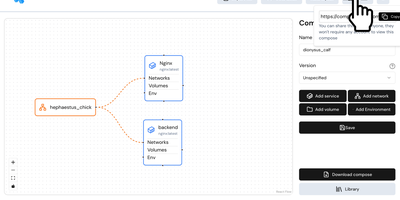
Compose Craft is an open-source visual diagramming and management platform that transforms raw Docker Compose configuration files into an interactive canvas of interconnected service nodes. Developers can drag and drop container services to map complex microservice architectures, automatically wiring port mappings, internal bridge networks, volume mounts, and dependency relationships. The real-time synchronization engine reflects every node repositioning, environment variable adjustment, and resource constraint directly into standard docker-compose syntax alongside a live editable code preview pane. Teams can import existing configuration files to diagnose routing conflicts, auto-format tangled service trees, and generate clean architectural documentation for operational handoffs. Engineers can generate shareable read-only public links to demonstrate infrastructure topologies to teammates and external reviewers without forcing them to register accounts. The built-in playground lets administrators experiment with container restart policies, healthcheck definitions, build contexts, and secret keys before deploying to production hosts. Running on a dedicated VPS on RepoCloud with guaranteed CPU, RAM, and SSD, full root SSH access, and a browser serial console. MIT licensed.
ContainerFlow
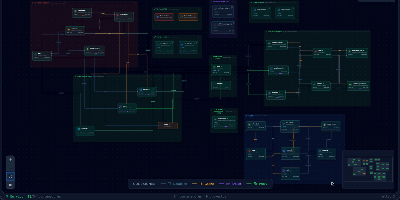
Your database container is probably not at 98 percent memory, whatever docker stats claims, because most of that figure is reclaimable page cache; ContainerFlow subtracts the full cache and shows the memory your containers actually hold. Point it at a Docker socket and it draws the whole estate as a living map: every Compose project discovered automatically, services grouped and colour coded, and the connections between them inferred, app to database, proxy to app, worker to broker. CPU and memory refresh every three seconds, the graph flashes when a container starts, stops, or restarts, and seven days of metric history wait in a local store when you need to know what happened overnight. Click any node and a detail panel opens with live logs you can filter by stream, an inline terminal that runs commands inside the container, and buttons to start, stop, restart, rebuild, recreate, or remove it. The same panel teaches as it works, flagging containers that run with no memory limit, no CPU limit, or no restart policy, while Discord webhooks fire when a container you care about crosses a threshold you set. Running on a dedicated VPS on RepoCloud with guaranteed CPU, RAM, and SSD, full root SSH access, and a browser serial console. AGPL-3.0 licensed.
Signed.md
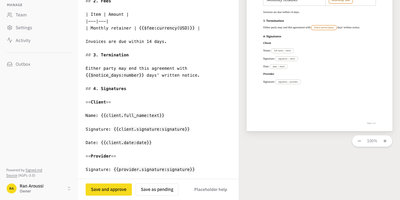
Built for people who ask an agent to do the paperwork, Signed.md has agents draft and send agreements while only humans approve templates and sign. Plain Markdown templates hold placeholders for text, numbers, currency, dates, choices, and signatures, and existing Word or PDF contracts can be imported. Sixteen MCP tools, REST endpoints with an OpenAPI spec, and webhooks give any agent a way to create, preview, and send documents. Guardrails sit in the server, not a prompt: templates an agent writes stay pending until an owner approves them, and changing one comma sends a draft back for another look. Template limits like a minimum fee or allowed notice periods are checked on every draft. Signers need no account or app; a link opens inline fields, a typed or drawn signature applied with one tap, and a progress panel. Signers can download an unsigned copy for their lawyer or decline with a reason. The last signature seals a PDF/A-2b file with a PAdES signature and RFC 3161 timestamps, plus a certificate page listing each signer's consent, times, IP address, and device. A ZIP evidence package, checkable offline by anyone, holds the signed Markdown, the PDF, a hash-chained log, and a signed manifest. Teams get four roles, folders, custom branding, and a record of what people and agents did. Running on a dedicated VPS on RepoCloud with guaranteed CPU, RAM, and SSD, full root SSH access, and a browser serial console. AGPL-3.0 licensed.
Shelve
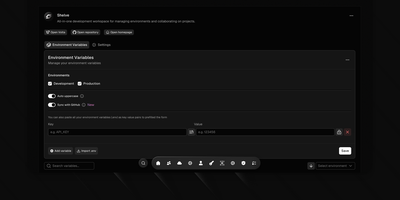
Eliminate scattered configuration files and leaked credentials across development teams with Shelve, an open-source secrets management platform that secures environment variables across development, staging, and production tiers. Engineering teams can organize sensitive database passwords and third-party API credentials within a centralized vault protected by AES-256 encryption and SHA-256 integrity verification. The platform synchronizes configurations directly to GitHub Actions and repository secret stores through an official GitHub App integration. Developers can inject encrypted variables directly into local processes using the dedicated CLI without saving plain-text secrets to disk. The built-in sharing vault creates self-destructing, password-protected links to exchange sensitive credentials securely with external contractors. Administrators can define custom workspace teams with granular role-based access controls, track change audit logs across configuration histories, and navigate management views using a keyboard-driven command palette. Automated schema validation engines detect missing parameters and enforce uniform uppercase naming standards across application tiers. Running on a dedicated VPS on RepoCloud with guaranteed CPU, RAM, and SSD, full root SSH access, and a browser serial console. Apache 2.0 licensed.
Pad
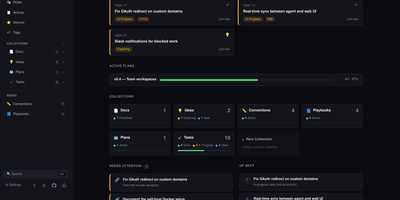
Your coding agents finish a session, close the laptop, and forget everything; Pad is where the project remembers. It holds the tasks, plans, bugs, ideas, and decisions in one workspace that you drive from a browser while your agents drive it from the terminal, so the next session, human or machine, picks up exactly where the last one stopped. You plan on boards, lists, and tables with drag-and-drop status columns, rich item pages, comment threads, and a dashboard that answers what needs attention and what to do next. Your agents read the queue, claim items, leave checkpoints, link their pull requests, and mark work fixed with the fixing PR attached. Conventions teach them the house rules once, like running tests before calling a task done, and playbooks hand them repeatable multi-step workflows they can invoke by name. Every change is versioned with its author, a person or a named agent, and new items appear in the browser the moment an agent creates them in the terminal. The same workspace is reachable three ways: the web interface, the pad CLI, and a bundled MCP server with a natural-language skill that plugs into Claude Code, Cursor, Codex, Windsurf, OpenCode, Copilot, Amazon Q, and Junie. Running on a dedicated VPS on RepoCloud with guaranteed CPU, RAM, and SSD, full root SSH access, and a browser serial console. Apache-2.0 licensed.
Myrlin Workbook
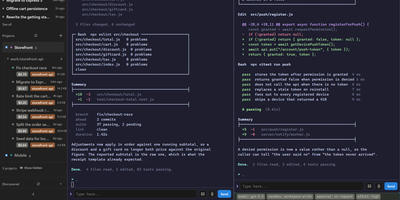
One browser sidebar lists every Claude Code and ChatGPT Codex conversation on your machine, and Myrlin Workbook opens each in a live terminal. Sessions are read, never modified, from the folders both CLIs write to, then grouped by project with a Recent list and Ctrl+K search. Panes tile two or four up and replay their history after a page refresh. Agent CLIs keep no scrollback, so wheeling past a pane's top continues into the recorded conversation, and one drag selects an hour of output. Codex projects and titles match the ChatGPT desktop app, and every Codex session shows its model, reasoning effort, approval policy, and sandbox. Token counts are priced per model where a price exists and totaled per session and project for any day, week, month, or all time. On the five-column task board, each card gets its own branch, worktree, and session, then opens a pull request through the GitHub CLI. A conflict center flags sessions editing the same files. Session templates save a working directory, model, and flags for one-click launches. Each project keeps Notes, Goals, Tasks, Rules, and Roadmap docs in a markdown editor. The phone layout has five tabs, an Attention badge, and a ring for sessions waiting on you. A random password is generated on first launch, and a LAN address or Cloudflare tunnel reaches the server. Running on a dedicated VPS on RepoCloud with guaranteed CPU, RAM, and SSD, full root SSH access, and a browser serial console. AGPL-3.0 licensed.
WonderCMS
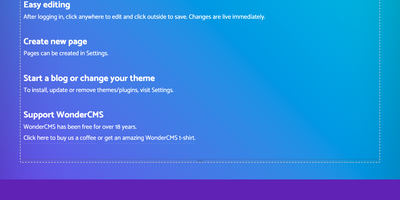
Click, type, publish: WonderCMS turns every page of your website into its own editor. Log in, click any text on the live page, type, and click away to save. A new page takes one click: type an address that does not exist yet, click, and a blank page opens ready for writing. Pages and subpages can be reordered, hidden from the menu with an eye icon, or made private, and each keeps its own title, keywords, and description. Any page can be the home page, and editable blocks keep a footer, sidebar, or banner in sync across the site. An optional plugin adds a visual editor with a formatting toolbar. Themes and plugins install, update, disable, and remove from Settings, including blog, SEO, and privacy-minded statistics modules. The Files tab uploads images, documents, audio, and video to link from any page. The login address is one you choose and answers with a 404, ten wrong passwords pause attempts for fifteen minutes, and a password change ends every session. One click downloads a ZIP backup of the whole site, and a daily update check offers a one-click update with a backup button right above it. Setup means unzipping and uploading five files, and the first visit creates the site and shows the admin password. Moving to a new folder, subfolder, or domain needs no reconfiguration. Running on a dedicated VPS on RepoCloud with guaranteed CPU, RAM, and SSD, full root SSH access, and a browser serial console. MIT licensed.
Plainspace
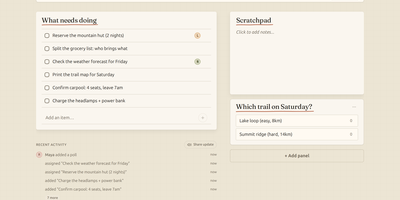
Planning a weekend trip, a household move or a club event in a group chat means the packing list is forty messages up, the poll about dates expired, and nobody remembers who volunteered to book the van. Plainspace gives that chaos one calm page: create a Space, share a single link, and everyone lands on the same shared board of tasks, notes, checklists, polls and availability, in any browser, with no app to install and no account to create. One person adds the campsite options as a poll, another claims the cooking tasks, a third drops the address and gate code into a note, and the whole group watches it come together with live updates as people type, vote and check things off. Optional push reminders nudge the person whose task is due before the plan quietly stalls. It is deliberately not a project management suite: no sprints, no story points, no permission matrices, just the handful of primitives real life actually coordinates with, presented touch-first so it works as well on a phone at the supermarket as on a laptop. Run it for your family, your team or your club on the hosted version, or self-host the same thing with Docker Compose next to the rest of your services. Running on a dedicated VPS on RepoCloud with guaranteed CPU, RAM, and SSD, full root SSH access, and a browser serial console. MIT licensed.
OpenVPM
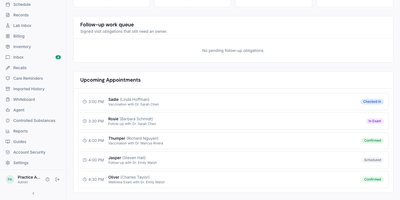
A clinic day starts before the first patient arrives, and OpenVPM has the whole of it on one screen: the schedule, the charts, the invoices, and the shelves. The calendar gives every doctor a column across day and week views, color-codes appointment types, flags doctor and room conflicts, and walks each visit from Scheduled to Checked In, In Exam, and Checked Out. Any chart opens in seconds through fuzzy search, carrying species, breed, weight trend charts, microchip numbers, photos, and allergy alerts that surface before anyone prescribes. SOAP notes sit beside problem lists, vaccination records with reminders and downloadable certificates, lab results against reference ranges, and prescriptions with a dosing calculator and refill tracking. Checkout ties the medicine to the money: treatment templates draft itemized invoices with tax, estimates convert to invoices, payments post to the account balance, and stock deducts itself when products are dispensed. Owners get their own portal for health records, appointment requests, vaccination certificates, invoices, and active prescriptions. The practice whiteboard refreshes itself as animals move between rooms, so the whole team always knows who is waiting, who is in exam, and who is done. Running on a dedicated VPS on RepoCloud with guaranteed CPU, RAM, and SSD, full root SSH access, and a browser serial console. AGPL-3.0 licensed.
Reconner
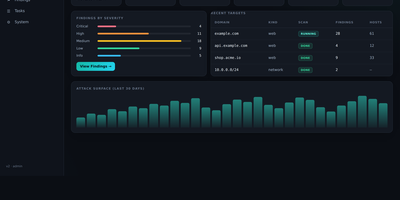
Hunting for the hole is only half the job, because a scanner alert nobody believes wastes more time than the bug itself. Add a domain, CIDR, or bug-bounty scope and Reconner builds the map first: passive and active subdomain enumeration, live HTTP probing and fingerprinting, JavaScript analysis that digs endpoints, secrets, and API keys out of bundles, plus parameter and hidden-param discovery. Then it attacks what it mapped with a context-aware engine covering reflected, stored, and DOM XSS, SQL, NoSQL, SSRF, IDOR, LFI, SSTI, XXE, injection, and open redirects, and every candidate has to survive differential, out-of-band, or control-based proof, re-verified before it is ever reported. Blind issues are not dropped either: OAST callbacks catch out-of-band SSRF, RCE, SQLi, and SSTI that never respond inline. Networks get the same treatment, with port scanning, service detection, network-CVE checks, and IP-camera auditing. Findings land in a live dashboard streamed over WebSocket, with an attack-path view, coverage ledger, monitoring diffs, and HTML, Markdown, and PDF reports, while Telegram can alert you and even start, stop, or resume scans remotely. Run it only against assets you own or are authorized to test; behind a VPN and TLS it becomes your private proving ground. Running on a dedicated VPS on RepoCloud with guaranteed CPU, RAM, and SSD, full root SSH access, and a browser serial console. MIT licensed.
Offstage
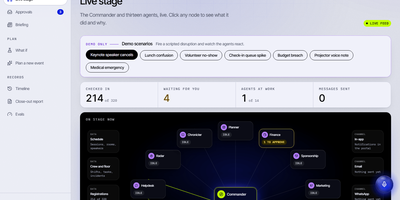
When a keynote speaker cancels, Offstage's fourteen AI agents, each paired with a human lead, replan sessions, rooms, crew, and messages, then wait for approval. Agents only file proposals; a plain-code policy engine decides who must sign off. T0 and T1 run at once, T1 with a ten-minute undo; T2 needs one approval, and T3 needs two different people. Medical, safety, fire, and harassment reports are never handled by agents; every lead gets a loud alert. Before approving, a ripple view lists sessions, attendees, volunteers, and announcements the plan touches. Any agent run opens to its steps, cited facts, model, tokens, cost, and latency. Talk to the Commander by voice or text; it answers from live state and files requests as proposals, never approvals. Attendees get cited answers from the event's own documents; unanswerable questions go to a person. Volunteers check people in with Ed25519-signed QR tickets that verify offline; the first scan wins. When many people ask the same thing within minutes, Radar opens an incident and proposes a fix. A what-if sandbox tries scenarios like thirty percent more attendees on a copy of the event. A daily briefing flags what is due or at risk, and the close-out report totals attendance and incidents. WhatsApp, SMS, Telegram, email, and in-app notices carry the messages, and screens switch between English, Hindi, and Hinglish. Running on a dedicated VPS on RepoCloud with guaranteed CPU, RAM, and SSD, full root SSH access, and a browser serial console. MIT licensed.
Espial
Espial gives your links one permanent address, a bookmarking server you host, reachable from any browser where you can log in instead of vanishing into whichever profile, device, or dead laptop you happened to save them on. Saving a page takes one click on the bookmarklet while you are reading it; a small popup arrives with the URL, title, and any text you selected already filled in, ready for tags and a quick save. Back at the server, bookmarks organize with tags and descriptions so that article from March is findable by what it was about, not by which machine you were sitting at. Years of accumulated browser bookmarks do not need re-saving one by one: import tools bring in Pinboard exports and Firefox bookmark files wholesale, and a sample file makes testing painless. Multiple user accounts keep each person's collection separate on a shared instance, which suits a household or a small team perfectly. Anything that can send an HTTP request can add bookmarks too, through an API endpoint guarded by a personal key you generate in settings, so scripts and automations file links alongside your manual saves. The whole thing stores its data in a single SQLite database, which makes backups a one-file copy and keeps the operational burden near zero. Internationalization support means the interface is not limited to English-speaking households either. Running on a dedicated VPS on RepoCloud with guaranteed CPU, RAM, and SSD, full root SSH access, and a browser serial console. AGPL-3.0 licensed.
Apache OFBiz
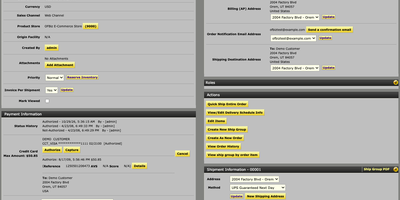
Apache OFBiz is the enterprise resource planning system a company installs when accounting, inventory, orders, and the factory floor must all agree with each other in real time. One shared data model connects the modules, so a sales order entered by the CRM team immediately reserves stock in the warehouse, schedules a pick list, and posts the receivable to the general ledger when it ships. The catalog manager handles unlimited stores, categories, and product variants with price rules and a promotion engine, and the built-in e-commerce storefront and point of sale sell from the same inventory your warehouse counts. Manufacturing plans production with bills of materials, routings, and MRP runs that propose purchase orders for missing raw materials, then costs every job as it moves through the shop. Accounting is proper double-entry: accounts receivable and payable, invoicing, payments, fixed assets with depreciation, budgets, and financial reports across multiple organizations. Facility tools manage several warehouses with lot and serial tracking, receiving, returns, and physical inventory counts, while the HR module keeps positions, contracts, expenses, and performance reviews. Party management unifies customers, suppliers, and employees into one record, REST and service APIs expose every function to integrations, and project and work effort tools track tasks against orders. Running on a dedicated VPS on RepoCloud with guaranteed CPU, RAM, and SSD, full root SSH access, and a browser serial console. Apache-2.0 licensed.
WPMgr
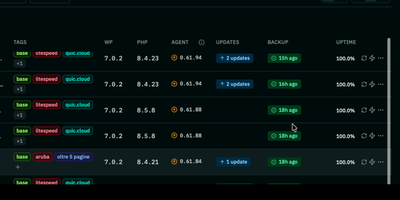
One dashboard for every WordPress site you look after: that is WPMgr, a self-hosted control panel that replaces dozens of separate wp-admin tabs with a fleet view you own. Enroll a site by URL, paste a one-time code into its agent plugin, and the connection flips live on its own. From there the daily grind changes shape. Backups stream straight out of PHP with no mysqldump and no shell access, chunked and deduplicated, scheduled per site, and restorable as a whole site or just the database. Updates stop being a weekend ritual: preview the run dry, apply it across the fleet, and let the automatic snapshot and health check roll back a bad release before a client notices. Uptime probes split DNS, TLS, and time-to-first-byte, flag certificates about to expire, and open exactly one incident per outage instead of a storm of alerts. The Sites grid leads with a fresh screenshot of every homepage, so the dead site is visible before the client calls. Core files get diffed against official WordPress.org checksums, brute-force logins meet escalating lockouts, and an IP firewall fires before other plugins load. Page caching, Redis object cache, image optimization, and per-site email fill the remaining gaps, and every command between dashboard and agent is signed so nothing can be forged in transit. Running on a dedicated VPS on RepoCloud with guaranteed CPU, RAM, and SSD, full root SSH access, and a browser serial console. AGPL-3.0 licensed.