Operational
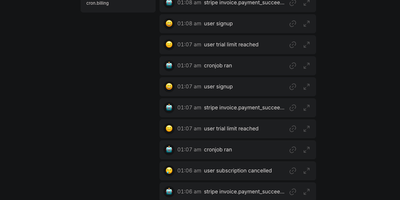
Operational watches your product for the moments that matter, signups, payments, failed webhooks and cron jobs, and pushes the important ones to your phone as they happen. Your code sends structured events with a name and a JSON payload through a simple API, using the official Node.js or PHP SDKs or the WordPress plugin, and every event lands in a searchable feed organized by project and category. Mark an event notify and it becomes a push notification on your phone through the installable web app, while everything else waits quietly in the feed for when you actually want to look. Related events nest inside each other as contexts, so a failed checkout can carry its payment attempt, gateway response and retry history in one expandable bundle instead of forty scattered log lines. Events can carry action buttons that trigger your webhooks, letting you approve a refund, restart a job or retry a delivery from the notification itself. Teammates share projects with their own accounts, a test mode lets you rehearse integrations without polluting the real feed, and a built-in MCP server exposes your events to AI tools. Running on a dedicated VPS on RepoCloud with guaranteed CPU, RAM, and SSD, full root SSH access, and a browser serial console. AGPL-3.0 licensed.

Documize
Enterprise documentation discipline without enterprise infrastructure: Documize Community is the Confluence alternative built on exactly that trade. The entire platform - Go backend, Ember.js frontend - compiles to a single executable binary for Linux, Windows, and macOS with zero runtime dependencies: no Elasticsearch, no Redis, no JVM. Point it at PostgreSQL, MySQL, MariaDB, Percona, or Microsoft SQL Server (rare in open source, decisive in Microsoft shops), and schema migrations run on launch with native full-text search on whichever engine you chose. Content organization rejects nested-folder sprawl for Spaces, categories, and labels, and the section-based composable editor mixes rich text, Markdown, code blocks, PDFs, diagrams, and embedded Jira or Trello content in one document, with reusable blocks and templates so teams start from standards rather than blank pages. It deliberately unifies internal team docs and customer-facing documentation in one system with granular space-, document-, and action-level permissions deciding who sees what. Where wikis stop, Documize continues: content approval workflows (draft, review, approve, publish), version management, lifecycle control, feedback capture, PDF export, analytics showing what gets read and ignored, activity streams, and audit logs. Keycloak, LDAP, and SSO integrate for enterprise auth. AGPL-licensed.
Tugtainer
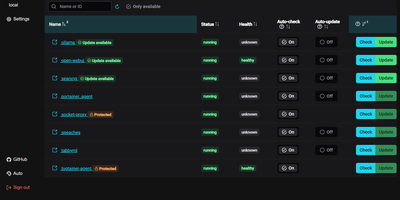
Tugtainer delivers a visual command center for Docker environments that automates container image updates, monitors registry releases, and manages application lifecycles across multiple servers without command-line intervention. System administrators can inspect running containers across all connected hosts, trigger immediate image pulls, and configure automated cron schedules for recurring health and registry checks. Flexible update policies allow teams to flag production databases as notification-only while automatically updating stateless web applications whenever new image tags publish. When updating linked services, the platform analyzes Docker Compose project definitions and custom dependency labels to stop and restart containers in strict dependency order, preventing broken network links and orphaned volume mounts. Administrators can authenticate private container registries, browse image layers and tags, and view real-time container log streams directly within the browser console. Automated pruning jobs continuously reclaim server disk space by deleting obsolete, untagged images and dangling build layers after successful deployments. Multi-channel alerting integrates with over fifty notification providers, delivering real-time update summaries and error warnings directly to Discord, Telegram, Slack, and email webhooks. Running on a dedicated VPS on RepoCloud with guaranteed CPU, RAM, and SSD, full root SSH access, and a browser serial console. MIT licensed.
PdfDing
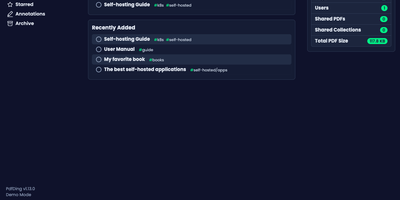
PdfDing turns a scattered folder of PDFs into a proper library you can read, annotate, sign, and share from any browser. The viewer remembers exactly where you stopped in every document, so a manual opened on your desktop resumes mid-page on your phone, and progress bars in the library show how far you have read at a glance. Workspaces and collections group related documents, multi-level tags classify them, and starring, archiving, and bulk actions keep even a large archive tidy. Inside the viewer you can add text, highlights, and freehand drawings, then review and export your highlights and comments from dedicated sections and attach Markdown notes to a document. A signature you create once is stored on your server and waits for you on every device, ready to drop onto contracts and forms. Sharing a collection or a single PDF takes a link or a QR code, with optional access control over who can open it and for how long. Accounts are protected by OIDC single sign-on and two-factor authentication with TOTP or WebAuthn, and dark mode, an inverted color mode, and multiple layouts keep long reading sessions comfortable. Running on a dedicated VPS on RepoCloud with guaranteed CPU, RAM, and SSD, full root SSH access, and a browser serial console. AGPL-3.0 licensed.
Jetlog
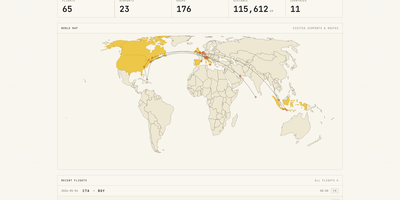
A personal flight logbook you host yourself, Jetlog draws every route you have flown on a pannable world map and turns the totals into charts. The home page opens with counts of flights, airports, hours, distance, and countries above that map, where dots mark visited airports and lines trace each trajectory. Settings let markers and lines grow with visit frequency and shade the countries where you have landed. Logging a flight takes only two airports and a date. Type a flight number and press Fetch to pre-fill the origin, destination, and airline, and a utility links connection flights automatically. Duration and distance are calculated for you and stay editable, with an option to use airport time zones. The All Flights table lists route, times, duration, distance, seat, class, and airline with filters and configurable columns, and each flight opens a detail page with airport data, a route map, tail number, and aircraft. A Statistics page charts flights per month, cumulative distance, most visited airports, most common airlines, ticket class, and seat for any time frame. History arrives through MyFlightRadar24 or custom CSV imports and leaves as CSV or iCal. Family members can share one install with separate logbooks, an admin manages the accounts, and the responsive layout works on a phone at the gate. Running on a dedicated VPS on RepoCloud with guaranteed CPU, RAM, and SSD, full root SSH access, and a browser serial console. GPL-2.0 licensed.
HabitSync
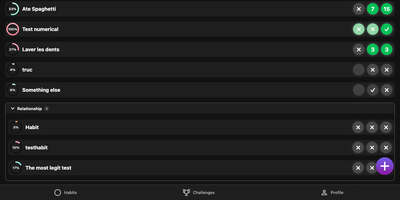
HabitSync treats habit tracking as a team sport, because willpower alone rarely survives February. Set each habit up the way life actually works: daily, weekly, monthly, on chosen weekdays, or at a custom interval, with a target value to reach or a ceiling to stay under for the habits you are trying to quit. Logging takes one tap, or a long press when today's effort deserves a custom number or a stopwatch. Share a habit with a partner, a sibling, or the whole household and everyone's progress sits side by side, which turns "did you go to the gym" into a question the dashboard answers. Monthly challenges raise the stakes with community voting, leaderboards, and medals for the top performers, while gentle automation watches your back: scheduled reminders when a habit goes unlogged, an alert when your completion slips under a threshold, and a quiet nudge when a friend overtakes you. Years of Loop Habit Tracker history import instead of being abandoned, and the installable web app keeps the streak one tap away on any device. Running on a dedicated VPS on RepoCloud with guaranteed CPU, RAM, and SSD, full root SSH access, and a browser serial console. BSD-3-Clause licensed.
Larasend
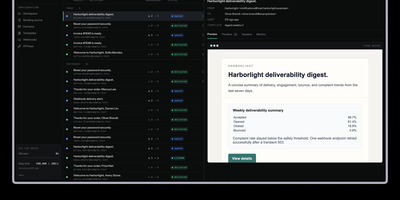
Larasend gives Laravel teams a self-hosted transactional email platform that sends through their own Amazon SES or Cloudflare account while keeping the dashboard, delivery logs, and message data on their own servers. Send mail with a simple POST to the emails API, or point existing mailables and notifications at the Larasend transport with one environment variable and no code rewrite. Every message lands in an activity dashboard where you can filter by status, search recipients and message IDs, open a preview with headers and metrics, and resend failures in one click. Delivery, bounce, complaint, open, and click events stream back from the provider and update each message timeline, so a missing receipt becomes a traceable record instead of a support mystery. Suppression lists build themselves from bounces and complaints, and guardrails watch complaint rates and verified domains before reputation damage can spread. Scoped API keys with expiration and rotation keep each project separate, while workspace roles control who can view, send, and administer. When replies arrive, the shared inbox threads inbound and outbound mail into conversations your team can assign, snooze, annotate, and answer with attachments and drafts. Webhooks notify your other systems about deliveries and inbound mail, and reusable templates keep recurring notices consistent across projects. Running on a dedicated VPS on RepoCloud with guaranteed CPU, RAM, and SSD, full root SSH access, and a browser serial console. MIT licensed.
Circuit Breaker
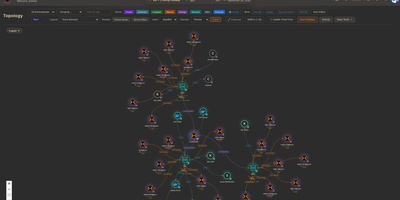
Mapping every physical server, virtual machine, container, and network link across a sprawling homelab into a live interactive canvas, Circuit Breaker gives infrastructure operators real-time topology visualization, IP address management, and rack elevation modeling on a single screen. Operators can switch between hierarchical, concentric, cortex ring, radial, and force-directed graph layouts where animated edges reflect link speeds and color-coded status rings display live hardware health. Automated discovery scans local subnets using nmap, SNMP, and ARP while querying Proxmox VE clusters, TrueNAS storage pools, and UniFi controllers, staging newly detected nodes in a review queue before adding them to the map. For multi-site labs or isolated VLANs, lightweight remote agents connect outbound over Noise-encrypted links after fingerprint approval to report host telemetry and run scoped network scans without opening inbound firewall ports. Rack diagrams let administrators drag servers into U slots with cabling overlays using a built-in catalog covering Dell, HPE, Supermicro, Ubiquiti, MikroTik, Synology, and APC gear alongside live iDRAC, iLO, and UPS metrics. Role-based access control, OIDC single sign-on, TOTP multi-factor authentication, encrypted full-state snapshots, and a SHA-256 hash-chained audit log keep multi-user operations accountable. Running on a dedicated VPS on RepoCloud with guaranteed CPU, RAM, and SSD, full root SSH access, and a browser serial console. MIT licensed.
Cupdate
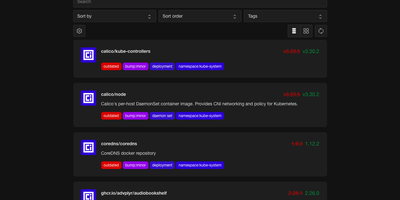
Cupdate keeps a watchful eye on every container image you run, reporting which ones are outdated or vulnerable while deliberately never touching the update button itself. Point it at a Kubernetes cluster, a Docker socket, or Podman hosts (local or remote, one or several) and it inventories every image in use with no configuration to write. Each image is matched against its registry to find the newest available version, and the dashboard shows the gap between what you deployed and what you could be running, with release notes inline so the decision to upgrade takes seconds instead of a changelog hunt. Vulnerability data is layered on top from four sources: Docker Scout for Docker Hub images, Clair for participating Quay images, GitHub Advisories for images tied to repositories, and osv.dev correlation for images shipping SBOMs. A dependency graph explains why each image exists in your stack by showing which workloads pull it, which ends the "can I delete this?" guessing game. Subscribe to the RSS feed to hear about new releases passively, query the REST API to drive scripts that update compose files or kustomizations, or surface outdated and vulnerable counts in a Homepage dashboard widget. Prometheus metrics and traces are available when you want the watcher itself watched. Running on a dedicated VPS on RepoCloud with guaranteed CPU, RAM, and SSD, full root SSH access, and a browser serial console. MIT licensed.
Docker Updater
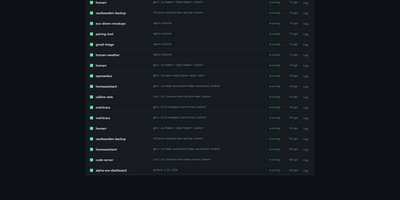
Docker Updater puts you back in charge of container updates: it watches your registries for newer images, and nothing updates until you approve it, so no database restarts itself at dinner. Polls run on a schedule you set, and each container card shows the newer image waiting before anything is pulled. The check costs nothing: it compares the digest your container runs against the registry manifest without pulling a byte, across Docker Hub, GHCR and other Bearer-token registries. Read the last five GitHub releases for an image before committing, update one container or a batch, and watch the pull percentage, layer count and recreation step stream live on the card. If the new container fails to start, the old one returns automatically, and you can keep a backup even after a clean update. Not ready? Defer an update for 7, 14, 30 or 90 days, or indefinitely, and it leaves your notifications alone until then. Several Docker hosts join the same dashboard over SSH or TCP with health indicators, and Compose stacks restart together so services find new addresses. Notifications arrive through an auto-generated ntfy topic or your own Apprise URL, every update keeps a persistent log, and a reclaimable-images view shows what disk space old images hold. The dashboard serves on port 9090 in English or Simplified Chinese, with optional login. Running on a dedicated VPS on RepoCloud with guaranteed CPU, RAM, and SSD, full root SSH access, and a browser serial console. MIT licensed.
ChatChat
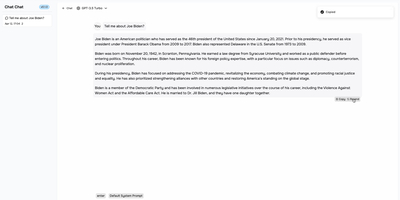
One clean interface in front of Anthropic, OpenAI, Google Gemini, Cohere, and more: Chat Chat is a Next.js front door to the major AI providers, ending the juggling of separate subscriptions, tabs, and UIs per model. Bring your own API keys, pick a provider and model per conversation, and switch between them as the task demands: Claude for long-form reasoning, GPT for code, Gemini for multimodal work - the interface stays identical. Beyond configured presets, custom providers plug in with their own API endpoints and keys, which covers OpenAI-compatible gateways and local inference servers. The design splits into two dedicated modes: a chat interface for conversational work with customizable system prompts, and a search interface that pairs AI processing with query handling for research-style questions. The stack is modern and hackable - Next.js 14, Tailwind CSS, shadcn/ui on Radix primitives, Jotai for state - with full internationalization including English, Chinese, and Japanese. Self-hosting means your conversation history and API keys live on your instance rather than a third-party wrapper service, and pay-per-token API pricing typically beats stacking multiple monthly chat subscriptions. AGPL-licensed and deliberately simple to deploy: one container, environment variables for keys, done.
Cusdis
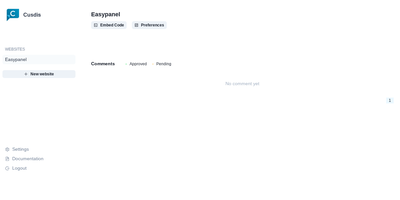
Comments for small sites without Disqus's baggage: Cusdis is a lightweight, privacy-first, open-source comment system for embedding under blog posts and articles. The embedded JavaScript SDK is about 5 KB gzipped (Disqus is roughly 24 KB), sets no cookies, runs no tracking, and does not require readers to create an account or sign in before commenting. Integration is two lines: a container div with your app ID and an async script tag, with ready-made adapters for common frameworks and static site generators. Moderation is approval-based - new comments stay hidden until you approve them from the dashboard, and email notifications include a Quick Approve link that approves or replies to a comment from your phone without logging in. A webhook fires on every new comment for integrations like Telegram notifications. The widget ships with built-in i18n and dark mode. The stack is TypeScript and Next.js with a Prisma data layer, deployable via Docker with PostgreSQL. Deliberately minimalist: no ads, no reader profiling, and your comment data lives in your own database.
Craftplan
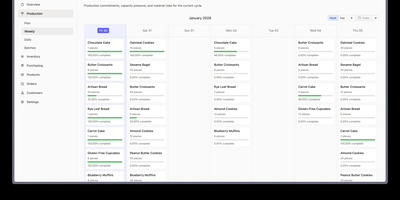
Every batch a craft business ships carries a recipe version, a cost, and a trail of ingredient lots, and Craftplan, an open-source ERP, keeps all three connected. Receiving stock against a purchase order records each supplier lot code and optional expiry date, and partial deliveries keep the order open. Customer orders appear on a delivery calendar and can generate invoices. Scheduled items wait on the production board as unbatched cards until Batch All creates one batch with a frozen copy of the recipe. Capacity warnings flag products over their daily limit, and a forecast highlights materials that will run short. Finishing a batch consumes ingredient lots earliest-expiry first, skips any lot on hold or rejected, and snapshots material, labor, and overhead costs. Recipes are versioned, so past costs never change. A blend made in-house can be stocked as its own material, with its actual yield, lot costs, and source lots intact. Allergens and nutrition facts roll up from each material through every recipe, and completed batches print A5 or compact labels with a scannable barcode. The Trace Center follows a supplier lot forward to every customer who received it, or a finished batch back to its sources. Recall mode can place the lot on hold, and the trace exports as CSV or prints for the recall file. Running on a dedicated VPS on RepoCloud with guaranteed CPU, RAM, and SSD, full root SSH access, and a browser serial console. AGPL-3.0 licensed.
InfraCanvas
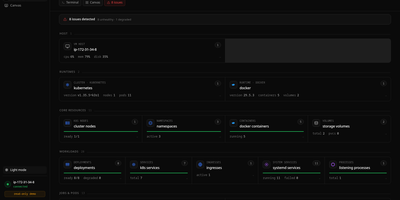
InfraCanvas draws the picture ten terminal commands cannot: a live map in your browser of every container, pod, service, volume and network on a machine, showing what runs where, what talks to what, and what is broken in one glance. Nodes turn green, amber or red from real state, including container health, pod phases, ready replicas, zombie processes and host thresholds, and real connection edges appear between processes, like your app server talking to Postgres on port 5432, read straight from the machine. It works where workloads already live: Docker and Podman containers, full Kubernetes object graphs from nodes to ingresses, LXD and Incus containers, and plain systemd or PM2 services on VMs with no container runtime. From any node you can shell into the container, pod or host, tail logs, restart or stop a service, scale a deployment, run a rolling restart, change an image or kill a process, with secrets masked before anything reaches the screen. A second machine joins through an outbound-only agent, and clusters connect by dropping in a kubeconfig with nothing installed inside them. The self-hosted binary needs no account, sends no telemetry and opens no inbound port: it binds localhost on port 7777 behind a random per-install token, with an optional read-only mode, and every action is audit-logged. Running on a dedicated VPS on RepoCloud with guaranteed CPU, RAM, and SSD, full root SSH access, and a browser serial console. AGPL-3.0 licensed.
Freedit
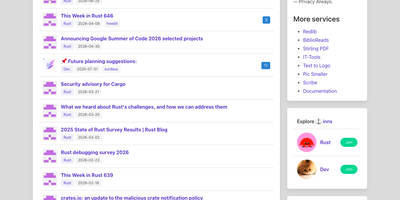
One binary, no JavaScript required, no database server to babysit: Freedit is a complete forum that starts in seconds and stays out of your way. Communities organize into Inns, group spaces in the style of subreddits, where members post links and discussions under topics you define. A Solo feed adds personal microblogging for short posts that sit beside the forum instead of competing with it. The built-in RSS reader follows your favorite sites and brings new articles into the same place you discuss them, and podcast subscriptions play episodes in the browser with subtitles that scroll in sync with the audio. Private messages are encrypted end to end, so only the sender and recipient can read them. Posts support Markdown, mathematics, and syntax-highlighted code, rendered on the server so every page works even with JavaScript disabled in the browser. Because there is exactly one file to deploy and the database lives inside it, backups are a copy and upgrades are a swap. Running on a dedicated VPS on RepoCloud with guaranteed CPU, RAM, and SSD, full root SSH access, and a browser serial console. MIT licensed.
Subarr
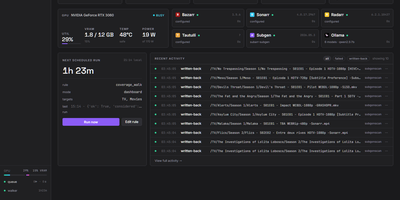
Subarr is the coordination, measurement, and quality layer for Whisper subtitle generation, sitting between Bazarr, Sonarr, Radarr, and subgen to decide what gets transcribed, in what order, and whether the result is any good. Its Coverage walk scans your whole library and scores every subtitle gap with a reason: no track, embedded-only, Bazarr-wanted, audio mislabeled, or low quality. Queue a file, a folder, or an entire series from the Library tab and watch it move through probing, transcribing, and write-back on the dashboard. The Review queue plays you the actual dialogue, picked out by voice-activity detection, so you can verify a subtitle really matches the audio language before it lands. It flags files whose default audio track is not the original language and swaps tracks in place, heading off the double-translation trap. A provider leaderboard records which subtitle sources actually deliver for your library, and the Tuning Lab lets you tune Whisper recipes against your own media. Rules and scheduled walks keep the work flowing, with Tautulli now-playing signals boosting whatever you are about to watch. Finished subtitles are written next to your media, and your Plex or Jellyfin library refreshes the moment one lands. Running on a dedicated VPS on RepoCloud with guaranteed CPU, RAM, and SSD, full root SSH access, and a browser serial console. MIT licensed.
Motor Admin
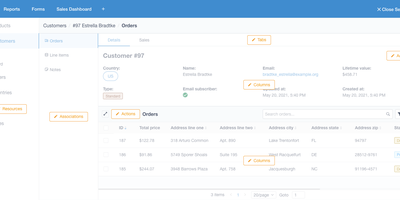
Stop building internal tools and ship your actual product - Motor Admin exists for exactly that. Point this Ruby/Vue application at a PostgreSQL, MySQL, MariaDB, or SQL Server database and it generates a complete CRUD admin panel from your schema in under a minute - search, filters, create, update, delete, all through a polished UI, with every customization done through in-app settings rather than a DSL or boilerplate code. What elevates it beyond CRUD generators is the business-intelligence half: write SQL queries (with variables) and render results as tables, numbers, line/bar/ pie charts, funnels, or markdown; organize reports into shared dashboards; and attach queries and dashboards directly to resource pages as tabs, so an order record shows its revenue history in place. Operations beyond CRUD are covered by custom actions and a WYSIWYG forms builder that posts to your existing REST or GraphQL APIs - send a refund, trigger an email, whatever your backend exposes. Email alerts deliver scheduled reports, Slack sends personalized report alerts, and intelligence search spans all resources. Governance is included: role-based permissions with row- and column-level control (CanCanCan), an audit log of admin activity, multiple database connections, and configuration sync between staging and production. Mobile-optimized, AGPL-licensed, also available as a Rails engine.
Moocup
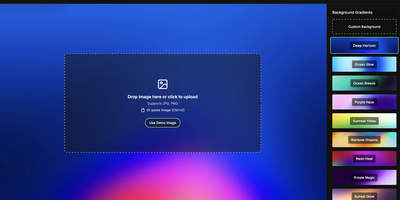
Drop your screenshot, a base style is applied, style it however you wish, and export - "that's basically it," says Moocup's own author, and the description holds. The workflow is genuinely seconds long. Drag an image in and it lands on an attractive backdrop immediately; from there you adjust backgrounds, gradients, padding, borders, shadows, and framing with live preview until it matches your taste, then export a high-quality image ready for a portfolio page, README, blog post, tweet, or slide deck. There are no accounts, no watermarks, and no upload to anyone's cloud - as a self-hosted static app, your screenshots never leave your infrastructure, which matters when the screenshot shows a proprietary dashboard or unreleased product. It runs entirely in the browser from a tiny nginx container, works on any device, and requires zero design skill: the smart defaults do the heavy lifting, and everything else is optional tinkering.