Chiyogami
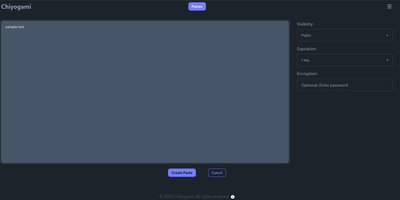
Chiyogami is a pastebin you host yourself for sharing code, logs, notes, and text snippets through short links that expire on your terms. Paste into the web editor and the content comes back formatted, with syntax highlighting for code and rendered Markdown for prose, so a stack trace or a runbook reads the way it was written. Anything sensitive can be encrypted in the browser before it leaves your machine, and the server never stores the password, which makes an encrypted paste safe to pass through chat or email. Every paste carries a configurable lifetime, from minutes to never, and visibility choices keep a snippet public, unlisted, or private behind an unguessable address. Registered users manage their own pastes from an account, and anonymous quick pastes stay available for one-off sharing. The public paste list supports search, so a team instance doubles as a small shared snippet library. Developers can skip the browser entirely: one curl command creates a paste from a file or a JSON body, and the API returns a short title that fetches the content later. Sharing extends to QR codes for moving text onto a phone, and built-in rate limiting throttles spam and abuse before it fills the database. Running on a dedicated VPS on RepoCloud with guaranteed CPU, RAM, and SSD, full root SSH access, and a browser serial console. BSD-3-Clause licensed.
VolumeVault
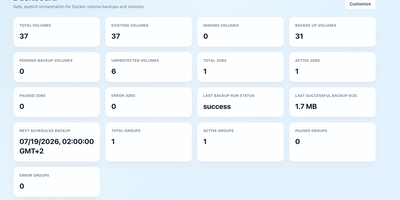
VolumeVault turns Docker volume backups into a routine you can prove: it schedules them, stores them off the box, and restores them into brand-new volumes so original data is never the test subject. A guided web dashboard discovers every Docker volume on the host and shows backup coverage per volume or per Compose and Swarm stack, including the size of the latest known backup, so gaps are visible before they matter. Each job runs on an hourly, daily, weekly or cron schedule with retention by days or archive count, include and exclude filters, and a choice of whether containers stop during the run. Archives land where you keep them: AWS S3, Cloudflare R2, any S3-compatible store, WebDAV, SFTP, Azure Blob, Dropbox, Google Drive or a local path, with credentials encrypted at rest. Restores download and verify the archive first, then unpack it into a new volume by default; overwriting the original demands an explicit confirmation. Several volumes can ride one grouped schedule that reports once for the whole set, and containers can volunteer themselves for backup through Docker labels. Small agent containers extend the same jobs to other Docker hosts, including encrypted cross-host restores into fresh volumes, while API tokens let scripts and dashboards drive everything the UI can. Running on a dedicated VPS on RepoCloud with guaranteed CPU, RAM, and SSD, full root SSH access, and a browser serial console. Apache-2.0 licensed.
CompDesk
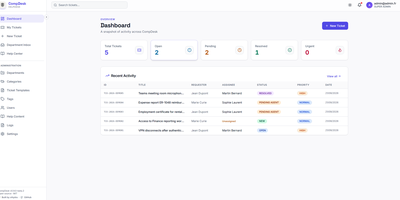
CompDesk is a self-hosted help desk that gives small organizations department-based ticket queues, role-based access control, and a public Help Center without a per-agent subscription. Tickets land in department inboxes where agents work searchable queues with templates, custom fields, tags, and internal notes that customers never see. SLA policies set response and resolution targets per queue, and escalation rules push overdue tickets upward before they go stale. Requesters follow their own tickets, join public comment threads, and browse Help Center articles in English or French; agents keep the full immutable timeline behind each case. Private attachments stay out of the public file space, pass signature validation and quota checks, and can be scanned by ClamAV before anyone downloads them. Sign-in works with local accounts, Microsoft Entra ID, or any OpenID Connect provider, and four roles (User, Agent, department Admin, Super Admin) decide exactly who sees which tickets. Email notifications flow through SMTP or Microsoft 365, signed webhooks announce ticket events to other systems, and department-scoped API clients give external tools a way to open and update tickets. Runtime branding restyles the portal with your organization name, logo, and colors, and a guided setup wizard creates the first Super Admin and locks itself away when finished. Running on a dedicated VPS on RepoCloud with guaranteed CPU, RAM, and SSD, full root SSH access, and a browser serial console. MIT licensed.
Tessera
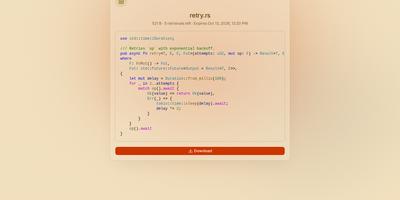
Most file sharing leaves copies lying around forever; Tessera shares things with a built-in goodbye. Drop in a file, a whole folder, a code snippet, or a link and you get back a short code and a URL that anyone can open until it expires or hits the download count you set, at which point it is deleted. Expiry is checked on every request and each retrieval is counted atomically, so a one-time share cannot be raced by two people at once. Passwords can be required before anything is shown, code arrives syntax-highlighted, and images, SVGs, and diagrams preview in the page, with link cards when you paste the URL into chat. Uploads resume after interruptions and stream through the server without ballooning memory at any size. Behind the scenes you choose where bytes live: local disk, S3-compatible storage, Azure Blob, Google Cloud Storage, or WebDAV, several at once, added or retired from the admin panel without a restart. Accounts are optional for a home server, sign-in through OpenID Connect suits a team, and roles with per-account quotas decide who may upload, view everyone's shares, or change settings. Optional malware scanning, anonymous-upload caps, and rate-limited code lookups keep a public instance honest. A CLI and API tokens drive the same endpoints as the web app, so scripts can share and clean up exactly like people. Running on a dedicated VPS on RepoCloud with guaranteed CPU, RAM, and SSD, full root SSH access, and a browser serial console. AGPL-3.0 licensed.
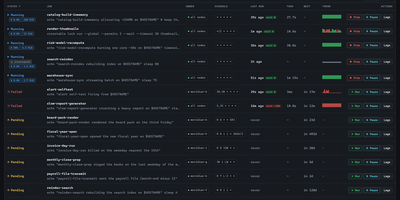
Cronstable
Cronstable gives scheduled jobs what cron never had: retries when they fail, alerts when retries run out, a saved history of every run, and a dashboard to watch it all. Bring your existing crontab or define jobs in YAML, down to business-day schedules, hashed fleet spreading, and per-job time zones, then let failures retry with backoff while alerts head to email, Slack-compatible webhooks, Sentry, or an encrypted push to your phone. Every run is remembered, so history, live logs, and incident timelines answer what happened last Tuesday instead of shrugging. When jobs grow dependencies, they become durable workflows: task graphs with data sharing, dynamic fan-out, sensors, shared resource pools, and approval gates a human taps before the next step runs, with failed tasks replayed selectively instead of starting over. One machine or a whole fleet looks the same from the web dashboard, the terminal, or iOS, and a schedule linter quietly warns you about the job that can never run and the one daylight saving will skip. Running on a dedicated VPS on RepoCloud with guaranteed CPU, RAM, and SSD, full root SSH access, and a browser serial console. MIT licensed.
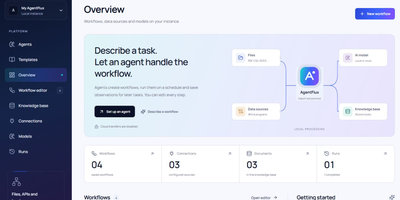
AgentFlux
Describe the task in plain words, pick the sources and model it may use, and an agent plans the workflow before running it. That is the core loop: agents build editable visual workflows from a task description, execute them on demand or on a schedule, and keep everything traceable. Prefer building by hand and the canvas offers 17 preconfigured steps, branching, undo and redo, JSON import and export, plus eight starter templates. Feed it real work by importing PDF, DOCX, XLSX, CSV, JSON, and text files, or by connecting folders, HTTP endpoints, and approved local programs. Upload a screen recording and it identifies the actions with timestamps, turning a demonstrated process into an editable workflow you can refine. Model calls go to the endpoint you choose: Ollama, LM Studio, vLLM, or any OpenAI-compatible service, local or cloud with your own credentials. Every run can be inspected step by step, cancelled mid-flight, and exported as JSON, CSV, or Markdown reports. Observations from completed runs land in a knowledge and learnings store, where you review them and promote the useful ones into reusable skills for the next task. The Docker release bundles the application with FFmpeg and local Whisper support, and your documents stay on your own machine. Running on a dedicated VPS on RepoCloud with guaranteed CPU, RAM, and SSD, full root SSH access, and a browser serial console. Apache License 2.0 licensed.
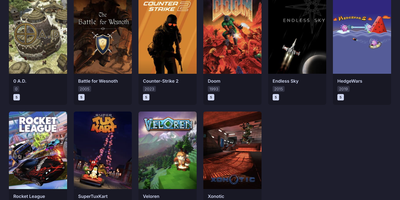
Playerr
Playerr is a self-hosted library manager that organizes your game collection the way Radarr and Sonarr organize movies and shows, with scanning, metadata, and automated downloads in one web interface. Point it at your game folders and its recognition engine recursively identifies platforms and maps local files to the right titles. Each game is enriched with artwork, descriptions, ratings, and release dates pulled from IGDB and Steam, turning a pile of folders into a browsable collection. Search indexers through Prowlarr and Jackett when you want to grow the library, then hand downloads to qBittorrent, Transmission, SABnzbd, or NZBGet and watch progress from the same screen. Folders are renamed automatically from sanitized IGDB titles while the original release structure stays intact, so the library stays tidy without manual filing. Your Steam library syncs into the same unified view alongside locally stored games. Installation packages are processed automatically, with the primary executable identified to streamline setup. Remote access can be enabled from settings so the collection is reachable from phones, tablets, and laptops on your network. Running on a dedicated VPS on RepoCloud with guaranteed CPU, RAM, and SSD, full root SSH access, and a browser serial console. MIT licensed.
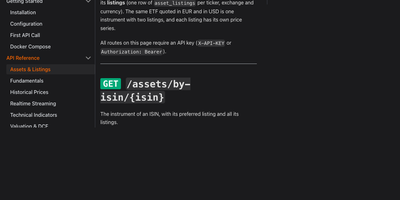
Fonrex
Good European market data is either expensive or wrong, so Fonrex runs it all on your server: a self-hosted API serving per-listing prices, cross-checked fundamentals, DCF valuations, and factor models for European and US shares, with no subscription or per-call meter. Every price is stored per listing in its own currency and dated by trading session, so AIR.PA resolves to Airbus rather than a same-ticker US namesake, and one ISIN can carry many listings cleanly. Fundamentals are cross-checked between sources first; figures that disagree with the consensus are rejected, and every answer names the sources it came from. Value any company three ways with FCF, EPS, and dividend DCF models, compare them side by side, and stress the result with a WACC by growth sensitivity matrix. Factor tools return Kenneth French returns for the US, Europe, and developed markets, compute listing factor exposure, and price equity with the risk-free rate of the right currency, alongside FRED and ECB rates, Treasury curves, and Eurostat indicators. Daily history spans ten years, split-adjusted with a dividend-adjusted close; live ticks stream over WebSocket, indicators and a screener run on your stored prices, and deduplicated news arrives per ticker or as a global feed. Results plug into OpenBB Workspace, Google Sheets, Python notebooks, and Zipline backtests, so spreadsheets, dashboards, and research pipelines all read the same numbers. Running on a dedicated VPS on RepoCloud with guaranteed CPU, RAM, and SSD, full root SSH access, and a browser serial console. AGPL-3.0 licensed.
xEdit
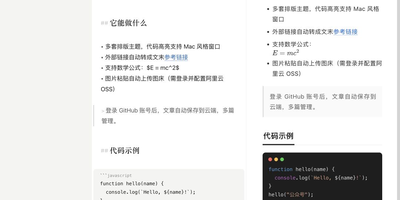
xEdit is a free, open-source Markdown editor that keeps your notes as plain text, on your device or on your own server, and hands AI clients a proper door instead of a scrape. Write in live preview, where headings, code and images render in place and only the line under your cursor shows its source, or flip to a split view when you want both sides visible. Slash commands insert headings, callouts, tables, to-dos, code blocks and media, and wiki links tie notes together by title, with renames updating every link that points at the note. Any checkbox in any note with a date rolls up into a Today view, and nested folders, global search and a recoverable trash keep a growing library tidy. Choose where notes live: browser storage, a local folder of Markdown files, or cloud sync with an offline mirror on every device. Cloud notes gain version history with line-by-line diffs and one-click rollback, share links that collect comments on selected passages, and exports to Markdown, HTML, PDF, PNG and Word. Pick one of thirteen layout themes and copy straight into WeChat or Zhihu with styles inlined and math intact, then connect Claude or Cursor through the built-in MCP server to search, organize and edit the whole library. Running on a dedicated VPS on RepoCloud with guaranteed CPU, RAM, and SSD, full root SSH access, and a browser serial console. MIT licensed.
Cairn
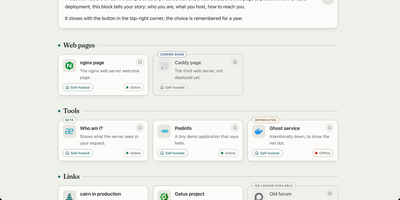
Cairn gives the people you host services for one calm directory page that explains each service in plain language and shows whether it works right now. Your family does not want another dashboard; they want to know what this thing is and what to click. Group tools by need, write a welcome note in your own words, and give each service a Learn more page that explains whom to ask for an account. Status comes from the monitor you already run, Gatus, Uptime Kuma, Cachet, or a hosted status page, polled by your server so a visitor's browser never has to call anything. Labels say honestly where a service stands: coming soon, beta, new, deprecated, or retired, with dead links removed for the last two. Search finds the one service by name from anywhere on the page, eight shipped languages plus your own inline translations cover the relatives abroad, and legal notice and privacy pages are served by Cairn itself, because self-hosters never have anywhere to put those. The whole directory is one YAML file and a five-megabyte image. Running on a dedicated VPS on RepoCloud with guaranteed CPU, RAM, and SSD, full root SSH access, and a browser serial console. GPL-3.0 licensed.
HomeLabInfo
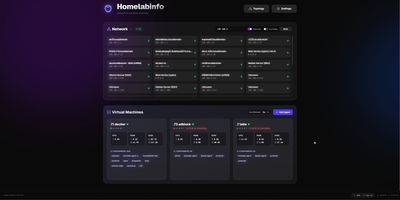
HomeLabInfo gives your homelab one dashboard where the network itself and everything running on it finally appear together, instead of scattered across router pages and terminal sessions. It watches for new devices the instant they ask the network for an address, identifies who made them, and can fire a webhook so you hear about a stranger joining your LAN before you notice it yourself. Scans keep track of which devices are online and which have gone quiet, and the interactive topology view lets you arrange the map of switches, access points, NAS boxes, and servers the way your rack actually looks. Lightweight agents installed on each machine report their containers back to the hub, so running and stopped containers, uptime, health, and host CPU, memory, and disk all show in one place without opening a separate tool per server. When an agent falls behind, its card tells you a newer version exists instead of leaving you guessing. You can add a username and password login before putting the dashboard anywhere beyond your desk, and arrange container layouts that stay put between visits. Running on a dedicated VPS on RepoCloud with guaranteed CPU, RAM, and SSD, full root SSH access, and a browser serial console. GPL-3.0 licensed.
Saki Panel
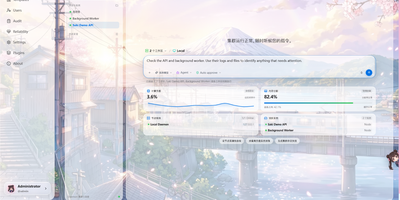
Saki Panel is a self-hosted operations console that manages your game servers, containers, and background processes across multiple Linux machines, with an AI assistant sitting inside the workspace when something breaks. Start, stop, restart, and monitor nine kinds of instances, from Minecraft and Steam game servers to Docker containers, Compose stacks, Node and Python apps, and plain shell commands. Remote nodes connect over SSH and report CPU, memory, and disk metrics to a cluster dashboard, so every machine is visible in one place. When an instance crashes, Saki Watch records the exit and its error fingerprint, then helps diagnose the cause from live logs, files, and metrics instead of making you copy text between a terminal and a chat window. Proposed fixes appear as diffs that need your approval, are graded by risk level, and can roll back automatically if verification fails after a patch. Day to day work happens in the same console: a web terminal, a file manager with an editor and archive support, database tools for SQLite, MySQL, PostgreSQL, and Redis, and cron-scheduled tasks with full run history. Role-based access with dozens of permission codes, audit logs, and incident notifications through webhooks or Telegram keep a small team in control. Running on a dedicated VPS on RepoCloud with guaranteed CPU, RAM, and SSD, full root SSH access, and a browser serial console. Apache-2.0 licensed.
Jarvis
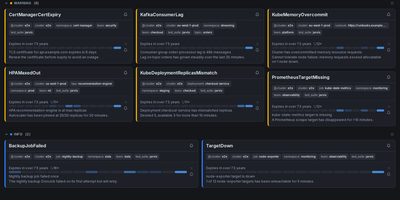
Alertmanager forgets an alert the moment it resolves; Jarvis remembers everything. This web frontend watches all your Alertmanager clusters at once and streams firing alerts into one live view over WebSocket, no refresh as problems appear or clear. Every alert's lifecycle is stored, so the resolved view answers how often something fired and how long it burned, and a grace period keeps a missed poll from being recorded as a phantom resolution. When an alert lands, claim it so the team sees who is on it, and leave comments bound to that alert fingerprint; notes survive restarts and re-fires, so the next person inherits the context. Silencing gets a rehearsal: preview exactly which alerts a silence will hit before creating it, fire a one-click Fast-Silence from the list, and save templates for recurring maintenance. Filters use the Alertmanager matchers you already know, save as named sets, ride in shareable URLs, and one can be your default view. Point Jarvis at every member of an HA gossip cluster and duplicates collapse by fingerprint, while protected upstreams authenticate with OAuth2, bearer tokens or basic auth per cluster. Sign-in is optional through built-in accounts or any OIDC provider, and it runs as one hardened container on port 8080, with PostgreSQL available when you want replicas. Keep it behind your VPN or an authenticating proxy, as its own docs insist. Running on a dedicated VPS on RepoCloud with guaranteed CPU, RAM, and SSD, full root SSH access, and a browser serial console. Apache-2.0 licensed.
DailyHub
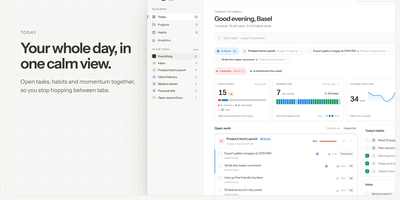
DailyHub is one calm page for a single person's whole day: today's open work grouped by project, the habits due this morning, and an inbox that catches everything that does not belong anywhere yet. The Today view greets you with a quick-add box, nudges about what is slipping, and a progress bar that fills as the day gets done. Focus mode pins the projects or tasks that matter and hides the rest until a date you pick or until you clear it, so the full list stops shouting. Projects carry status, due dates, and milestones, wear logos with accent colours derived from them automatically, and raise a banner when work stalls. Habits run on weekday schedules and report back with a 14-day consistency strip and a completion rate, so a streak is something you can see rather than guess. Analytics chart completions over time, break them down per project, and surface the weekday patterns that show when you actually get things done. A command palette jumps to any project, task, habit, or milestone from the keyboard, and light and dark themes keep long planning sessions easy on the eyes. An AI assistant can join through the built-in MCP endpoint: ask what is still open in the inbox, add a task to the website project for Friday, or mark today's workout done. Running on a dedicated VPS on RepoCloud with guaranteed CPU, RAM, and SSD, full root SSH access, and a browser serial console. MIT licensed.
AliangBoard
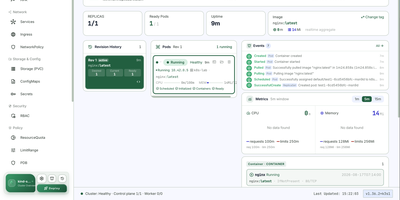
AliangBoard puts every Kubernetes cluster you run behind one web panel, where you manage resources yourself or ask an AI agent to do it with your approval. Connect each cluster with a bearer token or basic auth and the panel persists the connection, so switching clusters, namespaces, and workloads takes one click instead of another kubeconfig. More than thirty resource types stay in sync: create workloads, services, ingress, config, storage, and RBAC through structured forms, edit anything as YAML, apply multi-document manifests at once, and delete optimistically with automatic rollback when the API refuses. Pod work goes deep: a tmux-backed exec terminal survives browser refreshes, port-forwards resolve services to their backend pods, files move up and down with progress, and debug containers inject into running pods without restarting them. Day-two operations are buttons, not flag memorization: scale, rolling restart, rollout undo, manual CronJob triggers, and node cordon or drain. Global search, a layered namespace topology, live event streams, and CPU and memory metrics keep orientation effortless. Then there is the operator: an Agent workbench and MCP server let your LLM read logs, debug containers, and propose changes in natural language, while every write waits for a human click and lands in an audit log that names who did what. Running on a dedicated VPS on RepoCloud with guaranteed CPU, RAM, and SSD, full root SSH access, and a browser serial console. Apache-2.0 licensed.

LearnBuddy
Tell LearnBuddy what you want to learn, in one conversation, and it works out where to start, what to do each day, and when yesterday's material needs another look. You describe the goal, whether that is a language, programming, nutrition, writing, or a career change, and three to five adaptive questions measure your actual baseline instead of making you pick a level from a dropdown. From there it builds a personalized path of four to twenty-four weeks and tells you daily what to study and what to review, so opening the app answers the question instead of raising it. Forgetting is treated as a scheduling problem: reviews resurface at spaced intervals, weekly self-checks test whether the plan still fits, and the roadmap replans dynamically when you race ahead or fall behind. Two editions run from the same codebase: try the hosted Cloud experience, or settle into Personal mode with your own model API key and your learning data stored on your own server. Optional OpenClaw and Feishu integration can bring the daily guidance into the chat tools you already live in. Running on a dedicated VPS on RepoCloud with guaranteed CPU, RAM, and SSD, full root SSH access, and a browser serial console. MIT licensed.

RelayTV
Your couch becomes the control room with RelayTV, a self-hosted media hub that runs on the Linux box plugged into your TV. Connect Plex, Jellyfin, or Emby once, then search films, open a series, pick an episode, resume where you stopped, or drop the pick into the shared queue. Paste a web video link to play it on the big screen, or queue an entire YouTube playlist of up to a thousand videos in order without pausing tonight's movie. The TV idles on a dashboard with a QR code, and anyone in the room scans it to join the same remote, browse, and add picks to the queue. Add M3U playlists to build a My Channels lineup, pin favorites to the top, rewind inside the buffered window when you miss a line, and jump straight back to live. Playback, queue advancement, history, and overlays all run on the box itself, so the TV keeps playing after your phone leaves the page. Every screen appears in Home Assistant as a media player, and the local HTTP API takes play, queue, overlay, and snapshot calls from scripts and dashboards. A second RelayTV in the bedroom can receive the active queue from the living room, and the optional API token locks control down on shared networks. Running on a dedicated VPS on RepoCloud with guaranteed CPU, RAM, and SSD, full root SSH access, and a browser serial console. GPL-3.0 licensed.
Labby
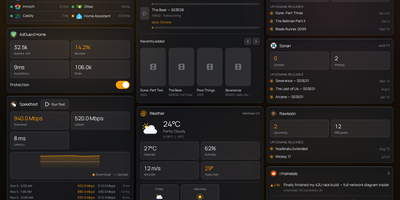
Labby gathers a whole homelab onto one live dashboard you host yourself, covering services, containers, downloads, and media servers. Widgets watch your service monitor, Docker containers, qBittorrent or Transmission queues, SABnzbd, AdGuard Home, Jellyfin, Emby, Plex, Beszel, Radarr, Sonarr, plus weather, calendar, speedtest, bookmarks, Reddit, and Hacker News, and the server pushes every change to your browser over server-sent events so nothing waits on a refresh timer. The dashboard is not a read-only poster: start and stop containers, pause and resume torrents, and toggle AdGuard protection straight from its widgets. Everything configures from the in-app Manage Services page, where service URLs, API keys, poll intervals, and multiple instances of the same integration (two Radarr servers, say) live in a small SQLite database instead of scattered environment files. Named color schemes restyle the board and save with the config, and icon sources span dashboard-icons, selfh.st, Lucide, or your own URLs. Login is off by default for trusted home networks, with a clear warning to keep it behind a LAN, VPN, or forward-auth proxy, and optional OIDC sign-in through Authentik, Authelia, Keycloak, or Pocket ID when you want a real front door. One container, one volume, and your lab finally explains itself at a glance. Running on a dedicated VPS on RepoCloud with guaranteed CPU, RAM, and SSD, full root SSH access, and a browser serial console. MIT licensed.