Apache DolphinScheduler
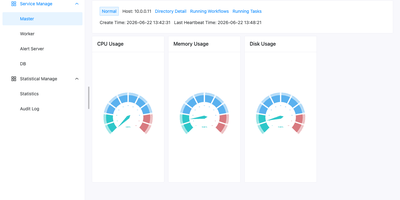
When nightly SQL, Spark, and Python jobs outgrow cron, Apache DolphinScheduler replaces the tangle with a visual workflow orchestrator where every dependency is a line on a drag-and-drop canvas. More than 30 built-in task types cover Shell, SQL, Python, HTTP, Spark, Flink, Kubernetes, SeaTunnel, and Jupyter, while logic nodes add sub-workflows, conditions, switches, and dependencies across projects. Workflows can also be written as code through a Python SDK, YAML, or the Open API and run on timezone-aware cron schedules. Backfill reruns a workflow across a date range or a hand-picked list of dates, in serial or parallel, and any instance can be modified, rolled back, and rerun without touching the saved template. Kill, pause, and resume running tasks, and choose whether a failure ends the run or lets parallel branches continue. Alert groups route results to Email, Slack, Telegram, PagerDuty, Feishu, DingTalk, webhooks, or custom scripts. Tenants, worker groups, and environments isolate teams on shared infrastructure, with project and data source permissions. A Resource Center stores scripts and task files locally or on HDFS, MinIO, and cloud object storage, and the monitor page shows master, worker, and database health at a glance. Standalone, Cluster, Docker, and Kubernetes deployments scale from one node to many masters and workers that can join or leave a running cluster. Running on a dedicated VPS on RepoCloud with guaranteed CPU, RAM, and SSD, full root SSH access, and a browser serial console. Apache 2.0 licensed.
Kandev
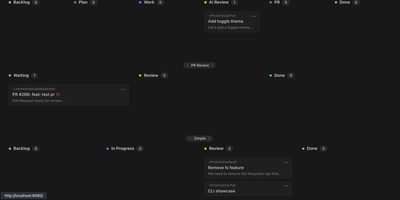
Kandev provides a command center for orchestrating AI coding agents across parallel workstreams. The Go backend paired with a Next.js frontend delivers kanban boards with drag-and-drop columns, pipeline workflow definitions with per-step agent handoffs, and an IDE-like review workspace combining file editor, file tree, terminal, browser preview, and unified git diffs. Multi-provider support connects Claude Code, GitHub Copilot, Codex, Qoder, Grok, and custom agents through configurable profiles with per-agent prompts, runtimes, and review gates. Tasks execute in isolated git worktrees with multi-repository support, letting agents work on separate branches simultaneously while changes surface in a consolidated review interface. Native integrations with GitHub, GitLab, Jira, Linear, Sentry, and Slack pull external issues into the kanban and link tasks to pull requests. Kandev exposes streamable HTTP and SSE MCP endpoints, enabling external clients — Cursor, Claude Desktop, Augment — to create tasks and read workspace context programmatically. Workflow definitions export as portable YAML for sharing across installations. Agentic workflows chain multi-step pipelines mixing different models per step — Opus for architecture, Sonnet for implementation, with human review gates between stages. Running on a dedicated VPS on RepoCloud with guaranteed CPU, RAM, and SSD, full root SSH access, and a browser serial console. AGPL-3.0 licensed.
Shuffle
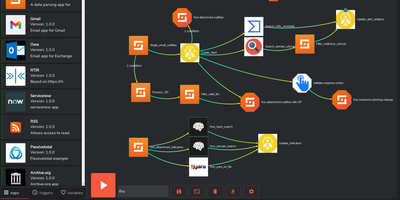
Security teams drown in alerts that all demand the same twelve manual steps. Shuffle is an open-source security orchestration, automation, and response platform that turns those steps into visual workflows: an alert arrives from the SIEM, Shuffle enriches it against threat intelligence, opens the ticket, isolates the host, and messages the analyst, without anyone copying values between browser tabs. Analysts assemble workflows on a canvas from more than two thousand pre-built app integrations covering email, EDR, firewalls, ticketing, chat, and cloud services, and any tool with an OpenAPI description can be converted into a new app automatically, exported again, and reused outside Shuffle. Webhooks, schedules, and pipeline triggers start executions; custom Python covers the odd cases; conditional branches and sub-workflows keep one big playbook from becoming spaghetti. Multi-tenancy with sub-organisations, roles, single sign-on, and MFA fits managed security providers running one deployment for many customers, and execution workers can run on premises closer to the systems they touch. Community members publish workflows and apps to a marketplace, so a phishing triage playbook that works for one SOC can be running in another by lunchtime. Running on a dedicated VPS on RepoCloud with guaranteed CPU, RAM, and SSD, full root SSH access, and a browser serial console. AGPL-3.0 licensed.
MaxKB
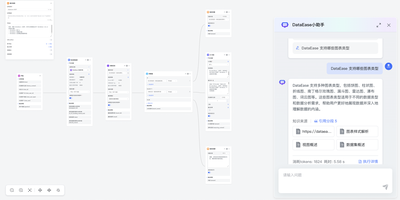
Support teams, IT departments, and researchers can put their own documents behind chatbots and AI agents built with MaxKB, an open-source platform that grounds answers in private knowledge. A support lead starts by uploading Markdown, DOCX, PDF, TXT, HTML, XLSX, XLS, or CSV files, or by syncing a web site, and MaxKB splits, vectorizes, and indexes the content on its own. An IT department can place the finished agent in any third-party site or internal tool with no coding, as a full-screen page, a mobile view, or a floating chat window. Researchers get replies that show, and let them download, the knowledge sources behind each answer. Simple agents pick tools, skills, and MCP connections from the question itself, while advanced agents are drawn as workflows with branching, multi-path recall, loops, and variables. Custom scripts, which AI can help write, plus schedules and event triggers extend what an agent can do. The model manager registers local models such as DeepSeek, Llama, and Qwen beside providers such as OpenAI, Claude, and Gemini, across language, embedding, reranking, vision, speech, and image generation. Conversation logs feed analysis for operations. Dozens of ready-made agent templates, knowledge base templates, tools, and skills in the template center and tool store shorten the first build. Running on a dedicated VPS on RepoCloud with guaranteed CPU, RAM, and SSD, full root SSH access, and a browser serial console. GPL-3.0 licensed.
Conductor
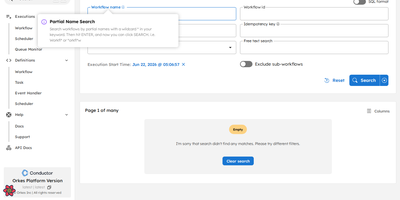
Originally built at Netflix to orchestrate microservices powering 230 million subscribers and now trusted in production at Tesla, LinkedIn, and J.P. Morgan, Conductor is the most battle-tested open-source workflow engine available — with 32,000 GitHub stars and horizontal scalability to billions of executions. The architecture cleanly separates orchestration from business logic: workflows are defined in declarative JSON while workers execute tasks in any of seven supported languages (Java, Python, Go, JavaScript, C#, Ruby, Rust) with zero framework constraints. Durable execution persists every state transition, enabling automatic retries, configurable timeouts, crash recovery, and instant replay from any failure point without re-executing completed tasks. Native AI agent orchestration supports 14+ LLM providers (Anthropic, OpenAI, Google Gemini, AWS Bedrock, Mistral, Cohere, HuggingFace, Ollama), MCP tool calling, function calling, human-in-the-loop approval gates, and vector database integration (Pinecone, pgvector, MongoDB Atlas) for RAG pipelines. Deploy with your choice of five persistence backends (PostgreSQL, Redis, MySQL, Cassandra, SQLite), six message brokers, and Elasticsearch or OpenSearch for workflow indexing — all configurable via Docker Compose files included in the repository. The built-in web UI provides workflow visualization, execution monitoring, task queue inspection, and manual intervention controls. Running on a dedicated VPS on RepoCloud with guaranteed CPU, RAM, and SSD, full root SSH access, and a browser serial console. Apache-2.0 licensed.
Paperclip
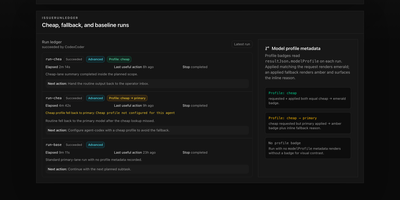
With over 77,000 GitHub stars accumulated in under five months since its March 2026 launch, Paperclip has become the default control plane for teams running multiple AI agents in production. Rather than juggling dozens of terminal tabs with Claude Code sessions, Codex instances, and Gemini CLI workers, Paperclip organizes all agents into a company structure with org charts, reporting lines, role-based permissions, and per-agent monthly budgets that trigger hard-stops when exceeded. The platform supports any runtime through its adapter system — Process adapters manage local CLI agents like Claude Code, Codex, Cursor, Pi, and OpenCode as child processes, while HTTP adapters trigger remote agents via webhooks to OpenClaw, serverless platforms, or custom endpoints. Heartbeat-based execution wakes agents on configurable schedules, injecting goal context, budget state, and workspace paths directly into the invocation payload. The Work and Task System provides atomic checkout with execution locks, first-class blocker dependencies, and structured work products to eliminate duplicate effort. Governance features include approval workflows, decision tracking, emergency stops, and full audit trails tracing every mutation to an actor. Deployment runs as a single Node.js process with embedded PostgreSQL locally or scales to external Postgres for production, installable in one command via npx paperclipai onboard. Running on a dedicated VPS on RepoCloud with guaranteed CPU, RAM, and SSD, full root SSH access, and a browser serial console. MIT licensed.
Flowctl
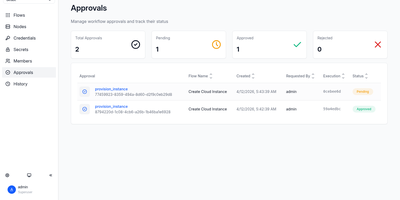
Flowctl turns repetitive ops work, such as granting SSH access, restarting a service, or provisioning a server, into self-service forms that anyone on the team can run without holding credentials. Each workflow is a YAML or HUML file with typed inputs, validation rules, and a list of actions. Actions run in order or as a dependency graph, so independent branches execute in parallel. Every action runs in a Docker container, as a shell script, or as another flow, and scripts can target remote servers over SSH, several at once. Sensitive steps pause until a reviewer approves or rejects them. Output from one action feeds the next, files pass along as artifacts, and failed actions can be retried. Cron schedules with time zones and labels run flows unattended, while logs stream live in the browser. Email, Slack, Mattermost, and webhook notifications announce success, failure, waiting, or cancellation. Teams get isolated namespaces with user, operator, reviewer, and admin roles, OIDC single sign-on, and encrypted storage for SSH keys and secrets. A built-in flow editor means nobody has to hand-write files, and custom executors can be added as Go plugins. Running on a dedicated VPS on RepoCloud with guaranteed CPU, RAM, and SSD, full root SSH access, and a browser serial console. Apache-2.0 licensed.
Huginn
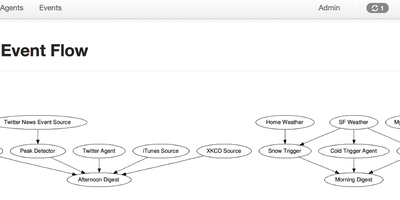
Huginn has established itself as the definitive open-source automation engine for developers who refuse to hand their workflow data to third-party cloud services. The platform lets you build agents that scrape websites, monitor RSS feeds, track weather via APIs, watch Twitter streams, aggregate news, detect price changes, and trigger notifications through email, SMS via Twilio, Slack webhooks, or social media posts to Twitter and Tumblr. Each agent creates and consumes JSON events, propagating them along a directed graph where complex multi-step workflows emerge from simple single-purpose components. The web interface provides visual agent management with drag-and-drop scenario building, real-time event logs, scheduling controls, and a built-in agent library covering dozens of use cases out of the box. Huginn supports Liquid templating for dynamic event transformation, regex-based content extraction, JavaScript-based data manipulation, and HumanTaskAgent for crowd-sourced workflow steps. Custom agents can be packaged as Ruby gems and loaded via the ADDITIONAL_GEMS environment variable without modifying core code. Deployment options include Docker with the official huginn/huginn all-in-one image or huginn/huginn-single-process for production multi-container setups with PostgreSQL or MySQL backends, plus native support for Heroku and OpenShift PaaS platforms. Running on a dedicated VPS on RepoCloud with guaranteed CPU, RAM, and SSD, full root SSH access, and a browser serial console. MIT licensed.
Request Tracker
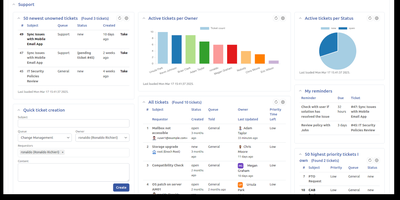
Email-driven ticketing for IT, support, and operations teams: Request Tracker turns every message sent to support@, helpdesk@, or security@ into a tracked ticket with an owner, a priority, a due date, and a complete audit trail. Staff reply to customers and comment privately to colleagues from the web interface or straight from their inbox, while requestors follow their own tickets in a self-service portal. Lifecycles built in a visual editor define custom statuses, transitions, and rights per queue, and scrips fire notifications or automated actions whenever a ticket changes. Service level agreements honor business hours, escalations trigger as deadlines approach, and scheduled tickets recreate recurring chores such as monthly patch windows. A transaction query builder, saved searches, charts, and drag-and-drop dashboards turn ticket history into reports that export to CSV or arrive by email on a schedule. Asset catalogs track laptops, licenses, and servers beside the tickets that mention them, and an Articles knowledge base feeds canned answers into replies. Time worked is logged per ticket with a My Week timesheet, approvals route sensitive requests to the right people, and PGP or S/MIME protects email in both directions. A REST2 API, a command-line client, and more than 400 extensions connect RT to the rest of your tooling. Running on a dedicated VPS on RepoCloud with guaranteed CPU, RAM, and SSD, full root SSH access, and a browser serial console. GPL-2.0 licensed.
ProductFlow
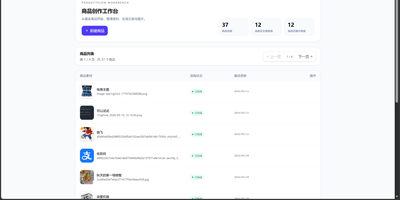
ProductFlow turns a product photo and a few facts into finished selling material, giving solo merchants and small teams one workspace for copy, posters, and repeatable image generation. You start by creating a product record, attaching original and reference images, then arranging product data, copy nodes, and image nodes on a zoomable canvas with drag, pan, multi-select, and connections. Copy nodes generate editable structured text that you can review, confirm, and keep in history before downstream image nodes read it. Poster generation runs in template mode with local rendering or generated mode through an image provider, and completed results can be downloaded, saved as product references, or promoted to the main product image slot. A separate image session view supports text-to-image and image-to-image runs with base image selection, candidate comparison, queue position, progress, cancel, and retry. Every finished image can move into the gallery with its source session, linked product, prompt, size, and model recorded for later reuse. Runtime settings cover provider profiles, model bindings, image tool parameters, prompt templates, upload limits, and concurrency, guarded by a separate settings token. The built-in help pages document the canvas, gallery, image sessions, and configuration in searchable sections. Running on a dedicated VPS on RepoCloud with guaranteed CPU, RAM, and SSD, full root SSH access, and a browser serial console. MIT licensed.
Dagu
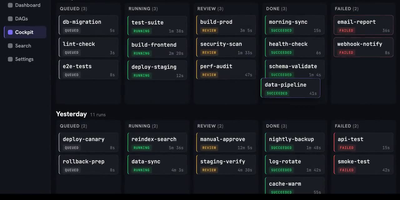
With over 3,700 GitHub stars and growing adoption among teams tired of managing complex orchestration platforms, Dagu delivers a complete workflow engine as a single Go binary that requires no external database, message broker, or framework installation. Define directed acyclic graphs in declarative YAML — specifying dependencies, schedules, retries, timeouts, approvals, and notifications — while keeping existing shell scripts, containers, and tools completely unchanged. The built-in Web UI provides live pipeline visualization, per-step log streaming, run history browsing, artifact previewing, manual retry controls, and workflow YAML editing without SSHing into servers. Execute steps as shell commands, Docker containers, Kubernetes Jobs, SSH remote commands, SQL queries, or HTTP requests, with conditional branching and parallel execution handled natively. The integrated Model Context Protocol server exposes dagu_read, dagu_change, and dagu_execute tools, enabling AI agents like Claude, Codex, and Cursor to inspect workflow state, preview YAML modifications, and control runs through authenticated endpoints. The harness.run executor lets external coding-agent CLIs operate inside DAG steps with full scheduling and approval gate support. Scale beyond a single machine with the distributed worker mode, which dispatches tasks to remote nodes via gRPC with automatic label-based routing and worker selection. Deploy with Docker, the official Helm chart for Kubernetes, or a simple binary download requiring only a Linux, macOS, or Windows host. Running on a dedicated VPS on RepoCloud with guaranteed CPU, RAM, and SSD, full root SSH access, and a browser serial console. GPLv3 licensed.
Cadence Workflow
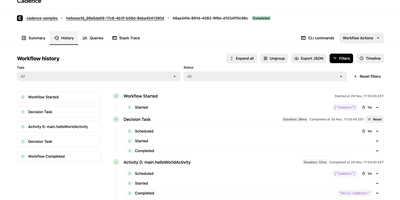
An order that waits days for a payment or a manager's approval survives crashes, restarts, and deployments in Cadence, a workflow engine that resumes each process exactly where it stopped. Developers write the order's logic as ordinary Go or Java code. The engine records every step in an event history and replays it to rebuild state on any worker. Activities send the emails, call the APIs, and write the database rows, each with its own retry policy, timeout, and heartbeat. A durable timer waits seconds or months without holding a thread, a cron schedule launches recurring runs, and a signal delivers the payment confirmation into the running workflow. Queries read its state without changing it, child workflows split big processes into reusable parts, and versioning allows code changes while older executions are still in flight. Domains separate teams and applications, task lists carry their own rate limits and priorities, global domains replicate across clusters and fail over between them, and archival retains closed histories. Cadence Web finds executions with SQL-like queries, lays out event history as a grouped table or a timeline, and exposes payloads, pending activities, and stack traces. It can start, reset, signal, cancel, or terminate runs, with batch actions for thousands of workflows at once. Running on a dedicated VPS on RepoCloud with guaranteed CPU, RAM, and SSD, full root SSH access, and a browser serial console. Apache-2.0 licensed.
Skyvern
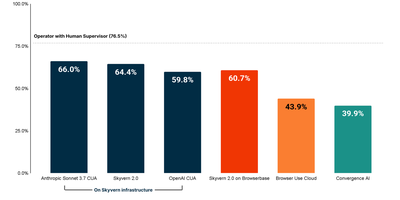
Scoring 64.4 on the WebBench benchmark — state-of-the-art among browser automation platforms — Skyvern replaces brittle XPath-based scripts with Vision LLM reasoning that adapts when websites change their layouts. The platform extends Playwright with AI-powered page methods including page.act(), page.extract(), and page.validate() that accept natural language prompts while still supporting traditional CSS selectors as fallback. The drag-and-drop Workflow Studio offers 17+ block types including navigation, extraction, login, loops, conditionals, code blocks, file download, and file upload — enabling non-technical users to build complex multi-step automations without writing code. Self-hosted deployments support bring-your-own-LLM with OpenAI, Anthropic, Gemini, and Ollama, while the multi-engine architecture allows swapping between Skyvern 2.0, OpenAI CUA, Anthropic CUA, or UI-TARS per task with a single parameter. Built-in infrastructure handles persistent browser sessions preserving cookies and localStorage across runs, automatic CAPTCHA solving for reCAPTCHA and hCaptcha, anti-bot bypass for Cloudflare and DataDome, residential proxy rotation across 20+ countries, and a credential vault integrating with Bitwarden and 1Password for secure 2FA management. Real-time session livestreaming via WebRTC enables visual debugging, while step-by-step action logs with screenshots and full LLM diagnostic traces provide production observability. The MCP server integration exposes Skyvern as a tool for Claude, Cursor, Windsurf, and any MCP-compatible AI agent. Connect to 6,000+ apps through Zapier, Make.com, or self-hosted N8N workflows. Deploy via Docker Compose or pip install with a two-command setup. Running on a dedicated VPS on RepoCloud with guaranteed CPU, RAM, and SSD, full root SSH access, and a browser serial console. AGPL-3.0 licensed.
Veritas Kanban
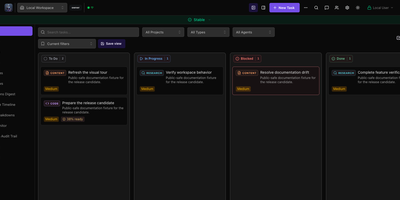
A drag-and-drop task board that works fine on its own and can also hand cards to AI coding agents, Veritas Kanban shows what each agent is doing, what it changed, and what is waiting for your approval. Start with no agents at all. Cards move through To Do, In Progress, Blocked, and Done, and each one carries subtasks, dependencies, time tracking, comments, and an activity log. When you are ready, connect Codex, Claude Code, Copilot CLI, Hermes, or OpenClaw, give every agent an Intern, Specialist, or Lead permission level, and follow each agent's status and model on a live dashboard. Let a task run in its own Git worktree, read the diff, leave inline comments, approve or request changes, and open a GitHub pull request from the task panel. Squad Chat gives agents one shared channel that posts spawned, completed, and failed events. Workflows chain steps with parallel branches, loops, and human approval gates. Policy rules allow, deny, or hold agent actions for review. Assistants reach the board through an MCP server, a command-line client, or a REST API. Running on a dedicated VPS on RepoCloud with guaranteed CPU, RAM, and SSD, full root SSH access, and a browser serial console. MIT licensed.
Platypus
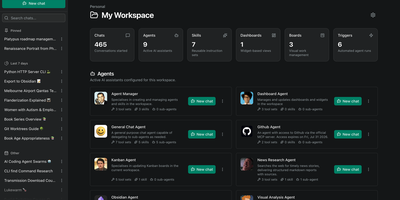
Platypus gives a whole team always-on AI agents that reason, call tools, and keep working on your own servers while everyone is offline. Build an agent once by choosing a provider and model, writing its instructions, and capping its tool-calling loop, then reuse that preset across chats and scheduled runs. Agents load reusable Skills on demand and delegate specialist work to sub-agents that appear to the parent as tools. Connect local and remote data through Model Context Protocol servers, or expose an agent to outside agents and chat platforms through A2A endpoints with a token per client. Triggers run agents on a cron schedule, as one-off jobs, or when workspace events such as a card moving on a board occur, and every run records its result. Kanban boards give agents work they can move and update themselves, while notifications and HMAC-signed webhooks push board and workspace events into your own systems with filtering and retries. Facts and preferences are extracted from conversations in the background and injected into future chats, so returning users are remembered. Sandbox backends give agents shell and filesystem access inside an isolated per-workspace environment instead of the host. Organizations and workspaces keep each team's agents and data separate, and blueprints package shared agents, skills, MCP servers, and providers so a new workspace starts pre-equipped. Running on a dedicated VPS on RepoCloud with guaranteed CPU, RAM, and SSD, full root SSH access, and a browser serial console. MIT licensed.
Sim Studio
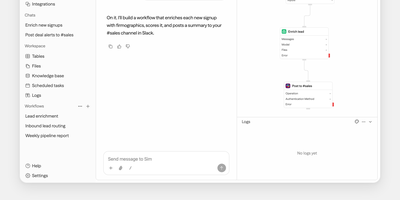
Sim Studio lets teams build, deploy, and monitor AI agent workflows by dragging blocks onto a visual canvas and wiring them into executable pipelines, backed by over 1,000 integrations. The React Flow editor represents each step as a node: LLM calls, tool invocations, conditional branches, and data transformations form directed acyclic graphs that run as complete agent pipelines. Every major LLM provider works natively, including OpenAI, Anthropic, Google Gemini, Groq, and Cerebras, plus local models through Ollama and vLLM. Integrations span Gmail, Slack, Microsoft Teams, Telegram, WhatsApp, Notion, Google Workspace, Airtable, GitHub, Jira, Linear, Perplexity, Firecrawl, PostgreSQL, Supabase, Pinecone, and Qdrant. Built-in tables provide a database layer, a file store offers shared team storage, and knowledge bases powered by PostgreSQL with pgvector enable retrieval-augmented generation. Finished workflows deploy as REST API endpoints, scheduled jobs, or Slack bots, with block-by-block execution traces for full observability. Real-time collaborative editing via Socket.io supports simultaneous multi-user construction. Alternatively, describe agent behavior in natural language and Sim assembles the workflow automatically. Built on Next.js App Router, Bun runtime, Drizzle ORM, and Tailwind CSS. 29,400+ GitHub stars and 100,000+ builders. Apache-2.0 licensed.
Mayan EDMS
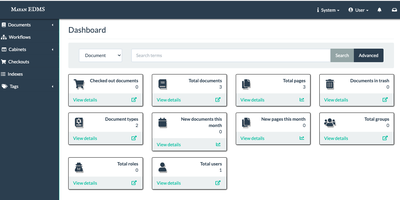
Mayan EDMS stores, classifies, and retrieves millions of documents with automatic OCR, workflow automation, and audit-ready access controls that organizations have relied on for over a decade. Tesseract integration extracts searchable text from scanned PDFs and images in over 100 languages, transforming paper archives into instantly queryable digital collections without manual data entry. The workflow engine routes documents through approval chains using configurable state machines that trigger notifications, enforce retention policies, and maintain complete audit trails for regulatory compliance. Version tracking preserves every revision with full diff capabilities, while GnuPG digital signatures provide cryptographic proof of authenticity and tamper detection for sensitive records. Role-based permissions combined with object-level ACLs and LDAP integration ensure documents remain visible only to authorized users, down to individual file granularity. Full-text search powered by Whoosh or ElasticSearch handles advanced queries across massive document stores with faceted filtering and relevance ranking. The Django REST Framework API enables programmatic upload, metadata extraction, and workflow triggering from external systems. Beyond simple folder hierarchies, metadata schemas, document types, tags, and cabinet structures provide multi-dimensional classification tailored to how your organization actually works. Background processing through Celery handles OCR, conversion, and preview generation asynchronously, keeping the web interface responsive under heavy ingest loads.

HEISS UI
ComfyUI's node graph is where workflows are built, not where pictures get made, and HEISS UI is the calm studio that sits on top of your ComfyUI server for the daily prompt, wait, look, tweak loop. Thirty model families work out of the box, from SD 1.5 and SDXL to Flux.2, Qwen-Image, Krea 2, and Wan 2.2, and missing text encoders, VAEs, or node packs each get a Download button, with Get all for the lot. Pick 2K and the model draws at 2048 in one run with no upscale in between, or send any finished picture to 2K or 4K with SeedVR2 in one click. Import your own workflow and it becomes clean controls over the same graph, with usual inputs connected and guesses marked for review. Paint over part of a picture and say what it becomes, and only that part changes, with inpainting across 18 image families and no extra nodes. The gallery auto-groups ten takes of one idea into a single tile, and opens on your phone while your rendering machine does the work. A Hidden vault locks private images behind Touch ID, Windows Hello, or a password; new PNGs can carry Civitai-ready metadata, and Zen mode shows only prompt and picture. Run it beside ComfyUI with Docker or npm on port 8787, or point it at ComfyUI on another machine. Running on a dedicated VPS on RepoCloud with guaranteed CPU, RAM, and SSD, full root SSH access, and a browser serial console. MIT licensed.