Qeli
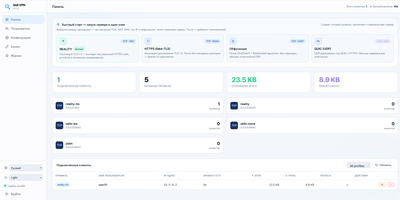
Qeli is a self-hosted VPN built for networks where ordinary VPN protocols get recognized and blocked, disguising its traffic as ordinary web traffic while keeping the classic full-tunnel experience. Where WireGuard, OpenVPN, and IKEv2 carry fingerprints that deep packet inspection has learned to spot, Qeli answers with five wire modes: plain, TLS mimicry, ChaCha20 obfuscation behind WebSocket fronting, REALITY, and a flagship mode that carries the private stream inside a genuine HTTP/2 request within a real TLS 1.3 exchange. A probe without a valid token never learns the difference, because the server bridges it to the configured public target site. The handshake is hybrid post-quantum, X25519 plus ML-KEM-768, with a ChaCha20-Poly1305 data plane, and the tunnel itself behaves like the VPNs people already know: full-tunnel or split routing, OS-level DNS, and per-app include or exclude rules on Windows, macOS, and Android. A one-command installer on a clean Debian or Ubuntu server asks for a profile and a port, writes the NAT configuration, creates the first users, and prints ready-to-paste connection links. The web panel then issues qeli:// links and QR codes per person behind an Argon2id login, so onboarding a phone is a camera scan instead of a config file. Clients cover Linux, Windows, macOS, Android, and Keenetic and OpenWrt routers, and published lab benchmarks average around 1220 Mbit/s across all twelve profiles. Running on a dedicated VPS on RepoCloud with guaranteed CPU, RAM, and SSD, full root SSH access, and a browser serial console. AGPL-3.0 licensed.
ShellHub
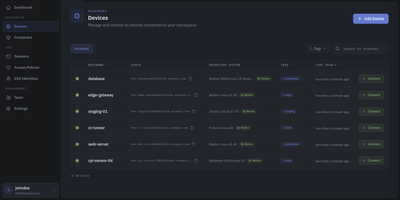
Every server, embedded board, and edge gateway you manage becomes reachable through one SSH address in ShellHub, even when it sits behind NAT with no public IP and no open inbound port. A small agent on each device dials out to your server, so a box on a customer LAN or a cellular link needs nothing beyond outbound web access. Connect with the stock ssh client by typing [email protected]@server, or open a terminal in the browser, and scp, sftp, rsync, and port forwarding work unchanged. SSH identities tie every key to a named team member, so removing someone ends their access on every device at once. Default-deny access policies grant or block members, roles, users, or API keys by device tag, Linux login, and source address, and can require a fresh browser confirmation before a session opens. Provisioning keys enroll whole fleets through automatic, manual, webhook, or allowlist acceptance, with usage limits, expiry dates, and tags. The Sessions page records who connected to which device, as which login, and from where, and browser terminals can be recorded and replayed. A Docker connector turns containers into devices that policies can grant one by one. Four member roles shape what each person can change, and the HTTP API, API keys, and an MCP server let scripts and AI assistants list devices and review sessions. Running on a dedicated VPS on RepoCloud with guaranteed CPU, RAM, and SSD, full root SSH access, and a browser serial console. Apache-2.0 licensed.
ControlR
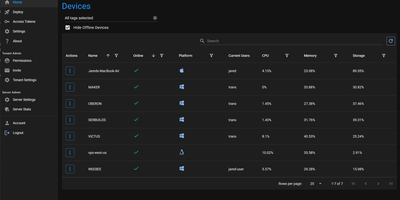
Helping someone fix their computer should not start with a phone call full of instructions nobody can follow: ControlR puts every machine you look after into one browser tab. Install the agent on Windows, Mac, or Linux machines once, and they appear in your device grid with their status ready for action. Open a remote desktop session and see and control the screen as if you were sitting there, drop into a cross-platform PowerShell terminal when a fix is faster typed than clicked, browse the file system to fetch a log or drop off a file, or just open chat when a quick question is all that is needed. Devices are organized with tags, and access follows them: a technician sees the machines their tags cover, while roles decide who can install agents, manage installer keys, administer the tenant, or reach every device. Agent logs stream to the server in real time, which turns bug reports into something you can actually read. Run one tenant for your own fleet, or enable public registration and let each new account become its own isolated tenant, with the database keeping every tenant's devices and users apart. Sensitive settings can arrive through Docker Secrets instead of environment variables, and the whole server runs from a single compose file. Running on a dedicated VPS on RepoCloud with guaranteed CPU, RAM, and SSD, full root SSH access, and a browser serial console. MIT licensed.
Liaison
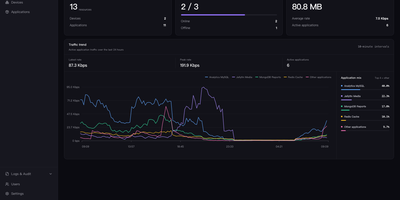
Liaison puts every private service you run behind one browser console, so a laptop, a homelab box, or a customer server becomes reachable without opening a single inbound port. Install a lightweight connector on each device and it dials out to the control plane, where administrators register applications over TCP, HTTP, HTTPS, WebSocket, and SSH and grant access per user. Browser workspaces cover audited Web SSH terminals, RDP and VNC desktops, SFTP file management, read-only S3 browsing, and database clients for MySQL, PostgreSQL, MariaDB, SQL Server, Oracle, MongoDB, and Redis, each with a session Agent that drafts commands and explains query results once you approve them. Local models are shared through authenticated APIs with a browser Playground, scoped keys, token quotas, and usage tracking, while Codex and Claude Code run on your own devices with resumable sessions and permission prompts. A built-in code-server IDE edits projects remotely, and on-demand TCP ports open for 5 to 300 seconds. Casbin-backed identity management, firewall policies by source IP or CIDR, and logs of management actions and supported sessions keep access accountable. Application discovery scans connector devices for existing services and registers them from the console. Running on a dedicated VPS on RepoCloud with guaranteed CPU, RAM, and SSD, full root SSH access, and a browser serial console. AGPL-3.0 licensed.
Happier
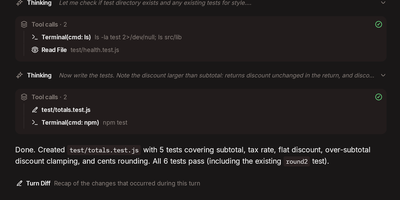
When a dozen coding agents are running at once, Happier puts every session in one list and lifts the ones waiting on you to the top. Sessions that need a decision gather under Needs attention and running ones sit under Working, so nothing stalls unseen. Start Claude Code, Codex, OpenCode, Pi, Cursor, Gemini, Copilot, Qwen, Kimi, Auggie, Kilo, Kiro, or Grok on any computer you have connected, or add a custom ACP backend for another agent CLI. Switch the agent mid-session, let Claude hand a review to Codex as a subagent, and move a live Claude Code or OpenCode session to another machine. Read the tool-call timeline, review the diff, mark exact lines, and send those notes back to the same session or a fresh one. Stage, commit, push, and open pull requests from the Git panel, or give each session its own worktree. Queue messages, steer a running turn, edit files, open a terminal, or dictate to the voice assistant. Pool several accounts so work continues when one hits a usage limit, and watch five-hour and weekly quotas reset. Share a session view-only, with edit rights, or as a public link. Content is end-to-end encrypted by default, and the relay serves the web app, so any browser can reach it. Running on a dedicated VPS on RepoCloud with guaranteed CPU, RAM, and SSD, full root SSH access, and a browser serial console. MIT licensed.
Ovis
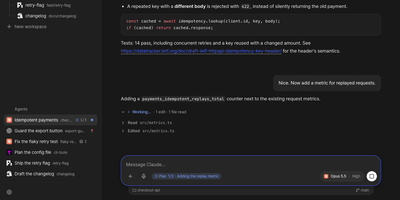
Ovis puts every coding agent running on your machine into your pocket, turning Claude Code, Codex, and a dozen other agent panes into clean phone-friendly chats you can read, answer, and steer from anywhere. Each pane shows the agent's own transcript as a conversation instead of terminal scrollback, with the live terminal one tap away when you need raw output. Permission requests, questions, and plan menus arrive as cards you answer with a tap or a number, and Ovis checks the prompt is still current before sending your answer. Live status for every pane shows which agents are working, which finished, and which are waiting on you. Web push alerts reach you even with the app closed, so a blocked agent never sits idle while you are away from the desk. Install it on your phone as a PWA with a rearrangeable key bar for Esc, Tab, Ctrl, and arrow keys, paired by QR code to your Tailscale address. Dictate replies into chat or terminal with mixed Korean and English speech, review the transcript, then send it to the agent. Open working-tree, staged, or commit comparisons from the file browser and read each file's diff without touching the repository. Reach remote PCs over SSH, queue a message for the agent's next turn, or send it immediately. Running on a dedicated VPS on RepoCloud with guaranteed CPU, RAM, and SSD, full root SSH access, and a browser serial console. MIT licensed.
Tunnet
One encrypted network for every machine you run: Tunnet links laptops, home servers, cloud instances, and CI runners into a private mesh that behaves like a single LAN. Each enrolled machine gets an overlay IP and a hostname, so ordinary tools like ping, curl, SSH, and the browser just work across home servers, cloud instances, and laptops. Publish an internal app to your peers with Serve, or expose a local service to the public internet with an HTTPS tunnel when you need a shareable link. Send files directly between machines without detouring through cloud drives, email attachments, or fragile copy commands. SSH access follows identity instead of scattered key files, with session recording and no bastion host to maintain. Device posture checks gate which machines may join, and subnet routes, exit nodes, and high-availability gateways extend the fabric to whole networks. Write your ACLs, groups, tags, and SSH rules as Policy as Code in Git, simulate changes offline, review semantic diffs on pull requests, and roll back revisions when a change misbehaves. The Kubernetes operator advertises cluster networks, publishes services to peers, and exposes public HTTPS endpoints through custom resources. Run the full stack yourself, control plane, dashboard, management API, relays, and audit logs included, or skip the server entirely with Direct mode for a zero-server peer-to-peer mesh. Running on a dedicated VPS on RepoCloud with guaranteed CPU, RAM, and SSD, full root SSH access, and a browser serial console. AGPL-3.0 and MPL-2.0 licensed.
LabTether
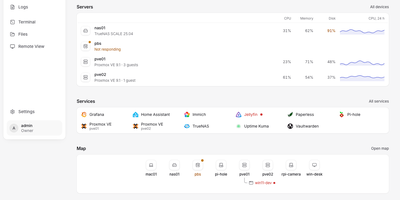
LabTether is a self-hosted control hub that puts every machine, VM, and container in your homelab on one screen. The dashboard surfaces what needs attention first, then lists servers with CPU, memory, disk, and 24-hour charts beside the services you run. Connect Proxmox VE, Proxmox Backup Server, TrueNAS, Portainer, and Home Assistant with an API key, and add agents on Linux, macOS, or Windows machines for live metrics. Open a terminal, a file browser, or a VNC, RDP, SPICE, or WebRTC remote desktop on any node from the browser. Alert rules, notification routes, and maintenance silences group related problems into incidents you can track to the fix, and a dependency map shows what else goes down before you reboot something. Saved actions run on a group or a schedule, webhooks forward hub events, and package updates start with a dry run. A built-in MCP server hands Claude, Cursor, or any MCP client 32 tools, each API key limited to the scopes you allow. Two-factor login, OIDC single sign-on, owner, admin, operator, and viewer roles, and an audit log keep access tidy. Running on a dedicated VPS on RepoCloud with guaranteed CPU, RAM, and SSD, full root SSH access, and a browser serial console. Apache-2.0 licensed.
FileCat
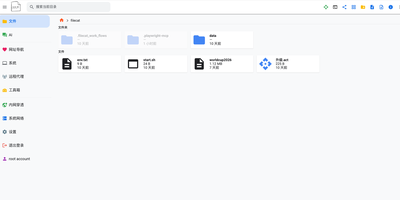
One browser tab can run your whole server, and FileCat is the tab: a self-hosted web file manager that also serves as a lightweight server operations console. Browse, upload, download, and edit files with inline previews for images, video, and Markdown, then keep writing in a Typora-style WYSIWYG Markdown editor or sketch on the built-in Excalidraw whiteboard. Remote storage stops being remote: SFTP, S3, WebDAV, SMB shares, and Baidu Netdisk mount as ordinary local folders under the same operations, and your own directories publish back out over SMB, WebDAV, and SFTP for Windows Explorer and other clients. A web SSH terminal and in-browser RDP sessions reach servers and Windows desktops without separate tools, and the system dashboard watches CPU, memory, disk, and network in real time. Oversized log files open instantly, deep search digs through names and file contents with regex and filters, and custom command pipelines cover CI/CD routines across machines linked by the built-in network tunneling. An optional AI agent, connected to your own model API and reachable through chat platform bots, assists with operations and file tasks, and multi-user permissions with shareable download links decide who touches what. Running on a dedicated VPS on RepoCloud with guaranteed CPU, RAM, and SSD, full root SSH access, and a browser serial console. Apache-2.0 licensed.
Nexterm
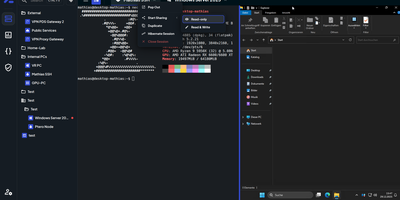
Terminals, remote desktops, and file browsers for every server you run: Nexterm opens them over SSH, VNC, RDP, Telnet, or SFTP from a self-hosted web page. Servers live in folders with tags and custom icons. Connections open as tabs or split views, keep running across browsers and devices, and can hibernate and resume later. The file manager handles SFTP and FTP: drag files in, upload whole folders, search, and edit in place with syntax highlighting. Live metrics track CPU, memory, disk, network, and processes for each host. Snippets store the commands you retype most. Scripts run whole maintenance jobs. Git repositories added as sources bring ready-made ones filtered by operating system. Organizations share servers through role-based permissions, and every action is logged. Record full terminal sessions for audits and training, or send a shared-session link so a colleague can join, read-only or writable. Authentication covers local accounts with TOTP and passkeys, OIDC providers such as Keycloak, Authentik, and Microsoft Entra ID, and LDAP or Active Directory. Saved passwords, SSH keys, and passphrases stay encrypted at rest. A Proxmox integration lists LXC containers and QEMU virtual machines and can start or stop them. An opt-in AI assistant drafts shell commands from plain-language requests. Running on a dedicated VPS on RepoCloud with guaranteed CPU, RAM, and SSD, full root SSH access, and a browser serial console. MIT licensed.
Wiredoor
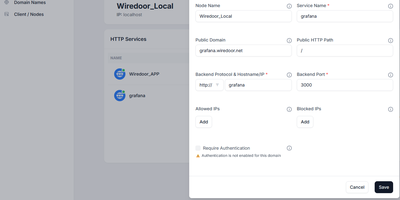
A self-hosted front door for apps that live on home labs, office LANs, and private clusters, Wiredoor publishes them to the internet without opening a single inbound port on the private side. The Wiredoor CLI on each remote machine dials out to the server over an encrypted WireGuard tunnel. Web apps and APIs are routed by domain and path, WebSocket traffic included, while TCP and UDP services such as SSH or Redis get a public port of their own. Public domains receive Let's Encrypt certificates, internal names fall back to self-signed ones, and Cloudflare or GoDaddy credentials let the server create DNS records itself. Any web route can demand OAuth2 sign-in with an email allow list and a few open paths, and every protocol accepts IP allow lists. Gateway nodes stretch one tunnel across a Docker network, Kubernetes cluster, or private subnet, so a single link serves many backends. Services can be switched off or given an expiry such as 30 minutes, 2 hours, or 1 day. The dashboard shows which nodes are connected and whether their services are enabled, while the CLI creates, enables, and disables services from a terminal. Optional Prometheus and Grafana views chart traffic and tunnel peers, and CrowdSec can block abusive addresses. Running on a dedicated VPS on RepoCloud with guaranteed CPU, RAM, and SSD, full root SSH access, and a browser serial console. Apache-2.0 licensed.
AnywhereLAN
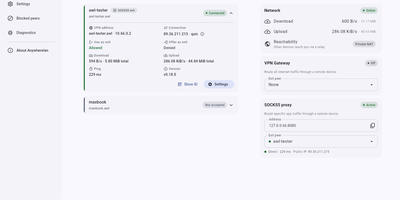
Open your laptop in a Lisbon cafe and your files at home answer as if the laptop never left the desk: AnywhereLAN stitches your own machines into one private mesh network with stable names like work-laptop.awl, no port forwarding and nothing exposed to internet scanners. There is no coordination server to trust. Peers announce themselves in the libp2p DHT, identify with ed25519 keys and connect directly over QUIC or TCP with TLS 1.3, hole-punching through NAT and borrowing a community relay only when both ends sit behind hostile firewalls. Send a browser out through the house connection with the built-in SOCKS5 proxy on 127.0.0.1:1066, handy on regional blocks and hostile hotel Wi-Fi. Prefer the full tunnel: the VPN gateway routes every IPv4 byte through a chosen peer, so the whole machine presents the exit node's address to the world. Devices join through invite links or QR codes. Every peer approves its friends and grants exit rights individually, and identity is a keypair you hold, so no account recovery email can betray the network. Manage it from the bundled web UI at admin.awl, script it from the awl CLI, watch it through Prometheus metrics on port 8639, and run it on Windows, macOS, Linux servers and Android phones. Running on a dedicated VPS on RepoCloud with guaranteed CPU, RAM, and SSD, full root SSH access, and a browser serial console. MPL-2.0 licensed.
Skiff
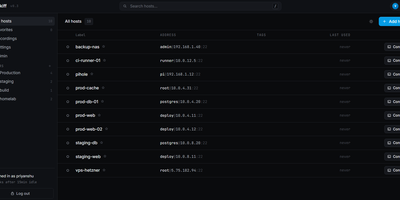
Skiff is a self-hosted SSH manager that remembers every command you ran on your servers and exactly what it printed, so the fix you found at 2 a.m. last March takes seconds to find again. Open a host's history beside its terminal, or search commands and captured output across every host, filter to just the failed attempts, and expand an entry to see its full output. When you edit a small text file, Skiff reads it over SFTP and keeps the before-and-after diff and both versions, so you can see what changed instead of guessing. Useful entries pin to a host's notes, save as reusable snippets, or go back into the terminal with Run again, where you review and press Enter yourself. The browser is only a viewer: sessions live in the Skiff server process, so closing a tab or losing Wi-Fi does not kill your work, and you reattach with recent scrollback intact. Hosts organize into nested folders with favorites and full-text search, existing SSH configs import in one paste, and host keys pin on first connect with a loud warning if one ever changes. Credentials sit in an encrypted vault that locks itself after an idle timeout, team mode shares one vault with per-user logins, and there is no cloud account, telemetry, or agent to install on any target server. Running on a dedicated VPS on RepoCloud with guaranteed CPU, RAM, and SSD, full root SSH access, and a browser serial console. AGPL-3.0 licensed.
RustDesk Console
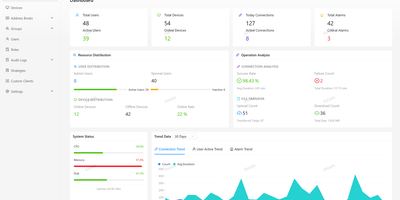
RustDesk Console is a self-hosted management panel for RustDesk that gives administrators one place to oversee devices, address books, access policies, and audit trails across a whole remote desktop fleet. The dashboard opens with overview statistics, trend charts, and real-time monitoring across several metrics. Device pages group machines, track online status, apply batch operations, and force-disconnect a session when something looks wrong. Personal and shared address books carry tags, peer entries, and access rules, so teams can hand out the right connections to the right people. Strategies can be assigned to a device, a user, or a group, with priority resolution deciding which wins and heartbeat delivery pushing settings to clients. Four audit logs record connections, file transfers, security alarms, and console operations for compliance reviews. Sign-in supports TOTP two-factor codes, passkeys, OIDC single sign-on, and email verification. An optional server profile runs hbbs and hbbr beside the console and manages relay nodes from the same interface. Running on a dedicated VPS on RepoCloud with guaranteed CPU, RAM, and SSD, full root SSH access, and a browser serial console. AGPL-3.0 licensed.
Alma Relay
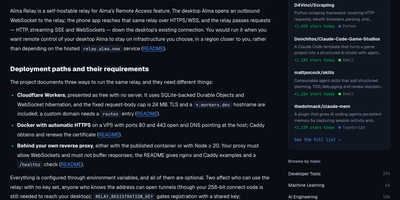
Alma Relay is the relay you run yourself so your phone can reach the Alma on your desktop from anywhere, without port forwarding, a VPN, or a third party sitting in between. Your desktop dials out to the relay and keeps that connection open, and when you open the app on your phone, its requests travel through the relay to the desktop and the answers stream back the same way. Pairing happens with a QR code that carries the relay address, so switching to your own relay takes one fresh scan instead of manual setup on every device. New pairings encrypt the session end to end, so the relay routes encrypted traffic it cannot read, and the routing values it handles are one-way hashes that are never written to disk or logs. When your phone is locked, the relay can pass along the "reply finished" and "Alma has a question" notifications through Apple's or Google's push services, so you hear about finished work without staring at the screen. A live view of the desktop's browser can ride along too, with short-lived credentials issued for the media connection. Sharing the relay with a team works through per-person tokens you can revoke individually, and regenerating your connect code cuts off every paired phone at once. Running on a dedicated VPS on RepoCloud with guaranteed CPU, RAM, and SSD, full root SSH access, and a browser serial console. MIT licensed.
JumpServer
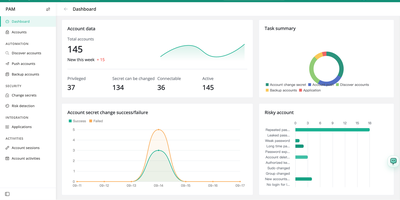
Every server login, database query, and remote desktop session passes through one audited front door instead of scattered SSH keys and shared passwords. Administrators register assets like Linux hosts, Windows machines, databases, clouds, and websites, store the accounts for each, and grant people access through authorization rules. Users open a web terminal or connect with a native client to reach SSH, SFTP, RDP, VNC, database, and Kubernetes targets, with an AI assistant that can describe tasks and run commands in the terminal. Every session is recorded for replay, commands are logged, file transfers are tracked, and auditors can watch live sessions or cut them off. Access control lists filter commands, limit source addresses, and restrict time windows, and multi-factor authentication and LDAP or Active Directory sign-in protect the front door. Automation jobs discover accounts on assets, push new ones, rotate secrets on a schedule, and back up credentials, with a risk dashboard that flags weak, repeated, or stale passwords. Community Edition covers up to 5,000 assets. Running on a dedicated VPS on RepoCloud with guaranteed CPU, RAM, and SSD, full root SSH access, and a browser serial console. GPL-3.0 licensed.
Codync
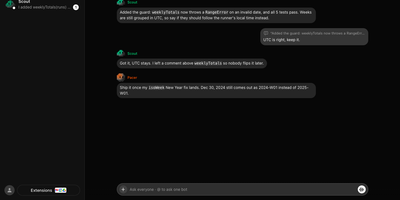
Codync turns the coding agents already installed on your computer into named bots you can message from your phone, so the Claude Code or Codex session on your desk keeps working while you are away. Each bot wraps one agent in one project folder, with its own standing instructions, memory, and approval rules, and several bots run side by side on one machine. Message any bot from the iPhone app, the desktop app, or a terminal; group rooms put bots in one thread, and an @name mention routes a question to exactly one of them. Bots ask each other for reviews inside the room and quote-reply to specific messages. File changes arrive as approval cards naming the file and computer, with Allow once, Always allow, or Deny; finished and blocked work both ping you as push notifications. The connection between phone and computer is end-to-end encrypted through a free relay, your own relay, or directly over the same Wi-Fi or Tailscale. Watch the computer's screen from your phone, hand a bot a computer-use tool, or talk to it in a voice call, and approve every new device per computer with a six-digit code. Your existing agent subscription does the work; Codync never calls a provider API with your login, and there is no paid tier. Running on a dedicated VPS on RepoCloud with guaranteed CPU, RAM, and SSD, full root SSH access, and a browser serial console. Apache-2.0 licensed.
sish
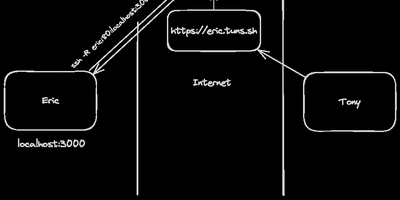
Private machines hide their services behind routers and firewalls; sish gives those services a public address, reached with nothing more exotic than the SSH client already on your laptop. Point a standard remote forward at the server and a local web app appears at its own subdomain over HTTPS, ready to share with testers, clients, or a webhook provider. Raw TCP forwards work the same way, publishing a database, a game server, or an SSH port on a fixed external port you choose. Private aliases keep sensitive services off the public internet entirely, reachable only through an authenticated SSH jump from another machine you control. SNI routing passes encrypted TLS connections to the right backend by hostname, so several services share one public endpoint without the tunnel terminating their encryption. Aliases can spread traffic across multiple backends with built-in load balancing modes, handy when several replicas sit behind one name. The service console lists live tunnels and inspects forwarded requests as they pass, turning tunnel debugging into reading a log instead of guessing. Access rests on SSH keys or passwords with hot-reloaded key directories, and binding policies cap which subdomains and ports each user may claim. Because clients need no agent software, locked-down laptops, CI runners, and embedded devices can open tunnels with the tools already installed. Running on a dedicated VPS on RepoCloud with guaranteed CPU, RAM, and SSD, full root SSH access, and a browser serial console. MIT licensed.