Wakapi
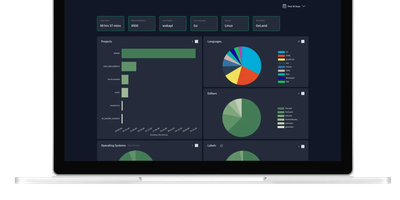
Its author, a student and WakaTime fan, didn't want to pay $9/month for data about his own keystrokes - so Wakapi was born, a self-hosted, WakaTime-compatible backend for coding statistics. The compatibility is the killer design decision: the official WakaTime plugins for VS Code, JetBrains IDEs, Vim, and dozens of other editors work unmodified - just point the plugin's API URL at your Wakapi instance with your personal key, and heartbeats flow to your server instead of a third party's. Duration inference matches WakaTime's own algorithm, with a configurable timeout (10 minutes by default). From that stream Wakapi builds statistics and plots across projects, languages, editors, hosts, and operating systems, plus the fun extras: public leaderboards (optionally login-gated, with configurable aggregation windows), badges for GitHub readmes, and weekly email reports. A REST API serves your data programmatically, Prometheus export feeds your existing Grafana, and a WakaTime relay mode can mirror heartbeats to both services during migration - with one-click import of historical WakaTime data. Written in Go, it is lightning fast and light enough for the smallest instance, storing to SQLite, PostgreSQL, or MySQL, with configurable data retention for GDPR peace of mind. Deliberately smaller than WakaTime, deliberately yours.
Papermerge
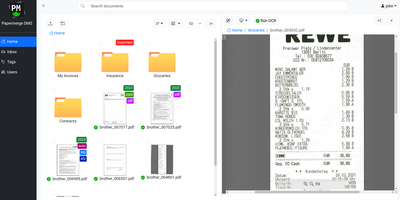
Receipts, contracts, and letters that arrive as pixels rather than text: Papermerge is a document management system built specifically for scanned documents. Upload a PDF, TIFF, JPEG, or PNG and OCR runs automatically, with a real-time status indicator beside the document title; under the hood it drives OCRmyPDF and Tesseract, supporting 130+ languages and producing a new document version with a selectable, searchable text layer you can download. Full-text search runs across everything, with multiple search-engine backends (Xapian by default). The interface deliberately mimics a modern desktop file browser: dual-panel commander, drag and drop, hierarchical folders, and colored tags on documents and folders. Page management fixes what scanners get wrong - delete blank pages, rotate, reorder, merge, extract, and move strayed pages between documents, powered by PikePDF. Document types act as categories, each with its own custom metadata fields, so invoices carry vendor and amount while contracts carry parties and dates. Versioning preserves every state of a document. Multi-user support includes groups, group ownership, permission management, and document/folder sharing between users and groups, and an OpenAPI-compliant REST API automates ingestion from scanners or scripts. Apache-licensed, ideal for long-term digital archives.

Peppermint
A deliberately simple ticketing system standing in for both Zendesk and Jira: Peppermint handles internal staff requests and external customer support alike. The stack is modern full-stack TypeScript: Next.js and React over Prisma and PostgreSQL, which makes it light to run and approachable for developers extending it. Ticket creation is straightforward - a markdown editor with file uploads, assignment, status tracking, and a logical workflow that new agents grasp without a manual. Mailbox integration converts email into tickets automatically: configure SMTP/IMAP per mailbox and incoming messages become trackable tickets. Each client accumulates an interaction history, giving agents context on every past request before replying. Two touches distinguish it from bare-bones ticketing: a built-in markdown notebook with todo lists for internal documentation and knowledge sharing, and OIDC authentication so agents sign in through your existing identity provider - Keycloak, Okta, Authentik, or Azure AD. Configurable webhooks and email notifications push ticket events to third-party services. The UI is responsive from mobile to 4K, and everything works fully offline in air-gapped environments. Docker-native and scalable via Kubernetes, with an active community of 3,000+ GitHub stargazers.
Homarr
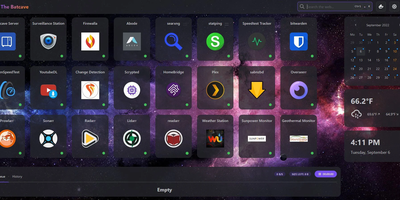
A single pane of glass for every service you run, arranged by drag-and-drop with no YAML or JSON files: Homarr is the modern dashboard for self-hosted infrastructure. Its grid system arranges apps, widgets, and bookmarks on desktop or touch, backed by an icon picker with over 11,000 icons. What separates Homarr from static launchers is 50+ live integrations: Plex, Jellyfin, and Emby media stats, the *arr suite (Sonarr, Radarr) with a unified release calendar, download clients, Pi-hole and AdGuard Home controls, Proxmox, Home Assistant, OPNsense, and Unifi monitoring. Widgets update in real time over WebSockets (tRPC and Redis under the hood), and a built-in search queries thousands of data points across connected services. Custom widgets extend the reach to any HTTP API without code: define endpoint, auth, and refresh interval in the management UI, then render responses as stat grids, tables, progress bars, status indicators, action buttons, or full custom JSX layouts - with an AI-prompt helper for generating templates. Multi-user support is first-class: credentials, OIDC, or LDAP sign-on, groups with granular permissions, and secrets encrypted with AES-256-CBC. A robust background-job system scales it from a Raspberry Pi homelab to deployments serving hundreds of users.
ExpenseOwl
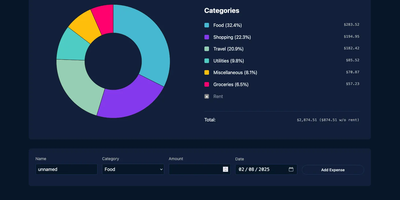
Log a date, amount, and category; get a clean monthly pie chart and a cashflow strip showing income, expenses, and net balance - ExpenseOwl is expense tracking stripped to what actually matters. The MIT-licensed Go application deliberately is not a budgeting system - no envelopes, no accounts, no double-entry, no bank sync - because its author found tools like Firefly III and Actual too heavy for the simple question "where did this month's money go?" The dashboard makes that question fast: click a pie slice to exclude fixed costs like rent and see discretionary spending clearly, then drill into a chronological table view to inspect or delete individual transactions. Recurring transactions handle salaries and subscriptions automatically, optional tags add a second classification axis, and settings cover custom categories, currency symbol, and a configurable month start date for non-calendar pay cycles. CSV import migrates data from virtually any other tool, and CSV export keeps your data portable. It ships as a self-contained binary and multi-architecture Docker image with zero internet interaction, stores data in flat JSON files by default (PostgreSQL optional), and installs as a PWA on phones. Single-user by design; pair it with an authenticating reverse proxy if exposed publicly.
Tolgee
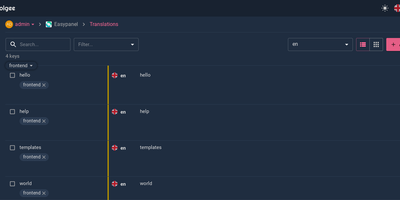
Hold Alt/Option, click any string in your running app, and edit the translation in place: Tolgee is an open-source localization platform built the way developers wish translation worked - changes save straight to the platform with no hunting through JSON or PO files. In-context editing works even in production via the Tolgee Tools browser extension, which injects credentials without touching source code, so a client or colleague with zero coding skills can translate the product inside the product. The SDKs (React, Angular, Vue, Svelte, plus iOS and Android) extract context from each UI element and capture one-click screenshots, giving both human translators and machines the surrounding meaning that raw string files lose. Autonomous translation uses that context: new keys are instantly filled from translation memory or machine translation (DeepL, Google Translate, AWS Translate), with optional human review afterward - shipping no longer waits on a translation agency. A CLI handles import/export, a REST API covers automation, a Figma plugin bridges design, and an MCP server lets AI coding assistants search keys, create translations, and trigger machine translation without leaving the editor. Self-hosting this Crowdin/Phrase/Lokalise alternative keeps every string, screenshot, and API key on your infrastructure.
BeaverHabits
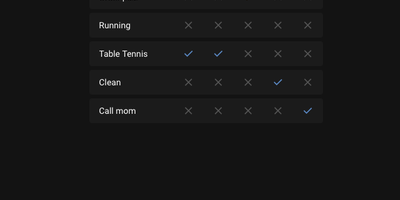
No targets, no gamification spiral, no motivational nagging: Beaver Habit Tracker is a self-hosted habit tracker deliberately built without "Goals". The core loop is honest: add habits, check them off each day, watch streaks accumulate on a calendar view. Its design follows behavioral-science basics - make it obvious (visual streak cues), make it attractive (progress is the motivator), make it satisfying (tracking becomes its own reward). Beyond the daily checklist it supports per-day notes intelligently grouped per habit, periodic habits, habit categories and tags, drag-to-reorder (manual or automatic), dark mode, and detailed streak and frequency views. Data lives where you choose: a single SQLite database or flat JSON files on a mounted volume, with JSON export and import for full portability. A REST API opens automation - community integrations already cover Stream Deck buttons, Home Assistant triggers, and CalDAV. The Python app ships as one Docker container with no external dependencies; environment variables tune everything from first day of week and index-page columns to iOS standalone PWA mode, and single-user setups can bypass the login entirely with TRUSTED_LOCAL_EMAIL. BSD-3-Clause licensed with no commercial restrictions - a well-executed single-purpose tool whose mobile PWA works anywhere a browser does.
Liwan
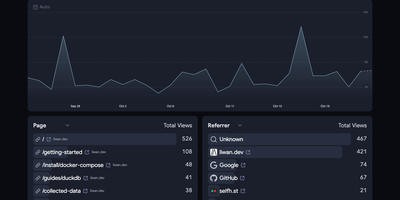
When you want honest traffic numbers without tracking cookies or stored IP addresses, Liwan puts a real-time analytics dashboard on your own server. The dashboard ranks pages, referrers, countries, browsers, platforms, and devices, charts visitors over time, and filters out bot traffic by default. Session metrics add bounce rate, average time on site, and entry and exit pages, while UTM fields attribute visits to campaigns. Collection is adjustable globally and per site: choose how visitors are grouped, whether to store country and city, country only, or no location, and how long events are kept. Drop rules discard internal, test, and local traffic before storage, and a pruning tool applies new settings to history after a dry-run preview. Tracking is one line of HTML, or your own server can send events with custom names and properties. Location can come from a MaxMind database or from Cloudflare, Vercel, and other proxy headers. One instance holds several projects and sites, with team accounts and single sign-on through Google Workspace, Microsoft Entra ID, or an OpenID Connect provider such as Keycloak or Dex. Running on a dedicated VPS on RepoCloud with guaranteed CPU, RAM, and SSD, full root SSH access, and a browser serial console. Apache-2.0 licensed.
Docker Registry UI
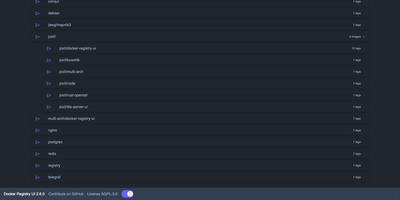
Instead of querying a private registry with curl and its HTTP API, open Docker Registry UI and click through repositories, tags, digests, and layers in a browser. The catalog groups images by namespace, shows tag counts, and filters as you type in the search bar, which Ctrl+F or F3 focuses. Each repository's tag list shows creation date, size, content digest, and CPU architecture, sorts numerically, and copies a ready-made pull reference with one click. A history page expands any tag into its operating system, entrypoint, environment variables, exposed ports, and layer-by-layer build steps, and a Dockerfile view reconstructs the file from those steps. The same view also covers multi-architecture images and OCI Helm exports. When the registry allows deletion, tags go one at a time or in bulk with checkboxes, Alt+Click for a whole page, and Shift+Click for a range. One interface can switch between several registries from its menu, or be locked to a single registry with your own title. Basic authentication passes through the browser, and a built-in proxy option forwards requests to your registry container so CORS needs no configuration. Light, dark, and automatic themes come with color variables for custom branding, and a weekly notice announces newer releases. Running on a dedicated VPS on RepoCloud with guaranteed CPU, RAM, and SSD, full root SSH access, and a browser serial console. AGPL-3.0 licensed.
Silicon Notes
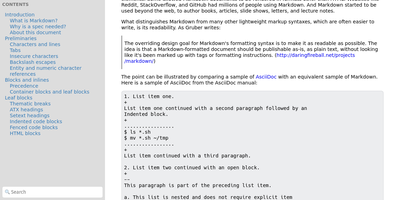
"Somewhat lightweight, low-friction" is how Silicon Notes' author describes the personal knowledge base - written after DokuWiki's editor "drove me mad" and no existing wiki quite fit. The philosophy is that small frequent annoyances compound into cognitive load with no return, so everything here is optimized for frictionless daily use. Notes are written in plaintext Markdown and rendered as clean HTML with Pygments syntax highlighting for code blocks; pages get bi-directional relationships (backlinks), so the knowledge base becomes a connected web rather than a folder tree; and full-text plus title search retrieves anything fast. A table of contents lives in the left sidebar - "where it belongs" - editable while you read without scrolling away. Page history tracks revisions for auditing and rollback, JSON export/import keeps everything portable, and the mobile layout is genuinely usable. The stack is deliberately minimal: Python and Flask with Mistune for Markdown and SQLite for storage - no big frameworks, just a few small dependencies. One honest caveat: there is no built-in authentication, so deploy it behind a VPN, private network, or reverse-proxy auth layer. For a solo engineer's brain, it is exactly enough.
ClassicPress
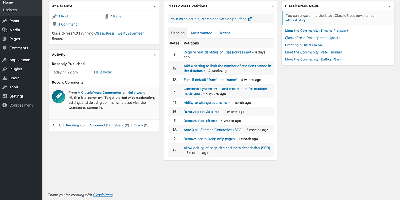
WordPress without Gutenberg: ClassicPress, the community-led fork, keeps the TinyMCE classic editor as the default and strips the block editor and Full Site Editing out of core entirely. The result is roughly half WordPress's size - obsolete libraries like jQueryUI, Thickbox, and Flash support are gone, replaced by native HTML5 elements and modern alternatives like SortableJS - which translates to a measurably faster admin and a leaner attack surface. Forked from WordPress 6.2, it remains compatible with the vast plugin and theme ecosystem targeting that lineage (anything not requiring blocks generally works, helped by a blocks-compatibility mode), and the PHP-first WordPress API developers have used for over a decade works unchanged - no React required to extend your CMS. The fork adds its own improvements: built-in media categories and tags with bulk editing, revision management that lets you prune database bloat, native HTML5 dialogs for accessible touch-friendly menus, and recent releases bring APCu object-cache support, vanilla-JS core widgets, and performant translations. Governance is democratic and community-driven rather than corporate. For content sites, business sites, and blogs where the classic editing workflow is the feature, ClassicPress is stability as a philosophy.
Corteza
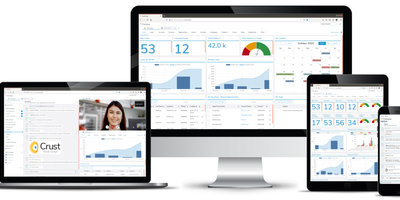
Salesforce's platform model, 100% open-source (Apache 2.0): Corteza is a Go/Vue.js low-code platform developed under a foundation, so there is no open-core bait to grow out of. The heart is Corteza Compose: namespaces contain applications, modules define record structures the way Salesforce objects do, and a drag-and-drop page builder assembles record pages, list pages, dashboards, and charts from configurable blocks. Automation comes from a visual, BPMN-style workflow engine plus JavaScript automation scripts, so cross-application business logic - approval chains, field updates, notifications - is configured rather than programmed. Granular role-based permissions reach down to individual modules, fields, and records, mirroring real organizational hierarchies. Corteza CRM ships as the flagship application built entirely on Compose: leads, accounts, opportunities, campaigns, and cases with a 360-degree customer view, covering most Salesforce standard objects - and because it is just a Compose app, adding or reshaping modules is configuration, not a fork. Everything is reachable over REST APIs, deliberately familiar tooling eases Salesforce admin migration, and a CLI can even generate synthetic records for load-testing what you build.
TimeTagger
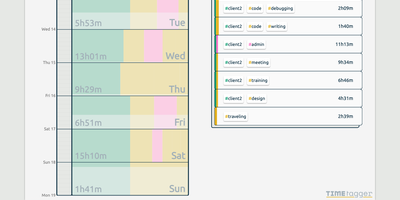
Freelancers, consultants, and solo workers get an accurate record of their hours from TimeTagger, a time tracker that logs tagged tasks on an interactive timeline and summarizes them as billable reports. Press S, type a description, and hit Enter to start the clock without the mouse, or drag across the timeline to log finished work. Hashtags in a description become autocompleting tags, with no projects to set up. Renaming a tag updates every record that uses it. Drag a record's edges to fix its times, then zoom the timeline out to a week or month with mouse, touch, or arrow keys. An overview panel totals time per tag combination for the selected range, and the Report button saves it as a client-ready PDF or a CSV with decimal hours. Daily, weekly, and monthly targets track progress toward your goals, and an optional Pomodoro timer alternates work and break periods with an alarm and a notification. Settings add a dark theme, local date notations, a Monday-to-Friday week, and a day offset for night shifts. The interface adapts from desktop to phone, installs as a progressive web app, works offline, and syncs records across devices once the connection returns. A web API and a command-line client let you query, create, and update records from scripts or the terminal. Running on a dedicated VPS on RepoCloud with guaranteed CPU, RAM, and SSD, full root SSH access, and a browser serial console. GPL-3.0 licensed.

WBO
A Node.js server, a large shared canvas, and a URL - WBO (Whiteboard Ophir) is collaborative whiteboarding reduced to its essence. There are no accounts and no setup - to collaborate, you send someone the board's link, and every stroke appears for all connected users in real time over WebSockets, with cursor positions shared so you can see where collaborators are working. Board state persists automatically and continuously, so a diagram drawn in today's lesson is still there next week at the same URL. Boards come in three flavors: a public free-for-all, private boards with random unguessable names, and named boards with custom URLs shared by anyone who knows the name. The tools cover teaching and brainstorming needs - pencil, straight lines, rectangles, ellipses, text annotations, eraser, a full color palette with brush sizes - and boards export as SVG or PNG. Despite the simplicity, the server is production-minded: JWT authentication gates board access with granular capabilities (open, edit, and clear as separate permissions), rate limiting caps per-client message volume, reverse-proxy and subpath deployment are supported, and OpenTelemetry provides metrics, logs, and traces. It works on tablets and touch devices, speaks multiple languages, and consumes minimal resources. AGPL-licensed.
Carbone
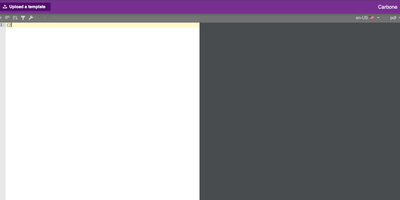
Document-generation code is the worst kind of code in your backlog - Carbone kills it. Its insight is separating design from data - templates are ordinary office documents (DOCX, ODT, XLSX, PPTX, HTML, even custom XML) built in LibreOffice, Microsoft Office, or Google Docs, with mustache-like markers such as {d.companyName} typed directly into the text. Send a template plus JSON from your existing APIs to the HTTP API, and Carbone returns the finished document - exported as-is or converted to PDF, XLSX, CSV, HTML, PNG, EPUB, and more via its integrated LibreOffice converter (Chromium and OnlyOffice engines are also supported for HTML-fidelity and office-format conversions). The template language goes well beyond substitution: loops over arrays render dynamic table rows, filters and aggregations run inside the document, and built-in formatters handle dates, numbers, currencies, timezones, and locales, with custom JavaScript formatters when needed. One template serves multiple languages through translation markers with auto-maintained translation files. The XML-agnostic engine means anything your document editor can design - pagination, headers, footers, nested tables, charts - survives generation intact, and Carbone guarantees no breaking changes in template syntax. Node.js-based, fast via multi-threaded LibreOffice conversion. The invoices, contracts, and reports your product owes its users become template edits, not sprints.
PowerDNS-Admin
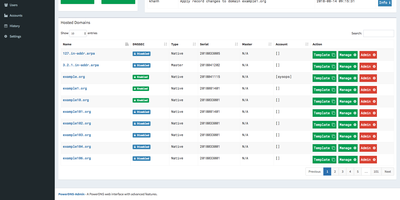
Raw zone files and API calls become something a whole team can operate safely once PowerDNS-Admin puts its web interface in front of a PowerDNS authoritative server. It's a Python/Flask application covering full forward and reverse zone management, with the touches that matter in daily DNS work: zone templates for stamping out consistent new domains, easy IPv6 PTR record editing (reverse zones by hand are misery), full IDN/Punycode support for internationalized domains, and DynDNS 2 protocol support so routers and scripts can update records the way they would against a commercial dynamic-DNS service. Access control is enterprise-grade: local users, LDAP against OpenLDAP or Active Directory, SAML, and OAuth via Google, GitHub, Azure, or OpenID Connect, hardened with TOTP two-factor authentication. Role-based permissions extend to zone-specific access control - hand a developer their project's zone without exposing the rest of your namespace - and activity logging records who changed which record when, the audit trail bare PowerDNS never gives you. The dashboard monitors PDNS service configuration and statistics, and its own API exposes zone and record management for automation on top of the UI. Runs against MySQL/MariaDB or PostgreSQL, talking to PowerDNS through its REST API. MIT-licensed.
Veritas Kanban
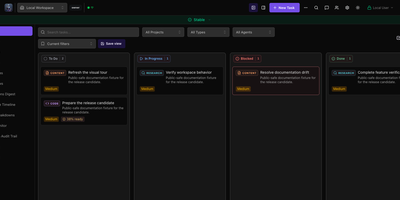
A drag-and-drop task board that works fine on its own and can also hand cards to AI coding agents, Veritas Kanban shows what each agent is doing, what it changed, and what is waiting for your approval. Start with no agents at all. Cards move through To Do, In Progress, Blocked, and Done, and each one carries subtasks, dependencies, time tracking, comments, and an activity log. When you are ready, connect Codex, Claude Code, Copilot CLI, Hermes, or OpenClaw, give every agent an Intern, Specialist, or Lead permission level, and follow each agent's status and model on a live dashboard. Let a task run in its own Git worktree, read the diff, leave inline comments, approve or request changes, and open a GitHub pull request from the task panel. Squad Chat gives agents one shared channel that posts spawned, completed, and failed events. Workflows chain steps with parallel branches, loops, and human approval gates. Policy rules allow, deny, or hold agent actions for review. Assistants reach the board through an MCP server, a command-line client, or a REST API. Running on a dedicated VPS on RepoCloud with guaranteed CPU, RAM, and SSD, full root SSH access, and a browser serial console. MIT licensed.
Quant-UX
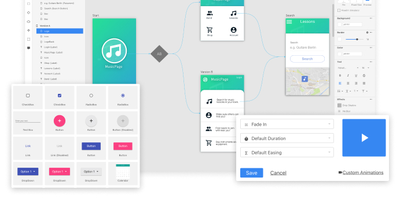
Most design tools stop at prototyping; Quant-UX also measures how real users actually perform with the prototype. The visual editor creates prototypes that behave like real apps - functional input widgets, animations, form validation, data binding across screens, and business logic modeled with REST requests and decision elements. Design systems are first-class, with components, design tokens, and master screens; if you design elsewhere, drop in image files or import from Figma. Testing is a shared link or QR code - no installs on the tester's side. Define user tasks up front, and Quant-UX records every session: click heatmaps show where users found (or missed) actionable elements, user journey graphs expose lost users, drop-off charts reveal where tasks stall, and success rates and task KPIs are extracted automatically into a dashboard. An A/B test operator wires two design variants into one prototype and compares task duration, success rate, and interaction counts. In-prototype surveys collect qualitative feedback alongside the numbers, and an AI assistant generates prototype fragments like styled forms on request. The RepoCloud deployment runs the full stack - frontend, backend, and WebSocket server containers over MongoDB - so all test recordings and research data stay on your infrastructure.