Categories
Self-Hosted Developer Tools Productivity Open Source Collaboration Translation Localization i18nStars
Forks
Watchers
Developer links
Tolgee
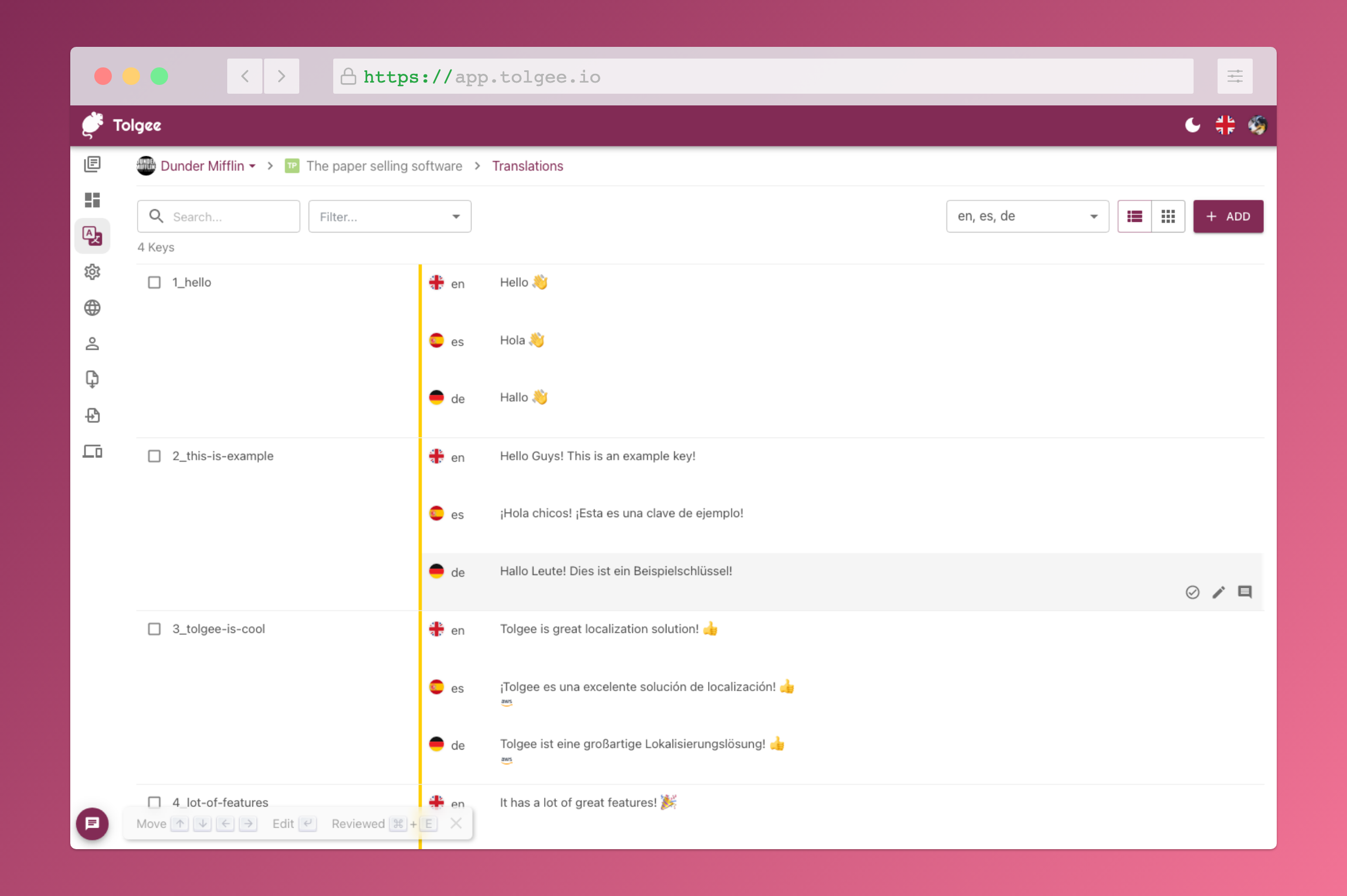
Hold Alt/Option, click any string in your running app, and edit the translation in place: Tolgee is an open-source localization platform built the way developers wish translation worked - changes save straight to the platform with no hunting through JSON or PO files. In-context editing works even in production via the Tolgee Tools browser extension, which injects credentials without touching source code, so a client or colleague with zero coding skills can translate the product inside the product. The SDKs (React, Angular, Vue, Svelte, plus iOS and Android) extract context from each UI element and capture one-click screenshots, giving both human translators and machines the surrounding meaning that raw string files lose. Autonomous translation uses that context: new keys are instantly filled from translation memory or machine translation (DeepL, Google Translate, AWS Translate), with optional human review afterward - shipping no longer waits on a translation agency. A CLI handles import/export, a REST API covers automation, a Figma plugin bridges design, and an MCP server lets AI coding assistants search keys, create translations, and trigger machine translation without leaving the editor. Self-hosting this Crowdin/Phrase/Lokalise alternative keeps every string, screenshot, and API key on your infrastructure.
Benefits
- Translate Inside the Product
- Alt+click any string in the running app to edit it - no key hunting, no localization file edits, works even in production.
- Ship Without Waiting on Agencies
- New keys auto-translate from memory or DeepL/Google/AWS the moment they're created, with human review as an optional step.
- Context Machines Can Use
- SDK-extracted element context and one-click screenshots make both AI and human translations dramatically more accurate.
- Anyone Can Contribute
- The browser extension turns clients and colleagues into translators - no coding skills, no repository access.
Features
- In-Context Editing
- Alt+click strings in the live app to open a quick-edit dialog; changes sync to the platform.
- Autonomous Translation
- Instant machine translation of new keys via DeepL, Google Translate, or AWS, backed by translation memory.
- Framework SDKs
- React, Angular, Vue, Svelte, i18next integration, plus native iOS and Android.
- Screenshots and Context
- One-click screenshot capture and automatic context extraction for translators.
- CLI, API, and Figma
- Import/export via CLI, full REST API, and a Figma plugin for design-stage localization.
- MCP Server
- AI coding assistants manage keys, translations, and languages directly from the editor.