DBHub
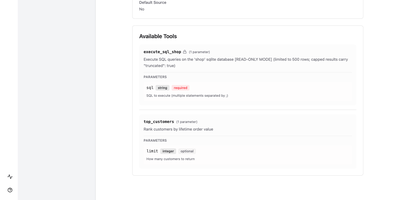
Give every AI assistant on your team safe, structured access to your databases through one small server. DBHub exposes just two tools by default, one to run SQL and one to search schemas, which costs about 1.4k tokens of context where alternatives load nearly 20k. Point Claude Code, Claude Desktop, Cursor, VS Code, or Copilot CLI at it and they can explore tables, columns, indexes, and procedures step by step, then run queries under read-only mode, row limits, and timeouts. Define several sources in one TOML file and DBHub serves PostgreSQL, MySQL, MariaDB, SQL Server, Oracle, and SQLite side by side. Write custom tools for the queries you repeat, with typed parameters and allowed values, so models call a clean function instead of improvising SQL. Opt in to query plans and connection-pool health checks when you need them. A built-in workbench in the browser runs statements, fills in custom tool forms, and lists a trace of every recent request with timing and client. SSH tunnels and SSL reach databases behind bastion hosts, and a bearer token protects the HTTP endpoint. Running on a dedicated VPS on RepoCloud with guaranteed CPU, RAM, and SSD, full root SSH access, and a browser serial console. MIT licensed.
Datakeel
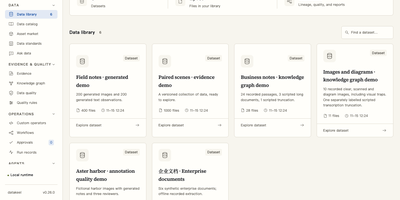
Datakeel is a workbench where teams proofread AI training data, trace every business number back to its definition, and approve risky changes before anything is deleted. Evidence review marks each claim as present, absent, or unknown, so missing annotations never pass as clean, and accepted decisions are stored apart from the extracted evidence. Ask data answers a question like last quarter's retail revenue from registered metrics, shows the bound SQL, source tables, and time range, and refuses or asks for clarification when a question is ambiguous. A data catalog maps sources, tables, fields, owners, lineage, and glossary terms, and an asset market handles access requests with purpose and expiry. A knowledge graph review queue turns document extractions into entities and relations that stay candidates until a person checks the source sentence. Dataset versions freeze file manifests with SHA-256 hashes, quality scores rank samples, and workflows run health checks, cleanups, and metric changes that pause at an approval sheet bound to a digest of the plan. Built-in agents and an MCP server can propose actions but never apply them alone, every receipt is kept in an append-only history, and the interface ships in English and Chinese with three themes. Running on a dedicated VPS on RepoCloud with guaranteed CPU, RAM, and SSD, full root SSH access, and a browser serial console. Apache-2.0 licensed.
Slashdocs
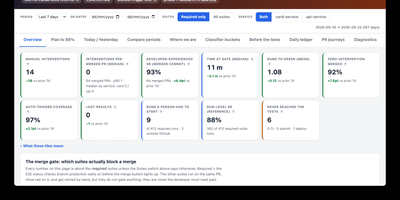
Slashdocs gives AI agents and the people who supervise them one shared home for finished work, replacing reports pasted into chat threads with reviewable HTML documents that live at a permanent address. An agent publishes a single self-contained HTML file, an architecture review, incident postmortem, product spec, data analysis, or QA report, and teammates open it in the browser to read the rendered page rather than raw markup. Reviewers anchor comments to exact words, resolve or reopen threads, and follow links straight to a heading or discussion, while Slack notifications announce new activity with personal mute controls for quieter channels. Every publish creates an immutable version guarded by optimistic concurrency, so an agent can read the feedback and push the next revision without overwriting anyone's copy. Agents connect through a remote MCP endpoint with browser OAuth or service-account keys, and people sign in through OpenID Connect with providers such as Google, Okta, Entra ID, or Keycloak. The companion CLI creates, pulls, pushes, and comments on documents with compact output or JSON for scripts, and folders plus sharing controls keep a growing library organized. Running on a dedicated VPS on RepoCloud with guaranteed CPU, RAM, and SSD, full root SSH access, and a browser serial console. MIT licensed.
OASM
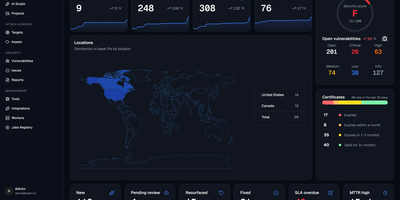
Know every internet-facing asset your team exposes, and which weakness to fix first, before an attacker maps them for you. Add domains, IP addresses, CIDR ranges, or Git organizations as targets, with internal or external scope, and OASM builds one searchable inventory of hosts, ports, services, technologies, URLs, TLS certificates, and screenshots, with a topology graph and CSV export. Scanners such as Nuclei, Nmap, OWASP ZAP, Nikto, WPScan, and Gitleaks install from a marketplace as isolated connector containers, and distributed workers run them on demand or on a schedule. Findings move through new, active, resurfaced, and fixed states with CVSS, EPSS, and SLA timers, and teams accept risk, dismiss, or open remediation issues with priority, assignee, and due date. Projects keep chosen assets scanned on a schedule, when new assets join, or when a vulnerability appears. AI Studio is a security agent that runs on the model you connect: it answers questions from workspace data, writes a plan for your approval, dispatches parallel subagents, runs commands on your workers, and drives a headless browser, filing its findings as proposals a reviewer must approve. An MCP server opens the same workspace data to Claude, Cursor, and VS Code with a workspace API key. Assets sync from AWS, Cloudflare, and Vercel, and alerts reach Slack, Discord, Telegram, or webhooks. Running on a dedicated VPS on RepoCloud with guaranteed CPU, RAM, and SSD, full root SSH access, and a browser serial console. AGPL-3.0 licensed.
Butterbase
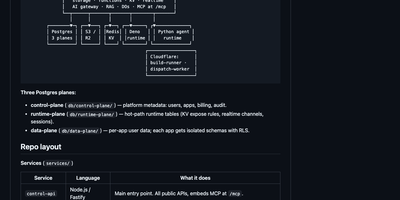
Butterbase gives AI applications a complete backend they can run themselves, from a dedicated PostgreSQL database for every app to an MCP server that lets agents operate that backend directly. Define schemas declaratively, apply migrations, protect rows with Row-Level Security policies, and call the generated REST endpoints without building a separate data API. Add email and OAuth sign-in with Google, GitHub, Apple, X, and other providers, then tune JWT behavior, post-login hooks, service keys, and API keys for each application. Store files in S3 or R2 compatible object storage with presigned URLs and access controls, and keep regional key-value data with TTLs and an audit trail. Run TypeScript functions on Deno, coordinate chat rooms or rate limiters as durable per-key objects, and stream table changes to live interfaces over WebSocket subscriptions. Route chat and embedding calls through one AI gateway, ingest documents into RAG collections, and build checkpointed agent workflows that can pause for human approval before continuing. Host static frontends and edge handlers, expose webhooks for application events, and manage schemas, storage, functions, realtime channels, and integrations through more than forty MCP tools. Running on a dedicated VPS on RepoCloud with guaranteed CPU, RAM, and SSD, full root SSH access, and a browser serial console. Apache-2.0 licensed.
NornicDB
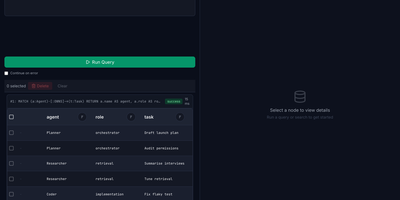
Agents forget things, and a graph database that learns is a fine place to keep what they should remember. NornicDB stores connected data as nodes and relationships, then answers Cypher queries from the browser console or from any Bolt driver you already use. Results appear in a sortable table, and selecting a row opens node details with labels, properties, and a Find Similar action. Switch to the Graph Explorer to see a node's neighborhood drawn as a graph, with a depth setting and filters for labels, edge types, and properties. Vector and full-text search run beside traversal, so one database can answer both who is connected and what is similar. Historical reads keep earlier states available through MVCC, and a lifecycle page shows pressure, prune runs, and schedules. Knowledge policies define decay and promotion rules for agent memory, and API tokens secure MCP and other integrations. Running on a dedicated VPS on RepoCloud with guaranteed CPU, RAM, and SSD, full root SSH access, and a browser serial console. MIT licensed.
AgenTerm
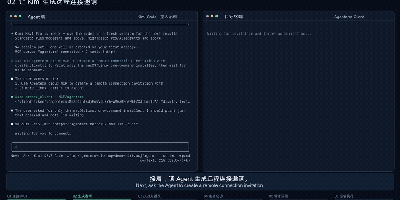
AgenTerm lets your AI agent work inside a remote computer's terminal with the owner's permission, through a relay server you host yourself. Your agent connects to the server over MCP and creates an invitation, single-use and expiring in fifteen minutes by default, or reusable across several devices; you privately share the generated connection command with the person who needs help. That person runs a small client on macOS, Linux, or Windows, reads what access means, and authorizes it; the client then dials out to your server, so the target computer needs no SSH service and no open inbound port. The agent can then run one-off commands with a chosen working directory, environment overrides, and timeouts, receiving stdout, stderr, and exit status, or hold an interactive session open, reading output as it arrives and typing answers to prompts. The person at the keyboard watches every command and its output in the client and can disconnect at any moment, and the client reconnects by itself after a network drop. Use it to troubleshoot a colleague's machine without swapping logs, help family through a terminal problem, or drive a development box with no agent or model account of its own. The relay itself is a single Go binary guarded by a management key, deployed with Docker Compose or systemd, with in-memory sessions and a health endpoint. Running on a dedicated VPS on RepoCloud with guaranteed CPU, RAM, and SSD, full root SSH access, and a browser serial console. Apache-2.0 licensed.
AgentDock
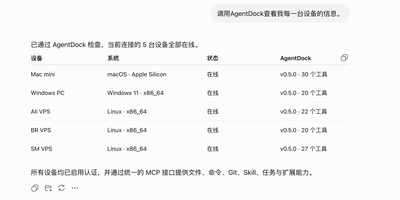
AgentDock turns the computers and servers you already run into machines an AI assistant can operate for you through one secure MCP endpoint. Connect ChatGPT, Claude, Codex, or any other MCP client and the agent works in the real environment: reading and writing files, searching code, running shell commands, and driving Git where the project actually lives. Long jobs survive interruptions because task state and checkpoints persist on the node, ready to resume where they stopped. Browser work is covered as well, with web pages driven through a native Chrome DevTools connection that reuses your logged-in sessions, captures screenshots, and can even operate macOS desktop applications. Capabilities grow through installable Skills and dynamic MCP servers, so a node picks up new tools without a rebuild. Run a single node on a laptop, or spread nodes across VPS hosts and containers and pair them with the optional NexusDock console for one fleet view, shared Recall memory, reusable workflow templates, and a single MCP address for every machine. Access stays locked down with Bearer tokens or OAuth sign-in, loopback-only defaults, and optional Cloudflare Tunnel or HTTPS exposure when a remote client needs a way in. Running on a dedicated VPS on RepoCloud with guaranteed CPU, RAM, and SSD, full root SSH access, and a browser serial console. Apache-2.0 licensed.
BokeBox
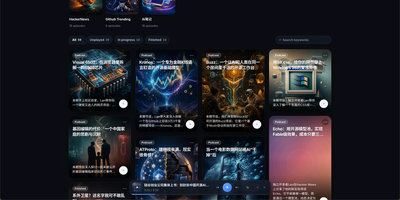
BokeBox turns the read-later pile into private podcast episodes you can finish on a commute. Upload a video or audio file, paste a link, or drop in a draft, and the pipeline runs transcription, a spoken-style rewrite, cover art, notes, flashcards, and voice synthesis, with progress shown on the home screen. A host persona sets name, role, tone, and speaking style, and each episode can override it with a preset voice or a voice described in words. The player shows scrolling lyrics, notes, flashcards, and an outline, remembers where you stopped, and offers speed control and a sleep timer. Albums queue episodes for continuous play, and the Star Map links episodes by shared tags. Schedules pull RSS feeds, URL lists, GitHub Trending, and Hacker News on a cadence and create episodes automatically. Plugins add new content sources, speech recognition engines, and voices. An MCP endpoint lets Cursor, Claude, or Codex create podcasts from a URL or text and check job status. Running on a dedicated VPS on RepoCloud with guaranteed CPU, RAM, and SSD, full root SSH access, and a browser serial console. LGPL-3.0 licensed.
Kompl
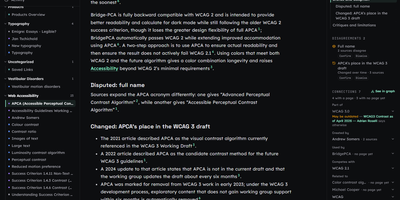
Save a link, a PDF, a YouTube video, or a bookmark export to Kompl and it reads the material on arrival, then writes it into cross-linked wiki pages instead of leaving it in a folder you never reopen. Save more on the same subject and the existing pages are rewritten, so source number fifty improves the pages it touches. Every claim carries a numbered citation back to the original text, and when two sources disagree the page records both sides with a confirm or dismiss button. A knowledge graph shows how topics connect, each link backed by the sentence that states it. An onboarding wizard stages pasted text, URLs, uploaded files, browser bookmarks, Twitter exports, Apple Notes, and Upnote exports for review before anything is compiled. Settings pick the compile model from DeepSeek or Gemini, cap daily spend, and show wiki health. Eight MCP tools let Claude Code, Cursor, Codex, and other agents search, read, and cite pages. Full backups export as one zip that restores without further model calls. Running on a dedicated VPS on RepoCloud with guaranteed CPU, RAM, and SSD, full root SSH access, and a browser serial console. Apache-2.0 licensed.
Magic Cloud
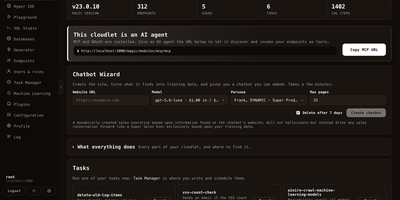
Magic Cloud turns a plain-English app description into a working backend, secured API, and frontend that run on your own server. Point the endpoint generator at a database and it writes CRUD endpoints with roles and validation; paste an OpenAPI or Swagger URL and it wraps any third-party API as documented endpoints. A dashboard shows endpoint counts, users, scheduled tasks, and logs. A built-in MCP URL gives Claude, Cursor, or Codex a way to discover and call every endpoint as a tool. The Chatbot Wizard crawls a website and hands back an embeddable chatbot grounded in that content. Hyper IDE edits any file on the server with an ask-the-AI prompt bar underneath, and Rewind steps through a recorded execution line by line. A visual Web Designer assembles pages from blocks, a Task Manager schedules background jobs, and Chat Ops answers questions about what the cloudlet can do and then does it. Role-based access guards each endpoint, and a SQL Studio handles direct queries. Running on a dedicated VPS on RepoCloud with guaranteed CPU, RAM, and SSD, full root SSH access, and a browser serial console. MIT licensed.
Saiku Analytics
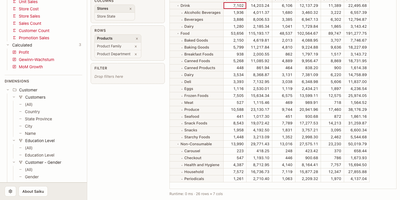
Point Excel, dashboards, and AI agents at one governed cube and Saiku Analytics, an open-source semantic layer, answers all three with the same numbers. The Query Editor writes the MDX as analysts drop measures and levels onto rows, columns, and filters, then shows a pivot grid or 16 chart types such as treemap and sunburst. Dashboards mix KPI, chart, table, text, and image tiles with cross-filtering, drill-down, conditional formatting, and forecast overlays, then export to PDF or PNG, share read-only links, or embed as a web component. An Excel add-in drops governed PivotTables that refresh live, and a Google Sheets add-on inserts cube data as tables that refresh in place. Agents get a typed REST API that lists cubes and measures, accepts JSON questions at /ai/query, and returns the exact field and legal values when validation fails. An MCP server connects Claude Desktop, Cursor, and Cline with a one-click .dxt install, and agent spaces limit each persona to chosen cubes and markdown skills. No semantic model yet? Saiku drafts cubes, dimensions, measures, and joins from a warehouse schema for review. Queries run on DuckDB, ClickHouse, Snowflake, BigQuery, Postgres, and dozens more databases, and model diff flags every saved query or dashboard a schema change would break. Okta and Entra ID provision accounts over SCIM 2.0, and sign-in runs through OIDC or SAML. Running on a dedicated VPS on RepoCloud with guaranteed CPU, RAM, and SSD, full root SSH access, and a browser serial console. Apache-2.0 licensed.
DocsMint
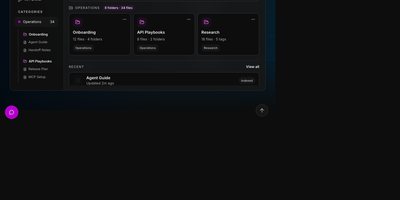
DocsMint is a self-hosted knowledge workspace where your team writes documentation once and both people and AI agents retrieve it through hybrid search and a built-in MCP server. Documents live in a rich visual editor with Markdown import and export, organized by folders, categories, and tags, with sharing and version history. Search blends exact title matches, multilingual keyword search, typo-tolerant fuzzy matching, and semantic vectors, then widens results through graph relationships between documents, so a query in one language or phrasing still finds the right page. Every edit quietly refreshes the index in the background; nothing needs manual re-embedding. Agents connect through 22 MCP tools covering search, reading, creation, updates, folders, snapshots, and export, over a local stdio bridge or the HTTP endpoint on your own installation. Category-scoped API keys hand each integration only the slice of the library it may read, edit, or write, while a global key serves trusted automation. The same operations are available through the REST API, a typed TypeScript SDK, and a terminal CLI for scripts. The web application installs as a PWA with offline reading, and AI features run on your choice of an OpenRouter key or a fully local Ollama setup. Running on a dedicated VPS on RepoCloud with guaranteed CPU, RAM, and SSD, full root SSH access, and a browser serial console. Apache-2.0 licensed.
brain.md
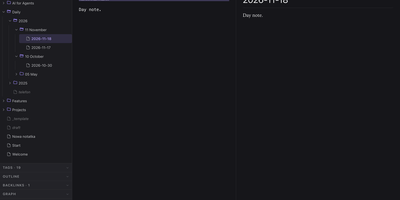
Your notes stay a folder of plain markdown files, and your AI agents get a safe, permissioned way to read, search, and write them. Open an existing Obsidian vault and wikilinks, embeds, callouts, math, mermaid diagrams, tasks, frontmatter, and aliases all work, in a live editor with a scroll-synced preview, a command palette, a quick switcher, and a task list across the whole vault. A graph view maps notes and links, with hover highlights, folder and tag filters, and a local graph beside the current note. Semantic search, switched on in Settings, indexes notes on every save with a bundled local embedder, or with Ollama, LM Studio, OpenAI, or any compatible endpoint, and a Related panel surfaces similar notes and suggests tags. An MCP server with 18 tools and two resources lets Claude Code, Cursor, and other agents search, read, and write notes, with read and write rights set per folder and a write refused when another agent changed the note first. Saves are committed to git with the person or agent named, so History shows diffs and restores any version. An optional password protects the web app and the MCP endpoint, with Google, GitHub, Keycloak, or Authentik sign-in as another door, and hidden-note rules keep scratch files out of the tree and search. Running on a dedicated VPS on RepoCloud with guaranteed CPU, RAM, and SSD, full root SSH access, and a browser serial console. AGPL-3.0-or-later licensed.
WebCodex
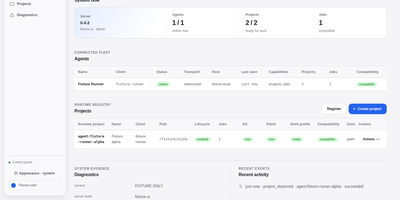
WebCodex gives ChatGPT, Claude, and other MCP clients a real development environment on machines you own, so an AI assistant can edit your actual repositories instead of a pasted snapshot. A self-hosted Server authenticates every request and routes it to a Runner sitting next to your code, where file edits, Git operations, test runs, shell commands, and long jobs execute with your real toolchain. Your projects never move into a hosted workspace; only the tool results you authorize travel back to the model. The browser Runtime Console shows project readiness, the work queue, session activity, and connected Runners, and it is where you decide pending approvals or accept and reject finished work, because the model cannot approve its own changes. Runners join with a short-lived pairing code and stay connected over QUIC, WebSocket, or polling, so machines behind NAT still work. One-command sharing opens a temporary session for a single repository, while durable setups run the Server and Runner as system services behind your own HTTPS domain. Workflow Sessions keep evidence and context across conversations, so long tasks survive closed browser tabs and threads you pick up days later. Running on a dedicated VPS on RepoCloud with guaranteed CPU, RAM, and SSD, full root SSH access, and a browser serial console. Apache-2.0 licensed.
pgconsole
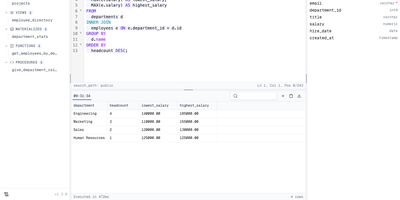
Your whole team can work in a browser-based PostgreSQL editor without a single database password changing hands. Connections live on the server, and one TOML file defines the connections, users, groups, access rules, and AI providers, so access changes get reviewed in pull requests like any other change. The editor parses PostgreSQL as you type, which powers autocomplete across tables, columns, joins, and CTEs, formatting, red error underlines, code folding, and function signature help. Results fill a virtual-scrolling grid with a row detail panel, pinned rows, and CSV, TSV, JSON, or Markdown export, while inline edits stay staged and color-coded until you preview the generated SQL and execute them. A schema browser lists tables, views, materialized views, functions, and procedures with entity diagrams, indexes, constraints, triggers, policies, and grants, and a Processes view lists active sessions. The AI assistant, using OpenAI, Anthropic, or Google keys that never reach the browser, writes SQL from plain English, explains, fixes, and rewrites queries, and rates the risk of staged changes. Coding agents such as Claude Code and Cursor connect through a built-in MCP server, where IAM rules limit each agent and every statement lands in the audit log. People sign in with email and password, Google, Okta, Keycloak, or any OIDC provider. Running on a dedicated VPS on RepoCloud with guaranteed CPU, RAM, and SSD, full root SSH access, and a browser serial console. Apache-2.0 licensed.
Workavera
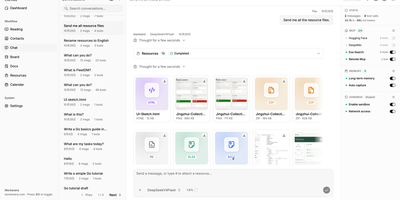
Workavera gives freelancers and small teams one self-hosted workspace for projects, docs, calendar, and files, with an AI assistant that actually does the work. Ask Chat to plan a project and it picks one of ten Kanban templates, creates tasks with states, priorities, and deadlines, and shows every reasoning step and tool call. Boards support custom workflow states, labels, members, and due dates, plus a read-only timeline you can share with clients by public link. Docs offers a rich-text editor with slash commands, version history, Markdown and HTML export, AI editing, and public pages. Calendar merges personal events with Board deadlines, including recurring events and reminders. Resources holds PDFs, Office files, code, images, archives, and SQLite databases that you attach to any chat with + or #, and an optional per-user Linux sandbox lets the assistant run Python or Node scripts to OCR a scanned PDF, clean a spreadsheet, or batch-rename files. Reading saves links with AI summaries, Discover follows sources such as GitHub Trending and Hacker News, and Contacts keeps a searchable team directory. Claude Code, Cursor, and other MCP clients connect with an API key, outside MCP servers plug into Chat, and models come from OpenAI, Anthropic, or Google endpoints or a local LM Studio, Ollama, vLLM, or llama.cpp server. Native Android and iOS apps put the workspace on your phone. Running on a dedicated VPS on RepoCloud with guaranteed CPU, RAM, and SSD, full root SSH access, and a browser serial console. Apache-2.0 licensed.
Chorus
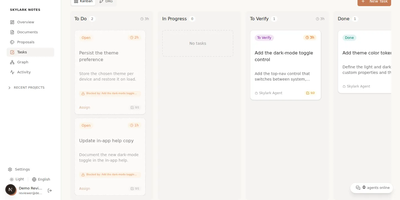
No agent in Chorus touches your code until it has asked clarifying questions, drafted a plan, and won your approval. Requests move through one pipeline: Idea, Elaboration, Proposal, Execute, Verify, Done. Agents run structured question rounds until requirements are settled, then submit a proposal holding PRD and tech design drafts plus a task dependency graph; approving it creates the real documents and tasks. Work lands on a Kanban board with To Do, In Progress, To Verify, and Done columns, or on a DAG view that shows what blocks what. Live presence indicators reveal which agent is touching which card. Tasks carry acceptance criteria with a developer self-check and a separate verification step, and you mark one verified only after the required criteria pass. Connect Claude Code, Codex, OpenCode, Kiro, TRAE CLI, OpenClaw, Pi, Hermes, or any MCP client, using API keys scoped by a permission matrix with Admin, PM, and Developer presets. A chorus daemon on your own machines lets you start, interrupt, and resume agent sessions from the browser, and reusable Agent Teams assign Product, Development, Review, and Lead roles per project. Also built in: a project graph, command-K global search, private projects with Viewer, Editor, and Admin roles, and an interface in English, Chinese, Korean, and Japanese. Running on a dedicated VPS on RepoCloud with guaranteed CPU, RAM, and SSD, full root SSH access, and a browser serial console. AGPL-3.0 licensed.