OpenHermit
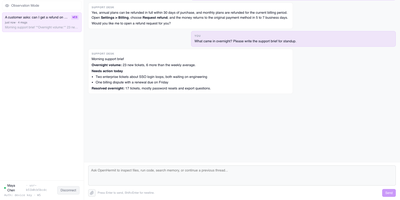
Run a whole fleet of AI agents as managed services, each with its own model, memory, schedules, and sandboxed workspace, from one admin console. Create an agent, point it at OpenAI, Anthropic, OpenRouter, or any OpenAI-compatible endpoint, store its API keys encrypted, and it is ready to chat in the browser. People sign in with a device key and get a session list, streaming replies, and file attachments. The Agents table shows status, last activity, sessions, errors, and token spend for the past 24 hours, and the Stats page tracks users, sessions, events, and total tokens. Cron or one-shot schedules let an agent send a daily brief, and each run is logged. Owner, user, and guest roles control who may talk to an agent or change it, and policy and approval tabs gate risky tool calls. Skills and MCP servers are registered once and enabled for one agent or the whole fleet, and instructions can be pushed to every agent at once. Sessions, memories, and secrets sit in PostgreSQL, so state persists across gateway restarts. Use it for an internal agent platform, a support desk, or one agent per customer. Running on a dedicated VPS on RepoCloud with guaranteed CPU, RAM, and SSD, full root SSH access, and a browser serial console. MIT licensed.
keinsaas Navigator
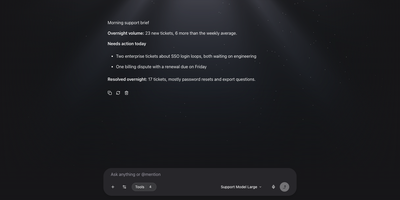
Chat apps, agent builders, workflow tools, and tool servers usually live in four separate products, and keinsaas Navigator folds them into one self-hosted AI workspace. Point it at Ollama, LM Studio, or any OpenAI-compatible endpoint, register the models you want, and pick one for each conversation. Type an at sign in the composer to pull an agent, a workflow, or a tool straight into the message. Agents carry their own role, instructions, model, and tool list, and each one stays private or is shared with the team. The workflow editor connects Input, LLM, Condition, Tool, HTTP, Template, Note, and Output nodes on a canvas, and a published workflow becomes a tool that any chat can call. MCP servers connect over HTTP or local commands, and a built-in tester runs each tool with JSON input before an agent depends on it. Projects keep shared documents and memory with vector search. Agents can run on a schedule for recurring jobs like morning briefs. Teams get accounts and sharing, and the first person to sign up becomes the administrator. A support desk copilot, a private assistant, or a prototype for the next automation all start from the same screen. Running on a dedicated VPS on RepoCloud with guaranteed CPU, RAM, and SSD, full root SSH access, and a browser serial console. MIT licensed.
DocsMint
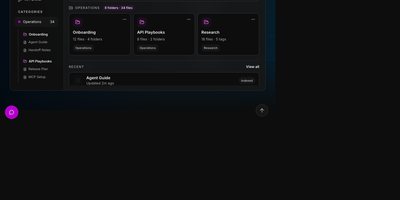
DocsMint is a self-hosted knowledge workspace where your team writes documentation once and both people and AI agents retrieve it through hybrid search and a built-in MCP server. Documents live in a rich visual editor with Markdown import and export, organized by folders, categories, and tags, with sharing and version history. Search blends exact title matches, multilingual keyword search, typo-tolerant fuzzy matching, and semantic vectors, then widens results through graph relationships between documents, so a query in one language or phrasing still finds the right page. Every edit quietly refreshes the index in the background; nothing needs manual re-embedding. Agents connect through 22 MCP tools covering search, reading, creation, updates, folders, snapshots, and export, over a local stdio bridge or the HTTP endpoint on your own installation. Category-scoped API keys hand each integration only the slice of the library it may read, edit, or write, while a global key serves trusted automation. The same operations are available through the REST API, a typed TypeScript SDK, and a terminal CLI for scripts. The web application installs as a PWA with offline reading, and AI features run on your choice of an OpenRouter key or a fully local Ollama setup. Running on a dedicated VPS on RepoCloud with guaranteed CPU, RAM, and SSD, full root SSH access, and a browser serial console. Apache-2.0 licensed.
Flopwire
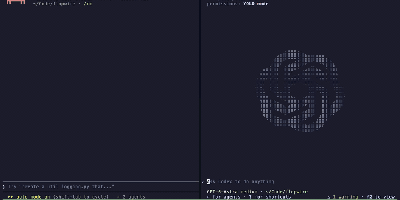
Flopwire lets your AI coding agents message each other and search each other's history, so a Claude Code session on your laptop can ask the Codex session on your server what it already tried before duplicating the work. Agents see who is online and what they started on with peers, then reach each other mid-turn with send; a message arrives inside the recipient's running turn, or with its human's next prompt, and only your own live session can be woken deliberately. A device agent indexes transcripts from Claude Code, Codex, Devin CLI, and opencode within about a second; grep runs regex over every session, and search returns ranked matches naming the user, device, harness, session, and byte range each hit came from. From any full commit ID, trace finds the session that produced it and lets an agent read the conversation behind the change. The same capabilities ship as MCP tools and a messaging skill, so agents recover earlier decisions without you relaying context by hand. Secrets are redacted on the device before upload and again on the server, and path rules keep chosen repositories out of the index. One machine needs no server at all; add the team server with Docker Compose, Postgres, and any S3 compatible object store when a whole team's devices should share one searchable archive over TLS. Running on a dedicated VPS on RepoCloud with guaranteed CPU, RAM, and SSD, full root SSH access, and a browser serial console. Apache-2.0 licensed.
brain.md
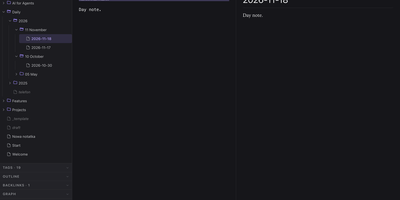
Your notes stay a folder of plain markdown files, and your AI agents get a safe, permissioned way to read, search, and write them. Open an existing Obsidian vault and wikilinks, embeds, callouts, math, mermaid diagrams, tasks, frontmatter, and aliases all work, in a live editor with a scroll-synced preview, a command palette, a quick switcher, and a task list across the whole vault. A graph view maps notes and links, with hover highlights, folder and tag filters, and a local graph beside the current note. Semantic search, switched on in Settings, indexes notes on every save with a bundled local embedder, or with Ollama, LM Studio, OpenAI, or any compatible endpoint, and a Related panel surfaces similar notes and suggests tags. An MCP server with 18 tools and two resources lets Claude Code, Cursor, and other agents search, read, and write notes, with read and write rights set per folder and a write refused when another agent changed the note first. Saves are committed to git with the person or agent named, so History shows diffs and restores any version. An optional password protects the web app and the MCP endpoint, with Google, GitHub, Keycloak, or Authentik sign-in as another door, and hidden-note rules keep scratch files out of the tree and search. Running on a dedicated VPS on RepoCloud with guaranteed CPU, RAM, and SSD, full root SSH access, and a browser serial console. AGPL-3.0-or-later licensed.
Phlox
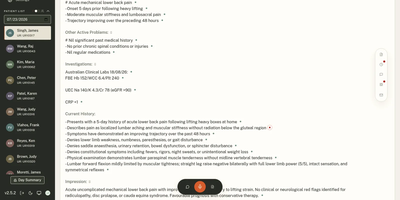
Phlox is the AI medical scribe you run yourself: it listens to a consultation, drafts the structured clinical note while the patient is still in the room, and keeps every record on a server you control. Ambient mode records the visit, Dictate mode formats what you say, and Live Agent mode fills the note in real time, answers spoken requests such as a BMI calculation, drafts a letter to the GP, or fills a PDF referral form, then opens Wrap-Up when you say the visit is over. Templates set each field's prompt, format, and whether it persists between encounters, and one example note can generate a whole template. Every note line is checked against the numbered transcript and marked supported, unverified, or in conflict, with a click through to the exact utterance. Jobs extracted from the plan feed an Outstanding Jobs view, letters refine with one-tap chips, and the chat agent searches notes, completes jobs, and cites a local knowledge base of guidelines and journals. MCP servers add tools, with patient details stripped by default. Point it at any tool-calling OpenAI-compatible LLM and Whisper-compatible transcription server you choose. Admin and clinician accounts keep each user's encounters separate, and every note stays a draft for clinician review. Running on a dedicated VPS on RepoCloud with guaranteed CPU, RAM, and SSD, full root SSH access, and a browser serial console. MIT licensed.
NextClaw
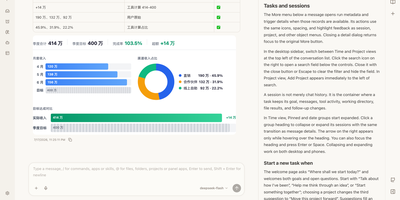
NextClaw is an AI workspace where a request for a report, a chart, or a small tool becomes organized research, files, and steps, with the result shown beside the conversation. Pick the engine for each task from Native, Claude Code, Codex, Hermes, or OpenCode, and the agent keeps its memory, skills, and workspace. A right-hand browser opens code, Markdown, HTML, Word, Excel, and PowerPoint files without losing the task that produced them. Connect providers like OpenRouter, OpenAI, Anthropic, Gemini, DeepSeek, or any OpenAI-compatible endpoint, and message the same agents from Telegram, Discord, Slack, WhatsApp, Feishu, or email. Scheduled tasks start from templates like a daily AI news brief or a competitor change tracker, and finished reports land in an AI Inbox you can read later or continue as a chat. A skill market installs new abilities, MCP servers extend tools, and Panel Apps keep the small pages an agent builds for you. Dedicated agents get their own role, home directory, and memory. Running on a dedicated VPS on RepoCloud with guaranteed CPU, RAM, and SSD, full root SSH access, and a browser serial console. MIT licensed.
mcpspan
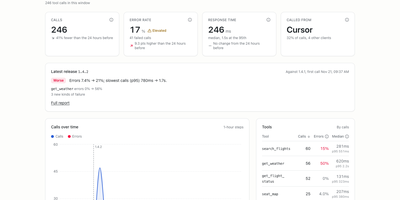
Every tool call, resource read, and prompt get an agent makes on your MCP server lands in mcpspan, with the client that asked, the response time, and the reason for any failure. One line added at startup sends them, with SDKs for eight languages or a proxy that wraps any server without touching its code. The overview charts calls, error rate, and median and 95th-percentile response time per tool, and failures are told apart as crashed handlers, reported errors, refused arguments, and tools an agent asked for that the server does not have. Sessions replay each connection step by step, mark repeated calls, and show what the agent did after every failure: retried, tried something else, or gave up. Release reports set each server version against the one before it, and client versions show whether a client's newest release gets its arguments refused more often. A tool-definition view shows what the tool list costs in tokens each session and which tools agents never call. Alerts go to Slack, Discord, or any webhook, and read tokens let an MCP client such as Claude Code answer questions about the numbers. Anything you can see exports as CSV or NDJSON, calls forward to OpenTelemetry, and README badges show usage. Running on a dedicated VPS on RepoCloud with guaranteed CPU, RAM, and SSD, full root SSH access, and a browser serial console. MIT licensed.
Nojoin
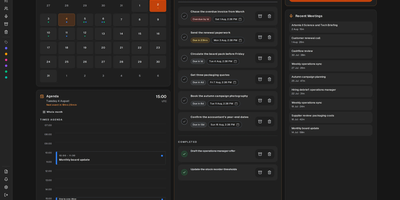
Nojoin takes notes on your Meet, Teams, and Zoom calls without sending a bot into the meeting: it records from your browser and transcribes on your own server. Nothing extra joins the call and nothing announces itself to the room; you meet as usual, press record, and the browser captures the audio. Transcription runs locally with Whisper or Parakeet, so the audio never leaves your hardware, and speaker recognition matches voiceprints across calls, so a person you name once is labelled correctly in later meetings too. AI notes can come from an API provider, your existing Claude or ChatGPT subscription, or Ollama on the same machine for fully local processing. During the call, Meeting Edge suggests questions, flags points you may have missed, and explains unfamiliar terms in real time. Afterward, analytics measured from the audio report talk-time share, turn-taking, and overlapping speech. A built-in MCP server hands Claude or ChatGPT 32 tools over your library, 19 of them writable, so an assistant can search every meeting, correct a misheard line, turn action items into tasks, and reconcile attendees with your CRM. Google and Outlook calendars sync automatically, every meeting carries its own chat, and finished notes export to PDF, Word, or plain text. Stored credentials are encrypted with a key you control, and anonymous telemetry can be switched off entirely. Running on a dedicated VPS on RepoCloud with guaranteed CPU, RAM, and SSD, full root SSH access, and a browser serial console. AGPL-3.0 licensed.
pgconsole
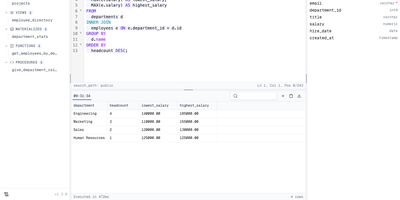
Your whole team can work in a browser-based PostgreSQL editor without a single database password changing hands. Connections live on the server, and one TOML file defines the connections, users, groups, access rules, and AI providers, so access changes get reviewed in pull requests like any other change. The editor parses PostgreSQL as you type, which powers autocomplete across tables, columns, joins, and CTEs, formatting, red error underlines, code folding, and function signature help. Results fill a virtual-scrolling grid with a row detail panel, pinned rows, and CSV, TSV, JSON, or Markdown export, while inline edits stay staged and color-coded until you preview the generated SQL and execute them. A schema browser lists tables, views, materialized views, functions, and procedures with entity diagrams, indexes, constraints, triggers, policies, and grants, and a Processes view lists active sessions. The AI assistant, using OpenAI, Anthropic, or Google keys that never reach the browser, writes SQL from plain English, explains, fixes, and rewrites queries, and rates the risk of staged changes. Coding agents such as Claude Code and Cursor connect through a built-in MCP server, where IAM rules limit each agent and every statement lands in the audit log. People sign in with email and password, Google, Okta, Keycloak, or any OIDC provider. Running on a dedicated VPS on RepoCloud with guaranteed CPU, RAM, and SSD, full root SSH access, and a browser serial console. Apache-2.0 licensed.
Workavera
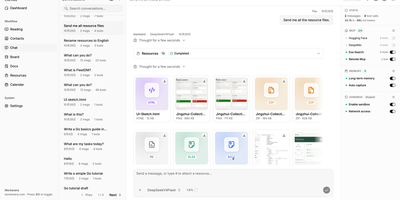
Workavera gives freelancers and small teams one self-hosted workspace for projects, docs, calendar, and files, with an AI assistant that actually does the work. Ask Chat to plan a project and it picks one of ten Kanban templates, creates tasks with states, priorities, and deadlines, and shows every reasoning step and tool call. Boards support custom workflow states, labels, members, and due dates, plus a read-only timeline you can share with clients by public link. Docs offers a rich-text editor with slash commands, version history, Markdown and HTML export, AI editing, and public pages. Calendar merges personal events with Board deadlines, including recurring events and reminders. Resources holds PDFs, Office files, code, images, archives, and SQLite databases that you attach to any chat with + or #, and an optional per-user Linux sandbox lets the assistant run Python or Node scripts to OCR a scanned PDF, clean a spreadsheet, or batch-rename files. Reading saves links with AI summaries, Discover follows sources such as GitHub Trending and Hacker News, and Contacts keeps a searchable team directory. Claude Code, Cursor, and other MCP clients connect with an API key, outside MCP servers plug into Chat, and models come from OpenAI, Anthropic, or Google endpoints or a local LM Studio, Ollama, vLLM, or llama.cpp server. Native Android and iOS apps put the workspace on your phone. Running on a dedicated VPS on RepoCloud with guaranteed CPU, RAM, and SSD, full root SSH access, and a browser serial console. Apache-2.0 licensed.
Chorus
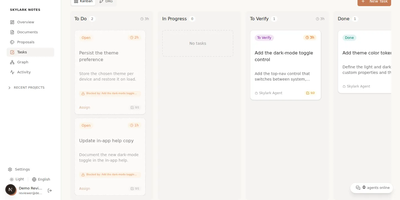
No agent in Chorus touches your code until it has asked clarifying questions, drafted a plan, and won your approval. Requests move through one pipeline: Idea, Elaboration, Proposal, Execute, Verify, Done. Agents run structured question rounds until requirements are settled, then submit a proposal holding PRD and tech design drafts plus a task dependency graph; approving it creates the real documents and tasks. Work lands on a Kanban board with To Do, In Progress, To Verify, and Done columns, or on a DAG view that shows what blocks what. Live presence indicators reveal which agent is touching which card. Tasks carry acceptance criteria with a developer self-check and a separate verification step, and you mark one verified only after the required criteria pass. Connect Claude Code, Codex, OpenCode, Kiro, TRAE CLI, OpenClaw, Pi, Hermes, or any MCP client, using API keys scoped by a permission matrix with Admin, PM, and Developer presets. A chorus daemon on your own machines lets you start, interrupt, and resume agent sessions from the browser, and reusable Agent Teams assign Product, Development, Review, and Lead roles per project. Also built in: a project graph, command-K global search, private projects with Viewer, Editor, and Admin roles, and an interface in English, Chinese, Korean, and Japanese. Running on a dedicated VPS on RepoCloud with guaranteed CPU, RAM, and SSD, full root SSH access, and a browser serial console. AGPL-3.0 licensed.
Umpteenth
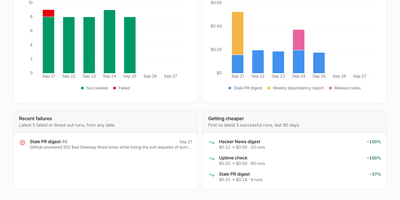
Recurring chores should get cheaper every time you run them, and Umpteenth is a self-hosted agent service built on that idea: describe a job once in plain language, and each run teaches it to need less help. A job starts on a schedule, a webhook call, the API, or the Run now button, and each run gets a fresh disposable container destroyed afterwards. The first run is an Explore run where the agent works out the steps; afterwards a reflection step reads the transcript and writes short learnings plus reusable toolkit scripts into a numbered playbook version. Later runs are Assisted, starting from those learnings, and after three successful assisted runs that take the same steps, the job graduates: reflection writes a main script, and scripted runs execute it alone, spending no model tokens unless a check asks for a judgment call. If a scripted check fails, the agent takes over in the same sandbox, finishes the job, and repairs the script. The job page charts cost per run dropping toward zero. Connect HTTP MCP servers such as GitHub or Slack; model keys and MCP credentials stay on the host and never enter the sandbox. Each job sets its own schedule, model, reach, and per run spending limit. Deploy with Docker Compose, or on Kubernetes with the Helm chart, where every sandbox is a pod. Running on a dedicated VPS on RepoCloud with guaranteed CPU, RAM, and SSD, full root SSH access, and a browser serial console. AGPL-3.0 licensed.
loci
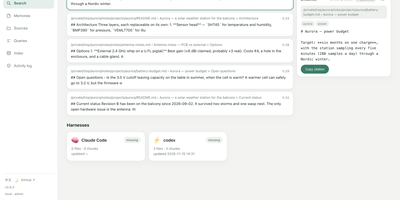
Point Claude Desktop, Cursor, Cline, or any other MCP host at one loci instance and every assistant searches the same notes, project docs, and saved memories. Hybrid retrieval fuses vector hits with BM25 using reciprocal rank fusion, so an exact identifier like user_id still surfaces, and every answer cites the file and section it came from, with optional claim-by-claim verification. Notes stay readable as Markdown, and the index updates incrementally from folders of text, HTML, org files, PDF, and Word documents or an Obsidian vault. Durable memories are saved with one command, structured task state is stored and fetched by exact key, and decision notes can declare what they supersede so a history command shows the chain and answers stop quoting retired policy. A memory health report shows which notes were cited, corrected, or never used. The web console has a dashboard, search with an evidence pane, memory editing, sources and file uploads, a query log, a note graph, and an activity log, in English or Chinese with light and dark themes. Role-based tokens separate viewers, editors, and admins. Embedding and chat calls go only to the providers you configure, and local endpoints like Ollama keep the whole workflow offline. Running on a dedicated VPS on RepoCloud with guaranteed CPU, RAM, and SSD, full root SSH access, and a browser serial console. MIT licensed.
Lumen Learning Platform
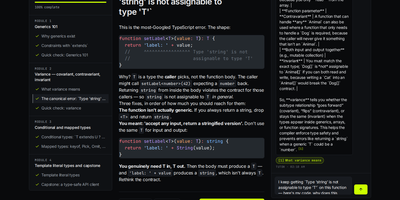
Tell Lumen what you want to learn in one sentence and it interviews you, drafts a brief, and builds a private course with modules, lessons, and quizzes, showing progress as it goes. Every learner owns the whole loop: define a goal, build the course, study it, and share it only when you choose to. An AI tutor sits beside each lesson, streams answers grounded in that course, and attaches citations that jump to the lesson it drew from. A trace view shows every planner step, tool call, and retrieval score behind an answer, and a replay view steps through how a course was authored. Quizzes feed a spaced-repetition review queue, a mastery view tracks progress, and finishing a course issues a verifiable Open Badges credential. Browse a public catalog with subject, level, and tag filters, clone any listed course into your own draft, and press Ctrl+K to search courses or switch themes. Add your own OpenAI, Anthropic, Groq, or Mistral key, or run without a key and keep the rest of the app working. An admin area moderates shared courses, and an MCP server lets coding agents list courses and ask the tutor. Running on a dedicated VPS on RepoCloud with guaranteed CPU, RAM, and SSD, full root SSH access, and a browser serial console. MIT licensed.
AMC WebUI
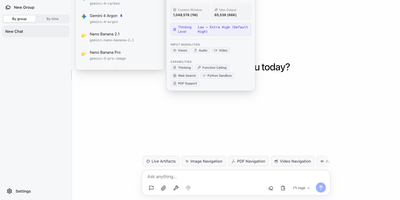
AMC WebUI is one chat window for every Gemini trick, with your conversations kept in your own browser instead of someone else's database. Pick a model from a picker that shows context window, output limit, and capabilities, then watch its reasoning stream with adjustable thinking levels. Voice chat and screen sharing run in realtime, and code blocks can turn into interactive HTML, SVG, Mermaid, or Graphviz previews. A Python sandbox executes snippets with numpy, pandas, and matplotlib inside the page. MCP settings list built-in tool servers beside any stdio, SSE, or HTTP server you add, and tool calls wait for your approval. Upload images, PDFs, audio, video, or whole ZIP folders, search past chats, and read per-request token and pricing logs. Deep search cites sources, text to speech offers thirty voices, and image generation takes aspect ratio and size options. Switch to any OpenAI-compatible endpoint with its own keys and models, choose among four themes and seven interface languages, and install it as a PWA. Running on a dedicated VPS on RepoCloud with guaranteed CPU, RAM, and SSD, full root SSH access, and a browser serial console. MIT licensed.
Tela
Tela keeps a team's documentation as canonical markdown in a self-hosted wiki that AI agents read, search, and write alongside humans through a built-in MCP server. People edit together with live multi-cursor collaboration, threaded comments, backlinks, and full revision history, so every page shows who changed what and why. PostgreSQL full-text search works immediately, and adding an embedder unlocks semantic retrieval and grounded ask-your-docs answers that cite their sources. Connect Claude, Cursor, or another MCP client with a personal access token and the agent can search the wiki, draft and patch pages, answer comment threads, build spreadsheets with real formulas, and assemble presentation decks exportable to PDF and PPTX. Atlas, the built-in documentation engine, points at a git repository or Jira project and drafts cited wiki pages, then keeps them fresh as the sources change. Teams organize work into spaces, invite members by email, and flip any space public to publish a login-free blog with per-author home pages. Content syncs over WebDAV and exports to zip or PDF, and optional AI features run against your own endpoint or a bundled local Ollama profile, so nothing leaves your server unless you wire it up. Running on a dedicated VPS on RepoCloud with guaranteed CPU, RAM, and SSD, full root SSH access, and a browser serial console. AGPL-3.0 licensed.
RustXNG
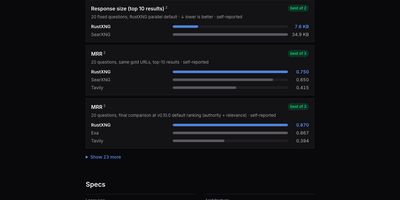
RustXNG gives your AI agents a private web search API that needs no keys, no accounts, and no per-search fees: ask once and get ranked results plus the text of the top pages, ready to ground an answer in real sources. A single request fans out to 180 search engines in parallel, drawn from 226 engine types covering general web, images, video, academic literature, package registries, and news, then merges what comes back with its own ranking that rewards term coverage and canonical-site authority instead of trusting any one engine's order. Engines that time out or keep answering nothing are suspended with backoff and rested automatically, so one dead source never stalls a task, and a repeated query returns from cache in about a hundredth of a second. Call it over HTTP with the familiar SearXNG-shaped JSON, CSV, RSS, or HTML formats, narrow results by domain, engine, or time range, or run the built-in MCP server and hand your agent native search and read_page tools with bounded, truncation-aware responses. Page fetches are hardened against untrusted URLs, an experimental local index can crawl your own corpus and merge it into results, and health, metrics, and per-engine status stay visible through the ops endpoints and the browser UI. Running on a dedicated VPS on RepoCloud with guaranteed CPU, RAM, and SSD, full root SSH access, and a browser serial console. AGPL-3.0 licensed.