Mycorrhiza
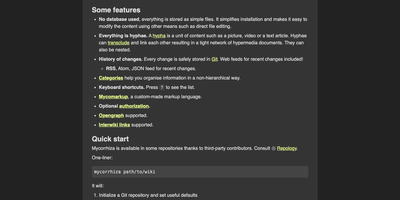
Most wikis bury your writing inside a database you can never quite export cleanly; Mycorrhiza keeps every page as a plain file you can open, edit, and back up with ordinary tools. Each unit of content is a hypha, a page that can be an article, an image, or a video, and hyphae transclude and link to one another so related notes weave into a dense hypertext network instead of a stack of isolated pages. You write in Mycomarkup, a markup language designed to stay unambiguous while remaining quick to type, and categories organize pages without forcing a rigid hierarchy, although nested hyphae are there when you want one. Every edit is committed to Git automatically, giving the wiki a complete, inspectable history, and recent changes flow out as RSS, Atom, and JSON feeds. Keyboard shortcuts drive navigation for people who live in the editor, authorization supports plain accounts or Telegram login, and Open Graph metadata makes shared pages preview properly elsewhere. Interwiki links connect your wiki to others, and because there is no database to provision, a single small binary serves the whole site. Running on a dedicated VPS on RepoCloud with guaranteed CPU, RAM, and SSD, full root SSH access, and a browser serial console. AGPL-3.0 licensed.
Chatty
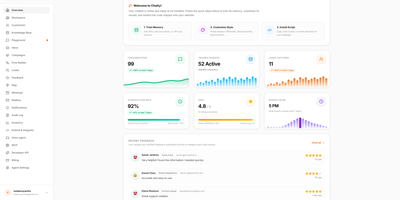
When a customer asks a question on your website, WhatsApp, Telegram, Messenger, Instagram, TikTok, SMS, or email, the Chatty AI agent answers from your own content and hands the chat to a person on request. Its knowledge base ingests PDF, DOCX, CSV, and text files plus crawled sites and sitemaps, and a WooCommerce connection looks up order status, live stock, and cart links. The agent captures leads into a CRM with CSV export and books meetings with Google Meet, Microsoft Teams, or Zoom links. A shared inbox streams conversations live, shows SLA breach warnings, and lets a human take over a thread with one click. A drag-and-drop flow builder adds rule-based paths with time-of-day conditions, webhooks, and an AI copilot that drafts the graph. Proactive campaigns fire on exit intent, time on page, or scroll depth, and a five-pillar scorecard grades conversion, deflection, accuracy, reliability, and satisfaction. An optional voice agent holds real-time spoken conversations with instant interruption and live transcripts, an 81-tool MCP server lets Claude, Cursor, or Codex run the dashboard, and each bot can use your own Gemini, OpenAI, Anthropic, Groq, or OpenRouter key. Running on a dedicated VPS on RepoCloud with guaranteed CPU, RAM, and SSD, full root SSH access, and a browser serial console. MIT licensed.
Alexandrie
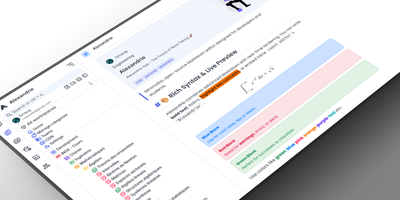
Alexandrie provides a structured knowledge base with an extended Markdown editor, granular per-document permissions, and offline editing through its progressive web app. The CodeMirror 6 editor goes well beyond standard Markdown with colored containers, academic callout blocks, KaTeX math expressions, syntax-highlighted code blocks, footnotes, interactive checkboxes, cards, panels, and a custom snippet system with import and export. Full-text search via the Ctrl+K command center returns instant results with content snippets and relevance ranking across all workspaces. Five permission levels covering None, Read, Write, Admin, and Owner apply per document and per user, while OIDC single sign-on integrates with Google, GitHub, Microsoft, Discord, and any OpenID Connect provider. Documents organize into a hierarchical tree of workspaces, categories, and nested entries with tags, bookmarks, pinned notes, and custom icons. Integrated Kanban boards handle task management within each workspace without switching applications. The PWA installs on any device for full offline editing with seamless sync when connectivity returns. Voice-to-text dictation captures notes hands-free, and one-click ZIP backup exports all documents, files, and settings as a portable archive. Over 2,000 GitHub stars and 41 releases back the project. The Docker Compose stack orchestrates the Nuxt 4 frontend, Go Gin backend, MySQL 8 database, and S3-compatible RustFS object storage. Running on a VPS on RepoCloud with guaranteed CPU, RAM, and SSD, full root SSH access, and a browser serial console. MIT licensed.
Tale
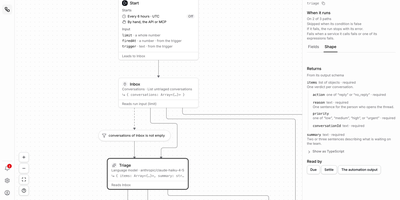
One workspace for the whole job: Tale puts your team and your AI agents on the same project board, so a question becomes an assigned task, a reviewed report, and files you can open. Describe the work with a brief, source files, and completion criteria, then assign it to a teammate or an agent. Agents get their own runtime (Claude Code, Codex, Cursor, Gemini CLI, Hermes, OpenClaw, OpenCode, Pi, or Qwen Code), model, skills, and tools, and work in a persistent sandbox; a manager agent can delegate ready tasks. Steer with @mentions in task comments, then accept the result or send it back. Chat shows the sources behind an answer and compares two models side by side in Arena. Knowledge holds documents, short entries, crawled websites, products, and contacts for retrieval within each team's access. Automations are versioned workflows with schedule, webhook, and event triggers, tests before deployment, playback of finished runs, and approval before protected writes; ready-made templates triage Gmail, Outlook, and IMAP inboxes, review pull requests, and send daily task digests. Coding agents connect over MCP with an access level you choose and can revoke. Roles, teams, budgets, guardrails, and a hash-chained audit log keep the work governed. Running on a dedicated VPS on RepoCloud with guaranteed CPU, RAM, and SSD, full root SSH access, and a browser serial console. MIT licensed.
Kompl
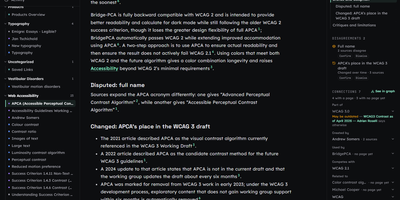
Save a link, a PDF, a YouTube video, or a bookmark export to Kompl and it reads the material on arrival, then writes it into cross-linked wiki pages instead of leaving it in a folder you never reopen. Save more on the same subject and the existing pages are rewritten, so source number fifty improves the pages it touches. Every claim carries a numbered citation back to the original text, and when two sources disagree the page records both sides with a confirm or dismiss button. A knowledge graph shows how topics connect, each link backed by the sentence that states it. An onboarding wizard stages pasted text, URLs, uploaded files, browser bookmarks, Twitter exports, Apple Notes, and Upnote exports for review before anything is compiled. Settings pick the compile model from DeepSeek or Gemini, cap daily spend, and show wiki health. Eight MCP tools let Claude Code, Cursor, Codex, and other agents search, read, and cite pages. Full backups export as one zip that restores without further model calls. Running on a dedicated VPS on RepoCloud with guaranteed CPU, RAM, and SSD, full root SSH access, and a browser serial console. Apache-2.0 licensed.
Basjoo
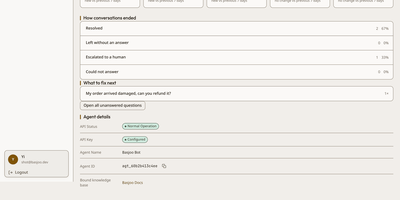
Support tickets that repeat the same twelve questions all week can answer themselves when Basjoo turns your website and documents into an embeddable AI support agent you host yourself. Knowledge bases are built independently of agents, fed by crawling a single page or an entire site, or by uploading PDF, Word, Excel, HTML, and text files that are parsed into searchable chunks. Visitors chat through a widget added with one script tag, in a floating bubble, inline frame, or iframe, and answers stream back with source citations so people can verify what the bot claimed. A curated question and answer index is matched before retrieval, which means correcting a wrong answer takes effect immediately without reindexing the whole collection, and a keyword fallback mode can answer matched questions with no model key at all. When a conversation needs a person, operators watching the live session wall can take over, reply with saved macros, release the chat back to the bot, or resolve it, with business hours deciding when the bot is off duty. Lead capture forms, an unanswered question queue that groups repeats into future answers, thumbs feedback rolled into analytics, and signed outbound webhooks for seven event types round out the operator side. Running on a dedicated VPS on RepoCloud with guaranteed CPU, RAM, and SSD, full root SSH access, and a browser serial console. MIT licensed.
Neo Chat
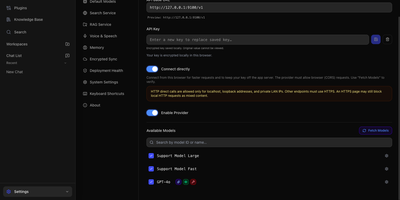
One chat window, every model you already pay for, and a history that stays in your own browser unless you decide otherwise. Neo Chat connects to Google, OpenAI, Anthropic, and any OpenAI-compatible gateway, so switching models mid-project takes one click. Agent mode runs multi-step tool workflows, and Deep Research drafts a plan for approval before producing a cited report that can be resumed if it stops. Attach files, build a knowledge base for retrieval, and let memory carry preferences between conversations. Browse a market of ready-made assistants and text skills, add OpenAPI plugins or remote MCP servers, and search the web through a configurable service. Answers render Markdown, math, diagrams, and charts, plus editable artifacts and interactive checklists, quizzes, flashcards, and calculators. Voice input and read-aloud sit beside the composer, and optional encrypted sync moves settings between devices. An access password can protect a shared deployment, and a health page checks that everything is configured. Switch models mid-conversation, keep one history, and stop juggling a tab for every provider. Running on a dedicated VPS on RepoCloud with guaranteed CPU, RAM, and SSD, full root SSH access, and a browser serial console. MIT licensed.
Gramax
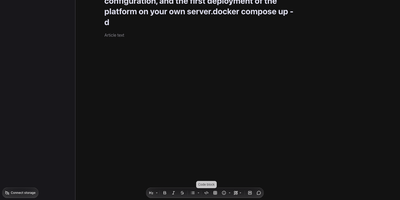
Gramax keeps your documentation in a Git repository as plain Markdown, gives writers a visual editor that feels like a word processor, and publishes the result as a searchable website. Writers format pages with tabs, tables, code blocks, embedded videos, and diagrams drawn in Mermaid, Excalidraw, or Diagrams.net, plus Swagger descriptions that render live API references. Every change is a normal Git commit, so review happens in pull requests on GitHub, GitLab, Bitbucket, or Gitea, and the full history of every page stays auditable. Catalogs organize articles into a hierarchy for a product portal, an internal knowledge base, or project documentation, and styles can be customized to match your brand. Teams moving off older tools import existing pages from Confluence and Notion with formatting and hierarchy preserved. Documentation can be written in 17 languages, with parallel catalogs for each audience. The editor runs on Windows, Mac, and Linux or straight in the browser, always working on local files that open in any text editor. A built-in AI agent answers questions over your catalog and helps draft pages from inside the editor. On the server, the portal container pulls fresh content from your repository on an interval you set, so publishing a page is just merging a branch. Readers get a dedicated, customizable documentation website instead of raw repository files. Running on a dedicated VPS on RepoCloud with guaranteed CPU, RAM, and SSD, full root SSH access, and a browser serial console. GPL-3.0 licensed.
Dialoqbase
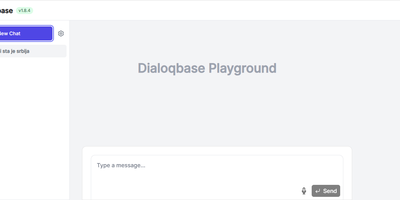
Retrieval-augmented chatbots on your own knowledge base - that is the whole mission of Dialoqbase, an open-source bot-building platform. Feed it content through a broad set of data loaders - web pages and full crawls, sitemaps, PDFs, DOCX, CSV, plain text, GitHub repositories, YouTube videos, and MP3/MP4 audio - and it handles the whole RAG pipeline in one self-contained app: chunking, embedding, vector storage, and LLM querying. The distinguishing architecture choice is PostgreSQL with pgvector for embedding storage and similarity search, which removes the separate vector-database dependency, and Redis-backed Bull queues for ingesting large documents without blocking the API. Model choice is wide open: OpenAI, Anthropic Claude, Google Gemini, Cohere, Fireworks, Hugging Face, local models via Ollama, and any OpenAI-compatible endpoint, with an equally broad list of embedding providers. Finished bots embed on any website with customizable styling or deploy to Telegram, Discord, and WhatsApp, and an API creates and manages bots programmatically. Multi-user support adds registration limits and per-user bot quotas. MIT-licensed and free for commercial use.
LocalGPT
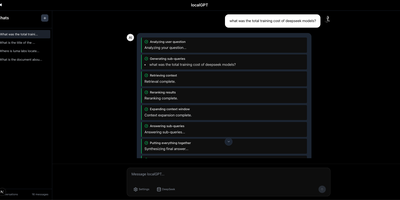
If a document is too sensitive for a hosted chatbot, LocalGPT lets you question it in plain English on your own server, with every answer citing the passages it used. Drop PDF, DOCX, HTML, Markdown, or plain-text files into a named index and scanned PDFs are read through OCR. Vector and full-text results are fused by rank, then a cross-encoder reranker keeps the best passages. A router decides per question between searching your documents and answering directly. Complex questions split into sub-questions that are searched separately, pooled, and answered in one pass. Progress cards stream the retrieval, reranking, and synthesis stages into the chat as they run. An optional verification pass appends a confidence percentage to the answer. A session-scoped semantic cache answers repeated questions faster. Per-chat settings toggle decomposition, pruning, verification, search type, model, and retrieval depth. Swap the answer model per session or per message, and choose the embedding model when you build an index. From a terminal, one command indexes a folder and another asks a question, and a REST API exposes every action the interface can take. A start script runs everything in Docker against Ollama on the host or in a container. Running on a dedicated VPS on RepoCloud with guaranteed CPU, RAM, and SSD, full root SSH access, and a browser serial console. MIT licensed.
RESTai
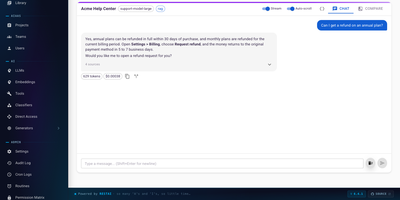
Every AI project you build in RESTai becomes an endpoint that any app can call over plain HTTP. RESTai gives you a browser dashboard where each project gets its own model, system prompt, tools, and chat playground. Build knowledge-base assistants over uploaded files and synced web pages, ReAct-style agents that call MCP servers, or drag-and-drop block projects that need no model at all. Connect Ollama, OpenAI, Anthropic, Gemini, vLLM, Azure, Bedrock, or any OpenAI-compatible endpoint, and let teams share the ones you approve. Daily charts follow tokens, cost, and latency per project, with rate limits, guardrails, prompt version history, and evaluation runs for quality tracking. Teams, roles, two-factor sign-in, white-label branding, and an audit trail cover administration. A one-line chat widget embeds a project on any website, and connectors reach Telegram, Slack, and WhatsApp. One install can serve several branded assistants and bill each team separately. Running on a dedicated VPS on RepoCloud with guaranteed CPU, RAM, and SSD, full root SSH access, and a browser serial console. Apache-2.0 licensed.
CodeX Docs
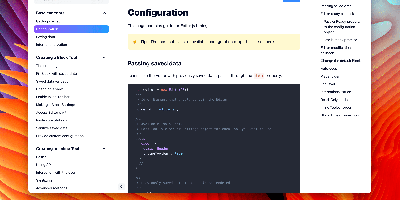
Writing docs should feel like editing a modern document, not wrangling Markdown files - CodeX Docs delivers that on Editor.js, the block-styled editor its CodeX team builds and thousands of products use. Content is composed from clean blocks (headings, lists, code, images, embeds) with a UI that reads well on both desktop and mobile, and pages render statically with human-readable, SEO-friendly URLs. Structure is free-form: pages nest to any depth, so a flat FAQ and a deep product manual coexist in one instance, and the UI tunes to fit - collapse sections, hide the sidebar. The operational footprint is deliberately tiny. No database is required: the default driver persists to a local folder, with MongoDB available when you want it, and the whole app configures through one YAML file (overridable with APP_CONFIG_ environment variables) covering title, start page, auth password, and JWT secret. Editing mode sits behind password authentication. Thoughtful extras are wired in: readers can report misprints straight to your Telegram or Slack, Hawk error tracking catches frontend and backend exceptions, and Yandex Metrica analytics is a one-line config. A ready-made Helm chart covers Kubernetes. Written in TypeScript.
Scoold
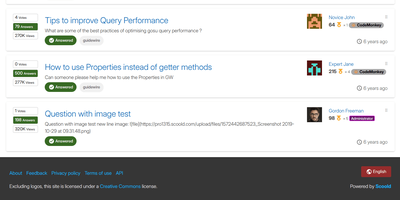
Scoold brings Stack Overflow-style Q&A to a server you control, so answers get voted, accepted, and found again instead of scrolling away in chat. Askers get a Markdown editor with live preview, tags, and emojis, and the form suggests similar questions and flags likely duplicates before anything is posted. Answerers collect upvotes, accepted answers, reputation points, and badges, including custom ones with your own text, icon, and color. Authors and moderators can restore any earlier revision, because every edit is kept. Searchers can use Lucene syntax such as exact phrases, wildcards, and boolean operators. Admins split one site into private spaces, up to ten in the free edition, and choose how people sign in: email and password, LDAP, or social providers such as Google and GitHub. They can also back up and restore data, import a Stack Overflow for Teams export, and follow a dashboard of questions, answers, traffic, and active members. Builders get a REST API with OpenAPI docs, signed webhooks, Zapier and n8n connectors, and an optional MCP server for AI assistants. Color themes include a dark mode, Mermaid diagrams and KaTeX formulas can be switched on, and right-to-left languages are supported. SAML, SCIM, file uploads, and chat integrations are Pro-edition features. Running on a dedicated VPS on RepoCloud with guaranteed CPU, RAM, and SSD, full root SSH access, and a browser serial console. Apache-2.0 licensed.
Codever
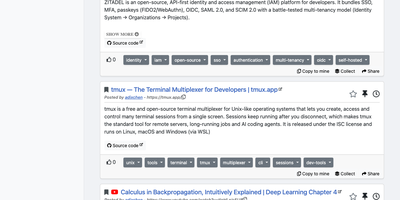
Every developer has a graveyard of browser tabs, chat messages, and stray text files holding links and code worth keeping; Codever replaces the graveyard with a bookmarks, notes, and snippets manager designed for developer workflows. Save a page in two clicks from Chrome or Firefox, drop selected text in as a snippet or note, or use the bookmarklet in any other browser, with title, description, and tags prefilled for you. From IntelliJ IDEA and Visual Studio Code you can push code straight into your library and pull it back without switching to the browser. Bookmarks carry descriptions and tags, and Pinned and Read Later lists sit beside your history so rediscovery takes seconds. Notes are written in Markdown and render with math, tables, and inline code, while snippets keep reusable code one search away with its context attached. Full text search spans bookmarks, notes, and snippets at once, with Brave, Google, Stack Overflow, and Bing one click away when the library comes up empty. Entries can be public, copied into your own collection, or gathered into curated sets for a team or topic. Accounts sign in through Keycloak with GitHub, Google, GitLab, or Stack Overflow, so a self-hosted instance fits the identity setup your team already uses. Running on a dedicated VPS on RepoCloud with guaranteed CPU, RAM, and SSD, full root SSH access, and a browser serial console. MIT licensed.
Uwazi
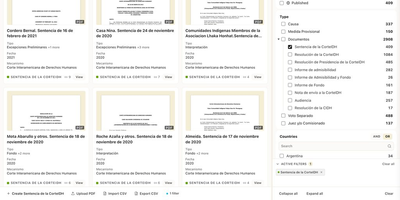
Human rights teams, legal researchers, and archivists use Uwazi to turn scattered documents and case records into searchable, structured collections that the public or trusted partners can explore online. You design templates that define exactly which fields each record carries, from dates and locations to people, organizations, and document types, then import material through the interface or in bulk from CSV files. Uploaded PDFs and documents become full-text searchable, so a phrase buried inside a scanned report is as findable as the metadata typed beside it. Relationships connect related entities across the collection, letting you trace how a person, an event, and a piece of evidence fit together instead of keeping them in isolated folders. Curators build public pages with live filters, maps, and visualizations drawn directly from collection data, while granular permissions decide which records stay private, which are shared with specific groups, and which are published for everyone. Multi-language support lets the same collection serve readers in several languages, and activity logs keep an audit trail of edits. Running on a dedicated VPS on RepoCloud with guaranteed CPU, RAM, and SSD, full root SSH access, and a browser serial console. MIT licensed.
Faveo Helpdesk
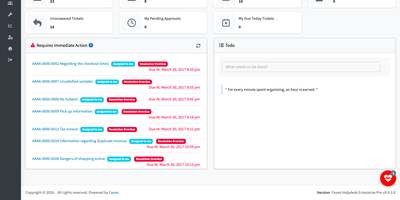
A shared support inbox works until two agents answer the same customer or nobody answers at all, and Faveo Helpdesk, an open-source ticketing system, swaps that guesswork for a queue of tickets with owners, priorities, and deadlines. Each department connects its own mailbox over IMAP or POP3, so incoming email becomes a ticket routed to the right team, and replies go out from that department's address. Colour-coded priorities, custom statuses, and nested help topics sort the queue, tickets can be assigned to an agent, a department, or a team with a lead, and optional ticket locking warns other agents when a colleague already has a ticket open. SLA plans set grace periods against business hours and escalate overdue tickets automatically, while the dashboard counts inbox, unassigned, overdue, and due-today tickets. Workflow rules can set a department or reject spam by subject or channel, a close-ticket workflow auto-closes tickets after a set number of days, and a ban list stops unwanted senders. Customers rate replies and whole tickets on a star scale that defaults to five, a knowledge base with nested categories and public or private articles answers repeat questions, and internal notes stay hidden from customers. Social login, a token-authenticated HTTP API, uploadable language packs, and zip-installed plugins suit IT desks, customer service teams, and internal service teams. Running on a dedicated VPS on RepoCloud with guaranteed CPU, RAM, and SSD, full root SSH access, and a browser serial console. OSL-3.0 licensed.
phpMyFAQ
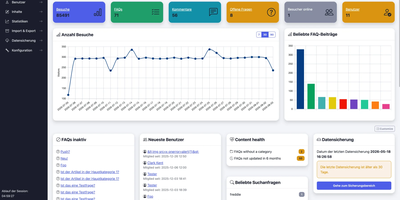
Publish the answers your team keeps repeating as a multilingual, searchable FAQ with phpMyFAQ, a knowledge base whose admin area handles writing, review, and permissions. Organize entries in nested categories that you rearrange by drag and drop, attach files, add tags and related FAQs, and let visitors leave comments. A WYSIWYG editor with an image manager writes each answer, a wiki-style revision history restores earlier versions, and a news system posts announcements. Full-text search covers every language, and optional Elasticsearch or OpenSearch backends handle larger collections. The interface covers more than 40 languages with right-to-left layouts, automatic content negotiation, and translated categories and entries. Privileges work per user and per group, so an editor can change an entry without being allowed to delete it, and categories can be limited to chosen readers. Sign in through LDAP, Active Directory, or Microsoft Entra ID, protect accounts with two-factor authentication, or try experimental passkeys. The dashboard charts 30 days of visits, lists inactive FAQs, and checks installed files against published hashes. Export entries to PDF, publish a dynamic sitemap, back up your content, and filter spam with built-in protections. Dark, light, and high-contrast themes keep the public site comfortable to read. Scripts and AI assistants reach the knowledge base through a REST API with an OpenAPI specification or an experimental MCP server, and plugins extend it. Running on a dedicated VPS on RepoCloud with guaranteed CPU, RAM, and SSD, full root SSH access, and a browser serial console. MPL-2.0 licensed.

FoJin
Ask a question about Buddhist scripture in plain language and get an answer that points to the exact passage it came from. FoJin brings thousands of texts from hundreds of digital libraries into one search box, so a reader no longer jumps between a dozen archives with different layouts. The AI assistant, called XiaoJin, answers with clickable citations that open the original text, and it can also reply in the voice of historical masters scoped to their own tradition. Search covers classics, translators, and catalog numbers, with filters by country and collection. Reading pages show full text, and parallel views line up translations in many languages, with Chinese, Pali, and Tibetan versions of the same sutra side by side. Thirty-nine dictionaries answer term lookups, a knowledge graph maps people, lineages, and places, and a data source directory shows what each collection offers. Readers can save collections, bookmarks, and annotations, then export citations in BibTeX, RIS, or APA. A read-aloud mode highlights each sentence in sync with audio. Quote verification confirms that a sentence really exists in the canon, and where. Running on a dedicated VPS on RepoCloud with guaranteed CPU, RAM, and SSD, full root SSH access, and a browser serial console. Apache-2.0 licensed.