Open Canvas
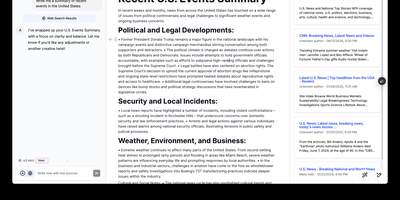
Open-source alternative to OpenAI's Canvas — a collaborative writing and coding environment where AI agents help you draft, edit, and refine documents through an agentic architecture built on LangGraph. The dual-mode editor combines a BlockNote rich text editor for live-rendered markdown with a CodeMirror-based code editor supporting syntax highlighting across multiple programming languages, letting you switch between prose and code artifacts within the same session. The built-in reflection agent automatically generates style rules and user insights from your chat history, storing them in a shared LangGraph memory store that persists across sessions for increasingly personalized assistance. Pre-built quick actions provide one-click access to common writing transformations including summarize, expand, simplify, and translate, while coding actions offer explain, refactor, add comments, and convert between languages. The monorepo architecture separates the Next.js 14 frontend from the LangGraph agent backend, connecting via HTTP and WebSocket protocols through the @langchain/langgraph-sdk client. Seven LLM providers are supported out of the box — OpenAI, Anthropic Claude, Google Gemini, Fireworks AI, Groq, Azure OpenAI, and local Ollama models — with Supabase handling authentication and data persistence. Deploy via Docker or build from source. Running on a dedicated VPS on RepoCloud with guaranteed CPU, RAM, and SSD, full root SSH access, and a browser serial console. MIT licensed.
code-server
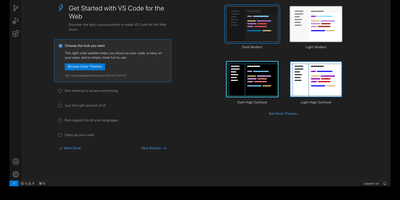
With over 78,000 GitHub stars, 270 contributors, and seven years of continuous development tracking upstream VS Code releases within days, code-server has become the definitive way to run a full Visual Studio Code IDE on any remote machine and access it from any browser on any device. The project applies a curated set of patches to Microsoft's VS Code codebase that add password authentication, sub-path hosting behind reverse proxies, self-contained web views that never call out to Microsoft servers, a built-in proxy for accessing ports on the remote machine directly through the VS Code ports panel, and on-disk settings persistence instead of browser storage. The extension ecosystem works with the Open VSX marketplace by default, giving access to thousands of extensions for Python, JavaScript, Go, Rust, Java, and every other language, along with themes, linters, formatters, and debuggers. The integrated terminal provides direct shell access to the server, Git integration handles version control without leaving the editor, and the debugger supports breakpoints, variable inspection, and step-through execution for Node.js, Python, Go, and other runtimes. DevContainer support enables reproducible development environments defined in JSON configuration files. Installation options include a one-line install script, manual package installation, Docker via the official codercom/code-server image, and DevContainer features. Minimum requirements are a Linux machine with 1GB RAM, 2 vCPUs, and WebSocket support. Running on a dedicated VPS on RepoCloud with guaranteed CPU, RAM, and SSD, full root SSH access, and a browser serial console. MIT licensed.
WhoDB
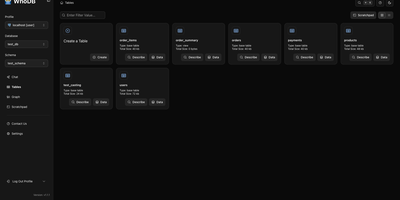
With nearly 5,000 GitHub stars earned in under two years, WhoDB has rapidly emerged as the lightweight alternative to heavyweight database clients like DBeaver and DataGrip by delivering a sub-50MB binary that starts in under a second and connects to 18+ database systems from a single interface. The Go backend serves the React and TypeScript frontend with table virtualization for efficient rendering of large result sets, lazy loading, and query result streaming that keeps the interface responsive even when browsing tables with millions of rows. The Community Edition connects to PostgreSQL, CockroachDB, YugabyteDB, MySQL, MariaDB, TiDB, SQLite, DuckDB, MongoDB, FerretDB, Redis, Valkey, Dragonfly, Elasticsearch, OpenSearch, ClickHouse, QuestDB, and Memcached through a unified credential selector that switches between databases with minimal configuration. Interactive schema diagrams render entity-relationship graphs showing table structures, foreign keys, and column types for visual database exploration. The Jupyter-style query scratchpad provides SQL autocomplete, syntax highlighting, and multi-statement execution with paginated results. AI integration optionally connects to Ollama, OpenAI, Anthropic, LM Studio, or any OpenAI-compatible provider for natural language database queries — ask questions in plain English and receive generated SQL. Data management includes inline row editing, CSV export, and filtered data views. Docker deployment runs a single container exposing port 8080. Running on a dedicated VPS on RepoCloud with guaranteed CPU, RAM, and SSD, full root SSH access, and a browser serial console. Apache-2.0 licensed.
Suite Docs
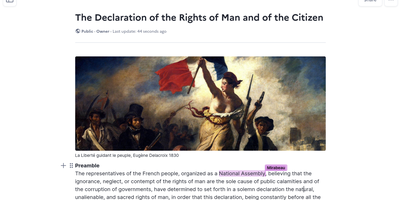
An open-source alternative to Notion and Google Docs developed jointly by France's DINUM and Germany's ZenDiS that prioritizes data sovereignty, real-time collaboration, and structured knowledge management. The Yjs-powered CRDT engine provides live cursors, presence indicators, and inline comments enabling teams to edit simultaneously without conflicts, while BlockNote.js renders a clean block-based editing experience with rich text formatting, Markdown shortcuts, and drag-and-drop content organization. Hierarchical sub-documents create wiki-style knowledge bases where documentation nests naturally into navigable structures, and a dedicated slide mode transforms any document into a presentation without separate tooling. The document API separates content from metadata with distinct endpoints for formatted content, raw content streams, and document properties. Optional AI integration connects to configurable language models for writing assistance, summarization, and content generation directly within the editor. Access control supports granular permissions per document with team sharing, public links, and invitation flows. DOCX import brings existing documents into the platform while maintaining formatting fidelity. The Django backend serves a REST API with PostgreSQL storage, Redis caching, and S3-compatible media handling. Deploy via Docker Compose, Kubernetes with the official Helm chart, Nix, or YunoHost on your own infrastructure. Running on a dedicated VPS on RepoCloud with guaranteed CPU, RAM, and SSD, full root SSH access, and a browser serial console. MIT licensed.
Cryptpad
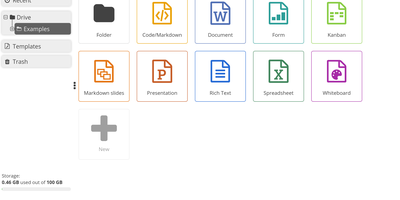
End-to-end encrypted by design, CryptPad is a real-time office suite where teams write documents, plan on kanban boards, collect answers with forms, and draw diagrams without the hosting server ever seeing their content. Rich text pages come with comments, replies, @mentions, and a document outline, while the Markdown editor adds a live preview, Mermaid diagrams, mind maps, and math. Kanban columns hold colored, tagged cards with Markdown bodies, and the diagram editor exports PNG, JPG, SVG, or PDF. Optional ONLYOFFICE editors add spreadsheets, word-processing documents, and presentations that several people can edit together. The form builder offers text, choice, grid, date, ranking, and poll questions, conditional sections, and separate author, auditor, and participant roles. Documents can be shared with contacts or teams, by link, or as embed code, with view, edit, present, or view-once access. Passwords, expiry dates, owner lists, and access lists limit who gets in, and every edit lands in a history you can step through, restore, or pin as a named snapshot. CryptDrive keeps files in folders, tags, templates, and a trash bin, while teams get their own drive, chat, and member roles. Running on a dedicated VPS on RepoCloud with guaranteed CPU, RAM, and SSD, full root SSH access, and a browser serial console. AGPL-3.0 licensed.
Overleaf
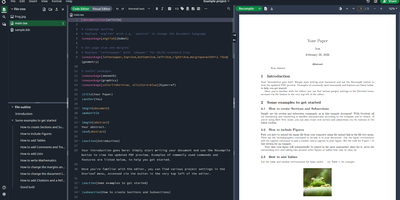
Multiple authors can edit the same LaTeX document simultaneously in the browser with live cursor tracking, conflict-free merging, and instant PDF compilation on every save. Overleaf Community Edition brings the collaborative editing experience that millions of researchers and academics rely on, with no compile time limits, storage quotas, or collaborator caps imposed by the hosted tiers. The web editor provides syntax highlighting, auto-completion, and bracket matching alongside an integrated PDF preview panel powered by a bundled TeX Live distribution supporting pdfLaTeX, XeLaTeX, and LuaLaTeX engines. The file tree panel organizes multi-file projects with separate files for chapters, figures, bibliography references, and style definitions. BibTeX and Biber handle bibliography management, and detailed compilation logs offer clickable error navigation to the exact source line causing each issue. Users upload images, PDFs, and data files directly through the browser, and a template gallery provides starting points for journal articles, conference papers, theses, presentations, and CVs. Over 17,800 GitHub stars and a decade of active development anchor the project. The application runs as containerized microservices including the Node.js web application, MongoDB for persistence, and Redis for session management. Running on a dedicated VPS on RepoCloud with guaranteed CPU, RAM, and SSD, full root SSH access, and a browser serial console. AGPL-3.0 licensed.
Codel
Meet your new digital sidekick, the Fully Autonomous AI Agent! This isn't just any AI; it's like having a superhero in your terminal, browser, and editor. Ready to tackle complex tasks and projects with a single command, this AI Agent is your go-to for making tech magic happen. And with RepoCloud, you're not just saving on costs, you're also joining a league of extraordinary users harnessing the power of open-source collaboration. Get ready to elevate your productivity to legendary levels!
DbGate
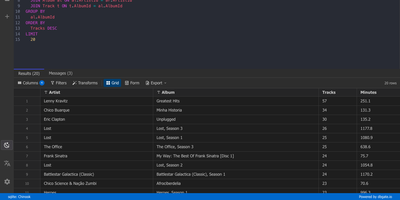
One browser tab can hold every database you manage, from MySQL and PostgreSQL to MongoDB and Redis, so there is no separate client to install for each engine. Connections are unlimited, and each can use its own SSH tunnel or SSL certificates. Tables open in an Excel-like grid where you edit cells inline, filter rows with expressions, and sort by any column. The SQL editor offers schema-aware code completion, a formatter, a join helper that builds clauses from foreign keys, query parameters, and a history of past runs, while result sets appear in separate tabs that you can filter, sort, and export. ER diagrams chart tables and their relations. The table editor creates columns, keys, and indexes and previews the SQL before anything is applied. Import and export move data between databases and files as SQL, CSV, JSON, XML, NDJSON, Excel, DBF, or YAML. Administrators can preconfigure connections through environment variables, mark them read-only, and protect the interface with logins that carry per-user permissions. Light and dark themes, customizable keyboard shortcuts, and translations into many languages keep daily work comfortable. Running on a dedicated VPS on RepoCloud with guaranteed CPU, RAM, and SSD, full root SSH access, and a browser serial console. GPL-3.0 licensed.
Alexandrie
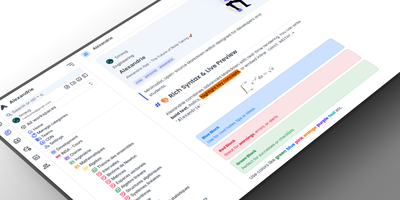
Alexandrie provides a structured knowledge base with an extended Markdown editor, granular per-document permissions, and offline editing through its progressive web app. The CodeMirror 6 editor goes well beyond standard Markdown with colored containers, academic callout blocks, KaTeX math expressions, syntax-highlighted code blocks, footnotes, interactive checkboxes, cards, panels, and a custom snippet system with import and export. Full-text search via the Ctrl+K command center returns instant results with content snippets and relevance ranking across all workspaces. Five permission levels covering None, Read, Write, Admin, and Owner apply per document and per user, while OIDC single sign-on integrates with Google, GitHub, Microsoft, Discord, and any OpenID Connect provider. Documents organize into a hierarchical tree of workspaces, categories, and nested entries with tags, bookmarks, pinned notes, and custom icons. Integrated Kanban boards handle task management within each workspace without switching applications. The PWA installs on any device for full offline editing with seamless sync when connectivity returns. Voice-to-text dictation captures notes hands-free, and one-click ZIP backup exports all documents, files, and settings as a portable archive. Over 2,000 GitHub stars and 41 releases back the project. The Docker Compose stack orchestrates the Nuxt 4 frontend, Go Gin backend, MySQL 8 database, and S3-compatible RustFS object storage. Running on a VPS on RepoCloud with guaranteed CPU, RAM, and SSD, full root SSH access, and a browser serial console. MIT licensed.
HolyClaude
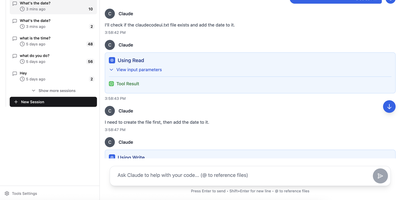
With 2,400+ GitHub stars, HolyClaude replaces a two-hour manual setup process with a single docker compose up command that launches a fully configured AI coding workstation. The container ships with Claude Code pre-installed alongside seven additional AI CLIs — Gemini CLI, OpenAI Codex, Cursor, TaskMaster AI, Junie, OpenCode with OpenRouter multi-provider support, and Pi Coding Agent — all accessible through the CloudCLI browser-based web interface on port 3001. A headless Chromium browser running on Xvfb display :99 comes pre-configured with Playwright 1.61 for automated screenshots, testing, and web scraping without additional setup. The development toolchain includes Node.js 26, Python 3, TypeScript, git, GitHub CLI, database clients for PostgreSQL, SQLite, and Redis, plus deployment CLIs for Vercel, Wrangler, Netlify, and Azure. Process management uses s6-overlay for automatic restarts and graceful shutdown, while bind mounts to ./data/claude and ./workspace ensure credentials, configuration, and project files persist across container rebuilds. The full image supports AMD64 and ARM64 architectures, running on Linux, macOS with Docker Desktop, Windows with WSL2, and Synology or QNAP NAS hardware. A slim tag at roughly 2GB omits the browser stack for environments that do not need it, while the full image at 4GB includes everything. Users authenticate with their existing Anthropic account directly through Claude Code with no credential relay or proxy involved. Running on a dedicated VPS on RepoCloud with guaranteed CPU, RAM, and SSD, full root SSH access, and a browser serial console. MIT licensed.
Instatic
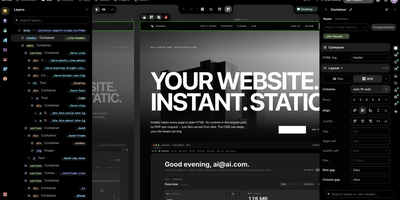
Design a website on a canvas, manage its content in spreadsheet-style tables, and publish plain HTML, all from one self-hosted Instatic server. Designers see several breakpoint frames side by side, or switch to live mode and edit one full-size page in place. A built-in design system expands one brand color into a full shade scale, generates fluid type and spacing scales, and writes the utility classes into a single small stylesheet. Reusable Visual Components take typed parameters and named slots, templates set site-wide or per-post-type layouts, and loops repeat a design over posts or media. Editors work in custom post types and data tables, and posts move through draft, scheduled, and published states. Forms on the site save their submissions to tables of your own. An AI agent can do the building, placing real, editable nodes on the canvas using Claude, OpenAI, OpenRouter, or Ollama with your own key, and an MCP connector lets Claude, ChatGPT, and other remote agents work on the site too. Super Import converts a whole static site into pages, styles, tokens, and media. Teams get roles built from 38 capabilities, TOTP two-factor sign-in, and an append-only audit log, plus site branches with private copies, shareable preview links, and merge review. Everything published is baked to plain HTML and CSS on disk. Running on a dedicated VPS on RepoCloud with guaranteed CPU, RAM, and SSD, full root SSH access, and a browser serial console. MIT licensed.
OnlyOffice
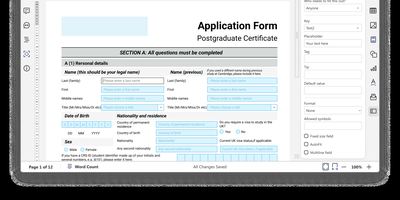
With 6,800 GitHub stars and over a decade of development since its 2014 release, ONLYOFFICE Docs delivers a self-hosted Microsoft Office replacement with pixel-perfect OOXML rendering and real-time collaborative editing supporting both Fast (character-by-character) and Strict (manual save) co-authoring modes. The suite encompasses five full-featured editors — Document Editor for DOCX/ODT/EPUB/HTML, Spreadsheet Editor with 500+ functions and pivot tables, Presentation Editor with animations and transitions, Form Creator for fillable PDF forms with field validation, and PDF Editor for annotation and conversion — all operating within a unified web interface. Format support spans 50+ types including DOCX, XLSX, PPTX, ODT, ODS, ODP, PDF, CSV, RTF, TXT, and Markdown with server-side conversion between any supported pair. The JavaScript plugin API enables extending editor functionality through a marketplace of ready-made plugins for ChatGPT integration, speech-to-text, OCR, Zotero citations, and Thesaurus. Ready-to-use connectors integrate with Nextcloud, ownCloud, Seafile, Moodle, Odoo, Confluence, SharePoint, Alfresco, Liferay, and Chamilo, while WOPI protocol compliance enables integration with any WOPI-compatible platform. JWT authentication secures all API communications between host applications and the document server. Deploy via Docker with a single command or DEB/RPM packages on Ubuntu, Debian, CentOS, or RHEL. Running on a dedicated VPS on RepoCloud with guaranteed CPU, RAM, and SSD, full root SSH access, and a browser serial console. GNU AGPL v3 licensed.
OpenPencil
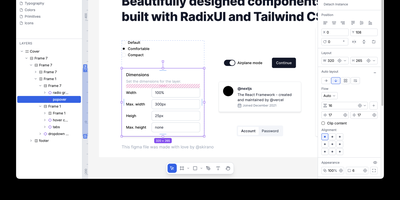
OpenPencil is the open-source design editor that reads and writes native Figma .fig files using the same Kiwi binary format — enabling bidirectional copy-paste between Figma and OpenPencil without data loss. The built-in AI assistant provides 90+ design tools through a chat interface, creating and modifying shapes, fills, strokes, auto-layout, components, variables, and boolean operations from natural language prompts, with BYOK support for Anthropic, OpenAI, Google AI, OpenRouter, Z.ai, MiniMax, and compatible endpoints. A Skia CanvasKit WASM renderer paired with Yoga WASM layout engine delivers Figma-parity rendering with flex and CSS Grid support including gap, padding, and alignment. The headless CLI inspects node trees via XPath queries, lints naming and accessibility, converts between document formats, analyzes color and typography patterns, extracts design tokens, and exports to PNG, SVG, JSX/Tailwind, and HTML. An MCP server exposes all design operations over stdio and HTTP, connecting Claude Code, Cursor, Windsurf, and Gemini CLI for AI-assisted design automation. Real-time P2P collaboration via WebRTC with Yjs CRDT synchronization requires no server and no account. The Vue SDK provides headless components for embedding the editor into custom applications. Ships as a 7 MB Tauri v2 desktop app for macOS, Windows, and Linux, or runs in any browser as a PWA. Running on a dedicated VPS on RepoCloud with guaranteed CPU, RAM, and SSD, full root SSH access, and a browser serial console. MIT licensed.
Wiki-Go
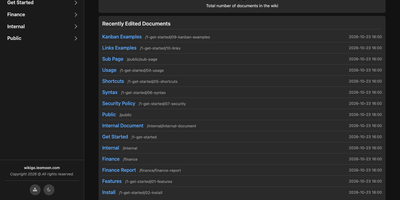
Wiki-Go turns a folder of Markdown files into a searchable team wiki with page history, comments, and access rules, and never asks you to run a database. Pages live in a nested tree with a sidebar and breadcrumbs, and an editor with a preview toggle handles emoji shortcodes, highlighted code, LaTeX math, Mermaid diagrams, collapsible sections, GitHub-style alerts, and embedded YouTube, Vimeo, or MP4 video. Full-text search supports exact phrases in quotes and term inclusion or exclusion, and highlights each match. Each save keeps a revision, up to a configurable limit, and any stored version can be restored later. Attachments such as PDFs, spreadsheets, images, and archives sit beside the page they belong to. Drop a Kanban board into any document for drag-and-drop task tracking with nested tasks, or build a categorized link library that fills in page metadata automatically. Signed-in users comment in Markdown, and admins can remove comments. Admin, editor, and viewer roles, user groups, path-based public or private rules, and an optional private-wiki mode decide who sees what. Branding comes from a custom logo, banner, and favicon, shortcodes such as stats insert live site statistics, and readers can switch between dark and light themes or print any page. A REST API opens content to scripts, and a community tool imports Notion exports. Running on a dedicated VPS on RepoCloud with guaranteed CPU, RAM, and SSD, full root SSH access, and a browser serial console. GPL-3.0 licensed.
Tiny File Manager
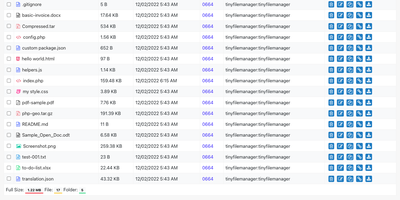
Browse, upload, edit, preview, and archive the files on your server from any web browser, with no FTP client, no shell session, and no database to set up. Tiny File Manager lists every folder in a sortable table showing size, modified date, permissions, and owner, with a search box that filters as you type. Drag files into the upload zone, send several at once, or paste a URL for the server to fetch. Rename items, select several to copy, move, delete, or pack into a zip or tar archive, and extract uploaded archives on the server. Click any text file to open the built-in editor, which offers syntax highlighting for 150+ languages and 35+ color themes, so quick fixes to configs and scripts happen where the files live. Images, audio, video, and text open in a preview without downloading, and every file has a copyable direct link. Give teammates or clients their own accounts, each locked to a root folder you choose, mark accounts read-only, and limit uploads to approved file extensions. Hide folders you never want listed, restrict access with IP allow and block lists, switch between light and dark themes, pick from 35+ interface languages, and use the responsive layout on a phone. Setup is one file copied to a web server, or one Docker container. Running on a dedicated VPS on RepoCloud with guaranteed CPU, RAM, and SSD, full root SSH access, and a browser serial console. GPL-3.0 licensed.
pgAdmin
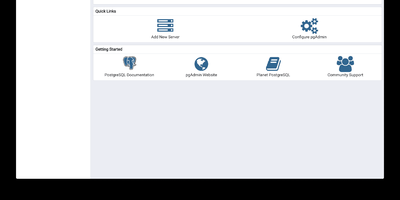
pgAdmin 4 is the reference administration GUI for PostgreSQL, bundled by virtually every Linux distribution and supporting versions 14 through 18 including EDB Advanced Server — browse schemas in a hierarchical tree, write and optimize queries with AI assistance, design entity-relationship diagrams visually, monitor live sessions, and run backup/restore operations entirely from the browser. Built on Python Flask with a ReactJS frontend, version 9.17 delivers a comprehensive web-based platform accessible from any device. The Query Tool provides syntax highlighting, auto-completion, query history, an EXPLAIN plan visualizer with graphical node representation, AI-powered SQL generation from natural language prompts, and AI Insights for execution plan analysis that identifies performance bottlenecks. The Graph Visualiser renders query results as line charts, bar charts, stacked charts, and pie charts directly in the interface. The ERD Tool auto-generates entity-relationship diagrams from existing schemas for visual database design. The Schema Browser presents databases, schemas, tables, views, functions, sequences, roles, and extensions in a navigable hierarchy. Server monitoring dashboards display real-time active sessions, locks, transaction throughput, and vacuum status. GUI-driven backup and restore wraps pg_dump and pg_restore with format and compression options. Authentication supports internal, LDAP, Kerberos, OAuth2/OIDC, and webserver modes. The Helm chart includes an HTTPRoute template for Kubernetes Gateway API deployments. Bundled pg_dump, pg_restore, and psql utilities version 18.4. Deploy via Docker with the official dpage/pgadmin4 image. Running on a dedicated VPS on RepoCloud with guaranteed CPU, RAM, and SSD, full root SSH access, and a browser serial console. PostgreSQL License.
NoteDiscovery
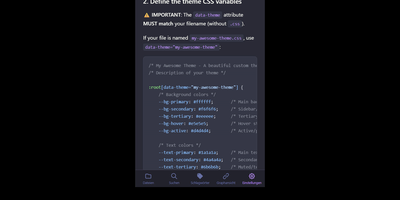
Transforming fragmented research notes, daily technical logs, and project documentation into an interconnected knowledge base is what NoteDiscovery delivers for privacy-conscious teams and researchers. Writers compose rich documents using a dual-pane editor that renders MathJax equations, interactive task lists, and dynamic Mermaid sequence diagrams side by side with raw text. The interactive knowledge graph maps semantic relationships across notebooks, allowing researchers to explore backlinks, uncover hidden topical connections, and navigate complex idea webs visually. Team members sketch architecture diagrams and wireframes directly inside note canvases using the integrated drawing tool, saving revisions as embedded image layers without external editors. The platform organizes thoughts through flexible tag hierarchies, nested folder trees, and reusable document templates equipped with automatic date and variable substitutions. Autonomous coding assistants and language models query documentation, create structured meeting summaries, and update project indexes directly through the native Model Context Protocol server. Built-in export tools convert notebook collections into standalone HTML packages, printable documents, or portable Markdown archives for offline archiving. Running on a dedicated VPS on RepoCloud with guaranteed CPU, RAM, and SSD, full root SSH access, and a browser serial console. MIT licensed.