linkding
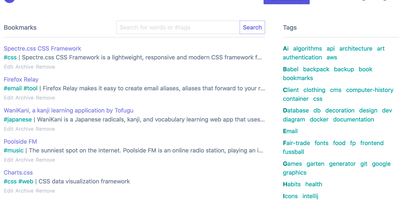
For people who found del.icio.us perfect and everything since bloated, linkding is the bookmark manager - a Django application whose entire design goal is saving and finding links with zero friction. Paste a URL and it fetches the title, description, favicon, and preview image automatically; organize with tags, search full-text across everything, mark bookmarks unread for read-it-later, attach Markdown notes, and bulk-edit whole selections at once. Its answer to link rot is archiving: bookmarked pages can be snapshotted automatically, either submitted to the Internet Archive or saved as local HTML files, and a documented SingleFile browser-extension integration uploads full self-contained page captures straight to your instance. Official Firefox and Chrome extensions (plus a bookmarklet) make saving a one-click habit, the UI installs as a Progressive Web App on mobile, and multi-user support with bookmark sharing - to users or logged-out guests - covers families and teams, with SSO via OIDC when needed. The REST API (create, search, filter by tag) has spawned a genuine ecosystem of community mobile apps and libraries. Operationally it is famously boring in the best way: one small container, SQLite by default, automated migrations, and a zero-breaking-changes policy. Import and export use standard Netscape HTML. MIT-licensed.
Siftly
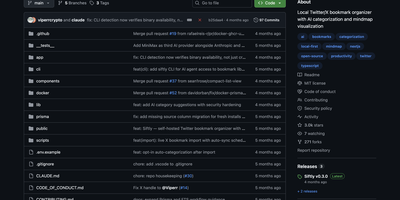
Siftly transforms your Twitter/X bookmarks from a chaotic pile of saved tweets into a searchable, AI-categorized knowledge base with an interactive visual mindmap. With over 2,700 GitHub stars since March 2026, the platform runs a four-stage enrichment pipeline on each bookmark: entity extraction mines hashtags, URLs, @mentions, and 100+ known tool domains without API calls; vision analysis generates 30-40 visual tags per image using the Anthropic SDK; semantic tagging produces 25-35 searchable descriptors; and categorization assigns one to three categories with confidence scores. Search combines SQLite FTS5 full-text indexing with Claude-based semantic reranking, narrowing candidates through keyword matching, category-intent detection, and deduplication before sending a bounded set for LLM relevance scoring, letting you find bookmarks by meaning rather than exact keywords. The interactive mindmap built on @xyflow/react renders your entire collection as a force-directed graph organized by category with expandable nodes, color-coded legends, and direct links to original tweets. Import bookmarks through a built-in bookmarklet or console script without browser extensions, then browse in grid or list view with filters for category, media type, and date range. Export as CSV, JSON, or category-grouped ZIP archives. Prisma 7 manages the local SQLite database with FTS5 built in, requiring zero external database setup. A bundled CLI provides JSON-output commands for stats, search, and category management. Running on a dedicated VPS on RepoCloud with guaranteed CPU, RAM, and SSD, full root SSH access, and a browser serial console. MIT licensed.
Omnivore
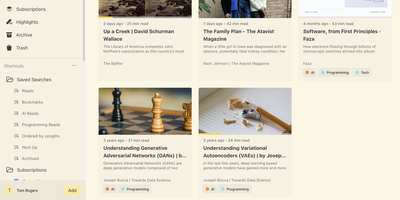
Self-hosted and built around long reading, Omnivore saves articles, newsletters, and PDFs, renders web pages as clean text, remembers your place, and keeps every highlight searchable. Pages arrive from the web app's Add button or from Chrome and Firefox extensions that authenticate with an API key. Newsletters arrive through generated email addresses once an IMAP watcher or another mail bridge is set up. PDFs open in the same reader and accept highlights and notes just like articles. Labels, saved searches, and filters such as subscription:"Name" make a big library easy to slice. The RSS section follows your feeds, lets you add a story to the library or hide it, and can sort stories into topics when an OpenAI key is configured. Custom extractors scroll lazy-loaded pages, follow paginated articles, and strip pop-ups before saving. Rules trigger webhooks when pages are created or updated, which suits automatic labelling and other custom workflows. E-ink reading settings add double-tap page turns and volume-button scrolling, and Android and iOS apps sync the same library. Running on a dedicated VPS on RepoCloud with guaranteed CPU, RAM, and SSD, full root SSH access, and a browser serial console. AGPL-3.0 licensed.
Hoarder
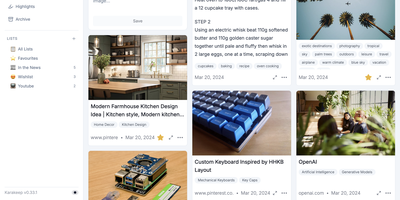
Hoarder (now Karakeep) is a bookmark manager that actually fights link rot: every page you save gets archived at capture time using Monolith, so the content survives even when the original URL dies. Beyond archival, an AI layer powered by OpenAI or local Ollama models auto-tags everything by analyzing page content. Prefer full privacy? Ollama keeps all inference on your server with zero external API calls. Full-text search through Meilisearch indexes the actual scraped content of every bookmark, not just titles and tags, so you find articles by what they say rather than labels you half-remember. Save links with automatic metadata extraction, plain text notes, uploaded images, and PDF documents, all organized into shareable lists with collaborative access. Browser extensions for Chrome and Firefox make saving a one-click operation from any page. Migrating is painless with importers for Chrome, Pocket, Linkwarden, Omnivore, and Tab Session Manager. LLM summarization condenses saved pages into brief overviews for quick scanning. The AI layer is entirely optional: Hoarder works perfectly as a manual bookmark manager, with intelligence adding convenience rather than imposing a requirement. SSO integration and responsive dark mode round out the package.
Karakeep
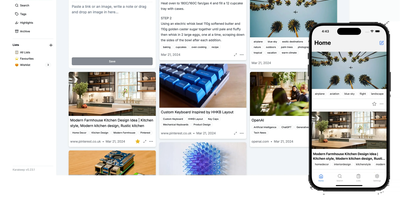
Previously known as Hoarder and now holding 28,000+ GitHub stars, Karakeep is the most popular open-source bookmark-everything application — combining AI-powered automatic tagging with full-text search, page archival, and cross-platform access for digital content hoarders who refuse to let valuable links disappear. The Next.js frontend with tRPC communication delivers a responsive interface for saving links, notes, images, and PDFs, while Puppeteer crawls bookmarked pages to fetch titles, descriptions, and images automatically. LLM-based auto-tagging supports OpenAI, Anthropic, or local models via Ollama for privacy-first deployments that never send data to external services. Meilisearch powers full-text and semantic search across all stored content including OCR-extracted text from images. A rule-based automation engine triggers custom actions based on bookmark properties — automatically sorting, tagging, or archiving content matching defined conditions. Full page archival via Monolith preserves complete page snapshots against link rot, while yt-dlp integration archives videos from YouTube and other platforms. RSS feed ingestion automatically captures new articles from subscribed sources. Collaborative lists enable teams to build shared bookmark collections, with per-list permissions and real-time sync. Native iOS and Android apps, Chrome and Firefox extensions, and browser bookmark sync via Floccus ensure capture from any device. Importers migrate data from Chrome, Pocket, Linkwarden, Omnivore, and Tab Session Manager. Running on a dedicated VPS on RepoCloud with guaranteed CPU, RAM, and SSD, full root SSH access, and a browser serial console. AGPL-3.0 licensed.
LinkWarden
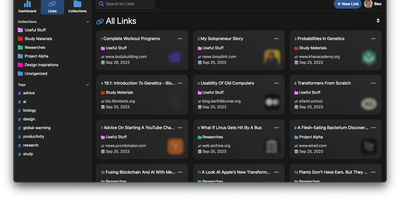
Links rot - the hard truth Linkwarden is built around, as a collaborative bookmark manager that preserves what it saves. Every page you save is fully preserved - a screenshot, a PDF, a self-contained single-file HTML archive (generated by the Monolith Rust binary), and a clean reader view - so the content survives even after the original site disappears. Think of it as a private Wayback Machine you own, with an optional one-click snapshot to archive.org on top. The reading experience matches the archival rigor: a distraction- free reader view supports text highlighting and annotation, and full-text search across everything you have saved is powered by Meilisearch. Optional AI tagging analyzes page content and auto-assigns tags - generate new ones, pick from your existing set, or constrain to predefined tags - with providers ranging from local Ollama models (fully private) to OpenAI, Anthropic, and OpenRouter. Organization is collections, sub-collections, and multiple tags per link; teams collaborate on shared collections with per-member permissions, and public collections share curated link sets (with preserved copies) to anyone. The stack is Next.js/React on TypeScript with PostgreSQL via Prisma, NextAuth supporting credentials, OAuth2, and SAML SSO, and a Playwright-driven headless Chromium worker doing the capture. Native iOS and Android apps and browser extensions feed it from anywhere.
LinkAce
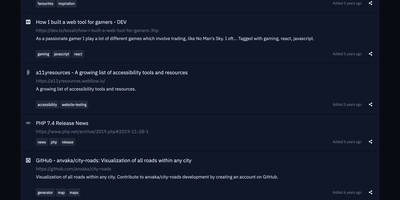
Preventing silent link rot across research libraries, LinkAce captures, indexes, and permanently archives web discoveries into searchable multi-user collections with automated Wayback Machine snapshots. Curators bookmark articles, documentation, tools, and media using custom browser bookmarklets or quick-add input fields that automatically scrape page titles and metadata descriptions. The built-in link monitor continuously checks saved endpoints for HTTP status anomalies, alerting curators whenever destinations move, throw server errors, or vanish from the live internet. For long-term preservation, the system dispatches automated backup requests to the Internet Archive Wayback Machine to capture historical copies of critical research material. Curators organize their library using nested lists and granular tag hierarchies, switching seamlessly between compact tables, detailed reading feeds, and visual card layouts. Teams and households can create separate user accounts to collaborate on shared collections, delegating read-only or editing privileges per list. The platform also generates individualized RSS feeds for public or private bookmark streams, synchronizes external data through a tokenized REST API, and dispatches automated database dumps to AWS S3 storage buckets. Running on a dedicated VPS on RepoCloud with guaranteed CPU, RAM, and SSD, full root SSH access, and a browser serial console. GPL-3.0 licensed.
Ties
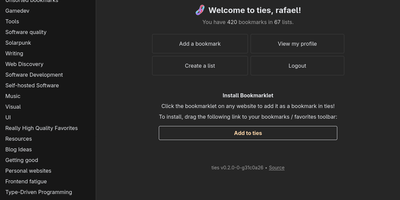
A federated bookmark manager written in Rust: Ties (formerly linkblocks) is your own small corner of the web for saving, organizing, and sharing good pages, connected to the fediverse over ActivityPub. Instead of rigid folders, bookmarks live in arbitrarily nested lists that link together into a knowledge graph. Saved pages are fetched, converted to a readable archived version, and stored in the database, so full-text search covers titles, URLs, and the actual page text - and the content survives if the original disappears. The federation model is deliberately anti-viral: there is no global timeline and no algorithmic feed. You publish public lists for anyone, follow users whose taste you trust, and mark trusted users whose bookmarks become part of your search range - extendable to trusted-users-of-trusted-users for a wider net. Public bookmarks post to Mastodon timelines, and WebFinger lookup makes your handle discoverable across fediverse platforms. Operationally it is about as light as web software gets: a single binary with all assets baked in, integrated TLS so it can run without a reverse proxy, PostgreSQL as the only dependency, OIDC single sign-on, and a bookmarklet for one-click saves. Note the project is alpha: single-user instances only, and all data should be considered public. AGPL-3.0 licensed, built with Rust and htmx.
Heimdall
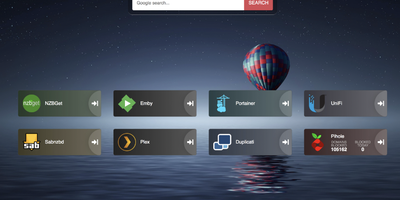
Links stop drowning in browser bookmarks once Heimdall - the application dashboard from the LinuxServer.io team - gives every web app and service you run a single, organized front door. Items come in three tiers. Generic items link to anything on the web with a name, color, and optional icon. Foundation apps are recognized as you type, auto-filling the application's icon and tile color so a full homelab dashboard assembles in minutes. Enhanced apps go further: supply API credentials and the tile shows live data - queue size and download speed for SABnzbd and NZBGet, plus integrations for Sonarr, Radarr, Plex, Jellyfin, Pi-hole, Portainer, Transmission, and many more. There are no iframes and no apps-within-apps; tiles are honest links with real-time stats layered on. Tiles arrange by drag and drop, backgrounds are customizable, an optional search bar (Google, Bing, or DuckDuckGo) makes it work as a browser start page, and optional multi-user authentication keeps dashboards personal. Built on Laravel with SQLite file-based storage - no external database - it stays light, responsive on mobile, and simple to back up. A natural first deployment: the page that ties every other self-hosted service together.
Faved
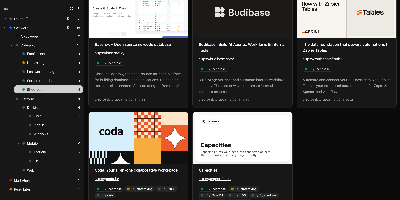
Large link collections stay fast and organized in Faved, a private, self-hosted bookmark manager built for exactly that job. Its core is a nested tagging system that outgrows flat folders: place Go and Python under Programming Languages, color-code tags, add descriptions, pin frequent ones to the top of the sidebar, and optionally roll up child-tag items into parent views. Saving is frictionless - a lightweight bookmarklet works in any desktop or mobile browser without extensions, and Apple devices can send links through the native Share menu. Faved fetches titles, descriptions, and preview images automatically, keeps that metadata fresh over time, and flags duplicates as you save. Instant as-you-type search, flexible sorting, and bulk actions (retag, delete, refetch) keep collections of any size manageable, while customizable layouts - card, list, or table - plus a system-synced dark mode adapt the interface to your workflow. Migration is first-class: import from Chrome, Safari, Firefox, or Edge with folder structure preserved, or move from Pocket and Raindrop.io keeping tags and collections. The stack is deliberately light - PHP 8 with SQLite behind a React/Tailwind frontend - deploying via Docker with no external dependencies. All data stays local: no ads, no tracking, and no risk of your library vanishing with a discontinued service.
Grimoire
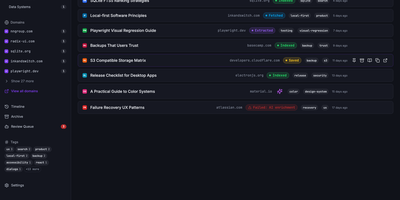
Grimoire captures, extracts, and indexes the content behind your bookmarks so you can search what pages actually say, not just their titles and URLs. The ingestion pipeline accepts links from the web UI, REST API, MCP server, browser bookmarklet, or bulk import, then fetches each page and extracts readable content using specialized parsers for GitHub repos, GitHub issues, StackOverflow threads, YouTube transcripts, PDFs, and standard web articles. Everything stores locally in SQLite with file-based content archives. Search operates in three modes: FTS5 keyword matching for exact terms, semantic embedding search for meaning-based retrieval using vector similarity, or a hybrid ranking mode combining both. Optional AI providers including OpenAI, Ollama, Anthropic, DeepSeek, and any OpenAI-compatible endpoint generate automatic tags, summaries, and embeddings without being required for core functionality. The interface built with React 18, Vite, TypeScript, Tailwind CSS, and Radix UI supports categories, nested tags, notes, archive and trash states, read-later flags, and multi-user isolated spaces. A single Bun-powered Hono process serves both the compiled frontend and the REST API on port 3210, requiring only one Docker container and a SQLite volume. Backup and restore export bookmarks, content, settings, and metadata as portable ZIP archives. Nearly 3,000 GitHub stars reflect growing adoption among developers and researchers. Running on a VPS on RepoCloud with guaranteed CPU, RAM, and SSD, full root SSH access, and a browser serial console. MIT licensed.
Flame
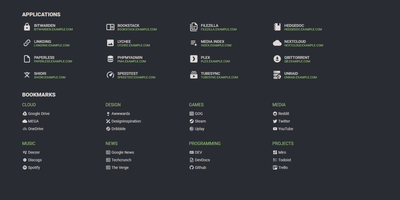
A server full of scattered services becomes one clean application hub under Flame - a self-hosted startpage where every bit of configuration happens in built-in GUI editors, never a config file. Applications and bookmarks are created, edited, and organized into categories directly in the browser, and favorites pin to the homescreen for one-click access. The integrated search bar filters your apps and bookmarks locally as you type, and prefix shortcuts (like /g for Google) route queries to any of 11 web search providers or custom ones you define, making Flame a genuine browser homepage rather than a static link wall. Docker integration is the standout for homelabs: mount the Docker socket, add flame.type, flame.name, and flame.url labels to containers, and new services appear on the dashboard automatically - Kubernetes Ingress annotations work the same way. A weather widget shows temperature, cloud coverage, and animated conditions for your coordinates, and password authentication protects settings and items. Appearance is deeply customizable with 15 built-in color themes, a custom theme builder, and full custom CSS support. The stack is Node.js with SQLite behind a React frontend - light, fast, and inspired by the minimalist SUI design.
Shaarli
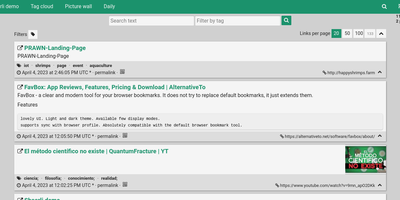
Personal, minimalist, database-free bookmarking - Shaarli is a philosophy as much as an app. Everything lives in a single compressed datastore file inside data/: no MySQL, no PostgreSQL, backup by copying one directory. That write-once/read-many file is usually served straight from OS disk caches, which is why a decade-old Shaarli instance with tens of thousands of links still responds instantly. Designed deliberately single-user, it saves URL, title, unlimited-length description, and tags (with autocomplete, renaming, and merging), marks entries public or private, and automatically strips utm_source and fb tracking parameters from saved URLs. That description field is why the community uses Shaarli as far more than bookmarks: a microblog, read-it-later queue, code-snippet base, pastebin, and shared clipboard between machines. Sharing is one click via bookmarklet or Android apps; consumption is per-tag RSS/Atom feeds plus a daily digest feed; search is full-text with tag filtering. A REST API opens it to any client, a plugin and theme system extends the PHP core (Markdown rendering, thumbnails), and import/export uses browser-standard Netscape HTML - your data enters and leaves freely. LDAP login is supported, no telemetry is sent anywhere, and the UI degrades gracefully without JavaScript. The anti-cloud Delicious.

Huntly
Capture every article you read, RSS feed you follow, X/Twitter thread you scroll past, and GitHub repository you star into one searchable, AI-enhanced personal knowledge base with Huntly. Auto-save visited web pages through the companion browser extension, extract distraction-free article text using Mozilla Readability and Defuddle, and highlight passages with inline notes that remain anchored in your library. Reconstruct multi-post X/Twitter threads automatically with embedded media preserved intact. Subscribe to RSS and Atom feeds via OPML import, organize subscriptions into custom folders, and triage unread stories alongside your read-it-later queue and hierarchical collections. Synchronize starred GitHub repositories with their README documentation and repository tags so you can filter tools by topic without leaving your dashboard. Run custom AI shortcuts to summarize long-form essays, translate foreign articles, or query your entire archive from external AI coding agents through the built-in MCP server and Agent Skills integration. Execute boolean, phrase, and bilingual fuzzy queries across every saved document or export your entire library to portable Markdown files. Running on a dedicated VPS on RepoCloud with guaranteed CPU, RAM, and SSD, full root SSH access, and a browser serial console. Apache-2.0 licensed.
Codever
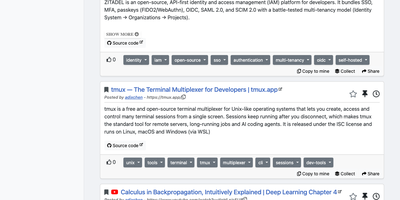
Every developer has a graveyard of browser tabs, chat messages, and stray text files holding links and code worth keeping; Codever replaces the graveyard with a bookmarks, notes, and snippets manager designed for developer workflows. Save a page in two clicks from Chrome or Firefox, drop selected text in as a snippet or note, or use the bookmarklet in any other browser, with title, description, and tags prefilled for you. From IntelliJ IDEA and Visual Studio Code you can push code straight into your library and pull it back without switching to the browser. Bookmarks carry descriptions and tags, and Pinned and Read Later lists sit beside your history so rediscovery takes seconds. Notes are written in Markdown and render with math, tables, and inline code, while snippets keep reusable code one search away with its context attached. Full text search spans bookmarks, notes, and snippets at once, with Brave, Google, Stack Overflow, and Bing one click away when the library comes up empty. Entries can be public, copied into your own collection, or gathered into curated sets for a team or topic. Accounts sign in through Keycloak with GitHub, Google, GitLab, or Stack Overflow, so a self-hosted instance fits the identity setup your team already uses. Running on a dedicated VPS on RepoCloud with guaranteed CPU, RAM, and SSD, full root SSH access, and a browser serial console. MIT licensed.
Eclaire
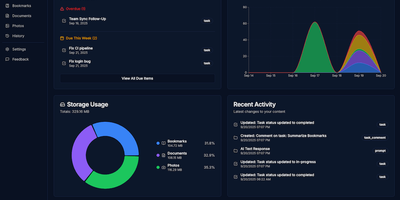
Built to consolidate fragmented digital life into a private personal cloud, Eclaire centralizes tasks, notes, documents, photos, and web bookmarks into a unified workspace powered by local artificial intelligence. Users can save web articles to generate clean Markdown copies and searchable PDF archives, automatically bypassing clutter and dead links. The integrated document ingestion engine extracts tabular data from spreadsheets, performs optical character recognition across uploaded receipts and handwritten images, and indexes multi-page PDF manuals for rapid full-text search. Conversational assistant panels allow operators to interrogate their accumulated library using natural language, asking for cross-document summaries, research timelines, or action items extracted from meeting transcripts. Background workers prioritize asynchronous indexing queues, categorizing image libraries with visual object tags and managing recurring task deadlines with automated Telegram alert notifications. External automation flows can interact directly with the unified storage layer via an OpenAI-compatible REST API, allowing mobile shortcuts and custom scripts to ingest bookmarks and dictate notes remotely. Running on a dedicated VPS on RepoCloud with guaranteed CPU, RAM, and SSD, full root SSH access, and a browser serial console. MIT licensed.
Hiccup
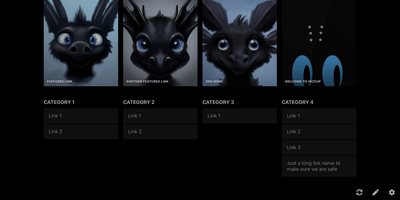
"Get to your most important links, FAST" - Hiccup's README states its whole mission in that one line, and the static start page delivers it. It is a client-side React single-page app - no backend, no database, no accounts - driven entirely by a config.json that defines featured link cards, categorized sections, and search providers. The search bar is the power feature: it queries your own links by name, URL, and tag while simultaneously offering external providers like Google, DuckDuckGo, and Amazon (plus custom URL-template providers you define), with arrow-key navigation and Enter to launch, so muscle memory replaces mousing. Editing happens in the browser - drag and drop links and background images, tweak cards in edit mode - with changes persisting to localStorage; a built-in config manager exports the JSON for hosting, and remote profile loading pulls a shared config across every browser and device you use. Multiple profiles keep home-server, work, and dev-tool link sets separate. PWA support installs it on a phone home screen, caching strategies keep it fast offline, read-only mode suits kiosk displays, and Cmd/Ctrl+/ reveals the full hotkey reference. Serve it from any static host and point your new tab at it.
Iso
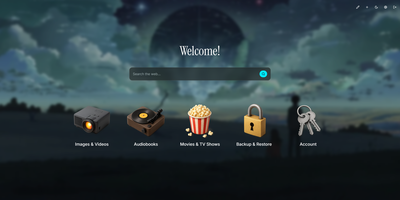
Drop a single container onto your host to launch Iso, a minimalist self-hosted startpage and service launcher that organizes every homelab web application behind a clean isometric icon grid and integrated search bar. No external database is required. Everything lives inside one human-readable JSON file or gets edited directly through the in-browser visual configuration modal. Add new service tiles in seconds, drag to reorder their display priority, and pick from a curated library of 3D isometric icons or upload custom graphics up to 25 megabytes. Switch instantly between built-in color palettes like Amethyst or upload a custom wallpaper with adjustable background blur and opacity sliders. A central search bar sits at the top of your startpage, routing queries directly to Google, DuckDuckGo, Startpage, Qwant, Searx, Bing, or any custom query URL template. Localize the interface into English, Spanish, French, or German with a single toggle. Custom greeting banners and optional page-load animations personalize the daily browsing experience for family members or lab users. Protect the dashboard and its visual editor behind shared password authentication configured via environment variables. Running on a dedicated VPS on RepoCloud with guaranteed CPU, RAM, and SSD, full root SSH access, and a browser serial console. MIT licensed.