Categories
Document Collaboration Research Tools LaTeX Editor Academic Writing Scientific Publishing Real-Time Editing PDF GenerationStars
Forks
Watchers
Developer links
Overleaf
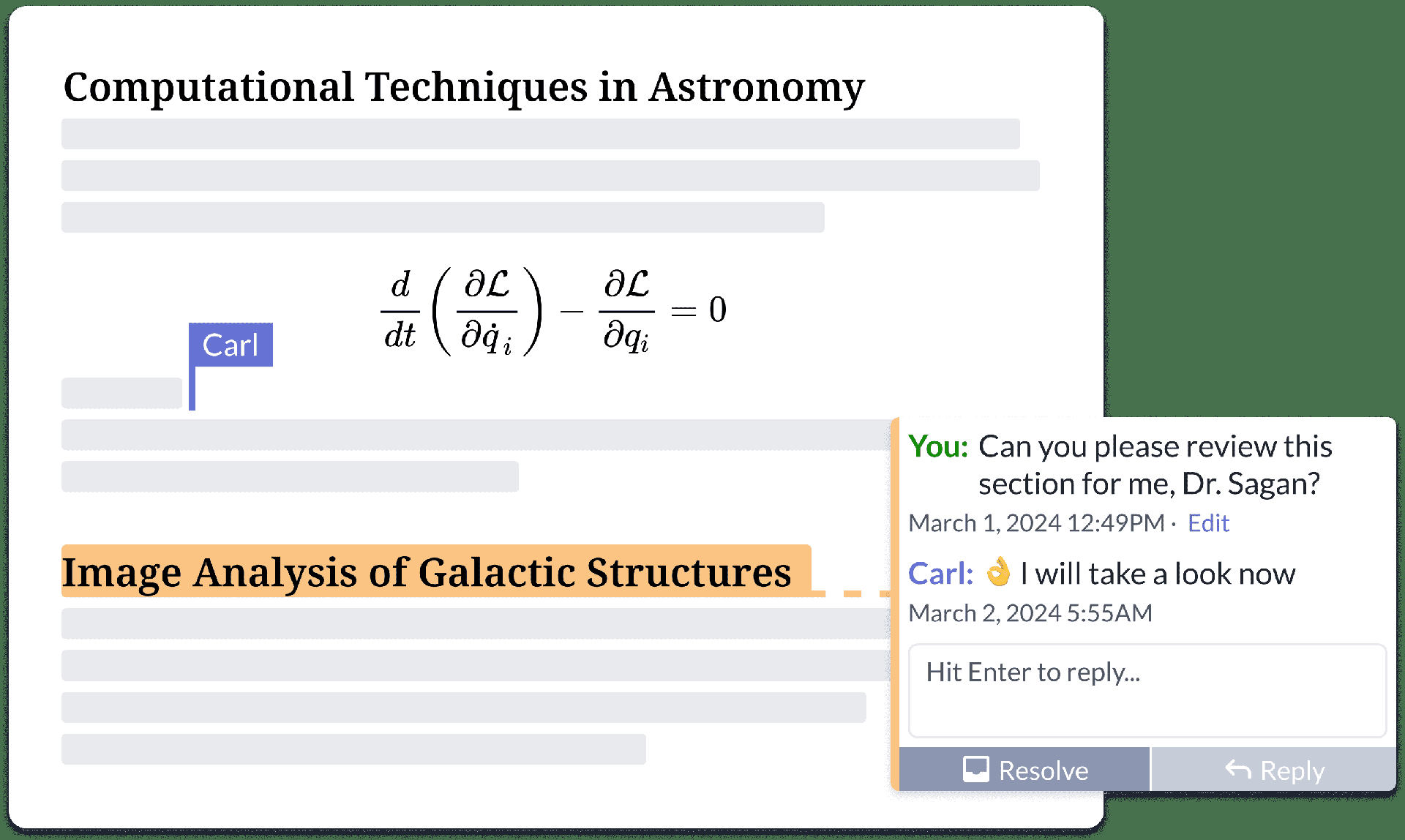
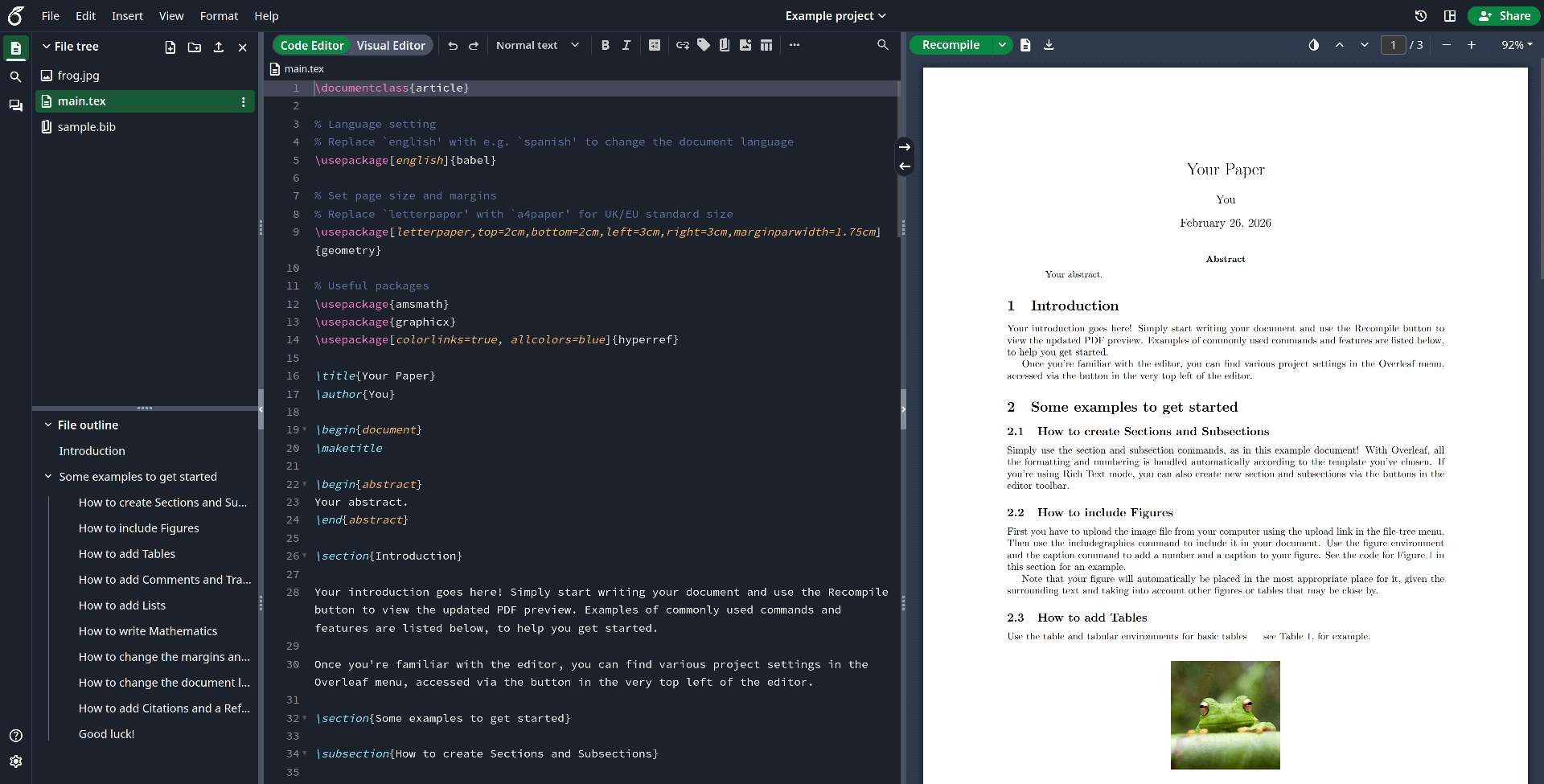
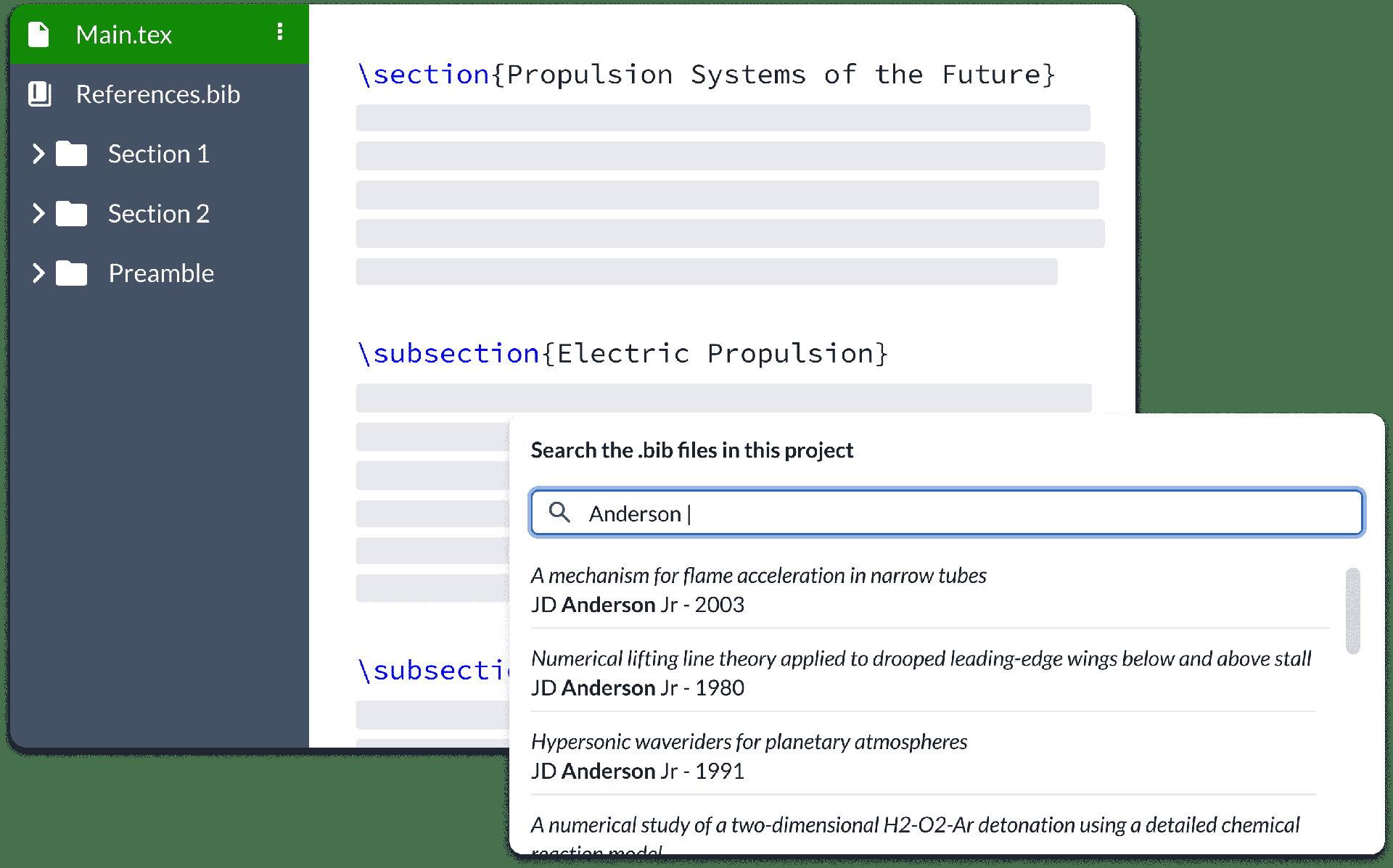
Multiple authors can edit the same LaTeX document simultaneously in the browser with live cursor tracking, conflict-free merging, and instant PDF compilation on every save. Overleaf Community Edition brings the collaborative editing experience that millions of researchers and academics rely on, with no compile time limits, storage quotas, or collaborator caps imposed by the hosted tiers. The web editor provides syntax highlighting, auto-completion, and bracket matching alongside an integrated PDF preview panel powered by a bundled TeX Live distribution supporting pdfLaTeX, XeLaTeX, and LuaLaTeX engines. The file tree panel organizes multi-file projects with separate files for chapters, figures, bibliography references, and style definitions. BibTeX and Biber handle bibliography management, and detailed compilation logs offer clickable error navigation to the exact source line causing each issue. Users upload images, PDFs, and data files directly through the browser, and a template gallery provides starting points for journal articles, conference papers, theses, presentations, and CVs. Over 17,800 GitHub stars and a decade of active development anchor the project. The application runs as containerized microservices including the Node.js web application, MongoDB for persistence, and Redis for session management. Running on a dedicated VPS on RepoCloud with guaranteed CPU, RAM, and SSD, full root SSH access, and a browser serial console. AGPL-3.0 licensed.
Benefits
- Real-Time Collaborative Editing
- Multiple users edit the same LaTeX document simultaneously with live cursor tracking, conflict-free merging, and instant synchronization across all connected browsers.
- Full TeX Live Environment
- Compile documents with pdfLaTeX, XeLaTeX, or LuaLaTeX using a complete TeX Live installation bundled in the Docker image with no external dependencies required.
- No Limits When Self-Hosted
- Remove compile time restrictions, storage quotas, and collaborator caps imposed by the hosted Overleaf tiers by running the community edition on your own server.
- Integrated PDF Preview Panel
- View compiled output alongside the editor with automatic recompilation on save, clickable error navigation from compilation logs, and SyncTeX source-PDF linking.
Features
- LaTeX Syntax Editor
- Write LaTeX with syntax highlighting, auto-completion, bracket matching, and code folding in a browser-based editor with keyboard shortcut support.
- Multi-File Project Management
- Organize projects with a file tree supporting separate files for chapters, figures, bibliography references, style definitions, and uploaded assets.
- Bibliography Management
- Handle references with BibTeX and Biber, upload .bib files, and compile citations automatically during the document build process.
- Template Gallery
- Start projects from built-in templates for journal articles, conference papers, theses, dissertations, presentations, CVs, and institutional formats.
- Compilation Log Viewer
- Inspect detailed LaTeX compilation output with error highlighting, warning categorization, and clickable navigation to the source line causing each issue.