
Urocissa
Urocissa is a self-hosted photo and video gallery engineered to browse, search, and filter a million-image library in under a second on modest hardware. Its photo stream scrolls endlessly without pagination or lazy loading, flying past the browser DOM height limit that breaks other galleries long before a million items. Search understands boolean operators, so a query mixing and, or, and not narrows a lifetime of photos in milliseconds, and select-all is equally instant across the whole collection. Point it at folders and it watches them for new arrivals, importing photos and videos automatically while duplicate detection keeps redundant copies out. EXIF data is extracted for every image, and your own tags layer manual organization on top, with timeline navigation and rotation built in. Albums share collections with family or clients, a read-only mode publishes a public gallery safely, and videos play inline without leaving the page. The index that makes this fast lives in memory at roughly half a gigabyte per million photos, and the whole application ships as a binary of about 25 megabytes, optionally protected by a password. Running on a dedicated VPS on RepoCloud with guaranteed CPU, RAM, and SSD, full root SSH access, and a browser serial console. MIT licensed.
Neonlink
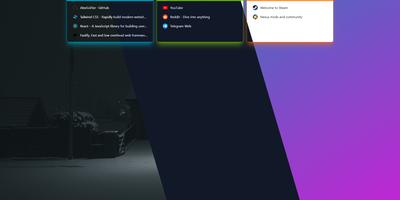
Neonlink is the bookmark page you actually keep open: a private dashboard of your links, grouped, tagged, and dressed up with your own background. Adding a link takes seconds because the title, description, and site icon are fetched for you the moment you paste the URL. Links live in groups you create and color yourself, so work tools, reading, and projects each get their own card on the page, and drag and drop puts them in the order your eyes expect. Tags cut across groups for the links that belong to two worlds at once, and the sidebar can filter by them in combination. Search covers titles, URLs, descriptions, and tags and updates as you type, which matters once the collection passes the few hundred links every browser bookmark bar quietly becomes. The whole page is yours visually too: pick a background image and switch between grid and list layouts, light and dark themes. Because it sits behind a login on your own server, the collection follows you to any browser on any machine without syncing through a browser vendor's cloud or handing your reading habits to a bookmarking service. Running on a dedicated VPS on RepoCloud with guaranteed CPU, RAM, and SSD, full root SSH access, and a browser serial console. MIT licensed.

Nanocl
One server, treated properly: Nanocl runs your containers and full virtual machines from a single declarative Statefile, reconciling what is running against what the file says, so a lone host gets cluster discipline without cluster ceremony. Containers group into Cargoes with replica counts, ordered init containers, and health-aware restarts; finite jobs run to completion and stop. When a workload needs a real kernel or a custom disk image, it boots as a QEMU virtual machine beside the containers instead of forcing a second platform. Publishing is built in: the proxy controller terminates TLS and routes HTTP and TCP traffic, and the DNS controller keeps service names resolving while workloads come and go. Secrets for registries, certificates, and environment variables attach where they are used, never inside the file itself. The daily loop is a CLI and an API: list processes, follow logs, exec into a container, watch events, and back up the entire deployment state before you change it. Namespaces keep projects apart on the same host, and Statefile arguments, templates, and sub-states carry one definition from staging to production. Running on a dedicated VPS on RepoCloud with guaranteed CPU, RAM, and SSD, full root SSH access, and a browser serial console. MIT or Apache-2.0 licensed.

Playerr
Playerr is a self-hosted library manager that organizes your game collection the way Radarr and Sonarr organize movies and shows, with scanning, metadata, and automated downloads in one web interface. Point it at your game folders and its recognition engine recursively identifies platforms and maps local files to the right titles. Each game is enriched with artwork, descriptions, ratings, and release dates pulled from IGDB and Steam, turning a pile of folders into a browsable collection. Search indexers through Prowlarr and Jackett when you want to grow the library, then hand downloads to qBittorrent, Transmission, SABnzbd, or NZBGet and watch progress from the same screen. Folders are renamed automatically from sanitized IGDB titles while the original release structure stays intact, so the library stays tidy without manual filing. Your Steam library syncs into the same unified view alongside locally stored games. Installation packages are processed automatically, with the primary executable identified to streamline setup. Remote access can be enabled from settings so the collection is reachable from phones, tablets, and laptops on your network. Running on a dedicated VPS on RepoCloud with guaranteed CPU, RAM, and SSD, full root SSH access, and a browser serial console. MIT licensed.
AutoXpose
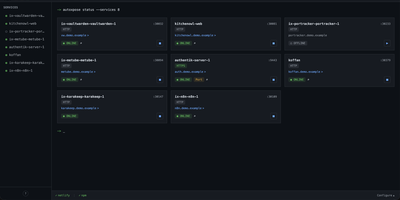
Tag a Docker container with two labels, and AutoXpose turns it into a published service with a DNS record, a reverse proxy route, and HTTPS, without you opening a single provider dashboard. From the web dashboard you connect one of six DNS providers, Cloudflare, Netlify, DigitalOcean, Porkbun, Aliyun, or Tencent DNSPod, and point it at the Nginx Proxy Manager or Caddy instance you already run. It watches your containers continuously after that: a new label creates the record, propagation is verified before the service shows as live, and removing the container removes its public entries too. Auto-expose mode publishes containers the moment they appear, while manual mode stages them in the dashboard for approval first. Color-coded service tags sort what you run into web, database, and media groups at a glance, and dashboard warnings flag misconfigurations before they become broken links. Nginx Proxy Manager access lists attach by label, so an admin panel stays reachable only from the networks you trust. When containers vanish, orphaned cleanup hunts down the stale DNS records and proxy hosts they left behind. Settings and state live inside the same single container, so the publishing pipeline for a homelab or a small fleet stays one compose service you can back up as a unit. Running on a dedicated VPS on RepoCloud with guaranteed CPU, RAM, and SSD, full root SSH access, and a browser serial console. MIT licensed.
Tunnel Panel
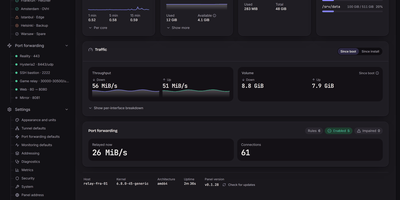
Tunnel Panel manages GRE tunnels and port forwarding on Linux servers from a web panel that previews every change before it runs and verifies the result against the kernel. Create GRE, GRETAP, IP6GRE, and IP6GRETAP tunnels and see the exact commands, unit file, and rollback before anything is applied. The far end configures itself from a pairing code, as text or QR, with the sides flipped automatically so the two ends cannot disagree by a typo. Native ICMP probing with hysteresis keeps a single dropped packet from flapping a tunnel between down and back, and when ICMP is filtered the panel knocks over TCP and says so instead of crying wolf. Forward any TCP or UDP port, or a whole range, with round-robin, source-hash, or weighted balancing across destinations, and a backend that stops answering its health knock leaves the ruleset until it recovers. Watch every connection crossing the relay, who connected, which destination took them, and how much has moved, and set traffic limits per tunnel, rule, or destination. When something breaks, diagnostics reach a verdict with evidence and a suggested fix, backed by a streaming manual probe and a path-MTU search that offers to apply its findings. The panel reads your kernel's relay limits, recommends values from the host's memory and cores, and refuses changes that would lock you out of your own server. Running on a dedicated VPS on RepoCloud with guaranteed CPU, RAM, and SSD, full root SSH access, and a browser serial console. AGPL-3.0 licensed.
M3U Studio
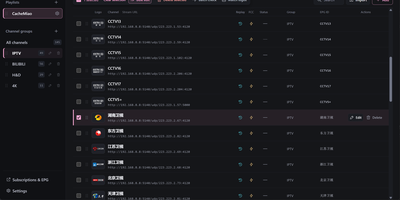
M3U Studio turns a tangled IPTV playlist into a tidy, published subscription you would actually hand to your player. Import channels from an M3U or TXT file, pasted text, or a remote link, then organize them properly: drag single channels or whole multi-selections into new groups, rename, reorder, and watch the list reshape itself as you work. Nothing goes live until you say so. Edits accumulate in a draft with undo and redo, and publishing keeps the last 30 configurations so a bad change rolls back in seconds. Channel logos stop being a scavenger hunt, because a unified logo library matches artwork automatically by name and alias, with search and batch upload when you bring your own. Select a pile of channels and fix them together: replace URL text, change groups, set EPG addresses, or move copies into another playlist, then run response checks to spot dead streams before your player does. Each playlist publishes as its own M3U or TXT subscription, or merged into a combined feed, under a custom short address that is easy to type into a TV box. Per-channel EPG, catch-up, and fast channel change settings travel with the export. Running on a dedicated VPS on RepoCloud with guaranteed CPU, RAM, and SSD, full root SSH access, and a browser serial console. GPL-2.0 licensed.
Xianyu SaaS
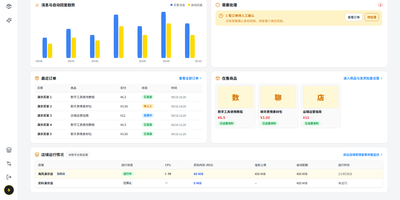
Xianyu SaaS runs all of your Xianyu (Goofish) shops from one self-hosted console, answering buyers with AI, delivering digital goods the moment orders verify, and keeping every store isolated in its own process. Add each shop by scanning a QR code in the Xianyu app, then switch between stores from one header while the overview tracks messages, replies, delivery results, orders, and pending tasks. The AI customer service center lets you pick a service persona, write shop-wide reply requirements in plain language, and maintain a separate knowledge entry for every product, covering audience, specifications, usage, delivery notes, and after-sales wording. Keyword rules answer the repetitive questions first, with product-specific rules outranking store-wide ones, and anything unmatched falls through to the AI with product knowledge and chat history in context. When a buyer pays, the system re-checks the platform order before delivering, drawing card keys one to fifty at a time from named pools, sending netdisk resources, or posting fixed text instructions, with a five-minute sweep catching orders missed while a shop was offline. A conversation workbench lets you search chats, take over from the AI with one click, send up to eight queued images, and jump from any order straight into the buyer's thread. A built-in operations agent manages a shop through chat, updating product knowledge, toggling reply rules, or binding delivery stock on request. Running on a dedicated VPS on RepoCloud with guaranteed CPU, RAM, and SSD, full root SSH access, and a browser serial console. GPL-3.0 licensed.
Tinykit
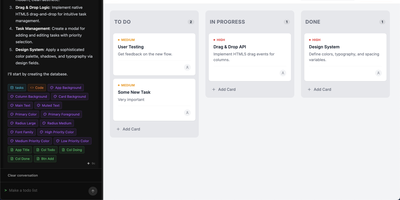
Describe the small app you keep wishing existed, and Tinykit builds it, gives it a database, and puts it live on your server. Tell it the tool you need and the agent writes the code, creates the data collections behind it, and wires the two together, then steps aside. The result is not a screenshot of an app; it is the app, served from your own server with its data syncing in real time and its files stored beside it. Open the built-in code editor to adjust the single file behind each app, or avoid code entirely: content fields let you edit text like a miniature CMS, and the design system panel restyles colors, fonts, and shadows visually. Every change takes a snapshot, so bold prompts carry an undo button and nothing is one bad idea away from lost. Hosts running errands for a household, an internal team, or a portfolio of side projects can keep adding apps, each reachable on its own domain, with token costs for every prompt shown in real money so the building budget is never a mystery. Running on a dedicated VPS on RepoCloud with guaranteed CPU, RAM, and SSD, full root SSH access, and a browser serial console. MIT licensed.
DispatchMail
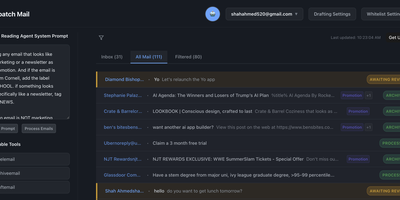
DispatchMail is an SuperHuman alternative and delivers a self-hosted AI email assistant that processes your Gmail inbox through configurable OpenAI prompts without sending data to third-party cloud services beyond the LLM API itself. The Flask backend connects to Gmail via IMAP, retrieves new messages according to your schedule, and routes them through customizable whitelist rules based on sender address, subject keywords, or natural language descriptions before AI processing begins. Two distinct prompt configurations control behavior — the Reading Prompt instructs how the AI should analyze and classify incoming messages, while the Draft Prompt defines how responses should be composed, letting you maintain consistent tone and policy across all automated replies. Whitelist filtering ensures the AI only processes messages you explicitly authorize, preventing unnecessary API costs and keeping sensitive emails out of the LLM pipeline entirely. The React web interface provides inbox management with message previews, AI-generated summaries, draft editing with human-in-the-loop approval before sending, and configuration panels for prompts and rules. Automatic labeling and archival organize processed messages into categories without manual intervention. The sender research feature uses LLM-powered deep analysis to build background profiles of email contacts. All email content, credentials, and processing results persist in a local SQLite database with zero cloud storage dependencies. Running on a dedicated VPS on RepoCloud with guaranteed CPU, RAM, and SSD, full root SSH access, and a browser serial console. Apache-2.0 licensed.
Mayan EDMS
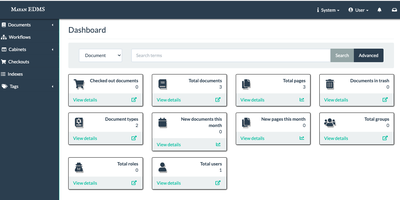
Mayan EDMS stores, classifies, and retrieves millions of documents with automatic OCR, workflow automation, and audit-ready access controls that organizations have relied on for over a decade. Tesseract integration extracts searchable text from scanned PDFs and images in over 100 languages, transforming paper archives into instantly queryable digital collections without manual data entry. The workflow engine routes documents through approval chains using configurable state machines that trigger notifications, enforce retention policies, and maintain complete audit trails for regulatory compliance. Version tracking preserves every revision with full diff capabilities, while GnuPG digital signatures provide cryptographic proof of authenticity and tamper detection for sensitive records. Role-based permissions combined with object-level ACLs and LDAP integration ensure documents remain visible only to authorized users, down to individual file granularity. Full-text search powered by Whoosh or ElasticSearch handles advanced queries across massive document stores with faceted filtering and relevance ranking. The Django REST Framework API enables programmatic upload, metadata extraction, and workflow triggering from external systems. Beyond simple folder hierarchies, metadata schemas, document types, tags, and cabinet structures provide multi-dimensional classification tailored to how your organization actually works. Background processing through Celery handles OCR, conversion, and preview generation asynchronously, keeping the web interface responsive under heavy ingest loads.

Imagor Studio
Imagor Studio is a photo workspace where browsing a huge library and editing what you find happen in the same place, and the originals never get touched. The gallery scrolls virtually through thousands of images with no indexing wait, while drag-and-drop moves files between folders and multi-select handles bulk work. Open any image and the editor lets you stack layers: other images as overlays or watermarks, text layers you can style inline, and solid color layers with blend modes and opacity. Adjust color, apply effects, and crop with a live preview, then copy the generated transformation URL and use that rendition anywhere without exporting a file. A look you build once can be saved as a template in portable JSON and applied across the whole library, so a watermark, a resize, and a color grade become one reusable recipe. You can also start from a blank canvas at any dimensions and compose from scratch. Storage stays yours throughout: point it at a local folder, S3, MinIO, or Cloudflare R2 and manage the same library the same way. Running on a dedicated VPS on RepoCloud with guaranteed CPU, RAM, and SSD, full root SSH access, and a browser serial console. AGPL-3.0 licensed.
Wiredoor
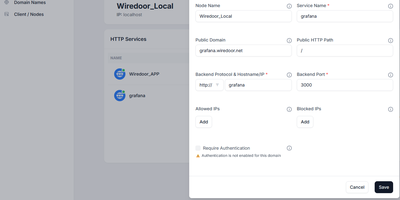
A self-hosted front door for apps that live on home labs, office LANs, and private clusters, Wiredoor publishes them to the internet without opening a single inbound port on the private side. The Wiredoor CLI on each remote machine dials out to the server over an encrypted WireGuard tunnel. Web apps and APIs are routed by domain and path, WebSocket traffic included, while TCP and UDP services such as SSH or Redis get a public port of their own. Public domains receive Let's Encrypt certificates, internal names fall back to self-signed ones, and Cloudflare or GoDaddy credentials let the server create DNS records itself. Any web route can demand OAuth2 sign-in with an email allow list and a few open paths, and every protocol accepts IP allow lists. Gateway nodes stretch one tunnel across a Docker network, Kubernetes cluster, or private subnet, so a single link serves many backends. Services can be switched off or given an expiry such as 30 minutes, 2 hours, or 1 day. The dashboard shows which nodes are connected and whether their services are enabled, while the CLI creates, enables, and disables services from a terminal. Optional Prometheus and Grafana views chart traffic and tunnel peers, and CrowdSec can block abusive addresses. Running on a dedicated VPS on RepoCloud with guaranteed CPU, RAM, and SSD, full root SSH access, and a browser serial console. Apache-2.0 licensed.
Call-Me
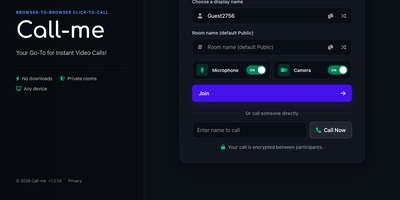
Call-Me puts a click-to-call video button on your website so a visitor can start an encrypted one-to-one video call with your team right in the browser, with no downloads, no accounts, and no phone numbers. A shared link carries everything: send a customer to a named room such as Support or Reception, or link straight to one person so the call rings them directly, which suits support desks, telehealth check-ins, tutoring, and sales consultations. Everyone in a room sees who else is present and available, and one click on a name starts the call. During the call you can chat in real time, share your screen, send files, switch between cameras, microphones, and speakers, hide your video, or mute yourself. Web push notifications flag an incoming call even when your tab sits in the background, so a staffed room never silently misses a visitor. An optional host password keeps the operator side of the room private. A REST API reports connected users, rooms, availability, and active calls, and can start a call for you, while webhooks post join, leave, and call start and end events to your other systems. The interface speaks multiple languages and adapts to phones and desktops alike. Running on a dedicated VPS on RepoCloud with guaranteed CPU, RAM, and SSD, full root SSH access, and a browser serial console. AGPL-3.0 licensed.
BookLogr
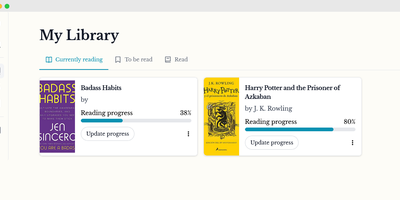
For avid readers who want to catalog their home bookshelves and track annual reading progress without handing personal habits to commercial social networks, BookLogr delivers a self-hosted personal library and reading tracker that replaces Goodreads and The StoryGraph. Searching by title, ISBN-10, or ISBN-13 pulls book covers, author names, page counts, and descriptions directly from OpenLibrary, while manual entry and user-defined custom fields let you record text, numbers, dates, selections, or boolean attributes for rare and indie editions. Configurable library tabs organize titles across Reading, To Be Read, Already Read, Did Not Finish, and All views with instant author filtering. As you read, you can update your current page number or completion percentage, log start and finish dates across multiple re-reads, and rate completed books on a granular 0.5 to 5.0 star scale. Readers can capture page-linked notes and favorite quotes, keeping reflections private or publishing them to a dedicated Notes and Quotes feed on a shareable public profile. Automated Mastodon integration posts reading milestones to the fediverse, while OpenID Connect single sign-on and single-user mode adapt the workspace for households or solo collectors. Built-in Goodreads CSV import and one-click exports to CSV, JSON, and HTML guarantee complete data portability. Running on a dedicated VPS on RepoCloud with guaranteed CPU, RAM, and SSD, full root SSH access, and a browser serial console. Apache-2.0 licensed.
Noisedash
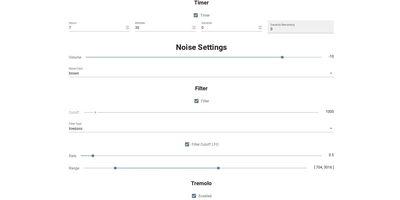
Noisedash is a self-hosted soundscape studio that generates the ambient noise you wish your surroundings made, from steady fan hums to layered rainstorms, and plays it in any browser. Start from white, pink, or brown noise and shape it with filters, LFOs, and effects until the hum in your head goes quiet. Upload your own recordings of rain, wind, thunder, or a café at noon, set loop points and fade-ins, and drop them into the mix as a continuous bed or an occasional sprinkle. Add reverb to a sample, let a thunderclap wander in every few minutes instead of looping, and balance every layer until the room feels right. Save the result as a noise profile, keep one for sleeping and another for deep work, and switch between them with a tap. Profiles travel: export one to share with a friend, import theirs, or record the generated audio to take the soundscape somewhere else entirely. An instance can host the whole household, with admin tools managing users, and the interface works as happily on a phone beside the bed as on a desktop. Running on a dedicated VPS on RepoCloud with guaranteed CPU, RAM, and SSD, full root SSH access, and a browser serial console. AGPL-3.0 licensed.
Cortex Hub
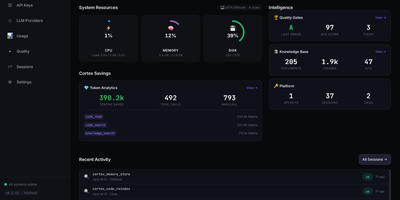
Cortex Hub gives every AI coding agent your team runs a shared brain, so what one agent learns in a repository is still there when the next agent, or the next person, opens it. Starting a session recalls the team knowledge and your own memory for that project, shows who else is editing, and picks up any task waiting for you. Agents search code by meaning and structure rather than text strings, tracing symbols, callers, and the blast radius of a change before touching it. Findings, file risks, and hard-won lessons are stored against the files they belong to, so they resurface exactly where they matter. Ending a session runs build, type, and lint checks, reports the result, and leaves a summary the next session starts from. A conductor can hand tasks to worker agents on other machines and track them centrally, while the dashboard shows sessions, keys, usage, and token savings across the team. Embeddings run locally by default, so your code memory never leaves the building just to be searchable. Running on a dedicated VPS on RepoCloud with guaranteed CPU, RAM, and SSD, full root SSH access, and a browser serial console. MIT licensed.
mkcertWeb
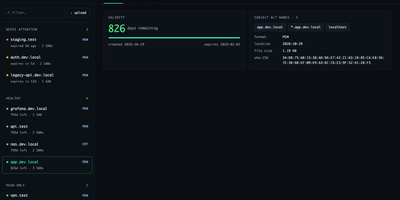
Your internal services deserve certificates your browsers actually trust, without a spreadsheet tracking when each one expires. mkcertWeb wraps the mkcert tool in a web interface where you generate certificates for any mix of hostnames, wildcards, and IP addresses, then download them as PEM, CRT, or PKCS#12 bundles for servers and client authentication. The certificate list groups everything by state, needs attention, healthy, read-only, or archived, showing days remaining, subject alternative names, and SHA-256 fingerprints at a glance. You can upload existing certificate and key files for viewing, attach a free-text note to each certificate, and archive or restore entries without ever overwriting a certificate of the same name. The root CA page offers downloads and install instructions for macOS, Linux, and Windows, and can generate a fresh CA for a new deployment. Devices enroll through the built-in SCEP server using one-time challenge passwords and templates, with an optional enterprise CA signing manual enrollments. A scheduled monitor checks expiry daily and sends alerts through SMTP email, ntfy, or an HTTP webhook, with test buttons for every channel. Settings save from the browser with secret masking, sign-in supports passwords or OpenID Connect single sign-on, and light and dark themes work down to phone width. Running on a dedicated VPS on RepoCloud with guaranteed CPU, RAM, and SSD, full root SSH access, and a browser serial console. GPL-3.0 licensed.