Laminar
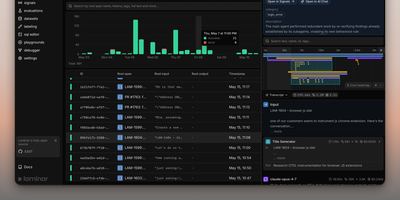
Backed by Y Combinator (S24) and processing traces from thousands of AI agents in production, Laminar is the open-source observability platform that treats agent debugging as a first-class engineering discipline rather than an afterthought. Its OpenTelemetry-native SDK auto-instruments Vercel AI SDK, LangChain, OpenAI, Anthropic, Gemini, Browser Use, Stagehand, Mastra, Pydantic AI, and the OpenAI Agents SDK with a single line of code, capturing every LLM turn, tool call, and sub-agent delegation as nested spans with full input/output data and token costs. The Signals engine lets you describe failures in plain language — "agent is stuck in a loop" or "tool returned empty results" — then reads every trace and alerts via Slack when it detects a match. A built-in debugger records runs and replays them from cache so each iteration takes seconds, designed for Claude Code, Cursor, or Codex to drive the repair loop via the MCP server or CLI. Run code-first evaluations in Python or TypeScript locally or in CI/CD pipelines, build datasets from production traces, and query everything with raw SQL through custom dashboards, the in-app editor, or your coding agent. The Rust backend delivers 20x trace compression, a custom real-time streaming engine, ultra-fast full-text search, and gRPC ingestion, while ClickHouse powers columnar analytics and PostgreSQL stores application state. Running on a dedicated VPS on RepoCloud with guaranteed CPU, RAM, and SSD, full root SSH access, and a browser serial console. Apache 2.0 licensed.
Collabora Office
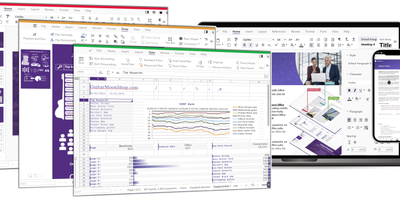
Real LibreOffice document engineering in the browser: Collabora Online is built by the company employing much of the former SUSE LibreOffice team - not a reimplementation. This deployment runs CODE (Collabora Online Development Edition), the collabora/code server that renders and edits documents entirely server-side while browsers get high-fidelity WYSIWYG output, so layout and formatting survive round-trips that break lesser converters. Four editors ship in one container: Writer for text documents (comments, track changes with comparison and restoration, form handling), Calc for spreadsheets (advanced formulas, macros, pivot tables, per-user sheet views, server-enforced cell protection), Impress for presentations, and Draw for Visio-class diagrams. Format compatibility spans DOCX, XLSX, PPTX, the ODF family, PDF, and dozens more - including Visio and Publisher import. Real-time collaborative editing supports multiple simultaneous editors with visible cursors and commenting. The architectural point: documents are processed on your server and never leave it, which is why Collabora is the engine behind Nextcloud Office and integrates with ownCloud, Seafile, and any WOPI-speaking host - or embeds in your own application via the SDK. An admin console monitors sessions and memory. For organizations that need Google Docs-style collaboration with actual data sovereignty, this is the reference open-source answer.
LinkAce
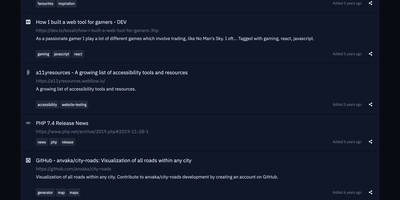
Preventing silent link rot across research libraries, LinkAce captures, indexes, and permanently archives web discoveries into searchable multi-user collections with automated Wayback Machine snapshots. Curators bookmark articles, documentation, tools, and media using custom browser bookmarklets or quick-add input fields that automatically scrape page titles and metadata descriptions. The built-in link monitor continuously checks saved endpoints for HTTP status anomalies, alerting curators whenever destinations move, throw server errors, or vanish from the live internet. For long-term preservation, the system dispatches automated backup requests to the Internet Archive Wayback Machine to capture historical copies of critical research material. Curators organize their library using nested lists and granular tag hierarchies, switching seamlessly between compact tables, detailed reading feeds, and visual card layouts. Teams and households can create separate user accounts to collaborate on shared collections, delegating read-only or editing privileges per list. The platform also generates individualized RSS feeds for public or private bookmark streams, synchronizes external data through a tokenized REST API, and dispatches automated database dumps to AWS S3 storage buckets. Running on a dedicated VPS on RepoCloud with guaranteed CPU, RAM, and SSD, full root SSH access, and a browser serial console. GPL-3.0 licensed.

Frappe LMS
Frappe LMS is a learning management system built on the same Frappe Framework that powers ERPNext. The 3-level course hierarchy organizes content into courses, chapters, and lessons supporting videos, PDFs, SCORM packages, and rich HTML content with heading, code block, and list formatting through the redesigned inline lesson editor. Batch management groups learners by course and duration with scheduled instructor-led live sessions through integrated Zoom and Google Meet, where learners see upcoming classes on their batch dashboard. The assessment engine supports single-choice, multiple-choice, and open-ended quiz questions alongside assignment submissions as PDFs or documents, with progress tracking monitoring completion rates and quiz performance across all enrolled courses. Certificate generation uses built-in templates or custom designs to validate course completion, while the job board connects certified learners with opportunities. Course monetization integrates payment processing to transform courses into revenue streams with financial tracking. Role-based access controls assign Instructor, Learner, Admin, and Manager permissions, while course package import and export enables sharing structured content between instances. The platform integrates with ERPNext HR and CRM modules through the Frappe ecosystem with RTL language support and notification slide-overs. Running on a dedicated VPS on RepoCloud with guaranteed CPU, RAM, and SSD, full root SSH access, and a browser serial console. AGPLv3 licensed.
Checkcle
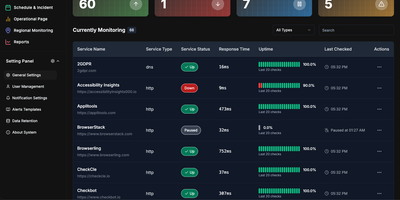
CheckCle provides a complete uptime monitoring and infrastructure observability platform that deploys with a single Docker container and stores all data in embedded SQLite via PocketBase. The Go backend runs three microservices — a service operation engine handling HTTP, HTTPS, DNS, Ping, and TCP checks at configurable intervals, a distributed regional check agent for multi-location network testing, and a server monitoring agent collecting CPU, RAM, disk usage, and network metrics via gRPC. The React frontend built with Vite, TypeScript, Tailwind CSS, and shadcn-ui subscribes to PocketBase WebSocket endpoints for real-time dashboard updates without polling. SSL and domain monitoring tracks certificate issuers, expiration dates, days remaining, and validation status. The incident management system records UP, DOWN, WARNING, and PAUSE states with full history, while scheduled maintenance windows prevent false alerts during planned downtime. Public status pages provide external stakeholders with live service health information. Health heatmaps visualize uptime performance and outage patterns over time. Notification channels include email, Telegram, Discord, and Slack, with multiple alert targets per monitored service. The one-click agent installation script supports Debian, Ubuntu, CentOS, Red Hat, Alpine, and Windows in beta. Docker deployment runs on port 8090 with a single persistent volume at /mnt/pb_data, requiring minimum 1 vCPU and 500MB RAM. On RepoCloud, deploy CheckCle on a dedicated VPS with root SSH access, persistent storage for your monitoring database, and complete control over agent endpoints and notification configurations, all under the MIT license.
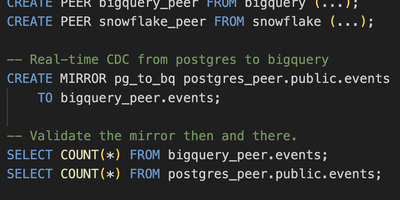
PeerDB
Replicate PostgreSQL to data warehouses 10x faster than conventional CDC tools, proven across 400+ companies including AutoNation and LC Waikiki collectively moving 200 TB monthly. The architecture pairs a Rust-based Nexus query layer implementing the PGWire protocol with Go-based Flow workers orchestrated by Temporal. Because Nexus speaks native Postgres wire protocol, any client tool (pgAdmin, psql, Grafana, Tableau, Flyway) can manage replication through standard SQL commands like CREATE MIRROR. Three streaming modes serve different needs: log-based CDC via logical replication slots, cursor-based streaming through timestamp or integer columns, and XMIN-based capture for tables lacking logical replication. Parallel initial load achieves consistent snapshots through transaction snapshotting and CTID range scans, reducing 100+ GB migrations from days to minutes. Native TOAST column handling processes large JSONB payloads and IoT data efficiently without row expansion penalties. Destinations include ClickHouse, Snowflake, BigQuery, Kafka, Azure Event Hubs, Google PubSub, S3, and PostgreSQL with in-flight SQL transformations. Schema change propagation, partitioned table support, and slot growth alerts ensure production reliability. Docker Compose bundles Temporal, catalog Postgres, Flow API, workers, and the Next.js monitoring UI. Deployable on RepoCloud with dedicated VPS resources under AGPL-3.0.
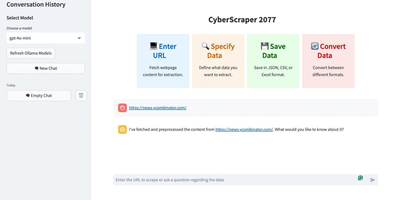
CyberScraper 2077
With 3,100+ GitHub stars, CyberScraper 2077 replaces brittle CSS selectors and XPath queries with natural language data extraction powered by Large Language Models. Users paste a URL, describe the data they want in plain English, and the AI extracts structured results from any website — no HTML parsing knowledge required. The tool supports three LLM backends: OpenAI GPT models for maximum accuracy, Google Gemini for cost-effective extraction, and local Ollama instances for fully private scraping where URLs and data never leave your server. Built on Python asyncio with Playwright browser automation, it handles concurrent page fetching with content-based and query-based LRU caching to minimize redundant API calls. The Streamlit web interface runs on port 8501 and provides one-click export to JSON, CSV, HTML, SQL, Excel, and direct Google Sheets upload. Tor network integration routes requests through onion routing for anonymous scraping of both clearnet and .onion hidden service sites with automatic circuit management and stream isolation. Stealth mode randomizes user agents, manages cookies, and controls JavaScript execution timing to bypass bot detection systems. Multi-page scraping navigates through paginated results with automatic URL pattern detection. Docker deployment packages all dependencies including Playwright browsers into a single container. Running on a dedicated VPS on RepoCloud with guaranteed CPU, RAM, and SSD, full root SSH access, and a browser serial console. MIT licensed.
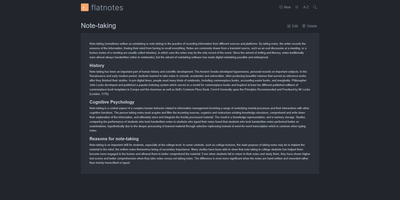
Flatnotes
A web interface for a folder of Markdown files - Flatnotes is exactly that, and the discipline of that design is why people love it. Every note is a plain .md file in a single flat directory: no database, no proprietary format, no hierarchy to maintain, no export step if you ever leave. Edit notes in the browser or open the same files in VS Code or Obsidian, sync them with Syncthing or rsync while the app is running - the Whoosh-powered search index synchronizes incrementally, so external edits just show up. The interface is a clean Vue.js app with both WYSIWYG and raw Markdown editing modes (TOAST UI Editor), instant full-text search behind the "/" shortcut with partial-match support, wikilinks for cross-note references, and automatic tag extraction from #hashtags in note bodies. Light and dark themes and a mobile-responsive layout make it pleasant everywhere. Authentication is flexible for a personal tool: none, read-only, username/password, or TOTP two-factor. A documented REST API covers create/read/update/delete for automation. The operational story is the quiet selling point - the only state is the notes folder and a rebuildable index, so backup is copying a directory. For a personal notepad that respects your data, Flatnotes nails minimal.
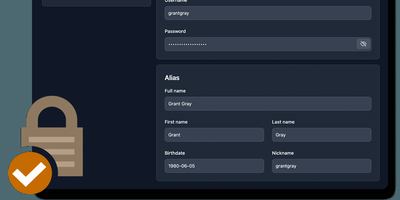
AliasVault
Sign up for a new service and you face a familiar choice: hand over your real email and get spam-listed forever, or generate a throwaway alias that dies when you close the tab. AliasVault eliminates that trade-off by combining a password manager with a built-in email server, so every website gets a unique identity (random email, generated name, strong password) and incoming emails land directly in your encrypted vault rather than your primary inbox. Creating a new alias takes one click: the system generates a random address on your configured domain, a fake identity with name and birthdate, and a cryptographically strong password, all stored in a zero-knowledge encrypted vault that even the server administrator cannot read. Browser extensions for Chrome, Firefox, Edge, Safari, and Brave detect login forms and autofill credentials or prompt you to create a new alias on the spot. Native iOS and Android apps with biometric unlock provide mobile access to your vault and integrate with the operating system's autofill framework. The built-in TOTP authenticator generates time-based one-time codes without needing a separate app. Import existing credentials from other password managers through standard export formats, and export your vault data at any time for full portability. Self-hosting via Docker with your own email domain gives you complete control over where alias mail is received and stored, with no third-party dependencies. Running on a dedicated VPS on RepoCloud with guaranteed CPU, RAM, and SSD, full root SSH access, and a browser serial console. AGPL-3.0 licensed.
Worklenz
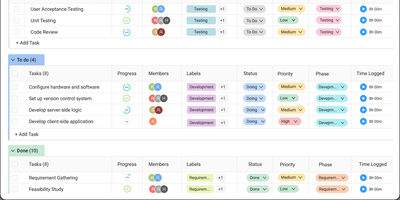
Worklenz delivers an all-in-one project management platform purpose-built for teams that bill clients for their time and expertise. The task management system supports list, Kanban board, and timeline Gantt views with priorities, due dates, assignees, labels, and subtasks. Built-in time tracking offers both start-stop timers and manual entry, logging billable hours directly against tasks and automatically aggregating time data into project-level cost reports. The resource management module provides a visual team utilization dashboard showing capacity allocation across all active projects, helping managers avoid overallocation and balance workloads. Client portals give external stakeholders direct visibility into project progress, task status, and deliverables without requiring internal account access. Financial insights track budgets versus actuals, showing project profitability, cost breakdowns, and burn rate in real time. The analytics engine generates reports on project health, team workload distribution, task completion trends, and time allocation patterns. Project templates enable one-click setup of common agency workflows with pre-configured task structures, milestones, and assignments. The React frontend uses Ant Design components with TypeScript, while the Express.js backend connects to PostgreSQL for data and Redis for caching. Docker Compose deployment includes Nginx reverse proxy with SSL/TLS support, automated database backups, health checks on all services, network isolation, and MinIO for object storage. On RepoCloud, deploy Worklenz on a dedicated VPS with root SSH access, persistent PostgreSQL storage for your project data, and complete control over client portal access and team configurations, all under the AGPL-3.0 license.
Wizarr
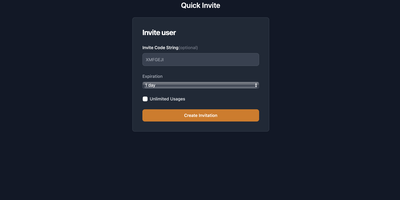
Getting non-technical friends and family onto a media server is its most tedious chore - Wizarr solves it. Instead of manually creating accounts, dictating server addresses, and explaining which app to install, you send one invite link. When the recipient clicks it, Wizarr creates their account on your server automatically - Plex, Jellyfin, Emby, Audiobookshelf, Komga, Kavita, and Romm are all supported - then walks them through a mobile-first, app-like onboarding wizard: download the right client, sign in, and learn how to request movies through your Overseerr or Ombi instance, with an optional Discord server invite along the way. Invitations are genuinely manageable: set expiration dates, usage limits, passphrases, library-scoped access tiers, and time-limited memberships that end access automatically. The wizard itself is fully customizable - Markdown-based steps managed from the admin UI, organized into pre-invite and post-invite phases (terms of service before joining, app setup after), reorderable bundles assignable to specific invitation types, and combined flows for invites spanning multiple servers. Multi-server and multi-admin support manages several backends from one dashboard, SSO support is plug-and-play, and a REST API with OpenAPI/Swagger documentation covers automation. A Flask/HTMX app in a single Docker container.
Password Pusher
Credentials sitting forever in email threads and chat scrollback - Password Pusher solves that everyday security failure. Instead of pasting a password into Slack, you push it - a password, note, file, URL, or QR code - and share a unique one-time link that expires after a set number of views, a time limit, or both. Content is encrypted at rest with AES-GCM under a configurable master key, optionally guarded by a passphrase, and permanently deleted from the database the moment it expires; a retrieval-step option keeps URL-scanning bots from consuming views. Full audit logs record when each link was created and viewed (and by whom, with logins), and TOTP two-factor authentication can be required instance-wide. The delivery page is deliberately unbranded - no logos or confusing links for recipients - and the interface ships in 31 languages with light and dark themes. Automation runs through a JSON API (v2), an official CLI for pushing and expiring secrets from the terminal, a Chrome extension, and a catalog of third-party integrations. Apache-2.0 licensed Ruby on Rails, deployable via Docker, Kubernetes, or Helm, with SQLite or PostgreSQL storage - the sysadmin staple for sending credentials that clean up after themselves.
InvoicePlane
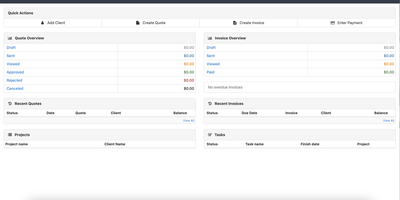
InvoicePlane manages the complete freelance and small-business billing cycle — draft quotes, convert them to invoices, automate recurring charges, collect payments through Stripe and PayPal, and generate EU-compliant eInvoice XML for automated processing by accounting systems. Deployed over 100,000 times across 193 countries, the PHP 8.2+ application on CodeIgniter 3 with MySQL or MariaDB handles everything from first estimate to final receipt. EU-compliant eInvoice generation creates machine-readable XML invoices meeting European Union standards since version 1.6.2. Recurring invoices automate periodic billing with configurable controls that pause generation when previous invoices remain unpaid. Online payment integration lets clients pay directly through Stripe, PayPal with Advanced Credit Cards, and Venmo support. The CRM-like client management module stores contact details, notes, custom fields, and complete transaction history per client. Product and task management modules let you build line-item invoices from reusable product catalogs and project tasks. Customizable PDF templates powered by mPDF support branded invoice layouts with QR codes, while email delivery via PHPMailer handles automated sending with configurable SMTP. A guest portal gives clients read-only access to view and pay their outstanding invoices and quotes. Financial reporting tracks revenue, outstanding balances, and payment history. The multi-language interface supports community translations, and multi-currency handles international invoicing. Deploy via Docker Compose with automatic database migrations. Running on a dedicated VPS on RepoCloud with guaranteed CPU, RAM, and SSD, full root SSH access, and a browser serial console. MIT licensed.
Yopass
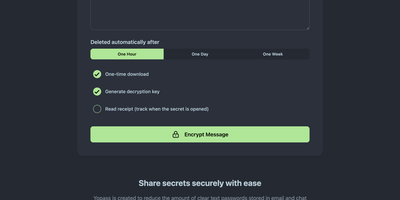
With nearly 3,000 GitHub stars and active development since 2014 through version 14.2.0, Yopass eliminates the universal bad habit of sharing passwords and API keys through Slack messages, email threads, and ticket systems by encrypting secrets entirely in the browser using OpenPGP before anything reaches the server. The Go backend stores only ciphertext — it never sees plaintext — while the React frontend handles all encryption and decryption client-side, generating one-time URLs that self-destruct after a single viewing or when the configured expiration of one hour, one day, or one week passes. File upload support streams encrypted files with configurable size limits, and optional custom password protection adds a second encryption layer beyond the URL-embedded key. The server supports Redis or Memcached as storage backends with automatic key expiration, deploying via Docker Compose in under five minutes or as Kubernetes manifests for production environments. Built-in TLS support works alongside reverse proxy configurations for Nginx, Caddy, and Traefik with automatic Let's Encrypt certificate provisioning. Prometheus metrics expose HTTP request counts, latency histograms, and secret lifecycle counters for Grafana dashboard integration and alerting. Read-only mode enables split-instance deployments separating secret creation from retrieval across different network zones. Multi-language support localizes the interface for international teams. The open-source core under Apache 2.0 provides full self-hosted functionality with no account management required. Running on a dedicated VPS on RepoCloud with guaranteed CPU, RAM, and SSD, full root SSH access, and a browser serial console. Apache-2.0 licensed.
Kite
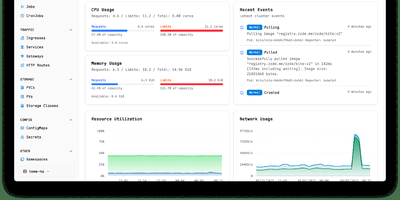
With nearly 3,000 GitHub stars and 14 releases since its June 2025 launch, Kite delivers a lightweight Kubernetes dashboard that replaces the fragmented workflow of switching between kubectl, Lens, and separate monitoring tools with a unified multi-cluster management platform. The dashboard automatically discovers clusters from kubeconfig files and supports independent Prometheus configurations per cluster, providing real-time CPU, memory, and network charts alongside live pod log streaming with filtering and search. A built-in web terminal opens shells directly into pods and nodes without kubectl port-forward, while the Monaco-based YAML editor offers syntax highlighting and validation for in-place resource editing. The integrated AI agent, powered by OpenAI or Anthropic models via native Go SDK integrations, translates natural language into precise client-go API calls — querying cluster health, analyzing pod logs, scaling deployments, patching resources, and cleaning up failed jobs — all operating strictly within the logged-in user's RBAC permissions. Enterprise governance includes OAuth 2.0 single sign-on, multi-factor authentication, FIDO2 passkeys, granular role-based access control with per-namespace permissions, and comprehensive audit logging. Helm chart management enables browsing, installing, and upgrading releases directly from the UI, while the Docker registry integration provides quick image tag selection. Deploy via a single Docker container with SQLite or use the official OCI Helm chart with PostgreSQL or MySQL for production. Running on a dedicated VPS on RepoCloud with guaranteed CPU, RAM, and SSD, full root SSH access, and a browser serial console. Apache 2.0 licensed.

Peppermint
A deliberately simple ticketing system standing in for both Zendesk and Jira: Peppermint handles internal staff requests and external customer support alike. The stack is modern full-stack TypeScript: Next.js and React over Prisma and PostgreSQL, which makes it light to run and approachable for developers extending it. Ticket creation is straightforward - a markdown editor with file uploads, assignment, status tracking, and a logical workflow that new agents grasp without a manual. Mailbox integration converts email into tickets automatically: configure SMTP/IMAP per mailbox and incoming messages become trackable tickets. Each client accumulates an interaction history, giving agents context on every past request before replying. Two touches distinguish it from bare-bones ticketing: a built-in markdown notebook with todo lists for internal documentation and knowledge sharing, and OIDC authentication so agents sign in through your existing identity provider - Keycloak, Okta, Authentik, or Azure AD. Configurable webhooks and email notifications push ticket events to third-party services. The UI is responsive from mobile to 4K, and everything works fully offline in air-gapped environments. Docker-native and scalable via Kubernetes, with an active community of 3,000+ GitHub stargazers.
Piik
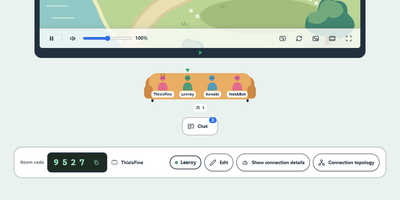
Share a game, a film, or your holiday photos with up to 20 friends, and let them watch from a browser tab with nothing to install. The host picks a screen, window, browser tab, or camera, then sends an invite link or a four-digit room code, with an optional room password. Friends open it on a desktop or phone, press Play, and chat or react while it runs, with optional on-screen chat. A microphone switch adds spoken commentary, with a choice of input device and voice volume. Video travels directly between participants where possible, and a self-hosted server can add automatic forwarding for networks that block direct links. Sharing settings cap resolution from 480p to 1440p, frame rate up to 60 fps, and audio at 64, 128, or 192 kbps, with Clarity, Balanced, and Fluency presets and a choice of VP8, H264, or automatic codecs. Viewers get playback controls, picture-in-picture, fullscreen, light and dark themes, and a connection topology view. The interface follows the system language in Chinese or English, with a visual-only mode for a text-free look. Piik App adds native capture on Windows, macOS, and Linux, while a hosted site works from any desktop browser. A self-hosted site can set a site passphrase, a viewer limit per room, and automatic cleanup of empty rooms. Running on a dedicated VPS on RepoCloud with guaranteed CPU, RAM, and SSD, full root SSH access, and a browser serial console. MIT licensed.
Auto Company
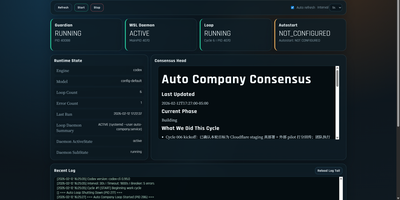
With over 2,700 GitHub stars, Auto Company is the first open-source framework that runs a fully autonomous AI company 24/7 — 14 specialized agents modeled after Jeff Bezos (CEO strategy), Werner Vogels (CTO architecture), Charlie Munger (critical analysis), DHH (full-stack engineering), Kelsey Hightower (DevOps), Seth Godin (marketing), and eight more domain experts collaborate through dynamic squad formation to ideate products, write code, deploy infrastructure, and execute marketing campaigns without human intervention. The five-layer architecture separates execution, orchestration, cognition, workflow routing, and observability, while the consensus memory pattern uses a single markdown file as a relay baton between cycles — no vector databases, no Redis, no embeddings required. A bash loop invokes Claude Code or OpenAI Codex CLI every 30 seconds, each cycle selecting 2-5 agents from the 14-person pool based on task context. Over 30 reusable skills handle specialized tasks from frontend design to competitive analysis and deployment automation. Circuit breakers trigger cooldown after consecutive errors, rate-limit detection auto-sleeps on API throttling, and sandbox rollback protects against destructive changes. The Python-powered web dashboard displays real-time cycle status, cost tracking per cycle averaging under $2, and agent activity visualization, with CLI control via make start, stop, monitor, pause, and resume. Supports macOS via launchd, Windows via WSL with systemd, and native Linux deployment. The npx create-auto-co command scaffolds a new AI company in seconds. Running on a dedicated VPS on RepoCloud with guaranteed CPU, RAM, and SSD, full root SSH access, and a browser serial console. MIT licensed.