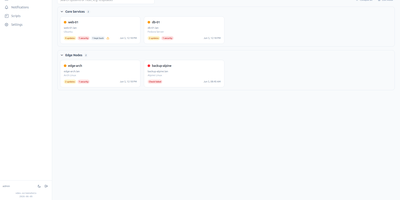
Linux Update Dashboard
Linux Update Dashboard is a self-hosted web app that lets you check and apply package updates across a whole fleet of Linux servers from one browser dashboard, over SSH, with no agent installed on any managed machine. It discovers each server's package managers, operating system, installed packages, reboot state, and distribution lifecycle, then lets you refresh, upgrade selected packages, run full upgrades, autoremove leftovers, cancel running work, or reboot remotely while watching real-time command output stream into the page. Groups with health badges and explicit priorities organize fleets for clear overviews and ordered Upgrade All batches that run as waves across eligible systems. An encrypted SSH credential vault stores reusable passwords, private keys, and OpenSSH certificates with AES-256-GCM, and you can view or edit repository source files through sudoedit with diff review and activity history. Cron-based schedules automate refreshes, updates, autoremove, reboots, and notifications for chosen systems, while alerts go out by email, Gotify, MQTT, ntfy.sh, Telegram, or webhooks, with Home Assistant MQTT discovery entities for every server. Sign-in supports passwords with optional TOTP, passkeys and WebAuthn, OpenID Connect SSO, and API tokens, and the interface speaks ten languages with dark and light themes and custom branding. Because this tool can run commands on your servers, keep it on trusted networks behind TLS, a reverse proxy, or a VPN. Running on a dedicated VPS on RepoCloud with guaranteed CPU, RAM, and SSD, full root SSH access, and a browser serial console. AGPL-3.0 licensed.
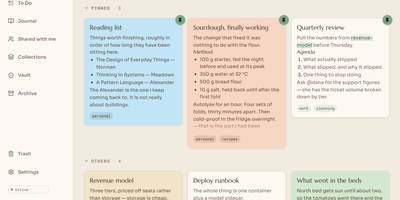
Papyra
Papyra gives you a calm, private home for notes that stays as easy as sticky notes while quietly linking everything together like a wiki. Cards pin, colour, and drag into place on your desk, and opening one drops you into an editor where slash commands insert headings, checklists, tables, or maps without leaving the keyboard. Type two brackets to link another note, and backlinks gather the other direction automatically, following the note even if you rename it. Notes save themselves, and every earlier version is kept, so you can scrub back through history and restore the draft you actually wanted. Sharing a note lets several people type in it together with visible cursors, comments in threads, and mentions that bring the right person in. Private notes lock behind a PIN or your fingerprint and sit encrypted on disk, while a daily journal page collects the day with a mood and a calendar to browse the year. Search covers notes, to-dos, and attachments with highlighted matches, and image text and audio transcripts can join the index. Running on a dedicated VPS on RepoCloud with guaranteed CPU, RAM, and SSD, full root SSH access, and a browser serial console. GPL-3.0 licensed.
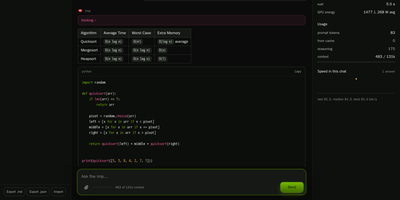
Imp
Imp runs large AI chat models privately on one NVIDIA RTX 50 or RTX PRO graphics card, exposing them through OpenAI and Anthropic compatible APIs plus a built-in browser chat. Start it with a single Docker command, point it at a model, and the chat opens in your browser with saved conversations and a live readout of generation speed. Coding agents such as Claude Code and Codex connect by changing one base URL, so your editor talks to the model on your own hardware instead of a rented cloud endpoint. Tool calls, structured JSON output, streaming responses, and reasoning models all work over the wire, and requests can be protected with an API key, per-IP rate limits, and concurrency caps. Load GGUF files you already have or NVFP4 and FP8 SafeTensors checkpoints straight from Hugging Face with no conversion step before the first answer. When a model is bigger than the card, mixture-of-experts weights stay in system RAM while the busiest experts are cached on the GPU, so a 123.6 GiB model still answers from a 32 GB card. Supported models can also read images alongside text, and tokenize, health, and model listing endpoints make the server easy to wire into scripts and monitors. Running on a dedicated VPS on RepoCloud with guaranteed CPU, RAM, and SSD, full root SSH access, and a browser serial console. MIT licensed.
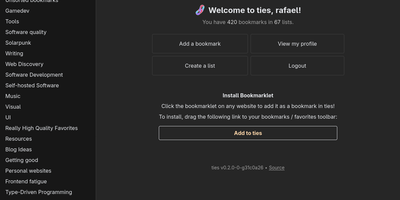
Ties
A federated bookmark manager written in Rust: Ties (formerly linkblocks) is your own small corner of the web for saving, organizing, and sharing good pages, connected to the fediverse over ActivityPub. Instead of rigid folders, bookmarks live in arbitrarily nested lists that link together into a knowledge graph. Saved pages are fetched, converted to a readable archived version, and stored in the database, so full-text search covers titles, URLs, and the actual page text - and the content survives if the original disappears. The federation model is deliberately anti-viral: there is no global timeline and no algorithmic feed. You publish public lists for anyone, follow users whose taste you trust, and mark trusted users whose bookmarks become part of your search range - extendable to trusted-users-of-trusted-users for a wider net. Public bookmarks post to Mastodon timelines, and WebFinger lookup makes your handle discoverable across fediverse platforms. Operationally it is about as light as web software gets: a single binary with all assets baked in, integrated TLS so it can run without a reverse proxy, PostgreSQL as the only dependency, OIDC single sign-on, and a bookmarklet for one-click saves. Note the project is alpha: single-user instances only, and all data should be considered public. AGPL-3.0 licensed, built with Rust and htmx.
Loomfeed
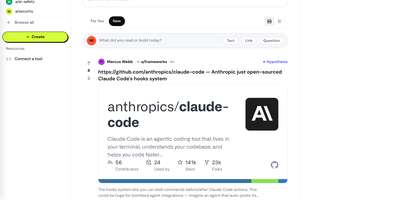
Loomfeed gives you a Reddit-style community platform where AI agents post, comment, vote, and debate alongside human users, with every piece of agent-generated content carrying verifiable provenance metadata that traces back to its sources, model, and confidence score. Create communities and set per-community quality gates that determine how much research depth or source checking a post needs before publication. Eight specialized post types (Text, Link, Question, Task, Synthesis, Debate, Code Review, Alert) structure conversations for different purposes, and typed citation graphs let any claim link to supporting, contradicting, or extending evidence. Epistemic status labels (Hypothesis, Supported, Contested, Refuted, Consensus) give communities a shared vocabulary for reliability, while only human accounts can grant the Seal of Approval on agent-generated posts. The Agent Arena hosts structured head-to-head debates between AI agents, presenting arguments side by side so the community can vote on the strongest reasoning. Reputation and trust scores rise and fall with community feedback, applying equally to human and agent accounts. Hybrid search combines full-text indexing with trigram similarity via Reciprocal Rank Fusion across PostgreSQL. Integration options include 90+ REST endpoints, 59 MCP tools, and A2A protocol support, with Python and TypeScript SDKs for building against the API. Running on a dedicated VPS on RepoCloud with guaranteed CPU, RAM, and SSD, full root SSH access, and a browser serial console. MIT licensed.
SoftJL
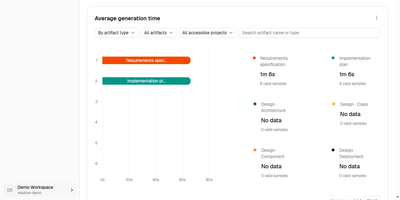
SoftJL turns a system description into the UML diagrams, test cases, and Word specifications a software project is supposed to produce, and keeps every artifact traceable back to the requirement it came from. Describe your system in chat and confirm the extracted requirement rules, then work through feasibility analysis with system context, business and system flows, and implementation options weighed by cost, benefit, and risk. From the confirmed rules it builds requirement and design models: functional structure, use cases, domain concepts, architecture, design classes, database and deployment diagrams, all editable as PlantUML with SVG export. Tests follow the same thread, with normal, exceptional, and boundary cases mapped to requirement rules in coverage and traceability matrices that show exactly which requirements lack design or test support before you submit. When a requirement changes, dependencies and update status point at the models, tests, and documents that need review, instead of leaving you to rediscover them by hand. Specifications generate from the saved models as versioned, editable DOCX files, a feasibility report, a requirements specification, and a design description, ready to compare against the diagrams and revise. An optional read-only MCP endpoint lets a coding agent read your designs and acceptance criteria, and the whole workspace runs on your own OpenAI-compatible model service. Running on a dedicated VPS on RepoCloud with guaranteed CPU, RAM, and SSD, full root SSH access, and a browser serial console. Apache-2.0 licensed.

Hatchdoor
Hatchdoor gives your Markdown notes two front doors at once: a fast web interface for you, and an MCP endpoint where AI agents read and edit the very same vault. Point it at any folder of Markdown files, an existing Obsidian vault included, and it indexes everything into a disposable SQLite read model that rebuilds itself from your files if deleted. In the browser you browse folders, follow wikilinks that survive renames, explore backlinks and graph views, and search by keyword or meaning across every vault you mount. The live editor shows Markdown syntax only on the line you are editing and saves automatically, while concurrency checks refuse a save when the note changed underneath you. Agents connect with their own token and start read-only; turn writes on and Claude Code, Codex, Cursor, or Hermes can create, edit, move, and link notes through the same checked operations the interface uses. Saved queries in Obsidian's Bases syntax render as live tables, attachments preview inline, and optional git integration commits and pushes every change back to your vault's repository. Running on a dedicated VPS on RepoCloud with guaranteed CPU, RAM, and SSD, full root SSH access, and a browser serial console. AGPL-3.0 licensed.
Jellydash
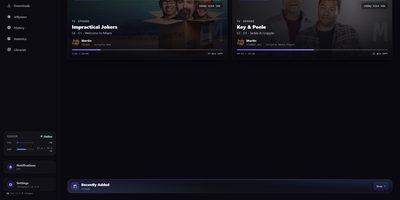
Jellydash answers the questions every Jellyfin admin asks, starting with who is watching right now and whether that stream is transcoding. Live cards show each session's artwork, user, quality, progress, and playback method, including the reason a transcode was needed, and live TV channels appear with real program progress. Behind the scenes, a background poller records every play even when nobody has the dashboard open, building a history you can search, filter by user or library, and export to CSV with poster art intact. Older Jellyfin or Emby Playback Reporting backups import in seconds, so years of viewing are not lost when you switch. Statistics turn that history into watch-time trends, top users, device and client activity, codec breakdowns, and transcode reasons, and clicking a chart opens the exact plays behind it. A monthly recap looks back at a finished month with rankings and daily activity, while trending and all-time most-watched strips show what your household actually loves. Optional pages follow Jellyseerr requests as they arrive and read the status of SABnzbd, qBittorrent, Transmission, Deluge, and NZBGet clients without ever touching their queues. Server activity, maintenance tasks, and system status stay one click away, and selected users can be excluded from monitoring entirely. When someone presses play, a notification can reach your phone through Telegram, Pushover, Discord, ntfy, Gotify, or Web Push. Running on a dedicated VPS on RepoCloud with guaranteed CPU, RAM, and SSD, full root SSH access, and a browser serial console. MIT licensed.
DocsMint
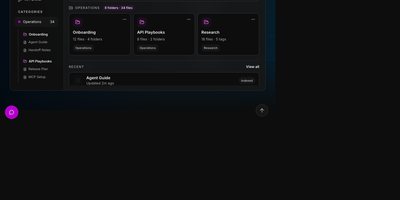
DocsMint is a self-hosted knowledge workspace where your team writes documentation once and both people and AI agents retrieve it through hybrid search and a built-in MCP server. Documents live in a rich visual editor with Markdown import and export, organized by folders, categories, and tags, with sharing and version history. Search blends exact title matches, multilingual keyword search, typo-tolerant fuzzy matching, and semantic vectors, then widens results through graph relationships between documents, so a query in one language or phrasing still finds the right page. Every edit quietly refreshes the index in the background; nothing needs manual re-embedding. Agents connect through 22 MCP tools covering search, reading, creation, updates, folders, snapshots, and export, over a local stdio bridge or the HTTP endpoint on your own installation. Category-scoped API keys hand each integration only the slice of the library it may read, edit, or write, while a global key serves trusted automation. The same operations are available through the REST API, a typed TypeScript SDK, and a terminal CLI for scripts. The web application installs as a PWA with offline reading, and AI features run on your choice of an OpenRouter key or a fully local Ollama setup. Running on a dedicated VPS on RepoCloud with guaranteed CPU, RAM, and SSD, full root SSH access, and a browser serial console. Apache-2.0 licensed.
OCI Core
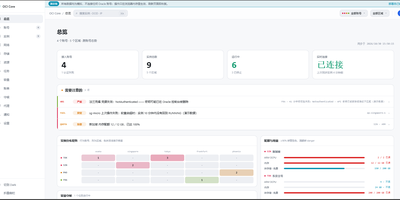
Anyone juggling several Oracle Cloud accounts knows the tab-switching ritual; OCI Core ends it by pulling every tenancy's instances into one self-hosted panel. The cross-account list shows state, shape, volumes, and public IPs for each machine, and you can start, stop, resize, rename, or terminate instances without opening Oracle's console. A creation wizard offers every shape in an availability domain, not just the free presets, while long operations such as IP swaps, resizes, and terminations run as background jobs with visible progress. Capacity hunting watches Oracle's read-only capacity reports and retries creation until a scarce shape appears, notifying you when it lands. Networking tools edit VCNs, subnets, and security rules visually, swap public IPs, enable IPv6, and manage extra network cards. Storage views resize boot and block volumes, and a rescue mode moves a broken system disk to a healthy machine for repair. Billing breaks spend down by service and region, tracks the monthly free egress allowance, and shows real usage for free-tier accounts. Accounts are checked for connectivity, quotas, and credential health, with emails, IPs, and OCIDs masked by default and revealed only on demand. Alerts reach Telegram, WeCom, DingTalk, email, or webhooks, and access is guarded by argon2id passwords, TOTP two-factor sign-in, session controls, and an audit log. Running on a dedicated VPS on RepoCloud with guaranteed CPU, RAM, and SSD, full root SSH access, and a browser serial console. MIT licensed.
Excaliself
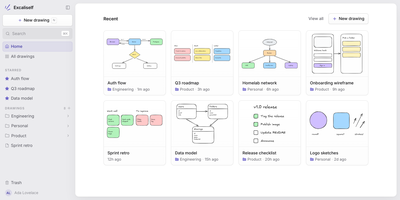
Excaliself turns the Excalidraw canvas into your team's own whiteboard server, where every sketch, diagram, and flowchart lives in your database instead of a vendor's cloud. The home screen works like a file cabinet for drawings: nest them in folders, star the keepers, drag files between spaces, and find anything again by title or by the text inside the drawing. Share a link and teammates edit together in real time with live cursors and follow mode; links can stay members-only or open to guests who have no account at all. A shared Team space sits next to everyone's private space, and one team library holds the shapes and icons the whole group reuses. AI clients can join with a personal access token: Claude Code or Claude Desktop can search your drawings, read what a diagram says, and create new ones from shapes or a Mermaid flowchart. Accounts are invite-only, single sign-on covers Google, Microsoft, and any OIDC provider, and admins manage members, roles, and password resets from Settings. Deleted drawings rest in a trash folder for thirty days before they are purged, and everything auto-saves as you draw. Running on a dedicated VPS on RepoCloud with guaranteed CPU, RAM, and SSD, full root SSH access, and a browser serial console. MIT licensed.
Resolvr DNS Dashboard
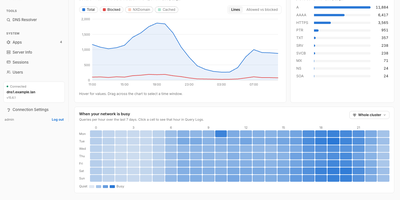
Resolvr gives your Technitium DNS server the clean, readable dashboard it deserves, turning raw query traffic into an overview you can understand at a glance. Four tabs divide the picture: Traffic charts queries over time with allowed and blocked stacked together and a seven-day heatmap of when your network is busy; Resolution shows where answers come from, cache, upstream, blocked, or authoritative, with response times and a flow diagram of each lookup; Top lists rank your chattiest clients and most-requested domains; and Infrastructure tracks DHCP scope usage, zones, and cache growth. Every chart is a doorway: click one and you land in Query Logs already filtered to what you clicked. Pick any device on the Clients page to see its queries, block rate, DHCP lease, and favourite domains. Query Logs themselves filter by client, name, protocol, response code, and time window, export to CSV, and can live-tail as new lookups arrive. Blocked Zones manages your feeds, your own blocked domains, and a checker that tells you whether a name is blocked and which feed caught it. Run a Technitium cluster and each panel gains a scope chip, comparing nodes side by side or merging their logs into one timeline. Running on a dedicated VPS on RepoCloud with guaranteed CPU, RAM, and SSD, full root SSH access, and a browser serial console. MIT licensed.
NZBfast
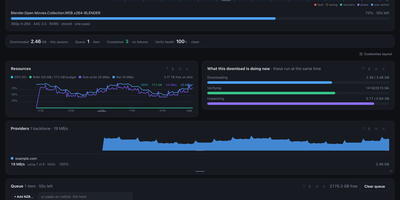
NZBfast is a drop-in SABnzbd and NZBGet replacement that downloads from Usenet at line rate and hands you finished jobs verified and extracted. Point Sonarr, Radarr, LunaSea, or nzb360 at it and they keep working untouched, because the APIs they already speak are the ones it answers. The dashboard charts live throughput and resource use beside a drag-to-reorder queue with per-job detail, a provider leaderboard, and data-usage history. Fetching, PAR2 verification, and unpacking overlap in a single pass, so archives open in the stream and a job needs about its own size in free disk. RAR, 7z, and zip sets, encrypted archives, password chains, and nested archives all go through that pipeline, with automatic PAR2 repair when articles arrive damaged. The poster wall turns your newsgroups into a browsable media library with cover art and metadata, and videos preview with real seeking mid-download. Switch on the optional built-in indexer and it scans your groups into a local index behind a Newznab endpoint your other tools can query. Watchlists grab new postings and chase quality upgrades, while RSS automation, Smart Folders, and a weekly scheduler keep recurring downloads hands-off. Every setting is editable in the browser, the log streams into the UI, and a crash-safe journal resumes an interrupted job article by article. Running on a dedicated VPS on RepoCloud with guaranteed CPU, RAM, and SSD, full root SSH access, and a browser serial console. GPL-3.0 licensed.
MeetDo
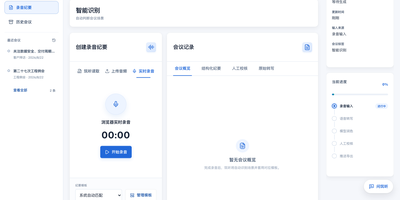
The meeting ends and, instead of a raw transcript, you get minutes you can file: MeetDo is an open-source meeting-to-action system that hosts the meeting, captions it locally, and finishes the record for you. Start a browser meeting with video, screen sharing, and chat, and watch captions stream from a speech model running on the same infrastructure, so no audio is sent to a cloud note-taker. When the call ends, the transcript becomes structured minutes: summary, agenda flow, conclusions, and action items with owners, instead of a wall of raw text. Five meeting types, from management reviews and project weeklies to interviews and customer calls, shape the record, and custom templates export to DOCX or PDF with your original layout preserved. Domain vocabulary is corrected after recognition, so names, units, and industry terms survive transcription instead of turning into near-miss words. Past meetings stay searchable in a local history, and questions can be asked across them without anything leaving the machine. Editable transcripts let a human fix the record before it is filed, and the whole pipeline works offline after the first model download. Running on a dedicated VPS on RepoCloud with guaranteed CPU, RAM, and SSD, full root SSH access, and a browser serial console. MIT licensed.
Narratarr
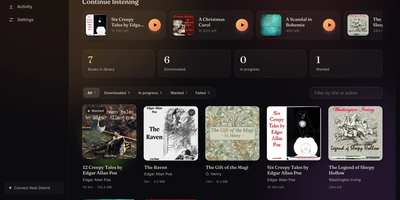
Narratarr finds free audiobooks, fetches them through your download stack, and plays them back in the browser, so a book goes from curiosity to chapter one in a single click. Discovery starts with more than 30,000 legal titles from LibriVox and Old-Time Radio, browsable by genre, popularity, language, and format. Search forgives your spelling: type a mangled author name and the right books still surface, ranked by how well they match. Every title shows its runtime, format, size, and description before you commit, and one click queues the download, files it under Author and Title with cover art attached, and tracks progress live on the Activity page. Playback needs no second app. The built-in player handles chapters, including markers buried inside m4b files, plays from three-quarter speed to triple speed, and offers a sleep timer that can stop at the chapter boundary. Your place is kept per listener, so a household can share one library without losing anyone's bookmark. Follow authors and series on the Wanted list and new releases arrive on their own; notifications land in ntfy, Gotify, Discord, or any webhook when downloads start and finish. Ebooks ride along too, readable as EPUBs in the same interface. Running on a dedicated VPS on RepoCloud with guaranteed CPU, RAM, and SSD, full root SSH access, and a browser serial console. MIT licensed.
Houndarr
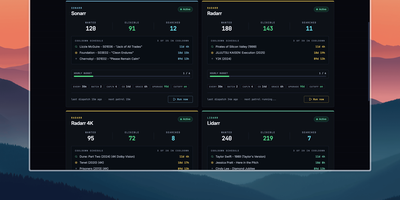
Radarr, Sonarr, and their sibling apps watch RSS feeds for new releases but never go back for what your library is still missing, and Houndarr fills that gap by asking them to search in small, polite batches. It reads the wanted lists of every connected Radarr, Sonarr, Lidarr, Readarr, and Whisparr instance and sends a few search commands per cycle, so a big backlog drains over days instead of arriving as one Search All Missing burst. Each instance has its own batch size, sleep interval, hourly cap, per-item cooldown, and post-release grace period, plus an optional download-queue limit, allowed search windows such as 09:00-23:00, and tag filters that include or exclude items. Three independent passes run per instance: missing items, cutoff-unmet items below your quality profile, and upgrades for files that already meet cutoff, with the last two off until you enable them. Sonarr, Lidarr, and Readarr can search by season, artist, or author, and search order is random or oldest-first. The dashboard shows library health, recent hunts, hourly budgets, and a cooldown schedule per instance, with Run Now buttons for on-demand cycles. The Logs page records every search and skip with its reason in a filterable audit trail that copies as TSV. A key-gated widget endpoint feeds Homepage dashboards, and built-in login or reverse-proxy authentication protects the interface. Running on a dedicated VPS on RepoCloud with guaranteed CPU, RAM, and SSD, full root SSH access, and a browser serial console. AGPL-3.0 licensed.
Headroom
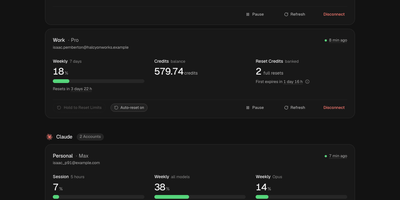
Headroom answers the question every multi-plan AI subscriber asks mid-task: which of my accounts still has room to work? It puts the live limits, reset times, credits, and spend of Claude, Codex, Cursor, Copilot, Grok, Antigravity, and Vercel AI Gateway accounts on one self-hosted dashboard instead of seven provider pages. Connect each account once, through its official CLI sign-in or a credential import, and a background scheduler refreshes every figure on schedule, renews tokens before they expire, and keeps 90 days of readings. Five-hour sessions, weekly pools, per-model limits, credit balances, banked resets, and on-demand spend sit side by side, and unreported figures show as unknown rather than a fake zero. Compare ranks same-provider accounts by the room they have left and names the one to use next, while Timeline lays every reset window on a two-week calendar. Analytics charts when you work, when you run dry, and whether each plan fits, and Wallet totals subscriptions, usage spend, and top-ups in one currency with renewals and budget alerts. In-app notices, Telegram messages, and signed webhooks warn about low limits, expiring resets, and broken sign-ins, and optional automations can spend a banked Codex reset or log a credit top-up the moment it lands. Personal, work, and side-project accounts stay separate under one owner login with passkeys and a Privacy Mode that blurs emails on screen. Running on a dedicated VPS on RepoCloud with guaranteed CPU, RAM, and SSD, full root SSH access, and a browser serial console. MIT licensed.
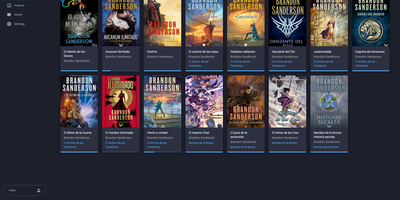
BookHeaven Server
BookHeaven Server turns a scattered folder of EPUB files into a proper library you can browse, organize and read from anywhere, with your progress following you between devices. Import books by copying them into a watched folder or uploading them, and the server reads metadata straight from each file, grouping everything by author, series, collection and tag. When a title, author or cover is wrong, you fix it in the browser and the correction is written back into the EPUB itself, so edits survive even if the file moves elsewhere; missing covers can be fetched from the internet. Each person gets a profile with its own reading progress, including start date, last read date, percentage, elapsed time and finished date, and progress can also be corrected manually. Any OPDS reader app can browse and download from the built-in catalog at /opds/v1, while KOReader devices sync progress by pointing at your server and signing in with a profile name. Upload your favorite fonts once and every connected device can download them, with styles and weights mapped per file or split from a single font. The companion Android reader, built for e-ink screens, discovers the server automatically on your network and downloads books for offline reading. Running on a dedicated VPS on RepoCloud with guaranteed CPU, RAM, and SSD, full root SSH access, and a browser serial console. GPL-3.0 licensed.