GrowChief
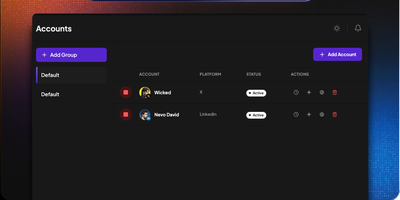
GrowChief delivers a self-hostable social media automation engine that replaces expensive SaaS tools like PhantomBuster, Expandi, and Zopto with a Docker-deployable alternative you fully control. The React and NestJS monorepo architecture runs headful Chrome via xvfb with Playwright and Patchright for maximum stealth — natural mouse movements and randomized interaction patterns make automation indistinguishable from manual browsing. Temporal orchestration manages workflow execution with built-in concurrency control that throttles actions to one every ten minutes per account even when ten workflows trigger simultaneously, preventing rate-limiting and account flags. The enrichment waterfall resolves profile URLs from partial data — provide an email address or organization name and GrowChief queries multiple providers to locate the correct social profile automatically. Working hours scheduling ensures outreach runs only during configurable business hours regardless of when leads enter the pipeline via the public REST API. Proxy support accepts custom SOCKS5 and HTTP proxies per account for geographic distribution and IP isolation. The public API enables full workflow management and lead injection from n8n, Make, Zapier, or any HTTP client, with a dedicated n8n custom node shipping ready to install. The multi-step workflow builder lets you chain connection requests, profile visits, message sends, and conditional delays into repeatable sequences. Running on a dedicated VPS on RepoCloud with guaranteed CPU, RAM, and SSD, full root SSH access, and a browser serial console. AGPL-3.0 licensed.
DooTask
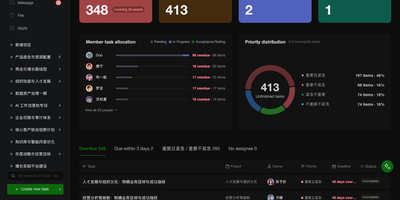
Open a project in DooTask and your tasks appear as a Kanban board, a list, a Gantt timeline, or a calendar, with team chat and file sharing beside them. Start from a project or task template and set a task to repeat so each new occurrence links back to the original. Mention colleagues in project and task chats, add emoji, and keep messages protected with asymmetric encryption. Files from chats and tasks gather in a Collaboration Files section, and WebDAV lets you manage My Files and Shared Files from Finder or Explorer. Check the dashboard for what is overdue, due today, or coming up, while department heads switch to a team view charting overdue and incomplete tasks per member. Visit the App Store to install official apps for approvals, OKRs, AI assistants, OnlyOffice, Minder mind maps, and Drawio diagrams. Administrators can add custom apps from an archive, a URL, or a GitHub repository. Add an API key for ChatGPT, Claude, Gemini, DeepSeek, or Grok, or point to Ollama or any OpenAI-compatible URL, then type @AI Robot in a project chat to draft tasks. Log in on the web by scanning a QR code with the mobile app, or use an LDAP or Active Directory username. The free Open Source Edition covers three users; paid editions raise that to ten or unlimited. Running on a dedicated VPS on RepoCloud with guaranteed CPU, RAM, and SSD, full root SSH access, and a browser serial console. AGPL-3.0 licensed.
Saltcorn
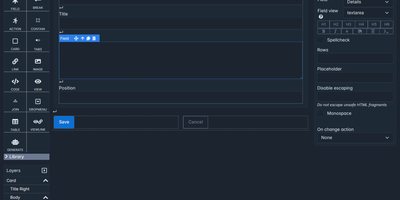
Spreadsheets and old Access databases give way to custom business apps that a team builds itself in a browser with Saltcorn, a no-code database application builder. Tables hold related records with typed and calculated fields, and CSV files import straight into them. Views start from patterns such as list, show, edit, filter, kanban, calendar, gantt, map, and chart, then take shape on a drag-and-drop canvas with a layers tree and desktop, tablet, and mobile previews. A view can embed another view, so clicking a row narrows the others and builds a cross-filtering dashboard with no glue code. Triggers react to row changes, schedules, logins, and API calls, while visual workflows branch, loop, and pause for a person's form before resuming days later. An AI copilot drafts tables, pages, and workflows from a plain-language prompt. The same views also become native Android and iOS apps with offline mode, PDF or image documents, and responsive emails. Every table, view, and page carries a minimum user role, and an auto-generated REST API exposes the data. Packs such as project management and an address book start an app from a ready template. Running on a dedicated VPS on RepoCloud with guaranteed CPU, RAM, and SSD, full root SSH access, and a browser serial console. MIT licensed.
NextClaw
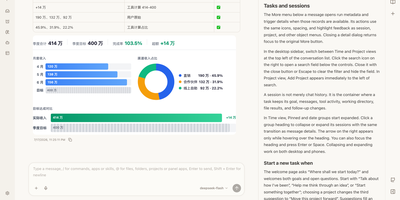
NextClaw is an AI workspace where a request for a report, a chart, or a small tool becomes organized research, files, and steps, with the result shown beside the conversation. Pick the engine for each task from Native, Claude Code, Codex, Hermes, or OpenCode, and the agent keeps its memory, skills, and workspace. A right-hand browser opens code, Markdown, HTML, Word, Excel, and PowerPoint files without losing the task that produced them. Connect providers like OpenRouter, OpenAI, Anthropic, Gemini, DeepSeek, or any OpenAI-compatible endpoint, and message the same agents from Telegram, Discord, Slack, WhatsApp, Feishu, or email. Scheduled tasks start from templates like a daily AI news brief or a competitor change tracker, and finished reports land in an AI Inbox you can read later or continue as a chat. A skill market installs new abilities, MCP servers extend tools, and Panel Apps keep the small pages an agent builds for you. Dedicated agents get their own role, home directory, and memory. Running on a dedicated VPS on RepoCloud with guaranteed CPU, RAM, and SSD, full root SSH access, and a browser serial console. MIT licensed.
Archon
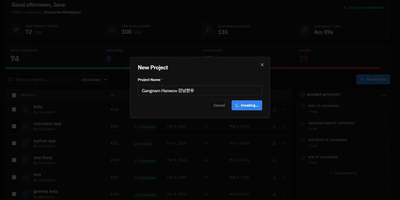
Stop hoping your AI coding assistant remembers to plan before it codes, test after it implements, and review before it ships. Archon wraps Claude Code, OpenAI Codex, and other AI agents inside structured YAML workflows that enforce the same development process every single time. Define your pipeline as a directed acyclic graph of nodes (AI tasks, shell scripts, approval gates, loops) and Archon handles the orchestration: resolving dependencies, running independent nodes in parallel, passing artifacts between steps, and isolating every run in its own git worktree so five bug fixes can proceed simultaneously without conflicts. Ship with 17 pre-built workflows covering everything from "idea to merged PR" to automated conflict resolution, or author your own by committing YAML files to your repository's .archon/workflows/ directory. The web dashboard, launched with archon serve, provides a conversation interface with real-time streaming, a visual drag-and-drop workflow builder for creating DAG pipelines, step-by-step progress monitoring for every run, and a unified sidebar aggregating conversations from CLI, Slack, Telegram, and GitHub into one view. An NLP router parses natural language requests and automatically selects the right workflow. Structured JSON output schemas let you enforce typed responses from AI nodes, with validation and auto-repair for providers that lack native schema support. Every workflow file is version-controlled, portable, and reviewable in pull requests, so your entire team runs identical processes from day one. Running on a dedicated VPS on RepoCloud with guaranteed CPU, RAM, and SSD, full root SSH access, and a browser serial console. MIT licensed.
StackStorm
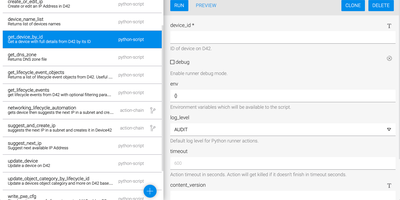
Sensors watch your infrastructure so your engineers do not have to watch it at 3 a.m. StackStorm is event-driven automation: Python sensors poll or listen to external systems (monitoring alerts, ticket updates, chat messages, webhooks, timers) and inject each event as a trigger. Rules match triggers against criteria you define and fire the response automatically, mapping the event payload straight into action parameters. Actions do the work: SSH commands, REST calls, and integrations for AWS, Docker, OpenStack, Puppet, Jira, Slack, and hundreds more from community packs, or your own scripts wrapped with a few lines of metadata. Multi-step responses become workflows that sequence actions with conditions, branching, and data passed between tasks, handling everything from disk-full remediation to full deployment pipelines. Everything bundles into packs, the shareable units that group sensors, rules, actions, and workflows per product or per automation, installable from the StackStorm Exchange or your own Git repositories. The web UI runs actions, explores workflow executions down to individual task results in real time, manages rules, and installs packs, while every execution, manual or automated, lands in an audit trail with its triggering context. ChatOps aliases even let the team trigger approved automations from chat. Running on a dedicated VPS on RepoCloud with guaranteed CPU, RAM, and SSD, full root SSH access, and a browser serial console. Apache-2.0 licensed.
REI3
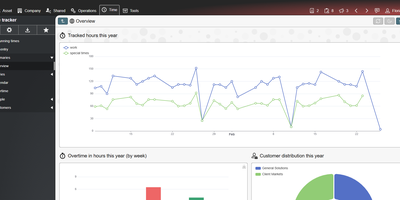
Replace the spreadsheet that quietly runs your department with a proper multi-user application that you design in a browser with REI3, a self-hosted low-code platform. Authors define their data model once, then assemble forms, lists, calendars, Gantt plans, Kanban boards, and charts around it, with form states that show, hide, or require inputs as a record moves through its workflow. Calendars create records from a drag-selected time range, Kanban cards change state by drag and drop, and bulk-update forms edit hundreds of records at once. Phones scan barcodes and QR codes through the camera, and signature pads capture drawings. Roles and record-level access policies decide who sees what, sign-in runs through LDAP, OpenID Connect, or multi-factor authentication, and end-to-end encryption keeps selected fields unreadable even to administrators. REST endpoints work in both directions, ICS feeds publish calendars, CSV moves data in bulk, and IMAP and SMTP accounts connect applications to email. A drag-and-drop PDF editor produces letterheads, labels, and documents with signatures and barcodes. More than a dozen free ready-made applications, including tickets, time tracking, IT assets, a password safe, and a CRM, install from the admin panel. Running on a dedicated VPS on RepoCloud with guaranteed CPU, RAM, and SSD, full root SSH access, and a browser serial console. MIT licensed.
Buzz
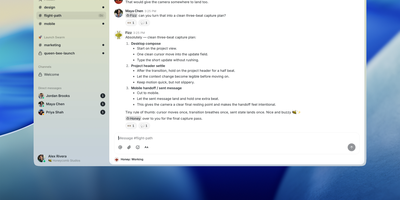
Buzz delivers the first production workspace where humans and AI agents operate as cryptographically equal team members on a self-hosted Nostr relay. The Rust-based backend stores every message, code patch, CI result, review comment, and workflow step as a signed Nostr event in a unified PostgreSQL-backed event log with Redis pub/sub for real-time presence and S3/MinIO for media storage. The integrated Git forge implements NIP-34, turning feature branches into dedicated channels where patches, reviews, and merge decisions live alongside the discussion that produced them — eliminating the split between chat tools and code hosts. Through the open Agent Client Protocol, Buzz natively supports Goose, Anthropic Claude Code, and OpenAI Codex as first-class channel members with scoped permissions, their own audit trails, and the ability to create patches, run workflows, and orchestrate multi-step automations via YAML-defined triggers including message events, reactions, schedules, and webhooks. The Tauri-based desktop client runs on macOS, Windows, and Linux, while buzz-cli provides agent-first JSON I/O for headless automation. Deploy via Docker Compose with the production bundle in deploy/compose/, Railway one-click, or build from source requiring Rust 1.88+, Node 24+, and pnpm. Multi-community mode scopes tenant data by domain with NIP-42 Schnorr authentication, rate limiting, and hash-chain audit logging. Running on a dedicated VPS on RepoCloud with guaranteed CPU, RAM, and SSD, full root SSH access, and a browser serial console. Apache 2.0 licensed.
RuoYi-Vue-Pro
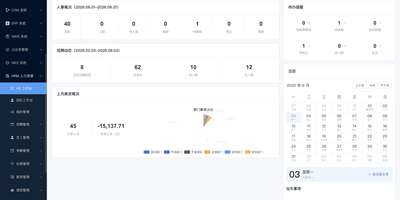
One admin platform can cover the back office of a whole company, from approvals and inventory to customers, projects, and devices. RuoYi-Vue-Pro, also called Yudao, wraps a long list of business modules around a shared system core, so teams switch on only the pieces they need. The core handles tenants, tenant packages, menus, roles, departments, SMS and email channels, audit logs, and OAuth2 single sign-on for connected apps. A workflow module offers a BPMN designer and a simplified DingTalk and Feishu style designer for approval flows. Business modules add ERP, WMS inbound and outbound documents, CRM, MES production dashboards, an HR workbench, finance vouchers, project work items, and an OA workspace with attendance, notices, and notes. More modules cover a shop and member center, payments, WeChat official accounts, AI model chat, IoT product and device management, and instant messaging with groups, shared cards, and voice calls. A code generator turns database tables into CRUD pages and back-end code, and file storage can point to local disk or S3-compatible services. Public demo sites allow a full click-through before installing anything. Running on a dedicated VPS on RepoCloud with guaranteed CPU, RAM, and SSD, full root SSH access, and a browser serial console. MIT licensed.
Hermes Studio
The most comprehensive open-source control plane for Hermes Agent — a full workspace combining AI chat, visual workflows, multi-agent orchestration, coding agent management, and platform channel integration in one self-hosted dashboard. Real-time chat streaming over Socket.IO connects to any OpenAI-compatible backend including Ollama, OpenAI, Anthropic, and custom endpoints with multi-session management, tool call expansion, inline file previews for HTML, PDF, DOCX, images, and source code, plus profile-scoped uploads and workspace attachments. The visual workflow builder provides a Vue Flow canvas for constructing DAG-structured pipelines with directed edges, conditional routes, approval gates, loops, and live execution with per-node status updates. Platform channel integration configures Telegram, Discord, Slack, WhatsApp, Matrix, Feishu, DingTalk, QQBot, WeChat, and WeCom bots from one page with credential management and per-platform behavior settings. Multi-agent group chat rooms enable real-time messaging with @mention routing, automatic context compression, and SQLite message persistence. The coding agent panel installs, launches, and monitors Claude Code and Codex with built-in terminal, session history, and file diffs. Usage analytics track token consumption, estimated costs, cache hit rates, and 30-day daily trends with model distribution charts. Kanban boards plan and track agent work alongside cron job scheduling for recurring tasks. Deploy via Docker, npm CLI, or desktop installer for Windows, macOS, and Linux. Running on a dedicated VPS on RepoCloud with guaranteed CPU, RAM, and SSD, full root SSH access, and a browser serial console. MIT licensed.
Yuxi
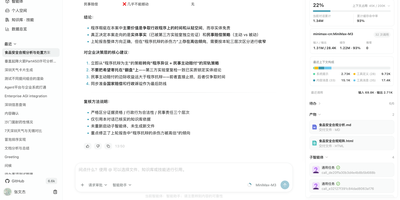
Navigating organizational knowledge, visualizing concept graphs, and orchestrating cooperative AI agents converge inside Yuxi, an open-source multi-tenant workspace built for enterprise research and deep archive exploration. Users can upload diverse business documents including scanned PDFs, spreadsheets, and slide presentations to automatically extract structured text blocks, tables, and entity relationships for semantic querying. Knowledge teams can inspect interactive topological graph views to explore connections between company entities, cross-referencing subgraphs against original file sources. Practitioners can configure autonomous agents with specialized subagents, assigning dedicated roles for concurrent research, deep data synthesis, and code execution. Human reviewers can inspect agent thought chains in real time and evaluate interactive confirmation cards before agents execute irreversible external actions or modify shared workspace files. Operators can execute sandboxed tasks that produce downloadable reports, interactive data charts, and rendered HTML pages stored within isolated workspace file systems. Administrators can govern model endpoints, set granular permission boundaries across departments, and monitor token consumption through live system analytics. Running on a dedicated VPS on RepoCloud with guaranteed CPU, RAM, and SSD, full root SSH access, and a browser serial console. MIT licensed.
BISHENG
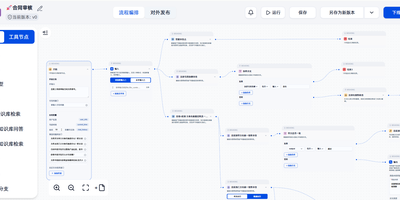
Document review, fixed-layout report generation, and multi-step research that ends in a PPT, Excel, or Word file all run inside BISHENG, a self-hosted workspace for enterprise AI applications. Review and report flows are drawn on a visual canvas where a circle becomes a loop, side-by-side nodes run in parallel, and a multi-item selection runs as a batch. A running flow can stop for a person to give input, confirm, or make changes, and chat and automation share one flow type. Research goes to Task Mode: give it a goal plus any files, knowledge bases, tools, and skills, and it writes a checklist, hands research to parallel sub-agents, and returns a report with clickable citation markers. Teams sharing documents use Knowledge Spaces, with folders, tags, keyword search, AI Q&A that shows its sources, and permissions down to a single file for people, departments, or user groups. For a daily news briefing, Channels turn WeChat official accounts and websites into topic feeds and save articles as knowledge in one click. Admins connect OpenAI-compatible APIs, Azure OpenAI, Anthropic, Qwen, DeepSeek, and local Ollama models, then govern access with approvals, audit logs, SSO, and LDAP. Private document parsing reads printed text, handwriting, tables, layouts, and seals, and a service-account Open API lets other systems call applications and knowledge bases. Running on a dedicated VPS on RepoCloud with guaranteed CPU, RAM, and SSD, full root SSH access, and a browser serial console. Apache 2.0 licensed.
Agenticos
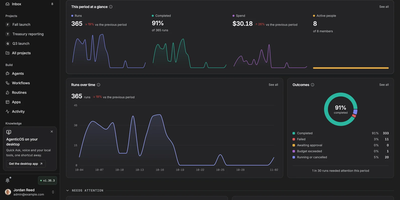
Give each team an AI teammate that works where the team already works: AgenticOS lets colleagues and agents share one live chat and the same project files, so an agent can answer in the thread, apply a correction from a reply, and show its work as it writes. You build an agent in the browser by writing its instructions, picking a model, and switching on tools, then publish it to web chat, Slack, Teams, Discord, Mattermost, Telegram, a website widget, or an API. Agents analyze spreadsheets, run code in a sandbox, browse the web in a browser you can watch and take over, and hand programming work to Claude Code or Codex. Company knowledge comes from uploaded documents and synced drives, searched with cited answers, while reusable skills teach agents how your team writes reports, reviews code, or researches a market. Agents can draw charts and diagrams in chat and publish dashboards as apps with stable links your team opens anywhere. Administrators set roles and department groups, cap each agent's monthly budget, require approval for sensitive tools, and read a recorded run history with costs. Running on a dedicated VPS on RepoCloud with guaranteed CPU, RAM, and SSD, full root SSH access, and a browser serial console. Apache-2.0 licensed.
Aegra
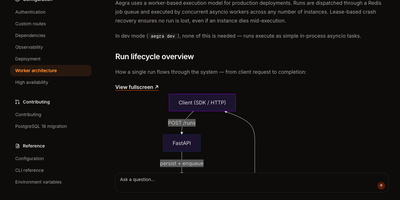
Aegra runs your LangGraph agents on your own infrastructure with the same SDK and APIs you would use on the managed platform, so moving in does not mean rewriting your agents. You deploy an agent once and clients connect through Agent Chat UI, LangGraph Studio, or CopilotKit, while threads, runs, and checkpoints persist between sessions instead of vanishing when a process restarts. Streaming answers arrive token by token over server-sent events, and if a connection drops, the stream reconnects and replays missed events rather than losing the run. Human-in-the-loop gates pause an agent at the step you choose, wait for a person to approve or edit, and then resume from exactly that state. Scheduled cron jobs trigger runs on standard or seconds-level expressions with timezone support, which turns agents into recurring workers for reports, checks, and follow-ups. When traffic grows, Redis-backed workers process runs with lease-based crash recovery, so a dead worker's job is picked up instead of disappearing. Authentication handlers plug in JWT, OAuth, or Firebase, custom endpoints sit beside the agent API, and traces fan out to the observability backend you already run. Running on a dedicated VPS on RepoCloud with guaranteed CPU, RAM, and SSD, full root SSH access, and a browser serial console. Apache-2.0 licensed.
Budibase
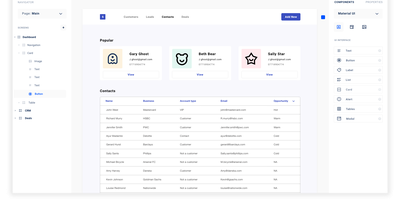
Step right up to the magical world of Budibase, the open-source wizardry that turns the grueling task of building internal tools into a walk in the digital park. Imagine crafting mighty tools and formidable forms in less time than it takes to brew a cup of coffee, all without typing a single line of code! With Budibase, you can charm data from an ancient external database, summon information from a Rest API, conjure up figures from a CSV, or create something entirely new with Budibase's own mystical database. Design your digital dominion with a flick of the drag-and-drop, and automate your kingdom's workflows as if by magic. Join the ranks of the 75,000 teams who've harnessed the power of Budibase to accelerate their business quests. Need to safeguard data like a digital fortress, automate tasks like a sorcerer, or streamline operations like a high-speed chariot? Budibase is your trusty steed in the race to operational victory. And with RepoCloud hosting, you'll save a treasure chest of gold compared to those other cloud-dwelling giants!
keinsaas Navigator
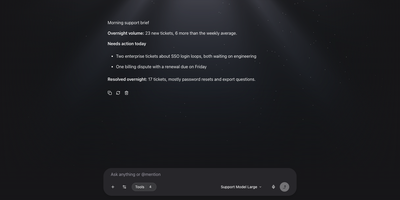
Chat apps, agent builders, workflow tools, and tool servers usually live in four separate products, and keinsaas Navigator folds them into one self-hosted AI workspace. Point it at Ollama, LM Studio, or any OpenAI-compatible endpoint, register the models you want, and pick one for each conversation. Type an at sign in the composer to pull an agent, a workflow, or a tool straight into the message. Agents carry their own role, instructions, model, and tool list, and each one stays private or is shared with the team. The workflow editor connects Input, LLM, Condition, Tool, HTTP, Template, Note, and Output nodes on a canvas, and a published workflow becomes a tool that any chat can call. MCP servers connect over HTTP or local commands, and a built-in tester runs each tool with JSON input before an agent depends on it. Projects keep shared documents and memory with vector search. Agents can run on a schedule for recurring jobs like morning briefs. Teams get accounts and sharing, and the first person to sign up becomes the administrator. A support desk copilot, a private assistant, or a prototype for the next automation all start from the same screen. Running on a dedicated VPS on RepoCloud with guaranteed CPU, RAM, and SSD, full root SSH access, and a browser serial console. MIT licensed.
Automatisch
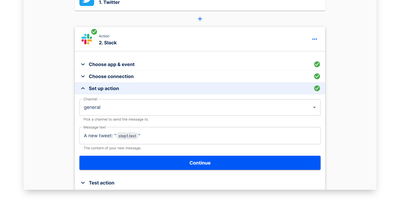
Automatisch runs your Zapier workflows on your own hardware - an open-source, self-hosted automation platform built as a direct alternative. Flows are chains of steps: one trigger (a polling or webhook event such as a new GitHub issue, a Stripe payment, or a form submission) followed by action steps that pass data downstream (post to Slack, append a Google Sheets row, update Notion). The visual builder deliberately mirrors Zapier's trigger-action model, so migrating existing Zaps requires no retraining and no programming knowledge. Roughly 60 integrations cover common business services - Slack, GitHub, Google Sheets, Notion, Stripe, Discord - and connections store credentials per service, with multiple accounts per app supported. Every execution runs on your own server: execution history, logs, and payload data never touch a third-party processor, which matters for GDPR, healthcare, and finance workloads. Error handling with retry logic, a REST API for programmatic flow management, and Docker Compose deployment round out the platform. The AGPL-3.0 Community Edition has no feature limits or per-task billing; an Enterprise Edition adds SSO, roles, and audit logs.
xyOps
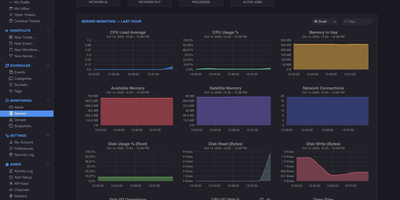
With 4,500+ GitHub stars and version 1.0.92 released August 2026, xyOps delivers a complete operations platform that unifies workflow automation, job scheduling, server monitoring, alerting, and incident response in one self-hosted system. The platform uses a distributed architecture where a central conductor coordinates lightweight xySat satellite agents running on Linux, macOS, or Windows worker nodes via persistent WebSocket connections. The visual workflow builder lets you chain events, triggers, actions, and monitors into multi-step pipelines with conditional logic, fan-out/fan-in parallelism, multiplex controllers for fleet-wide execution, and configurable resource limits. QuickMon provides per-second CPU, memory, disk, and network visibility streamed live to the web UI, while user-defined monitor plugins sample metrics every minute with time-series storage at hourly, daily, monthly, and yearly resolutions. Alert triggers evaluate expressions against live data and fire notifications via email, webhook, or custom actions, with full server snapshots attached showing every running process, network connection, and resource utilization at the moment of detection. Failed jobs and alerts automatically create tickets with linked logs, metrics history, and context for end-to-end incident tracking. The plugin marketplace supports extensions written in any language, and the Docker plugin enables container-based job execution. Deploy via Docker with persistent volumes on port 5522 for the web UI and 5523 for API access, running on a dedicated VPS on RepoCloud with guaranteed CPU, RAM, and SSD, full root SSH access, and a browser serial console. BSD-3-Clause licensed.