Coral by Subgentic
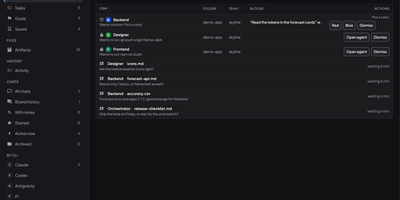
No more hunting through terminal tabs for the coding agent that stalled on a permission prompt, because Coral queues every question, approval, and file review in one Inbox. Claude Code, Codex, and Antigravity run side by side as one team, each in its own terminal session, sharing a message board and a task queue where dependencies wait on outcomes and required artifacts. Goals carry a checkable Done when line, and review gates hold dependent tasks until a reviewer approves. Files an agent produces open in a versioned viewer where you comment on passages, mark up images with a pen, arrow, or box, compare version two against version one, then approve, approve with a note, or request changes. A changed-files panel shows each agent's diff beside its chat, and optional git worktrees keep the main checkout clean. Idle agents sleep and wake when a message arrives, and whole teams can sleep through a restart. Scheduled jobs and multi-step workflows run regression suites and audits on a cron, resource queues keep concurrent agents off the same build rig, and analytics break token spend down by provider, model, thinking level, team, and task. A QR-paired phone client approves prompts on the go, and a self-hosted hub follows agents across computers. Running on a dedicated VPS on RepoCloud with guaranteed CPU, RAM, and SSD, full root SSH access, and a browser serial console. Apache-2.0 licensed.
Ackee
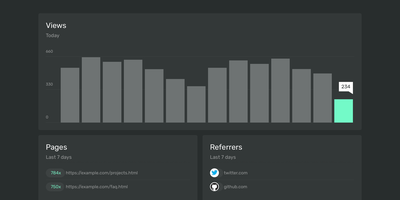
Page views, referrers, browsers, and screen sizes - Ackee delivers the analytics developers actually check, from a deliberately minimal Node.js and MongoDB stack that skips both Matomo's weight and Google Analytics' cloud dependency. Its defining constraint is anonymization: no cookies, no unique user tracking, and a multi-step anonymization process that keeps visitors unidentifiable while the aggregate numbers stay useful. In its default anonymous mode Ackee collects no personally identifiable information at all, which means GDPR and CCPA compliance out of the box and no cookie consent banner on your sites. A detailed mode adds screen size, language, and per-visit referrers - still without cookies or fingerprinting. Integration mirrors the Google Analytics pattern: create a domain in settings, drop the generated ackee-tracker snippet into your pages, and data appears in a clean single-page dashboard. One instance tracks multiple domains, and custom events capture button clicks, signups, and conversions. The distinctive engineering choice is the fully documented GraphQL API: everything the dashboard shows comes from that API, so you can query active visitors, average duration, and view statistics programmatically, feed data in from apps and services beyond websites, or build an entirely custom interface on top. If you want bare-minimum analytics with a real API and zero privacy anxiety, this is the tool.
Bloom
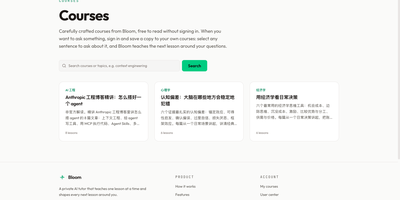
Bloom hires you a private tutor for any subject, then teaches one lesson at a time and rewrites the next lesson around what you actually understood. You begin with a topic, an uploaded PDF, text, or Markdown source, or a set of project files, and Bloom drafts a syllabus of concrete mastery items at simple, standard, or deep expansion. Each lesson arrives focused and readable, with a chapter sidebar for quick jumps and a collapsible syllabus tracking what is already mastered. Reading is active work: highlight any passage and a question thread opens beside it, streaming an answer that stays attached to that sentence for later follow-ups. Reflection questions close every lesson, and your answers, annotations, and highlighted gaps become the raw material for the next lesson, which opens by reviewing the previous answers. Source mode keeps page numbers and sections so lessons can cite where an idea came from, and project files render each document as its own page for highlight questions without generated lessons. Finished courses produce an evaluation and a summary, followed by three recommended next topics drawn from your learning history. A personal center shows a study calendar, daily activity, and streaks across your courses. Running on a dedicated VPS on RepoCloud with guaranteed CPU, RAM, and SSD, full root SSH access, and a browser serial console. MIT licensed.
Transfer.sh
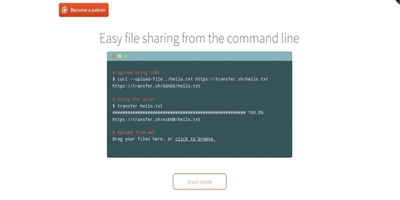
Transfer.sh is a file sharing service you host yourself, where sending a file to anyone is one curl command and receiving it is one link. Upload from the terminal with a plain PUT request or drop files into the web front end, then share the returned address with teammates, clients, or your future self on another machine. Every upload can carry its own expiry rules: cap the number of downloads, set the number of days before deletion, and let the automatic purge clean up what nobody needs anymore. A private delete link travels back with each upload, so the sender can pull a file down early without asking an administrator. Passwords can encrypt content on the server with AES256 before storage, and command line users can encrypt locally with GPG before anything leaves their machine. Uploads can be scanned through VirusTotal or a local ClamAV daemon before they are shared, which suits support desks trading log bundles and installers with people outside the company. Storage is your choice: a folder on the server disk, an S3 bucket including MinIO and other S3 compatible stores, Google Drive, or Storj, picked by configuration rather than code changes. Basic authentication, rate limiting, and automatic HTTPS through Let's Encrypt round out a service that runs as one small container on port 8080. Running on a dedicated VPS on RepoCloud with guaranteed CPU, RAM, and SSD, full root SSH access, and a browser serial console. MIT licensed.
SQLPage
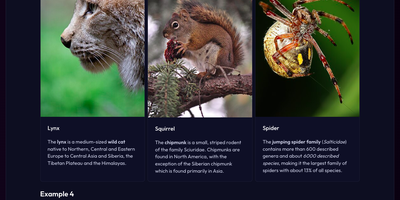
If you can write a SELECT statement, you can publish a working web app with SQLPage, where each query's results appear on the page as tables, charts, maps, or forms. A .sql file is a page. Name a component in the first row, and the rows after it become lists, cards, data grids, timelines, or step trackers. Tables offer searching, sorting, frozen headers, and per-row edit and delete buttons. Charts cover line, area, bar, pie, scatter, bubble, and heatmap views with a one-click CSV export. Forms feed INSERT and UPDATE statements directly, with validation and file uploads. A complete CRUD tool takes a handful of queries. The map component plots markers and GeoJSON shapes, and the JSON component lets the same data serve other systems as an API. Protect private pages with password logins or single sign-on through Google, Microsoft, or your own identity provider. Connect to SQLite, PostgreSQL, MySQL, SQL Server, or ODBC sources such as DuckDB, Oracle, Snowflake, and BigQuery. Tabs, modals, alerts, breadcrumbs, and carousels shape multi-page sites, and custom templates, CSS, and JavaScript fill any gap. Running on a dedicated VPS on RepoCloud with guaranteed CPU, RAM, and SSD, full root SSH access, and a browser serial console. MIT licensed.
Appsmith
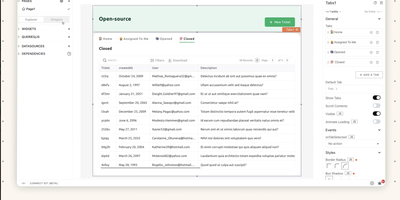
Admin panels, database GUIs, dashboards, approval flows, customer support consoles - Appsmith builds the internal tools your team keeps postponing, on an open-source low-code platform. The UI assembles from 45+ drag-and-drop widgets - tables with server-side pagination and inline editing, charts, forms, lists, buttons - which bind to data through {{ }} JavaScript expressions anywhere in the editor. Datasources cover PostgreSQL, MySQL, MongoDB, MS SQL, Redis, Snowflake, and more, plus any REST or GraphQL API, with SaaS integrations and AI query support for prompt-based steps inside apps. When the widget library falls short, custom widgets are plain JavaScript, HTML, and CSS, and external JS libraries can be imported, which keeps the platform extensible where pure no-code tools hit walls. Git-based version control enables branch-based collaboration, review, and rollback of app definitions. Queries and JS objects hold the business logic layer between datasources and UI. Self-hosted via Docker or Kubernetes, with role-based access control for published apps.
Motor Admin
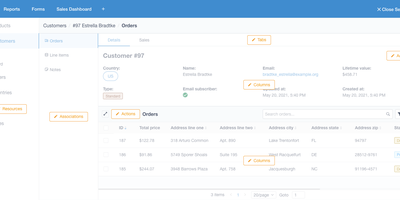
Stop building internal tools and ship your actual product - Motor Admin exists for exactly that. Point this Ruby/Vue application at a PostgreSQL, MySQL, MariaDB, or SQL Server database and it generates a complete CRUD admin panel from your schema in under a minute - search, filters, create, update, delete, all through a polished UI, with every customization done through in-app settings rather than a DSL or boilerplate code. What elevates it beyond CRUD generators is the business-intelligence half: write SQL queries (with variables) and render results as tables, numbers, line/bar/ pie charts, funnels, or markdown; organize reports into shared dashboards; and attach queries and dashboards directly to resource pages as tabs, so an order record shows its revenue history in place. Operations beyond CRUD are covered by custom actions and a WYSIWYG forms builder that posts to your existing REST or GraphQL APIs - send a refund, trigger an email, whatever your backend exposes. Email alerts deliver scheduled reports, Slack sends personalized report alerts, and intelligence search spans all resources. Governance is included: role-based permissions with row- and column-level control (CanCanCan), an audit log of admin activity, multiple database connections, and configuration sync between staging and production. Mobile-optimized, AGPL-licensed, also available as a Rails engine.
LearnBuddy
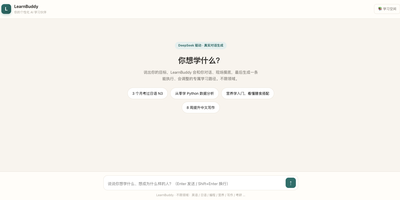
Tell LearnBuddy what you want to learn, in one conversation, and it works out where to start, what to do each day, and when yesterday's material needs another look. You describe the goal, whether that is a language, programming, nutrition, writing, or a career change, and three to five adaptive questions measure your actual baseline instead of making you pick a level from a dropdown. From there it builds a personalized path of four to twenty-four weeks and tells you daily what to study and what to review, so opening the app answers the question instead of raising it. Forgetting is treated as a scheduling problem: reviews resurface at spaced intervals, weekly self-checks test whether the plan still fits, and the roadmap replans dynamically when you race ahead or fall behind. Two editions run from the same codebase: try the hosted Cloud experience, or settle into Personal mode with your own model API key and your learning data stored on your own server. Optional OpenClaw and Feishu integration can bring the daily guidance into the chat tools you already live in. Running on a dedicated VPS on RepoCloud with guaranteed CPU, RAM, and SSD, full root SSH access, and a browser serial console. MIT licensed.
libSQL
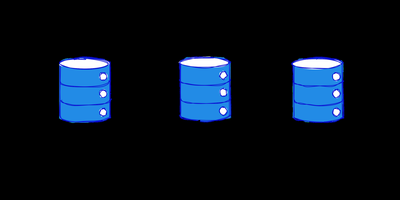
libSQL bridges the gap between SQLite's legendary simplicity and the server-accessible database model developers expect from PostgreSQL and MySQL, adding network access, replication, and vector search while maintaining full file format and API compatibility. The sqld (SQL daemon) component transforms SQLite into a network-accessible database server accepting queries via HTTP with JSON payloads, WebSocket connections, and a Hrana protocol optimized for low-latency edge access. Client libraries for TypeScript, JavaScript, Rust, Go, and Python connect to sqld identically to any traditional client-server database, while the LD_PRELOAD compatibility layer enables switching existing SQLite applications from local to remote mode without code changes. Embedded replicas synchronize a local SQLite copy inside your application process with the primary server, delivering sub-millisecond read latency while maintaining consistency through streaming replication. Bottomless replication continuously backs up database state to S3-compatible object storage with generation-based snapshots and WAL page shipping, providing point-in-time recovery without manual backup scheduling. Native vector search enables semantic similarity queries directly within SQL using cosine distance functions, eliminating the need for external vector database infrastructure. Read replica support distributes query load across multiple sqld instances, and integration with mvSQLite adds multi-version concurrency for high-availability deployments. Created by Turso with 17,100+ stars and active production deployment. Running on a dedicated VPS on RepoCloud with guaranteed CPU, RAM, and SSD, full root SSH access, and a browser serial console. MIT licensed.
Trinity
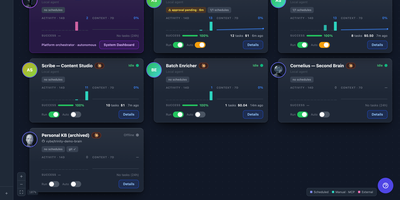
Trinity runs your AI agents the way a company runs employees, with departments, roles, reporting lines, and receipts for everything they do. Each agent holds a seat on record tied to an objective and a declared metric, so whether it is working is a number with a date on it rather than an impression. Agents work on three runtimes, Claude Code, OpenAI Codex, and Gemini CLI, chosen per chat without changing the agent's state, history, or permissions. A schedule fires, the agent works inside its own container, and anything irreversible waits in a human approver's Inbox as a card naming the agent, the skill, and the input until someone approves, discusses, or rejects it. Every agent is a git repository you own: it commits its own work, its tool calls land in an append-only audit log, and every run appears in an execution ledger with its trigger, cost, and outcome, searchable across the fleet. The same agents answer in the browser Workspace, in Slack, Telegram, and WhatsApp, over a public chat link, through MCP, and from the CLI. Guardrails bind agents by what they hold rather than what they are told, with hooks they cannot switch off, cost limits, loop budgets, and a kill switch for outbound calls. Running on a dedicated VPS on RepoCloud with guaranteed CPU, RAM, and SSD, full root SSH access, and a browser serial console. Apache-2.0 licensed.
Customermates
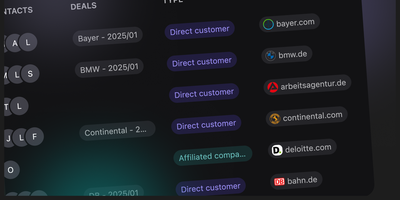
Customermates delivers a modern CRM purpose-built for teams who want practical customer management without enterprise-heavy complexity. The platform manages contacts, organizations, deals, services, and tasks through clean pipeline workflows while integrating AI agent capabilities, REST API access, webhook events, n8n automation connections, and Model Context Protocol tooling for AI-native operations. Team collaboration features include role-based permissions, comprehensive audit logging tracking every data change, and workspace organization for multi-team deployments. The deal pipeline provides customizable stages with drag-and-drop management, while task assignments and service tracking connect directly to contact and organization records for complete relationship context. API-first architecture exposes all CRM data through documented endpoints enabling custom integrations, reporting dashboards, and third-party tool connections. The n8n integration enables no-code workflow automation for lead routing, follow-up sequences, notification triggers, and cross-system data synchronization. Self-hosting requires only two files — a Docker Compose configuration and environment variables — with the published image at ghcr.io/customermates/customermates:latest running database migrations automatically on first boot. PostgreSQL provides the data layer with no additional infrastructure dependencies beyond a reverse proxy for TLS termination. The Community Edition includes unlimited users, unlimited records, full API access, n8n automation, and audit logging at zero cost. Running on a dedicated VPS on RepoCloud with guaranteed CPU, RAM, and SSD, full root SSH access, and a browser serial console. AGPL-3.0 licensed.
LobeHub
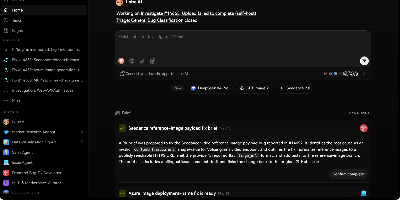
With over 82,000 GitHub stars and 700,000+ downloads, LobeHub has evolved from its origins as LobeChat into a comprehensive multi-agent AI collaboration platform where humans and autonomous agent teams co-evolve. The platform's Agent Harness architecture functions as an operating system between AI models and applications, handling prompt presets, tool orchestration, lifecycle hooks, planning, filesystem access, and sub-agent management across 25+ model providers including OpenAI, Anthropic Claude, Google Gemini, DeepSeek, Mistral, Groq, AWS Bedrock, Azure OpenAI, and local models through Ollama. Agent Groups enable sophisticated collaboration with sequential, parallel, iterative, and debate orchestration modes, allowing multiple specialized agents to tackle complex workflows simultaneously. The Agent Builder creates production-ready agents from natural language descriptions with auto-configuration, drawing from a marketplace of 505+ pre-built agents and 10,000+ MCP-compatible skills and plugins. Pages provide collaborative document editing with multi-agent co-authoring, while Schedules automate agent runs around the clock without human supervision. The knowledge base leverages PostgreSQL with pgvector for RAG-powered retrieval, and Personal Memory gives agents transparent, editable context that evolves through continual learning. The full self-hosted stack deploys via Docker Compose with PostgreSQL, Redis, RustFS for S3-compatible storage, and SearXNG for private web search, all configurable through environment variables. Running on a dedicated VPS on RepoCloud with guaranteed CPU, RAM, and SSD, full root SSH access, and a browser serial console. LobeHub Community licensed.
Dockge
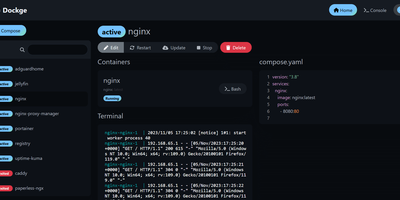
Created by the developer behind Uptime Kuma and carrying over 23,000 GitHub stars, Dockge brings the same clean, reactive design philosophy to Docker Compose stack management with a web interface that makes Portainer's compose handling feel like editing YAML in a terminal over SSH. The interactive editor provides syntax highlighting, inline validation, and a live preview of your compose.yaml files while keeping every stack stored as a standard file on disk in /opt/stacks by default, meaning you can seamlessly switch between the web UI and the docker compose CLI without lock-in or proprietary database formats. Real-time WebSocket updates stream pull progress, container start/stop transitions, and build output directly to the browser with no polling delays. The built-in web terminal opens a shell session inside any running container for quick debugging, while the docker-run-to-compose converter transforms single-container run commands into proper compose.yaml definitions with one click. Multi-agent support introduced in version 1.4.0 connects multiple Docker hosts to a single Dockge dashboard, enabling centralized management of stacks distributed across different servers. Image update detection shows which stacks have newer versions available, and one-click updates pull the latest images and recreate containers without manual intervention. The stack is a single Docker container running on Node.js with Socket.IO for reactivity and stores no external database. Running on a dedicated VPS on RepoCloud with guaranteed CPU, RAM, and SSD, full root SSH access, and a browser serial console. MIT licensed.
OpenMA
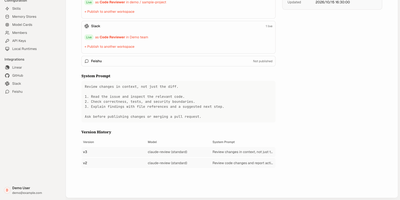
OpenMA lets you build and run AI agents with the model, harness, and sandbox you choose, on infrastructure you control, while it handles the sessions, execution, and recovery around them. Create an agent in the console, give it work, and come back later to the same session, because conversation history, streamed progress, and execution attempts are preserved rather than tied to one process that might die. Agents start with shell, file, web, and browser tools, then grow through MCP services and reusable Skills, while resources such as GitHub repositories, uploaded files, and shared memory attach to the work that needs them. Deployments run agents manually or on schedules you define, environments carry their own networking and package configuration, and model cards keep provider settings in one place instead of scattered environment files. If a sandbox fails, the session survives it; a replacement harness can rebuild context from durable events and workspace checkpoints. Operate everything through the console, the API, or the CLI, and plug in the database, queue, and object storage your deployment already trusts. Running on a dedicated VPS on RepoCloud with guaranteed CPU, RAM, and SSD, full root SSH access, and a browser serial console. Apache 2.0 licensed.
AutoGen Studio
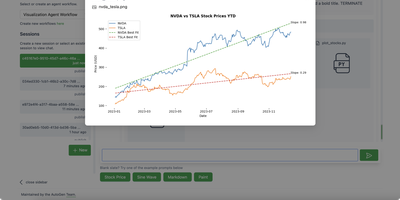
Prototype multi-agent AI systems without writing orchestration code: AutoGen Studio is Microsoft's low-code interface over the AutoGen AgentChat framework. You compose teams of LLM-powered agents in a visual Team Builder, either by drag-and-drop from a component library or by editing the declarative JSON specification directly. Each agent gets a model, a prompt, tools (Python functions), and the team gets termination conditions and an orchestration pattern, sequential or LLM-driven. The Playground runs teams interactively with live message streaming between agents, a visual control-transition graph, tool-call and code-execution tracking, and pause/stop controls, which makes it a practical debugger for agent behavior. Finished teams export as JSON for use in any Python application via the TeamManager class, or serve as an API endpoint. Any OpenAI-compatible model endpoint works, including local servers like Ollama or vLLM. Microsoft labels it a research prototype: use it for prototyping and evaluation, and build production systems on the underlying AutoGen framework.
Relaticle
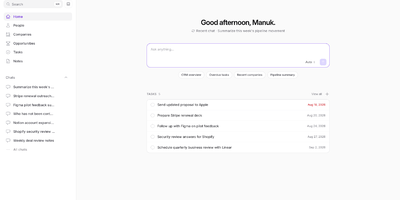
Relaticle delivers the first CRM built from the ground up for both human operators and AI agents — a self-hosted platform where Claude, GPT, Gemini, or any custom model connects through a production-grade MCP server exposing 30 tools for full CRUD operations across companies, people, opportunities, tasks, and notes without a single line of integration code. The 22 custom field types include text, email, phone, currency, date, select, multiselect, entity relationships, conditional visibility rules, and per-field encryption — all configurable through the UI without database migrations or code changes. Multi-team isolation enforces data boundaries through a 5-layer authorization system with team-scoped workspaces, API tokens, and granular permissions. The JSON:API REST surface provides Spatie QueryBuilder filtering, sorting, and pagination with schema discovery endpoints that let agents introspect your data model at runtime. A built-in AI chat connects directly to CRM data for natural language queries, while the external MCP server gives any compatible agent the same 30-tool access. Docker Compose deployment runs five containers — app (nginx + PHP-FPM), Horizon queue worker, scheduler, PostgreSQL 17, and Redis 7 — with automatic migrations on startup and demo data seeding for new teams. Running on a dedicated VPS on RepoCloud with guaranteed CPU, RAM, and SSD, full root SSH access, and a browser serial console. AGPL-3.0 licensed.
Netron
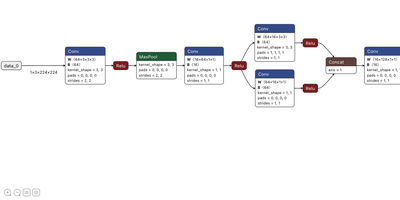
Hand Netron an ONNX, TensorFlow Lite, PyTorch, Core ML, or Keras file and the whole network appears as a zoomable graph, with no training framework or inference runtime required to read it. The same viewer opens TorchScript, torch.export, ExecuTorch, TensorFlow, OpenVINO, Caffe, Darknet, Safetensors, and NumPy files, with experimental support for MLIR, JAX, GGUF, RKNN, ncnn, MNN, PaddlePaddle, and scikit-learn. Click a layer to read its type, attributes, inputs, and outputs; click a weight to see its shape, data type, minimum, maximum, mean, standard deviation, and sparsity. Find searches nodes, connections, and weights by name and centers the graph on the match you pick. Toggle attributes, names, and weights on the canvas, flip between vertical and horizontal layouts, and watch light and dark themes follow the system setting. Model and graph panels list the format, producer, imports, graph inputs and outputs, and parameter counts. Any view exports as a PNG or SVG image for documentation, pull requests, and papers. Install with pip, then run netron model.onnx with a host and port, or call netron.start from Python, and the built-in HTTP server delivers the graph to any browser that can reach it. Teams point reviewers at one shared address to check exported models and conversion results. Running on a dedicated VPS on RepoCloud with guaranteed CPU, RAM, and SSD, full root SSH access, and a browser serial console. MIT licensed.
PhreshOS
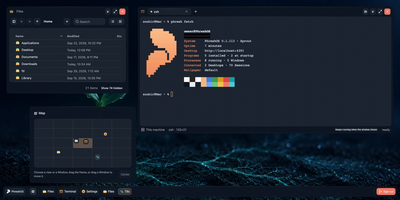
Your server already runs your apps; PhreshOS gives it a desktop. Install the System once and every Program you add gets a window on a real browser desktop, complete with taskbar, start menu, and a plane of views you can spread work across. Close the browser and nothing stops: each Program's server keeps running on the machine, holding its data and state, and when you open the Desktop again the windows are exactly where you left them. The System handles the groundwork every small web tool normally rebuilds for itself: one sign-in for the owner, permissions that decide what each Program may reach, storage and uploads, logs, and messaging between Programs, so a new tool only brings its own logic. Everyday pieces like the file manager, Settings, and even the wallpaper are Programs too, and an appearance changes colors and motion across the whole desktop at once. The same Desktop opens in several browsers simultaneously, each with its own view and scale, and AI agents work alongside you through the same Programs and APIs you use. When you want another tool, you create it as a small web project and its window appears on your desktop. Running on a dedicated VPS on RepoCloud with guaranteed CPU, RAM, and SSD, full root SSH access, and a browser serial console. MIT licensed.