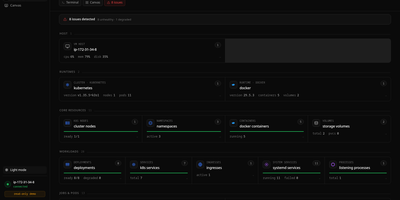
InfraCanvas
InfraCanvas draws the picture ten terminal commands cannot: a live map in your browser of every container, pod, service, volume and network on a machine, showing what runs where, what talks to what, and what is broken in one glance. Nodes turn green, amber or red from real state, including container health, pod phases, ready replicas, zombie processes and host thresholds, and real connection edges appear between processes, like your app server talking to Postgres on port 5432, read straight from the machine. It works where workloads already live: Docker and Podman containers, full Kubernetes object graphs from nodes to ingresses, LXD and Incus containers, and plain systemd or PM2 services on VMs with no container runtime. From any node you can shell into the container, pod or host, tail logs, restart or stop a service, scale a deployment, run a rolling restart, change an image or kill a process, with secrets masked before anything reaches the screen. A second machine joins through an outbound-only agent, and clusters connect by dropping in a kubeconfig with nothing installed inside them. The self-hosted binary needs no account, sends no telemetry and opens no inbound port: it binds localhost on port 7777 behind a random per-install token, with an optional read-only mode, and every action is audit-logged. Running on a dedicated VPS on RepoCloud with guaranteed CPU, RAM, and SSD, full root SSH access, and a browser serial console. AGPL-3.0 licensed.
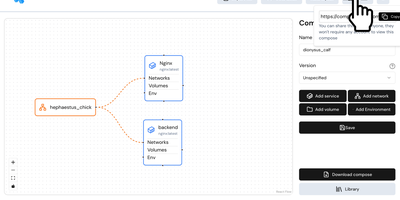
Compose Craft
Compose Craft is an open-source visual diagramming and management platform that transforms raw Docker Compose configuration files into an interactive canvas of interconnected service nodes. Developers can drag and drop container services to map complex microservice architectures, automatically wiring port mappings, internal bridge networks, volume mounts, and dependency relationships. The real-time synchronization engine reflects every node repositioning, environment variable adjustment, and resource constraint directly into standard docker-compose syntax alongside a live editable code preview pane. Teams can import existing configuration files to diagnose routing conflicts, auto-format tangled service trees, and generate clean architectural documentation for operational handoffs. Engineers can generate shareable read-only public links to demonstrate infrastructure topologies to teammates and external reviewers without forcing them to register accounts. The built-in playground lets administrators experiment with container restart policies, healthcheck definitions, build contexts, and secret keys before deploying to production hosts. Running on a dedicated VPS on RepoCloud with guaranteed CPU, RAM, and SSD, full root SSH access, and a browser serial console. MIT licensed.

Hammond
When Clarkson, the once-popular fuel logger, stopped receiving updates, Hammond stepped in as its logical successor - a self-hosted vehicle expense tracker. Written in Go with a Vue.js interface and SQLite storage - a single lightweight container, no external database - it tracks every cost your vehicles generate: fuel fill-ups with cost, volume, and odometer readings; maintenance and repairs; and arbitrary other expenses, each attachable with photos and documents stored against the vehicle. The multi-user, multi-vehicle design is what sets it apart from phone apps: a household or small business adds all its vehicles and all its drivers, shares vehicles across users, and every fill-up lands in one ledger no matter who was driving. The Quick Entries feature respects how expenses actually happen - snap a photo of the receipt or pump screen at the gas station, then complete the structured entry later when you have a minute. Reporting works at both the vehicle level (cost per distance, fuel economy trends) and across the whole fleet. Migration matters here: importers for Clarkson, Fuelly, and Drivvo bring years of fill-up history along, so switching does not mean starting your data over.
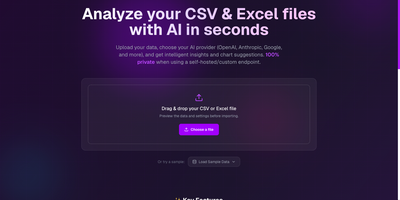
CSV AI Analyzer
A spreadsheet goes in, a plain-English readout comes out, and with a local model the file never leaves your own network. CSV AI Analyzer reads CSV and Excel files, detects delimiters, headers, and column types, and opens with a data-quality report that counts missing values, repeated rows, and type mismatches per column. A searchable preview table sits next to column, sort, and filter controls. One click on Run Complete Analysis produces a summary with key insights, an anomalies view, and chart suggestions, and the Custom Query tab answers follow-up questions in a chat thread. Charts come as bar, line, pie, scatter, or area, can be built by hand from any two columns, and export as SVG, PNG, or CSV. Reports download as PDF or Markdown. Point it at OpenAI, Anthropic, Google, Mistral, or any OpenAI-compatible endpoint, including Ollama, LM Studio, and vLLM, to keep analysis fully local. API keys stay encrypted in the browser, and a language selector switches the interface. Monthly finance exports, operations reports, and founder dashboards turn into answers without a single formula. Running on a dedicated VPS on RepoCloud with guaranteed CPU, RAM, and SSD, full root SSH access, and a browser serial console. MIT licensed.
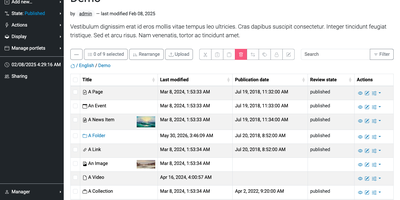
Plone
Editors who need to publish a page, route it through review, and roll back a mistake can do all of it in Plone, an open-source CMS, without writing any code. Pages are assembled in place from blocks such as grids, teasers, listings, maps, tables, and video, with a sidebar for page and block settings. A folder-style Contents view handles cut, copy, paste, rename, and workflow state changes in bulk. An editor can revert a page to an earlier revision from its version history. Administrators create new content types through the web in the Content Types control panel and attach behaviors such as versioning. Permissions are assigned per role, group, and workflow state. Content rules publish, move, or notify automatically when an item changes state. One installation can serve an intranet, a public website, and an extranet, with a form builder and a faceted search block built in. Sign-in integrates with LDAP, Active Directory, OpenID, Shibboleth, CAS, and Kerberos. The interface is translated into over 30 languages, and multilingual content is supported. The REST API makes Plone a headless CMS for custom frontends, and the server-rendered Classic UI stays available for sites that prefer it. Official Docker images are available, and clustering or PostgreSQL storage helps a busy site grow beyond one server. Running on a dedicated VPS on RepoCloud with guaranteed CPU, RAM, and SSD, full root SSH access, and a browser serial console. GPL-2.0 licensed.
Chiyogami
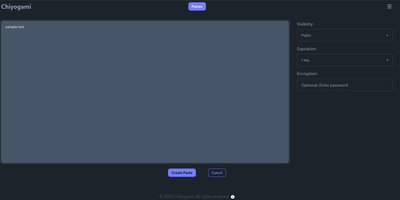
Chiyogami is a pastebin you host yourself for sharing code, logs, notes, and text snippets through short links that expire on your terms. Paste into the web editor and the content comes back formatted, with syntax highlighting for code and rendered Markdown for prose, so a stack trace or a runbook reads the way it was written. Anything sensitive can be encrypted in the browser before it leaves your machine, and the server never stores the password, which makes an encrypted paste safe to pass through chat or email. Every paste carries a configurable lifetime, from minutes to never, and visibility choices keep a snippet public, unlisted, or private behind an unguessable address. Registered users manage their own pastes from an account, and anonymous quick pastes stay available for one-off sharing. The public paste list supports search, so a team instance doubles as a small shared snippet library. Developers can skip the browser entirely: one curl command creates a paste from a file or a JSON body, and the API returns a short title that fetches the content later. Sharing extends to QR codes for moving text onto a phone, and built-in rate limiting throttles spam and abuse before it fills the database. Running on a dedicated VPS on RepoCloud with guaranteed CPU, RAM, and SSD, full root SSH access, and a browser serial console. BSD-3-Clause licensed.

Kumiho
Drop a hard drive's worth of comics, e-books, and audiobooks into folders, point Kumiho at them, and the whole collection becomes a library you can browse and read from any browser. The scanner walks nested folders recursively and treats the folders that actually hold pages or files as series, so an existing collection works as it is, with no metadata matching ritual before the first read. Comics and manga open in a responsive viewer built for the format: page turning on a desktop, continuous webtoon scrolling on a phone or tablet. E-books in EPUB, PDF, and TXT open in the same library, while archives in ZIP and CBZ are read directly without unpacking. Audiobooks get a real player, with a chapter list, resume playback that remembers where you stopped, progress tracking, bookmarks, and a sleep timer for listening at night. A series folder can even carry its own soundtrack: an MP3 whose filename matches starts playing as background music while you read. Everything runs from one lightweight Go server in a single Docker container, storing its database and configuration in mounted volumes, so the library sits comfortably on a small VPS next to the files it serves. Running on a dedicated VPS on RepoCloud with guaranteed CPU, RAM, and SSD, full root SSH access, and a browser serial console. Apache 2.0 licensed.

LearnBuddy
Tell LearnBuddy what you want to learn, in one conversation, and it works out where to start, what to do each day, and when yesterday's material needs another look. You describe the goal, whether that is a language, programming, nutrition, writing, or a career change, and three to five adaptive questions measure your actual baseline instead of making you pick a level from a dropdown. From there it builds a personalized path of four to twenty-four weeks and tells you daily what to study and what to review, so opening the app answers the question instead of raising it. Forgetting is treated as a scheduling problem: reviews resurface at spaced intervals, weekly self-checks test whether the plan still fits, and the roadmap replans dynamically when you race ahead or fall behind. Two editions run from the same codebase: try the hosted Cloud experience, or settle into Personal mode with your own model API key and your learning data stored on your own server. Optional OpenClaw and Feishu integration can bring the daily guidance into the chat tools you already live in. Running on a dedicated VPS on RepoCloud with guaranteed CPU, RAM, and SSD, full root SSH access, and a browser serial console. MIT licensed.
Middleware
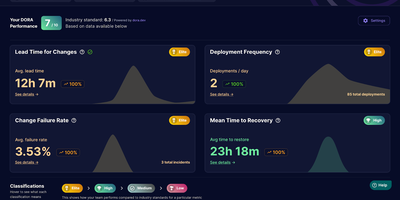
Middleware turns the pull request history your team already has into live DORA metrics, so engineering leads can see deployment frequency, lead time, recovery time, and change failure rate without building a reporting pipeline. Connect GitHub with a personal access token, group repositories into teams, and the dashboard starts charting how often you ship and how long changes take to reach production. Lead time is not one opaque number; it breaks into first commit to pull request, first response time, rework time, merge time, and merge to deploy, so the actual bottleneck is visible instead of guessed at. Merged pull requests count as deployments and revert pull requests count as incidents, which means recovery time and change failure rate appear even if your team has no separate incident tool wired up. You can exclude bot and dependency pull requests, define which branches count as production, and filter incidents in settings, so the metrics match how your team actually ships rather than how a generic template assumes. Bring it to a weekly engineering review to catch a review queue quietly doubling merge times, or open it after an incident to see if failure rate is trending the wrong way across a team. Running on a dedicated VPS on RepoCloud with guaranteed CPU, RAM, and SSD, full root SSH access, and a browser serial console. Apache-2.0 licensed.
KoShelf
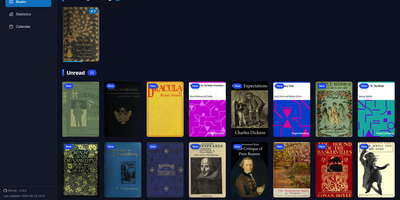
Your e-reader already knows everything about your reading life, and KoShelf turns that KOReader metadata into a beautiful dashboard you can browse from any browser. The library overview gathers currently reading, completed, and unread books and comics, while each item's page collects your highlights, annotations, ratings, and review notes in one place. Reading statistics chart your time and pages with customizable activity heatmaps and weekly breakdowns, and per-item statistics reveal session counts, average session length, and reading speed for every book. A monthly calendar shows what you read on each day, and the yearly recap celebrates completions with monthly summaries of finished items and hours read. Supported books open right inside KoShelf's own reader, with keyboard navigation, a progress scrubber, and inline highlight notes. Metadata entries survive even when the original document disappears, because library archives preserve covers and reading data until the source returns. With writeback enabled in server mode, you can edit annotations, ratings, status, and covers from the browser, protected by revision checks and recoverable backups so external changes are never overwritten blindly. Search by title, author, or series, filter by reading status, and download original files whenever you need them. Running on a dedicated VPS on RepoCloud with guaranteed CPU, RAM, and SSD, full root SSH access, and a browser serial console. EUPL-1.2 licensed.
Codex LB Enhanced
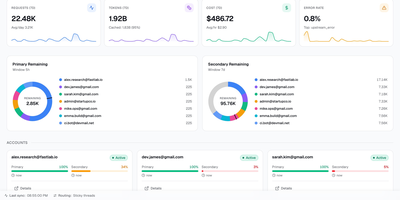
Codex LB Enhanced is a session-aware gateway that pools your ChatGPT accounts so a long Codex session survives quota limits, dropped connections, and paused accounts without losing the conversation. It serves Codex desktop, CLI, and IDE clients through the native Responses protocol and WebSocket transport, and answers any OpenAI-compatible client through the familiar /v1 endpoints. When an account runs out of quota, gets suspended, times out, or drops mid-stream, the gateway classifies the failure, removes that account from the current request, and selects the next one through your load-balancing policy. Verified request history, including interrupted tool-call context, is replayed across the account switch when it is safe, so the client sees a slower answer instead of a dead stream. Every API key carries its own policy: time windows from five hours to monthly, limits by credits, tokens, or cost, and model-specific rules. Usage appears in native Codex quota headers and in a /v1/usage view backed by the same data, so editors and automation agree on what is left. Diagnostics correlate each request with its upstream account, transport, failover stage, and retry count, and a web dashboard manages accounts, keys, usage windows, request logs, and recovery reports. Running on a dedicated VPS on RepoCloud with guaranteed CPU, RAM, and SSD, full root SSH access, and a browser serial console. MIT licensed.
OCI Core
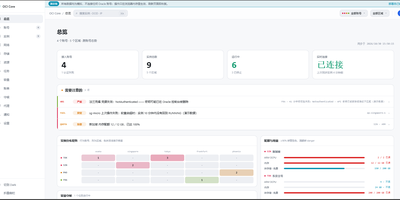
Anyone juggling several Oracle Cloud accounts knows the tab-switching ritual; OCI Core ends it by pulling every tenancy's instances into one self-hosted panel. The cross-account list shows state, shape, volumes, and public IPs for each machine, and you can start, stop, resize, rename, or terminate instances without opening Oracle's console. A creation wizard offers every shape in an availability domain, not just the free presets, while long operations such as IP swaps, resizes, and terminations run as background jobs with visible progress. Capacity hunting watches Oracle's read-only capacity reports and retries creation until a scarce shape appears, notifying you when it lands. Networking tools edit VCNs, subnets, and security rules visually, swap public IPs, enable IPv6, and manage extra network cards. Storage views resize boot and block volumes, and a rescue mode moves a broken system disk to a healthy machine for repair. Billing breaks spend down by service and region, tracks the monthly free egress allowance, and shows real usage for free-tier accounts. Accounts are checked for connectivity, quotas, and credential health, with emails, IPs, and OCIDs masked by default and revealed only on demand. Alerts reach Telegram, WeCom, DingTalk, email, or webhooks, and access is guarded by argon2id passwords, TOTP two-factor sign-in, session controls, and an audit log. Running on a dedicated VPS on RepoCloud with guaranteed CPU, RAM, and SSD, full root SSH access, and a browser serial console. MIT licensed.
HabitSync
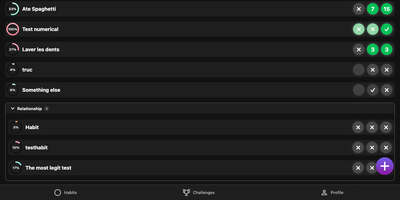
HabitSync treats habit tracking as a team sport, because willpower alone rarely survives February. Set each habit up the way life actually works: daily, weekly, monthly, on chosen weekdays, or at a custom interval, with a target value to reach or a ceiling to stay under for the habits you are trying to quit. Logging takes one tap, or a long press when today's effort deserves a custom number or a stopwatch. Share a habit with a partner, a sibling, or the whole household and everyone's progress sits side by side, which turns "did you go to the gym" into a question the dashboard answers. Monthly challenges raise the stakes with community voting, leaderboards, and medals for the top performers, while gentle automation watches your back: scheduled reminders when a habit goes unlogged, an alert when your completion slips under a threshold, and a quiet nudge when a friend overtakes you. Years of Loop Habit Tracker history import instead of being abandoned, and the installable web app keeps the streak one tap away on any device. Running on a dedicated VPS on RepoCloud with guaranteed CPU, RAM, and SSD, full root SSH access, and a browser serial console. BSD-3-Clause licensed.
Moocup
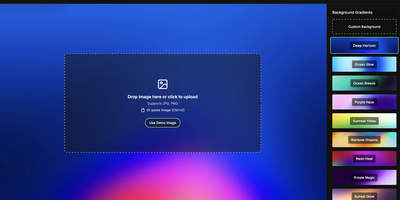
Drop your screenshot, a base style is applied, style it however you wish, and export - "that's basically it," says Moocup's own author, and the description holds. The workflow is genuinely seconds long. Drag an image in and it lands on an attractive backdrop immediately; from there you adjust backgrounds, gradients, padding, borders, shadows, and framing with live preview until it matches your taste, then export a high-quality image ready for a portfolio page, README, blog post, tweet, or slide deck. There are no accounts, no watermarks, and no upload to anyone's cloud - as a self-hosted static app, your screenshots never leave your infrastructure, which matters when the screenshot shows a proprietary dashboard or unreleased product. It runs entirely in the browser from a tiny nginx container, works on any device, and requires zero design skill: the smart defaults do the heavy lifting, and everything else is optional tinkering.

Shortlink
Shortlink is a self-hosted platform for short links and live QR codes that keeps every printed, shared, or forwarded entry point under your control long after it leaves your hands. A code printed on ten thousand flyers cannot be recalled when the campaign page moves, so the destination behind it changes while the printed image stays exactly the same. Create short links with custom codes, a choice of 301, 302, 307, or 308 redirects, expiry dates, visit caps, and a fallback target for when the main destination is down. Build live QR codes backed by a pool of destinations that rotates by order, weight, random pick, or least-shown strategy, with transactional saves so a half-finished edit never goes live. Style each code in classic, rounded, or dot patterns with your own colors and a center logo, preview it in real time, and download print-ready SVG, PNG, or WEBP files. New links and codes land in an approval queue that an admin reviews before anything goes public, and every change is written to an audit log. Teammates sign in with an emailed magic link or GitHub, manage only the resources they own, and watch thirty days of visit trends, unique IPs, and device and browser breakdowns roll in. Running on a dedicated VPS on RepoCloud with guaranteed CPU, RAM, and SSD, full root SSH access, and a browser serial console. AGPL-3.0 licensed.
Retinue
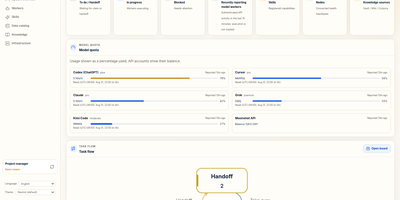
Retinue shows who is doing what across a fleet of AI agents, on a shared board where every task is a card with exactly one holder, a written acceptance check, and a receipt chain that cannot be rewritten. Operators publish cards, agents claim them through MCP or a token-scoped HTTP API, report progress, and hand off, and an agent that is not the holder gets a refusal when it tries to write. The Home dashboard counts what is waiting, running, and blocked, charts task flow and dispatch, and shows quota gauges for Claude, Codex, Cursor, Grok, and Kimi subscriptions. A collaboration workspace draws delegation graphs, device and model timelines, module contributions, and message conversations for any selected task. Operations pages report token usage by worker, and a data health page flags stale reports and duplicate identities. Read-only importers pull session data from Claude Code and Codex, and optional Lark, Feishu, and Telegram bridges turn chat messages into intents. The interface switches between English and Simplified Chinese. Running on a dedicated VPS on RepoCloud with guaranteed CPU, RAM, and SSD, full root SSH access, and a browser serial console. AGPL-3.0 licensed.
Netmon
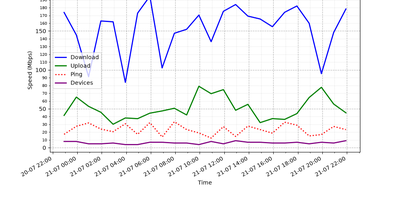
Every half hour, Netmon speed-tests your internet connection, counts the devices on your local network, and reports to your Telegram or Discord with charts and a sarcastic AI-written verdict. Each cycle measures download, upload, ping, ISP, and test server with a single-connection test that mimics one real download, then scans the subnet to tally phones, laptops, and mystery gadgets. Results land in a local SQLite database, building the trend history behind every report. Every four hours you get the full picture: a 24-hour speed graph plus an AI analysis that notices the evening drop, counts the new devices, and names the likely bandwidth hog in plain language. Between reports, short status alerts keep you posted with a simple all-good or line-is-dying. The AI commentary can run on a cloud model or a local one through Ollama or LM Studio, graphs and alerts convert cleanly between Telegram formatting and Discord embeds, and the whole bot runs unattended as a background service. Running on a dedicated VPS on RepoCloud with guaranteed CPU, RAM, and SSD, full root SSH access, and a browser serial console. MIT licensed.
NextOrders
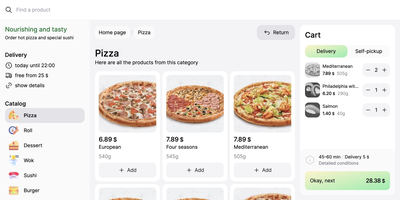
Marketplace apps take a large slice of every order, and NextOrders Food gives a restaurant its own ordering website instead. Customers land on a storefront carrying your brand, browse the menu, and check out under your domain, so the customer relationship stays with the kitchen. A city selector opens the right location storefront, which suits chains and ghost kitchens running several neighborhoods from one deployment. Menus speak to more guests with eleven or more bundled languages, from English and German to Georgian and Simplified Chinese. The cart stays visible on desktop during browsing, removing the hunt for the checkout button that loses hungry customers. Product pages can carry video, and the ordering flow highlights items frequently bought together, nudging a drink or side into the basket. Delivery and pickup are both supported at fulfillment, letting one menu serve couriers and counter collection. Pages render on the server as separate indexable pages, so search engines can find a city menu rather than a script shell. Behind the counter, the storefront talks to your backend through a typed food schema: your service supplies menus, prices, and order handling, and an example business logic service in the repository shows the contract working. Running on a dedicated VPS on RepoCloud with guaranteed CPU, RAM, and SSD, full root SSH access, and a browser serial console. MIT licensed.