Carbone
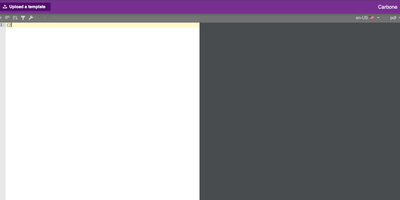
Document-generation code is the worst kind of code in your backlog - Carbone kills it. Its insight is separating design from data - templates are ordinary office documents (DOCX, ODT, XLSX, PPTX, HTML, even custom XML) built in LibreOffice, Microsoft Office, or Google Docs, with mustache-like markers such as {d.companyName} typed directly into the text. Send a template plus JSON from your existing APIs to the HTTP API, and Carbone returns the finished document - exported as-is or converted to PDF, XLSX, CSV, HTML, PNG, EPUB, and more via its integrated LibreOffice converter (Chromium and OnlyOffice engines are also supported for HTML-fidelity and office-format conversions). The template language goes well beyond substitution: loops over arrays render dynamic table rows, filters and aggregations run inside the document, and built-in formatters handle dates, numbers, currencies, timezones, and locales, with custom JavaScript formatters when needed. One template serves multiple languages through translation markers with auto-maintained translation files. The XML-agnostic engine means anything your document editor can design - pagination, headers, footers, nested tables, charts - survives generation intact, and Carbone guarantees no breaking changes in template syntax. Node.js-based, fast via multi-threaded LibreOffice conversion. The invoices, contracts, and reports your product owes its users become template edits, not sprints.
DocuSeal
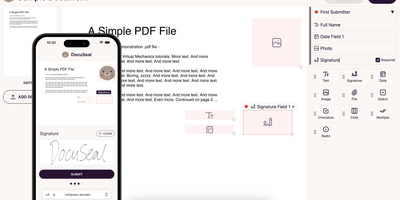
Contracts signed on your own server: DocuSeal is the most feature-complete open-source, self-hosted alternative to DocuSign. A WYSIWYG builder turns any PDF into a fillable form with 14 field types: signature, initials, date, file upload, checkbox, dropdown, radio, stamp, and more. Documents route to multiple submitters in sequence or parallel, with automated SMTP email notifications, reminders, and a mobile-optimized signing experience that works on any device without an account. Every completed document carries an automatic PDF eSignature with verification and an audit trail. Templates are reusable and can also be generated programmatically - from HTML via API or from PDFs and DOCX files with embedded field tags - and the REST API plus webhooks drive full workflow automation, with embedded signing forms and form builders for React, Vue, Angular, and plain JavaScript. Files store on disk or in S3, Google Cloud Storage, or Azure. The UI ships in 7 languages with signing in 14. Runs on SQLite, PostgreSQL, or MySQL; AGPL-3.0 licensed with unlimited documents and no per-signature fees.
Gotenberg
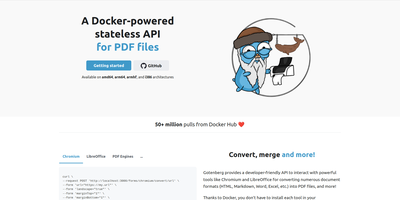
Send a document, receive a PDF: Gotenberg is a Docker-based, stateless HTTP conversion API trusted in production by thousands of companies and adopted by notable open-source projects. Send files as multipart/form-data, get a PDF back; Chromium, LibreOffice, and fonts are the container's problem, not yours. Headless Chromium handles URLs, HTML templates, and Markdown with pixel-perfect browser rendering: it executes JavaScript, loads web fonts, waits for network idle, a JS expression, or a DOM selector before rendering SPAs, and accepts injected cookies and HTTP headers for authenticated pages. LibreOffice converts 100+ office formats - .docx, .xlsx, .pptx, and legacy formats - with page-range extraction and PDF/A archival conformance. Built-in PDF engines round out the pipeline in every image variant: merge, split, rotate, flatten, encrypt, watermark, stamp, read/write metadata and bookmarks, plus Factur-X/ZUGFeRD e-invoicing and PDF/UA accessibility compliance. Screenshots of URLs and HTML come from the same endpoints. Zero-transfer pipelines stream files directly between S3, MinIO, or GCS presigned URLs and Gotenberg, bypassing your application entirely, and webhooks enable async processing. Statelessness means horizontal scaling is trivial - run as many replicas as your conversion volume demands. Three image variants (full, Chromium-only, LibreOffice-only) trim the footprint to what you actually use.
BentoPDF
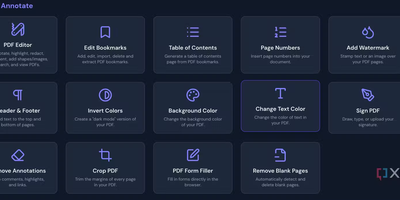
Merge, split, compress, convert, edit, annotate, redact, OCR, and sign PDFs - BentoPDF packs over 130 tools into a privacy-first toolkit that runs entirely in the browser through WebAssembly. Files are never uploaded - processing happens in browser memory on the user's machine and disappears when the tab closes, which makes the tool GDPR-clean by architecture and safe for financial, legal, and internal documents. The engine combines WASM builds of PyMuPDF, Ghostscript, and CoherentPDF; Tesseract handles OCR with searchable text-layer output; Office conversions cover Word, Excel, and PowerPoint; and digital signatures use X.509 certificates (PFX/PEM) with the private key staying on the client. Because there is no server-side processing, deployment is a static-file exercise: a single Docker container, or any static host. A dedicated self-hosted build strips the marketing pages while keeping every tool, and air-gapped deployments are first-class - an automated script bundles the WASM modules, OCR language data, and fonts for fully offline networks. No accounts, no limits, no watermarks; TypeScript and Vite under the hood.
StirlingPDF
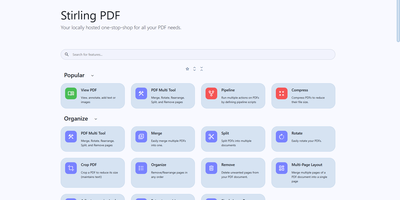
Adobe Acrobat and Smallpdf, answered by a self-hosted Java web application: Stirling PDF processes every file with its 60+ tools on your own server and deletes it after the task completes. Nothing is uploaded to a third party, which is the whole point for contracts, invoices, and medical records. The toolbox covers page operations (merge, split at page numbers or scanned dividers, rotate, reorder, crop, extract), conversion in both directions between PDF and Word, Excel, PowerPoint, images, HTML, and Markdown, OCR that turns scans into searchable PDFs via Tesseract/OCRmyPDF (including PDF/A archival conversion), and security tools for passwords, permissions, watermarks, signatures, and true UI-driven text redaction. A built-in viewer handles annotation, drawing, and text or image insertion, and V2 added stateful processing - upload once, chain multiple tools - plus undo/redo history. For automation, nearly every tool has a REST API endpoint, no-code pipelines combine operations into custom logic chains, and watched folders process files automatically. Enterprise deployments get SSO, user management, and audit logging; the interface ships in 40+ languages. With 84K+ GitHub stars it is the most popular PDF tool in self-hosting, replacing $20/month Acrobat subscriptions with flat infrastructure cost.
OpenSign
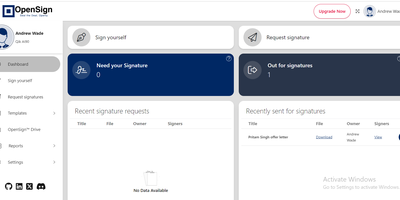
With 6,700 GitHub stars, 79 releases, and 40 contributors since its October 2023 launch, OpenSign delivers a fully free electronic signature platform that removes the per-envelope pricing and seat limits of commercial e-signing services. The React-based frontend provides a drag-and-drop interface for placing signature fields, initials, date stamps, text inputs, and checkboxes onto PDF documents, while the Parse Server backend built on Node.js handles document routing through configurable multi-signer workflows with sequential or parallel signing order. Guest signers authenticate via one-time-password email verification without requiring account creation, while registered users manage documents through OpenSign Drive — a centralized vault with folder organization and status tracking across draft, in-progress, completed, and declined states. Every signing action generates tamper-proof audit trails logging timestamps, IP addresses, email addresses, and phone numbers, culminating in a detailed completion certificate attached to the finished document. The REST API v1.2 exposes endpoints for document creation, template dispatch, self-signing, and real-time webhook notifications on document lifecycle events, with regional deployments available in US and EU. PDF templates with pre-placed widgets enable repeated dispatch to different signers in a single API call. Custom branding controls email invitation templates, signing page appearance, and completion certificate styling. Deploy via Docker Compose with MongoDB, Caddy reverse proxy, and automatic HTTPS provisioning. Running on a dedicated VPS on RepoCloud with guaranteed CPU, RAM, and SSD, full root SSH access, and a browser serial console. AGPL-3 licensed.
Overleaf
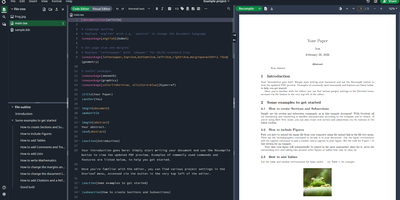
Multiple authors can edit the same LaTeX document simultaneously in the browser with live cursor tracking, conflict-free merging, and instant PDF compilation on every save. Overleaf Community Edition brings the collaborative editing experience that millions of researchers and academics rely on, with no compile time limits, storage quotas, or collaborator caps imposed by the hosted tiers. The web editor provides syntax highlighting, auto-completion, and bracket matching alongside an integrated PDF preview panel powered by a bundled TeX Live distribution supporting pdfLaTeX, XeLaTeX, and LuaLaTeX engines. The file tree panel organizes multi-file projects with separate files for chapters, figures, bibliography references, and style definitions. BibTeX and Biber handle bibliography management, and detailed compilation logs offer clickable error navigation to the exact source line causing each issue. Users upload images, PDFs, and data files directly through the browser, and a template gallery provides starting points for journal articles, conference papers, theses, presentations, and CVs. Over 17,800 GitHub stars and a decade of active development anchor the project. The application runs as containerized microservices including the Node.js web application, MongoDB for persistence, and Redis for session management. Running on a dedicated VPS on RepoCloud with guaranteed CPU, RAM, and SSD, full root SSH access, and a browser serial console. AGPL-3.0 licensed.
Knowhere
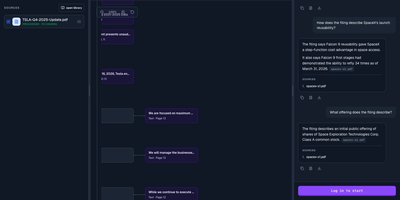
With 2,600+ GitHub stars since its May 2026 open-source launch, Knowhere solves the last-mile problem of document intelligence for AI systems — transforming complex unstructured PDFs, reports, and multi-page documents into structured JSON chunks that LLMs can consume without hallucination. The platform processes documents through an AI-native parsing pipeline that handles 20+ page documents with deep hierarchies, intricate tables, and multimodal content including images with OCR, achieving 95% precision in information extraction while reducing token costs by 50% compared to raw document ingestion. The knowledge tree architecture maintains historical context across multiple documents, enabling cross-document graph navigation for agentic retrieval that goes beyond simple chunk-based RAG. Built on Python 3.11+ with MinerU as the default PDF parser, the backend API runs alongside async workers that process document ingestion, graph construction, and embedding generation. The self-hosted Docker Compose stack packages the API server, processing workers, and Next.js dashboard for managing API keys, webhooks, and document-processing jobs, backed by PostgreSQL and Redis. Both Python and Node.js SDKs provide programmatic access for integration into existing AI pipelines and agent frameworks. LLM providers include DeepSeek and Alibaba Cloud DashScope with configurable key rotation for rate-limit management. Deploy on a dedicated VPS on RepoCloud with guaranteed CPU, RAM, and SSD, full root SSH access, and a browser serial console. Apache 2.0 licensed.
Invoicerr
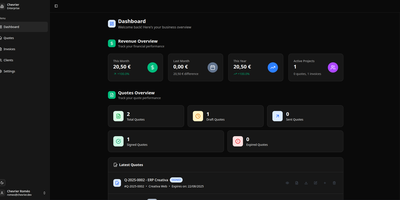
Invoicerr nails the exact billing sequence freelancers actually use: draft a quote, send it to the client, collect a legally-binding electronic signature via a secure browser link, convert the approved quote into an invoice, and generate a branded PDF — no DocuSign account, no external signing service, no enterprise complexity. The React frontend with NestJS backend uses Prisma ORM with your choice of SQLite for instant local setup or PostgreSQL for production workloads. Quotes and invoices are first-class objects with independent status tracking — unread, sent, viewed, signed for quotes; paid for invoices — not a single form with a label swap. The e-signature system generates secure-token signing links that clients open in their browser to review and sign documents without needing any account or external service. PDF generation renders quotes, invoices, and receipts with your company logo, name, VAT number, colors, and custom email templates so documents reflect your brand identity rather than the software's defaults. Authentication supports JWT tokens or OIDC providers stored in cookies. The REST API backend enables future integrations with mobile and desktop clients. A plugin system with community-made features and outgoing webhooks extends functionality without forking core code. International-friendly with customizable currencies. Deploy with Docker Compose using the prebuilt image from GitHub Container Registry. Running on a dedicated VPS on RepoCloud with guaranteed CPU, RAM, and SSD, full root SSH access, and a browser serial console. AGPL-3.0 licensed.