OpenViking
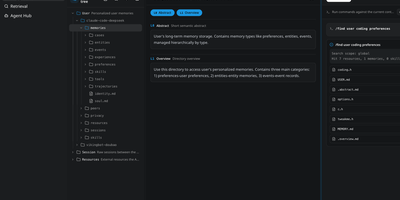
OpenViking is a self-hosted context database that gives AI agents persistent, structured memory by organizing knowledge, skills, and session history into a hierarchical virtual filesystem accessible through the viking:// URI protocol. Instead of dumping everything into a flat vector store and hoping semantic search finds the right chunks, agents navigate their context with familiar commands like ls, tree, and find, locating exactly the information they need through deterministic paths combined with semantic search. Every resource is automatically processed into three layers: a 100-token L0 abstract for quick filtering, a 2,000-token L1 overview for content navigation, and the full L2 detail loaded only when confirmed necessary. This tiered approach cuts token consumption by 83 to 96 percent compared to conventional RAG while improving task completion rates by 15 to 49 percent on benchmark tests. The built-in memory self-iteration loop automatically analyzes task execution and user feedback, updating agent memory directories so the system continuously learns and improves. You can connect to any LLM provider, including Ollama for fully local inference, OpenAI, or compatible gateways. The Web Studio UI at the /studio endpoint provides visual browsing of the entire context filesystem, and the REST API on port 1933 supports programmatic access. Deploy via Docker, Kubernetes with the included Helm chart, or as a standalone service. Running on a dedicated VPS on RepoCloud with guaranteed CPU, RAM, and SSD, full root SSH access, and a browser serial console. AGPL-3.0 licensed.
LeafWiki
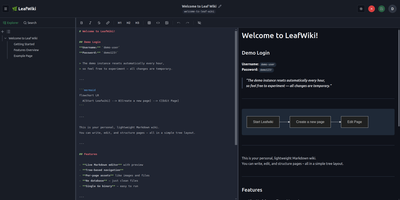
Engineering teams and technical writers maintain operational runbooks, system documentation, and knowledge bases using LeafWiki, an open-source self-hosted wiki that stores page contents directly as human-readable Markdown files on the local filesystem. Authors can compose documentation through a dual-pane editor equipped with live HTML preview, keyboard navigation, autocomplete for internal links, and native rendering for Mermaid diagrams, KaTeX mathematical formulas, and collapsible callout containers. The navigational tree organizes complex documentation into explicit directory hierarchies and custom drag-and-drop page sequences tracked in lightweight configuration files rather than arbitrary alphabetical lists. An integrated SQLite engine indexes page content and custom taxonomy tags for fast full-text searches, automatic incoming backlink tracking, and automated broken link detection. System operators can deploy the single-binary application without external database servers or runtime dependencies, backing up the entire repository by copying the data directory. Administrators can provision granular user roles, configure reverse proxy header authentication for single sign-on gateways, and manage read-only API access keys for automated documentation scripts and continuous integration pipelines. Public viewers can browse technical notes without authentication or switch between dark and light high-contrast themes. Running on a dedicated VPS on RepoCloud with guaranteed CPU, RAM, and SSD, full root SSH access, and a browser serial console. MIT licensed.
UVdesk
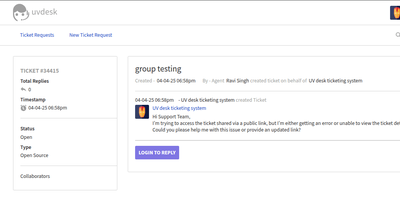
For teams that answer customers by email, UVdesk is a free, self-hosted helpdesk that keeps every conversation in one shared queue. Customers have three ways in: a connected mailbox, the support portal, or a public ticket link that opens a conversation without a login. Gmail, Yahoo, Outlook, or any IMAP mailbox can feed the queue, with no limit on how many. Agents work in a threaded ticket view, where they reply, forward to a colleague, leave private notes, add collaborators, and pin important messages. Saved replies answer repeat questions, and prepared responses set a status, tag, priority, or assignment from the ticket footer. Administrators route work through groups and teams, and agent privileges decide which tickets each person may see. Workflows run events, conditions, and actions in the background, while spam settings reject senders by address, domain, or IP. A knowledge base of folders, categories, and articles, with revision history and related articles, lets customers find answers without writing in. Customers can rate the support they received, and the Kudos report lists those ratings by agent, group, team, type, priority, customer, or source. Portal branding covers a logo, brand colors, a tag line, and custom CSS and JavaScript. The community edition places no cap on agents, groups, teams, customers, or tickets. Running on a dedicated VPS on RepoCloud with guaranteed CPU, RAM, and SSD, full root SSH access, and a browser serial console. OSL-3.0 licensed.
Kotaemon
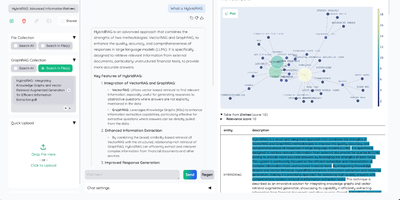
Kotaemon is a document QA platform that combines advanced RAG techniques with a clean Gradio-based web interface for chatting with your documents. Built by Cinnamon, the Python backend supports any LLM provider including OpenAI, Azure OpenAI, Cohere, Groq, and local models via Ollama and llama-cpp-python, with a model management panel for configuring LLM and embedding providers from the UI. The default hybrid RAG pipeline combines full-text keyword retrieval with vector similarity search and applies re-ranking to ensure optimal result quality, while multi-modal document parsing extracts content from tables and figures alongside text. Advanced citations link every answer to specific source passages with relevance scores, viewable directly in the built-in PDF viewer with highlighted text spans. GraphRAG indexing via NanoGraphRAG, LightRAG, or Microsoft GraphRAG builds knowledge graphs from document collections for relationship-aware retrieval. Agent-based reasoning supports question decomposition for multi-hop queries using ReAct and ReWOO strategies. Multi-user authentication organizes documents into private and public collections with sharing and collaboration features. The platform supports Docker deployment in lite, full, and Ollama-bundled variants, runs on port 7860, and stores application data in a persistent volume. MCP tool integration enables external system connections for extended retrieval capabilities. On RepoCloud, deploy Kotaemon on a dedicated VPS with Docker, root SSH access, and complete control over your document AI infrastructure, all under the Apache 2.0 license.
AstrBot
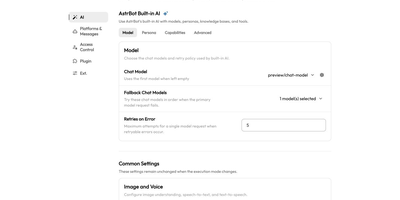
Getting a language model into the chat apps people already use takes a single self-hosted server running AstrBot, which answers in QQ, Telegram, Discord, Slack, Lark, DingTalk, LINE, and WeCom. The model itself is a setting. OpenAI-compatible endpoints, Anthropic, Google Gemini, DeepSeek, Ollama, and LM Studio all work, with fallback models and retry limits for failed requests, and Dify, Coze, or Alibaba Cloud Bailian can take over a conversation too. A bare model cannot act, so the built-in agent calls MCP servers and Skills, delegates to SubAgents, runs scheduled tasks, and executes code in an isolated sandbox. It cannot read your files either, so a knowledge base takes PDF, Word, Markdown, and EPUB uploads and searches them with hybrid dense and BM25 retrieval. Personas shape each bot's personality, and Whisper or Edge TTS adds speech. When an answer looks wrong, the ChatUI shows thinking, tool calls, token counts, and latency, and a per-message trace timeline shows how the bot got there. Because the panel steers the bot, administrator IDs, session whitelists, optional TOTP login, and HTTPS protect it. Backups live under System Settings, and the plugin market installs any of more than 1,000 extensions in one click. Running on a dedicated VPS on RepoCloud with guaranteed CPU, RAM, and SSD, full root SSH access, and a browser serial console. AGPL-3.0 licensed.
phpMyFAQ
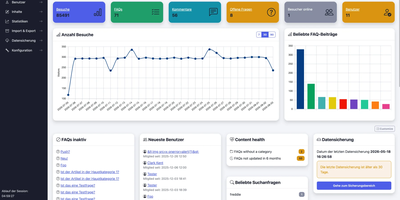
Publish the answers your team keeps repeating as a multilingual, searchable FAQ with phpMyFAQ, a knowledge base whose admin area handles writing, review, and permissions. Organize entries in nested categories that you rearrange by drag and drop, attach files, add tags and related FAQs, and let visitors leave comments. A WYSIWYG editor with an image manager writes each answer, a wiki-style revision history restores earlier versions, and a news system posts announcements. Full-text search covers every language, and optional Elasticsearch or OpenSearch backends handle larger collections. The interface covers more than 40 languages with right-to-left layouts, automatic content negotiation, and translated categories and entries. Privileges work per user and per group, so an editor can change an entry without being allowed to delete it, and categories can be limited to chosen readers. Sign in through LDAP, Active Directory, or Microsoft Entra ID, protect accounts with two-factor authentication, or try experimental passkeys. The dashboard charts 30 days of visits, lists inactive FAQs, and checks installed files against published hashes. Export entries to PDF, publish a dynamic sitemap, back up your content, and filter spam with built-in protections. Dark, light, and high-contrast themes keep the public site comfortable to read. Scripts and AI assistants reach the knowledge base through a REST API with an OpenAPI specification or an experimental MCP server, and plugins extend it. Running on a dedicated VPS on RepoCloud with guaranteed CPU, RAM, and SSD, full root SSH access, and a browser serial console. MPL-2.0 licensed.
Bookstack
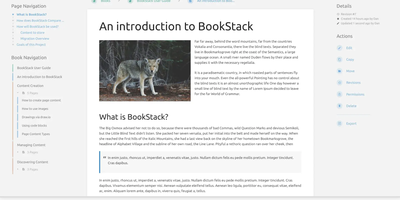
Most wikis die of flat page-and-tag sprawl; BookStack's defining decision is enforced structure - an MIT-licensed PHP/Laravel platform (over MySQL) where content lives in a hierarchy of shelves, books, chapters, and pages, the way a physical library works. A shelf maps to a department, a book to "Engineering Runbooks," a chapter to "Database Procedures," a page to the actual document. That opinionation removes the "where does this go?" friction and keeps knowledge bases tidy as they grow. Editing works both ways: a clean WYSIWYG editor for most users, a Markdown editor with live preview for those who prefer it - switchable per page. Full-text search spans all books or scopes to one, with direct links to individual paragraphs, and include tags let you embed one page's content inside another so shared blocks update everywhere at once. Every edit creates a diffable, revertible revision. Page templates standardize recurring formats, tags add cross-cutting categorization, and built-in diagrams.net integration draws architecture diagrams in place. Authentication covers email/password plus OIDC, SAML2, LDAP, and social login; a full role and permission system locks content down per shelf, book, or page. Pages and books export to PDF, HTML, plain text, and Markdown, a REST API automates content, and the whole thing runs happily on the cheapest VPS you can find.
Dokuwiki
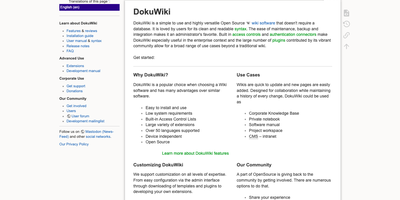
Every page in a DokuWiki knowledge base is just a plain text file on disk, so a team wiki can run for years on modest hardware with no database to feed, ever. Writers edit pages in a clean, readable syntax, fix just one section of a long document at a time, and lean on the toolbar, breadcrumbs, automatic tables of contents, and conflict locking to keep collaboration painless. Every change is kept as a revision with colored side-by-side diffs, recent-changes feeds go out over RSS, and an index-based full-text search finds content across thousands of pages in milliseconds. Namespaces organize content into a browsable tree, while built-in access control lists decide per page or per branch who may read, edit, upload, or administer, with logins checked against LDAP and other backends. Media uploads embed straight into pages, configuration happens in the browser, and the whole installation backs up by copying a folder, which makes migrations and disaster recovery almost boringly simple. When the basics stop being enough, more than twelve hundred community plugins and a hundred templates add galleries, multilingual structures, diagrams, and data tables without changing how the wiki itself works. Running on a dedicated VPS on RepoCloud with guaranteed CPU, RAM, and SSD, full root SSH access, and a browser serial console. GPL-2.0 licensed.
Busabase
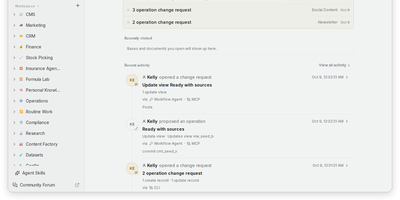
Every AI agent session starts from zero, and Busabase fixes that: it is an open-source workspace where agents and people share records, docs, skills, and apps, and every agent write arrives as a reviewable change. Bases hold typed records with relations, views, and forms, while Docs, Files, Whiteboards, and Workflows live in the same tree, so a project's data and context stay together. Skills are SKILL.md playbooks that any connected agent can look up before it acts. Each write becomes a Change Request carrying a message, a field-level diff, an author, and history; your permissions decide whether it merges at once or waits in the Inbox for approval, and any change can be reversed. Ask an agent to turn a Base into a dashboard, CRM, or content desk and it runs as an AirApp on live workspace data. Claude Code, Codex, Cursor, Gemini CLI, n8n, or your own process can connect through MCP, OpenAPI, the CLI, TypeScript and Python SDKs, or an in-app chat session. Templates install a complete setup, with sample data and an agent manual, in one command. Start it with one command and no accounts, because the open-source edition is a single-user workspace with no sign-in screen. Running on a dedicated VPS on RepoCloud with guaranteed CPU, RAM, and SSD, full root SSH access, and a browser serial console. MIT licensed.
Doca
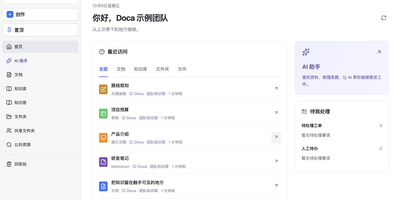
Doca puts rich text, Markdown, spreadsheets, slides, and an infinite canvas under one login and one permission model, giving individuals and small teams a self-hosted workspace for writing together. Every format supports real-time co-editing with presence, comments, saved history, and manual snapshots, and rich text and Markdown documents can be restored to an earlier version. Documents live in knowledge libraries with tree navigation, invitations, inherited permissions, share links, and trash, while personal files and shared folders sit on local disk or S3-compatible storage. Knowledge books go further: they subscribe to sources, run an editable workflow, keep source evidence, and route results through human review. A personal AI assistant, powered by whichever model you configure, searches authorized documents, reads PDF and Office attachments, edits images, and prepares browser drafts. MCP services let external AI clients such as Codex use those tools under your permissions. Sign in with a password, OIDC, Google, GitHub, WeChat, or QQ, review registrations before they go live, and send webhooks to other systems. A plugin SDK and marketplace add business modules, and a browser extension clips pages into documents. The interface ships in Chinese and English. Running on a dedicated VPS on RepoCloud with guaranteed CPU, RAM, and SSD, full root SSH access, and a browser serial console. MIT licensed.
Forem
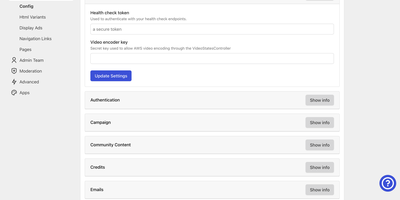
With 22,700 GitHub stars, 4,100+ forks, and proven scale powering dev.to — one of the largest developer communities serving millions of monthly users — Forem provides a complete community platform for building engaged audiences around shared interests, whether for developer documentation, customer communities, fan bases, or professional networks. The Rails backend with Preact frontend delivers article publishing with a rich Markdown editor, threaded discussions, user profiles with portfolio links, tag-based content organization, podcast hosting, classified listings for jobs and events, and social interactions including reactions, bookmarks, and following. AI-powered semantic search using PostgreSQL pgvector embeddings surfaces relevant content across articles and concepts, while scheduled automations enable community bots to create automated roundups, republish curated content, and trigger time-based moderation actions. Score-based content ranking replaces simple reaction counts with nuanced algorithms that resist gaming. The admin dashboard provides user management, content moderation, community settings, analytics, and organization controls. OAuth integration supports GitHub, Twitter, Apple, and configurable OIDC providers for frictionless sign-up. Dynamic open-graph image generation creates branded social cards automatically. Deploy with Kamal 2 to any cloud provider or bare metal server with PostgreSQL and Redis. Running on a dedicated VPS on RepoCloud with guaranteed CPU, RAM, and SSD, full root SSH access, and a browser serial console. AGPLv3 licensed.
Project NOMAD
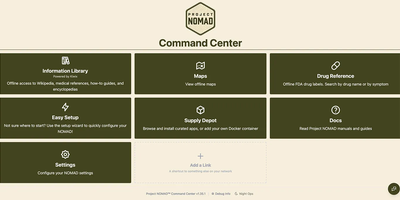
When the connection drops, Project NOMAD keeps serving offline Wikipedia, Khan Academy courses, maps, and an optional private AI assistant from a single Debian-based Linux server. The core needs only about 5 GB of disk and under 1 GB of RAM. Content is what fills the drive, and a setup wizard sorts it into Essential, Standard, and Comprehensive tiers while a storage bar tracks the running total. Wikipedia runs from a quick-reference set of the top 100,000 articles to the complete English edition with images at about 121 GB, and Kiwix also serves medical references, survival and repair guides, and Project Gutenberg ebooks. Kolibri adds Khan Academy courses with multi-user progress tracking, and any browser on the network can study. Offline maps cover the whole globe, single countries, or regions, with markers you can search, color, and navigate to by coordinate. The AI assistant is the heavy part, bringing the install to roughly 25 GB. It chats through Ollama or any OpenAI-compatible server such as LM Studio, searches uploaded documents, lists sources with dates when known, and lets vision models read attached images. CyberChef handles encoding and hashing, and FlatNotes keeps Markdown notes. The Supply Depot adds one-click apps or your own Docker containers. Opt-in auto-updates for the Command Center, installed apps, and downloaded content run inside a window you set. Running on a dedicated VPS on RepoCloud with guaranteed CPU, RAM, and SSD, full root SSH access, and a browser serial console. Apache 2.0 licensed.
DeepWiki
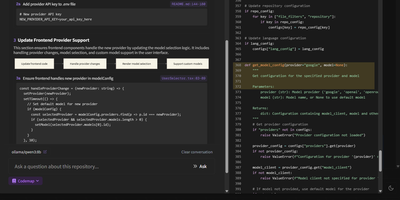
Transform complex code repositories into searchable, interactive wikis with DeepWiki, an automated documentation platform that maps architectural relationships and provides instant answers to technical questions about any codebase. Software engineers can submit public or private repositories from GitHub, GitLab, or Bitbucket to generate comprehensive project overviews, component breakdowns, and interactive Mermaid diagrams illustrating data pipelines and class hierarchies. The built-in Ask interface allows developers to query system logic using retrieval-augmented answers grounded directly in repository source files. Teams can trigger iterative deep research sessions that perform multi-step codebase investigations to explain intricate execution paths, uncover hidden dependencies, and summarize complex algorithms across hundreds of files. Interactive Codemap tours provide guided walkthroughs of critical entry points, letting reviewers inspect synchronized code viewer panels with exact line references while onboarding to unfamiliar services. Developers can export complete wiki structures for offline sharing, customize documentation depth from high-level summaries to granular module analyses, and connect local or cloud model endpoints to process sensitive internal code securely. Running on a dedicated VPS on RepoCloud with guaranteed CPU, RAM, and SSD, full root SSH access, and a browser serial console. MIT licensed.
TriliumNext
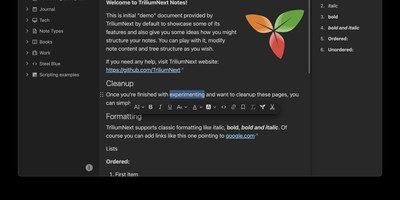
TriliumNext organizes notes in an infinitely deep tree where any single note can be cloned into multiple branches without duplication, building personal knowledge bases that mirror how ideas actually connect rather than forcing a single rigid folder hierarchy. Carrying forward the original Trilium project under active community stewardship with nearly 37,000 GitHub stars, the application is built on TypeScript with a CKEditor 5 WYSIWYG editor supporting rich text, tables, images, KaTeX math expressions, Mermaid diagrams, Excalidraw canvases, mind maps, spreadsheets with XLSX and CSV import/export, and code blocks with full syntax highlighting. A built-in JavaScript scripting engine runs on both frontend and backend, enabling custom widgets, automated workflows, scheduled tasks, and direct interaction with external REST services through a typed Script API. Full-text and fuzzy search with attribute-based queries locates any note instantly across databases tested at over 100,000 notes without performance degradation. The v0.104 release introduced importers for OneNote, Notion, Google Keep, Anytype, and Obsidian alongside 16 dedicated security fixes. Per-note AES encryption, OpenID Connect authentication, and TOTP two-factor protection safeguard sensitive content. The sync server keeps desktop clients, the progressive web app, and mobile devices in lockstep with zero third-party cloud dependency. Web Clipper captures content directly from browsers. Running on a dedicated VPS on RepoCloud with guaranteed CPU, RAM, and SSD, full root SSH access, and a browser serial console. AGPL-3.0 licensed.
Halo
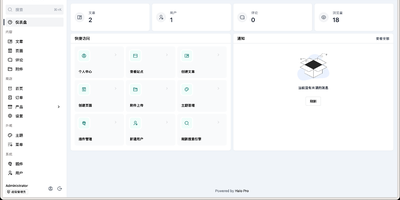
Halo is a modern CMS that handles blogs, knowledge bases, corporate sites, and full e-commerce storefronts from a single installation, distinguished by a polyglot plugin architecture that runs both Java and JavaScript extensions on a GraalVM runtime. Built on Spring Boot 3 with a Vue.js admin console, the platform delivers a clean content management experience with Markdown and rich-text editing, live preview, scheduled publishing, draft management, media uploads, and granular multi-user role-based access controls. Plugins can be enabled or disabled at runtime without restarting the server, and the official marketplace offers over 100 free themes plus a growing library of extensions covering SEO optimization, search integration, paid content access, AI writing assistance, and Q&A chatbots. Storage backends are configurable through plugins, supporting local disk, S3-compatible object storage, and other providers. The fully documented RESTful API enables headless CMS usage for decoupled frontend architectures. Database support includes embedded H2 for quick starts, with production deployments on PostgreSQL or MySQL. Nearly 40,000 GitHub stars and over 2.5 million Docker pulls reflect the project's maturity and active development pace. A single Docker command gets a functional instance running on port 8090. Running on a dedicated VPS on RepoCloud with guaranteed CPU, RAM, and SSD, full root SSH access, and a browser serial console. GPL-3.0 licensed.
Poznote
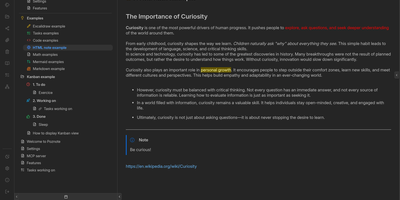
Poznote serves as an all-in-one personal knowledge base and digital workspace designed to bridge unstructured thinking and structured documentation. The platform pairs a responsive Markdown editor with live side-by-side rendering, KaTeX mathematical notation, and interactive Mermaid diagram compilation. Creative thinkers can switch instantly to an embedded Excalidraw infinite canvas to sketch system architectures, design mind maps, and create interface wireframes alongside their written notes. Every directory within the workspace can be toggled into an agile Kanban board where nested folders become customizable workflow columns and notes transform into draggable task cards. Task management views aggregate checklists across documents into unified priority queues with due date reminders and completion filters. An integrated bi-directional Git synchronization engine connects user workspaces directly to personal GitHub or Forgejo repositories, versioning edits automatically on save. The software also provides an integrated Model Context Protocol server that enables AI coding assistants to search notes, create documents, and query knowledge repositories securely. Running on a dedicated VPS on RepoCloud with guaranteed CPU, RAM, and SSD, full root SSH access, and a browser serial console. MIT licensed.
GEOFlow
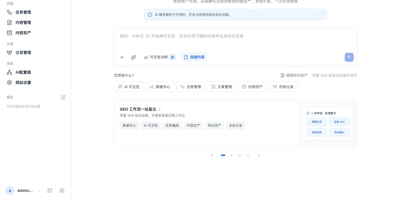
Built for brands that want AI search engines to quote them, GEOFlow is an open-source admin system that turns approved knowledge into reviewed articles and publishes them across every site you run. Load documents or import trusted web pages into knowledge bases that are chunked into evidence units, with optional semantic planning and vector retrieval. Combine them with title libraries (AI can draft up to 100,000 titles), keywords, images, authors, and prompts, then set a task's generation limits, cadence, and publishing scope. Chat and embedding models connect through OpenAI-compatible endpoints or native Gemini, with automatic fallback to the next model when a call fails. Each draft passes an AI quality gate that checks evidence, citations, advertising rules, and publishing context, records scores with source locations and revision advice, and holds risky articles for a human reviewer. Approved articles appear on the built-in site with SEO metadata, Open Graph, Schema, sitemaps, and llms.txt, or travel to hosted subdomain sites, GEOFlow Agent packages, WordPress through its REST API, or any HTTP endpoint. A manual publishing workbench and Chrome assistant cover platforms that need a person, while analytics track traffic, AI crawlers, and brand visibility in generative engines. An API, command-line tool, and agent skill support automation. Running on a dedicated VPS on RepoCloud with guaranteed CPU, RAM, and SSD, full root SSH access, and a browser serial console. AGPL-3.0 licensed.
Znuny
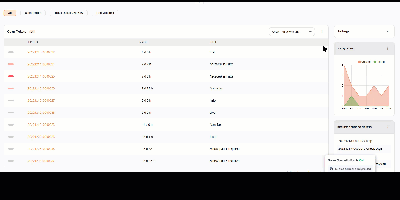
Znuny turns every customer request into a ticket with an owner, a priority, a deadline, and a complete history, no matter whether it arrived by email, phone, web portal, API, or a monitoring alert. Agents work from a dashboard that lists open and new tickets, escalations, running processes, a seven-day created-versus-closed chart, upcoming events, and logged-in colleagues. Queues route tickets to the right team, and automation handles classification, escalation, notifications, and state changes, from simple email filters up to multi-step business processes. Service level agreements are tracked against every ticket, with alerts before deadlines pass and overdue items highlighted. Customers help themselves through a self-service portal and a searchable FAQ knowledge base, while agents opening a ticket immediately see who the customer is, which company they belong to, the services they are entitled to, and their full support history. Configuration items in the CMDB link assets and services to the tickets they affect, statistics and reports turn ticket data into decisions, and calendar appointments can create tickets on schedule. Administrators shape the system with over 2,000 configuration options, dynamic fields, and granular permissions. Running on a dedicated VPS on RepoCloud with guaranteed CPU, RAM, and SSD, full root SSH access, and a browser serial console. GPL-3.0 licensed.