Memoh
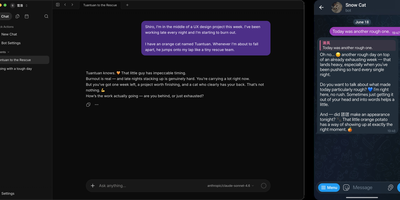
Memoh delivers an open-source multi-agent platform where every AI agent gets its own computer — not a chat window but a fully isolated container with dedicated filesystem, desktop environment, browser, network stack, and persistent long-term memory that survives across sessions, days, and platforms. The containerd-based runtime ensures each bot operates in complete isolation with snapshot and data import/export capabilities. The memory engine uses LLM-driven fact extraction with hybrid retrieval combining dense embeddings via Qdrant, sparse vectors, and BM25, plus 24-hour context loading and automatic compaction — with Mem0 and OpenViking as drop-in alternatives. Ten communication channels connect agents to users through Telegram, Discord, Lark, QQ, Matrix, WeCom, WeChat, Email, Web UI, and group chats with cross-platform identity binding. MCP tool calling enables agents to interact with external services, while browser automation drives GUI workflows for web research and data extraction. Agent hosting supports running external coding agents like Codex and Claude Code inside Memoh workspaces via ACP with per-bot configuration. Scheduled tasks run without human triggers, and agents proactively reach out when needed. The web dashboard built with Vue 3 and Tailwind CSS provides streaming chat, tool call visualization, file management, model and provider configuration, and bot lifecycle management. Deploy via Docker Compose with PostgreSQL, Qdrant, sparse service, and the Go backend server. Running on a dedicated VPS on RepoCloud with guaranteed CPU, RAM, and SSD, full root SSH access, and a browser serial console. AGPL-3.0 licensed.
NanoClaw
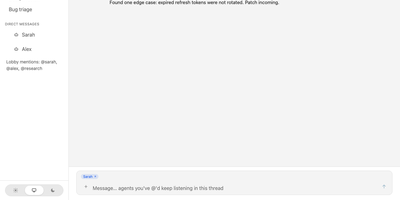
NanoClaw delivers a radically simple alternative to OpenClaw — a single Node.js process and a handful of files that provide the same core functionality with true container-level security isolation. Agents execute inside Docker containers on Linux or Apple Containers on macOS, where even root access inside the sandbox cannot reach the host filesystem. The platform natively runs Claude Code via Anthropic's official Claude Agent SDK, with drop-in alternatives including OpenAI Codex, OpenRouter via OpenCode, Google, DeepSeek, and local open-weight models via Ollama — configurable per agent group. Multi-channel messaging connects WhatsApp, Telegram, Discord, Slack, Microsoft Teams, iMessage, Matrix, Google Chat, Webex, Linear, GitHub, WeChat, and email via Resend, installed on demand through skill commands. Each agent group receives its own CLAUDE.md memory file, isolated filesystem, container sandbox, and session state — a prompt injection in one group cannot exfiltrate data from another. The OneCLI Agent Vault handles credentials so agents never hold raw API keys, while approval-gated self-modification allows agents to request new packages or MCP servers that administrators must authorize. Scheduled tasks run recurring jobs inside containers with message delivery back to users. The setup script handles dependencies, authentication, and container configuration through Claude Code conversation. Deploy on any Docker-capable Linux server. Running on a dedicated VPS on RepoCloud with guaranteed CPU, RAM, and SSD, full root SSH access, and a browser serial console. MIT licensed.
Headlamp
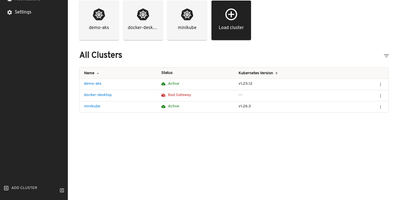
The Kubernetes project's own answer to cluster management UIs: maintained under SIG UI governance, Headlamp's roadmap tracks Kubernetes releases and its design philosophy reflects community needs rather than a vendor's product strategy. The React interface provides full read-write capabilities adapted to each user's RBAC permissions — delete, scale, edit, and restart buttons appear only when the authenticated user holds the corresponding cluster role, preventing accidental unauthorized actions. Multi-cluster support surfaces workloads across development, staging, and production from a single view without context switching. The plugin architecture drives extensibility through a curated catalog: an AI Assistant plugin answers natural-language cluster queries and performs operations via configurable LLM keys, Flux handles GitOps, Karpenter manages nodes. Integrated terminals provide browser-based exec access to running pods, live log streaming follows container output with filtering, and the YAML editor displays inline Kubernetes API documentation alongside resource definitions. Deployment creation forms let you configure containers, environment variables, volumes, and replicas without writing manifests. Side-by-side cluster comparison views surface differences in workload distribution. Works with any distribution: EKS, GKE, AKS, Minikube, Docker Desktop. Helm chart installation via the Headlamp repository with images on GitHub Container Registry. Running on a dedicated VPS on RepoCloud with guaranteed CPU, RAM, and SSD, full root SSH access, and a browser serial console. Apache-2.0 licensed.
DCM
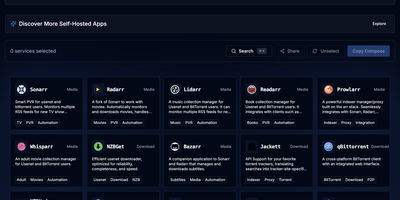
DCM is a visual builder that eliminates docker-compose copy-paste anxiety for home server enthusiasts. The TypeScript and Next.js web interface on port 7576 presents a curated catalog of popular self-hosted applications organized into categories: media management with Jellyfin, Plex, Sonarr, Radarr, and Prowlarr; dashboards like Homarr and Heimdall; databases including PostgreSQL, MariaDB, MongoDB, and Redis; monitoring stacks with Grafana and Prometheus; download clients like qBittorrent and NZBGet; security tools including Vaultwarden; storage solutions like Nextcloud; and home automation via Home Assistant. Select any combination of containers and DCM generates both compose.yaml and .env files with correct volume mounts, environment variables, PUID/PGID ownership, network modes, and port mappings — ready to paste into your terminal. Automatic port conflict detection identifies clashing services and reassigns ports before you ever hit a deployment error. The Template Gallery ships predefined multi-container stacks for common setups: media servers, development environments, database clusters, and monitoring solutions — some incorporating ten or more services in a single template. Built as a static Next.js export served from a 62 MB multi-arch Docker image supporting amd64, arm64, and arm/v7, DCM runs on everything from rack servers to Raspberry Pis. Share generated configurations via URL or download them locally. Running on a dedicated VPS on RepoCloud with guaranteed CPU, RAM, and SSD, full root SSH access, and a browser serial console. AGPL-3.0 licensed.
Dockhand
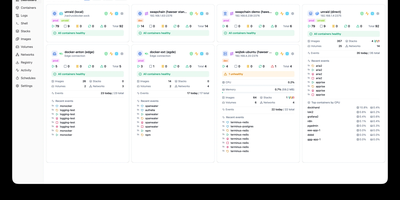
Dockhand is a Docker management platforms, offering a modern alternative to Portainer with free OIDC SSO and vulnerability scanning that competitors gate behind paid tiers. Real-time container management provides start, stop, restart, and remove operations with live resource monitoring across CPU, memory, and network usage on a dashboard with real-time metrics. The visual Docker Compose editor enables stack creation and modification with syntax highlighting, while Git integration deploys stacks directly from repositories with webhooks and auto-sync for GitOps workflows. Vulnerability scanning powered by Grype and Trivy analyzes container images against CVE databases, with configurable auto-update scheduling that can trigger updates based on vulnerability severity criteria. The Hawser Go agent enables management of remote Docker hosts in Standard mode for LAN environments or Edge mode using outbound WebSocket connections for hosts behind NAT, firewalls, or dynamic IPs without exposing inbound ports. Interactive terminal sessions provide shell access into running containers, while the file browser enables uploading, downloading, and editing files directly within containers. Image management includes registry browsing, pull operations, and layer inspection alongside network and volume administration. The security-focused architecture builds its own OS layer from scratch using Wolfi packages via apko with every package explicitly declared. Running on a dedicated VPS on RepoCloud with guaranteed CPU, RAM, and SSD, full root SSH access, and a browser serial console. BSL 1.1 licensed, converting to Apache 2.0 in 2029.
ToolHive
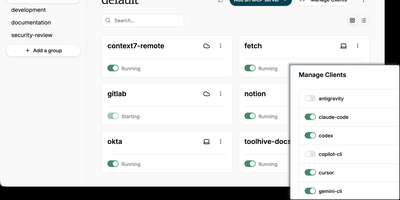
ToolHive is an open-source MCP server management platform that lets you run, secure, and orchestrate Model Context Protocol servers in isolated containers, giving AI agents structured access to tools like GitHub, databases, and cloud services without exposing host credentials or network. Every server launches inside its own sandboxed container with a minimal permission file, network access filtering, and encrypted secrets management, preventing misbehaving connectors from reaching beyond their defined scope. The built-in registry provides a catalog of vetted servers you can install with one command, while custom images and package-manager references let you onboard proprietary connectors without writing Dockerfiles. Platform teams deploy the Kubernetes operator to declare MCP servers as cluster resources using Custom Resource Definitions, with automated lifecycle management and multi-namespace isolation. The Virtual MCP Server gateway aggregates multiple backends behind a single endpoint, centralizing OIDC authentication, tool filtering, and composite cross-server workflows so clients connect once instead of juggling separate URLs. An MCP Optimizer analyzes tool schemas via semantic search and surfaces only relevant tools per request, cutting token consumption by up to 85%. OpenTelemetry traces and Prometheus metrics deliver full visibility into tool execution, latency, and request audit trails across every managed server. Running on a dedicated VPS on RepoCloud with guaranteed CPU, RAM, and SSD, full root SSH access, and a browser serial console. Apache 2.0 licensed.
Containarium
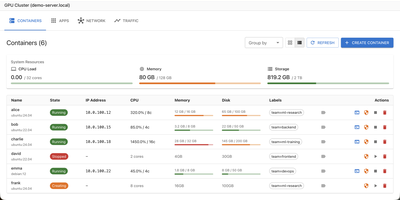
Containarium gives every AI agent a persistent Linux box of its own, reachable over SSH and driven through structured tools instead of a fragile terminal session. One command creates a named sandbox, syncs the SSH configuration, and wires the box into Claude Code, Codex, Gemini or Cursor through an MCP server that runs inside the container. From there the agent can execute shell commands, read and write files, install services, and expose a port on a public hostname with TLS terminated by a Caddy sentinel. Detached code runs keep working after a laptop sleeps or a connection drops, and the operator reattaches to the same byte-exact log later, checks status, or stops the run without losing output. An optional per-tenant eBPF egress policy limits outbound traffic per box, logs denied attempts for audit, and keeps provider API keys inside a model gateway rather than inside the agent environment. Boxes run on LXC or Kubernetes, keep state between agent sessions, support GPU passthrough for local model work, and stay separate from the host operating system and the cluster control plane. The dashboard presents containers, traffic, security events, audit records, GPU state and monitoring in one place. Running on a dedicated VPS on RepoCloud with guaranteed CPU, RAM, and SSD, full root SSH access, and a browser serial console. Apache-2.0 licensed.
The0
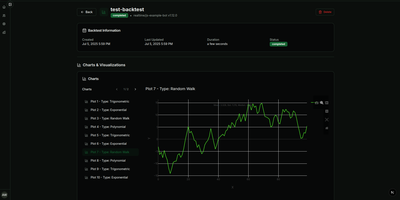
A trading strategy that works on your laptop still has to survive restarts, remember its positions, and tell you what it is doing at 3 a.m.; the0 is the self-hosted runtime that handles that last mile for algorithmic trading bots. Write your bot in Python, TypeScript, Rust, C++, C#, Scala, or Haskell with the matching SDK, package it as a reusable custom bot, and instantiate it as many times as you like with different symbols and parameters. Every instance runs in its own isolated container, either continuously for realtime strategies or on a cron schedule for periodic ones, with key-value state that survives between runs and restarts. Structured logs and metrics stream into the dashboard in real time, and you can ship a custom React frontend with your bot so its prices, signals, and positions render exactly the way you want. Deploy from the CLI in one command, drive everything from the REST API, or let an AI assistant list, deploy, and debug bots through the built-in MCP server. Scale from a single Docker Compose host to Kubernetes with the Helm chart, where bots become pods and CronJobs, and keep backtesting and market data in your own research stack, because the0 deliberately runs production strategies rather than simulating them. Running on a dedicated VPS on RepoCloud with guaranteed CPU, RAM, and SSD, full root SSH access, and a browser serial console. Apache-2.0 licensed.
Zeabur
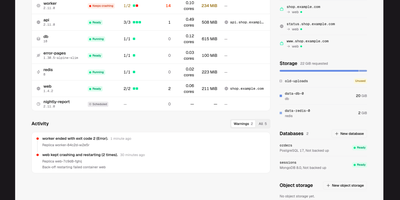
Zeabur is a self-hosted web platform that deploys and runs your services on your own Kubernetes cluster, presenting the cluster as simple projects and services instead of raw manifests. Every change starts as a readable plan listing the exact fields it will write and who owns them today, and nothing is applied until you confirm it. When something breaks, Zeabur says so in plain words and points at the fix: a worker that restarted fourteen times gets a button straight to the logs from the run before the restart. You deploy from Git repositories, from an uploaded folder or ZIP archive, or directly in the dashboard, then follow live logs, open a terminal inside a container, and watch CPU and memory move over time. Projects are namespaces and all state lives in Kubernetes objects, so there is no Zeabur database to back up, and uninstalling the platform leaves your Deployments, Services, and Ingresses running untouched. Companion pieces add passkey sign-in for kubectl with tokens that expire in minutes, image builds from Git through a BuildKit operator, and a catalog of cluster components and app templates. Running on a dedicated VPS on RepoCloud with guaranteed CPU, RAM, and SSD, full root SSH access, and a browser serial console. Apache-2.0 licensed.
Arcane
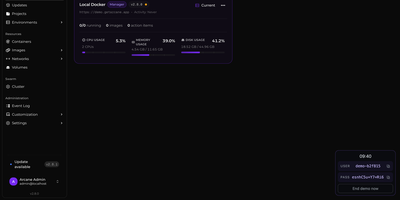
Arcane gives you a single polished dashboard to manage Docker containers, images, volumes, networks, and Compose projects across unlimited remote hosts. The SvelteKit frontend paired with a Go backend delivers real-time resource monitoring with historical graphs, container lifecycle controls including shell exec and live log streaming, and one-click Docker Compose deployment with Git repository synchronization for version-controlled stack definitions. The manager-agent architecture connects remote environments via Direct TCP on port 3553 or Edge mode where agents initiate outbound gRPC/WebSocket connections through NAT and firewalls without requiring inbound ports, all secured with mTLS certificates. Vulnerability scanning identifies security issues in running container images directly from the interface. The backup system enables scheduled container snapshots with configurable retention for disaster recovery. Network and volume administration includes visual relationship mapping between services, and the responsive interface supports dark/light themes with full mobile optimization and community-driven internationalization via Crowdin. 6,500+ stars and 89 releases since April 2025 reflect a rapid development cadence. Running on a dedicated VPS on RepoCloud with guaranteed CPU, RAM, and SSD, full root SSH access, and a browser serial console. BSD-3-Clause licensed.
Cupdate
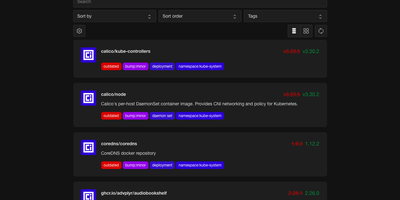
Cupdate keeps a watchful eye on every container image you run, reporting which ones are outdated or vulnerable while deliberately never touching the update button itself. Point it at a Kubernetes cluster, a Docker socket, or Podman hosts (local or remote, one or several) and it inventories every image in use with no configuration to write. Each image is matched against its registry to find the newest available version, and the dashboard shows the gap between what you deployed and what you could be running, with release notes inline so the decision to upgrade takes seconds instead of a changelog hunt. Vulnerability data is layered on top from four sources: Docker Scout for Docker Hub images, Clair for participating Quay images, GitHub Advisories for images tied to repositories, and osv.dev correlation for images shipping SBOMs. A dependency graph explains why each image exists in your stack by showing which workloads pull it, which ends the "can I delete this?" guessing game. Subscribe to the RSS feed to hear about new releases passively, query the REST API to drive scripts that update compose files or kustomizations, or surface outdated and vulnerable counts in a Homepage dashboard widget. Prometheus metrics and traces are available when you want the watcher itself watched. Running on a dedicated VPS on RepoCloud with guaranteed CPU, RAM, and SSD, full root SSH access, and a browser serial console. MIT licensed.
Drydock
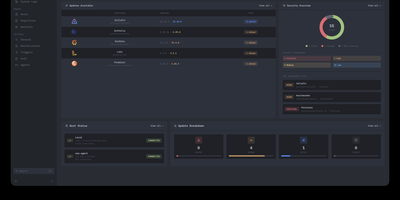
Deploying container updates without blind surprises is what Drydock delivers through a monitor-first inspection plane that evaluates image registries, scans CVE vulnerabilities, and automates rollbacks across distributed Docker infrastructure. Systems engineers track container fleets across twenty-three public and private registries including Docker Hub, GitHub Container Registry, Harbor, and Quay using cursor-based pagination and semver classification. The integrated Update Bouncer runs Trivy and Grype static scanners against incoming candidate layers, blocking deployments that fail configurable CVE severity policies while verifying cryptographic signatures through cosign. Operators configure declarative update schedules with stabilization countdown gates that hold back brand-new releases until defined burn-in periods elapse. When updates execute, Drydock creates pre-upgrade container snapshots and evaluates post-launch container health checks, instantly restoring previous image digests and network configs if failures occur. Distributed Portwing edge agents stream live container output and system logs over encrypted WebSockets, allowing central consoles to coordinate remote daemon updates without opening inbound host firewall ports. Automated event triggers dispatch granular notifications and update payloads across seventeen communication channels including Slack, Discord, Telegram, and Home Assistant MQTT brokers. Running on a dedicated VPS on RepoCloud with guaranteed CPU, RAM, and SSD, full root SSH access, and a browser serial console. AGPL-3.0 licensed.
OpenArtifact
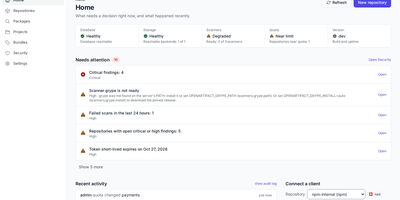
One registry for every package your builds produce: OpenArtifact stores and serves 23 artifact formats behind a single URL scheme and permission model on infrastructure you control. Create hosted repositories for the packages you publish, proxy repositories that cache upstream registries and keep serving when they go down, and group repositories that merge members in order behind one address. Point Maven, npm, PyPI, Docker and OCI clients, Helm, Cargo, NuGet, Go, RubyGems, Debian, RPM, and a dozen more tools at it with their native protocols, no plugins or wrappers. Control who can publish and pull with users, groups, permission targets, and API tokens, sign people in through OIDC or SAML single sign-on, and give CI tokenless login through OIDC token exchange. Scan what you store: software bills of materials in CycloneDX and SPDX, vulnerability findings from OSV, Trivy, and Grype, license compliance checks, and secret detection run against your artifacts. Set cleanup policies and storage quotas so old snapshots stop eating disk, attach custom properties to artifacts, and promote release bundles through your pipeline stages. Store blobs on a local filesystem, S3, Google Cloud Storage, Azure, Garage, SeaweedFS, or an OCI registry, federate selected formats between instances, and import an existing Nexus or Artifactory server with the oa command line tool. Running on a dedicated VPS on RepoCloud with guaranteed CPU, RAM, and SSD, full root SSH access, and a browser serial console. AGPL-3.0 licensed.
QuickStack
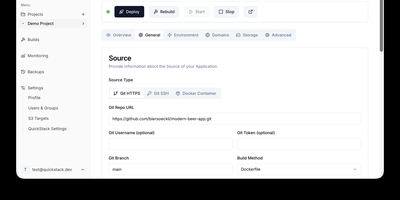
QuickStack transforms your standalone Linux server or cluster into a self-hosted platform-as-a-service that automatically compiles, deploys, and monitors full-stack applications and relational databases without vendor lock-in. Developers can trigger instant deployments directly from public or private Git repositories, upload custom Dockerfiles, or pull container images straight from private registries with automated webhook synchronization. The built-in application catalog enables one-click provisioning of production databases including PostgreSQL, MySQL, MariaDB, MongoDB, and Redis with preconfigured internal network isolation. Administrators can route traffic across custom domains with automated Let's Encrypt SSL certificate issuance, inspect real-time CPU and memory telemetry, stream container runtime logs, and launch in-browser web terminals. Teams can configure granular role-based access controls with single sign-on authentication, establish zero-trust ingress and egress network security policies, and orchestrate automated volume snapshots directly to S3 object storage. When infrastructure requirements expand, operators can attach additional worker nodes using lightweight join tokens to distribute workloads seamlessly across high-availability compute pools. Running on a dedicated VPS on RepoCloud with guaranteed CPU, RAM, and SSD, full root SSH access, and a browser serial console. GNU GPL v3.0 licensed.
Sandstorm
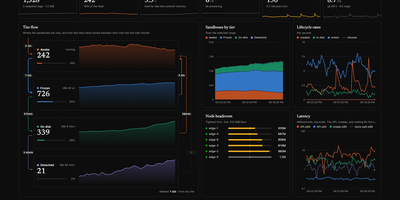
Agent code needs somewhere disposable to run, and Sandstorm turns one modest VPS into a fleet of thousands of isolated sandboxes that wake the moment work arrives. You create sandboxes through a plain HTTP API, starting from a registered template or forking a tagged snapshot, with per-sandbox memory ceilings, attached volumes, and egress rules set on each call. Every sandbox is a gVisor container with its own network namespace, so untrusted agent code runs away from your host and away from its neighbors. Idle sandboxes cool down through four tiers, from running hot, to frozen in place with a wake time near ten milliseconds, to checkpointed on disk and back in about a fifth of a second, so a small machine can hold far more sandboxes than it could ever keep running at once. A single binary acts as master, node, and web console: the master tracks desired state and places work across nodes, nodes behind NAT dial out to join the fleet, and a gateway on each node wakes a sleeping sandbox and forwards its traffic automatically. The built-in Hub pulls ready-made snapshot packs for warmed runtimes like Python with numpy or a pre-warmed Playwright browser, skipping cold starts entirely. Running on a dedicated VPS on RepoCloud with guaranteed CPU, RAM, and SSD, full root SSH access, and a browser serial console. Apache-2.0 licensed.
KubeSphere
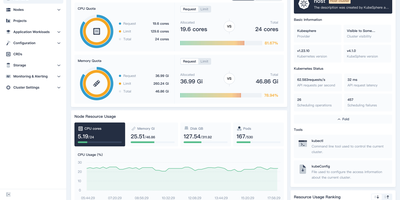
Managing Kubernetes shouldn't require every developer to become a Kubernetes expert — KubeSphere wraps cluster operations, CI/CD, service mesh, and observability into guided web workflows that operations teams configure once and developers consume without kubectl. The LuBan extensible architecture treats each capability as an independently installable extension plugging into a lightweight microkernel: enable DevOps without service mesh, add monitoring without the app store, compose exactly what your organization needs. Multi-cluster management provides a centralized control plane for provisioning and operating clusters across cloud providers, data centers, and edge locations with unified identity and resource quotas. The DevOps extension integrates Jenkins for graphical pipeline creation with S2I and B2I workflows, while Argo CD powers GitOps continuous deployment with real-time sync status. Istio-based service mesh provides traffic management, canary deployments, circuit breaking, and distributed tracing through the console without CLI knowledge. Prometheus monitoring with custom dashboards, Fluentd log collection with multi-tenant search, and alerting via Slack and email complete the observability stack. Multi-tenant workspace hierarchy enforces resource quotas and fine-grained RBAC roles across teams. A built-in Helm-based app store handles lifecycle management across clusters. KubeKey deploys production-grade clusters on bare metal or VMs with air-gapped support. Running on a dedicated VPS on RepoCloud with guaranteed CPU, RAM, and SSD, full root SSH access, and a browser serial console. Apache-2.0 licensed.
WoodPecker CI
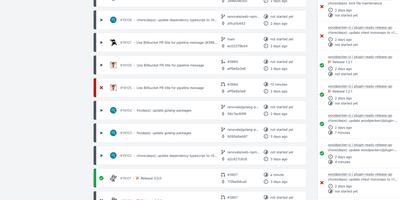
With 7,300+ GitHub stars and active releases through version 3.17, Woodpecker CI is the community-driven fork of Drone CI that kept the entire platform open source under Apache 2.0 — delivering a lightweight, container-native CI/CD engine that runs on minimal resources while providing enterprise-grade pipeline automation. Every pipeline step executes in an isolated Docker container, ensuring reproducible builds with zero host contamination and clean teardown after each run. Define workflows in simple YAML configuration files with step dependencies, conditional execution via when filters, service containers for databases and caches, and matrix builds that test across multiple language versions, platforms, or database engines simultaneously. Deep forge integration connects to GitHub, GitLab, Gitea, Forgejo, and Bitbucket via OAuth and webhooks, triggering pipelines on push, pull request, tag, deployment, and cron events. The plugin ecosystem inherits compatibility with the Drone plugin library — over 100 plugins for Docker builds, S3 uploads, SSH deployment, Slack and Telegram notifications, Helm deployments, and more. The server-agent architecture separates the web UI, API, and scheduler from pipeline execution, enabling horizontal scaling by adding agents across multiple machines or architectures including ARM. Secrets management supports global, organization, and repository-level scopes with approval workflows for forked repository pipelines. The admin web UI provides user management, agent monitoring, and queue control. Docker Compose deployment provisions the complete stack in under five minutes. Running on a dedicated VPS on RepoCloud with guaranteed CPU, RAM, and SSD, full root SSH access, and a browser serial console. Apache 2.0 licensed.
Tugtainer
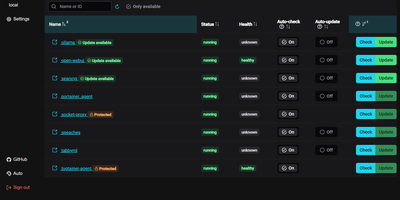
Tugtainer delivers a visual command center for Docker environments that automates container image updates, monitors registry releases, and manages application lifecycles across multiple servers without command-line intervention. System administrators can inspect running containers across all connected hosts, trigger immediate image pulls, and configure automated cron schedules for recurring health and registry checks. Flexible update policies allow teams to flag production databases as notification-only while automatically updating stateless web applications whenever new image tags publish. When updating linked services, the platform analyzes Docker Compose project definitions and custom dependency labels to stop and restart containers in strict dependency order, preventing broken network links and orphaned volume mounts. Administrators can authenticate private container registries, browse image layers and tags, and view real-time container log streams directly within the browser console. Automated pruning jobs continuously reclaim server disk space by deleting obsolete, untagged images and dangling build layers after successful deployments. Multi-channel alerting integrates with over fifty notification providers, delivering real-time update summaries and error warnings directly to Discord, Telegram, Slack, and email webhooks. Running on a dedicated VPS on RepoCloud with guaranteed CPU, RAM, and SSD, full root SSH access, and a browser serial console. MIT licensed.