Categories
Self-Hosted Developer Tools DevOps Docker Container Management Home Server Configuration ManagementStars
Forks
Watchers
Developer links
DCM
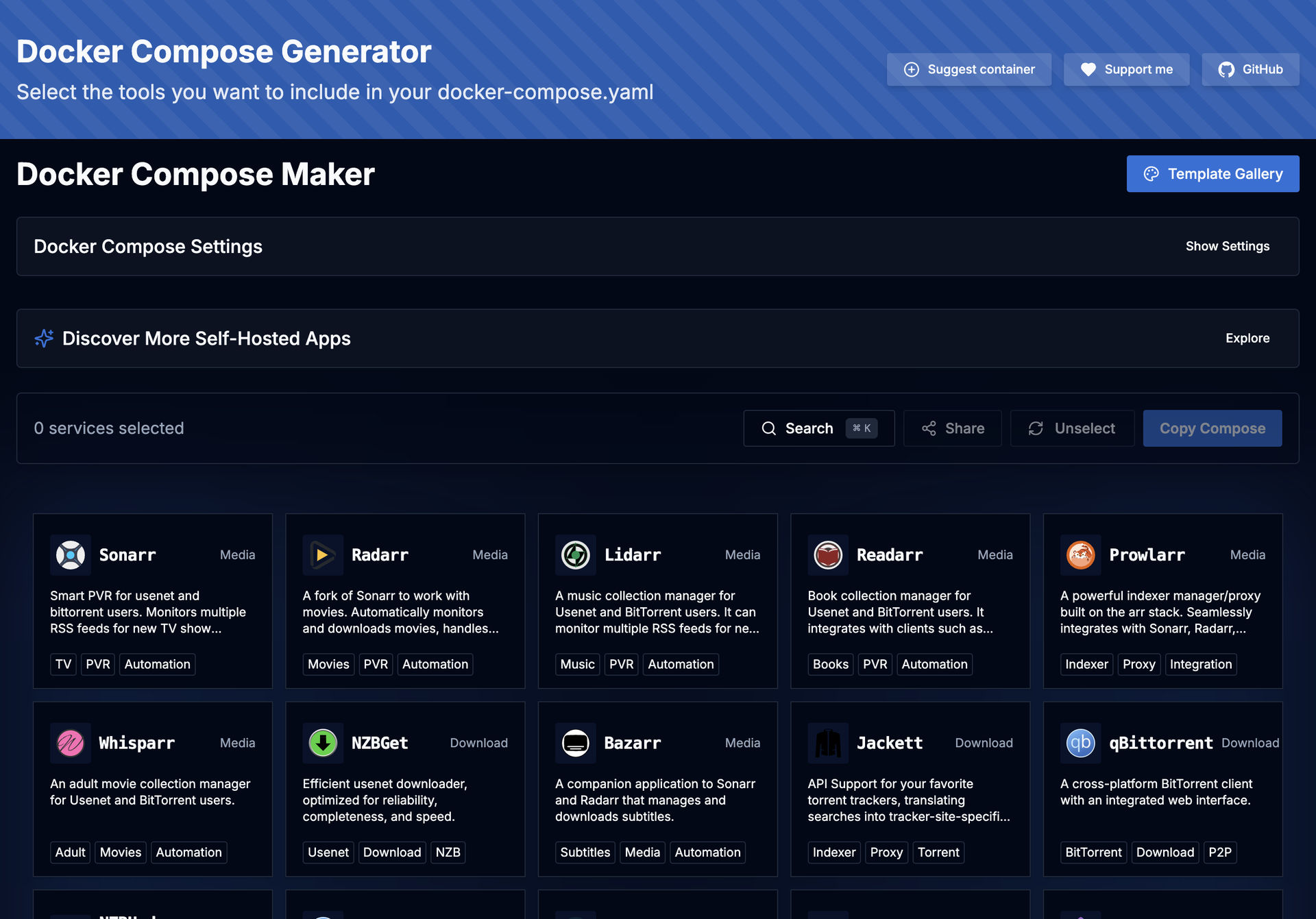
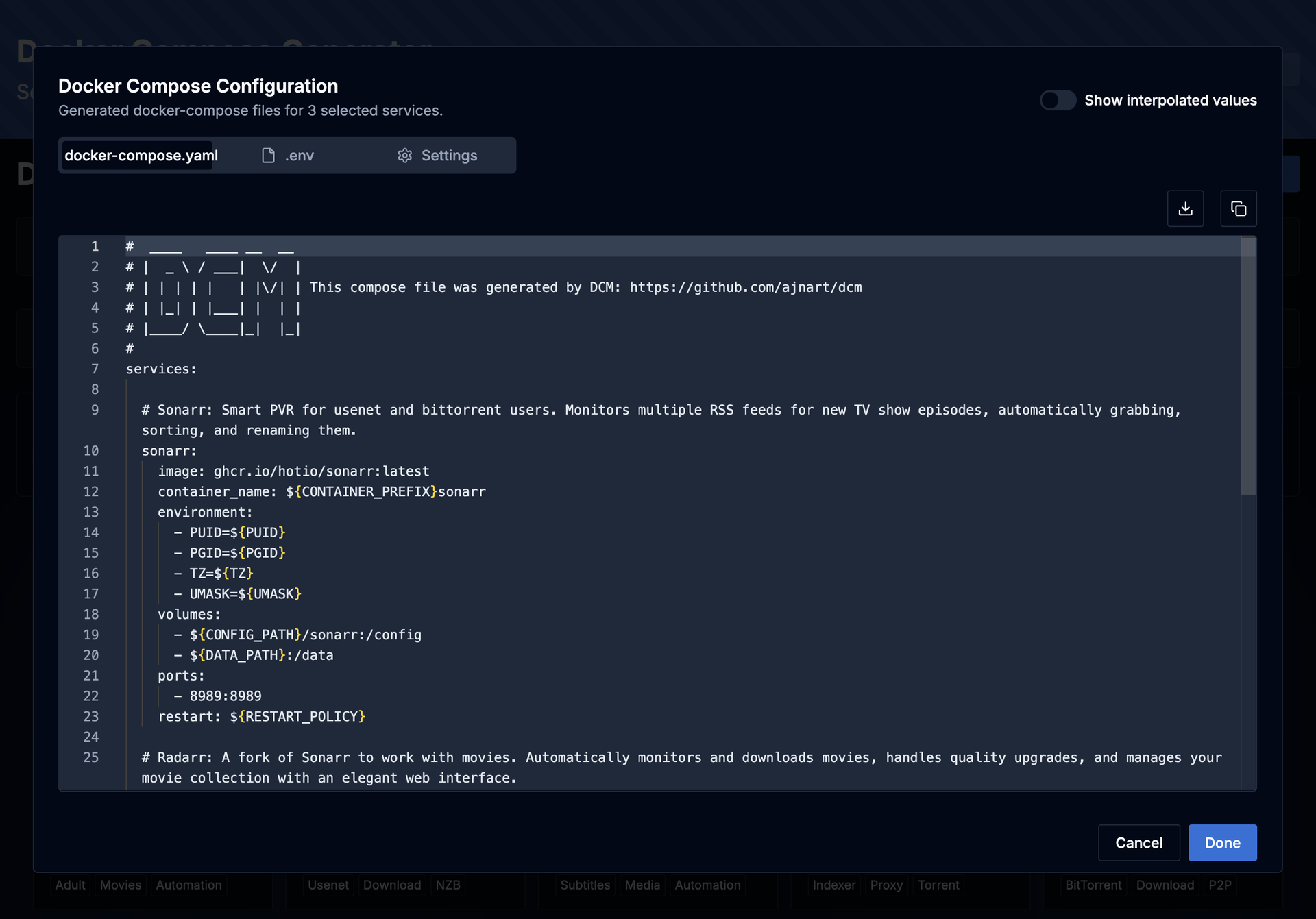
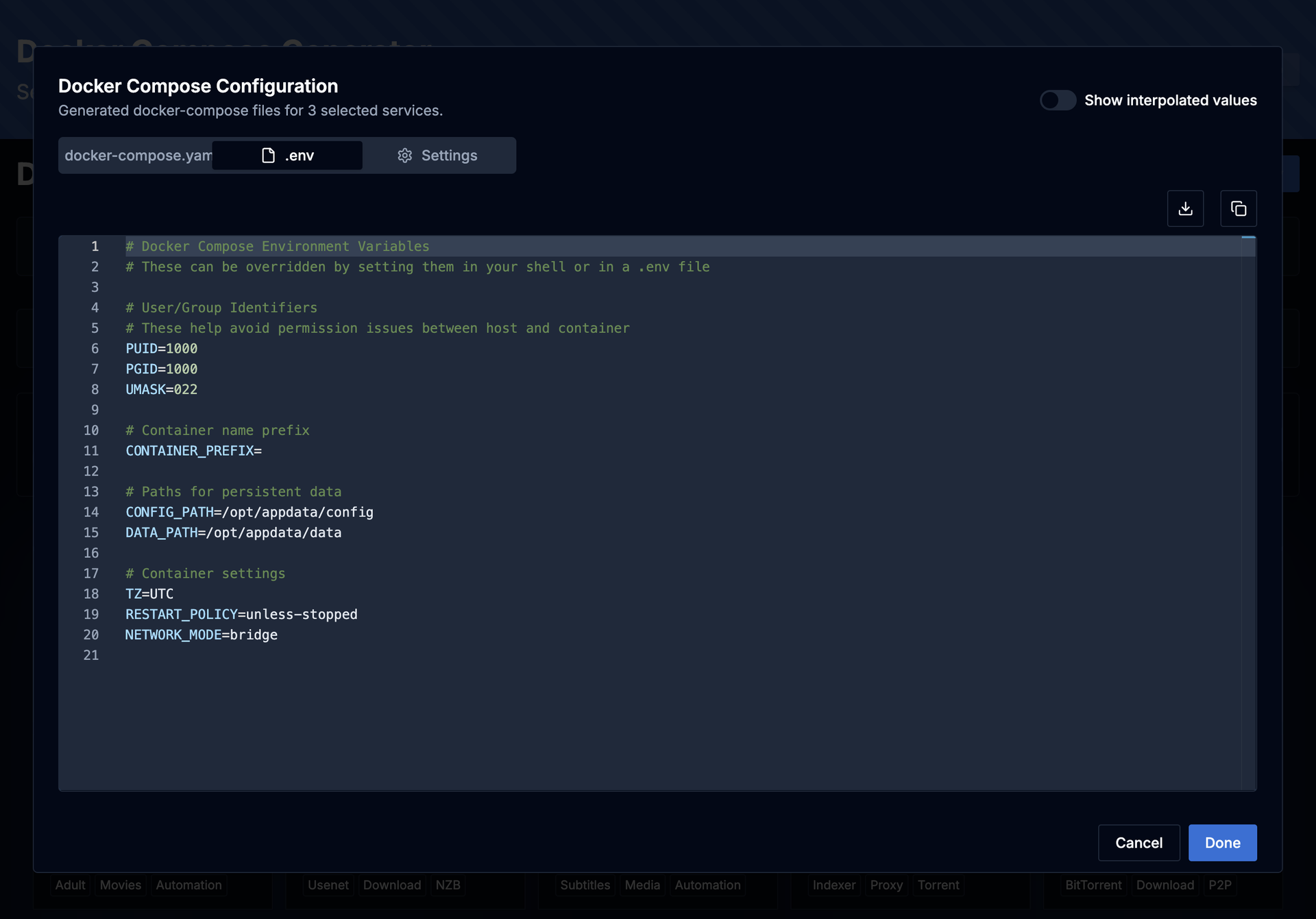
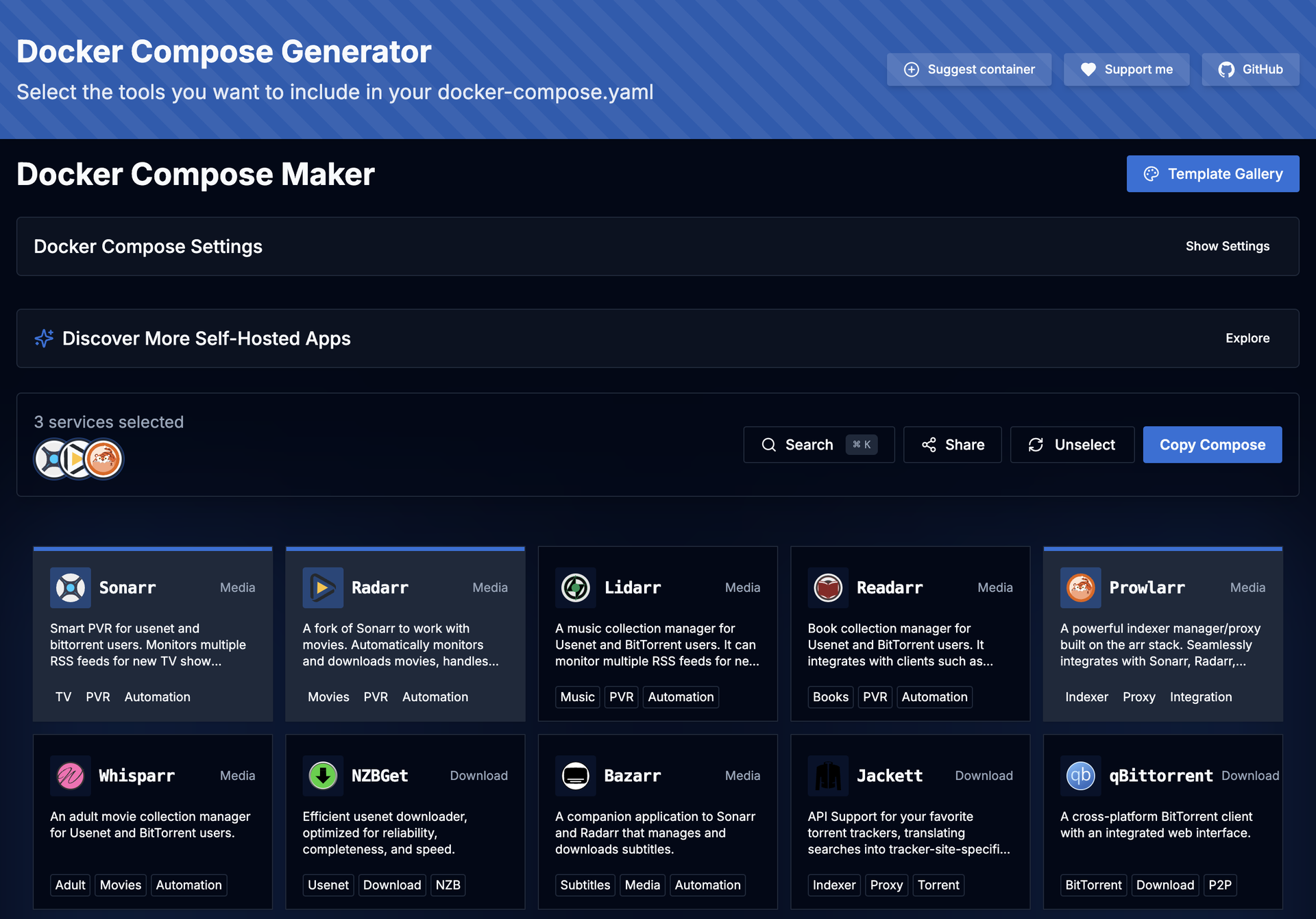
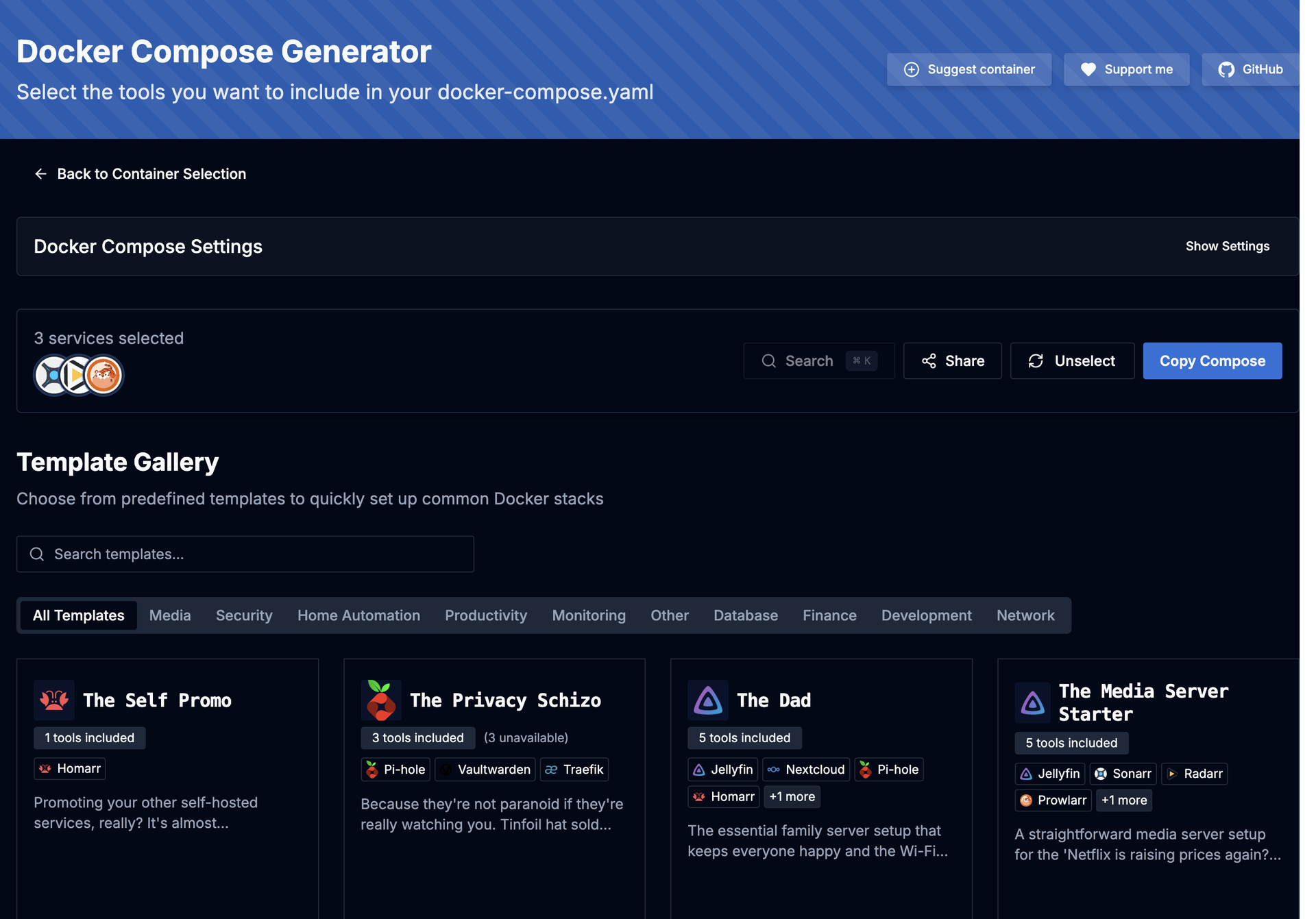
DCM is a visual builder that eliminates docker-compose copy-paste anxiety for home server enthusiasts. The TypeScript and Next.js web interface on port 7576 presents a curated catalog of popular self-hosted applications organized into categories: media management with Jellyfin, Plex, Sonarr, Radarr, and Prowlarr; dashboards like Homarr and Heimdall; databases including PostgreSQL, MariaDB, MongoDB, and Redis; monitoring stacks with Grafana and Prometheus; download clients like qBittorrent and NZBGet; security tools including Vaultwarden; storage solutions like Nextcloud; and home automation via Home Assistant. Select any combination of containers and DCM generates both compose.yaml and .env files with correct volume mounts, environment variables, PUID/PGID ownership, network modes, and port mappings — ready to paste into your terminal. Automatic port conflict detection identifies clashing services and reassigns ports before you ever hit a deployment error. The Template Gallery ships predefined multi-container stacks for common setups: media servers, development environments, database clusters, and monitoring solutions — some incorporating ten or more services in a single template. Built as a static Next.js export served from a 62 MB multi-arch Docker image supporting amd64, arm64, and arm/v7, DCM runs on everything from rack servers to Raspberry Pis. Share generated configurations via URL or download them locally. Running on a dedicated VPS on RepoCloud with guaranteed CPU, RAM, and SSD, full root SSH access, and a browser serial console. AGPL-3.0 licensed.
Benefits
- Visual Compose File Builder
- Select containers from a curated catalog, customize volume paths, ports, environment variables, and network modes — then export complete compose.yaml and .env files in one click.
- Automatic Port Conflict Resolution
- When multiple selected services share default ports, DCM detects the collision and reassigns port mappings automatically, preventing deployment failures before they happen.
- Multi-Container Template Gallery
- Predefined stacks for media servers, development environments, monitoring solutions, and database clusters — some including ten or more pre-configured services in a single template.
- Lightweight Multi-Architecture Image
- A 62 MB Docker image supporting amd64, arm64, and arm/v7 runs on rack servers, old PCs, and Raspberry Pis with identical functionality across all platforms.
Features
- Container Catalog
- Curated library of popular self-hosted applications with descriptions, GitHub star counts, and pre-configured docker-compose settings organized by category.
- Configuration Customization
- Edit volume paths, port mappings, PUID/PGID ownership, environment variables, network mode, and restart policies directly within the web interface before export.
- Template Gallery
- Predefined multi-service stacks for common use cases including media servers with Jellyfin and Sonarr, monitoring with Grafana and Prometheus, and database clusters.
- One-Click Export
- Generate and download complete docker-compose.yaml and .env files ready for immediate deployment via Docker CLI, Docker Desktop, Portainer, or Rancher.
- Configuration Sharing
- Share generated Compose configurations via URL for team collaboration or cross-server replication with optional HTTPS for secure sharing.