Open Source App Cloud Marketplace
Deploy, host, and scale with one click, at half the cost. Then customize with AI agents.
Farfalle
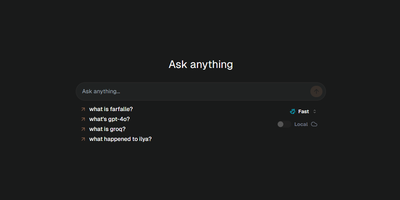
Live web search plus an LLM of your choice: Farfalle is an open-source, self-hosted answer engine in the Perplexity mold. Queries route through one of several search providers - self-hosted SearXNG for a fully independent stack, or Tavily, Serper, and Bing APIs - and the model composes a cited answer from the retrieved results. Model flexibility is the core design: run llama3, mistral, gemma, or phi3 locally through Ollama for zero per-query cost and full privacy, use cloud models like GPT-4o or Groq-hosted Llama 3 for speed, or route to any provider via LiteLLM. An Expert Search mode uses an agent that plans a multi-step search strategy and executes it for harder questions, and chat history keeps prior research sessions available. The stack is a Next.js and shadcn/ui frontend over a FastAPI backend with Redis rate limiting, shipped as a pre-built Docker image. A browser search-engine entry pointing at your instance makes it the default search from the address bar. Paired with SearXNG and Ollama, the whole pipeline runs with no external API at all.
Jellyseerr
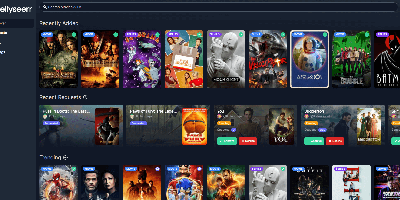
Browse trending titles, search anything, request it in two clicks: Jellyseerr gives Jellyfin, Emby, and Plex users a beautiful storefront for the media library. Born as the Overseerr fork that added Jellyfin and Emby support (the projects have since unified as Seerr), it handles the full request lifecycle - users authenticate with their existing media-server accounts, pick individual seasons or movies in a clean interface, and admins approve or decline from a simple queue, including on mobile. Approved requests flow straight to Sonarr and Radarr, which handle acquisition automatically, with support for separate 4K server instances. Regular library scans keep availability accurate, so users see instantly what already exists instead of requesting duplicates. A granular permission system controls who can request what - auto-approval for trusted users, quotas and limits elsewhere - and override rules adjust request routing by user, tag, or other conditions. Watchlist and blocklist functions curate discovery, notifications reach email, Discord, Telegram, Slack, Pushover, and Pushbullet, and both PostgreSQL and SQLite are supported. Localized into many languages, it turns "can you add this movie?" texts into a self-service system that runs itself.
StirlingPDF
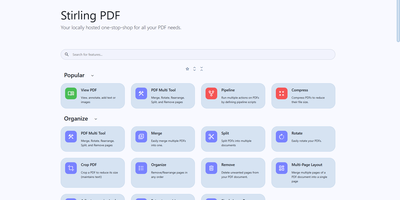
Adobe Acrobat and Smallpdf, answered by a self-hosted Java web application: Stirling PDF processes every file with its 60+ tools on your own server and deletes it after the task completes. Nothing is uploaded to a third party, which is the whole point for contracts, invoices, and medical records. The toolbox covers page operations (merge, split at page numbers or scanned dividers, rotate, reorder, crop, extract), conversion in both directions between PDF and Word, Excel, PowerPoint, images, HTML, and Markdown, OCR that turns scans into searchable PDFs via Tesseract/OCRmyPDF (including PDF/A archival conversion), and security tools for passwords, permissions, watermarks, signatures, and true UI-driven text redaction. A built-in viewer handles annotation, drawing, and text or image insertion, and V2 added stateful processing - upload once, chain multiple tools - plus undo/redo history. For automation, nearly every tool has a REST API endpoint, no-code pipelines combine operations into custom logic chains, and watched folders process files automatically. Enterprise deployments get SSO, user management, and audit logging; the interface ships in 40+ languages. With 84K+ GitHub stars it is the most popular PDF tool in self-hosting, replacing $20/month Acrobat subscriptions with flat infrastructure cost.
Mautic
A campaign engine wrapped around a contact database: Mautic, the largest open-source marketing automation platform, replaces HubSpot or Marketo without per-contact pricing. Contacts arrive through forms, landing pages, imports, or the REST API and flow into segments: dynamic filters that update automatically from behavior, custom profile fields, or point scores. Segments decide who qualifies; campaigns decide what happens. The drag-and-drop Campaign Builder composes multi-step workflows from actions, positive/negative decision trees, and conditions (field values, tags, device type, segment membership, point thresholds), with static or relative delays, a Jump-to-Step action for moving contacts between branches, and handoffs that push contacts into CRMs or entirely different campaigns. Messaging covers email, SMS, and web/app push out of the box, with A/B testing and a drag-and-drop email builder; dynamic website content swaps page sections per known contact. Lead scoring assigns points for clicks and visits with decay for inactivity, while stages track funnel position. Native integrations cover Salesforce, HubSpot, Zoho, and Dynamics, plus a full REST API for custom sync. It runs on PHP and MySQL with cron jobs processing campaigns and segment rebuilds - self-hosting keeps your entire contact database and behavioral history under your control.
Open Notebook
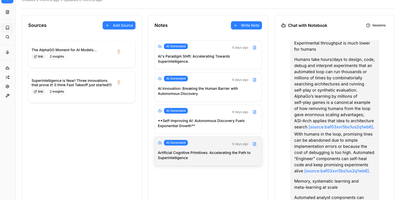
The most feature-complete open-source alternative to Google's NotebookLM — a self-hosted research platform where you upload PDFs, videos, audio files, and web pages into organized notebooks, then chat with your content, generate multi-speaker podcasts, and run semantic search across everything without sending a single byte to Google's servers. The podcast engine supports 1-4 fully customizable speakers with backstories, personalities, and expertise profiles, generating professional audio dialogue through OpenAI, ElevenLabs, Google TTS, or completely local text-to-speech via Kokoro for maximum privacy. Content processing uses token-based chunking with RAG-powered retrieval grounded in your uploaded sources, while both full-text keyword search and semantic vector search via SurrealDB enable conceptual discovery across all notebooks. The 18+ supported AI providers include OpenAI, Anthropic, Google Gemini, Groq, Ollama, LM Studio, and more — configurable per task so you can route cheap models to summarization and powerful models to analysis. Content transformations extract insights, generate summaries, create study guides, and produce structured outputs from any source material. The MCP integration connects Open Notebook to Claude Desktop, VS Code, and other MCP clients for seamless workflow integration. A full REST API on port 5055 enables complete automation of notebook management, source upload, and podcast generation. Deploy via Docker Compose with the application container, SurrealDB v2 on RocksDB, and optional TTS containers. Running on a dedicated VPS on RepoCloud with guaranteed CPU, RAM, and SSD, full root SSH access, and a browser serial console. MIT licensed.
Affine Pro
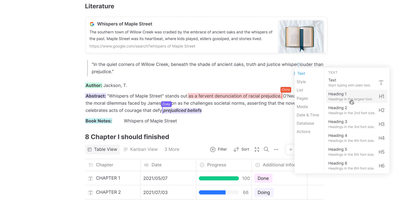
Gaining over 71,000 GitHub stars as one of the fastest-rising knowledge management platforms, AFFiNE merges the document editing capabilities of Notion, the infinite canvas of Miro, and the structured data of Airtable into a single cohesive workspace. The block-based editor built on the custom BlockSuite framework supports rich text, code blocks, embeds, tables, kanban boards, and database views with drag-and-drop composition. The whiteboard mode provides an infinite canvas where users can freely mix documents, sticky notes, shapes, connectors, and hand-drawn elements, enabling visual thinking alongside structured note-taking. Real-time collaboration allows multiple users to edit documents and whiteboards simultaneously with cursor presence, comment threads, and version history. The local-first architecture stores all data on your device by default using CRDT-based synchronization, ensuring offline access and data sovereignty, with optional cloud sync for cross-device availability. Workspaces organize content into hierarchical page trees with full-text search, favorites, tags, and trash management. The platform supports Markdown import and export, PDF export, and HTML export for interoperability. AI features powered by configurable LLM providers enable writing assistance, summarization, translation, and content generation directly within documents. The theming system supports light and dark modes with customizable accent colors. Running on a dedicated VPS on RepoCloud with guaranteed CPU, RAM, and SSD, full root SSH access, and a browser serial console. Licensed under MIT with an open-source self-hosted edition.
Automatisch
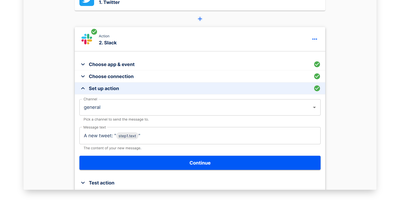
Automatisch runs your Zapier workflows on your own hardware - an open-source, self-hosted automation platform built as a direct alternative. Flows are chains of steps: one trigger (a polling or webhook event such as a new GitHub issue, a Stripe payment, or a form submission) followed by action steps that pass data downstream (post to Slack, append a Google Sheets row, update Notion). The visual builder deliberately mirrors Zapier's trigger-action model, so migrating existing Zaps requires no retraining and no programming knowledge. Roughly 60 integrations cover common business services - Slack, GitHub, Google Sheets, Notion, Stripe, Discord - and connections store credentials per service, with multiple accounts per app supported. Every execution runs on your own server: execution history, logs, and payload data never touch a third-party processor, which matters for GDPR, healthcare, and finance workloads. Error handling with retry logic, a REST API for programmatic flow management, and Docker Compose deployment round out the platform. The AGPL-3.0 Community Edition has no feature limits or per-task billing; an Enterprise Edition adds SSO, roles, and audit logs.
Bulwark Webmail
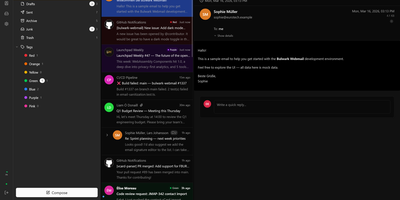
Transforming your Stalwart Mail Server into an all-in-one private communication hub, Bulwark Webmail delivers fast web-based email, collaborative calendars, shared contacts, and cloud files in a single unified interface. Users can manage multiple email accounts from an integrated inbox with conversational message threading, nested organizational tags, scheduled delivery, and instant full-text search across thousands of archived messages. The rich text composer provides markdown shortcuts, inline image embedding, reusable canned response templates, and automated draft synchronization. Team members can coordinate schedules across day, week, month, and agenda calendar views with drag-to-reschedule adjustments, interactive iMIP meeting invitations, and external CalDAV calendar subscriptions. The integrated address book organizes individual contacts into custom groups with full vCard import and export support, while the files module lets users browse server storage, preview incoming attachments, and upload documents directly through the browser. Built-in security safeguards enforce multi-factor authentication, cryptographic S/MIME signatures, client-side encryption at rest, and automated HTML luminance remapping to keep dark emails legible. Running on a dedicated VPS on RepoCloud with guaranteed CPU, RAM, and SSD, full root SSH access, and a browser serial console. AGPL v3 licensed.
Pixelfed
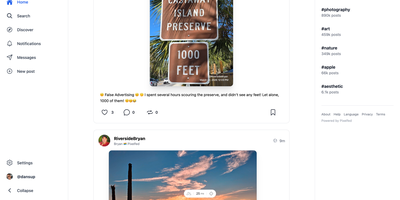
With nearly 7,000 GitHub stars and instances spanning hundreds of federated servers, Pixelfed has become the leading open-source alternative to Instagram — delivering ad-free, algorithm-free photo sharing across the Fediverse. Built on Laravel with a Vue.js frontend, Pixelfed provides a polished, mobile-responsive interface where users upload photos and videos, apply built-in filters, create multi-image posts with alt text, share ephemeral stories, organize content into curated collections, and exchange direct messages — all without tracking, algorithmic manipulation, or targeted advertising. Federation through the ActivityPub protocol means Mastodon, Pleroma, and other Fediverse users can follow Pixelfed accounts, view photo posts in their timelines, and interact through likes, boosts, and replies, while Pixelfed users can discover content through both local and federated timelines. Instance administrators control registration policies, content moderation rules, federation blocklists and allowlists, storage backends including local or S3-compatible options, and server-wide settings. The Mastodon-compatible API enables third-party mobile app support alongside the built-in Progressive Web App experience. Advanced features include blurhash image placeholders for smooth loading, federated groups for community building through FEP-400e and FEP-1b12 extensions, HTTP Signatures with Authorized Fetch for secure federation, and comprehensive data export for full portability. Deployment requires PHP 8.1+, MySQL or PostgreSQL, Redis, and a reverse proxy, with Docker Compose configurations available for streamlined setup. Running on a dedicated VPS on RepoCloud with guaranteed CPU, RAM, and SSD, full root SSH access, and a browser serial console. AGPL-3.0 licensed.
Erxes
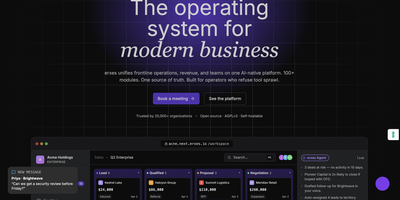
Replacing HubSpot, Zendesk, Intercom, and Linear with a single self-hosted platform, erxes delivers an Experience Operating System trusted by over 4,000 GitHub stars and built on a modern Nx-powered monorepo architecture. The core ships with six foundational modules — My Inbox for omnichannel conversations across email, web chat, voice, and Discord; Contacts for unified customer profiles; Products for catalog management; Segments for behavioral targeting; Automation for visual workflow builders; and Documents for template generation. Beyond the core, a plugin marketplace activates Frontline for ticket management and omnichannel support queues, Sales for deal pipelines and lead scoring, Operations for project boards with cycle management, Content for headless CMS and knowledge bases, and Team for employee directories, time clocks, and internal chat. The technical stack combines GraphQL Federation with Apollo Server v4 and tRPC v11 microservices on Node.js, React 18 micro-frontends via Rspack Module Federation with TailwindCSS 4, MongoDB with Mongoose for persistence, Redis for caching, BullMQ for job queues, and Elasticsearch for full-text search. Deployment supports Docker Compose orchestration with automatic service discovery across all plugin containers. The Global Profile architecture enables agencies to manage multiple client brands under a single login with separated data stores. iOS and Android SDKs embed the messenger widget directly into mobile applications. Running on a dedicated VPS on RepoCloud with guaranteed CPU, RAM, and SSD, full root SSH access, and a browser serial console. AGPLv3 licensed.
LocalAI
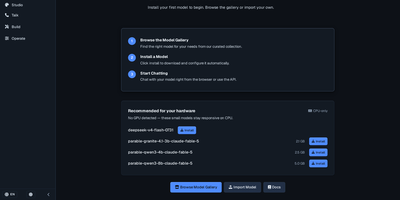
With over 48,000 GitHub stars and monthly releases since March 2023, LocalAI is the self-hosted AI engine that replaces every OpenAI endpoint with a single Docker container running on your own infrastructure — serving chat completions, image generation, text-to-speech, speech-to-text, embeddings, vision, video generation, and function calling through identical API schemas that require zero application code changes. The composable backend architecture isolates each inference engine as a separate gRPC service running in its own OCI container, so llama.cpp, vLLM, SGLang, transformers, whisper.cpp, diffusers, MLX, Stable Diffusion, and Flux install on demand without touching the core, can run on separate machines, and a fault in one never affects others. Hardware acceleration spans NVIDIA CUDA 12 and 13, AMD ROCm, Intel oneAPI/SYCL, Apple Silicon Metal, Vulkan, and NVIDIA Jetson L4T — or runs entirely on CPU without any GPU. Built-in AI agents support autonomous tool use, retrieval-augmented generation, Model Context Protocol integration, and skill-based workflows directly in the web interface. The model gallery provides curated YAML configuration files for hundreds of models that install with a single command, while P2P federated inference distributes model shards across multiple machines for running models larger than any single node's memory. Multi-user API key authentication with quotas and role-based access enables team deployments. Running on a dedicated VPS on RepoCloud with guaranteed CPU, RAM, and SSD, full root SSH access, and a browser serial console. MIT licensed.
WhoDB
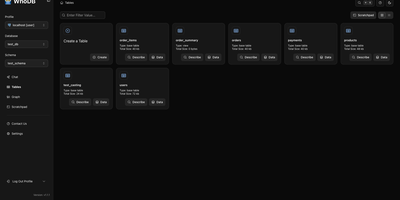
With nearly 5,000 GitHub stars earned in under two years, WhoDB has rapidly emerged as the lightweight alternative to heavyweight database clients like DBeaver and DataGrip by delivering a sub-50MB binary that starts in under a second and connects to 18+ database systems from a single interface. The Go backend serves the React and TypeScript frontend with table virtualization for efficient rendering of large result sets, lazy loading, and query result streaming that keeps the interface responsive even when browsing tables with millions of rows. The Community Edition connects to PostgreSQL, CockroachDB, YugabyteDB, MySQL, MariaDB, TiDB, SQLite, DuckDB, MongoDB, FerretDB, Redis, Valkey, Dragonfly, Elasticsearch, OpenSearch, ClickHouse, QuestDB, and Memcached through a unified credential selector that switches between databases with minimal configuration. Interactive schema diagrams render entity-relationship graphs showing table structures, foreign keys, and column types for visual database exploration. The Jupyter-style query scratchpad provides SQL autocomplete, syntax highlighting, and multi-statement execution with paginated results. AI integration optionally connects to Ollama, OpenAI, Anthropic, LM Studio, or any OpenAI-compatible provider for natural language database queries — ask questions in plain English and receive generated SQL. Data management includes inline row editing, CSV export, and filtered data views. Docker deployment runs a single container exposing port 8080. Running on a dedicated VPS on RepoCloud with guaranteed CPU, RAM, and SSD, full root SSH access, and a browser serial console. Apache-2.0 licensed.
SnappyMail
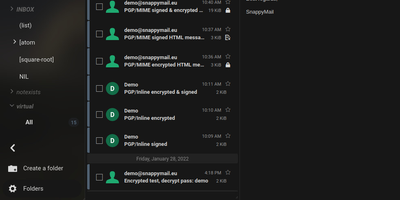
SnappyMail is a fast, privacy-respecting webmail client that connects to any existing IMAP and SMTP server, booting in under a second with a JavaScript payload of just 138 KB under Brotli compression (down from RainLoop's 8 MB fork origin). No database is required: all configuration and user data persists as flat files in a single volume, making Docker deployment trivially simple with the roughly 30 MB image consuming approximately 50 MB of RAM. Built-in PGP encryption supports three backends: OpenPGP.js v5 with ECDSA and EDDSA key generation, GnuPG integration, and Mailvelope browser extension compatibility, eliminating the need for separate encryption plugins. The integrated Sieve script editor enables users to create mail filtering rules, vacation auto-responders, and forwarding conditions directly within the web interface when connected to ManageSieve-capable servers on port 4190. Multi-domain administration allows a single instance to serve users across multiple IMAP servers with per-domain authentication routing. The admin panel manages extensions, security settings, branding customization, and domain configuration. GDPR-friendly by design, it removes all social media integrations, Gravatar lookups, and external tracking present in RainLoop. Dark mode strips background and font colors from email messages. The modified Squire HTML editor replaces CKEditor for composing rich-text messages. Scores 99% on Lighthouse performance. Running on a dedicated VPS on RepoCloud with guaranteed CPU, RAM, and SSD, full root SSH access, and a browser serial console. AGPL-3.0 licensed.
It Tools
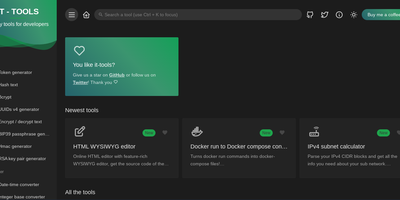
The utilities engineers otherwise scatter across a dozen ad-laden websites - 80+ of them - live together in IT-Tools, one fast, polished web app. Crypto covers JWT decoding, MD5 through SHA-512 hashing, HMAC and bcrypt generation, RSA key pairs, and password strength analysis. Converters handle JSON to CSV, YAML, and TOML, Base64 files, URL encoding, HTML entities, color formats, and Docker run commands to Compose files. Generators produce UUIDv4, ULID, BIP39 mnemonics, QR codes (including Wi-Fi QR), and tokens; text tools include a regex tester, diff viewer, slug and case converters; web utilities parse URLs and user agents, look up HTTP status codes and MIME types, and inspect Open Graph metadata; plus a cron parser, chmod calculator, and more. The privacy argument is the point: JWTs contain user IDs, hashes derive from passwords, JSON dumps hold PII - exactly the inputs you least want a third-party utility site to log. IT-Tools is a frontend-only static bundle (Vue/TypeScript, GPL-3.0, 39k+ GitHub stars) served by Nginx in one container, so everything runs client-side on your infrastructure with nothing transmitted anywhere. New tools ship roughly monthly, and a scaffolding script makes adding custom ones straightforward.
Backstage
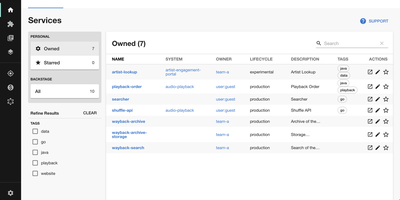
Adopted by over 3,400 companies and backed by 34,000 GitHub stars, Backstage is the open-source developer portal framework created by Spotify and now hosted by the Cloud Native Computing Foundation. The centralized Software Catalog registers every service, library, data pipeline, website, and ML model in your organization using YAML metadata files stored alongside code in GitHub, GitHub Enterprise, or GitLab, tracking ownership, lifecycle status, and dependency relationships across your entire ecosystem. Software Templates provide self-service infrastructure provisioning where developers fill out a form and Backstage automatically scaffolds new repositories, CI/CD pipelines, and cloud resources following your organization's standardized best practices. TechDocs renders Markdown documentation directly alongside the services it describes using a docs-like-code approach powered by MkDocs, with the TechDocs Addon Framework for extending the reading experience. The Search Platform indexes content across the catalog, TechDocs, Confluence, and Stack Overflow through configurable search backends. Kubernetes monitoring built specifically for service owners rather than cluster admins displays pod health, logs, and deployment status across any cloud provider or managed Kubernetes service. The plugin ecosystem includes over 230 open-source integrations covering CI/CD systems like GitHub Actions and GitLab Pipelines, monitoring platforms like Datadog and Grafana, cloud providers including AWS and Azure, plus specialized plugins for security scanning, cost management, API documentation, PagerDuty incident management, and Lighthouse website auditing. Running on a dedicated VPS on RepoCloud with guaranteed CPU, RAM, and SSD, full root SSH access, and a browser serial console. Apache-2.0 licensed.
Owncloud
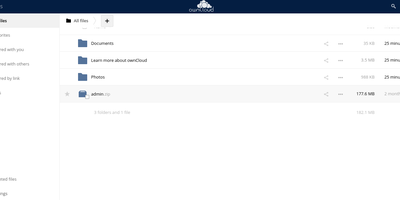
The project that proved organizations could have Dropbox-style convenience with complete data ownership: ownCloud is the original open-source file sync and share platform - the codebase Nextcloud later forked from. This deployment runs the classic ownCloud Server (PHP over PostgreSQL or MariaDB, with Redis caching), the battle-tested edition trusted across enterprises, universities, and public institutions worldwide. The core loop: store files on your server, sync them via desktop clients for Windows, macOS, and Linux plus iOS and Android apps, and access everything through the web interface or standard WebDAV. Sharing is granular - internal users and groups, external recipients via public links with passwords and expiration dates, and federated sharing that connects separate ownCloud instances into one network. Security controls include file firewall rules, multi-factor authentication, encryption, and detailed audit-friendly lifecycle management with versioning and trash-bin recovery. An app marketplace extends the platform, and Web Office integrations bring collaborative document editing through Collabora Online, OnlyOffice, or Microsoft Office Online directly into your files. LDAP and Active Directory integration slots it into existing identity infrastructure. For teams that need a proven, self-hosted alternative to Dropbox or Google Drive - where compliance demands knowing exactly which disk your data sits on - ownCloud remains a foundational choice.
Saleor
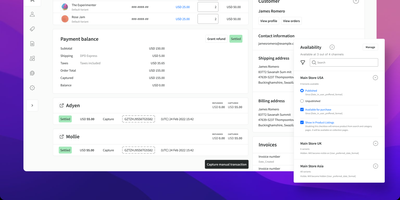
Backed by 23,000+ GitHub stars and trusted by global brands processing millions of orders, Saleor delivers the open-source headless commerce API that replaces monolithic ecommerce platforms with a composable, GraphQL-native architecture where APIs are the only way to interact with the system. The core engine built on Python and Django handles catalog management, order processing, payment orchestration, inventory tracking, and fulfillment workflows while remaining completely decoupled from any frontend technology. Native multichannel support enables per-channel control of pricing, currencies, warehouses, product availability, and payment methods, managing Instagram, Amazon, regional websites, and retail POS from a single backend. The extensibility layer provides 160+ webhooks spanning synchronous payment callbacks, asynchronous event notifications via Google Cloud Pub/Sub and AWS SQS, and subscription queries that shape webhook payloads to deliver only the data your services need. Dashboard UI Extensions offer 45+ mount points for embedding custom interfaces via iframes without forking, while the Apps system allows building payment gateways, PIM integrations, loyalty programs, and discount logic in any language. The React-based administration dashboard provides product management, order processing, customer segmentation, and analytics with multi-language and multi-currency support. OIDC integration connects existing identity providers for single sign-on across the merchant organization. Running on a dedicated VPS on RepoCloud with guaranteed CPU, RAM, and SSD, full root SSH access, and a browser serial console. BSD 3-Clause licensed.
BookOrbit
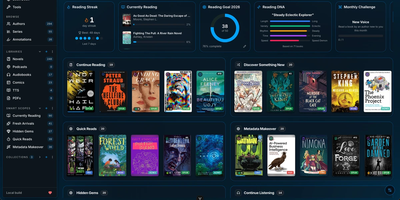
Consolidate your entire digital library into a self-hosted reading sanctuary with BookOrbit, an open-source media platform that organizes ebooks, audiobooks, comic archives, and research PDFs within a personal private cloud. Readers can enjoy multi-format media directly through responsive browser readers that support EPUB, CBZ, and M4B formats without external browser extensions. The platform synchronizes reading bookmarks, highlights, and completion statuses across web interfaces, Kobo ereaders, and KOReader devices. An automated metadata enrichment engine queries fourteen upstream bibliographic indexes, downloading cover artwork, chapter breakdowns, author biographies, and series taxonomies. The staging workspace allows librarians to inspect incoming files, review suggested metadata revisions, and embed updated tags directly into physical storage archives before shelving. Custom reading dashboards track annual book goals, calculate daily streaks, and plot reading habit radar charts. Multi-user configurations support distinct per-user collections, granular content permissions, and single sign-on authentication through OpenID Connect providers. Power users can export private OPDS feeds to external mobile reading applications or push books directly to connected Kindle hardware. Running on a dedicated VPS on RepoCloud with guaranteed CPU, RAM, and SSD, full root SSH access, and a browser serial console. GNU AGPL v3.0 licensed.