Open Source App Cloud Marketplace
Deploy, host, and scale with one click, at half the cost. Then customize with AI agents.
Ackee
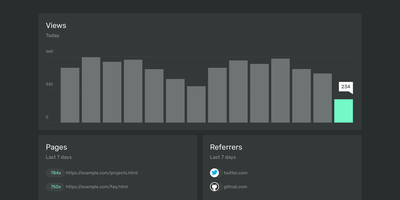
Page views, referrers, browsers, and screen sizes - Ackee delivers the analytics developers actually check, from a deliberately minimal Node.js and MongoDB stack that skips both Matomo's weight and Google Analytics' cloud dependency. Its defining constraint is anonymization: no cookies, no unique user tracking, and a multi-step anonymization process that keeps visitors unidentifiable while the aggregate numbers stay useful. In its default anonymous mode Ackee collects no personally identifiable information at all, which means GDPR and CCPA compliance out of the box and no cookie consent banner on your sites. A detailed mode adds screen size, language, and per-visit referrers - still without cookies or fingerprinting. Integration mirrors the Google Analytics pattern: create a domain in settings, drop the generated ackee-tracker snippet into your pages, and data appears in a clean single-page dashboard. One instance tracks multiple domains, and custom events capture button clicks, signups, and conversions. The distinctive engineering choice is the fully documented GraphQL API: everything the dashboard shows comes from that API, so you can query active visitors, average duration, and view statistics programmatically, feed data in from apps and services beyond websites, or build an entirely custom interface on top. If you want bare-minimum analytics with a real API and zero privacy anxiety, this is the tool.

Tandoor
The deep end of self-hosted recipe management: Tandoor Recipes is a Django/Vue application that replaces Paprika, AnyList, and ad-choked recipe sites with a database you control. Import is where most people start: paste any URL and Tandoor scrapes schema.org markup for ingredients, instructions, images, times, and nutrition; bulk-paste URLs for batch import; or migrate wholesale from Mealie, Paprika, Nextcloud Cookbook, Pepperplate, and other managers with built-in importers. The structured recipe editor tracks ingredients individually, which is what powers everything downstream: full-text search with trigram similarity, a "what can I make with what's in the fridge" ingredient search, automatic nutrition via OpenFoodFacts, and shopping lists that merge duplicate ingredients across recipes, convert units, scale by servings, and sort by your supermarket's actual aisle layout. The weekly meal planner is drag-and-drop, feeds shopping lists automatically, exports to your calendar, and shows a nutritional summary for the week. Multi-user support comes with a granular permission system - shared household cookbooks, private recipes, even secret ones - and shopping lists sync in real time so two people can shop simultaneously. A full REST API integrates with Home Assistant and Grocy. For households serious about cooking, Tandoor's depth is unmatched.
Doccano
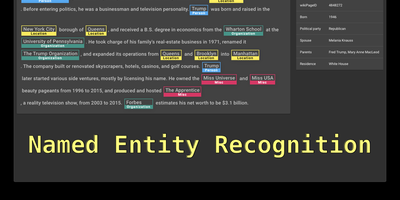
Doccano is a text annotation platforms for building machine learning training datasets. The web-based interface supports text classification for sentiment analysis and document categorization, sequence labeling for named entity recognition with overlapping entity support and relation extraction between labeled spans, and sequence-to-sequence annotation for text summarization and machine translation pairs. Collaborative annotation enables multiple annotators to work on the same project simultaneously with per-user progress tracking, annotation guidelines, example assignment to specific members, and filtering by assignee. Auto-labeling integrates with external machine learning model APIs through configurable request and response mapping templates, allowing pre-annotation that annotators can review and correct. Data import accepts plain text, JSONL, CoNLL, and Excel formats, while export produces JSONL and CoNLL datasets compatible with spaCy, Hugging Face Transformers, PaddleNLP, and other training frameworks through the doccano-transformer library. The Django backend with Django REST Framework exposes a complete RESTful API for programmatic project creation, dataset management, and annotation retrieval via the official doccano-client Python library. Celery handles background tasks including dataset import and export processing with Flower providing task monitoring. One-click deployment supports AWS CloudFormation and Heroku alongside Docker Compose for self-hosted environments. Running on a dedicated VPS on RepoCloud with guaranteed CPU, RAM, and SSD, full root SSH access, and a browser serial console. MIT licensed.
Mira
The fastest tool on the public Martian Code Review Bench at 77 seconds per PR with competitive F1 scores — while every higher-scoring competitor takes 5 to 14 times longer — Mira is the fully open-source AI code reviewer that ships the entire feature surface other tools gate behind per-seat subscriptions: indexed PR reviews with full-repo context, streaming walkthroughs posted within seconds, inline vulnerability scanning from hourly OSV.dev polls, org-wide package inventory answering "which repos use [email protected]?" in one query, interactive dependency graphs with blast-radius SVG rendering via ReactFlow, a learning loop that synthesizes rules from rejected comments and human review patterns on merged PRs, and cost telemetry showing actual spend per repo and per model. Unlike CodeRabbit, Greptile, and GitHub Copilot code review which are SaaS-only with per-seat pricing, Mira runs as a single Docker image on your infrastructure with your LLM key through OpenRouter (fronting Anthropic, OpenAI, Google Gemini, DeepSeek) or direct to Ollama and vLLM for fully air-gapped deployments. The engine indexes Python, TypeScript, Go, Rust, Java, C/C++, C#, Swift, Kotlin, Scala, and PHP with per-file symbol extraction, enabling multi-file reasoning across diffs rather than isolated line-by-line review. Integrates with GitHub, GitLab, and Forgejo via webhook with full feature parity. Running on a dedicated VPS on RepoCloud with guaranteed CPU, RAM, and SSD, full root SSH access, and a browser serial console. Apache 2.0 licensed.
Valkey
With 26,600 GitHub stars, 50 contributing companies including AWS, Google Cloud, Oracle, and Ericsson, and governance under the Linux Foundation ensuring the BSD 3-Clause license can never be revoked by a single entity, Valkey delivers a truly open-source Redis-compatible key-value datastore that reached 1.19 million requests per second in version 8.0 through redesigned asynchronous I/O threading across CPU cores while maintaining single-threaded data structure operations for predictability. Native data structures include strings, hashes, lists, sets, sorted sets, bitmaps, HyperLogLogs, streams, and geo-spatial indices with JSON support through modules. Valkey 9.0 shipped full-text search and aggregation via Valkey Search, enabling tag queries, numeric filtering, and text matching directly within the datastore without external search engines. Cluster mode provides horizontal scaling with automatic sharding, replication for high availability, and per-slot metrics for granular monitoring. Lua scripting enables complex atomic operations, while the module plugin system extends the server with custom commands and data types including probabilistic Bloom filters. Client libraries for Python, Java, Go, Node.js, and PHP maintain full Redis OSS protocol compatibility — existing Redis applications work without code changes. Deploy as a standalone daemon or in clustered mode with Docker, supporting persistent and ephemeral workloads on any Linux host. Running on a dedicated VPS on RepoCloud with guaranteed CPU, RAM, and SSD, full root SSH access, and a browser serial console. BSD 3-Clause licensed.
Grist
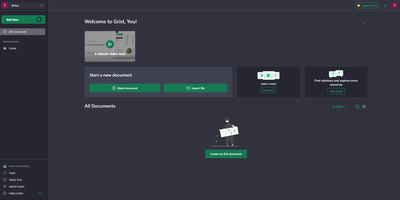
With over 11,200 GitHub stars and adoption by France's sovereign digital workspace LaSuite serving 20,000+ government users, Grist is the relational spreadsheet that ends the false choice between fragile Excel files and expensive custom database development — storing all data in portable SQLite files while providing true relational structure where VLOOKUPs become actual linked records that update instantly across entire documents. Python-powered formulas replace complex Excel syntax with clear, readable logic using the full Python standard library, while familiar Excel functions remain available for users who prefer them. Granular access rules control permissions at row, column, table, and cell levels — not just entire sheets — enabling multi-department documents where each team sees only their authorized data. The flexible layout system combines spreadsheets, card views, charts, calendars, and custom widgets on configurable dashboard pages that transform raw data into operational interfaces. Real-time collaboration lets multiple users edit simultaneously with automatic snapshot history capturing every change for full audit trails and point-in-time recovery. AI formula assistance connects to OpenAI, Llama, or any OpenAI-compatible endpoint via OpenRouter to generate formulas from natural language descriptions. The REST API and webhooks enable integration with n8n, Zapier, and custom automation, while incremental imports keep external data sources synchronized. Deployable via Docker with OIDC, SAML, and SCIM authentication support. Running on a dedicated VPS on RepoCloud with guaranteed CPU, RAM, and SSD, full root SSH access, and a browser serial console. Apache 2.0 licensed.
Emby
Point Emby at your movie, music, and photo libraries and it becomes a private streaming service: metadata and artwork arrive from TMDB and TVDB, everything lands in a polished browsable interface, and media transcodes on the fly whenever a client can't play the original format. The client reach is the selling point: native apps span Android TV, Apple TV, Google TV, Fire TV, Roku, LG and Samsung smart TVs, iOS, Android, Apple CarPlay, Android Auto, plus web browsers and desktop apps for Windows, macOS, and Linux, and DLNA devices are auto-detected for casting and remote control. Multi-user support gives each household member their own account, watch history, favorites, and recommendations, with genuinely capable parental controls: content restrictions, access schedules, time limits, and live monitoring with remote control of kids' sessions. Live TV works with hardware tuners like HDHomeRun or M3U playlists, with free guide data in the US, Canada, and UK. The server and core features are free; an optional Premiere key adds hardware-accelerated transcoding, DVR recording, offline sync, and Cinema Mode intros.
osTicket
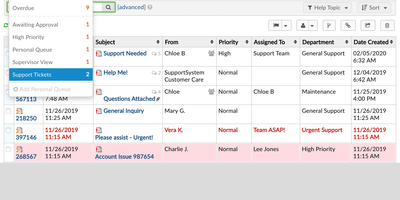
With nearly 3,900 GitHub stars, over 1,800 forks, and continuous development since 2013 culminating in the v1.18.4 release in June 2026, osTicket remains one of the most deployed open-source help desk systems worldwide, trusted by organizations from small businesses to universities and government agencies. The PHP backend on Apache or IIS with MySQL stores every ticket, response, and attachment while the web interface provides separate agent and customer portal views with role-based access control across departments, teams, and individual agents. Customers submit tickets through web forms, email piping, or phone-entry by agents, and configurable ticket filters automatically route incoming requests to the correct department, assign agents or teams, set priority levels, apply SLA plans, and trigger canned responses based on matching criteria including custom field values. Agent collision avoidance locks tickets during response composition to prevent duplicate replies, while SLA plans with business hour schedules track due dates and escalate overdue tickets automatically. Custom forms and fields let organizations capture structured data specific to each help topic — from IT asset tags to billing account numbers — with configurable required and internal-only visibility. The advanced search system with saved queries and CSV export enables reporting across all ticket metadata and custom fields. The customer portal provides ticket tracking, profile management, and knowledge base access. OAuth2 plugin support enables modern email authentication with Microsoft 365 and Google. Running on a dedicated VPS on RepoCloud with guaranteed CPU, RAM, and SSD, full root SSH access, and a browser serial console. GPL-2.0 licensed.
Backstage
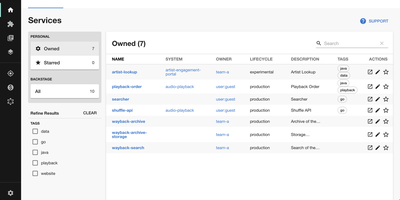
Adopted by over 3,400 companies and backed by 34,000 GitHub stars, Backstage is the open-source developer portal framework created by Spotify and now hosted by the Cloud Native Computing Foundation. The centralized Software Catalog registers every service, library, data pipeline, website, and ML model in your organization using YAML metadata files stored alongside code in GitHub, GitHub Enterprise, or GitLab, tracking ownership, lifecycle status, and dependency relationships across your entire ecosystem. Software Templates provide self-service infrastructure provisioning where developers fill out a form and Backstage automatically scaffolds new repositories, CI/CD pipelines, and cloud resources following your organization's standardized best practices. TechDocs renders Markdown documentation directly alongside the services it describes using a docs-like-code approach powered by MkDocs, with the TechDocs Addon Framework for extending the reading experience. The Search Platform indexes content across the catalog, TechDocs, Confluence, and Stack Overflow through configurable search backends. Kubernetes monitoring built specifically for service owners rather than cluster admins displays pod health, logs, and deployment status across any cloud provider or managed Kubernetes service. The plugin ecosystem includes over 230 open-source integrations covering CI/CD systems like GitHub Actions and GitLab Pipelines, monitoring platforms like Datadog and Grafana, cloud providers including AWS and Azure, plus specialized plugins for security scanning, cost management, API documentation, PagerDuty incident management, and Lighthouse website auditing. Running on a dedicated VPS on RepoCloud with guaranteed CPU, RAM, and SSD, full root SSH access, and a browser serial console. Apache-2.0 licensed.
Manyfold
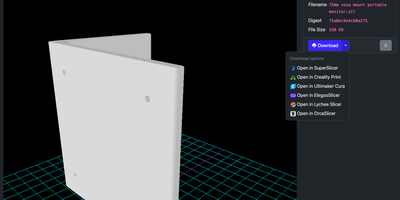
3D printing enthusiasts who accumulate thousands of downloaded STL, 3MF, STEP, and OBJ archives across disorganized folders can index, preview, and catalog their entire library with Manyfold, a self-hosted digital asset manager purpose-built for additive manufacturing. Point it at an existing local directory or an S3-compatible bucket and it automatically scans nested folders, groups multi-part meshes into unified model entries, and renders interactive 3D previews right in your browser. You can organize assets by creator, collection, tag, and scale, distinguish between pre-supported and unsupported resin files, and import rich metadata directly from Thingiverse, Printables, Cults3D, and MyMiniFactory. Built-in troubleshooting tools flag duplicate meshes, manifold geometry errors, and inefficient file formats, while customizable file-naming templates reorganize messy directory trees on disk with a single click. Ready to print? Open models directly in OrcaSlicer, PrusaSlicer, or UltiMaker Cura, or transmit sliced G-code straight to OctoPrint and Moonraker printers. Multi-user access control and native ActivityPub federation let you share public collections and follow remote creators across the Fediverse. Running on a dedicated VPS on RepoCloud with guaranteed CPU, RAM, and SSD, full root SSH access, and a browser serial console. AGPL-3.0 licensed.
Omni Tools
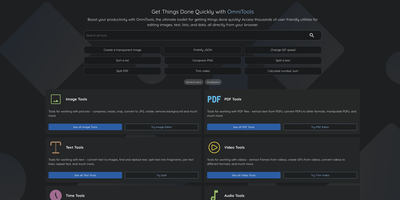
The ad-riddled "free online tools" sites people paste sensitive text into and upload confidential PDFs to - OmniTools replaces that whole ecosystem with one self-hosted app. It bundles 50+ utilities behind one clean React/TypeScript interface: image tools (resize, convert, crop, edit), video and audio tools (trim, reverse, convert), PDF tools (split, merge, edit), text and list utilities (case converters, formatters, shufflers), plus date/time, math, and data-format helpers for JSON, CSV, and XML. The architectural decision that makes it trustworthy is that all file processing happens entirely client-side in the browser - the server only serves static assets, and nothing you process ever leaves your device. That design has a pleasant side effect: the host needs almost no resources (people run it on a Raspberry Pi Zero), because your browser does the work while the server just delivers files. The Docker image is a remarkable 28 MB, making it one of the fastest apps to deploy and cheapest to keep running. There are no ads, no tracking, no accounts, and no upload limits. With multi-language support and an MIT license, it works equally well as a personal toolbox or a team-wide internal utility portal - one URL that replaces a bookmark folder full of questionable converters. Actively developed with 50 contributors and 9,500+ GitHub stars.
Polar
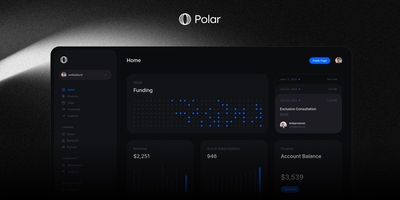
Used by Tailwind Labs and recognized as an official GitHub funding partner, Polar is the open-source billing infrastructure that lets developers ship production-ready monetization in hours instead of weeks. Meter tokens, API calls, agent runs, GPU seconds, and storage with event-level precision, then compose usage billing with subscriptions, seats, credits, trials, and discounts into whatever pricing model your product requires. As Merchant of Record, Polar handles sales tax, VAT, chargebacks, receipts, and regulatory compliance across all supported countries so you receive clean payouts without building tax infrastructure. Integrate via the full REST API with official SDKs for JavaScript, Python, PHP, and Go, plus framework adapters for Next.js, Astro, Remix, SvelteKit, and Laravel enabling checkout integration in minutes. Automatically deliver benefits upon purchase including GitHub repository access, Discord roles, license keys, file downloads, and meter credits through configurable automation rules. The built-in customer portal provides subscription management, payment method updates, invoice history, and benefit access with full white-label branding. Monitor revenue, costs, and margins through real-time analytics dashboards showing the unit economics every AI startup needs to scale. Running on a dedicated VPS on RepoCloud with guaranteed CPU, RAM, and SSD, full root SSH access, and a browser serial console. Apache License 2.0 licensed.
OctoPrint
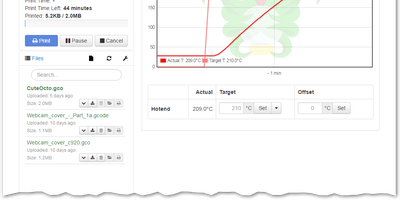
Over a million active instances make OctoPrint the standard web interface for consumer 3D printers - Gina Häußge's Python application, the center of the printing world since 2012. It talks to your printer over USB serial and turns every browser into a control panel: upload, organize, and start G-code prints; watch hotend and bed temperature graphs in real time; drive the print head manually; adjust feed rate, flow, and fan speed mid-print; and hit an emergency stop if things go wrong. The G-code visualizer renders the current layer in sync with the job, and a connected webcam adds a live feed plus automatic timelapse recording of every build. What keeps OctoPrint ahead is its plugin ecosystem - 300+ community plugins installable from the built-in manager. Highlights include Obico's AI spaghetti detection that pauses failed prints automatically, OctoEverywhere for tunnel-based remote access, Bed Level Visualizer's 3D mesh of your bed surface, PrintTimeGenius for accurate time estimates, Exclude Region to abandon one failed object mid-print while others continue, and Firmware Updater to flash Marlin or Klipper without SD-card shuffling. Event hooks fire notifications when prints finish or fail, and a full REST API supports slicer integration and custom automation. AGPL-licensed.
Apache Superset
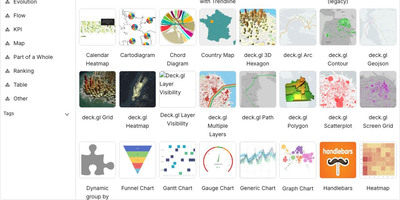
Powering data analytics at companies like Airbnb, Twitter, and Lyft where it originated, Apache Superset has become the leading open-source business intelligence platform with over 65,000 GitHub stars and an Apache Software Foundation top-level project designation. The platform ships with over forty visualization types out of the box including geographic maps, time-series charts, pivot tables, heatmaps, treemaps, and Sankey diagrams, all rendered with Apache ECharts for publication-quality output. Its SQL Lab provides a full-featured IDE experience with syntax highlighting, autocomplete, query history, and result caching for interactive data exploration. Superset connects natively to PostgreSQL, MySQL, ClickHouse, Trino, Presto, BigQuery, Snowflake, Apache Druid, Apache Hive, and dozens more databases through SQLAlchemy connectors, with support for custom database drivers via Python plugins. The semantic layer allows data teams to define calculated columns, metrics, and virtual datasets that business users can query without writing SQL. Role-based access control with row-level security enables fine-grained data governance, while the embedded analytics SDK lets you integrate dashboards directly into external applications via iframes with SSO pass-through. The caching layer supports Redis and Memcached for query result caching, and the asynchronous query execution engine powered by Celery handles long-running queries without blocking the UI. Alerts and reports can be scheduled via email or Slack with PNG or CSV attachments generated from any chart or dashboard. Running on a dedicated VPS on RepoCloud with guaranteed CPU, RAM, and SSD, full root SSH access, and a browser serial console. Apache 2.0 licensed.
Pulse
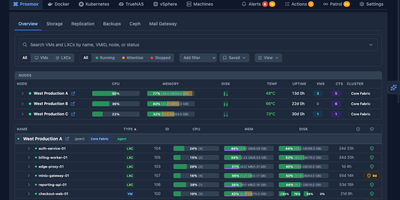
Pulse monitors your entire heterogeneous infrastructure from one screen: Proxmox VE, Proxmox Backup Server, Proxmox Mail Gateway, Docker, Podman, Docker Swarm, Kubernetes, TrueNAS SCALE/CORE, VMware vSphere, and standalone Linux/Windows/macOS machines. The Go binary embeds a SolidJS/TypeScript frontend, delivering WebSocket-driven dashboards with sub-second metric updates on port 7655. A unified agent auto-detects Docker, Podman, Kubernetes, and Proxmox on each host without manual configuration and self-updates silently, while Proxmox nodes need only API credentials with zero agent installation. Smart alerts use adaptive hysteresis-based thresholds to prevent notification floods, pushing to Discord, Slack, Telegram, Teams, email, ntfy.sh, Gotify, and generic webhooks with per-resource overrides. The standout feature is Pulse Patrol: scheduled AI health checks running every ten minutes to seven days using OpenAI, Anthropic, Gemini, or local Ollama models. Patrol catches silent backup failures, capacity creep, restart loops, unhealthy containers, and clock drift that dashboards miss when nobody is watching. Platform-specific views render Proxmox nodes, Ceph clusters, Docker Compose projects, Kubernetes workloads, TrueNAS pools, and vSphere VMs in familiar layouts. OIDC, SSO, and SAML authentication with credential encryption at rest secures access. 6,500+ stars and 441 releases since February 2025. Running on a dedicated VPS on RepoCloud with guaranteed CPU, RAM, and SSD, full root SSH access, and a browser serial console. MIT licensed.
3X-UI
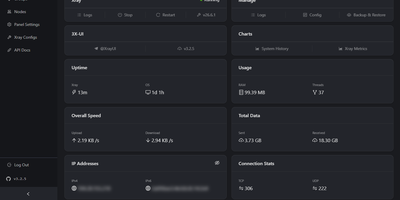
3X-UI is the most popular open-source Xray management panel, providing a full-featured web interface for deploying and monitoring proxy and VPN protocols on Linux servers. The Go backend manages Xray-core instances supporting VLESS, VMess, Trojan, Shadowsocks, WireGuard, Hysteria2, HTTP, SOCKS, Dokodemo-door, and TUN inbounds across TCP, mKCP, WebSocket, gRPC, HTTPUpgrade, and XHTTP transports secured with TLS, XTLS Vision, and REALITY. The Clients page tracks each user with individual traffic quotas, expiration dates, concurrent connection limits, and live online status indicators, while one-click share links, QR codes, and a built-in subscription server distribute configurations in multiple output formats. The multi-node architecture manages and scales deployments across multiple servers from a single panel instance. The Panel Settings page configures listen address, port, URI path, session duration, trusted proxy CIDRs, authentication, and Telegram bot integration for remote monitoring and management alerts. Outbound routing supports WARP, NordVPN, custom rules, load balancers, and proxy chaining. Xray Configs provides template-level control over the core configuration, while the API Docs page exposes a complete RESTful API with in-panel Swagger documentation. Data persists in SQLite by default or PostgreSQL for larger deployments, with database export and import from the panel. Fail2ban integration enforces per-client IP limits. On RepoCloud, deploy 3X-UI on a dedicated VPS with Docker, root SSH access, and complete control over your proxy infrastructure, all under the GPL-3.0 license.
Apache Kafka
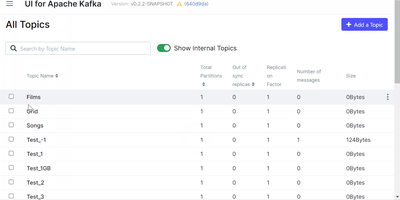
Used by over 80% of Fortune 100 companies including LinkedIn, Netflix, Uber, and Goldman Sachs, Apache Kafka processes trillions of messages per day as the world's most widely deployed distributed event streaming platform. Since version 4.0 released in March 2025, Kafka operates exclusively with KRaft consensus, replacing Apache ZooKeeper entirely with an internal Raft-based metadata quorum managed by controller nodes, reducing operational complexity and eliminating external coordination dependencies. Topics are organized as append-only partitioned commit logs with configurable replication factors across brokers, delivering network-limited throughput with end-to-end latencies as low as 2 milliseconds. Kafka Streams provides a client library for building stateful stream processing applications with exactly-once semantics, windowed aggregations, joins across streams and tables, and interactive queries against local state stores. Kafka Connect integrates with hundreds of systems including PostgreSQL, MySQL, Elasticsearch, Amazon S3, MongoDB, HDFS, and JMS through a standardized connector framework with distributed worker mode and automatic offset management. Share Groups introduced in version 4.2 deliver queue-style consumption semantics alongside traditional consumer groups, enabling Kafka to serve both pub-sub and point-to-point messaging patterns natively. The Schema Registry enforces Avro, Protobuf, and JSON Schema compatibility rules across producers and consumers, preventing schema evolution from breaking downstream applications. Tiered Storage offloads older log segments to object storage like S3 while maintaining transparent consumer access, dramatically reducing local broker storage costs for long-retention topics. Running on a dedicated VPS on RepoCloud with guaranteed CPU, RAM, and SSD, full root SSH access, and a browser serial console. Apache 2.0 licensed.
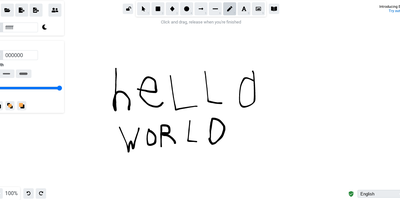
Excalidraw
Half the architecture sketches on the internet trace back to Excalidraw - the MIT-licensed virtual whiteboard whose hand-drawn aesthetic made technical diagramming feel approachable, at roughly 85,000 GitHub stars. The infinite canvas offers rectangles, ellipses, diamonds, arrows with smart binding and labels, free-draw, text, images, and an eraser, with full undo/redo, zoom, dark mode, and keyboard-first ergonomics. Community shape libraries add thousands of pre-built elements - AWS architecture icons, flowchart stencils, UI wireframe kits - and everything exports to PNG, SVG, the clipboard, or the open .excalidraw JSON format that keeps drawings diffable and portable. Live collaboration works on a share-a-link model with live cursors and a laser pointer for presenting, and it is end-to-end encrypted by design: the room key travels in the URL hash, which never reaches the server, so the WebSocket relay only ever sees ciphertext. The architecture is remarkably light - the app is a static bundle served by Nginx, drawings persist locally in the browser, and the stateless excalidraw-room relay handles multiplayer - so a self-hosted deployment gives unlimited boards and collaborators with near-zero resource cost, replacing per-editor whiteboard subscriptions.