LibreChat
Every major model provider behind one ChatGPT-style interface: LibreChat spans OpenAI, Anthropic, Google, Azure, AWS Bedrock, Vertex AI, Groq, Mistral, OpenRouter, DeepSeek, and any OpenAI-compatible endpoint including local Ollama. You can switch models mid-conversation and compare providers without changing tools. Its Agents framework builds no-code custom assistants with tool access via Model Context Protocol servers, file search over uploaded documents through an optional pgvector-backed RAG service, and a sandboxed Code Interpreter that executes Python, JavaScript, Go, C++, Java, PHP, and Rust. Artifacts render React components, HTML, and Mermaid diagrams directly in chat, and image generation works through DALL-E and other configured providers. Multi-user support is enterprise-grade, with OAuth, SAML, LDAP, and two-factor authentication, per-user conversation history in MongoDB, and Meilisearch-powered search across all messages and files, plus reusable presets, forkable threads, and persistent memory across conversations. The economics favor teams: instead of a ChatGPT Plus seat per person, everyone shares one instance billed per API token, with access to every provider rather than one - and providers see individual API calls, not your accumulated organizational knowledge. Deployment is Docker Compose; API keys and endpoints are configured through .env and librechat.yaml.
Open WebUI
Large language models get a polished front end that can run fully offline: Open WebUI is the self-hosted front end of choice. It talks to local model runners, primarily Ollama, and to any OpenAI-compatible API, so LM Studio, vLLM, Groq, Mistral, OpenRouter, and cloud providers all plug into the same chat interface and can be mixed per conversation. RAG is built in: upload files to knowledge bases or reference them in chat with the # command, backed by a choice of nine vector databases (ChromaDB and PGVector officially maintained) and multiple extraction engines including Tika and Docling, with hybrid BM25-plus-vector search and cross-encoder reranking. Web search results from providers like SearXNG, Brave, and Tavily inject directly into conversations. Extensibility comes from Python tools and functions that run inside the chat, a Pipelines plugin framework, and native MCP support. Multi-user features include RBAC, SSO, and group permissions, and the instance itself exposes an OpenAI-compatible API your own apps can call.
big-AGI
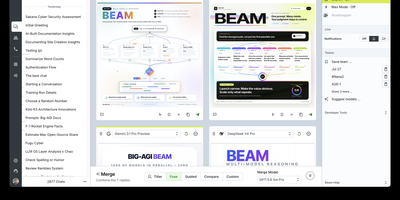
big-AGI is an open-source generative AI workspace that provides a unified, local-first interface for orchestrating multi-model reasoning, automated code execution, and custom persona workflows across private infrastructure. Users query multiple large language models simultaneously through the Beam scatter-gather engine, which prompts independent AI systems in parallel, compares candidate completions side by side, and merges optimal passages into a single refined response. Knowledge workers assemble tailored AI personas equipped with specialized system instructions, custom temperature settings, and predefined document context to handle domain-specific tasks ranging from architectural design reviews to legal contract analysis. The application renders rich multimedia outputs including interactive Mermaid sequence diagrams, LaTeX mathematical formulas, syntax-highlighted code blocks with live execution previews, and AI-generated image generation canvases. Teams integrate local inference servers like Ollama and LocalAI alongside commercial API endpoints to route confidential datasets strictly through internal networks while monitoring per-prompt token usage and operational latency. Users attach complex PDF documents, spreadsheets, and source code repositories for automatic parsing and semantic retrieval, while local-first storage engines ensure private chat transcripts and custom presets remain encrypted on host drives. Running on a dedicated VPS on RepoCloud with guaranteed CPU, RAM, and SSD, full root SSH access, and a browser serial console. MIT licensed.
Lobe Chat
A private ChatGPT built with Next.js: Lobe Chat is the open-source AI chat interface teams self-host instead. Its main advantage is provider breadth: one interface connects to 40+ model providers, including OpenAI, Anthropic Claude, Google Gemini, Mistral, Groq, AWS Bedrock, Azure, and local models served through Ollama, so you can switch models per conversation and compare outputs. It handles multi-modal work: image recognition, image generation, text-to-speech, and speech-to-text. A plugin system based on function calling and the Model Context Protocol (MCP) adds external tools like web search and code execution. Run it in standalone mode as a single container with settings in browser storage, or in database mode with PostgreSQL and S3-compatible storage for persistent history, multi-user auth, and RAG knowledge bases built from uploaded documents with pgvector retrieval. Because tools arrive through function calling and MCP rather than a proprietary plugin format, custom internal tools can be exposed to the assistant with a standard server over STDIO or HTTP. Hundreds of pre-configured assistant roles import from the community marketplace. For teams the cost model matters: provider API keys billed per token typically undercut a ChatGPT Plus seat per person, and self-hosting keeps API keys, uploaded files, embeddings, and conversation history entirely on your own server.
NextChat
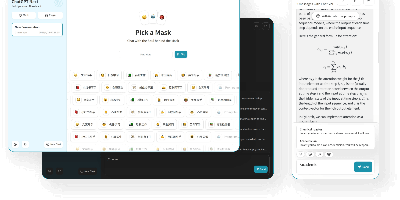
Thirteen-plus LLM providers, one unified client: NextChat (formerly ChatGPT-Next-Web) is an open-source AI chat interface built on Next.js that spans OpenAI GPT-4, Anthropic Claude, Google Gemini, DeepSeek, Groq, Azure endpoints, and self-hosted backends like Ollama, LocalAI, and RWKV-Runner. Its defining trait is minimalism - the first screen loads in about 100 KB, the desktop client is roughly 5 MB, and there is no database or user system to operate; chat history lives locally in the browser with optional WebDAV or UpStash Redis sync. The Mask system saves reusable prompt-template personas you can share and debug, long conversations auto-compress to fit context windows, and Markdown rendering covers LaTeX, Mermaid diagrams, and code highlighting with streaming responses. Plugins add web search and calculators, MCP support enables external tool calling, and Artifacts previews generated content in a separate pane. Ships as a web app, Docker image, and Tauri desktop builds for Windows, macOS, and Linux, translated into 20+ languages. MIT-licensed.
Typing Mind
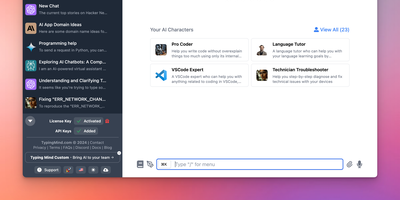
Bring your own API keys and work with OpenAI GPT models, Anthropic Claude, Google Gemini, Mistral, DeepSeek, Grok, Azure endpoints, and local models in one organized workspace: TypingMind is a unified chat frontend for large language models, replacing a browser tab per provider. Parallel chat sends the same prompt to multiple models and compares answers side by side, and models can be switched mid-conversation. A prompt library stores reusable, tagged prompts with variables, and the AI Agents system builds specialized assistants that bundle a base model, custom instructions, assigned plugins, and uploaded knowledge files for RAG. Plugins extend every connected model with web search, image generation (DALL-E, Stable Diffusion), Deep Research, URL reading via Firecrawl, and Zapier automation - plus MCP server integrations for Notion, Atlassian, and other external tools, and a JavaScript extension API for custom behavior. Chats store locally by default with optional sync. Self-hosting puts the interface on your own domain and, for teams, adds branding, member access limits, and shared prompt and agent libraries.
ChatChat
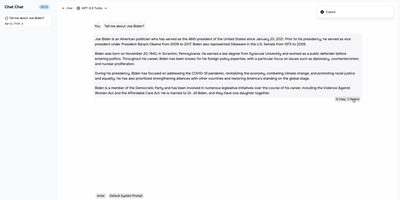
One clean interface in front of Anthropic, OpenAI, Google Gemini, Cohere, and more: Chat Chat is a Next.js front door to the major AI providers, ending the juggling of separate subscriptions, tabs, and UIs per model. Bring your own API keys, pick a provider and model per conversation, and switch between them as the task demands: Claude for long-form reasoning, GPT for code, Gemini for multimodal work - the interface stays identical. Beyond configured presets, custom providers plug in with their own API endpoints and keys, which covers OpenAI-compatible gateways and local inference servers. The design splits into two dedicated modes: a chat interface for conversational work with customizable system prompts, and a search interface that pairs AI processing with query handling for research-style questions. The stack is modern and hackable - Next.js 14, Tailwind CSS, shadcn/ui on Radix primitives, Jotai for state - with full internationalization including English, Chinese, and Japanese. Self-hosting means your conversation history and API keys live on your instance rather than a third-party wrapper service, and pay-per-token API pricing typically beats stacking multiple monthly chat subscriptions. AGPL-licensed and deliberately simple to deploy: one container, environment variables for keys, done.
Chatpad
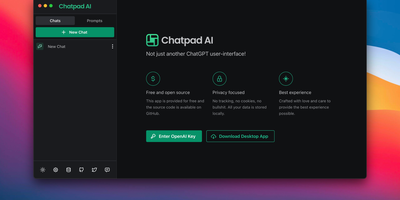
Why should your chat history live on someone else's servers? Chatpad AI - a React/TypeScript front end for the OpenAI API, built on the Mantine component library - is designed around that question. Enter your own OpenAI API key and start chatting with GPT models; every conversation, prompt, and setting is stored locally in your browser via DexieJS over IndexedDB, with no tracking, no cookies, and no backend database at all. That architecture is the point - the Docker image is just Nginx serving static files, making it one of the lightest AI deployments in the catalog, and pay-per-token API pricing typically undercuts a ChatGPT Plus subscription for moderate use. The interface earns its "premium quality" tagline with the details: a persona selector that switches communication styles per conversation, a saved-prompts library for messages you reuse constantly, organized chat history, and full data export/import so conversations move between browsers or into backups as files you control. A JSON config file customizes defaults - models, API endpoints, UI options - without rebuilding the image. AGPL-licensed, with desktop builds available upstream. For teams that want ChatGPT's utility with a self-hosted, zero-telemetry footprint, Chatpad is the minimal, sane answer.