Radicale
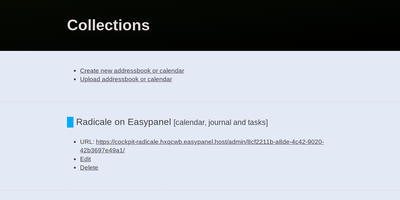
Calendars, to-do lists, journal entries, and contacts, synced over the open CalDAV and CardDAV standards nearly every client already speaks: Radicale is a small pure-Python server that works with Thunderbird, DAVx5 on Android, Apple Calendar and Contacts, GNOME, and many more. Its defining design choice is radical simplicity: there is no database. Events live as plain .ics files and contacts as .vcf files in an ordinary folder structure, which makes backup a copy command, migration a move, and disaster recovery a matter of reading text files. The server works out of the box with no complicated setup, then grows as needed: flexible authentication (htpasswd files among other methods), per-collection authorization rules, TLS-secured connections, and a plugin system for extending storage, auth, and rights handling. Built-in limits on parallel connections, file sizes, and failed authentication attempts harden it for network exposure behind a reverse proxy. A bundled web interface handles creating and managing calendars and address books - useful since many clients cannot create collections themselves. Maintained since 2011 with 140+ contributors, GPLv3-licensed, and light enough to run on the smallest VPS or a Raspberry Pi.
BentoPDF
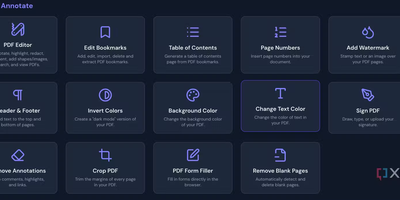
Merge, split, compress, convert, edit, annotate, redact, OCR, and sign PDFs - BentoPDF packs over 130 tools into a privacy-first toolkit that runs entirely in the browser through WebAssembly. Files are never uploaded - processing happens in browser memory on the user's machine and disappears when the tab closes, which makes the tool GDPR-clean by architecture and safe for financial, legal, and internal documents. The engine combines WASM builds of PyMuPDF, Ghostscript, and CoherentPDF; Tesseract handles OCR with searchable text-layer output; Office conversions cover Word, Excel, and PowerPoint; and digital signatures use X.509 certificates (PFX/PEM) with the private key staying on the client. Because there is no server-side processing, deployment is a static-file exercise: a single Docker container, or any static host. A dedicated self-hosted build strips the marketing pages while keeping every tool, and air-gapped deployments are first-class - an automated script bundles the WASM modules, OCR language data, and fonts for fully offline networks. No accounts, no limits, no watermarks; TypeScript and Vite under the hood.
Heimdall
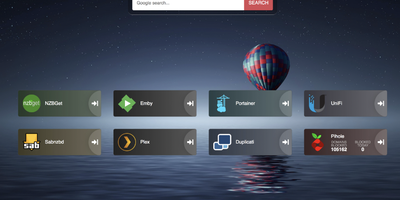
Links stop drowning in browser bookmarks once Heimdall - the application dashboard from the LinuxServer.io team - gives every web app and service you run a single, organized front door. Items come in three tiers. Generic items link to anything on the web with a name, color, and optional icon. Foundation apps are recognized as you type, auto-filling the application's icon and tile color so a full homelab dashboard assembles in minutes. Enhanced apps go further: supply API credentials and the tile shows live data - queue size and download speed for SABnzbd and NZBGet, plus integrations for Sonarr, Radarr, Plex, Jellyfin, Pi-hole, Portainer, Transmission, and many more. There are no iframes and no apps-within-apps; tiles are honest links with real-time stats layered on. Tiles arrange by drag and drop, backgrounds are customizable, an optional search bar (Google, Bing, or DuckDuckGo) makes it work as a browser start page, and optional multi-user authentication keeps dashboards personal. Built on Laravel with SQLite file-based storage - no external database - it stays light, responsive on mobile, and simple to back up. A natural first deployment: the page that ties every other self-hosted service together.
Homer
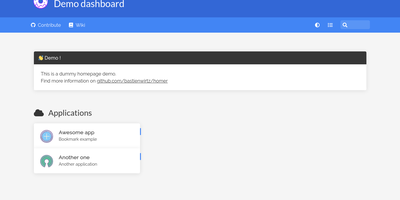
"Dead simple static HOMepage for your servER" - Homer's name is the spec. It is a fully static HTML/JS dashboard driven by one YAML file (assets/config.yml): list your services in groups with names, icons, tags, and URLs, and Homer renders a clean, fast landing page for everything you self-host. Because there is no backend, no database, and nothing to maintain, the container is tiny and effectively zero-maintenance - the entire operational surface is a text file you can version-control alongside your infrastructure. Despite the minimalism, the feature set is genuinely useful: smart cards add live data to service tiles via a type key - Pi-hole block statistics, AdGuard Home status, Jellyfin activity, Gatus and Home Assistant states, and dozens more integrations, with configurable periodic refresh. Fuzzy search jumps to any service as you type, keyboard shortcuts drive navigation, and multi-page support with item grouping keeps large homelabs organized. Theming covers built-in light and dark modes plus full custom CSS, tags get color-coded styles, and the whole dashboard installs as a PWA on phones and tablets. Icons come from Font Awesome or your own images. If Dashy is the maximalist dashboard and Homarr the drag-and-drop one, Homer is the minimalist: one YAML file, instant loads, and nothing that can break at 2 a.m.
ByteStash
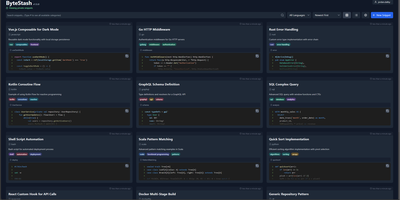
The functions, config files, and one-liners you keep re-deriving finally get a searchable home: ByteStash is a self-hosted code snippet manager - a private Gist. Each snippet holds multiple code fragments, so a Docker Compose file, its .env template, and a plaintext usage note live together under one titled, categorized entry. Monaco-based syntax highlighting covers dozens of languages, from Python, TypeScript, Go, and Rust to YAML, Dockerfiles, Terraform, and Markdown. Retrieval is the point: filter by language or category, search titles and descriptions, and optionally include snippet contents in full-text search. Snippets can be pinned for quick access and shared via public links that recipients open without an account. Multi-user support runs on JWT authentication with optional OIDC single sign-on for teams on centralized identity, and a full CRUD REST API with Swagger documentation wires snippet retrieval into editors, scripts, and CI pipelines. Storage is a single SQLite database with optional encryption, and collections export as JSON or Markdown. A React frontend on a Node.js backend, deployed as one lightweight container.
Omni Tools
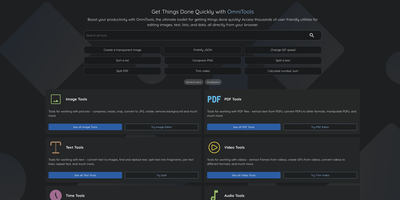
The ad-riddled "free online tools" sites people paste sensitive text into and upload confidential PDFs to - OmniTools replaces that whole ecosystem with one self-hosted app. It bundles 50+ utilities behind one clean React/TypeScript interface: image tools (resize, convert, crop, edit), video and audio tools (trim, reverse, convert), PDF tools (split, merge, edit), text and list utilities (case converters, formatters, shufflers), plus date/time, math, and data-format helpers for JSON, CSV, and XML. The architectural decision that makes it trustworthy is that all file processing happens entirely client-side in the browser - the server only serves static assets, and nothing you process ever leaves your device. That design has a pleasant side effect: the host needs almost no resources (people run it on a Raspberry Pi Zero), because your browser does the work while the server just delivers files. The Docker image is a remarkable 28 MB, making it one of the fastest apps to deploy and cheapest to keep running. There are no ads, no tracking, no accounts, and no upload limits. With multi-language support and an MIT license, it works equally well as a personal toolbox or a team-wide internal utility portal - one URL that replaces a bookmark folder full of questionable converters. Actively developed with 50 contributors and 9,500+ GitHub stars.
CyberChef
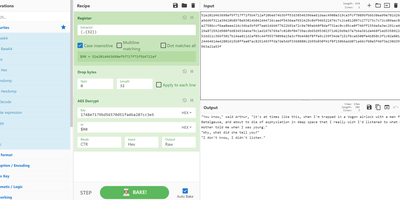
GCHQ open-sourced its "Cyber Swiss Army Knife", and CyberChef became the web app security analysts, incident responders, and CTF players reach for when data needs decoding, decrypting, or dissecting. Its interface is four panes: paste or drag input (files up to 2GB), search a categorized library of hundreds of operations, drag them into a recipe with arguments, and read the output. Operations span Base64, hex, and XOR encoding; AES, DES, and Blowfish encryption; classical ciphers from Caesar to Railfence; hashes and checksums; compression; regex and string extraction of IPs, domains, and URLs; timestamp conversion; and parsers for IPv6, X.509 certificates, and more. Recipes chain arbitrarily - convert from a hexdump then decompress, decrypt AES pulling the IV from the cipher stream, or let the Magic operation auto-detect several layers of nested encoding. Auto Bake re-runs the recipe live as input or arguments change, Step executes one operation at a time for debugging, and flow control (forks, subsections, registers) applies different operations to different parts of the data. Recipes save to files or share as URLs encoding the full pipeline. Crucially, CyberChef is entirely client-side JavaScript - nothing uploads anywhere - and self-hosting guarantees an unmodified copy inside your own network, where malware artifacts belong.
Zipline
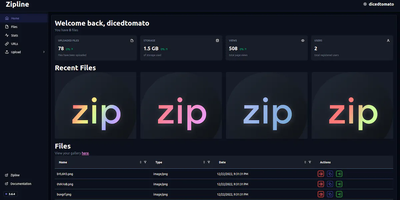
ShareX and file uploads, next generation: Zipline is a Node.js/React/PostgreSQL server that turns screenshot sharing and file hosting into something you run yourself instead of renting from Imgur or a paid image host. The core workflow is built around ShareX: generate an .sxcu config from your account settings, import it, and every screenshot or clipboard capture uploads to your domain with a short link copied automatically. Uploads accept any file type, organized with folders and tags, with token-protected uploading, optional password protection, view-limited auto-deletion, image compression, metadata stripping, automatic video thumbnails, and chunked/partial uploads for large files. File URLs come in configurable formats - UUIDs, dates, random alphanumerics, original names, even zero-width spaces. A built-in URL shortener adds vanity slugs, passwords, view caps, and custom domains. Discord embeds are first-class: customize OG metadata titles, descriptions, and colors so links unfurl exactly how you want, and fire fully customizable Discord or HTTP webhooks on each upload. Authentication is serious: OAuth2 (Discord, GitHub, Google, OIDC), TOTP two-factor, and passkeys, with invite-based registration and per-user quotas for shared instances. Storage targets local disk or any S3-compatible backend, a full REST API automates everything, and custom themes plus a PWA round out the experience.
Change Detection
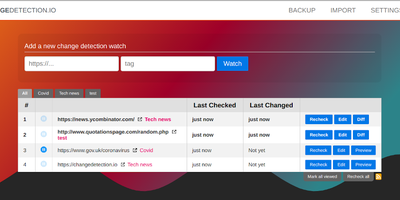
Price drops, restocks, job postings, government announcements, competitor edits - changedetection.io watches web pages and alerts you the moment anything changes, down to PDF text and checksums. Point it at a URL, set a check interval, and precise filters decide what counts as a change: a Visual Selector targets page elements by pointing and clicking, CSS selectors and XPath narrow scope, trigger-text and ignore-text rules (with regex support) cut noise, and JSONPath or jq handles API responses. A dedicated re-stock and price detection mode extracts product metadata and fires on thresholds - alert only when the price drops below your target or the percentage change exceeds a limit. JavaScript-heavy sites render through a real Chrome browser via Playwright, with the ability to execute JS steps first (log in, click, scroll) before extracting text. Notifications reach 85+ services through Apprise - Discord, Slack, Telegram, email, webhooks - optionally with a screenshot of the changed page, and AI-powered summaries (any OpenAI-compatible endpoint, including local Ollama) describe what changed. Per-watch proxies, custom headers, and POST/GET control cover hostile targets. Apache-2.0 licensed with local file-based storage: the URLs you monitor and why stay entirely your business.
It Tools
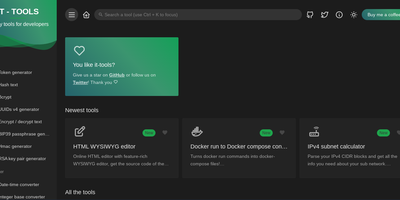
The utilities engineers otherwise scatter across a dozen ad-laden websites - 80+ of them - live together in IT-Tools, one fast, polished web app. Crypto covers JWT decoding, MD5 through SHA-512 hashing, HMAC and bcrypt generation, RSA key pairs, and password strength analysis. Converters handle JSON to CSV, YAML, and TOML, Base64 files, URL encoding, HTML entities, color formats, and Docker run commands to Compose files. Generators produce UUIDv4, ULID, BIP39 mnemonics, QR codes (including Wi-Fi QR), and tokens; text tools include a regex tester, diff viewer, slug and case converters; web utilities parse URLs and user agents, look up HTTP status codes and MIME types, and inspect Open Graph metadata; plus a cron parser, chmod calculator, and more. The privacy argument is the point: JWTs contain user IDs, hashes derive from passwords, JSON dumps hold PII - exactly the inputs you least want a third-party utility site to log. IT-Tools is a frontend-only static bundle (Vue/TypeScript, GPL-3.0, 39k+ GitHub stars) served by Nginx in one container, so everything runs client-side on your infrastructure with nothing transmitted anywhere. New tools ship roughly monthly, and a scaffolding script makes adding custom ones straightforward.
Dashy
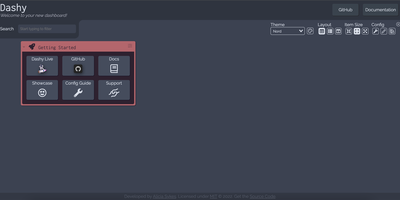
Every service you run, behind one polished start page: Dashy is the most customizable homelab dashboard, built as a Vue.js homepage. Configuration lives in a single YAML file, but you never have to hand-edit it: an integrated UI editor with real-time validation writes changes back to disk, so both config-as-code and point-and-click camps are served. Status indicators put a live health dot next to every app - HTTP checks or pings on custom intervals, with response time and status details on hover - giving you an at-a-glance uptime overview before anything breaks. Over 50 built-in widgets pull dynamic content from the services you already run: Pi-hole and AdGuard block stats, Proxmox lists, Nextcloud status, Netdata CPU/memory history, Prometheus data, plus weather, RSS, crypto prices, and generic iframe/API-response widgets for anything with an endpoint. Instant fuzzy search launches any app as you type, with customizable hotkeys and web-search fallthrough. Theming is deep: dozens of built-in themes, a UI color palette editor, and custom CSS over CSS variables. Alternate views include a fast-loading minimal startpage and a workspace view that embeds apps side-by-side without leaving the dashboard. Icons resolve from Font Awesome, homelab icon packs, emojis, or auto-fetched favicons. Built-in authentication, multi-page support, cloud backup/sync, and multi-language round out an MIT project with a massive community.
Password Pusher
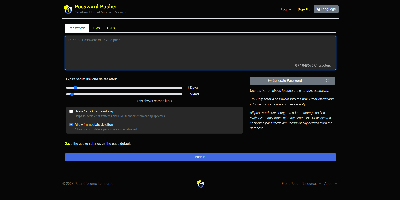
Credentials sitting forever in email threads and chat scrollback - Password Pusher solves that everyday security failure. Instead of pasting a password into Slack, you push it - a password, note, file, URL, or QR code - and share a unique one-time link that expires after a set number of views, a time limit, or both. Content is encrypted at rest with AES-GCM under a configurable master key, optionally guarded by a passphrase, and permanently deleted from the database the moment it expires; a retrieval-step option keeps URL-scanning bots from consuming views. Full audit logs record when each link was created and viewed (and by whom, with logins), and TOTP two-factor authentication can be required instance-wide. The delivery page is deliberately unbranded - no logos or confusing links for recipients - and the interface ships in 31 languages with light and dark themes. Automation runs through a JSON API (v2), an official CLI for pushing and expiring secrets from the terminal, a Chrome extension, and a catalog of third-party integrations. Apache-2.0 licensed Ruby on Rails, deployable via Docker, Kubernetes, or Helm, with SQLite or PostgreSQL storage - the sysadmin staple for sending credentials that clean up after themselves.
SnapOtter
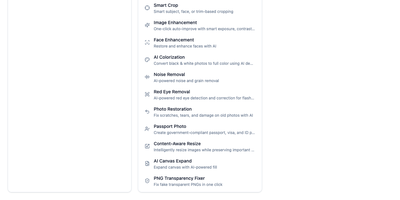
Fifty-plus image processing tools in a single Docker container, with no Redis, no Postgres, and no external dependencies: SnapOtter is a self-hosted image toolkit. The everyday operations are all here: resize, crop, compress, watermark, vectorize, meme generation, GIF creation, and format conversion spanning 55+ input formats (including 23 camera RAW formats) to 14 output formats. What sets it apart is the local AI layer: background removal, photo upscaling and restoration, object erasing, face blurring, OCR, and canvas expansion all run on locally hosted models, so no image ever leaves your server - a hard guarantee that cloud tools like remove.bg or Canva can't make. Optional NVIDIA GPU support accelerates those AI tasks substantially when hardware is available, but everything works on CPU. A built-in layer-based editor handles composition work directly in the browser, and screenshot beautification turns plain captures into polished visuals with backgrounds, shadows, and padding - useful for docs and marketing alike. Batch operations process unlimited images simultaneously, and the full REST API with OpenAPI documentation exposes every tool for pipelines and automations: thumbnail generation on upload, bulk RAW conversion, automated watermarking. For teams processing sensitive imagery or anyone tired of per-image SaaS pricing, SnapOtter replaces a stack of subscriptions with one private container.
KeeWeb
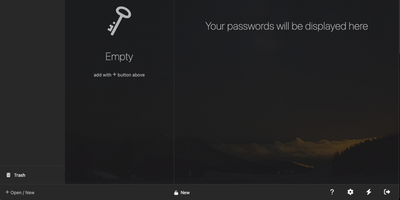
Your KeePass vaults, opened from any browser: KeeWeb reads, edits, and creates standard KDBX files, so it works with the same databases as KeePass and KeePassXC without conversion or lock-in. Self-hosting the web app gives you a password manager reachable from any modern browser, including mobile, with no client installation and no third-party cloud in the loop. All KDBX cryptography runs client-side; the server just serves the static app. Open multiple vault files simultaneously and search them all from one box, with advanced options covering specific fields, password history, and regular expressions. Vaults load from local files, your own server (WebDAV), or Dropbox, Google Drive, and OneDrive, with automatic sync - and files are cached for offline use, so a dropped connection never locks you out; changes resync once you're back online. Day-to-day niceties include a configurable password generator, protected fields that stay masked and are held in memory more defensively, entry history, tags with easy input, drag-and-drop attachments, and per-entry icons with favicon fetching. The optional KeeWeb Connect extension (Chrome, Firefox, Edge, Safari) autofills credentials using the keepassxc-protocol. MIT-licensed with matching desktop apps for macOS, Windows, and Linux.
Kutt
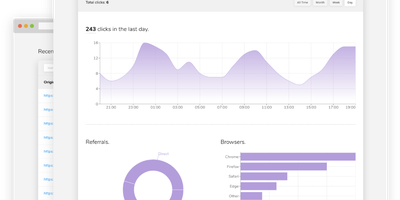
Built for self-hosting from the ground up, Kutt is a modern, MIT-licensed URL shortener: zero-configuration setup, no build step, and SQLite, PostgreSQL, or MySQL with optional Redis caching. Links carry real management features - custom slugs from a configurable alphabet (confusable characters like 0/O and l/1 omitted by default), password protection, descriptions, expiration times, and the ability to edit a destination URL without changing the short link already in circulation. Custom domains make branded short links first-class: add as many as you like and serve each under your own name instead of a third-party's. Private, per-link statistics track clicks, browsers, operating systems, and countries without logging visitor IPs or sensitive data. An admin page manages users and links instance-wide, and two environment flags (DISALLOW_REGISTRATION, DISALLOW_ANONYMOUS_LINKS) lock the instance down for private use; OpenID Connect login integrates with an existing identity provider. Automation runs through a documented REST API - create, list, delete, and pull stats - plus Chrome and Firefox extensions and ShareX compatibility for shortening from anywhere. Built with Node.js and React, deployed in one Docker container, it replaces Bitly with something you own: your domain, your analytics, and links that never die with a vendor.
Flame
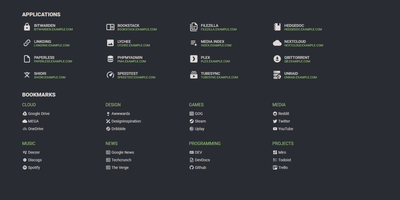
A server full of scattered services becomes one clean application hub under Flame - a self-hosted startpage where every bit of configuration happens in built-in GUI editors, never a config file. Applications and bookmarks are created, edited, and organized into categories directly in the browser, and favorites pin to the homescreen for one-click access. The integrated search bar filters your apps and bookmarks locally as you type, and prefix shortcuts (like /g for Google) route queries to any of 11 web search providers or custom ones you define, making Flame a genuine browser homepage rather than a static link wall. Docker integration is the standout for homelabs: mount the Docker socket, add flame.type, flame.name, and flame.url labels to containers, and new services appear on the dashboard automatically - Kubernetes Ingress annotations work the same way. A weather widget shows temperature, cloud coverage, and animated conditions for your coordinates, and password authentication protects settings and items. Appearance is deeply customizable with 15 built-in color themes, a custom theme builder, and full custom CSS support. The stack is Node.js with SQLite behind a React frontend - light, fast, and inspired by the minimalist SUI design.
Moocup
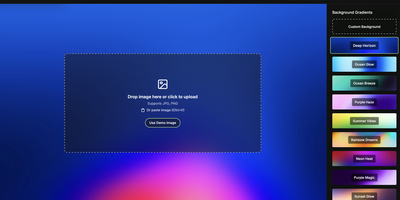
Drop your screenshot, a base style is applied, style it however you wish, and export - "that's basically it," says Moocup's own author, and the description holds. The workflow is genuinely seconds long. Drag an image in and it lands on an attractive backdrop immediately; from there you adjust backgrounds, gradients, padding, borders, shadows, and framing with live preview until it matches your taste, then export a high-quality image ready for a portfolio page, README, blog post, tweet, or slide deck. There are no accounts, no watermarks, and no upload to anyone's cloud - as a self-hosted static app, your screenshots never leave your infrastructure, which matters when the screenshot shows a proprietary dashboard or unreleased product. It runs entirely in the browser from a tiny nginx container, works on any device, and requires zero design skill: the smart defaults do the heavy lifting, and everything else is optional tinkering.
PsiTransfer
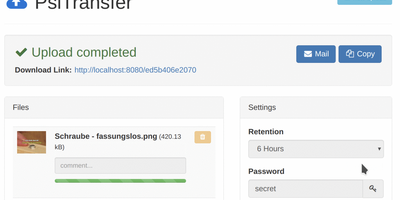
Upload files, get a share link, let it expire: PsiTransfer is a self-hosted WeTransfer with no accounts, no logins, and no third-party cloud with size caps and metadata harvesting. The engineering focus is large files over imperfect networks. Uploads use the tus.io resumable protocol, so a dropped connection on a multi-gigabyte video resumes exactly where it stopped once you're back online; downloads support HTTP range headers for the same resilience, and everything streams, so file size is bounded by your disk rather than memory. Files organize into upload buckets with retention you control: expire after a set time (up to weeks) or after a one-time download, with automatic cleanup when links lapse. Recipients need nothing installed - they open the link, preview files in modal views, and grab everything as a zip or tar.gz archive with one click. Buckets can be password-protected (AES-encrypted download lists), and security-through-obscurity is done properly: bucket URLs use hashed UUID tokens and stored filenames are replaced with UUIDs. An optional admin page (enabled by setting an admin password) lists bucket information and storage. The Vue.js frontend ships under 100 KB gzipped and is fully responsive. Honest caveat from the author: no end-to-end payload encryption yet. BSD-licensed, Docker-ready.