InfraCanvas
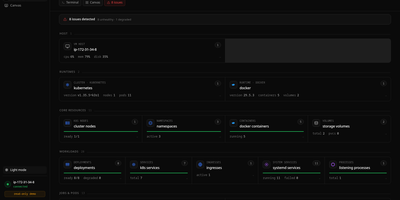
InfraCanvas draws the picture ten terminal commands cannot: a live map in your browser of every container, pod, service, volume and network on a machine, showing what runs where, what talks to what, and what is broken in one glance. Nodes turn green, amber or red from real state, including container health, pod phases, ready replicas, zombie processes and host thresholds, and real connection edges appear between processes, like your app server talking to Postgres on port 5432, read straight from the machine. It works where workloads already live: Docker and Podman containers, full Kubernetes object graphs from nodes to ingresses, LXD and Incus containers, and plain systemd or PM2 services on VMs with no container runtime. From any node you can shell into the container, pod or host, tail logs, restart or stop a service, scale a deployment, run a rolling restart, change an image or kill a process, with secrets masked before anything reaches the screen. A second machine joins through an outbound-only agent, and clusters connect by dropping in a kubeconfig with nothing installed inside them. The self-hosted binary needs no account, sends no telemetry and opens no inbound port: it binds localhost on port 7777 behind a random per-install token, with an optional read-only mode, and every action is audit-logged. Running on a dedicated VPS on RepoCloud with guaranteed CPU, RAM, and SSD, full root SSH access, and a browser serial console. AGPL-3.0 licensed.
Iso
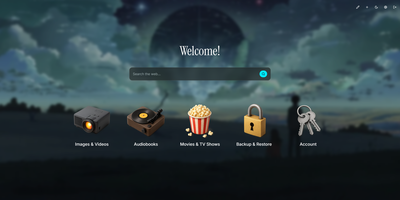
Drop a single container onto your host to launch Iso, a minimalist self-hosted startpage and service launcher that organizes every homelab web application behind a clean isometric icon grid and integrated search bar. No external database is required. Everything lives inside one human-readable JSON file or gets edited directly through the in-browser visual configuration modal. Add new service tiles in seconds, drag to reorder their display priority, and pick from a curated library of 3D isometric icons or upload custom graphics up to 25 megabytes. Switch instantly between built-in color palettes like Amethyst or upload a custom wallpaper with adjustable background blur and opacity sliders. A central search bar sits at the top of your startpage, routing queries directly to Google, DuckDuckGo, Startpage, Qwant, Searx, Bing, or any custom query URL template. Localize the interface into English, Spanish, French, or German with a single toggle. Custom greeting banners and optional page-load animations personalize the daily browsing experience for family members or lab users. Protect the dashboard and its visual editor behind shared password authentication configured via environment variables. Running on a dedicated VPS on RepoCloud with guaranteed CPU, RAM, and SSD, full root SSH access, and a browser serial console. MIT licensed.
Crumbs
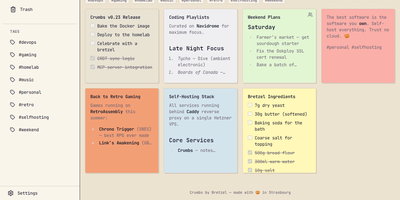
Capture a thought before it evaporates: Crumbs is a self-hosted, privacy-first alternative to Google Keep for notes you would rather keep on your own server. You write rich notes with Markdown, checklists, and image attachments, then give each one a personality from twelve color themes. Hashtags organize everything without folders, pinning keeps the important notes on top, and archive and trash clear the rest out of sight. Full-text search reaches across titles, content, and tags, so last month's idea is one query away. Every note keeps a version history you can browse and restore, which turns accidental deletions and bad edits into non-events. Notes can be shared with other users on your instance, with optional email notifications over SMTP for share alerts and account events. The installable PWA works offline through IndexedDB with last-write-wins CRDT sync, so a note captured on a plane reconciles when you land. Accounts are protected with Argon2 password hashing, and Google, GitHub, or any OIDC provider can handle sign-in instead. A built-in MCP server even lets AI assistants manage your notes on your behalf. Running on a dedicated VPS on RepoCloud with guaranteed CPU, RAM, and SSD, full root SSH access, and a browser serial console. MIT licensed.
Snowshare
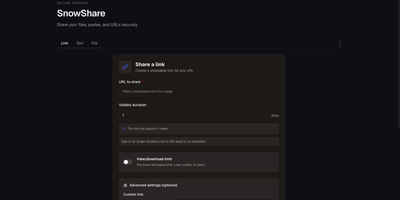
A dropped connection should not restart a 20 GB upload: SnowShare is a self-hosted app for sharing files, links, and pastes, with resumable transfers and an expiry date, a view limit, a password, and a QR code available on every share. Put several files into one share and let recipients preview common formats right in the browser, shorten a long address with an optional custom slug, or publish text and code with syntax highlighting. People you send a link to can open it with or without an account, depending on how you configure the instance. Give your users email and password accounts or OAuth sign-in, turn on email verification and CAPTCHA, and set separate storage quotas for anonymous visitors and registered users. Keep uploads on local disk or move them to S3-compatible storage, apply your own branding, and change quotas, sharing rules, SMTP, and storage from the admin panel without restarting. Automate sharing through the REST API with keys created from your profile, drop the generated ShareX uploader files into your capture tool, and receive signed webhook events when shares are created, opened, or deleted. Read the interface in English, French, Spanish, German, Dutch, or Polish, and let expired shares clean themselves up every hour. Running on a dedicated VPS on RepoCloud with guaranteed CPU, RAM, and SSD, full root SSH access, and a browser serial console. CC0 1.0 licensed.
Dobase
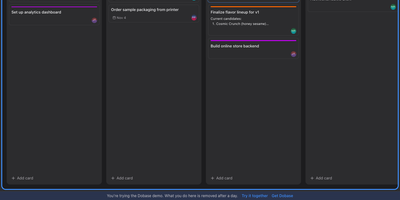
Dobase replaces the scattered pile of team subscriptions with one self-hosted workspace where mail, kanban boards, documents, chat, to-do lists, files, a calendar, and video rooms live side by side. Install only the tools your team needs, and share each one with exactly the collaborators you choose; a board for the whole company and a private todo list can sit in the same window. Several people can type in the same document at once, watching each other's colored cursors while the text merges cleanly, and presence faces in the sidebar show who is inside every tool right now. Open tools arrange themselves as tiles in a wide window, so chat can sit next to the board it discusses and the calendar under the mail you are answering. Pressing Cmd+K searches cards, todos, documents, files, chat, events, and mail in one motion, and nearly everything also works from the keyboard alone. Mail threads conversations and lets you accept calendar invites from the message, files get public links guarded by a password and an expiry, and the calendar syncs with CalDAV services or runs on its own. Video rooms with screen sharing join the same workspace, mentions and notifications follow you, and an email digest catches up anyone who was away. Running on a dedicated VPS on RepoCloud with guaranteed CPU, RAM, and SSD, full root SSH access, and a browser serial console. MIT licensed.
HAProxy Manager
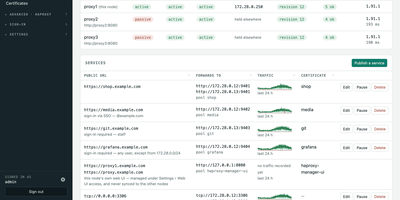
HAProxy Cluster Manager puts a web console on top of HAProxy, so you publish services, issue certificates, and cluster nodes from forms instead of hand-editing haproxy.cfg. Publishing a service takes two inputs, the public URL and the backend address, and the wizard builds the frontend, backend pool, host condition, routing rule, HTTPS listener, certificate, and HTTP redirect, with a preview of the exact configuration before anything applies. Every change is rendered and checked with haproxy -c before it is written, and a failed reload rolls back to the previous file automatically. Certificates come from Let's Encrypt through acme.sh, using HTTP-01 or DNS-01 with about 190 DNS providers, and renewals reload HAProxy and push the new certificate to every node on their own. Any number of nodes share one virtual IP through Keepalived: configuration and certificates sync between them, only the node holding the address is editable, and the dashboard flags split brain, an unclaimed virtual IP, or a node running stale configuration. You can gate services behind basic sign-in or OIDC single sign-on enforced by HAProxy itself, watch traffic statistics and logs, take transition alerts by email, Pushover, or webhook, and expose Prometheus metrics and Home Assistant entities. Running on a dedicated VPS on RepoCloud with guaranteed CPU, RAM, and SSD, full root SSH access, and a browser serial console. GPL-3.0 licensed.
ComposeToolbox
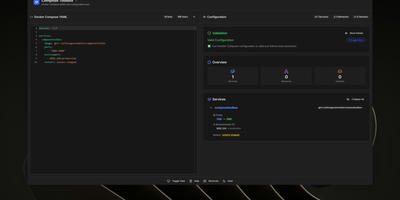
To eliminate YAML indentation errors and cryptic container misconfigurations before running docker compose up, ComposeToolbox pairs a full-featured code editor with a live configuration analyzer in a single self-hostable web workspace. Paste or write any docker-compose.yml file in the left pane to see immediate syntax validation alongside actionable best-practice warnings, such as unpinned latest image tags, missing healthchecks, or deprecated version declarations. On the right side, an interactive Configuration Overview breaks down every defined service, exposed port mapping, persistent volume mount, environment variable, and custom network into structured tabs. Built-in Quick Insert buttons let operators drop new service blocks, volume definitions, or network stanzas into the editor with one click. By mounting the persistent /app/data directory, administrators can define custom quick-insert YAML snippets with selectable hardware and networking icons in custom-templates.yml. Teams can also customize startup-template.yml so the editor opens with their organization's standard homelab or production boilerplate every time the page loads. Keyboard shortcuts, light and dark themes, and one-click YAML formatting or file export streamline daily container authoring. Running on a dedicated VPS on RepoCloud with guaranteed CPU, RAM, and SSD, full root SSH access, and a browser serial console. MIT licensed.
IMPulse
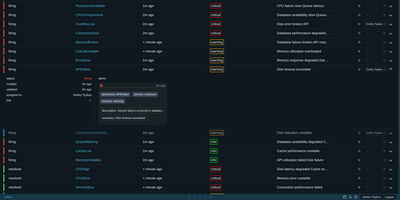
Incident response moves into the chat tool your team already lives in, with every alert landing as a Slack, Mattermost, or Telegram thread that carries a Take It button and a running escalation clock. IMPulse gives each incident a lifecycle that prevents duplicates and reduces noise. Responders take an incident, assign it, or freeze it until tomorrow, next Monday, or later, from the thread or from the web table. Escalation chains, nested as deeply as needed, wait and then notify the next person, and schedules can be edited in the UI or read from Google Calendar. Inhibition rules suppress child incidents when a parent is active, and maintenance windows mute matching alerts during planned work. The web table offers multi-column sorting, Alertmanager-style filters with regex, custom colors, an archive of closed incidents, and a light or dark theme. Sign-in goes through your chat platform, so nobody needs a separate account. Jinja2 templates reshape incident messages, thread replies, and Jira tasks, and webhooks reach Twilio, Zvonok, Instatus, and other outside services. Several instances can run together for high availability, and a REST API with Swagger documentation exposes incidents to scripts. Running on a dedicated VPS on RepoCloud with guaranteed CPU, RAM, and SSD, full root SSH access, and a browser serial console. GPL-3.0 licensed.
OpenMail
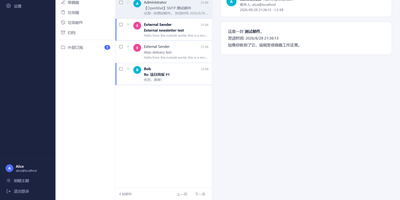
Your entire mail system can live in one self-hosted suite with OpenMail, from SMTP, IMAP, and POP3 delivery to three-pane webmail and the admin console that runs it. Standard clients such as Thunderbird, Apple Mail, and phone apps connect over SMTP ports 25, 587, and 465, IMAP ports 143 and 993, and POP3 ports 110 and 995, while people use the three-pane webmail with folder tree, conversation list, and reading pane at port 3000. You read, write, reply, forward, batch-organize, drag messages between folders, filter stars, search sender, subject, and body text, and follow conversations threaded automatically by their References headers. The rich-text composer autocompletes recipients, accepts dragged attachments and pasted screenshots, saves drafts every 12 seconds, sends on a schedule, and inserts reusable templates imported from HTML or generated with AI. Any OpenAI-compatible endpoint can draft replies, translate mail into twelve languages, and summarize messages, with provider keys encrypted on your server. Administrators get real-time mail statistics with 14-day send and receive trends, user quotas and bans, multi-domain aliases and catch-all addresses, outgoing queue visibility, and audit logs. Adding a domain generates DKIM keys and copy-ready SPF, DKIM, and DMARC DNS records with one-click checks, while rule-based spam scoring, TOTP two-factor authentication, and role-based permissions protect accounts in ten interface languages including right-to-left Arabic and Urdu. Running on a dedicated VPS on RepoCloud with guaranteed CPU, RAM, and SSD, full root SSH access, and a browser serial console. MIT licensed.
OpsKnight
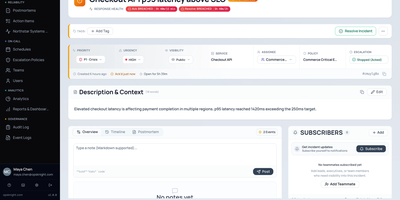
When production breaks at 3 a.m., somebody has to know it is their turn, and OpsKnight keeps that answer on your own server instead of a per-seat subscription. Alerts from Prometheus, Grafana, Datadog, Sentry, CloudWatch, and generic webhooks arrive at authenticated endpoints, get deduplicated, and are routed to the right service. On-call schedules support rotation layers, daylight saving safe handoffs, and temporary overrides, and escalation policies page users, schedules, or whole teams in timed steps. Responders get push, email, SMS, WhatsApp, and Twilio voice calls where the keypad acknowledges the page. Each incident has an ownership panel, a timeline, notes, subscribers, action items, and SLA timers, and Slack or Teams war rooms keep chat in step. The Command Center shows active, muted, and unassigned incidents at a glance, analytics report MTTA, MTTR, and SLA compliance, and a System Health Center runs live diagnostics. A public status page with uptime history, maintenance notices, and subscribers keeps customers informed, and postmortems capture what the team learned. Sign-in supports OIDC and SCIM provisioning, and an installable mobile web app brings pages to your phone. Running on a dedicated VPS on RepoCloud with guaranteed CPU, RAM, and SSD, full root SSH access, and a browser serial console. AGPL-3.0 licensed.
Headroom
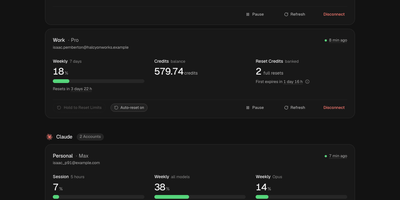
Headroom answers the question every multi-plan AI subscriber asks mid-task: which of my accounts still has room to work? It puts the live limits, reset times, credits, and spend of Claude, Codex, Cursor, Copilot, Grok, Antigravity, and Vercel AI Gateway accounts on one self-hosted dashboard instead of seven provider pages. Connect each account once, through its official CLI sign-in or a credential import, and a background scheduler refreshes every figure on schedule, renews tokens before they expire, and keeps 90 days of readings. Five-hour sessions, weekly pools, per-model limits, credit balances, banked resets, and on-demand spend sit side by side, and unreported figures show as unknown rather than a fake zero. Compare ranks same-provider accounts by the room they have left and names the one to use next, while Timeline lays every reset window on a two-week calendar. Analytics charts when you work, when you run dry, and whether each plan fits, and Wallet totals subscriptions, usage spend, and top-ups in one currency with renewals and budget alerts. In-app notices, Telegram messages, and signed webhooks warn about low limits, expiring resets, and broken sign-ins, and optional automations can spend a banked Codex reset or log a credit top-up the moment it lands. Personal, work, and side-project accounts stay separate under one owner login with passkeys and a Privacy Mode that blurs emails on screen. Running on a dedicated VPS on RepoCloud with guaranteed CPU, RAM, and SSD, full root SSH access, and a browser serial console. MIT licensed.
W-CMS
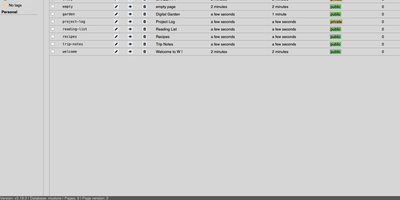
Taking notes and publishing a website usually need two different tools, but W treats them as the same act. Every page you create gets its own address, and a privacy level marks it public, private, or not yet published. The editor offers tabs for Markdown content, CSS, a custom body template, and JavaScript, with a metadata panel for title, description, tags, date, and authors. Home view lists every page with sorting, filters, search, and saved bookmarks for common queries. Two alternative views draw pages as a link graph and, for pages with coordinates, as markers on a map. A media manager organizes uploads in folders, offers a thumbnail gallery, and can optimize images for the web. Several users can work together with reader, editor, super editor, and admin roles, and optional LDAP sign-in is available in beta. Templates share layouts across pages, URL commands like add and edit speed up navigation, and an experimental API opens the data to scripts. Pages keep working even with JavaScript turned off. Everything is stored in plain files, so no database server is needed. Running on a dedicated VPS on RepoCloud with guaranteed CPU, RAM, and SSD, full root SSH access, and a browser serial console. AGPL-3.0 licensed.
Mularr
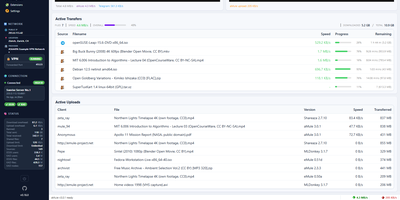
Classic eD2k and Kad downloading gets a browser interface with the look of Windows XP, Windows Classic, a clean modern dashboard, or green-on-black Hacker mode. Mularr wraps an aMule daemon and shows live download and upload graphs, active transfers with progress and remaining time, and the uploads other clients are pulling. Transfers can be started, paused, stopped, categorized, and bulk imported from ED2K links. Servers, search, shared files, categories, and extensions each get their own page. For automation it presents itself as a qBittorrent download client and a Torznab indexer, so Sonarr and Radarr can use it with their standard settings. Extensions for Sonarr and Radarr read the Wanted list and publish matches into a feed the apps can poll. Telegram can act as an extra download provider and notification channel, and Hispashare releases appear in search results next to aMule's. A VPN panel reports Gluetun health and the forwarded port, and the settings page covers ports, bandwidth limits, IP filters, a blacklist, and shared folders. One container image and a single data volume are enough to get started. Running on a dedicated VPS on RepoCloud with guaranteed CPU, RAM, and SSD, full root SSH access, and a browser serial console. MIT licensed.
Imbo
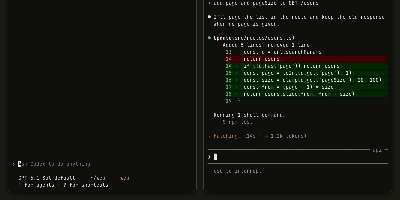
Your coding agents work in separate terminals and cannot ask each other anything; Imbo gives Claude Code, Codex, opencode, Cursor CLI, and six other agent tools one shared messaging network, so a session can send a question to another session and get an answer while both keep working. Messages land inside the receiving session mid-task, and a reply wakes an idle session so it can act on the answer. You add people by account ID, and their agents can message yours; group chats let several sessions from several people coordinate on one brief, with every reply reaching every member. Sessions can send files that land in the receiving machine's ~/.imbo/files folder, and an agent asks you first before sending your data out, deleting files, spending money, or touching production. From the web app or the iPhone app you can message your own sessions from anywhere, and a closed Claude Code session reopens in the background to pick the message up. The server is a single binary with a bundled PostgreSQL, HTTPS through Let's Encrypt, email code sign-in, and optional domain restrictions on who may register. Running on a dedicated VPS on RepoCloud with guaranteed CPU, RAM, and SSD, full root SSH access, and a browser serial console. Apache-2.0 licensed.
Orchard
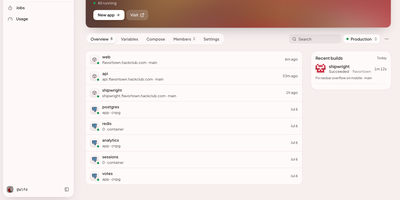
With one command, Orchard turns a bare Linux server into a private deployment platform that builds your Git repositories, serves each app over HTTPS, runs managed Postgres beside it, and rolls back bad releases. Connect GitHub, GitLab, Gitea, Forgejo, Codeberg, or Bitbucket Cloud, enable auto-deploy, and every push builds from a Dockerfile or automatic language detection and starts new pods before the old ones stop. Prebuilt images, Compose files, Score files, and more than 90 ready-made templates, including n8n, Open WebUI, and Minecraft servers, cover everything else. Postgres comes with continuous backups to S3-compatible storage, restore to any moment in the last 30 days, forks for safe testing, standby failover, read replicas, and a connection pooler. Live logs, a shell inside a running container, CPU, memory, and request metrics, alert rules, and Slack, Discord, email, or webhook notifications show how each app behaves. Organizations, projects, roles, SAML and OIDC sign-in, SCIM provisioning, quotas, and audit logs let a team share one instance, while cron jobs, custom domains with self-renewing certificates, Tailscale-only private apps, and public status pages cover daily operations. The orchard CLI and a Terraform provider script deployments, an MCP server lets Claude, Cursor, or another agent deploy apps and read logs, and grafts add extras such as Greenhouse for running coding agents on cloud machines. Running on a dedicated VPS on RepoCloud with guaranteed CPU, RAM, and SSD, full root SSH access, and a browser serial console. AGPL-3.0 licensed.
Composr
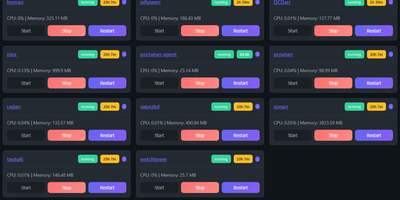
Managing multi-server container fleets often deteriorates into fragmented SSH sessions, mismatched compose files, and conflicting port allocations. Composr consolidates multiple Docker host daemons into a unified web dashboard that controls running containers, stack definitions, and system metrics from a single interface. Operators can connect remote Docker daemons through encrypted TCP sockets, inspect container health, and stream live execution logs with sub-second responsiveness. A built-in project creation wizard guides administrators through drafting new Compose topologies across local directories or remote server nodes. In-browser CodeMirror editors deliver live syntax highlighting for YAML files, configuration dotfiles, and reverse proxy definitions without detaching containers from disk. The platform tracks service properties directly, letting you toggle Compose profiles, relocate services between YAML manifests with pre-flight risk checks, and detect target port collisions before redeployment. Integrated backup managers bundle container metadata, compose files, and environment definitions into downloadable archive packages for automated disaster recovery. System operators can open interactive browser terminals into any active container, execute batch maintenance tasks, and configure scheduled image update checks. Running on a dedicated VPS on RepoCloud with guaranteed CPU, RAM, and SSD, full root SSH access, and a browser serial console. MIT licensed.
lastGLANCE
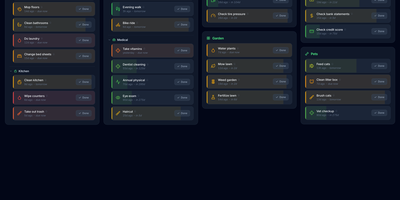
Green means handled, amber means soon, red means overdue: lastGLANCE turns recurring chores and neglected catch-ups into one recency dial you can read at a glance. Add a chore once, set how often it should happen, and its color ages from fresh green through amber to red as days pass, with overdue items floating to the top on their own. Mark a job done and the timer restarts; backdate the entry when you finished it yesterday but only remembered to log it today. Seasonal work hides outside its active months, categories and subcategories arrange into a masonry board, and reminders fire when something crosses its due line. Each chore keeps its own statistics, average interval against target, and a timestamped history with notes, and a contribution-style heatmap in the header charts your whole completion record. People get the same treatment: circles for family, friends, and work contacts show when you last reached out, who usually initiates, and which birthdays arrive in the next thirty days. Households share chores with assignments and a Mine view, everything works offline as an installable PWA, and optional WebDAV or Nextcloud sync merges changes without conflicts under optional end-to-end encryption, with hourly, daily, and weekly remote backups. Running on a dedicated VPS on RepoCloud with guaranteed CPU, RAM, and SSD, full root SSH access, and a browser serial console. MIT licensed.
Shortlist
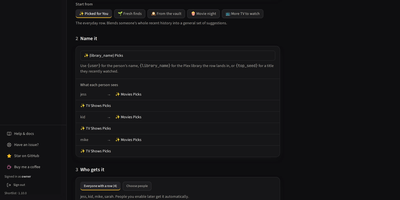
Everyone on your Plex server gets their own private recommendation rows with Shortlist, built from what each person actually watched and visible to nobody else. For each viewer it reads their Plex watch history, picks unwatched titles from your library, and explains every pick with the reason it earned its place. Rows land on Plex Home labelled, hidden from every other account by share filters, and only then promoted, so a row is never visible to the wrong person, not even briefly. Six row kinds, from Picked for You to seasonal picks and personal requests, start from eleven templates instead of a blank form. A seasonal row follows the calendar through Halloween, Christmas, and twenty more ready-made occasions, then hides itself between seasons. Rebuilds run nightly, weekly, or monthly on your cadence, and the dashboard shows what was delivered against what people started and actually finished, per user and per row. Missing a strong pick, Shortlist asks Radarr, Sonarr, or Overseerr for it: the boldest few auto-send nightly, the rest wait for one click in the Requests inbox. No AI key is required; add one and Describe a row turns slow-burn heist films into a themed row filled nightly for each person. Running on a dedicated VPS on RepoCloud with guaranteed CPU, RAM, and SSD, full root SSH access, and a browser serial console. MIT licensed.