
LibreChat
Every major model provider behind one ChatGPT-style interface: LibreChat spans OpenAI, Anthropic, Google, Azure, AWS Bedrock, Vertex AI, Groq, Mistral, OpenRouter, DeepSeek, and any OpenAI-compatible endpoint including local Ollama. You can switch models mid-conversation and compare providers without changing tools. Its Agents framework builds no-code custom assistants with tool access via Model Context Protocol servers, file search over uploaded documents through an optional pgvector-backed RAG service, and a sandboxed Code Interpreter that executes Python, JavaScript, Go, C++, Java, PHP, and Rust. Artifacts render React components, HTML, and Mermaid diagrams directly in chat, and image generation works through DALL-E and other configured providers. Multi-user support is enterprise-grade, with OAuth, SAML, LDAP, and two-factor authentication, per-user conversation history in MongoDB, and Meilisearch-powered search across all messages and files, plus reusable presets, forkable threads, and persistent memory across conversations. The economics favor teams: instead of a ChatGPT Plus seat per person, everyone shares one instance billed per API token, with access to every provider rather than one - and providers see individual API calls, not your accumulated organizational knowledge. Deployment is Docker Compose; API keys and endpoints are configured through .env and librechat.yaml.
Odysseus
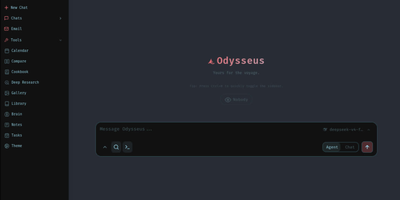
Agents with tool use, deep research, a document editor, an IMAP/SMTP email client with AI triage, notes, tasks, and a CalDAV-synced calendar - Odysseus bundles all of it into one open-source, self-hosted AI workspace. It runs local models through Ollama, vLLM, or llama.cpp and cloud APIs like OpenAI and OpenRouter, with a hardware-aware Cookbook that scans your machine and recommends quantized models that fit. Persistent memory uses ChromaDB with hybrid vector-plus-keyword retrieval, web search runs through a bundled SearXNG instance, and agents can use MCP servers, files, and shell access with safety controls, plus custom skills and scheduled agent tasks. A blind Compare mode runs side-by-side model duels with identities hidden and accumulates Elo-style ratings from your votes, so model selection is based on your actual workloads rather than leaderboard claims. Deep research mode - adapted from the Tongyi DeepResearch approach - reads sources through SearXNG and produces cited reports, while the email client tags, summarizes, sets reminders, and drafts replies locally rather than through a third-party mail AI. The writing-first document editor adds AI edits, Markdown and HTML support, and version history. The stack is Python 3.11 with FastAPI, SQLite for state, and a vanilla JS frontend, licensed AGPL-3.0 with zero telemetry. Because agents can read email and execute commands, keep authentication enabled and never expose it as a public unauthenticated service.
Open WebUI
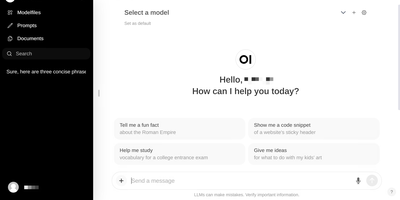
Large language models get a polished front end that can run fully offline: Open WebUI is the self-hosted front end of choice. It talks to local model runners, primarily Ollama, and to any OpenAI-compatible API, so LM Studio, vLLM, Groq, Mistral, OpenRouter, and cloud providers all plug into the same chat interface and can be mixed per conversation. RAG is built in: upload files to knowledge bases or reference them in chat with the # command, backed by a choice of nine vector databases (ChromaDB and PGVector officially maintained) and multiple extraction engines including Tika and Docling, with hybrid BM25-plus-vector search and cross-encoder reranking. Web search results from providers like SearXNG, Brave, and Tavily inject directly into conversations. Extensibility comes from Python tools and functions that run inside the chat, a Pipelines plugin framework, and native MCP support. Multi-user features include RBAC, SSO, and group permissions, and the instance itself exposes an OpenAI-compatible API your own apps can call.
Rotki
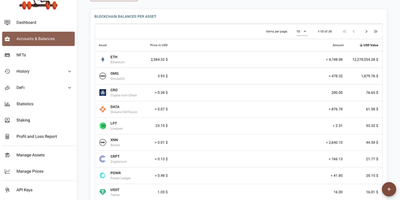
Crypto portfolio tracking that inverts the SaaS model: rotki runs on your own machine, needs no email or account for the free tier, and keeps every wallet address, balance, transaction, and tax event in a local SQLCipher database encrypted with 256-bit AES. By default nothing passes through rotki-operated servers - a design choice that matters when cloud portfolio trackers concentrate exactly the identity-linked holdings data attackers want. Centralized exchanges (Kraken, Binance, Coinbase, Bitstamp, and more) connect through read-only API keys that can see but never withdraw; blockchain accounts cover Ethereum and its L2s, Bitcoin, Solana, Polkadot, and Kusama, with ENS resolution and your choice of RPC endpoint or your own node. rotki decodes on-chain transactions into readable events across major DeFi protocols - Aave, Uniswap, Compound, Curve, Lido - and generates profit-and- loss reports for tax season with customizable accounting settings, including FIFO, LIFO, and HIFO cost-basis methods, plus CSV imports for defunct exchanges. Optional premium sync is zero-knowledge, encrypting the database on-device before upload. AGPLv3-licensed and multiplatform, with a Docker package for server deployment.
Vane
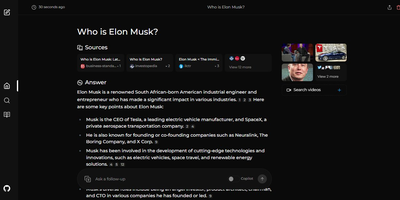
Perplexity's search experience without Perplexity: Vane deploys Perplexica, an open-source AI answer engine built as the self-hosted alternative. Instead of returning a page of links, it reads your question, searches the live web through the SearxNG metasearch engine, and composes a direct answer with cited sources. Retrieval quality comes from embeddings and similarity search: fetched pages are re-ranked against the query so the model answers from the most relevant passages rather than whatever ranked first. Two query modes cover different needs - Normal mode runs a straightforward web search, while Copilot mode generates multiple reformulated queries and actively pulls content from top matches for harder questions. Focus modes specialize retrieval for academic papers, YouTube, Reddit discussions, Wolfram Alpha calculations, or the general web. The answering model is your choice: OpenAI-compatible APIs or fully local LLMs such as Llama 3 and Mixtral through Ollama, which keeps queries entirely on your infrastructure. Because SearxNG pulls live results, answers reflect current information, and no search history is tracked.
Endurain
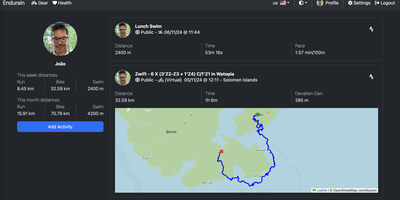
A personal Strava on your own server: Endurain is a self-hosted fitness platform that keeps your complete workout history, GPS routes, and health data out of a vendor's cloud. It ingests the standard device formats (.gpx, .tcx, and preferred .fit with full sensor data) via manual or bulk upload, and syncs directly with Strava and Garmin Connect so migrating years of history is straightforward - Garmin sync covers activities, gear, and body composition. The dashboard shows activity feeds with weekly and monthly statistics, routes on maps, and distance, speed, and training-volume trends over time, with definable goals that update automatically. Gear tracking is notably deep: log wetsuits, bicycles, shoes, racquets, skis, and snowboards, assign default gear per activity type, and track individual components like bike chains against replacement mileage. Multi-user support with admin and user roles, follower features, per-activity privacy settings, and configurable sign-up (email verification, admin approval) make it usable for clubs and coaches as well as individuals. Auth is serious for a fitness app: MFA TOTP, OIDC/SAML SSO, and email-based password resets via Apprise. The stack is Vue.js over a Python FastAPI backend with PostgreSQL, plus weight, steps, and sleep logging, imperial/metric units, multi-language support, and third-party app integration.
LocalAI
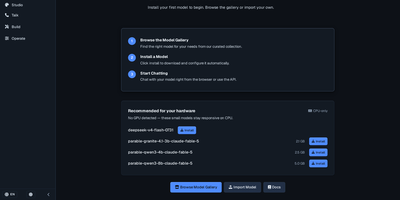
With over 48,000 GitHub stars and monthly releases since March 2023, LocalAI is the self-hosted AI engine that replaces every OpenAI endpoint with a single Docker container running on your own infrastructure — serving chat completions, image generation, text-to-speech, speech-to-text, embeddings, vision, video generation, and function calling through identical API schemas that require zero application code changes. The composable backend architecture isolates each inference engine as a separate gRPC service running in its own OCI container, so llama.cpp, vLLM, SGLang, transformers, whisper.cpp, diffusers, MLX, Stable Diffusion, and Flux install on demand without touching the core, can run on separate machines, and a fault in one never affects others. Hardware acceleration spans NVIDIA CUDA 12 and 13, AMD ROCm, Intel oneAPI/SYCL, Apple Silicon Metal, Vulkan, and NVIDIA Jetson L4T — or runs entirely on CPU without any GPU. Built-in AI agents support autonomous tool use, retrieval-augmented generation, Model Context Protocol integration, and skill-based workflows directly in the web interface. The model gallery provides curated YAML configuration files for hundreds of models that install with a single command, while P2P federated inference distributes model shards across multiple machines for running models larger than any single node's memory. Multi-user API key authentication with quotas and role-based access enables team deployments. Running on a dedicated VPS on RepoCloud with guaranteed CPU, RAM, and SSD, full root SSH access, and a browser serial console. MIT licensed.
LibrePhotos
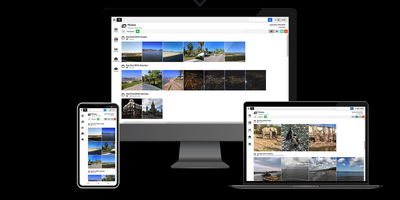
With over 8,000 GitHub stars and continuous development since 2020, LibrePhotos delivers the core intelligence of Google Photos — face recognition, object detection, semantic search, and automatic album generation — entirely on your own hardware without sending a single photo to a third-party server. The Django 5 backend processes uploaded media through a machine learning pipeline that runs face detection via the face_recognition library, clusters identified faces using scikit-learn and HDBSCAN, generates image captions through BLIP and Moondream 2, and classifies scenes using Places365 or Google's SigLIP 2 vision-language model with zero-shot classification against 900+ real-world tags. Semantic search lets you find photos by natural language queries like "sunset at the beach" without manual tagging, while metadata search filters by person, camera, lens, file type, and filesystem path. The React 18 frontend built with Vite presents a timeline view, fullscreen lightbox with slideshow mode, photo detail sidebar showing location and people, and a folder navigation view with breadcrumb paths. RAW files from any camera are converted via ImageMagick, videos processed through FFmpeg, and Live Photos paired with their RAW+JPEG counterparts as unified entries. Public album sharing via link provides fine-grained privacy controls, and duplicate detection uses perceptual hashing to identify near-identical images. Deployment runs as a single unified Docker container or via Docker Compose with Kubernetes manifests also available. Running on a dedicated VPS on RepoCloud with guaranteed CPU, RAM, and SSD, full root SSH access, and a browser serial console. MIT licensed.
LibreTranslate
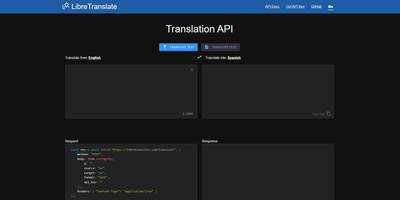
Machine translation with no Google, no Azure, no per-character billing, and no text leaving your infrastructure: LibreTranslate is a free, open-source translation API that runs entirely on your own server. The engine underneath is Argos Translate, which runs OpenNMT neural models with SentencePiece tokenization and Stanza sentence-boundary detection, all offline. Models install as portable .argosmodel packages covering dozens of languages - English, Spanish, French, German, Chinese, Japanese, Russian, Arabic, Hindi, Portuguese, and many more - and Argos handles automatic pivoting: with es-to-en and en-to-fr installed, it chains them to translate es-to-fr without a direct model. The API is a straightforward HTTP POST to /translate with source and target language codes, returning JSON - simple enough that the ecosystem has clients in every major language and integrations across tools like Weblate and Mastodon. Beyond plain text it translates HTML while preserving markup and handles whole file uploads (documents in, translated documents out), plus automatic language detection when the source is unknown. A clean bundled web UI serves interactive translation for end users, and optional API keys with rate limits control access. AGPL-licensed and trainable with custom models, it is the standard answer when translation must be private, unmetered, and self-contained - GDPR-sensitive text never touches a third party.
Gotify
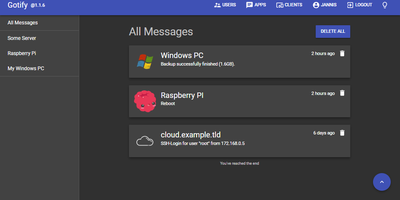
Real-time alerts from your own infrastructure to your phone, with no Firebase, Pushover, or third-party push service in the path: Gotify is a simple, self-hosted notification server written in Go. The model is deliberately minimal: senders push messages with a single HTTP POST to the REST API, receivers subscribe over a WebSocket stream, and a clean React web UI manages the pieces. Senders are namespaced as "applications," each with its own token, so your backup script, Uptime Kuma, CI pipeline, and cron jobs each get an identity, an icon, and independently revocable credentials - centralized alerting from many services with per-source management. Messages carry a title, body, and priority level that maps to notification importance on the client. The official Android app (on both F-Droid and Google Play, notable for working entirely without Google Play Services) shows push notifications for new messages; the web UI itself supports Web Push in the browser; and gotify/cli pushes messages from shell scripts with one command. A server-side plugin system adds custom behavior, and the whole thing runs as a single small binary with SQLite by default - near-zero resource footprint. Because dozens of tools (and Apprise) speak Gotify natively, it slots in as the notification hub for an entire homelab or ops stack.
Vaultwarden
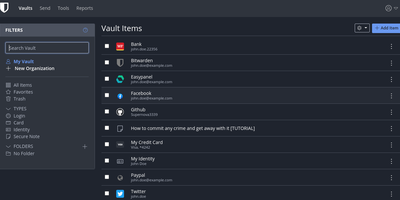
The Bitwarden server, reimplemented in Rust: Vaultwarden (formerly bitwarden_rs) is the unofficial lightweight edition. It speaks the same wire protocol as the official server, so every official Bitwarden client - browser extensions, iOS, Android, desktop, and the bw CLI - connects without modification, while the server itself runs as a single container against SQLite (or MySQL/MariaDB/PostgreSQL) instead of the official multi-container stack that wants gigabytes of RAM. Features Bitwarden gates behind paid tiers ship free: organizations with collections, groups, member roles, and policies; TOTP code storage; file attachments; Bitwarden Send; Emergency Access; event logs; and admin password reset. Two-factor options cover authenticator apps, email, FIDO2 WebAuthn, YubiKey, and Duo, and OIDC-based SSO landed natively in v1.35.0. Zero-knowledge encryption is unchanged - vault data is encrypted client-side and the master password never reaches the server. Attachments and Sends store on local disk or S3-compatible backends, an admin panel manages users and server settings, and backup is copying one data directory. Suited to individuals and teams up to roughly 50 users.
Matomo
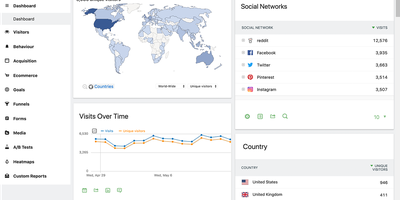
Several EU data protection authorities have ruled Google Analytics deployments unlawful; Matomo (formerly Piwik) is the most complete open-source replacement - a full analytics platform with 30+ report types across visitors, actions, referrers, goals, and ecommerce. The self-hosted PHP/MySQL edition is free and keeps every byte of visitor data on your infrastructure, which matters more each year: several EU data protection authorities have ruled Google Analytics deployments unlawful, while Matomo configured for cookieless tracking is approved by France's CNIL for use without a consent banner. All reporting runs on 100% unsampled data - no extrapolation at high traffic volumes. The GDPR Manager handles data subject requests and deletion, with IP anonymization, retention controls, and Do Not Track support built in. A dedicated importer pulls your historical Google Analytics data so years of trends survive the migration. Core analytics cover campaigns, custom variables and dimensions, entry/exit pages, downloads, site search, and full ecommerce tracking with a comprehensive HTTP API for reporting and ingestion. Premium plugins extend the platform into Hotjar-class behavioral tooling - click and scroll heatmaps, session recordings, conversion funnels, form analytics, A/B testing - plus a tag manager and SAML SSO. For teams that need GA-equivalent depth with actual data ownership, Matomo is the realistic drop-in replacement.
Plausible
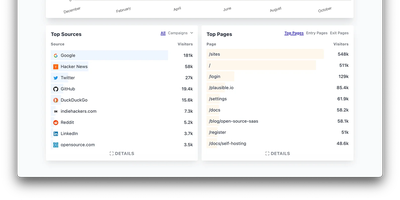
Built as a direct rejection of the adtech model, Plausible is the best-known privacy-first web analytics tool - lightweight, cookie-free, and open-source. It sets no cookies and stores no personal data: unique visitors are counted via a hash of IP plus User-Agent that rotates every 24 hours and is never stored raw, so no consent banner is required and GDPR compliance is structural rather than contractual. The tracking script is under 1 KB - orders of magnitude lighter than GA - and the dashboard is a deliberate contrast to GA4's sprawl: one fast-loading page with visitors, sources, top pages, countries, devices, and UTM breakdowns, filterable by any dimension. Custom events and goals track signups and clicks, Google Search Console integration pulls in search queries, scheduled email reports keep stakeholders updated, and the Stats API (v2) plus CSV export feed data anywhere. This is the AGPL-licensed Community Edition, the same Elixir codebase that powers Plausible's cloud service, running as three containers: the web app, PostgreSQL for accounts, and ClickHouse for event storage - which means self-hosters get direct SQL access to raw analytics data the cloud version never exposes. Traffic data stays entirely on your server, with no visitor caps or per-pageview pricing.
Moltis
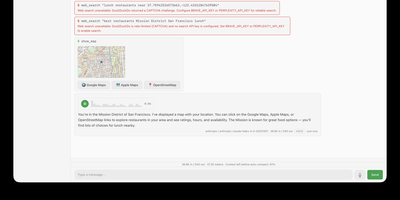
Moltis gives individuals and teams a completely private personal AI agent server that bridges conversational assistants to everyday messaging platforms while executing real-world computing tasks inside secure execution environments. Users can interact with autonomous agents across Telegram, Discord, WhatsApp, Slack, Matrix, and browser interfaces to draft correspondence, automate research, and schedule recurring cron tasks. The system coordinates multi-agent delegation by spinning up specialized sub-agents with dedicated roles for code generation, pull request reviews, quality assurance testing, and technical documentation. Built-in sandboxing isolates tool operations within container boundaries or WebAssembly modules, ensuring shell commands, web scraping routines, and script executions cannot alter underlying operating system files without explicit permission. Native Model Context Protocol integration allows operators to attach external data endpoints, database connectors, and custom command-line utilities without rewriting core routing logic. Persistent memory preserves conversational context and document embeddings across multiple sessions, allowing assistants to recall prior discussions, user preferences, and project guidelines indefinitely. Administrators can configure granular tool approvals, manage WebAuthn passkey authentication, and review real-time WebSocket communication logs through an embedded control panel. Running on a dedicated VPS on RepoCloud with guaranteed CPU, RAM, and SSD, full root SSH access, and a browser serial console. MIT licensed.

Reactive Resume
With over 38,000 GitHub stars, nearly one million registered users, and over 1.3 million resumes created, Reactive Resume delivers a professional resume creation experience that rivals commercial platforms like Resume.io and Zety without collecting user data, showing advertisements, or imposing paywall restrictions. The real-time WYSIWYG editor renders changes instantly as users type, providing immediate visual feedback across all resume sections including work experience, education, skills, certifications, projects, and custom sections with typed extensions. Over fifteen professionally designed templates with full color customization, font selection, spacing adjustment, and icon style selectors ensure each resume reflects individual style preferences. The drag-and-drop system lets users move items between sections and pages freely across multi-column and full-width layouts. PDF generation produces pixel-perfect documents using a headless Chromium rendering pipeline, ensuring consistent output across all devices and print settings. Multi-language support covers over twenty languages with RTL script handling for Arabic and Hebrew. Authentication supports passkeys and multiple OAuth providers via Better Auth, while self-hosted deployment runs via Docker Compose with PostgreSQL and Browserless for PDF rendering. The import system accepts JSON Resume format, LinkedIn data exports, and PDF/DOCX files when AI integration is configured. AI-powered content suggestions using OpenAI, Google Gemini, Anthropic Claude, or local Ollama models help improve bullet points and professional summaries. A CSS editor with autocompletion allows fine-grained styling control. Running on a dedicated VPS on RepoCloud with guaranteed CPU, RAM, and SSD, full root SSH access, and a browser serial console. MIT licensed.
Immich
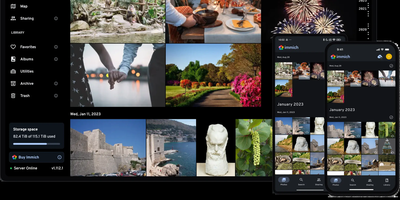
With over 110,000 GitHub stars and one of the fastest-growing open-source communities in the self-hosted space, Immich delivers a Google Photos-grade experience entirely on your own hardware. The platform handles automatic background backup from Android and iOS devices, deduplication, and support for RAW formats, LivePhotos, and MotionPhotos. Its machine learning pipeline runs facial recognition and clustering locally on your server, enabling you to group photos by person without sending a single image to the cloud. CLIP-based semantic search lets you find images by describing their content in natural language, while metadata-driven search covers EXIF data, dates, and locations. The web interface built with SvelteKit provides a responsive timeline view, albums, shared albums with configurable permissions, public sharing links with optional passwords and expiry dates, partner sharing for family libraries, and a global map plotting photos by GPS coordinates. Administrative features include multi-user support with per-user storage quotas, OAuth integration, API key management, and a user-defined storage structure for organizing files on disk. The architecture uses PostgreSQL for metadata, Redis with BullMQ for background job queues handling thumbnail generation, video transcoding, and smart search indexing, and exposes over 400 REST API endpoints documented via OpenAPI with auto-generated SDKs for web, mobile, and CLI clients. Running on a dedicated VPS on RepoCloud with guaranteed CPU, RAM, and SSD, full root SSH access, and a browser serial console. AGPL-3.0 licensed.
Ghostfolio
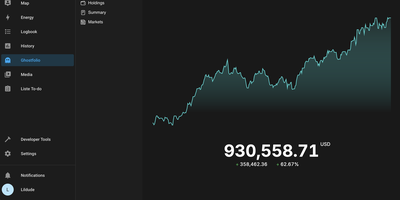
Stocks, ETFs, crypto, bonds, precious metals, and cash across every account and currency, in one privacy-first dashboard: Ghostfolio is open-source wealth management software. The deliberate design decision is no brokerage linking: positions enter by manual entry, CSV import, or the REST API, so your holdings never pass through a data aggregator. Performance is measured as return on average investment across Today, WTD, MTD, YTD, 1Y, 5Y, and Max timeframes, with benchmark comparison against indices like the S&P 500, dividend tracking, and allocation breakdowns by asset class, region, and sector. A static X-ray analysis flags concentration and other portfolio risks, and a FIRE calculator projects progress toward financial independence. Multi-currency support converts holdings using historical exchange rates, market data comes from Yahoo Finance and CoinGecko among other pluggable providers, and everything exports back out as CSV or JSON. Built with Angular and NestJS on PostgreSQL and Redis, shipped as Docker images for amd64 and ARM, with a mobile-first PWA interface, dark mode, and a distraction-free Zen mode. AGPL-licensed.
Websurfx
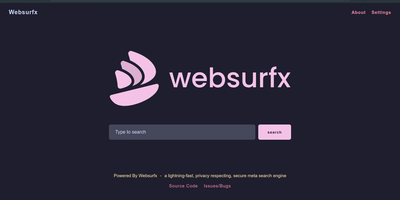
Websurfx aggregates results from multiple search engines into one private, ad-free interface that never tracks your queries. Written in Rust, the backend provides memory safety against buffer overflows and data races at the language level while handling concurrent requests across upstream providers like DuckDuckGo and Searx. A built-in re-ranking algorithm scores and merges results by relevance, producing a unified page that draws from many sources while appearing as one coherent search. Safe-search filtering operates across four levels from unrestricted to complete content blocking, with regex-based filter lists for parental controls in schools and organizations. Upstream requests route through configurable proxy chains or Tor, preventing search providers from correlating your queries with a specific IP address. Four Docker image variants target different caching strategies: hybrid Redis plus in-memory for maximum throughput, Redis-only, in-memory-only, or zero-persistence for environments where cached queries must never touch disk. The Lua configuration file controls engine selection, request timeouts, rate limiting thresholds, and production-mode delays that throttle upstream traffic to prevent abuse. Quick-result widgets handle calculations, currency conversions, and unit transformations inline without external redirects. Image search capabilities serve visual discovery for designers and researchers who need media results without surveillance. Runs on a RepoCloud VPS with dedicated resources and full root access. AGPL-3.0 licensed.