LMS
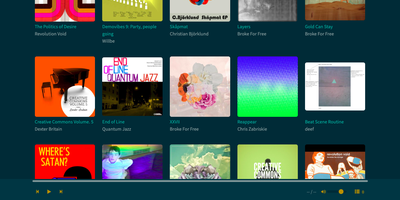
LMS is a self-hosted music server that streams your own library to any web browser or Subsonic-compatible player. Point it at a folder of tagged files and it builds a library that understands multi-valued genres and moods, composer, conductor, and producer credits, release types, and release groups that keep remasters beside the original. MusicBrainz identifiers settle duplicate artist and album names, and an artist information folder in Kodi NFO format adds biographies and portraits. Browse with filters like Electronic plus Relaxed, then switch on radio mode and the queue refills itself with similar tracks, chosen by audio similarity or by tags. Plays can be scrobbled to ListenBrainz and Last.fm, and loved tracks synchronize with ListenBrainz. Phone apps connect through the Subsonic and OpenSubsonic API with a personal API key, and transcoding trims bandwidth on slow connections. ReplayGain evens out loudness, podcasts and lyrics sit in the same interface, and an admin-only jukebox mode plays through the server's own audio output. Several libraries can live side by side, a .lmsignore file keeps unwanted folders out of scans, and logins can use the internal user database, PAM, or reverse-proxy SSO headers. Running on a dedicated VPS on RepoCloud with guaranteed CPU, RAM, and SSD, full root SSH access, and a browser serial console. GPL-3.0 licensed.
Tautulli
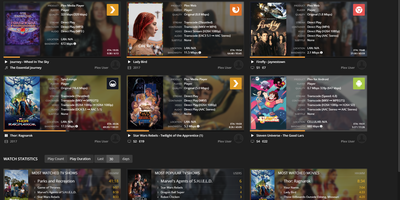
Plex's own dashboard shows current streams and forgets everything else - which is why every Plex server admin eventually installs Tautulli, the analytics layer. This Python web application (descended from PlexWatch and Headphones) logs complete watch history - what was watched, who watched it, when, where, from which device and IP, and whether it played directly or transcoded - and turns it into clean Highcharts graphs of daily plays, concurrent streams, bandwidth, and platform breakdowns. The home page surfaces top statistics over configurable windows: most-watched content, most active users, stream type ratios. For running a server shared with family and friends, this is operational truth: spot the user forcing 4K transcodes on a phone, see which libraries earn their disk space, and track sync activity across users. The notification engine triggers on server events - playback starts, transcode decision changes, recently added media, server down - through dozens of agents (Discord, Telegram, Slack, email, webhooks) with fully customizable text and conditions, plus arbitrary script execution. Scheduled newsletters email your users a styled digest of recently added content. A comprehensive API exposes every statistic for dashboards like Homarr, and an official mobile app monitors activity on the go. Themed to match Plex/Web. GPL-licensed.
Teedy
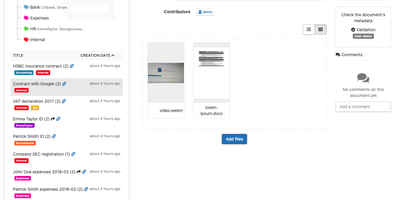
Every scan and PDF you drop into Teedy becomes searchable text in a self-hosted document archive, filed by nested tags instead of folders. OCR reads images in more than twenty languages, and the search box offers suggestions and highlights matches, even inside ODT, DOCX, and PPTX files. Video files are supported as well. Each record carries Dublin Core fields plus custom metadata of your own design, with comments and earlier file versions attached. When a document needs a second pair of eyes, workflow steps with assigned reviewers move it along in order until someone signs off. Pull in EML emails, let the server poll an inbox, or point the bulk importer at a whole folder, and incoming paperwork needs no manual filing. Share a single document through a public link, or keep it behind user and group permissions with a storage quota for each person. LDAP and two-factor authentication guard sign-in, 256-bit AES encryption protects stored files, and an audit log records who changed what. Webhooks alert other services, a documented REST API lets scripts take part, and an Android client carries the archive on a phone. Running on a dedicated VPS on RepoCloud with guaranteed CPU, RAM, and SSD, full root SSH access, and a browser serial console. GPL-2.0 licensed.
Collabora Office
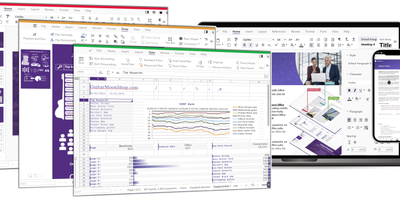
Real LibreOffice document engineering in the browser: Collabora Online is built by the company employing much of the former SUSE LibreOffice team - not a reimplementation. This deployment runs CODE (Collabora Online Development Edition), the collabora/code server that renders and edits documents entirely server-side while browsers get high-fidelity WYSIWYG output, so layout and formatting survive round-trips that break lesser converters. Four editors ship in one container: Writer for text documents (comments, track changes with comparison and restoration, form handling), Calc for spreadsheets (advanced formulas, macros, pivot tables, per-user sheet views, server-enforced cell protection), Impress for presentations, and Draw for Visio-class diagrams. Format compatibility spans DOCX, XLSX, PPTX, the ODF family, PDF, and dozens more - including Visio and Publisher import. Real-time collaborative editing supports multiple simultaneous editors with visible cursors and commenting. The architectural point: documents are processed on your server and never leave it, which is why Collabora is the engine behind Nextcloud Office and integrates with ownCloud, Seafile, and any WOPI-speaking host - or embeds in your own application via the SDK. An admin console monitors sessions and memory. For organizations that need Google Docs-style collaboration with actual data sovereignty, this is the reference open-source answer.
RosarioSIS
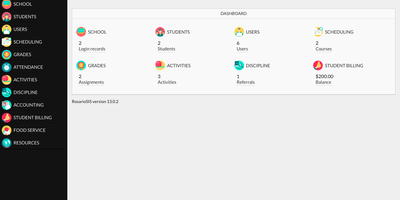
Report cards, attendance rosters, class schedules, discipline logs, and fee statements all live in one browser-based system with RosarioSIS, an open-source student information system for K-12 schools and similar institutions. Administrators define marking periods in up to three tiers, set grade levels and daily periods, and search students by gender, grade level, schedule, absences, GPA, or class rank. The scheduler places whole classes or a single student, and runs in test mode each time a student's requests are saved, so conflicts can be resolved with the student still in front of you. Teachers keep a weighted gradebook with grade ranges, progress reports, report cards, and transcripts, take attendance electronically, and use the eligibility feature to flag who may join athletic or academic activities. Discipline logs, student billing with fees, payments, balances, and statements, food service, and accounting complete the core modules. Parents and students get their own portal, new families can register online, listings export to Excel, CSV, or XML, and charts and PDF documents support decisions and paperwork. The interface adapts to tablets and phones and is translated into a dozen languages. Add-on modules bring email, library, hostel, Jitsi Meet video rooms, and Moodle integration. Running on a dedicated VPS on RepoCloud with guaranteed CPU, RAM, and SSD, full root SSH access, and a browser serial console. GPL-2.0 licensed.
Wally
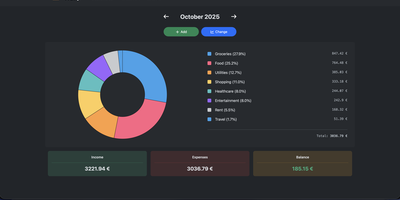
Started as an ExpenseOwl-inspired project, Wally grew into a lightweight, self-hosted expense tracker more capable in every direction its author touched. The backend is Python FastAPI over SQLite, which means every deployment ships a full REST API with interactive documentation at /api/docs - automating imports or wiring in external tools requires no reverse engineering, and when the optional login page is enabled you can mint scoped API keys from the Settings page for token-based integrations. The transactions view is built on AG Grid, bringing real search, column sorting, and per-column filtering to your ledger, with a footer totaling rows, income, and expenses for whatever slice you have filtered. Dashboards go beyond the usual monthly doughnut: a Change button swaps in year-scale line graphs so you can track a single category - restaurants, say - across time. Recurring transactions edit intelligently, letting you apply changes to all instances or only future ones. CSV import and export use a simple six-column format handled from Settings, the refined dark theme is genuinely easy on the eyes, and the interface is translated into more than ten languages. The whole thing runs from one small container with a single data volume.
Hammond
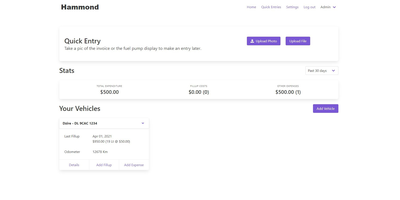
When Clarkson, the once-popular fuel logger, stopped receiving updates, Hammond stepped in as its logical successor - a self-hosted vehicle expense tracker. Written in Go with a Vue.js interface and SQLite storage - a single lightweight container, no external database - it tracks every cost your vehicles generate: fuel fill-ups with cost, volume, and odometer readings; maintenance and repairs; and arbitrary other expenses, each attachable with photos and documents stored against the vehicle. The multi-user, multi-vehicle design is what sets it apart from phone apps: a household or small business adds all its vehicles and all its drivers, shares vehicles across users, and every fill-up lands in one ledger no matter who was driving. The Quick Entries feature respects how expenses actually happen - snap a photo of the receipt or pump screen at the gas station, then complete the structured entry later when you have a minute. Reporting works at both the vehicle level (cost per distance, fuel economy trends) and across the whole fleet. Migration matters here: importers for Clarkson, Fuelly, and Drivvo bring years of fill-up history along, so switching does not mean starting your data over.
ChatChat
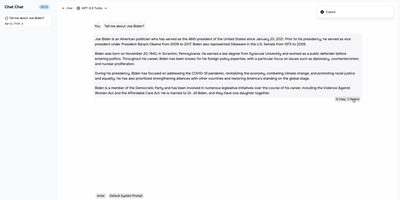
One clean interface in front of Anthropic, OpenAI, Google Gemini, Cohere, and more: Chat Chat is a Next.js front door to the major AI providers, ending the juggling of separate subscriptions, tabs, and UIs per model. Bring your own API keys, pick a provider and model per conversation, and switch between them as the task demands: Claude for long-form reasoning, GPT for code, Gemini for multimodal work - the interface stays identical. Beyond configured presets, custom providers plug in with their own API endpoints and keys, which covers OpenAI-compatible gateways and local inference servers. The design splits into two dedicated modes: a chat interface for conversational work with customizable system prompts, and a search interface that pairs AI processing with query handling for research-style questions. The stack is modern and hackable - Next.js 14, Tailwind CSS, shadcn/ui on Radix primitives, Jotai for state - with full internationalization including English, Chinese, and Japanese. Self-hosting means your conversation history and API keys live on your instance rather than a third-party wrapper service, and pay-per-token API pricing typically beats stacking multiple monthly chat subscriptions. AGPL-licensed and deliberately simple to deploy: one container, environment variables for keys, done.
Review Board
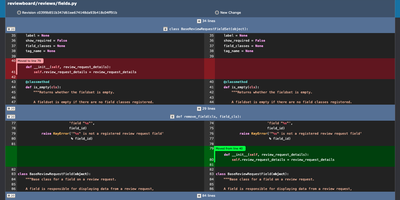
Before a change lands in the main branch, Review Board gives your team a self-hosted code review server where reviewers read the diff, open issues on specific lines, and sign off with a Ship It. Post a review request from the web or with RBTools, either before you commit or after, and every update becomes a new revision that stays in the history. Interdiffs show exactly what changed between revisions, and moved-code detection keeps rearranged blocks from drowning out real edits. Comments can open issues that reviewers later mark fixed or dropped. Images and Markdown files can be reviewed alongside code, with split, onion-skin, color, and side-by-side diffs for pictures. A dashboard with customizable columns separates incoming from outgoing requests by review group. Connect Git, Mercurial, Subversion, or Perforce repositories, including ones hosted on GitHub or GitLab, and review them all on one server. Slack and Discord notifications, Jenkins builds, and Review Bot linters report back inside the review. Private repositories and hidden or invite-only review groups restrict who sees what, with sign-in through Active Directory, LDAP, or SAML 2.0. A REST API, WebHooks, and Python extensions cover custom workflows. Running on a dedicated VPS on RepoCloud with guaranteed CPU, RAM, and SSD, full root SSH access, and a browser serial console. MIT licensed.
Chief-Onboarding
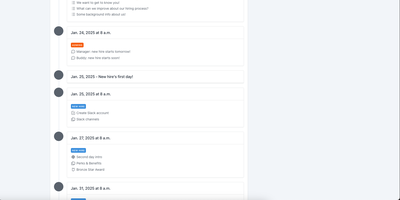
New hires fail from information overload and IT bottlenecks, not lack of goodwill - the observation behind ChiefOnboarding, a free, open-source employee onboarding platform (Django, Celery, PostgreSQL, Redis). Its answer is sequences - drag-and-drop timelines that drip-feed to-do items, resources, courses, forms, and badges to each new hire, triggered by dates or by completing a previous item, so nobody faces everything at once. Onboarding starts before day one: preboarding pages welcome hires early, and colleagues can leave personal messages that appear there. The account provisioning module creates the new hire's Slack, Google, Asana, and other accounts automatically on the scheduled day via a library of integrations plus custom webhooks - the IT ticket queue never gets involved. Everything works through two equivalent interfaces: a full web dashboard and a Slack bot, either usable standalone. Slack can even auto-create new hire accounts when someone joins the workspace and assign default sequences with zero manual action. Colleague tasks with comments and collaboration, a searchable people directory, scheduled introductions, and per-hire timezone awareness (no 3 a.m. notifications) round it out. No trackers, no phoning home - third-party credentials sit in encrypted fields on your server.
CodeX Docs
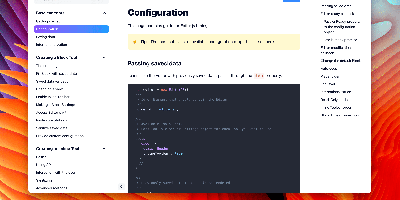
Writing docs should feel like editing a modern document, not wrangling Markdown files - CodeX Docs delivers that on Editor.js, the block-styled editor its CodeX team builds and thousands of products use. Content is composed from clean blocks (headings, lists, code, images, embeds) with a UI that reads well on both desktop and mobile, and pages render statically with human-readable, SEO-friendly URLs. Structure is free-form: pages nest to any depth, so a flat FAQ and a deep product manual coexist in one instance, and the UI tunes to fit - collapse sections, hide the sidebar. The operational footprint is deliberately tiny. No database is required: the default driver persists to a local folder, with MongoDB available when you want it, and the whole app configures through one YAML file (overridable with APP_CONFIG_ environment variables) covering title, start page, auth password, and JWT secret. Editing mode sits behind password authentication. Thoughtful extras are wired in: readers can report misprints straight to your Telegram or Slack, Hawk error tracking catches frontend and backend exceptions, and Yandex Metrica analytics is a one-line config. A ready-made Helm chart covers Kubernetes. Written in TypeScript.
Upvote RSS
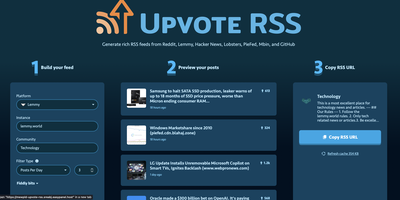
The antidote to doomscrolling: Upvote RSS turns Reddit, Hacker News, Lemmy, Lobsters, PieFed, Mbin, and trending GitHub repositories into calm, filtered RSS feeds. The MIT-licensed PHP app's killer feature is intelligent filtering: beyond simple score thresholds, the "posts per day" filter analyzes a community's recent history and computes the score cutoff that yields your target volume - say, exactly three r/technology posts daily - while a percentage-based threshold mode stays consistent as communities grow. Feeds are rich, not bare links: parsed full-article content via Readability (with optional Readability.js, Mercury, or Browserless for JavaScript-heavy pages), embedded videos and image galleries, top-voted comments with pinned-moderator filtering, scores, reading-time estimates, and optional AI summaries through Ollama, OpenAI, Gemini, Anthropic, Mistral, DeepSeek, or any OpenAI-compatible endpoint - with automatic provider fallback. A web UI builds the feed URL interactively with live preview; paste the result into any RSS reader. Reddit support includes custom domains like old.reddit.com plus NSFW filtering and blurring. Caching via filesystem, Redis, or APCu keeps repeated fetches cheap and avoids re-running paid summarizations.
Nametag
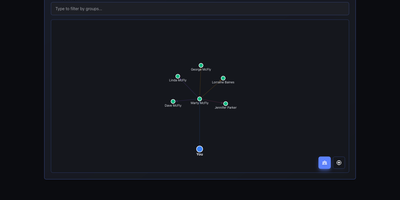
CRM mechanics applied to your actual relationships instead of a sales pipeline: Nametag is a Personal Relationship Manager (PRM). It exists to fix the things you keep forgetting: when you last talked to an old friend, their kids' names, the birthday you missed twice. Contacts are tracked with flexible attributes - names, birthdays, important dates, and free-form notes for everything else - and organized into custom groups. Where it goes beyond a contacts app is relationship mapping: you define how people connect to each other (family, friends, colleagues, or custom relationship types), and an interactive D3.js-powered graph renders your entire personal network so you can see clusters and connections at a glance. Staying in touch is automated: scheduled reminders fire for birthdays, important dates, and reach-out nudges, with optional email delivery via a Resend API key for password resets and reminder notifications. Built with Next.js, it is mobile-responsive, ships with full dark mode, and supports multiple languages including English and Spanish. Because it is self-hosted, there are no account tiers or contact limits - unlimited people and relationships, with every note about your personal life stored on your own server rather than a social-graph company's cloud. A lightweight, single-container deployment makes it one of the easiest personal tools to run.
mailez
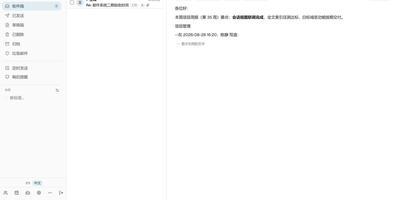
Mail for your own domain stays on your own server with mailez, a self-hosted stack that delivers over SMTP, IMAP, and POP3 and adds a webmail, calendar, contacts, file storage, and an admin console, all started with a single command. Readers get a draggable three-pane webmail that updates itself over a push channel, merges replies into conversations, folds quoted history, and searches with from:, to:, has:attachment, and date terms. Keyboard shortcuts, a command palette, snooze, scheduled send, undo for bulk moves, and quick reply keep daily mail fast, and the interface installs as an offline-capable app with light and dark themes. Privacy-minded users add PGP signing and encryption, two-factor login, and remote-image blocking, and write server-side rules in a Sieve editor. Calendar, contacts, and Drive sit beside mail, with ICS subscriptions, vCard import, CardDAV and CalDAV sync, and share links. Phones and desktop clients configure themselves through autoconfig. Administrators manage domains, mailboxes, aliases, relays, and external mailbox fetching in one console, generate DKIM keys with a click, and follow a DNS wizard and a health page that verify MX, SPF, DMARC, DKIM, blocklists, and MTA-STS. Audit logs and role-based access keep shared servers accountable. The free community edition runs on a single node, while archiving, DLP, LDAP, ActiveSync, and AI features belong to the paid enterprise edition. Running on a dedicated VPS on RepoCloud with guaranteed CPU, RAM, and SSD, full root SSH access, and a browser serial console. AGPL-3.0 licensed.

Photofield
Instead of paging through albums, Photofield lays a whole photo library out on one zoomable canvas, where thousands of thumbnails sharpen into full-resolution pictures as you zoom. Collections come straight from directories named in a configuration file. One setting turns every subfolder into its own collection. Pick a layout per collection: album grouped by date, timeline with month markers, wall, map, highlights with dates and place names, or flex. Sort oldest first, newest first, or shuffled hourly, daily, weekly, or monthly. Tiles load progressively, and an info drawer shows the date, file name, and dimensions. A right-click menu opens or copies an image, copies its link, or finds similar images. Originals are never modified, so a read-only mount is safe. Indexing runs at up to 10,000 files per second on a fast SSD with a warm cache. JPEG, PNG, AVIF, HEIC, DNG, GIF, MP4, and MOV files are recognized. Place names resolve from an embedded database, with no external lookups. The optional photofield-ai companion adds search by words like beach sunset or cat eyes, plus a Faces layout of detected faces. Alpha tagging lets you label photos. Running on a dedicated VPS on RepoCloud with guaranteed CPU, RAM, and SSD, full root SSH access, and a browser serial console. MIT licensed.
Hasty Paste
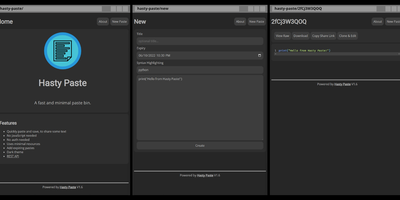
Paste some text, hit save, share the link - Hasty Paste is a fast, minimal pastebin written in Python on the async Quart framework, named, by its author's own admission, "because you use it so fast without a care in the world." No accounts, no authentication, no friction - built for the everyday case of handing a debug log, config snippet, or stack trace to someone in tech support or a chat channel. Pastes get randomly generated IDs, with an optional "long" ID mode that makes brute-force URL guessing impractical, and expiry times ensure throwaway content actually gets thrown away. Optional Pygments syntax highlighting makes code readable, a dark theme spares your eyes, and the whole interface works without JavaScript - it renders in terminal browsers and under the strictest script blockers. Storage is a custom flat-file system (no database), caching runs internally or through Redis for busier instances, and a REST API plus the companion "Hastily Paste It" CLI script enable piping command output straight into a paste from the terminal. The Alpine-based Docker image is tiny, resource usage is minimal, and the license is AGPL.
Moocup
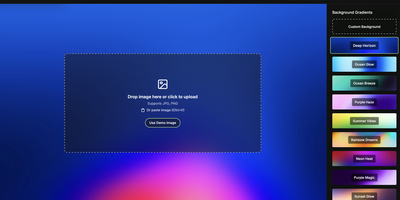
Drop your screenshot, a base style is applied, style it however you wish, and export - "that's basically it," says Moocup's own author, and the description holds. The workflow is genuinely seconds long. Drag an image in and it lands on an attractive backdrop immediately; from there you adjust backgrounds, gradients, padding, borders, shadows, and framing with live preview until it matches your taste, then export a high-quality image ready for a portfolio page, README, blog post, tweet, or slide deck. There are no accounts, no watermarks, and no upload to anyone's cloud - as a self-hosted static app, your screenshots never leave your infrastructure, which matters when the screenshot shows a proprietary dashboard or unreleased product. It runs entirely in the browser from a tiny nginx container, works on any device, and requires zero design skill: the smart defaults do the heavy lifting, and everything else is optional tinkering.
Ties
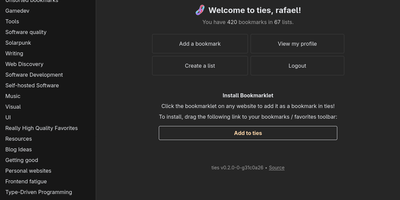
A federated bookmark manager written in Rust: Ties (formerly linkblocks) is your own small corner of the web for saving, organizing, and sharing good pages, connected to the fediverse over ActivityPub. Instead of rigid folders, bookmarks live in arbitrarily nested lists that link together into a knowledge graph. Saved pages are fetched, converted to a readable archived version, and stored in the database, so full-text search covers titles, URLs, and the actual page text - and the content survives if the original disappears. The federation model is deliberately anti-viral: there is no global timeline and no algorithmic feed. You publish public lists for anyone, follow users whose taste you trust, and mark trusted users whose bookmarks become part of your search range - extendable to trusted-users-of-trusted-users for a wider net. Public bookmarks post to Mastodon timelines, and WebFinger lookup makes your handle discoverable across fediverse platforms. Operationally it is about as light as web software gets: a single binary with all assets baked in, integrated TLS so it can run without a reverse proxy, PostgreSQL as the only dependency, OIDC single sign-on, and a bookmarklet for one-click saves. Note the project is alpha: single-user instances only, and all data should be considered public. AGPL-3.0 licensed, built with Rust and htmx.