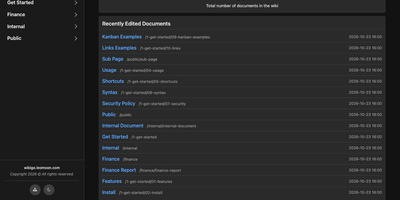
Wiki-Go
Wiki-Go turns a folder of Markdown files into a searchable team wiki with page history, comments, and access rules, and never asks you to run a database. Pages live in a nested tree with a sidebar and breadcrumbs, and an editor with a preview toggle handles emoji shortcodes, highlighted code, LaTeX math, Mermaid diagrams, collapsible sections, GitHub-style alerts, and embedded YouTube, Vimeo, or MP4 video. Full-text search supports exact phrases in quotes and term inclusion or exclusion, and highlights each match. Each save keeps a revision, up to a configurable limit, and any stored version can be restored later. Attachments such as PDFs, spreadsheets, images, and archives sit beside the page they belong to. Drop a Kanban board into any document for drag-and-drop task tracking with nested tasks, or build a categorized link library that fills in page metadata automatically. Signed-in users comment in Markdown, and admins can remove comments. Admin, editor, and viewer roles, user groups, path-based public or private rules, and an optional private-wiki mode decide who sees what. Branding comes from a custom logo, banner, and favicon, shortcodes such as stats insert live site statistics, and readers can switch between dark and light themes or print any page. A REST API opens content to scripts, and a community tool imports Notion exports. Running on a dedicated VPS on RepoCloud with guaranteed CPU, RAM, and SSD, full root SSH access, and a browser serial console. GPL-3.0 licensed.
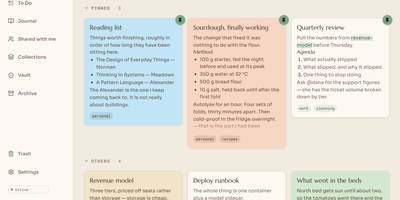
Papyra
Papyra gives you a calm, private home for notes that stays as easy as sticky notes while quietly linking everything together like a wiki. Cards pin, colour, and drag into place on your desk, and opening one drops you into an editor where slash commands insert headings, checklists, tables, or maps without leaving the keyboard. Type two brackets to link another note, and backlinks gather the other direction automatically, following the note even if you rename it. Notes save themselves, and every earlier version is kept, so you can scrub back through history and restore the draft you actually wanted. Sharing a note lets several people type in it together with visible cursors, comments in threads, and mentions that bring the right person in. Private notes lock behind a PIN or your fingerprint and sit encrypted on disk, while a daily journal page collects the day with a mood and a calendar to browse the year. Search covers notes, to-dos, and attachments with highlighted matches, and image text and audio transcripts can join the index. Running on a dedicated VPS on RepoCloud with guaranteed CPU, RAM, and SSD, full root SSH access, and a browser serial console. GPL-3.0 licensed.
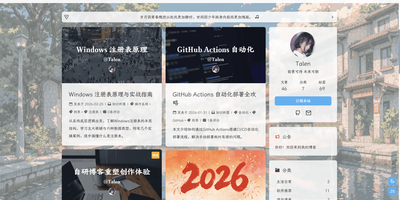
FlecBlog
FlecBlog is a complete blogging system for people who want their own corner of the web to look considered, not cobbled together. Readers get a fast public site with server-rendered pages that search engines can actually read, per-article sharing cards, a sitemap that updates itself, and a feed for subscribers who still use readers. Writers get a separate admin console with a Markdown editor that previews as you type, syncs scrolling between the panes, uploads a pasted image without a detour, and estimates reading time while counting words. Posts can carry custom blocks like callouts, tabs, collapsible panels, link cards, and photo walls, so tutorials and essays do not all flatten into the same shape. The dashboard turns your archive into charts: visit trends by day or month, category breakdowns, a tag cloud, and a contribution calendar of your writing streak. Comments support guests and signed-in readers with nested replies and emoji, friend links handle the blogroll exchange, and short moments publish the small updates that are not full articles. Running on a dedicated VPS on RepoCloud with guaranteed CPU, RAM, and SSD, full root SSH access, and a browser serial console. MIT licensed.
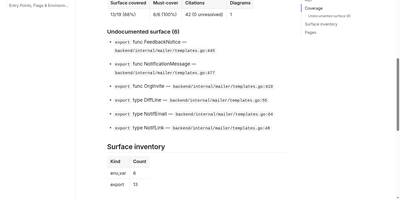
Tela
Tela keeps a team's documentation as canonical markdown in a self-hosted wiki that AI agents read, search, and write alongside humans through a built-in MCP server. People edit together with live multi-cursor collaboration, threaded comments, backlinks, and full revision history, so every page shows who changed what and why. PostgreSQL full-text search works immediately, and adding an embedder unlocks semantic retrieval and grounded ask-your-docs answers that cite their sources. Connect Claude, Cursor, or another MCP client with a personal access token and the agent can search the wiki, draft and patch pages, answer comment threads, build spreadsheets with real formulas, and assemble presentation decks exportable to PDF and PPTX. Atlas, the built-in documentation engine, points at a git repository or Jira project and drafts cited wiki pages, then keeps them fresh as the sources change. Teams organize work into spaces, invite members by email, and flip any space public to publish a login-free blog with per-author home pages. Content syncs over WebDAV and exports to zip or PDF, and optional AI features run against your own endpoint or a bundled local Ollama profile, so nothing leaves your server unless you wire it up. Running on a dedicated VPS on RepoCloud with guaranteed CPU, RAM, and SSD, full root SSH access, and a browser serial console. AGPL-3.0 licensed.
PullMD
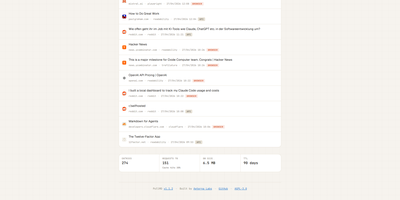
PullMD turns any URL or file you point it at into clean Markdown your AI agent can actually afford to read. Paste a web page and get back tidy body text with metadata tucked into frontmatter instead of navigation soup and cookie banners. Send it a Reddit or Hacker News thread and it returns the full comment tree with depth and count under your control. Hand it a PDF, Word file, PowerPoint, spreadsheet, or EPUB and it hands back Markdown, with an optional OCR tier for stubborn table-heavy documents. YouTube links come back as title, description, and a transcript with clickable timecodes, no API key required. The query-scoped mode answers a question about a long page by returning only the relevant sections, typically cutting 70 to 95 percent of the tokens. Every conversion gets a short share link that re-fetches the source when it goes stale and serves the last good snapshot if the original dies. Agents connect through the built-in MCP server with OAuth 2.1, a plain REST API, or a downloadable Claude Code skill, while you keep history, an archive, and cache statistics in the web app. Running on a dedicated VPS on RepoCloud with guaranteed CPU, RAM, and SSD, full root SSH access, and a browser serial console. AGPL-3.0 licensed.
Atlantis Diagrams
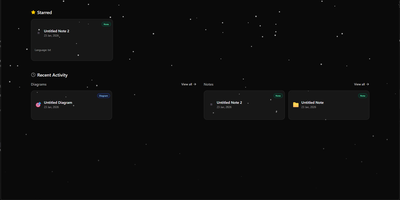
Technical teams frequently struggle to keep software architecture diagrams synchronized with evolving codebases and documentation repositories. Atlantis Diagrams delivers a unified self-hosted workspace that couples code-driven Mermaid.js diagramming with structured Markdown knowledge bases in a responsive web interface. Engineers can compose flowcharts, sequence diagrams, state machines, entity-relationship models, and Gantt schedules using split-view CodeMirror editors with real-time SVG rendering. An integrated version history tracker automatically captures revision checkpoints across the last 15 document states, letting authors compare modifications and restore previous iterations without data loss. The linked notes environment supports rich Markdown editing, LaTeX mathematical formulas, interactive task checklists, tag indexing, and full-text keyword searches across personal documentation libraries. Canvas controls allow users to pan, zoom, inspect individual nodes, and export finalized graphics directly into vector SVG, high-resolution PNG, or printable PDF documents. Storage engines adapt to deployment scale, running on zero-configuration SQLite databases out of the box with optional PostgreSQL, MySQL, and Redis caching layers for high-concurrency environments. Running on a dedicated VPS on RepoCloud with guaranteed CPU, RAM, and SSD, full root SSH access, and a browser serial console. MIT licensed.
Hatchdoor
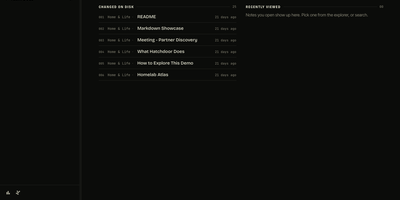
Hatchdoor gives your Markdown notes two front doors at once: a fast web interface for you, and an MCP endpoint where AI agents read and edit the very same vault. Point it at any folder of Markdown files, an existing Obsidian vault included, and it indexes everything into a disposable SQLite read model that rebuilds itself from your files if deleted. In the browser you browse folders, follow wikilinks that survive renames, explore backlinks and graph views, and search by keyword or meaning across every vault you mount. The live editor shows Markdown syntax only on the line you are editing and saves automatically, while concurrency checks refuse a save when the note changed underneath you. Agents connect with their own token and start read-only; turn writes on and Claude Code, Codex, Cursor, or Hermes can create, edit, move, and link notes through the same checked operations the interface uses. Saved queries in Obsidian's Bases syntax render as live tables, attachments preview inline, and optional git integration commits and pushes every change back to your vault's repository. Running on a dedicated VPS on RepoCloud with guaranteed CPU, RAM, and SSD, full root SSH access, and a browser serial console. AGPL-3.0 licensed.
xEdit
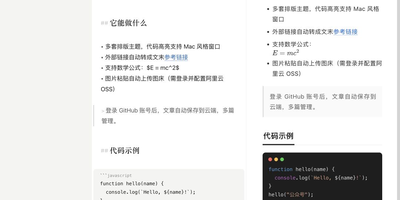
xEdit is a free, open-source Markdown editor that keeps your notes as plain text, on your device or on your own server, and hands AI clients a proper door instead of a scrape. Write in live preview, where headings, code and images render in place and only the line under your cursor shows its source, or flip to a split view when you want both sides visible. Slash commands insert headings, callouts, tables, to-dos, code blocks and media, and wiki links tie notes together by title, with renames updating every link that points at the note. Any checkbox in any note with a date rolls up into a Today view, and nested folders, global search and a recoverable trash keep a growing library tidy. Choose where notes live: browser storage, a local folder of Markdown files, or cloud sync with an offline mirror on every device. Cloud notes gain version history with line-by-line diffs and one-click rollback, share links that collect comments on selected passages, and exports to Markdown, HTML, PDF, PNG and Word. Pick one of thirteen layout themes and copy straight into WeChat or Zhihu with styles inlined and math intact, then connect Claude or Cursor through the built-in MCP server to search, organize and edit the whole library. Running on a dedicated VPS on RepoCloud with guaranteed CPU, RAM, and SSD, full root SSH access, and a browser serial console. MIT licensed.
plumio
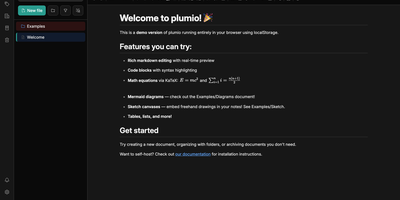
Notes belong on a server you control, and plumio gives them a quiet, fast home there with a polished markdown editor and a live preview. Write headings, task lists, tables, code blocks, math equations, and Mermaid diagrams in one document, then add a freehand sketch canvas for quick drawings. Each change saves as you type. Folders, tags, and custom colors keep a growing library tidy, favorites keep the important pages close, and full-text search finds a half-remembered phrase in seconds. Turn on AES-256 encryption and every document is protected at rest on disk. One instance can host several users and several organizations, so a family, a study group, or a small company each gets a separate workspace with roles for admins and members. Deleted notes land in a trash and archived ones stay out of the way until needed. Export everything as a zip of plain markdown files, or import a folder from another editor, Obsidian included. Webhooks announce document events to other services, API keys let scripts create and search notes, and optional SMTP email handles password resets. A daily backup job keeps compressed copies with automatic retention, and a desktop app can connect to your server. Running on a dedicated VPS on RepoCloud with guaranteed CPU, RAM, and SSD, full root SSH access, and a browser serial console. AGPL-3.0 licensed.
Memora
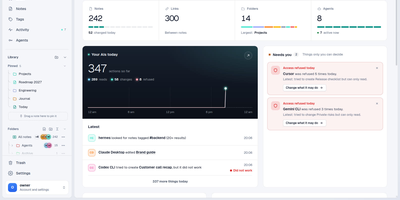
Memora is a self-hosted second brain where Claude Code, Cursor, ChatGPT, and your other AI agents share one memory made of plain Markdown notes that never leave your server. Agents read and write those notes through 77 tools on a Model Context Protocol endpoint, authenticating with a scoped API key per agent or with OAuth approved in the browser. Every change is committed to git, so any revision can be listed, diffed, and restored, and wikilinks and backlinks turn the vault into a navigable graph. The web UI shows a 3D brain with a region per folder, force, radial, and cluster graph layouts, and a canvas with a frame per folder, beside a reader and editor with reading settings. A live activity timeline records every read, write, search, and sign-in, with filters and JSON or CSV export. Mnemo, a built-in notes agent, finds, writes, tags, links, and tidies notes with your own OpenAI, Anthropic, or OpenAI-compatible key, shows every step, and hands tasks to sub-agents. Privacy rules hide folders from chosen agents, scopes and tool lists limit each key, and access rules allow or block by IP, CIDR, or domain. Images pasted into a note stay in its folder, and the interface installs as a PWA. Install with npm, Docker, or a systemd installer, then claim the instance with a one-time setup code. Running on a dedicated VPS on RepoCloud with guaranteed CPU, RAM, and SSD, full root SSH access, and a browser serial console. AGPL-3.0 licensed.
Typemill
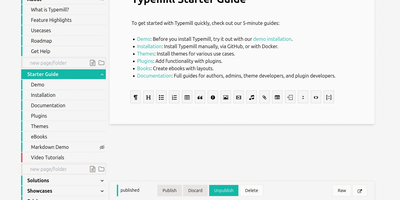
Documentation deserves better than a database nobody wants to maintain. Typemill is an open-source flat-file CMS for informational websites, manuals, knowledge bases, and handbooks: content lives as Markdown files in folders, so a site can be copied, versioned, backed up, and moved with ordinary file tools and no database server anywhere in the stack. Authors get a visual block editor for nontechnical writing and a raw Markdown editor when precision matters, with a navigation tree, drag-and-drop structure, media library, page metadata, and publish states in one workspace. The same source then publishes three ways: as a themed website, as a printable PDF manual, or as an EPUB eBook through the eBook studio, making single-source publishing real for teams tired of maintaining docs, PDFs, and handbooks as three diverging copies. Themes are built from HTML and Twig; plugins add search, analytics, diagrams, math, and integrations; and an optional AI assistant interface connects writing help to the editor. User management, restricted pages, redirects, and a REST API cover the operational side, and the whole application is small enough to run comfortably on modest shared-style hosting or a tiny server while still feeling instant. Running on a dedicated VPS on RepoCloud with guaranteed CPU, RAM, and SSD, full root SSH access, and a browser serial console. MIT licensed.
W-CMS
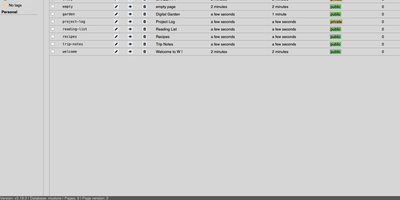
Taking notes and publishing a website usually need two different tools, but W treats them as the same act. Every page you create gets its own address, and a privacy level marks it public, private, or not yet published. The editor offers tabs for Markdown content, CSS, a custom body template, and JavaScript, with a metadata panel for title, description, tags, date, and authors. Home view lists every page with sorting, filters, search, and saved bookmarks for common queries. Two alternative views draw pages as a link graph and, for pages with coordinates, as markers on a map. A media manager organizes uploads in folders, offers a thumbnail gallery, and can optimize images for the web. Several users can work together with reader, editor, super editor, and admin roles, and optional LDAP sign-in is available in beta. Templates share layouts across pages, URL commands like add and edit speed up navigation, and an experimental API opens the data to scripts. Pages keep working even with JavaScript turned off. Everything is stored in plain files, so no database server is needed. Running on a dedicated VPS on RepoCloud with guaranteed CPU, RAM, and SSD, full root SSH access, and a browser serial console. AGPL-3.0 licensed.
Nanote
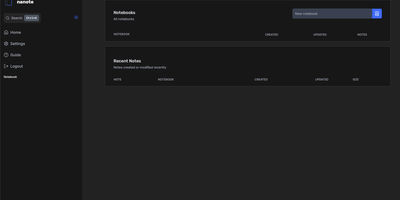
100% portability is Nanote's one non-negotiable principle as a self-hosted note-taking app. There is no database - notebooks are plain folders and notes are plain Markdown files on your filesystem, so the same notes remain fully manageable from a terminal, Notepad, or any other editor, and walking away from Nanote costs nothing because your data was never in a proprietary format to begin with. Built with Nuxt and TypeScript around the Milkdown editor, it layers modern conveniences on that plain-file foundation: fast content search across all notes using OS-optimized tooling (ugrep), native Markdown rendering, image and file attachments, and a mobile-friendly layout for reading and editing on a phone. Clever remark directives make plain text interactive - typing ::file inserts an inline upload picker, while ::today, ::now, and ::tomorrow expand to live dates and times. A fully typed REST API with validation covers automation, and access is protected by a configurable secret key. Deployment is one container with three env vars: paths for notes, uploads, and config, all bind-mountable so your Markdown lives wherever you want it - including inside an existing sync setup. AGPL-licensed and actively daily-driven by its author.
HedgeDoc
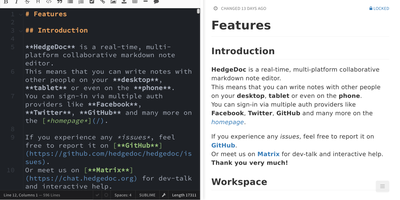
Real-time collaborative Markdown behind your own firewall: HedgeDoc (formerly CodiMD, descended from HackMD's open-source edition) keeps team notes on team infrastructure. Share a note's URL and collaborators are editing together instantly - live cursors, changes appearing keystroke by keystroke - in a three-mode interface that toggles between raw Markdown, rendered preview, and side-by-side split. The Markdown dialect is extended where engineers need it: Mermaid, Graphviz, and Vega-Lite diagrams, MathJax for equations, syntax-highlighted code blocks, embedded content, and a presentation mode that turns a note into reveal.js slides with a single YAML header. A dropdown permission system controls each note - freely editable, limited to signed-in users, or locked read-only - and published notes become clean read-only pages for wider distribution. Revisions track every change with the ability to revert to any earlier version. The AGPL-3.0 codebase is light enough to run on a Raspberry Pi and deploys via Docker with PostgreSQL, MySQL, or SQLite. Authentication covers LDAP, SAML, OAuth2, and email. It deliberately stays a focused document editor - no page trees or kanban - and does that one job with excellent keyboard-first ergonomics for meeting notes, RFCs, runbooks, and shared scratchpads.