Chunky
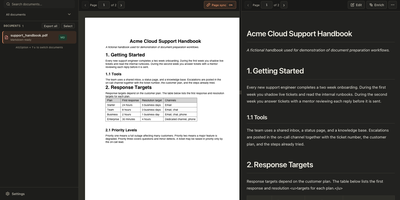
See exactly what your documents look like before a retrieval pipeline swallows them. Chunky puts the original PDF next to the converted Markdown with page-aware scrolling, so broken tables, scrambled columns, and stray artifacts are visible at a glance. Pick a converter, edit the Markdown by hand, then split it into color-coded chunks you can edit, delete, or enrich one at a time. Compare two converters on the same pages in a side-by-side dialog to find which one handles your layouts best. Try token, recursive, sentence, semantic, table, code, and heading-based splitters with adjustable size and overlap, and save the chunk sets that work. Optional model-powered enrichment adds titles, one-sentence context, summaries, keywords, and retrieval questions to each chunk. Process many documents in one batch and export everything as a ZIP. Judge chunk quality by eye, not by guesswork, before any of it reaches an embedding model. Running on a dedicated VPS on RepoCloud with guaranteed CPU, RAM, and SSD, full root SSH access, and a browser serial console. MIT licensed.
Casnode
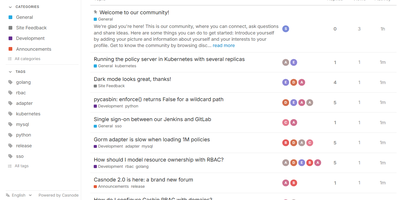
Casnode is a community forum that feels like Discourse from the first click, with topic lists, timelines, and a docked composer your members already know how to use. Readers browse Latest, New, Unread, Hot, and Top topics by category or tag, follow threads with a timeline scrubber and topic map, and jump back in exactly where they stopped reading. Writing feels familiar too: the composer offers Markdown with live preview, drag-and-drop image uploads, mentions, quoting, drafts, and emoji, so long technical answers are painless to produce. Every page is rendered on the server with canonical URLs, Open Graph data, sitemaps, and RSS feeds, which means search engines index your discussions properly instead of seeing an empty app shell. Accounts work out of the box with email and password, and administrators can add single sign-on through any OpenID Connect or OAuth provider, or connect Casdoor for SAML, LDAP, and a hundred more identity sources. Moderators get flags, a review queue, and controls to close, pin, archive, or recover topics, while the admin panel handles site settings, branding, users, categories, and posting limits. Personal messages, user profiles, notification levels from Watching to Muted, and light and dark themes round out daily life for the community. Running on a dedicated VPS on RepoCloud with guaranteed CPU, RAM, and SSD, full root SSH access, and a browser serial console. Apache-2.0 licensed.
DocsMint
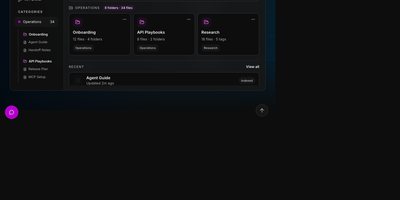
DocsMint is a self-hosted knowledge workspace where your team writes documentation once and both people and AI agents retrieve it through hybrid search and a built-in MCP server. Documents live in a rich visual editor with Markdown import and export, organized by folders, categories, and tags, with sharing and version history. Search blends exact title matches, multilingual keyword search, typo-tolerant fuzzy matching, and semantic vectors, then widens results through graph relationships between documents, so a query in one language or phrasing still finds the right page. Every edit quietly refreshes the index in the background; nothing needs manual re-embedding. Agents connect through 22 MCP tools covering search, reading, creation, updates, folders, snapshots, and export, over a local stdio bridge or the HTTP endpoint on your own installation. Category-scoped API keys hand each integration only the slice of the library it may read, edit, or write, while a global key serves trusted automation. The same operations are available through the REST API, a typed TypeScript SDK, and a terminal CLI for scripts. The web application installs as a PWA with offline reading, and AI features run on your choice of an OpenRouter key or a fully local Ollama setup. Running on a dedicated VPS on RepoCloud with guaranteed CPU, RAM, and SSD, full root SSH access, and a browser serial console. Apache-2.0 licensed.
LeafWiki
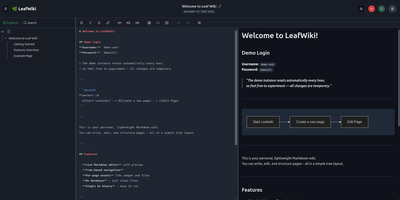
Engineering teams and technical writers maintain operational runbooks, system documentation, and knowledge bases using LeafWiki, an open-source self-hosted wiki that stores page contents directly as human-readable Markdown files on the local filesystem. Authors can compose documentation through a dual-pane editor equipped with live HTML preview, keyboard navigation, autocomplete for internal links, and native rendering for Mermaid diagrams, KaTeX mathematical formulas, and collapsible callout containers. The navigational tree organizes complex documentation into explicit directory hierarchies and custom drag-and-drop page sequences tracked in lightweight configuration files rather than arbitrary alphabetical lists. An integrated SQLite engine indexes page content and custom taxonomy tags for fast full-text searches, automatic incoming backlink tracking, and automated broken link detection. System operators can deploy the single-binary application without external database servers or runtime dependencies, backing up the entire repository by copying the data directory. Administrators can provision granular user roles, configure reverse proxy header authentication for single sign-on gateways, and manage read-only API access keys for automated documentation scripts and continuous integration pipelines. Public viewers can browse technical notes without authentication or switch between dark and light high-contrast themes. Running on a dedicated VPS on RepoCloud with guaranteed CPU, RAM, and SSD, full root SSH access, and a browser serial console. MIT licensed.
Wiki-Go
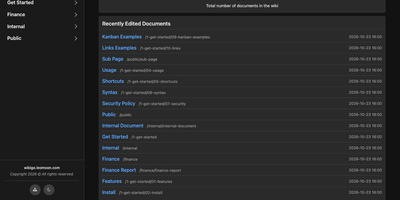
Wiki-Go turns a folder of Markdown files into a searchable team wiki with page history, comments, and access rules, and never asks you to run a database. Pages live in a nested tree with a sidebar and breadcrumbs, and an editor with a preview toggle handles emoji shortcodes, highlighted code, LaTeX math, Mermaid diagrams, collapsible sections, GitHub-style alerts, and embedded YouTube, Vimeo, or MP4 video. Full-text search supports exact phrases in quotes and term inclusion or exclusion, and highlights each match. Each save keeps a revision, up to a configurable limit, and any stored version can be restored later. Attachments such as PDFs, spreadsheets, images, and archives sit beside the page they belong to. Drop a Kanban board into any document for drag-and-drop task tracking with nested tasks, or build a categorized link library that fills in page metadata automatically. Signed-in users comment in Markdown, and admins can remove comments. Admin, editor, and viewer roles, user groups, path-based public or private rules, and an optional private-wiki mode decide who sees what. Branding comes from a custom logo, banner, and favicon, shortcodes such as stats insert live site statistics, and readers can switch between dark and light themes or print any page. A REST API opens content to scripts, and a community tool imports Notion exports. Running on a dedicated VPS on RepoCloud with guaranteed CPU, RAM, and SSD, full root SSH access, and a browser serial console. GPL-3.0 licensed.
loci
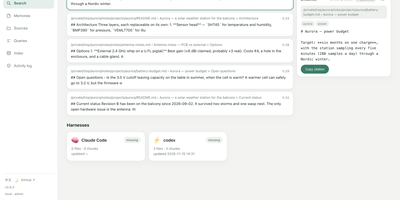
Point Claude Desktop, Cursor, Cline, or any other MCP host at one loci instance and every assistant searches the same notes, project docs, and saved memories. Hybrid retrieval fuses vector hits with BM25 using reciprocal rank fusion, so an exact identifier like user_id still surfaces, and every answer cites the file and section it came from, with optional claim-by-claim verification. Notes stay readable as Markdown, and the index updates incrementally from folders of text, HTML, org files, PDF, and Word documents or an Obsidian vault. Durable memories are saved with one command, structured task state is stored and fetched by exact key, and decision notes can declare what they supersede so a history command shows the chain and answers stop quoting retired policy. A memory health report shows which notes were cited, corrected, or never used. The web console has a dashboard, search with an evidence pane, memory editing, sources and file uploads, a query log, a note graph, and an activity log, in English or Chinese with light and dark themes. Role-based tokens separate viewers, editors, and admins. Embedding and chat calls go only to the providers you configure, and local endpoints like Ollama keep the whole workflow offline. Running on a dedicated VPS on RepoCloud with guaranteed CPU, RAM, and SSD, full root SSH access, and a browser serial console. MIT licensed.
Tela
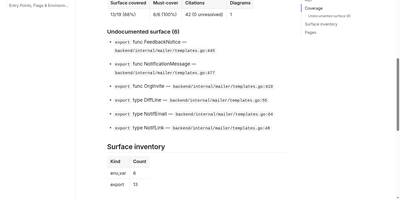
Tela keeps a team's documentation as canonical markdown in a self-hosted wiki that AI agents read, search, and write alongside humans through a built-in MCP server. People edit together with live multi-cursor collaboration, threaded comments, backlinks, and full revision history, so every page shows who changed what and why. PostgreSQL full-text search works immediately, and adding an embedder unlocks semantic retrieval and grounded ask-your-docs answers that cite their sources. Connect Claude, Cursor, or another MCP client with a personal access token and the agent can search the wiki, draft and patch pages, answer comment threads, build spreadsheets with real formulas, and assemble presentation decks exportable to PDF and PPTX. Atlas, the built-in documentation engine, points at a git repository or Jira project and drafts cited wiki pages, then keeps them fresh as the sources change. Teams organize work into spaces, invite members by email, and flip any space public to publish a login-free blog with per-author home pages. Content syncs over WebDAV and exports to zip or PDF, and optional AI features run against your own endpoint or a bundled local Ollama profile, so nothing leaves your server unless you wire it up. Running on a dedicated VPS on RepoCloud with guaranteed CPU, RAM, and SSD, full root SSH access, and a browser serial console. AGPL-3.0 licensed.
ClearFlask
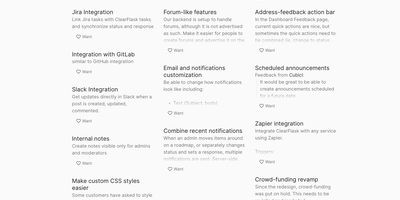
Instead of digging requests out of email and chat threads, ClearFlask collects them on a branded portal where customers vote, comment, and follow each idea from submission to release. The portal can be a simple feedback form or an open board where customers browse, vote on, and discuss each other's ideas. Visitors identify themselves through single sign-on from your own app, OAuth providers you configure, email with an optional domain whitelist, browser push notifications, or as guests. In the dashboard, the Feedback page turns a request into a task, sends a reply, merges duplicates, or shelves it for later. The Roadmap page is a drag-and-drop Kanban board with editable columns, and moving a card notifies the people following that idea. Each content category has its own statuses, transitions, and tag groups, so an idea board, a knowledge base, a blog, and a Q&A section can behave differently. Announcements double as a changelog that visitors can subscribe to. Votes can be simple upvotes, up and down votes, or weighted emoji, and threaded comments keep every discussion organized. Posts import from CSV, project data can be exported for outside analysis, a documented API and webhooks connect other tools, and the interface ships in over twenty languages. Running on a dedicated VPS on RepoCloud with guaranteed CPU, RAM, and SSD, full root SSH access, and a browser serial console. Apache-2.0 licensed.
Synapse AI
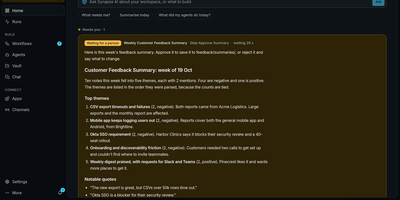
Hand a repeating job to Synapse AI and it drafts readable steps, runs them the same way every time, and stops to ask before anything goes out. Each workflow is a graph of steps that can call agents, tools, scripts, and different language models from over a dozen providers, local or cloud. An AI builder drafts the graph from a description, and a visual editor handles hand adjustments. Human approval steps pause a run until someone says yes, in the web interface or from Slack, Discord, Telegram, Teams, or WhatsApp. Cron and interval schedules start jobs automatically, and a run viewer shows the path, timing, tokens, and cost of every step. Any REST endpoint, Python script, webhook, or MCP server becomes a tool agents can call, and a shared vault stores files between runs. A template gallery offers ready-made workflows for research, reporting, and content, and an embeddable chat widget puts a knowledge-grounded assistant on your own site. A versioned REST API enqueues, streams, and cancels runs from your products. Running on a dedicated VPS on RepoCloud with guaranteed CPU, RAM, and SSD, full root SSH access, and a browser serial console. AGPL-3.0 licensed.
Atlantis Diagrams
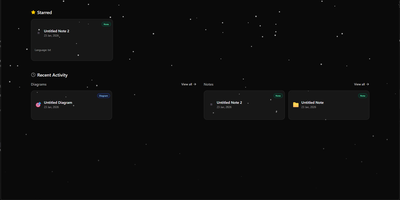
Technical teams frequently struggle to keep software architecture diagrams synchronized with evolving codebases and documentation repositories. Atlantis Diagrams delivers a unified self-hosted workspace that couples code-driven Mermaid.js diagramming with structured Markdown knowledge bases in a responsive web interface. Engineers can compose flowcharts, sequence diagrams, state machines, entity-relationship models, and Gantt schedules using split-view CodeMirror editors with real-time SVG rendering. An integrated version history tracker automatically captures revision checkpoints across the last 15 document states, letting authors compare modifications and restore previous iterations without data loss. The linked notes environment supports rich Markdown editing, LaTeX mathematical formulas, interactive task checklists, tag indexing, and full-text keyword searches across personal documentation libraries. Canvas controls allow users to pan, zoom, inspect individual nodes, and export finalized graphics directly into vector SVG, high-resolution PNG, or printable PDF documents. Storage engines adapt to deployment scale, running on zero-configuration SQLite databases out of the box with optional PostgreSQL, MySQL, and Redis caching layers for high-concurrency environments. Running on a dedicated VPS on RepoCloud with guaranteed CPU, RAM, and SSD, full root SSH access, and a browser serial console. MIT licensed.
Hatchdoor
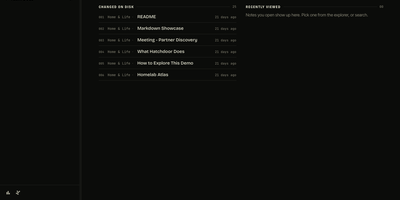
Hatchdoor gives your Markdown notes two front doors at once: a fast web interface for you, and an MCP endpoint where AI agents read and edit the very same vault. Point it at any folder of Markdown files, an existing Obsidian vault included, and it indexes everything into a disposable SQLite read model that rebuilds itself from your files if deleted. In the browser you browse folders, follow wikilinks that survive renames, explore backlinks and graph views, and search by keyword or meaning across every vault you mount. The live editor shows Markdown syntax only on the line you are editing and saves automatically, while concurrency checks refuse a save when the note changed underneath you. Agents connect with their own token and start read-only; turn writes on and Claude Code, Codex, Cursor, or Hermes can create, edit, move, and link notes through the same checked operations the interface uses. Saved queries in Obsidian's Bases syntax render as live tables, attachments preview inline, and optional git integration commits and pushes every change back to your vault's repository. Running on a dedicated VPS on RepoCloud with guaranteed CPU, RAM, and SSD, full root SSH access, and a browser serial console. AGPL-3.0 licensed.
KaaS
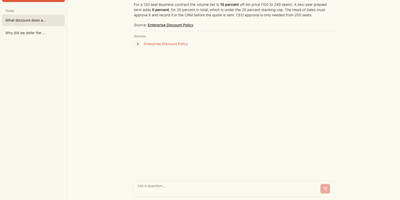
Turn scattered meeting notes, policies, postmortems, and documents into a readable wiki that your team can question in plain language. Paste text, upload a file, or point KaaS at a web page, and an AI pipeline pulls out the concepts, decisions, and people, then writes them up as Markdown articles sorted into decision, reference, guide, and concept folders. Ask a question in chat and the answer cites the exact articles it came from, so anyone can open the source and check it. Each article shows tags, a source count, and a table of contents, and every page is stored as a plain Markdown file you can read, edit by hand, or commit to version control. Adding one new document only recompiles that document, which keeps model costs predictable as the library grows. A Builds page lists every submission with its status and attempts, and a failed worker's job is picked up again instead of lost. Derive a topic knowledge base to carve a focused collection out of the wiki for one subject, and let coding agents query the same wiki through an MCP ask tool. Team handbooks, customer onboarding, incident history, and pricing rules are the knowledge that ends up scattered across a dozen files, and this is where it comes back together. Running on a dedicated VPS on RepoCloud with guaranteed CPU, RAM, and SSD, full root SSH access, and a browser serial console. MIT licensed.
Connapse
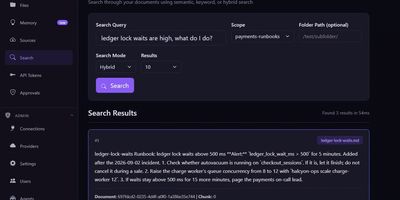
Give your AI agents a library to search and a memory that survives the session: Connapse serves both over MCP and a REST API. Upload files or whole folders, or index them where they live: SFTP servers (including folders on your own computer), Amazon S3, Azure Blob Storage, GitHub, Confluence, Jira, or a custom source server. Queries run vector and keyword search together and fuse the rankings, an optional cross-encoder reranker re-scores the top results, and each passage comes back labeled with its source file. Agents save dated facts with their sources into personal or team memory spaces, recall them later, correct them without losing history, and forget them on request, while a Memory page shows each space's timeline. Results from GitHub, Confluence, Jira and custom sources are checked against each reader's own access, and a passage is left out whenever that check cannot be made. Optional link search follows a GitHub issue to its closing pull request or a Jira issue to its epic, and code tools find definitions, callers, and what a change could affect. More than twenty named tools suit Claude Code, Cursor, and VS Code; each key gets only the tools its scopes allow, and deletes can wait for approval. Embeddings run locally by default, with OpenAI or Azure OpenAI one setting away. Running on a dedicated VPS on RepoCloud with guaranteed CPU, RAM, and SSD, full root SSH access, and a browser serial console. MIT licensed.
plumio
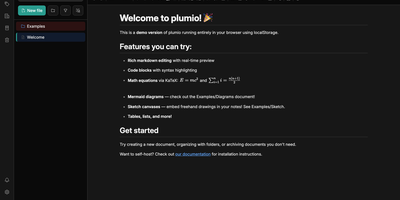
Notes belong on a server you control, and plumio gives them a quiet, fast home there with a polished markdown editor and a live preview. Write headings, task lists, tables, code blocks, math equations, and Mermaid diagrams in one document, then add a freehand sketch canvas for quick drawings. Each change saves as you type. Folders, tags, and custom colors keep a growing library tidy, favorites keep the important pages close, and full-text search finds a half-remembered phrase in seconds. Turn on AES-256 encryption and every document is protected at rest on disk. One instance can host several users and several organizations, so a family, a study group, or a small company each gets a separate workspace with roles for admins and members. Deleted notes land in a trash and archived ones stay out of the way until needed. Export everything as a zip of plain markdown files, or import a folder from another editor, Obsidian included. Webhooks announce document events to other services, API keys let scripts create and search notes, and optional SMTP email handles password resets. A daily backup job keeps compressed copies with automatic retention, and a desktop app can connect to your server. Running on a dedicated VPS on RepoCloud with guaranteed CPU, RAM, and SSD, full root SSH access, and a browser serial console. AGPL-3.0 licensed.
Storyden
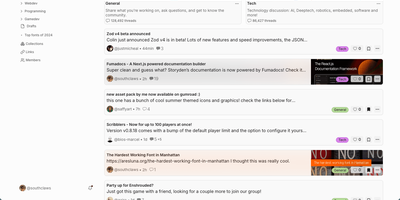
Think of Storyden as running your own small Reddit, except the knowledge your community produces does not scroll away and die in the feed. Discussion happens in threaded forums organized by categories and tags, where posts collect replies, likes, emoji reactions, and saves into personal collections. Beside the chatter sits the Library, a tree of rich pages your members build together into wikis, directories, catalogs, and guides that stay findable. Library pages carry typed properties, attached files, and table views, so a car club can track vehicles as data instead of arguing over a spreadsheet. Threads can reference Library pages and pages can link back to threads, letting a great answer graduate into permanent knowledge. Optional AI assistance helps organize titles, tags, and summaries, while the recommendation engine surfaces posts each member is likely to care about. The first account registered becomes admin, roles and permissions govern who can post or moderate, and community settings live in the admin panel rather than config files. One container starts everything with an embedded database and local file storage, and OpenAPI documentation is served from the same address. Running on a dedicated VPS on RepoCloud with guaranteed CPU, RAM, and SSD, full root SSH access, and a browser serial console. MPL-2.0 licensed.
Tracim
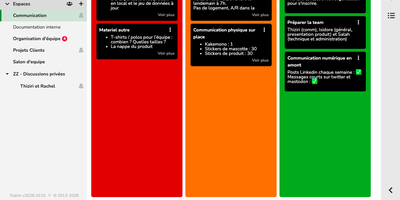
Combining threaded discussions, versioned documents, Kanban boards, and shared calendars in one platform, Tracim keeps every decision and file in a single searchable place. Each space gathers the discussions, notes, files, and tasks of one team or project, and members hold a reader, contributor, content manager, or workspace manager role. Comments, status labels, tags, and an automatic version history travel with every document, and several people can edit the same text at once. Kanban boards track tasks, logbooks record events and decisions, and templates keep recurring documents consistent. Shared calendars cover one-time and recurring events with reminders, and they sync to Thunderbird, Outlook, or any CalDAV client. Files go out as share links, mount through WebDAV, or sync to a desktop folder, and outside partners can join a single space with limited rights. Each space sets its own notification rhythm, from hourly to never, and a reply to a notification email is posted straight into the thread. Administrators plug in LDAP, SAML, or web-server remote authentication for sign-in, recolor the interface to match their brand, and script anything else through the REST API or plugins. The interface is available in Arabic, English, French, German, Portuguese, and Spanish. Running on a dedicated VPS on RepoCloud with guaranteed CPU, RAM, and SSD, full root SSH access, and a browser serial console. MIT, LGPL-3.0, and AGPL-3.0 licensed.
Typemill
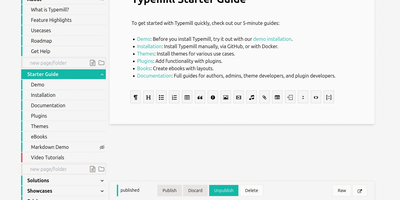
Documentation deserves better than a database nobody wants to maintain. Typemill is an open-source flat-file CMS for informational websites, manuals, knowledge bases, and handbooks: content lives as Markdown files in folders, so a site can be copied, versioned, backed up, and moved with ordinary file tools and no database server anywhere in the stack. Authors get a visual block editor for nontechnical writing and a raw Markdown editor when precision matters, with a navigation tree, drag-and-drop structure, media library, page metadata, and publish states in one workspace. The same source then publishes three ways: as a themed website, as a printable PDF manual, or as an EPUB eBook through the eBook studio, making single-source publishing real for teams tired of maintaining docs, PDFs, and handbooks as three diverging copies. Themes are built from HTML and Twig; plugins add search, analytics, diagrams, math, and integrations; and an optional AI assistant interface connects writing help to the editor. User management, restricted pages, redirects, and a REST API cover the operational side, and the whole application is small enough to run comfortably on modest shared-style hosting or a tiny server while still feeling instant. Running on a dedicated VPS on RepoCloud with guaranteed CPU, RAM, and SSD, full root SSH access, and a browser serial console. MIT licensed.
Lumina
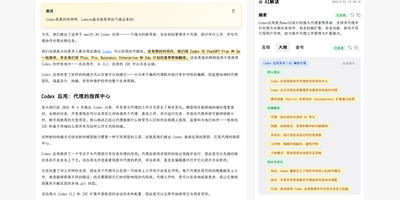
One click, one article: Lumina captures any web page from a browser extension, adds an AI summary, outline, and translation, and files it in a library you can read, annotate, and publish. Save a full page or a selection from the extension popup or the right-click menu. Search titles, then narrow by category, author, source, or time. Batch actions categorize, hide, or delete many articles at once. Switch between the original and the translation, or go immersive. A table of contents, notes, and highlights help you work through long articles. Code blocks, math, and common media embeds render in place. Background AI tasks write summaries, key points, quotes, and outlines. They also classify articles and suggest similar ones. Each task shows a timeline, and you can retry, repair, or cancel it. Columns turn articles, topics, and quotes into longer reading paths you can publish. Public RSS feeds cover articles and columns, and either kind of page downloads as Markdown. Readers comment after signing in with GitHub or Google, and admins moderate. The admin center manages model APIs, prompts, categories, and storage, and tracks calls, tokens, and cost. Backups run in the background, download as an archive, and import back incrementally. Running on a dedicated VPS on RepoCloud with guaranteed CPU, RAM, and SSD, full root SSH access, and a browser serial console. MIT licensed.